Upgrade & Secure Your Future with DevOps, SRE, DevSecOps, MLOps!
We spend hours scrolling social media and waste money on things we forget, but won’t spend 30 minutes a day earning certifications that can change our lives.
Master in DevOps, SRE, DevSecOps & MLOps by DevOps School!
Learn from Guru Rajesh Kumar and double your salary in just one year.
Introduction
Secure File Transfer tools, often called Managed File Transfer or MFT tools, help organizations send, receive, automate, monitor, and protect file movement between users, systems, partners, vendors, and customers. In simple words, these tools make file transfer safer, more controlled, and easier to audit than basic email attachments or manual FTP.
Secure file transfer matters because companies regularly exchange sensitive documents, financial files, healthcare records, customer data, reports, software packages, and operational data. If these files are transferred through weak channels, organizations may face data leaks, compliance issues, failed audits, business delays, and security incidents.
Real-world use cases include vendor file exchange, financial data transfer, healthcare document sharing, automated B2B file workflows, secure client portals, SFTP replacement, compliance reporting, and scheduled system-to-system transfers.
Buyers should evaluate encryption, protocol support, automation, audit logs, role-based access, file size limits, high availability, API support, compliance features, user experience, partner onboarding, and integration with existing systems.
Best for: IT teams, security teams, compliance teams, finance teams, healthcare organizations, banks, insurance companies, government agencies, logistics firms, enterprises, and any business that regularly transfers sensitive or business-critical files.
Not ideal for: very small teams that only share low-risk files occasionally, businesses that only need basic cloud storage links, or users who need simple personal file sharing instead of controlled, auditable, automated file transfer.
Key Trends in Secure File Transfer Tools
- Managed File Transfer is replacing traditional FTP: Organizations are moving away from basic FTP because it lacks modern security, monitoring, automation, and governance controls.
- Zero trust file exchange is becoming more important: Teams want strong identity checks, MFA, least-privilege access, IP restrictions, expiration controls, and detailed activity logs.
- Automation is now a core requirement: Businesses need scheduled transfers, event-based workflows, file routing, notifications, retries, and system-to-system movement without manual work.
- Cloud and hybrid deployment options are growing: Many buyers want cloud-based MFT, while regulated enterprises may still need self-hosted or hybrid control.
- API-driven integration is becoming standard: Modern file transfer tools must connect with business apps, cloud storage, ERP systems, data platforms, and security tools.
- Compliance reporting is a major buying factor: Legal, finance, healthcare, and government teams need proof of who sent what, when it was sent, who accessed it, and whether policies were followed.
- Large file transfer performance is more important: Media, engineering, healthcare imaging, and data-heavy businesses need reliable movement of large files without failed transfers.
- Partner onboarding is becoming simpler: Companies want secure portals, user self-service, controlled external sharing, and easier vendor setup.
- Threat detection around file movement is increasing: Some platforms are adding malware scanning, anomaly detection, content inspection, and policy-based blocking.
- Data residency and retention are influencing decisions: Organizations want better control over where files are stored, how long they remain available, and how they are deleted.
How We Selected These Tools
The tools in this list were selected using practical buyer-focused evaluation logic:
- Strong recognition in managed file transfer, secure file exchange, B2B file movement, or enterprise automation.
- Support for secure transfer protocols such as SFTP, FTPS, HTTPS, AS2, or API-based transfers where applicable.
- Ability to automate file movement through schedules, workflows, triggers, and integration tasks.
- Security features such as encryption, MFA, SSO, RBAC, audit logs, and secure user access.
- Fit for different buyer segments, including SMBs, mid-market companies, enterprises, managed service providers, and regulated industries.
- Integration with cloud storage, ERP systems, databases, identity providers, workflow tools, and security systems.
- Scalability for large files, high-volume transfers, and multi-partner environments.
- Reporting, monitoring, alerts, and compliance visibility.
- Ease of administration for IT teams and usability for business users or external partners.
- Overall value based on capability depth, deployment flexibility, reliability, support, and total operational fit.
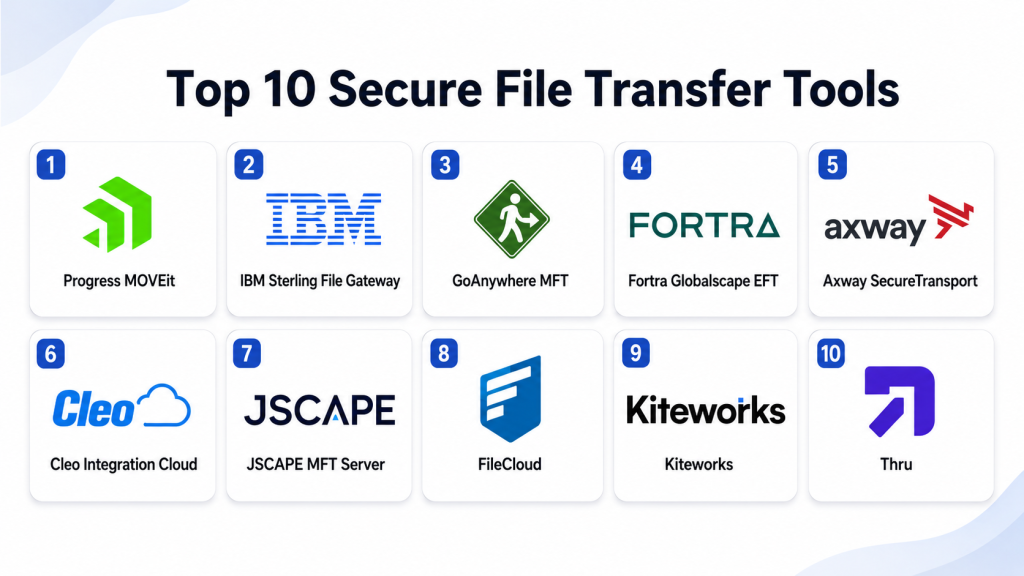
Top 10 Secure File Transfer Tools
#1 — Progress MOVEit
Short description: Progress MOVEit is a managed file transfer platform built for secure, automated, and auditable file exchange. It is best for enterprises and regulated organizations that need strong control over sensitive file movement.
Key Features
- Secure file transfer using managed workflows.
- Automation for scheduled and event-based transfers.
- SFTP, HTTPS, and other secure transfer capabilities depending on configuration.
- Centralized monitoring and reporting.
- Audit logs for compliance and visibility.
- User and partner file exchange portals.
- Encryption and access control features.
Pros
- Strong fit for enterprise file transfer governance.
- Useful automation and reporting capabilities.
- Good option for regulated industries needing audit trails.
Cons
- May be more advanced than small teams need.
- Requires careful setup and security configuration.
- Licensing and deployment planning should be reviewed carefully.
Platforms / Deployment
Web / Windows / Linux
Cloud / Self-hosted / Hybrid
Security & Compliance
Supports encryption, role-based access, audit logs, secure authentication, policy-based file exchange, and compliance-focused reporting. Specific certifications and compliance mappings should be validated directly during procurement.
Integrations & Ecosystem
Progress MOVEit fits enterprise file transfer, partner exchange, automation, and compliance workflows.
- SFTP and secure transfer endpoints
- Enterprise applications
- Databases and file systems
- Cloud storage workflows
- Identity providers
- Automation and reporting systems
Support & Community
Progress provides documentation, enterprise support, knowledge base resources, and professional services. It is best suited for organizations with formal IT, security, and compliance processes.
#2 — IBM Sterling File Gateway
Short description: IBM Sterling File Gateway is an enterprise managed file transfer and B2B integration platform. It is commonly used by large organizations that exchange high-volume business files with partners, suppliers, customers, and internal systems.
Key Features
- Enterprise B2B file transfer management.
- Partner onboarding and trading partner workflows.
- Support for secure transfer protocols and integration patterns.
- File routing, transformation, and automation.
- Monitoring and operational visibility.
- Audit and compliance reporting.
- Scalable enterprise architecture.
Pros
- Strong for large-scale B2B file exchange.
- Useful for complex partner ecosystems.
- Good fit for enterprises with strict operational requirements.
Cons
- Can be complex to implement and administer.
- More suitable for large organizations than simple file sharing needs.
- Requires skilled technical and integration teams.
Platforms / Deployment
Web / Windows / Linux
Self-hosted / Hybrid
Security & Compliance
Supports secure authentication, encryption, access controls, audit logs, partner governance, and enterprise policy workflows. Specific certifications and compliance requirements should be validated directly with IBM.
Integrations & Ecosystem
IBM Sterling File Gateway works well in enterprise integration, supply chain, banking, insurance, logistics, and B2B data exchange environments.
- ERP systems
- B2B gateways
- EDI workflows
- SFTP and AS2 transfer patterns
- Databases and middleware
- Partner management systems
Support & Community
IBM provides enterprise support, technical documentation, professional services, and partner-led implementation support. It is best for organizations with mature integration and B2B operations.
#3 — GoAnywhere MFT
Short description: GoAnywhere MFT is a secure managed file transfer platform for automating, securing, and auditing file transfers. It is suitable for mid-market and enterprise teams that need strong protocol support, automation, and compliance visibility.
Key Features
- Secure managed file transfer workflows.
- Support for SFTP, FTPS, HTTPS, AS2, and other protocols depending on configuration.
- Workflow automation and scheduling.
- Encryption and key management capabilities.
- File transfer monitoring and alerts.
- Audit logs and reporting.
- Secure user and partner portals.
Pros
- Strong automation and protocol support.
- Practical fit for regulated and file-heavy businesses.
- Good balance of enterprise features and usability.
Cons
- Requires planning for workflows and access design.
- Advanced configurations may need trained administrators.
- Buyers should validate exact protocol and module needs.
Platforms / Deployment
Web / Windows / Linux
Cloud / Self-hosted / Hybrid
Security & Compliance
Supports encryption, SFTP/FTPS/HTTPS workflows, user permissions, role-based access, audit logs, secure portals, and compliance reporting. Specific certifications should be validated directly.
Integrations & Ecosystem
GoAnywhere MFT integrates with enterprise apps, cloud storage, databases, scripts, and secure transfer endpoints.
- Cloud storage platforms
- Databases
- ERP and business systems
- SFTP and AS2 partners
- Email and notification systems
- APIs and automation workflows
Support & Community
GoAnywhere provides documentation, support resources, training options, and implementation assistance. It is often used by IT teams that need secure automation without building custom transfer scripts.
#4 — Fortra Globalscape EFT
Short description: Fortra Globalscape EFT is a managed file transfer solution focused on secure exchange, automation, visibility, and compliance. It is useful for organizations that need reliable file movement with enterprise-grade controls.
Key Features
- Secure file transfer automation.
- Support for common secure transfer protocols.
- Event-driven workflows and scheduled transfers.
- File transfer monitoring and alerting.
- Web-based secure file exchange.
- Audit trails and reporting.
- High availability options depending on deployment.
Pros
- Mature MFT platform for business-critical transfers.
- Strong automation and security controls.
- Useful for compliance-focused file exchange.
Cons
- May require specialist knowledge for advanced deployment.
- Licensing and modules should be reviewed carefully.
- Smaller teams may find it more robust than necessary.
Platforms / Deployment
Web / Windows
Cloud / Self-hosted / Hybrid
Security & Compliance
Supports encryption, role-based access, secure protocols, audit logs, authentication controls, and compliance reporting. Specific certifications and compliance mappings should be validated directly.
Integrations & Ecosystem
Globalscape EFT supports enterprise transfer workflows, automation, partner exchange, and operational integration.
- Secure file protocols
- Business applications
- Cloud storage workflows
- Directory services
- Email alerts
- Scripts and automation processes
Support & Community
Fortra provides documentation, enterprise support, professional services, and security-focused resources. It is suitable for organizations that need reliable managed file transfer operations.
#5 — Axway SecureTransport
Short description: Axway SecureTransport is an enterprise managed file transfer platform for secure, high-volume, and policy-driven file exchange. It is best for large organizations with complex partner, compliance, and integration requirements.
Key Features
- Enterprise managed file transfer.
- B2B and partner file exchange.
- Policy-based transfer controls.
- Support for secure transfer protocols.
- Automation and routing workflows.
- Monitoring, reporting, and audit trails.
- High-volume transfer support.
Pros
- Strong fit for large enterprise ecosystems.
- Useful for complex partner and B2B file exchange.
- Good governance and operational visibility.
Cons
- Implementation may require experienced teams.
- May be too complex for simple file transfer needs.
- Buyers should carefully evaluate deployment and integration scope.
Platforms / Deployment
Web / Windows / Linux
Cloud / Self-hosted / Hybrid
Security & Compliance
Supports encryption, secure authentication, access controls, audit logs, policy enforcement, and compliance-oriented transfer governance. Specific certifications and regulatory mappings should be validated directly.
Integrations & Ecosystem
Axway SecureTransport fits enterprise API, B2B, partner, and file exchange ecosystems.
- B2B integration tools
- API management workflows
- Secure transfer endpoints
- Enterprise applications
- Partner onboarding systems
- Monitoring and reporting tools
Support & Community
Axway provides enterprise documentation, support plans, implementation services, and partner resources. It is a strong candidate for mature organizations with formal integration teams.
#6 — Cleo Integration Cloud
Short description: Cleo Integration Cloud is an integration platform that includes managed file transfer, B2B integration, EDI, API integration, and partner connectivity. It is suitable for companies that want secure file transfer as part of broader business integration.
Key Features
- Managed file transfer and B2B integration.
- EDI and API integration support.
- Partner onboarding and management.
- Workflow automation and visibility.
- Cloud and hybrid integration options.
- Error handling and operational monitoring.
- Business process integration dashboards.
Pros
- Good fit for supply chain and B2B workflows.
- Combines file transfer with broader integration.
- Useful for partner-heavy organizations.
Cons
- May be more than required for simple MFT needs.
- Requires integration planning.
- Pricing and packaging should be reviewed based on workload complexity.
Platforms / Deployment
Web / Windows / Linux
Cloud / Hybrid
Security & Compliance
Supports secure file exchange, encryption, access controls, partner governance, monitoring, and audit-related workflows. Specific certifications and compliance details should be validated directly.
Integrations & Ecosystem
Cleo Integration Cloud is strongest where file transfer connects to B2B, EDI, API, and business process automation.
- ERP systems
- EDI networks
- Partner systems
- APIs
- Cloud storage
- Supply chain workflows
Support & Community
Cleo provides documentation, support, customer success resources, and implementation guidance. It is best for organizations that need secure transfer plus partner and business integration.
#7 — JSCAPE MFT Server
Short description: JSCAPE MFT Server is a managed file transfer server that supports secure protocols, automation, user management, and file exchange workflows. It is useful for IT teams that need flexible deployment and strong protocol coverage.
Key Features
- Managed file transfer server.
- Support for multiple secure transfer protocols.
- Event-based automation.
- User and group access controls.
- File transfer monitoring and alerts.
- Web-based file transfer access.
- API and scripting support.
Pros
- Flexible protocol and deployment support.
- Good for teams replacing traditional FTP servers.
- Useful automation for file workflows.
Cons
- Requires technical administration.
- User experience depends on configuration.
- Buyers should validate enterprise reporting and scaling needs.
Platforms / Deployment
Web / Windows / Linux / macOS
Cloud / Self-hosted / Hybrid
Security & Compliance
Supports secure protocols, encryption, user access controls, authentication settings, audit logs, and automated security workflows. Specific certifications and compliance mappings should be validated directly.
Integrations & Ecosystem
JSCAPE MFT Server fits secure file server, automation, partner transfer, and hybrid deployment use cases.
- SFTP and FTPS clients
- Web file transfer portals
- APIs
- Scripts and automation
- Cloud storage targets
- Directory services
Support & Community
JSCAPE provides product documentation, support resources, and technical assistance. It is suitable for IT teams that want flexible managed file transfer server capabilities.
#8 — FileCloud
Short description: FileCloud is an enterprise file sharing, sync, and secure file transfer platform. It is useful for organizations that need secure file access, external sharing, client portals, and flexible deployment options.
Key Features
- Secure file sharing and transfer.
- Enterprise file sync and access.
- Client portals and external sharing.
- On-premises, cloud, and hybrid deployment options.
- File activity monitoring.
- Admin controls and user permissions.
- Data loss prevention and governance features depending on plan.
Pros
- Strong for secure file sharing and collaboration.
- Flexible deployment options.
- Useful for organizations needing control over data location.
Cons
- Not always a dedicated replacement for complex B2B MFT workflows.
- Advanced automation may need additional configuration.
- Buyers should validate protocol and integration requirements.
Platforms / Deployment
Web / Windows / macOS / Linux / iOS / Android
Cloud / Self-hosted / Hybrid
Security & Compliance
Supports encryption, MFA, SSO, access controls, audit logs, file sharing policies, and governance features. Specific certifications and compliance details should be validated directly.
Integrations & Ecosystem
FileCloud integrates with business productivity, identity, security, and file access workflows.
- Microsoft Office workflows
- Identity providers
- Network file shares
- Cloud storage
- Client portal workflows
- Security and governance tools
Support & Community
FileCloud provides documentation, customer support, admin guides, and enterprise support options. It is suitable for teams that need secure sharing with strong deployment control.
#9 — Kiteworks
Short description: Kiteworks is a secure content communication platform focused on secure file sharing, managed file transfer, email protection, and governance. It is best for organizations that need controlled external communication and sensitive file exchange.
Key Features
- Secure file sharing and transfer.
- Managed file transfer workflows.
- Secure email and content communication options.
- Access controls and activity tracking.
- Policy-based governance.
- Audit logs and reporting.
- Enterprise integration support.
Pros
- Strong focus on secure external content exchange.
- Useful for regulated and sensitive communication workflows.
- Good governance and audit visibility.
Cons
- May be more platform-like than simple MFT tools.
- Advanced configuration requires planning.
- Buyers should validate exact MFT protocol and automation needs.
Platforms / Deployment
Web / Windows / macOS / iOS / Android
Cloud / Self-hosted / Hybrid
Security & Compliance
Supports encryption, access controls, MFA, SSO, audit logs, secure sharing policies, and governance capabilities. Specific certifications and compliance mappings should be validated directly.
Integrations & Ecosystem
Kiteworks fits secure communication, file transfer, email protection, and compliance ecosystems.
- Identity providers
- Enterprise content repositories
- Email workflows
- Security tools
- DLP workflows
- Compliance and audit systems
Support & Community
Kiteworks provides documentation, enterprise support, onboarding assistance, and customer success resources. It is best for organizations with sensitive file communication needs.
#10 — Thru
Short description: Thru is a cloud-based managed file transfer platform focused on secure enterprise file exchange and integration. It is useful for organizations that want MFT capabilities connected with cloud apps, workflow automation, and business systems.
Key Features
- Cloud-managed file transfer.
- Secure file exchange workflows.
- Integration with business applications.
- Automation and routing capabilities.
- Monitoring and reporting.
- Partner and user access controls.
- API-driven file transfer support.
Pros
- Good for cloud-based MFT use cases.
- Useful integration-oriented approach.
- Helps reduce manual file exchange work.
Cons
- Buyers should validate fit for complex legacy B2B transfer needs.
- Advanced enterprise requirements may need careful review.
- Pricing and feature packaging should be confirmed directly.
Platforms / Deployment
Web / Windows / macOS / Linux
Cloud
Security & Compliance
Supports secure file exchange, encryption, access controls, monitoring, and audit-related workflows. Specific certifications and compliance details should be validated directly.
Integrations & Ecosystem
Thru fits cloud-first file transfer, workflow automation, and enterprise application integration use cases.
- Cloud applications
- Enterprise systems
- APIs
- Workflow tools
- Partner file exchange
- Secure file delivery processes
Support & Community
Thru provides documentation, customer support, and implementation guidance. It is suitable for teams that want cloud-based managed file transfer with integration capability.
Comparison Table
| Tool Name | Best For | Platform(s) Supported | Deployment | Standout Feature | Public Rating |
|---|---|---|---|---|---|
| Progress MOVEit | Enterprise secure file transfer | Web, Windows, Linux | Cloud / Self-hosted / Hybrid | Managed, auditable file transfer workflows | N/A |
| IBM Sterling File Gateway | Large B2B file exchange | Web, Windows, Linux | Self-hosted / Hybrid | Enterprise partner file gateway | N/A |
| GoAnywhere MFT | Secure automation and protocol support | Web, Windows, Linux | Cloud / Self-hosted / Hybrid | Broad MFT automation and reporting | N/A |
| Fortra Globalscape EFT | Compliance-focused file exchange | Web, Windows | Cloud / Self-hosted / Hybrid | Event-driven secure file transfer | N/A |
| Axway SecureTransport | Enterprise partner file transfer | Web, Windows, Linux | Cloud / Self-hosted / Hybrid | Policy-driven high-volume transfer | N/A |
| Cleo Integration Cloud | B2B and EDI file workflows | Web, Windows, Linux | Cloud / Hybrid | MFT with broader integration workflows | N/A |
| JSCAPE MFT Server | Flexible secure file server needs | Web, Windows, Linux, macOS | Cloud / Self-hosted / Hybrid | Multi-protocol managed file server | N/A |
| FileCloud | Secure file sharing and client portals | Web, Windows, macOS, Linux, iOS, Android | Cloud / Self-hosted / Hybrid | Secure file sharing with deployment control | N/A |
| Kiteworks | Sensitive external content exchange | Web, Windows, macOS, iOS, Android | Cloud / Self-hosted / Hybrid | Secure content communication governance | N/A |
| Thru | Cloud-based managed file transfer | Web, Windows, macOS, Linux | Cloud | Cloud MFT with business app integration | N/A |
Evaluation & Scoring of Secure File Transfer Tools
The scoring below is comparative and based on common secure file transfer needs such as transfer automation, protocol support, security, integrations, performance, support, and overall value. These scores should be used as a starting point, not a final buying decision.
| Tool Name | Core (25%) | Ease (15%) | Integrations (15%) | Security (10%) | Performance (10%) | Support (10%) | Value (15%) | Weighted Total (0–10) |
|---|---|---|---|---|---|---|---|---|
| Progress MOVEit | 9 | 7 | 8 | 9 | 8 | 8 | 7 | 8.10 |
| IBM Sterling File Gateway | 9 | 6 | 9 | 9 | 9 | 9 | 7 | 8.20 |
| GoAnywhere MFT | 9 | 8 | 8 | 9 | 8 | 8 | 8 | 8.40 |
| Fortra Globalscape EFT | 8 | 7 | 8 | 9 | 8 | 8 | 7 | 7.85 |
| Axway SecureTransport | 9 | 6 | 9 | 9 | 9 | 8 | 7 | 8.15 |
| Cleo Integration Cloud | 8 | 8 | 9 | 8 | 8 | 8 | 8 | 8.20 |
| JSCAPE MFT Server | 8 | 7 | 8 | 8 | 8 | 7 | 8 | 7.75 |
| FileCloud | 7 | 8 | 7 | 8 | 8 | 8 | 8 | 7.60 |
| Kiteworks | 8 | 8 | 8 | 9 | 8 | 8 | 7 | 8.00 |
| Thru | 8 | 8 | 8 | 8 | 8 | 7 | 8 | 7.85 |
GoAnywhere MFT scores strongly for balanced managed file transfer needs. IBM Sterling File Gateway and Axway SecureTransport are strong for complex enterprise and B2B environments. MOVEit and Globalscape EFT are strong for secure, auditable file workflows. Cleo is valuable when file transfer is part of broader EDI and partner integration. FileCloud and Kiteworks are better for secure content sharing and governed external collaboration.
Which Secure File Transfer Tool Is Right for You?
Solo / Freelancer
Solo professionals usually do not need a full managed file transfer platform. Secure cloud file sharing, encrypted email attachments, password-protected links, and basic client portals may be enough.
However, freelancers handling sensitive client files may consider secure file sharing platforms such as FileCloud, Kiteworks, or other privacy-focused tools if they need audit trails and controlled access.
SMB
Small and mid-sized businesses should focus on ease of use, secure sharing, basic automation, user permissions, and clear reporting. GoAnywhere MFT, JSCAPE MFT Server, FileCloud, Thru, and Kiteworks may be practical depending on file volume and compliance needs.
SMBs should avoid buying a complex enterprise MFT platform unless they have repeated partner transfers, compliance obligations, or high-volume automated file workflows.
Mid-Market
Mid-market organizations often need better automation, protocol support, partner onboarding, compliance reporting, and integration with business systems. GoAnywhere MFT, Progress MOVEit, Fortra Globalscape EFT, Cleo Integration Cloud, and Kiteworks are strong candidates.
The right choice depends on whether the main requirement is secure user file exchange, automated system-to-system transfer, B2B integration, or regulated content communication.
Enterprise
Enterprises need high-volume transfer reliability, multiple secure protocols, audit logs, partner governance, role-based access, automation, monitoring, and integration with business applications. IBM Sterling File Gateway, Axway SecureTransport, Progress MOVEit, GoAnywhere MFT, Cleo Integration Cloud, and Fortra Globalscape EFT should be reviewed.
Large organizations should test partner onboarding, recovery from failed transfers, access controls, audit evidence, high availability, API integration, and compliance reporting before selecting a tool.
Budget vs Premium
Budget-conscious teams should look for tools that match their exact transfer needs without overbuying. JSCAPE MFT Server, FileCloud, Thru, or GoAnywhere MFT may be practical depending on deployment and automation requirements.
Premium buyers with complex B2B, regulated, or high-volume needs may prefer IBM Sterling File Gateway, Axway SecureTransport, Progress MOVEit, Cleo Integration Cloud, or Fortra Globalscape EFT.
Feature Depth vs Ease of Use
Feature-rich platforms such as IBM Sterling File Gateway, Axway SecureTransport, Progress MOVEit, and Cleo Integration Cloud are powerful but require planning and skilled administration.
Tools such as GoAnywhere MFT, JSCAPE MFT Server, FileCloud, Kiteworks, and Thru may be easier to adopt for focused file transfer or secure content exchange needs.
Integrations & Scalability
If your organization needs EDI, API integration, and partner workflows, Cleo Integration Cloud, IBM Sterling File Gateway, and Axway SecureTransport are strong options.
If your priority is secure file transfer automation and reporting, GoAnywhere MFT, MOVEit, and Globalscape EFT are strong candidates. If your priority is secure external file sharing and governance, Kiteworks or FileCloud may fit better.
Security & Compliance Needs
Security-focused buyers should prioritize encryption, MFA, SSO, RBAC, audit logs, secure protocols, file retention rules, IP controls, malware scanning, and transfer monitoring.
Compliance-focused teams should validate reporting, legal evidence, retention controls, access history, transfer logs, failed-transfer handling, and administrative audit trails before making a final decision.
Frequently Asked Questions
What is a Secure File Transfer tool?
A Secure File Transfer tool helps organizations send, receive, automate, and monitor file transfers safely. It protects files using secure protocols, encryption, access controls, and audit logs.
What does MFT mean?
MFT means Managed File Transfer. It is a controlled way to move files between users, systems, partners, and organizations with security, automation, and reporting.
How is MFT different from FTP?
FTP is a basic file transfer method and is not suitable for modern security needs unless protected by secure alternatives. MFT adds encryption, automation, monitoring, auditing, permissions, and compliance controls.
What protocols do MFT tools support?
Many MFT tools support SFTP, FTPS, HTTPS, AS2, and API-based transfer methods. Exact protocol support varies by product, edition, and configuration.
Who needs a secure file transfer tool?
Organizations that exchange sensitive, regulated, large, or business-critical files need secure file transfer tools. This includes finance, healthcare, insurance, logistics, government, manufacturing, and enterprise IT teams.
How do secure file transfer tools usually charge?
Pricing often depends on users, servers, workflows, transfer volume, connectors, deployment model, support level, or enterprise modules. Buyers should validate pricing directly with vendors.
What are common MFT implementation mistakes?
Common mistakes include weak access policies, no audit review, unclear partner onboarding, poor folder design, no failed-transfer alerts, and using manual scripts without monitoring.
Can MFT tools replace email attachments?
Yes, for sensitive or large files, MFT tools are usually safer than email attachments. They offer controlled access, tracking, expiration, encryption, and audit records.
Can secure file transfer tools support automation?
Yes, automation is one of the biggest reasons to use MFT. Tools can schedule transfers, trigger workflows, route files, notify users, retry failed jobs, and integrate with business systems.
Are MFT tools useful for compliance?
Yes, MFT tools can support compliance by providing encryption, audit logs, access controls, transfer reports, retention controls, and proof of secure file handling.
Should small businesses use MFT tools?
Small businesses should use MFT tools if they handle sensitive files, partner transfers, compliance data, or repeated file exchange workflows. If file sharing is occasional and low-risk, simpler tools may be enough.
When should a company switch MFT tools?
A company should consider switching when the current tool lacks secure protocols, automation, audit logs, partner management, scalability, modern integrations, or compliance reporting.
Conclusion
Secure File Transfer tools help organizations move sensitive files safely, reliably, and with proper control. The best tool depends on your file transfer volume, security requirements, compliance needs, partner ecosystem, deployment preference, and integration environment. GoAnywhere MFT is a strong balanced option for many teams. MOVEit and Globalscape EFT are practical for secure, auditable enterprise transfer. IBM Sterling File Gateway and Axway SecureTransport are strong for complex B2B environments. Cleo is valuable when file transfer connects with broader business integration. FileCloud and Kiteworks are useful for secure external sharing and content governance, while JSCAPE and Thru can fit more focused transfer needs.
