Upgrade & Secure Your Future with DevOps, SRE, DevSecOps, MLOps!
We spend hours scrolling social media and waste money on things we forget, but won’t spend 30 minutes a day earning certifications that can change our lives.
Master in DevOps, SRE, DevSecOps & MLOps by DevOps School!
Learn from Guru Rajesh Kumar and double your salary in just one year.
Introduction
Time tracking software helps individuals and teams record how much time they spend on tasks, projects, clients, jobs, tickets, meetings, and billable work. In simple words, it helps businesses understand where time goes, how work is being used, and whether projects are staying within budget.
Time tracking matters because teams need better visibility into productivity, project cost, client billing, payroll, workload, profitability, and resource planning. Without a proper system, businesses often depend on manual timesheets, memory-based reporting, spreadsheets, or scattered notes, which can lead to errors and missed revenue.
Common use cases include freelancer billing, agency time tracking, employee timesheets, project cost tracking, remote team monitoring, payroll support, capacity planning, and client profitability analysis.
Buyers should evaluate ease of use, manual and automatic tracking, reporting, invoicing support, project budgets, employee privacy, integrations, mobile apps, approval workflows, payroll features, security, and pricing.
Best for: freelancers, agencies, consultants, remote teams, professional services firms, software teams, project managers, HR teams, finance teams, and companies that need accurate time, cost, and productivity visibility.
Not ideal for: teams that do not bill by time, individuals with very simple schedules, organizations that only need attendance tracking, or businesses where outcome tracking is more important than time tracking.
Key Trends in Time Tracking Software Platforms
- AI-assisted time capture is becoming more useful: Some platforms are adding smarter suggestions, automatic activity grouping, timesheet reminders, and draft entries based on work patterns.
- Privacy-aware tracking is becoming important: Teams want productivity insight without creating a surveillance-heavy culture. Clear policies, consent, and employee trust matter.
- Project profitability is a key use case: Agencies and service businesses increasingly use time data to compare estimated work, actual hours, billable time, and margins.
- Automatic and manual tracking are being combined: Teams want flexible options, including timers, calendar-based tracking, desktop activity, mobile tracking, and manual timesheets.
- Integrations matter more: Time tracking tools need to connect with project management, invoicing, payroll, accounting, helpdesk, development, and HR systems.
- Remote and hybrid teams need better visibility: Time tracking helps managers understand workload, availability, work distribution, and project effort across locations.
- Approval workflows are becoming standard: Businesses need timesheet approvals, manager reviews, audit trails, corrections, and payroll-ready exports.
- Mobile-first tracking is growing: Field teams, consultants, contractors, and service workers need mobile time capture, GPS options, and job-based entries.
- Compliance and labor rules are more visible: Organizations must manage timesheets, breaks, overtime, location rules, and recordkeeping carefully.
- Reporting is moving beyond hours: Leaders now want utilization, productivity patterns, project health, cost leakage, billing accuracy, and capacity insights.
How We Selected These Tools
The tools in this list were selected based on practical time tracking needs, market recognition, feature depth, and fit for different types of teams.
- Market adoption and recognition among freelancers, agencies, SMBs, professional services firms, and distributed teams.
- Strength of time capture features, including timers, manual entries, automatic tracking, timesheets, and mobile tracking.
- Reporting quality for billable hours, project costs, utilization, budgets, payroll, and productivity.
- Integration ecosystem with project management, payroll, accounting, invoicing, CRM, helpdesk, and development tools.
- Ease of use for individuals, managers, employees, contractors, and finance teams.
- Security and governance signals such as SSO, MFA, RBAC, audit logs, encryption, and admin controls.
- Scalability for solo users, SMBs, mid-market teams, and enterprise organizations.
- Support for approvals, timesheet reviews, export workflows, and compliance-friendly recordkeeping.
- Support quality, documentation, onboarding, templates, and customer assistance.
- Overall value based on usability, accuracy, automation, reporting, and long-term adoption.
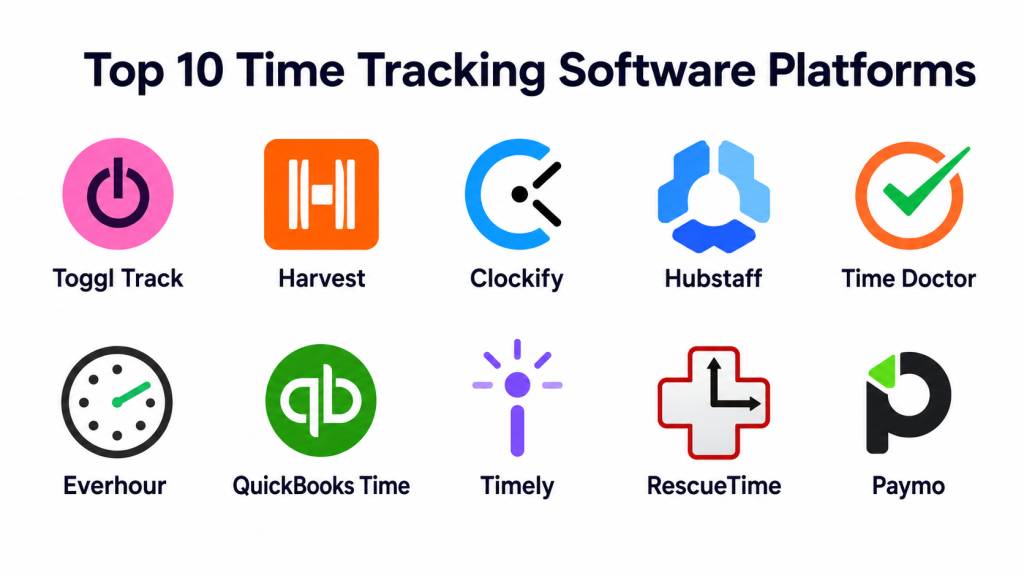
Top 10 Time Tracking Software Platforms
#1 — Toggl Track
Short description: Toggl Track is a simple and popular time tracking platform for freelancers, agencies, consultants, and teams that need easy timers, reporting, and billable hour visibility. It is best for users who want fast time capture without heavy setup.
Key Features
- One-click timers and manual time entries.
- Project, client, and task-based tracking.
- Billable and non-billable time tracking.
- Reports for teams, projects, and clients.
- Calendar-style time views.
- Desktop and mobile apps.
- Integrations with common productivity and project tools.
Pros
- Very easy to use.
- Strong for freelancers and small teams.
- Good reporting for billable time and client work.
Cons
- Advanced workforce monitoring is limited.
- Payroll and attendance features are not its main focus.
- Larger teams may need stronger approval and governance workflows.
Platforms / Deployment
Web / Windows / macOS / Linux / iOS / Android.
Cloud.
Security & Compliance
Security features may vary by plan. Confirm SSO, MFA, RBAC, audit logs, encryption, SOC 2, ISO 27001, GDPR, HIPAA, and data retention directly with the vendor.
Integrations & Ecosystem
Toggl Track fits well into lightweight productivity, agency, consulting, and project workflows.
- Project management tools.
- Calendar apps.
- Browser extensions.
- Invoicing workflows.
- Reporting exports.
- Productivity tools.
Support & Community
Toggl Track provides documentation, help resources, templates, and support options. It has strong awareness among freelancers, agencies, and productivity-focused teams.
#2 — Harvest
Short description: Harvest is a time tracking and invoicing platform designed for agencies, consultants, and service businesses. It helps teams track billable hours, manage project budgets, review timesheets, and create invoices from tracked time.
Key Features
- Time tracking by project, client, and task.
- Billable and non-billable hour tracking.
- Project budget tracking.
- Timesheet approval workflows.
- Invoicing support.
- Team reporting and utilization insights.
- Integrations with project and accounting tools.
Pros
- Strong for agencies and client service teams.
- Good balance of time tracking and invoicing.
- Helpful for project budget and profitability visibility.
Cons
- Less suited for employee monitoring use cases.
- Advanced resource planning may require additional tools.
- Larger enterprises may need deeper workforce management features.
Platforms / Deployment
Web / Windows / macOS / iOS / Android.
Cloud.
Security & Compliance
Security features may vary by plan. Confirm SSO, MFA, RBAC, audit logs, encryption, SOC 2, ISO 27001, GDPR, HIPAA, and payment data handling directly with the vendor.
Integrations & Ecosystem
Harvest is useful when time data needs to connect with projects, invoices, accounting, and client work.
- Project management platforms.
- Accounting tools.
- Invoicing workflows.
- Calendar tools.
- Team collaboration apps.
- Reporting exports.
Support & Community
Harvest provides documentation, onboarding guidance, support resources, and a strong user base among agencies, consultants, and professional services teams.
#3 — Clockify
Short description: Clockify is a time tracking and timesheet platform used by freelancers, teams, and businesses to track work hours, projects, attendance, and productivity. It is often chosen by teams looking for broad time tracking features with strong value.
Key Features
- Timer-based and manual time tracking.
- Timesheets and approvals.
- Project, task, and client tracking.
- Reports and dashboards.
- Attendance and time-off features in selected plans.
- Desktop, web, and mobile apps.
- Team management and permissions.
Pros
- Strong value for many team sizes.
- Flexible for project time, attendance, and reporting.
- Good option for teams that need broad time tracking features.
Cons
- Interface may require setup discipline at scale.
- Advanced workforce features may depend on plan.
- Some teams may need extra configuration for billing workflows.
Platforms / Deployment
Web / Windows / macOS / Linux / iOS / Android.
Cloud / Self-hosted options may vary by offering.
Security & Compliance
Security features may vary by plan and deployment. Confirm SSO, MFA, RBAC, audit logs, encryption, SOC 2, ISO 27001, GDPR, HIPAA, and data retention directly with the vendor.
Integrations & Ecosystem
Clockify connects with common productivity, project, and reporting workflows.
- Project management tools.
- Browser extensions.
- Calendar tools.
- Reporting exports.
- Team collaboration tools.
- API-based workflows.
Support & Community
Clockify provides documentation, support resources, tutorials, and a broad user base. It is practical for both small teams and larger organizations.
#4 — Hubstaff
Short description: Hubstaff is a time tracking and workforce management platform with features for remote teams, field teams, productivity tracking, timesheets, payroll support, and GPS-based work tracking. It is suitable for teams that need more visibility into distributed work.
Key Features
- Time tracking and timesheets.
- Activity and productivity tracking.
- Screenshots and app or URL tracking in selected plans.
- GPS and location tracking for field teams.
- Payroll and invoicing workflows.
- Project budgets and reports.
- Team scheduling and attendance features.
Pros
- Strong for remote and field workforce visibility.
- Useful for payroll, productivity, and project tracking.
- Good for teams needing GPS or activity-based tracking.
Cons
- Monitoring features may feel intrusive without clear policies.
- Not ideal for teams prioritizing trust-based time entry only.
- Setup requires careful privacy and employee communication.
Platforms / Deployment
Web / Windows / macOS / Linux / iOS / Android.
Cloud.
Security & Compliance
Security features may vary by plan. Confirm SSO, MFA, RBAC, audit logs, encryption, SOC 2, ISO 27001, GDPR, HIPAA, data retention, and employee privacy controls directly with the vendor.
Integrations & Ecosystem
Hubstaff fits workflows where time data connects to payroll, productivity, projects, and field operations.
- Payroll tools.
- Project management tools.
- Accounting workflows.
- GPS and field workflows.
- Invoicing systems.
- Reporting exports.
Support & Community
Hubstaff provides documentation, onboarding resources, support options, and guides for remote and workforce management use cases.
#5 — Time Doctor
Short description: Time Doctor is a time tracking and productivity analytics platform for remote teams, agencies, and businesses that need visibility into work hours, activity, attendance, and productivity patterns. It is often used by distributed teams and outsourcing companies.
Key Features
- Time tracking and timesheets.
- Productivity and activity reports.
- App and website usage tracking.
- Screenshots in selected configurations.
- Attendance and schedule tracking.
- Payroll and client reporting workflows.
- Project and task-based tracking.
Pros
- Strong for distributed teams and outsourcing workflows.
- Good productivity reporting and attendance visibility.
- Useful for teams managing remote work accountability.
Cons
- Monitoring features require careful employee communication.
- Not ideal for teams that only need lightweight timers.
- Privacy and compliance policies must be clearly defined.
Platforms / Deployment
Web / Windows / macOS / Linux / iOS / Android.
Cloud.
Security & Compliance
Security features may vary by plan. Confirm SSO, MFA, RBAC, audit logs, encryption, SOC 2, ISO 27001, GDPR, HIPAA, data retention, and workforce privacy controls directly with the vendor.
Integrations & Ecosystem
Time Doctor works well for teams that need time, attendance, productivity, and payroll-related reporting.
- Project management platforms.
- Payroll tools.
- Team communication tools.
- Accounting workflows.
- Reporting exports.
- Productivity systems.
Support & Community
Time Doctor provides documentation, customer support, onboarding resources, and content focused on remote workforce management.
#6 — Everhour
Short description: Everhour is a time tracking and project budgeting platform designed to integrate closely with project management tools. It is useful for teams that want time tracking, estimates, budgets, expenses, and reporting inside their existing work management workflow.
Key Features
- Time tracking inside project management tools.
- Project budget and estimate tracking.
- Team timesheets and approvals.
- Expense tracking.
- Client and project reporting.
- Invoicing support.
- Resource and workload visibility.
Pros
- Strong fit for teams already using project management tools.
- Good project budget and estimate tracking.
- Useful for agencies and professional services teams.
Cons
- Best value depends on integrations.
- Less focused on employee monitoring.
- Some advanced workflows may need setup.
Platforms / Deployment
Web / Browser extensions.
Cloud.
Security & Compliance
Security features may vary by plan. Confirm SSO, MFA, RBAC, audit logs, encryption, SOC 2, ISO 27001, GDPR, HIPAA, and data retention directly with the vendor.
Integrations & Ecosystem
Everhour works best when embedded into project management and team workflow systems.
- Project management tools.
- Invoicing workflows.
- Budget tracking.
- Team reporting.
- Browser-based workflows.
- Accounting exports.
Support & Community
Everhour provides documentation, support resources, onboarding guides, and practical content for teams managing project budgets and client work.
#7 — QuickBooks Time
Short description: QuickBooks Time is a time tracking platform designed for employee timesheets, payroll support, scheduling, field work, and accounting-connected time management. It is useful for businesses that already use QuickBooks or need time data connected to payroll and job costing.
Key Features
- Employee time tracking.
- Timesheets and approvals.
- Mobile time tracking.
- GPS and field workforce options.
- Scheduling support.
- Payroll and accounting integration.
- Job and project cost tracking.
Pros
- Strong fit for QuickBooks users.
- Useful for payroll, job costing, and field teams.
- Good mobile time tracking support.
Cons
- Best value comes with QuickBooks ecosystem usage.
- Less focused on agency-style project profitability than some tools.
- Pricing and payroll workflows should be reviewed carefully.
Platforms / Deployment
Web / iOS / Android.
Cloud.
Security & Compliance
Security features may vary by plan and QuickBooks setup. Confirm SSO, MFA, RBAC, audit logs, encryption, GDPR, SOC 2, ISO 27001, HIPAA, payroll data handling, and retention needs directly with the vendor.
Integrations & Ecosystem
QuickBooks Time is strongest when connected with accounting, payroll, and job costing workflows.
- QuickBooks accounting.
- Payroll systems.
- Mobile workforce tools.
- Scheduling workflows.
- Job costing reports.
- Time approval workflows.
Support & Community
QuickBooks Time benefits from QuickBooks documentation, support resources, accounting ecosystem knowledge, and business user adoption.
#8 — Timely
Short description: Timely is an automatic time tracking platform that helps individuals and teams capture work activity and turn it into timesheets. It is useful for teams that want less manual tracking and more accurate visibility into how time is spent.
Key Features
- Automatic time capture.
- Timeline-based activity review.
- Project and client time assignment.
- Team reporting.
- Billable and non-billable tracking.
- Planning and capacity visibility.
- Privacy-focused review before submitting time entries.
Pros
- Reduces manual timer effort.
- Helpful for knowledge workers and agencies.
- Good for improving time accuracy without constant manual entry.
Cons
- Automatic tracking requires trust and clear privacy expectations.
- May not fit field workforce or attendance-heavy use cases.
- Teams still need discipline to review and categorize time.
Platforms / Deployment
Web / Windows / macOS / iOS / Android.
Cloud.
Security & Compliance
Security features may vary by plan. Confirm SSO, MFA, RBAC, audit logs, encryption, SOC 2, ISO 27001, GDPR, HIPAA, and privacy controls directly with the vendor.
Integrations & Ecosystem
Timely fits workflows where automatic time capture needs to connect with projects, clients, planning, and reporting.
- Calendar tools.
- Project management platforms.
- Planning workflows.
- Reporting exports.
- Team dashboards.
- Business productivity tools.
Support & Community
Timely provides documentation, support resources, onboarding content, and guidance for automatic time tracking workflows.
#9 — RescueTime
Short description: RescueTime is a personal productivity and time analytics tool that helps users understand how they spend time across apps, websites, and work patterns. It is best for individuals and teams focused on focus, productivity habits, and time awareness rather than billing.
Key Features
- Automatic activity tracking.
- App and website usage insights.
- Focus sessions and distraction blocking.
- Productivity reports.
- Goal tracking.
- Personal time analytics.
- Work pattern visibility.
Pros
- Strong for personal productivity awareness.
- Helps reduce distractions and improve focus.
- Useful for individuals who do not need client billing.
Cons
- Not ideal for agency billing or payroll workflows.
- Less suited for detailed project budgets.
- Team and business use cases may be more limited than dedicated timesheet tools.
Platforms / Deployment
Web / Windows / macOS / Linux / iOS / Android.
Cloud.
Security & Compliance
Not publicly stated in full detail for all enterprise requirements. Confirm SSO, MFA, RBAC, audit logs, encryption, GDPR, SOC 2, ISO 27001, HIPAA, and data handling requirements directly with the vendor.
Integrations & Ecosystem
RescueTime is best for productivity and focus workflows rather than complex billing or workforce management.
- Calendar workflows.
- Focus tools.
- Productivity reporting.
- Personal dashboards.
- App and website tracking.
- Goal-based work routines.
Support & Community
RescueTime provides documentation, support resources, and productivity-focused guidance. It is widely recognized among users who want better awareness of digital work habits.
#10 — Paymo
Short description: Paymo is a project management, time tracking, invoicing, and team collaboration platform for freelancers, agencies, and small businesses. It is useful for teams that want project planning and time billing in one tool.
Key Features
- Task and project management.
- Time tracking and timesheets.
- Invoicing and estimates.
- Project budgeting.
- Team collaboration.
- Reporting and profitability visibility.
- Client-focused workflow support.
Pros
- Combines project management and time tracking.
- Good for freelancers and agencies.
- Useful for turning tracked time into invoices.
Cons
- May not fit large enterprise workforce tracking.
- Advanced integrations may be more limited than larger platforms.
- Best suited for client service and project-based teams.
Platforms / Deployment
Web / Windows / macOS / Linux / iOS / Android.
Cloud.
Security & Compliance
Security features may vary by plan. Confirm SSO, MFA, RBAC, audit logs, encryption, SOC 2, ISO 27001, GDPR, HIPAA, and billing data handling directly with the vendor.
Integrations & Ecosystem
Paymo works well when teams need time tracking connected to project delivery and client billing.
- Project management workflows.
- Invoicing systems.
- Client reporting.
- Calendar tools.
- File sharing workflows.
- Accounting exports.
Support & Community
Paymo provides documentation, support resources, onboarding content, and practical guidance for agencies, freelancers, and project-based teams.
Comparison Table: Top 10
| Tool Name | Best For | Platform(s) Supported | Deployment | Standout Feature | Public Rating |
|---|---|---|---|---|---|
| Toggl Track | Freelancers and simple team time tracking | Web, Windows, macOS, Linux, iOS, Android | Cloud | Simple timers and clean reporting | N/A |
| Harvest | Agencies and client billing | Web, Windows, macOS, iOS, Android | Cloud | Time tracking with invoicing and budgets | N/A |
| Clockify | Broad team time tracking | Web, Windows, macOS, Linux, iOS, Android | Cloud / Self-hosted options vary | Flexible timesheets and reporting | N/A |
| Hubstaff | Remote and field workforce tracking | Web, Windows, macOS, Linux, iOS, Android | Cloud | Activity, GPS, payroll, and productivity tracking | N/A |
| Time Doctor | Remote productivity and attendance visibility | Web, Windows, macOS, Linux, iOS, Android | Cloud | Productivity analytics for distributed teams | N/A |
| Everhour | Project budget and tool-integrated tracking | Web, Browser extensions | Cloud | Time tracking inside project tools | N/A |
| QuickBooks Time | Payroll and job costing | Web, iOS, Android | Cloud | QuickBooks-connected timesheets | N/A |
| Timely | Automatic time capture | Web, Windows, macOS, iOS, Android | Cloud | Automatic timeline-based tracking | N/A |
| RescueTime | Personal productivity analytics | Web, Windows, macOS, Linux, iOS, Android | Cloud | Focus and distraction insights | N/A |
| Paymo | Freelancers and agencies needing projects plus invoicing | Web, Windows, macOS, Linux, iOS, Android | Cloud | Project management with time billing | N/A |
Evaluation & Scoring of Time Tracking Software Platforms
| Tool Name | Core (25%) | Ease (15%) | Integrations (15%) | Security (10%) | Performance (10%) | Support (10%) | Value (15%) | Weighted Total (0–10) |
|---|---|---|---|---|---|---|---|---|
| Toggl Track | 8 | 10 | 8 | 8 | 8 | 8 | 9 | 8.45 |
| Harvest | 8 | 9 | 8 | 8 | 8 | 8 | 8 | 8.15 |
| Clockify | 9 | 8 | 8 | 8 | 8 | 8 | 9 | 8.45 |
| Hubstaff | 9 | 8 | 8 | 8 | 8 | 8 | 8 | 8.25 |
| Time Doctor | 9 | 8 | 8 | 8 | 8 | 8 | 8 | 8.25 |
| Everhour | 8 | 8 | 9 | 8 | 8 | 8 | 8 | 8.15 |
| QuickBooks Time | 8 | 8 | 8 | 8 | 8 | 8 | 8 | 8.00 |
| Timely | 8 | 9 | 7 | 8 | 8 | 8 | 8 | 8.05 |
| RescueTime | 7 | 9 | 6 | 7 | 8 | 7 | 8 | 7.35 |
| Paymo | 8 | 8 | 7 | 7 | 8 | 8 | 8 | 7.75 |
These scores are comparative and should be used as a shortlist guide. Toggl Track and Clockify are strong general-purpose options. Harvest, Everhour, and Paymo are better for client billing and project budgets. Hubstaff and Time Doctor are stronger for remote team visibility. QuickBooks Time is practical for payroll and job costing. Timely is useful for automatic time capture, while RescueTime is best for personal productivity.
Which Time Tracking Software Platform Is Right for You?
Solo / Freelancer
Solo users and freelancers usually need simple timers, clean reports, and easy invoicing. Toggl Track is excellent for simple time capture. Harvest is strong if invoicing and client billing are important. Paymo is useful when the freelancer wants project management and time tracking together.
RescueTime is better for personal productivity and focus improvement rather than billing. Timely can help users who forget to start timers and want automatic tracking.
Recommended tools: Toggl Track, Harvest, Paymo, Timely, RescueTime.
SMB
Small and mid-sized businesses usually need time tracking, reports, timesheets, approvals, and billing or payroll support. Clockify is a strong general-purpose option. Harvest and Everhour are good for agencies and client projects. QuickBooks Time is useful for payroll-connected teams.
Hubstaff or Time Doctor may fit remote or field teams, but managers should set clear privacy expectations before using activity tracking features.
Recommended tools: Clockify, Harvest, Everhour, QuickBooks Time, Hubstaff.
Mid-Market
Mid-market teams often need approvals, reporting, integrations, utilization tracking, project budgets, and manager visibility. Clockify, Harvest, Hubstaff, Time Doctor, Everhour, and QuickBooks Time are strong options depending on the use case.
Agencies should review Harvest, Everhour, and Paymo. Distributed teams should review Hubstaff and Time Doctor. Companies using QuickBooks should review QuickBooks Time.
Recommended tools: Clockify, Harvest, Everhour, Hubstaff, Time Doctor, QuickBooks Time.
Enterprise
Enterprise teams need security, governance, auditability, integrations, approvals, payroll connections, data retention, and reporting. Hubstaff and Time Doctor may fit remote workforce visibility. QuickBooks Time may fit payroll-connected businesses. Clockify can be practical for broad time tracking use cases.
Large organizations should carefully review security controls, data handling, employee privacy, system integrations, and compliance needs before deploying any time tracking platform.
Recommended tools: Clockify, Hubstaff, Time Doctor, QuickBooks Time, Harvest.
Budget vs Premium
Budget-conscious users should evaluate Toggl Track, Clockify, RescueTime, and Paymo depending on whether the goal is billing, timesheets, productivity, or project work. These tools can offer useful time tracking without heavy setup.
Premium buyers should consider Hubstaff, Time Doctor, Harvest, Everhour, QuickBooks Time, and Timely when they need stronger reporting, approvals, payroll, automatic tracking, or workforce visibility.
Feature Depth vs Ease of Use
For ease of use, Toggl Track, Harvest, Timely, and RescueTime are strong options. They reduce friction and help users track time with less effort.
For feature depth, Clockify, Hubstaff, Time Doctor, Everhour, QuickBooks Time, and Paymo offer broader capabilities for teams, projects, payroll, budgets, and reporting.
Integrations & Scalability
If your team works heavily in project management tools, Everhour can be a good fit because it is designed around integrations. If your business uses QuickBooks, QuickBooks Time is a natural option. If you need broad team usage, Clockify is flexible.
Agencies should evaluate Harvest and Paymo. Remote teams should evaluate Hubstaff and Time Doctor. Individuals focused on productivity should consider RescueTime or Timely.
Security & Compliance Needs
Time tracking tools may collect sensitive employee, client, project, payroll, location, and productivity data. Buyers should review SSO, MFA, RBAC, audit logs, encryption, data retention, employee consent, screenshot settings, location tracking policies, and compliance documentation.
Organizations should also create a clear time tracking policy. The goal should be better visibility and fair reporting, not a culture of unnecessary surveillance.
Frequently Asked Questions (FAQs)
What is time tracking software?
Time tracking software helps users record how much time they spend on tasks, projects, clients, or jobs. It can support billing, payroll, productivity analysis, and project cost tracking.
Which time tracking tool is best for freelancers?
Toggl Track, Harvest, Paymo, Timely, and RescueTime are good options for freelancers. The best choice depends on whether the freelancer needs invoicing, productivity insight, or simple timers.
Which time tracking tool is best for agencies?
Harvest, Everhour, Paymo, Toggl Track, and Clockify are strong options for agencies. They help track billable hours, project budgets, client work, and team utilization.
Which tool is best for remote teams?
Hubstaff and Time Doctor are strong options for remote teams that need visibility into work hours and productivity. Clockify can also work well for standard timesheets.
Are time tracking tools secure?
They can be secure when configured properly. Buyers should review encryption, access controls, SSO, MFA, audit logs, data retention, and privacy settings before adoption.
How are time tracking tools priced?
Pricing usually depends on users, features, reporting depth, approvals, payroll integrations, storage, monitoring features, and enterprise controls. Always calculate pricing based on real team usage.
What are common mistakes when using time tracking software?
Common mistakes include tracking too much detail, not defining billable rules, ignoring employee privacy, failing to review reports, and using time tracking as surveillance instead of management insight.
Can time tracking software help with payroll?
Yes, some time tracking platforms support timesheets, approvals, attendance, overtime, and payroll exports. Buyers should validate payroll integrations and local labor requirements.
Can time tracking software improve project profitability?
Yes. Time tracking helps compare estimated hours with actual hours, identify scope creep, improve billing accuracy, and understand which clients or projects are profitable.
What is automatic time tracking?
Automatic time tracking captures work activity in the background and helps users create timesheets from detected activity. It can reduce manual timer errors but requires clear privacy controls.
When should a company switch time tracking tools?
A company should switch when the current tool lacks integrations, creates inaccurate reports, has weak approvals, does not support payroll needs, causes user frustration, or fails security requirements.
What are alternatives to time tracking software?
Alternatives include spreadsheets, manual timesheets, project management reports, calendar-based tracking, payroll systems, productivity tools, and custom internal reporting.
Conclusion
Time tracking software helps teams understand work effort, improve billing accuracy, manage project budgets, support payroll, and make better staffing decisions. The best platform depends on your work style, team size, privacy expectations, billing needs, and existing tools. Toggl Track is simple and freelancer-friendly. Harvest is strong for agencies and invoicing. Clockify is flexible for many team sizes. Hubstaff and Time Doctor fit remote and field workforce visibility. Everhour works well inside project management workflows. QuickBooks Time is useful for payroll and job costing. Timely helps with automatic capture, RescueTime improves personal productivity, and Paymo combines projects, time tracking, and billing.
