Upgrade & Secure Your Future with DevOps, SRE, DevSecOps, MLOps!
We spend hours scrolling social media and waste money on things we forget, but won’t spend 30 minutes a day earning certifications that can change our lives.
Master in DevOps, SRE, DevSecOps & MLOps by DevOps School!
Learn from Guru Rajesh Kumar and double your salary in just one year.
Introduction
Identity & Access Management, commonly called IAM, helps organizations manage who can access what across applications, devices, cloud services, data, and business systems. In simple words, IAM makes sure the right people, devices, partners, customers, and service accounts get the right level of access at the right time.
IAM matters because modern companies now use many SaaS tools, cloud platforms, remote work systems, APIs, AI tools, and third-party applications. Without strong identity controls, businesses can face password attacks, account misuse, insider risk, compliance gaps, and data exposure.
Common IAM use cases include single sign-on, multi-factor authentication, user onboarding and offboarding, role-based access control, privileged access workflows, customer identity, and compliance audits.
Buyers should evaluate SSO, MFA, lifecycle management, identity governance, integrations, directory support, API access, compliance reporting, admin experience, automation, scalability, and pricing.
Best for: IT teams, security teams, DevOps teams, HR operations, SaaS companies, enterprises, regulated industries, and any business managing many users, apps, and access permissions.
Not ideal for: Very small teams using only a few simple apps, businesses that only need basic password storage, or teams that require a lightweight authentication library instead of a full IAM platform.
Key Trends in Identity & Access Management Platforms
- Passwordless authentication is becoming more important as companies try to reduce password-based attacks and improve user experience.
- Zero Trust security is making identity the new security perimeter, especially for remote, hybrid, and cloud-first teams.
- AI-driven identity risk detection is growing as IAM platforms analyze login behavior, device signals, location changes, and unusual access patterns.
- Identity governance is becoming part of IAM buying decisions, especially for access reviews, approvals, certification, and compliance.
- Machine and AI agent identities need stronger control as organizations manage service accounts, bots, automation tools, and AI-connected workflows.
- Lifecycle automation is now a major requirement because manual onboarding and offboarding can create security gaps.
- Hybrid identity support still matters for organizations using both cloud platforms and legacy on-premises systems.
- Developer-friendly IAM is growing as product teams need authentication, authorization, and customer identity features inside applications.
- Compliance-ready reporting is becoming essential for finance, healthcare, government, SaaS, and enterprise software businesses.
- Integration depth is a key selection factor because IAM must connect with HR systems, SaaS tools, cloud platforms, directories, SIEM tools, and ticketing systems.
How We Selected These Tools
The following IAM platforms were selected using a practical product-analysis approach:
- Market adoption and recognition among IT, security, and enterprise teams.
- Strength of core IAM capabilities such as SSO, MFA, directory services, and access policies.
- Support for lifecycle management, provisioning, and deprovisioning.
- Security posture signals such as adaptive access, logging, RBAC, and policy controls.
- Integration ecosystem with SaaS apps, HR systems, cloud platforms, and security tools.
- Fit for different users such as SMBs, mid-market companies, developers, and enterprises.
- Support for workforce identity, customer identity, or both.
- Deployment flexibility across cloud, hybrid, and self-hosted environments.
- Ease of administration and quality of user experience.
- Long-term scalability for growing identity and access needs.
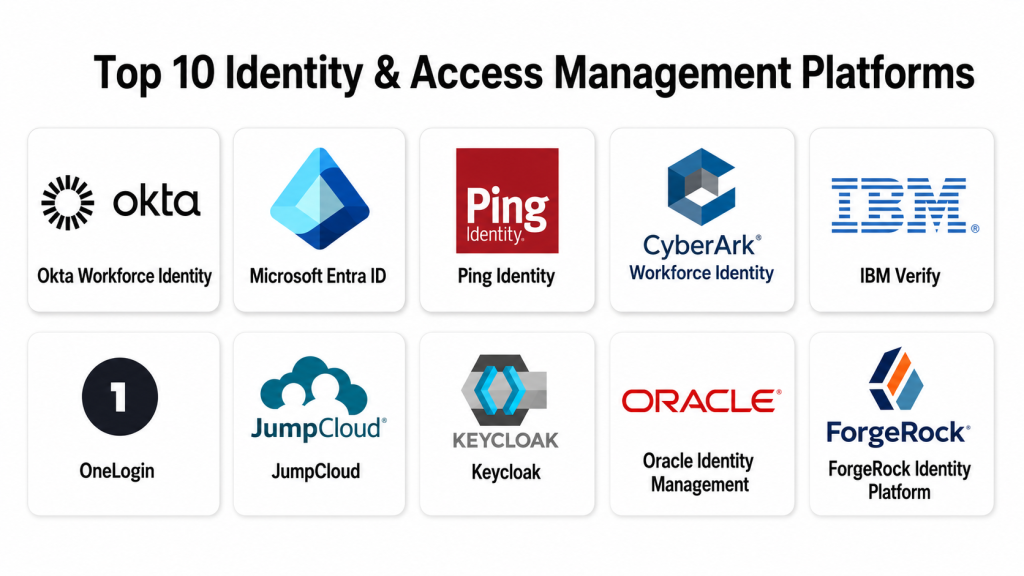
Top 10 Identity & Access Management Platforms
#1 — Okta Workforce Identity
Short description:
Okta Workforce Identity is a widely used IAM platform for managing employee, contractor, and partner access. It helps organizations centralize single sign-on, multi-factor authentication, lifecycle management, and identity governance. Okta is suitable for SMBs, mid-market companies, and enterprises that use many SaaS applications. It is often selected by teams that want a neutral identity platform with strong application integrations.
Key Features
- Single sign-on for workforce applications.
- Multi-factor authentication and adaptive access.
- Lifecycle management for onboarding and offboarding.
- Identity governance and access review capabilities.
- Large application integration ecosystem.
- Policy-based access control.
- Reporting and security event visibility.
Pros
- Strong SaaS application integration ecosystem.
- Good fit for cloud-first and hybrid organizations.
- Mature IAM features for workforce identity.
Cons
- Advanced features may require higher-tier plans.
- Implementation can take planning for complex environments.
- Pricing may be higher for smaller teams with broad requirements.
Platforms / Deployment
Web / Cloud
Security & Compliance
Supports SSO, MFA, access policies, lifecycle controls, logging, and identity governance features. Specific certifications and compliance coverage may vary by product, plan, and region. If not clearly confirmed for a specific requirement, use Not publicly stated.
Integrations & Ecosystem
Okta has a broad ecosystem for workforce identity and application access.
- SaaS application integrations
- HR system integrations
- SIEM integrations
- API support
- Directory integrations
- Lifecycle management workflows
Support & Community
Okta provides product documentation, onboarding resources, training, and enterprise support options. Its community and partner ecosystem are strong.
#2 — Microsoft Entra ID
Short description:
Microsoft Entra ID is Microsoft’s cloud identity and access management platform, formerly known as Azure Active Directory. It helps organizations manage users, apps, devices, access policies, conditional access, and identity security. It is especially useful for companies already using Microsoft 365, Azure, Windows, and Microsoft security tools. Microsoft Entra ID is a strong fit for enterprises, mid-market companies, and Microsoft-first environments.
Key Features
- Single sign-on for cloud and enterprise apps.
- Multi-factor authentication.
- Conditional Access policies.
- Identity protection and risk-based access.
- Integration with Microsoft 365 and Azure.
- Device and endpoint-aware access controls.
- Privileged Identity Management options.
Pros
- Strong fit for Microsoft ecosystems.
- Powerful Conditional Access and security policy controls.
- Good integration with Microsoft security and productivity tools.
Cons
- Best experience is usually within Microsoft environments.
- Advanced identity security features may require higher-tier licensing.
- Policy design can become complex for large organizations.
Platforms / Deployment
Web / Cloud / Hybrid
Security & Compliance
Supports SSO, MFA, Conditional Access, RBAC, logging, audit capabilities, and identity protection features. Compliance and certification details depend on Microsoft cloud services, licensing, and region. Use Not publicly stated where details are not clearly confirmed.
Integrations & Ecosystem
Microsoft Entra ID works deeply with Microsoft and many third-party systems.
- Microsoft 365
- Azure
- Windows and device management tools
- Microsoft Defender ecosystem
- Microsoft Sentinel
- SaaS application integrations
Support & Community
Microsoft provides extensive documentation, enterprise support plans, partner support, and a large global community.
#3 — Ping Identity
Short description:
Ping Identity provides IAM capabilities for workforce, customer, and partner access use cases. It is known for flexible identity orchestration, SSO, MFA, lifecycle management, and standards-based authentication. Ping is suitable for enterprises with complex identity environments, hybrid infrastructure, and customer identity needs. It is often used by organizations that need flexibility across cloud, on-premises, and custom applications.
Key Features
- Single sign-on for workforce and customer use cases.
- Multi-factor authentication.
- Adaptive authentication.
- Identity orchestration.
- User lifecycle management.
- Support for standards such as SAML, OAuth, and OpenID Connect.
- Hybrid identity support.
Pros
- Strong fit for complex enterprise identity environments.
- Flexible orchestration and standards-based approach.
- Useful for both workforce and customer identity scenarios.
Cons
- May require experienced identity teams for advanced deployments.
- Pricing and packaging can be complex.
- Smaller teams may find it more than they need.
Platforms / Deployment
Web / Cloud / Self-hosted / Hybrid
Security & Compliance
Supports SSO, MFA, adaptive authentication, access policies, user management, and logging. Specific compliance details should be validated for the selected Ping product and deployment. Use Not publicly stated where not clearly confirmed.
Integrations & Ecosystem
Ping Identity supports enterprise-grade integration scenarios.
- SaaS applications
- Custom applications
- API-based integrations
- Directory services
- HR and lifecycle systems
- Security monitoring tools
Support & Community
Ping provides enterprise support, implementation guidance, documentation, and professional services. It is best suited for teams with mature identity requirements.
#4 — CyberArk Workforce Identity
Short description:
CyberArk Workforce Identity focuses on secure access for workforce users, with capabilities such as SSO, adaptive MFA, lifecycle management, directory services, and behavior-based security controls. It is useful for organizations that want identity security connected with broader privileged access and risk management. CyberArk is especially relevant for enterprises with sensitive systems, privileged users, and strict access control requirements.
Key Features
- Single sign-on for workforce applications.
- Adaptive multi-factor authentication.
- Lifecycle management capabilities.
- Directory services.
- User behavior analytics.
- Secure access policies.
- Integration with broader CyberArk identity security tools.
Pros
- Strong identity security focus.
- Useful for organizations with privileged access concerns.
- Good fit for enterprise security teams.
Cons
- May be more complex than basic IAM tools.
- Best value may come when used with CyberArk’s broader ecosystem.
- Smaller teams may not need all advanced capabilities.
Platforms / Deployment
Web / Cloud / Hybrid
Security & Compliance
Supports SSO, adaptive MFA, lifecycle controls, directory services, behavior analytics, and access policy controls. Specific certifications and compliance details should be verified for the selected deployment. Use Not publicly stated where unclear.
Integrations & Ecosystem
CyberArk connects IAM with broader identity security and privileged access workflows.
- Enterprise applications
- Directory services
- Privileged access tools
- HR systems
- SIEM integrations
- Security analytics workflows
Support & Community
CyberArk provides enterprise documentation, support, partner services, and security-focused expertise. It is strong for mature security programs.
#5 — IBM Verify
Short description:
IBM Verify is an IAM platform for workforce identity, customer identity, access control, authentication policies, and identity risk reduction. It is suitable for large organizations, regulated industries, and enterprises with hybrid IT environments. IBM Verify supports secure access to applications and systems while helping teams modernize identity operations. It is often considered by companies that need enterprise-grade scalability and compliance-oriented identity controls.
Key Features
- Workforce identity and access management.
- Customer identity and access management options.
- Single sign-on.
- Multi-factor authentication.
- Identity protection and risk controls.
- Hybrid environment support.
- User access policy management.
Pros
- Strong fit for enterprise and regulated environments.
- Supports both workforce and customer identity use cases.
- Useful for hybrid identity modernization.
Cons
- May require experienced implementation teams.
- Smaller organizations may find it complex.
- Pricing and packaging may vary by use case.
Platforms / Deployment
Web / Cloud / Hybrid
Security & Compliance
Supports centralized access control, strong authentication, user self-service, MFA, and identity risk controls. Specific compliance certifications should be validated based on deployment and contract requirements. Use Not publicly stated when uncertain.
Integrations & Ecosystem
IBM Verify fits into enterprise IT, cloud, and security environments.
- Enterprise applications
- Cloud applications
- On-premises systems
- SIEM and security tools
- Customer identity workflows
- User self-service portals
Support & Community
IBM provides enterprise support, documentation, implementation services, and partner support. Community visibility is strongest in enterprise IT environments.
#6 — OneLogin
Short description:
OneLogin is an IAM platform for workforce identity, SSO, MFA, user provisioning, and secure access management. It is suitable for companies that need centralized access for employees, contractors, and partners. OneLogin is often used by mid-market and enterprise teams that want secure app access with a simpler user experience. It supports common IAM needs such as application access, authentication, and lifecycle workflows.
Key Features
- Single sign-on for business applications.
- Multi-factor authentication.
- User provisioning and deprovisioning.
- Context-aware access controls.
- Password policy support.
- Directory integration.
- Application integration marketplace.
Pros
- Practical IAM platform for workforce access.
- Strong focus on SSO and MFA.
- Useful for mid-market and enterprise teams.
Cons
- Advanced governance depth may vary by requirement.
- Buyers should validate future roadmap and packaging.
- Complex enterprises may need deeper customization.
Platforms / Deployment
Web / Cloud
Security & Compliance
Supports SSO, MFA, password policies, context-aware access, user provisioning, and access controls. Specific certifications and compliance details should be validated directly. Use Not publicly stated where not confirmed.
Integrations & Ecosystem
OneLogin supports common workforce identity integrations.
- SaaS applications
- Directory services
- HR systems
- MFA workflows
- API integrations
- User provisioning tools
Support & Community
OneLogin provides documentation, support resources, and implementation guidance. Community visibility is moderate compared with larger identity ecosystems.
#7 — JumpCloud
Short description:
JumpCloud is a cloud directory and identity platform that combines identity, access, device management, SSO, MFA, LDAP, RADIUS, and cross-platform device controls. It is suitable for SMBs, mid-market companies, IT teams, and businesses managing Windows, macOS, Linux, and Android devices. JumpCloud is often used by teams that want to replace or modernize traditional directory services. It is especially practical for cloud-first and hybrid work environments.
Key Features
- Cloud directory services.
- Single sign-on.
- Multi-factor authentication.
- Cross-platform device management.
- LDAP and RADIUS support.
- User onboarding and offboarding.
- Identity governance and auditing capabilities.
Pros
- Good fit for SMB and mid-market IT teams.
- Combines identity and device management.
- Useful for hybrid and cloud-first environments.
Cons
- May not match deep enterprise IAM suites in every area.
- Advanced identity governance needs should be validated.
- Large enterprises may require additional tools.
Platforms / Deployment
Web / Windows / macOS / Linux / Android / Cloud
Security & Compliance
Supports SSO, MFA, directory services, device controls, auditing, and access management. Specific compliance details should be validated for the selected plan and requirements. Use Not publicly stated where unclear.
Integrations & Ecosystem
JumpCloud is designed to unify identity, access, and device workflows.
- SaaS application SSO
- LDAP
- RADIUS
- Device management tools
- HR and onboarding workflows
- API integrations
Support & Community
JumpCloud offers documentation, support resources, and community content. It is widely used by modern IT teams managing mixed-device environments.
#8 — Keycloak
Short description:
Keycloak is an open-source IAM platform used to add authentication and authorization to applications and services. It is popular with developers, platform teams, and organizations that want self-hosted identity control. Keycloak supports SSO, user federation, strong authentication, user management, and authorization features. It is a strong option for teams that need flexibility and open-source identity infrastructure.
Key Features
- Open-source identity and access management.
- Single sign-on for applications.
- User federation.
- Strong authentication.
- User management.
- Fine-grained authorization.
- Support for OAuth, OpenID Connect, and SAML.
Pros
- Open-source and highly flexible.
- Strong fit for developer and platform teams.
- Useful for self-hosted and custom application environments.
Cons
- Requires technical expertise to deploy and maintain.
- Support depends on community or commercial service providers.
- Operational responsibility remains with the organization.
Platforms / Deployment
Web / Linux / Self-hosted / Hybrid / Cloud options vary
Security & Compliance
Supports SSO, authentication, user federation, authorization, and identity management features. Compliance depends on how the organization deploys, configures, monitors, and operates the platform. Use Not publicly stated for vendor compliance claims unless directly validated.
Integrations & Ecosystem
Keycloak has strong developer and open-source ecosystem support.
- OAuth
- OpenID Connect
- SAML
- Custom applications
- Kubernetes environments
- User federation systems
Support & Community
Keycloak has strong open-source community support and documentation. Enterprise support may depend on selected vendors, consultants, or managed service providers.
#9 — Oracle Identity Management
Short description:
Oracle Identity Management provides IAM capabilities for enterprise applications, cloud services, and hybrid IT environments. It is often considered by organizations already using Oracle applications, databases, middleware, or Oracle Cloud. The platform supports identity administration, access management, authentication, and governance-oriented use cases. It is suitable for enterprises with complex application landscapes and strong Oracle investments.
Key Features
- Identity administration capabilities.
- Access management.
- Authentication and authorization controls.
- User provisioning and lifecycle workflows.
- Directory integration.
- Governance-oriented identity controls.
- Enterprise application integration.
Pros
- Strong fit for Oracle-heavy enterprise environments.
- Useful for complex identity administration needs.
- Supports hybrid and enterprise application scenarios.
Cons
- May be complex for smaller organizations.
- Best value often comes in Oracle-centric environments.
- Implementation may require specialized expertise.
Platforms / Deployment
Web / Cloud / Self-hosted / Hybrid
Security & Compliance
Supports enterprise identity controls such as access management, user administration, authentication, and governance capabilities. Specific compliance details vary by product, cloud service, and deployment. Use Not publicly stated where not confirmed.
Integrations & Ecosystem
Oracle Identity Management fits into enterprise application and database ecosystems.
- Oracle applications
- Oracle Cloud
- Enterprise directories
- HR systems
- Databases and middleware
- Governance workflows
Support & Community
Oracle provides enterprise documentation, support contracts, implementation partners, and professional services. Community strength is strongest in Oracle enterprise environments.
#10 — ForgeRock Identity Platform
Short description:
ForgeRock Identity Platform is an enterprise IAM platform used for workforce, customer, and digital identity use cases. It is suitable for large organizations that need identity orchestration, access management, directory services, and customer identity capabilities. ForgeRock is often considered by enterprises with complex digital identity journeys and large user populations. It is useful where flexibility, customization, and scale are important.
Key Features
- Access management.
- Identity management.
- Directory services.
- Customer identity capabilities.
- Identity orchestration.
- Adaptive authentication.
- API and application integration support.
Pros
- Strong fit for complex enterprise identity use cases.
- Useful for workforce and customer identity scenarios.
- Flexible platform for custom identity journeys.
Cons
- May require skilled implementation teams.
- Smaller businesses may find it too advanced.
- Pricing and deployment details may vary by use case.
Platforms / Deployment
Web / Cloud / Hybrid
Security & Compliance
Supports access management, identity management, directory services, adaptive authentication, and policy controls. Specific certifications and compliance details should be validated for the selected product and deployment. Use Not publicly stated where unclear.
Integrations & Ecosystem
ForgeRock supports enterprise and customer identity ecosystems.
- Web and mobile applications
- APIs
- Directory services
- Customer identity workflows
- Enterprise applications
- Security and analytics tools
Support & Community
ForgeRock provides enterprise documentation, implementation support, and partner services. It is best suited for organizations with mature identity architecture needs.
Comparison Table
| Tool Name | Best For | Platform(s) Supported | Deployment | Standout Feature | Public Rating |
|---|---|---|---|---|---|
| Okta Workforce Identity | SaaS-heavy workforce identity | Web | Cloud | Broad application integration ecosystem | N/A |
| Microsoft Entra ID | Microsoft-first organizations | Web | Cloud / Hybrid | Conditional Access and Microsoft ecosystem integration | N/A |
| Ping Identity | Complex enterprise identity | Web | Cloud / Self-hosted / Hybrid | Flexible identity orchestration | N/A |
| CyberArk Workforce Identity | Identity security and privileged-risk-aware access | Web | Cloud / Hybrid | Adaptive MFA with identity security focus | N/A |
| IBM Verify | Enterprise and regulated identity environments | Web | Cloud / Hybrid | Workforce and customer IAM options | N/A |
| OneLogin | Mid-market workforce access | Web | Cloud | SSO, MFA, and user provisioning | N/A |
| JumpCloud | SMB and mid-market IT teams | Web / Windows / macOS / Linux / Android | Cloud | Unified identity and device management | N/A |
| Keycloak | Developer-first and open-source IAM | Web / Linux | Self-hosted / Hybrid / Cloud options vary | Open-source authentication and authorization | N/A |
| Oracle Identity Management | Oracle enterprise environments | Web | Cloud / Self-hosted / Hybrid | Enterprise identity administration | N/A |
| ForgeRock Identity Platform | Large-scale digital identity | Web | Cloud / Hybrid | Flexible workforce and customer identity journeys | N/A |
Evaluation & Scoring of Identity & Access Management Platforms
| Tool Name | Core (25%) | Ease (15%) | Integrations (15%) | Security (10%) | Performance (10%) | Support (10%) | Value (15%) | Weighted Total (0–10) |
|---|---|---|---|---|---|---|---|---|
| Okta Workforce Identity | 9 | 8 | 9 | 9 | 8 | 8 | 8 | 8.45 |
| Microsoft Entra ID | 9 | 8 | 9 | 9 | 9 | 9 | 8 | 8.65 |
| Ping Identity | 9 | 7 | 9 | 9 | 8 | 8 | 7 | 8.15 |
| CyberArk Workforce Identity | 8 | 7 | 8 | 9 | 8 | 8 | 7 | 7.85 |
| IBM Verify | 8 | 7 | 8 | 9 | 8 | 8 | 7 | 7.85 |
| OneLogin | 8 | 8 | 8 | 8 | 8 | 7 | 8 | 7.90 |
| JumpCloud | 8 | 8 | 8 | 8 | 8 | 8 | 9 | 8.10 |
| Keycloak | 8 | 6 | 8 | 8 | 8 | 7 | 9 | 7.70 |
| Oracle Identity Management | 8 | 6 | 8 | 8 | 8 | 8 | 7 | 7.55 |
| ForgeRock Identity Platform | 9 | 6 | 8 | 9 | 8 | 8 | 7 | 7.95 |
These scores are comparative and should be used as a starting point, not as a final buying decision. A higher score means the platform is strong across common IAM evaluation areas, but the best choice depends on your environment. Microsoft-first teams may prefer Entra ID, open-source teams may prefer Keycloak, and large enterprises may prefer Ping, ForgeRock, IBM, Oracle, or CyberArk depending on architecture. Always validate integrations, security needs, deployment model, cost, and support before final selection.
Which Identity & Access Management Platform Is Right for You?
Solo / Freelancer
Solo users and freelancers usually do not need a full enterprise IAM platform unless they manage client systems, SaaS tools, or multiple business apps. For basic access control, built-in Google, Microsoft, or app-level security may be enough. If more structure is needed, JumpCloud or a lightweight SSO-focused platform can help centralize access without heavy complexity.
SMB
SMBs should focus on ease of use, SSO, MFA, directory management, device support, and simple onboarding. JumpCloud, OneLogin, Okta, and Microsoft Entra ID can be strong choices depending on the existing tool stack. If the business already uses Microsoft 365, Entra ID may be the easiest path. If the team uses many SaaS tools across vendors, Okta or OneLogin may be practical.
Mid-Market
Mid-market companies usually need stronger lifecycle management, app integrations, security policies, and audit visibility. Okta, Microsoft Entra ID, Ping Identity, OneLogin, and JumpCloud are strong candidates. The best choice depends on whether the organization is Microsoft-first, SaaS-heavy, hybrid, or device-management-heavy.
Enterprise
Enterprises need deeper governance, security controls, identity lifecycle automation, hybrid support, customer identity options, and strong support. Microsoft Entra ID, Okta, Ping Identity, CyberArk, IBM Verify, Oracle Identity Management, and ForgeRock are strong enterprise candidates. Large companies should run formal pilots and validate access policies, compliance workflows, integrations, and migration impact.
Budget vs Premium
Budget-focused teams should avoid buying features they will not use. JumpCloud, Keycloak, OneLogin, and cloud-native IAM options may offer practical value depending on skills and infrastructure. Premium buyers should evaluate advanced governance, adaptive access, privileged access integration, customer identity, risk analytics, and enterprise support.
Feature Depth vs Ease of Use
Okta, Microsoft Entra ID, OneLogin, and JumpCloud are often easier for teams that want fast adoption. Ping Identity, ForgeRock, Oracle, IBM Verify, and CyberArk may offer deeper enterprise capabilities but can require more planning and expertise. Keycloak is flexible but needs technical ownership.
Integrations & Scalability
For Microsoft-heavy environments, Microsoft Entra ID is usually a strong fit. For SaaS-heavy environments, Okta is often practical. For open-source and custom application environments, Keycloak may work well. For large enterprises with complex custom identity flows, Ping Identity, ForgeRock, IBM Verify, and Oracle Identity Management may be suitable.
Security & Compliance Needs
Regulated industries should focus on MFA, SSO, Conditional Access or adaptive access, audit logs, RBAC, access reviews, lifecycle management, and reporting. Security teams should also validate identity threat detection, privileged access integration, SIEM connectivity, and compliance evidence collection.
Frequently Asked Questions
What is Identity & Access Management?
Identity & Access Management is a system for managing users, roles, permissions, authentication, and access to applications or data. It helps ensure the right people get the right access at the right time.
What is the difference between IAM and SSO?
SSO is one feature inside IAM. IAM covers the broader identity lifecycle, while SSO focuses on allowing users to sign in once and access multiple applications.
Why is MFA important in IAM?
MFA adds an extra layer of security beyond passwords. It helps reduce the risk of stolen passwords, phishing attacks, and unauthorized access.
What pricing models do IAM platforms use?
IAM pricing often depends on users, features, applications, authentication volume, governance modules, support level, and enterprise contract terms. Pricing varies by vendor and plan.
How long does IAM implementation take?
Implementation depends on company size, number of applications, directory complexity, integrations, and security requirements. A small rollout may be quick, while enterprise migration can take much longer.
What are common IAM implementation mistakes?
Common mistakes include weak role design, poor offboarding, too many admin accounts, missing MFA, limited audit logging, and not reviewing access regularly.
Can IAM help with compliance?
Yes, IAM can support compliance by improving access control, audit logs, user lifecycle management, approval workflows, and access reviews. However, compliance depends on correct configuration and governance.
Is open-source IAM suitable for enterprises?
Open-source IAM like Keycloak can work for enterprises with strong technical teams. However, organizations must manage deployment, security, scaling, upgrades, and support carefully.
What is identity governance?
Identity governance focuses on access reviews, approvals, role management, certification, and policy enforcement. It helps organizations control who has access and why.
Can IAM support customer login systems?
Yes, some IAM platforms support customer identity and access management. These tools help manage registration, login, consent, profile management, and customer authentication.
How do I switch from one IAM platform to another?
Switching requires planning around users, groups, roles, applications, SSO settings, MFA methods, directories, integrations, and downtime risk. A phased migration is usually safer.
What are alternatives to IAM platforms?
Alternatives include built-in app authentication, password managers, directory services, API gateways, customer authentication libraries, and privileged access management tools. These may complement IAM but usually do not replace a full IAM platform.
Conclusion
Identity & Access Management platforms are now central to business security, user experience, compliance, and digital operations. The best IAM platform depends on your company size, existing tools, cloud strategy, security needs, budget, and technical maturity. Microsoft Entra ID may be the right choice for Microsoft-first organizations, Okta may fit SaaS-heavy companies, JumpCloud may work well for SMB and mid-market IT teams, and Keycloak may suit developer-led teams that want open-source control. Enterprises with complex needs may evaluate Ping Identity, CyberArk, IBM Verify, Oracle Identity Management, or ForgeRock.
