Upgrade & Secure Your Future with DevOps, SRE, DevSecOps, MLOps!
We spend hours scrolling social media and waste money on things we forget, but won’t spend 30 minutes a day earning certifications that can change our lives.
Master in DevOps, SRE, DevSecOps & MLOps by DevOps School!
Learn from Guru Rajesh Kumar and double your salary in just one year.
Introduction
Privileged Access Management (PAM) is a security discipline that focuses on controlling and monitoring access to critical systems and sensitive information by privileged accounts. Privileged accounts include administrator accounts, root accounts, service accounts, and other users with elevated permissions. PAM platforms help organizations secure these high-risk accounts, reduce insider threats, prevent unauthorized access, and meet compliance requirements.
In PAM is critical because enterprises face increasing cyber threats targeting high-privilege credentials. Breaches often occur when attackers compromise admin accounts or misuse poorly managed privileged credentials. PAM reduces the attack surface by centralizing access, enforcing least privilege, monitoring sessions, and automating credential rotation.
Common use cases include:
- Securing administrative access to servers, databases, and network devices.
- Managing service accounts and application credentials.
- Controlling access to cloud environments.
- Monitoring and recording privileged sessions for audit purposes.
- Automating credential rotation for compliance and security.
Buyers should evaluate password vaulting, session management, access workflows, role-based access control, reporting and audit capabilities, integrations with directories and cloud platforms, adaptive security policies, scalability, deployment flexibility, and compliance certifications.
Best for: Security teams, IT administrators, DevOps teams, enterprises, financial services, healthcare, government organizations, and businesses with hybrid or multi-cloud environments.
Not ideal for: Small organizations with minimal privileged accounts, teams relying solely on basic IAM without need for detailed session monitoring or automated credential management.
Key Trends in Privileged Access Management
Integration with Zero Trust frameworks to verify all privileged access continuously.
- AI-driven risk detection for unusual privileged behavior and anomalies.
- Cloud-first PAM deployment for SaaS, multi-cloud, and hybrid infrastructures.
- Passwordless and just-in-time access models reducing standing credentials exposure.
- Enhanced session monitoring and recording for compliance and security audits.
- Adaptive access policies that adjust based on user behavior, device, and risk.
- Automation of credential rotation to enforce security without manual intervention.
- Integration with SIEM and SOAR platforms for threat detection and response.
- Scalability for enterprise and multi-region environments to support global operations.
- Regulatory compliance alignment with standards like SOC 2, ISO 27001, GDPR, and HIPAA.
How We Selected These Tools
- Evaluated market adoption and mindshare among security professionals.
- Assessed completeness of core PAM features such as password vaulting, session management, and least privilege enforcement.
- Analyzed reliability and performance indicators in enterprise deployments.
- Reviewed security posture signals including encryption, RBAC, MFA, and logging.
- Checked integrations with directories, cloud platforms, SIEM, and other identity systems.
- Considered suitability across different company sizes and industries.
- Examined workflow automation and credential lifecycle management capabilities.
- Evaluated compliance features and reporting functionality.
- Looked at support, training resources, and community adoption.
- Assessed deployment flexibility (cloud, on-prem, hybrid) and scalability.
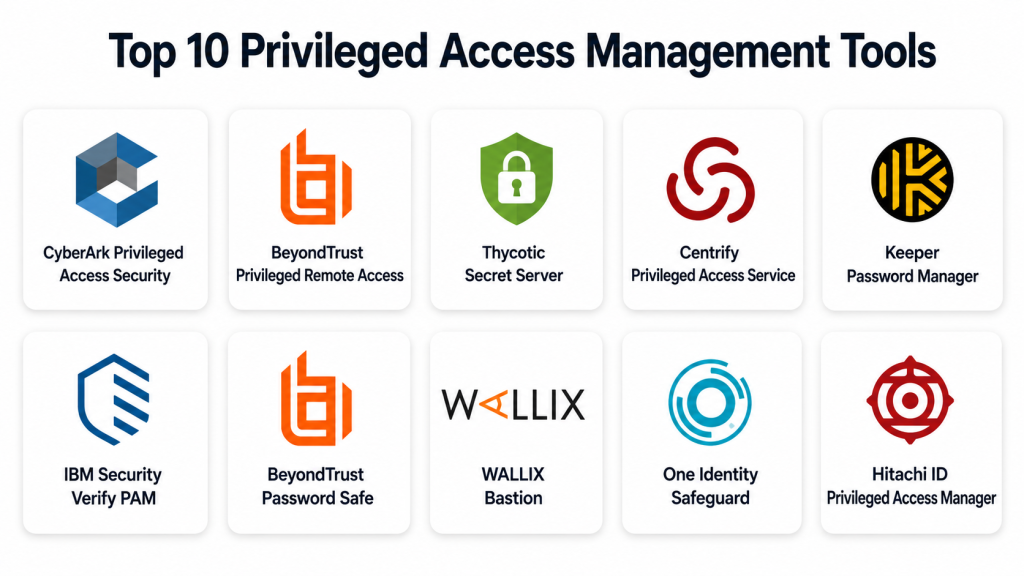
Top 10 Privileged Access Management Tools
#1 — CyberArk Privileged Access Security
Short description:
CyberArk PAM secures privileged accounts, passwords, and sessions for enterprise IT, DevOps, and cloud environments. It is designed for organizations that need centralized access control, session recording, and compliance reporting. CyberArk is widely adopted in finance, healthcare, and government sectors for high-security environments.
Key Features
- Password vaulting and credential management.
- Session monitoring and recording.
- Just-in-time access for critical systems.
- Least privilege enforcement.
- Multi-cloud and hybrid environment support.
- Adaptive security policies.
- Threat analytics and risk scoring.
Pros
- Strong enterprise adoption and maturity.
- Comprehensive session monitoring and audit capabilities.
- Flexible deployment in cloud, on-prem, or hybrid environments.
Cons
- High cost for smaller organizations.
- Complex configuration for initial setup.
- Requires trained personnel for advanced features.
Platforms / Deployment
Web / Windows / Linux / Cloud / Hybrid
Security & Compliance
Supports SSO/SAML, MFA, encryption, audit logs, RBAC, SOC 2, ISO 27001, GDPR.
Integrations & Ecosystem
Integrates with IAM systems, SIEM, cloud providers, DevOps tools, directories, and ticketing systems.
- Active Directory
- Azure AD
- AWS IAM
- SIEM platforms
- ITSM ticketing tools
Support & Community
Enterprise documentation, training, professional services, and strong global community.
#2 — BeyondTrust Privileged Remote Access
Short description:
BeyondTrust PAM provides secure access to critical systems with session monitoring, least privilege enforcement, and endpoint protection. It is suitable for mid-market and enterprise organizations that require detailed privileged session control across on-premises and cloud environments.
Key Features
- Secure remote access with MFA.
- Session recording and auditing.
- Password vaulting and automated credential rotation.
- Endpoint privilege management.
- Risk-based access policies.
- Reporting and analytics.
- Cloud and on-prem deployment support.
Pros
- Effective session monitoring.
- Strong remote access and endpoint integration.
- Supports hybrid infrastructure.
Cons
- Implementation may be complex.
- Smaller organizations may find advanced features unnecessary.
- Licensing complexity for large deployments.
Platforms / Deployment
Web / Windows / Linux / macOS / Cloud / Hybrid
Security & Compliance
Supports MFA, RBAC, SSO/SAML, encryption, and audit logs. Compliance certifications vary. Use Not publicly stated if uncertain.
Integrations & Ecosystem
- Cloud providers (AWS, Azure)
- IAM directories
- SIEM solutions
- VPN and remote access tools
- Endpoint management solutions
Support & Community
Provides enterprise support, documentation, and training resources.
#3 — Thycotic Secret Server
Short description:
Thycotic Secret Server secures privileged credentials and sessions for IT teams, DevOps, and cloud systems. It offers centralized password management, session monitoring, and automated secret rotation. Suitable for mid-size to large enterprises, particularly in regulated industries.
Key Features
- Centralized password vault.
- Automated credential rotation.
- Session monitoring and recording.
- Least privilege policy enforcement.
- Active Directory integration.
- MFA and risk-based access.
- Reporting and audit compliance.
Pros
- Easy to deploy and use.
- Strong automation and credential rotation.
- Supports hybrid and cloud environments.
Cons
- Some advanced features require higher-tier plans.
- Complex integrations may need professional support.
- Licensing may scale with number of accounts.
Platforms / Deployment
Web / Windows / Linux / Cloud / Hybrid
Security & Compliance
Supports MFA, SSO/SAML, RBAC, encryption, audit logs. Certifications vary; Not publicly stated if uncertain.
Integrations & Ecosystem
- IAM directories
- Cloud platforms
- SIEM tools
- Endpoint management
- DevOps pipelines
Support & Community
Documentation, enterprise support, and active community.
#4 — Centrify Privileged Access Service
Short description:
Centrify PAM manages privileged accounts across on-premises and cloud environments. It provides identity-centric controls, session monitoring, and password management. Suitable for enterprises with hybrid IT and cloud adoption.
Key Features
- Privileged account vaulting.
- Session recording and auditing.
- Just-in-time access.
- Least privilege enforcement.
- MFA and SSO integration.
- Cloud and on-prem support.
- Threat analytics.
Pros
- Strong hybrid environment support.
- Good session visibility.
- Flexible access policies.
Cons
- Implementation may be complex.
- Higher cost for full-featured deployment.
- Requires admin expertise.
Platforms / Deployment
Web / Windows / Linux / Cloud / Hybrid
Security & Compliance
Supports SSO/SAML, MFA, RBAC, audit logs, encryption. Certifications vary; Not publicly stated if unclear.
Integrations & Ecosystem
- Active Directory
- Cloud providers
- SIEM platforms
- Ticketing systems
- Endpoint management
Support & Community
Documentation, training, and enterprise support.
#5 — IBM Security Verify PAM
Short description:
IBM Security Verify PAM provides secure privileged access management with centralized controls, session monitoring, and automated workflows. Best suited for large enterprises needing compliance and hybrid environment support.
Key Features
- Password vaulting.
- Session monitoring and recording.
- Just-in-time access.
- MFA enforcement.
- Role-based access control.
- Reporting and auditing.
- Cloud and on-prem support.
Pros
- Enterprise-grade compliance support.
- Flexible hybrid deployment.
- Strong auditing and reporting capabilities.
Cons
- Complexity for small deployments.
- Integration may require professional services.
- Licensing can be expensive.
Platforms / Deployment
Web / Windows / Linux / Cloud / Hybrid
Security & Compliance
Supports MFA, SSO, RBAC, encryption, and audit logs. Certifications vary; Not publicly stated where unclear.
Integrations & Ecosystem
- IAM systems
- Cloud providers
- SIEM tools
- DevOps platforms
- Directory services
Support & Community
IBM enterprise support, professional services, and documentation.
#6 — ManageEngine PAM360
Short description:
ManageEngine PAM360 helps secure privileged accounts, passwords, and sessions for enterprises and mid-market organizations. It includes automated credential management, session monitoring, and compliance reporting. Useful for IT, DevOps, and security teams.
Key Features
- Password vaulting.
- Session recording.
- MFA enforcement.
- Least privilege policies.
- Automated credential rotation.
- Reporting and audit logs.
- Cloud and on-premises support.
Pros
- Cost-effective for mid-market.
- Easy to deploy and use.
- Supports compliance and audit requirements.
Cons
- Less mature than enterprise-grade competitors.
- Limited global scale for large enterprises.
- Some advanced integrations may be missing.
Platforms / Deployment
Web / Windows / Linux / Cloud / Hybrid
Security & Compliance
Supports MFA, SSO/SAML, RBAC, encryption, and logging. Certifications vary; Not publicly stated if uncertain.
Integrations & Ecosystem
- Active Directory
- Cloud providers
- SIEM solutions
- Ticketing and monitoring
- DevOps pipelines
Support & Community
Documentation, support plans, and mid-market community support.
#7 — BeyondTrust Password Safe
Short description:
BeyondTrust Password Safe secures privileged credentials and automates password management. Suitable for mid-market and enterprise organizations, particularly with hybrid IT and compliance needs.
Key Features
- Credential vaulting.
- Automated password rotation.
- Session monitoring.
- MFA enforcement.
- Least privilege policies.
- Reporting and auditing.
- Hybrid and cloud support.
Pros
- Strong password security.
- Good auditing and compliance features.
- Flexible deployment.
Cons
- Complexity for small organizations.
- Advanced policies require configuration expertise.
- Licensing can scale with number of accounts.
Platforms / Deployment
Web / Windows / Linux / Cloud / Hybrid
Security & Compliance
Supports MFA, SSO, RBAC, audit logs, encryption. Certifications vary; Not publicly stated if unclear.
Integrations & Ecosystem
- IAM directories
- Cloud services
- SIEM tools
- Ticketing systems
- Endpoint management
Support & Community
Enterprise documentation, training, and support resources.
#8 — WALLIX Bastion
Short description:
WALLIX Bastion provides PAM for critical infrastructure, including session monitoring, password vaulting, and privileged access control. Best for European and global enterprises with compliance requirements and hybrid IT.
Key Features
- Privileged session management.
- Password vaulting.
- MFA and SSO integration.
- Role-based access policies.
- Automated password rotation.
- Reporting and auditing.
- Cloud and on-premises support.
Pros
- Strong compliance focus.
- Centralized access control.
- Flexible session management.
Cons
- Less known outside certain regions.
- Implementation can be complex.
- Smaller organizations may not need full features.
Platforms / Deployment
Web / Windows / Linux / Cloud / Hybrid
Security & Compliance
Supports MFA, SSO/SAML, RBAC, encryption, logging. Certifications vary; Not publicly stated where uncertain.
Integrations & Ecosystem
- Active Directory
- Cloud providers
- SIEM and monitoring
- Directory services
- Ticketing systems
Support & Community
Documentation, support services, and enterprise support in EMEA and global regions.
#9 — One Identity Safeguard
Short description:
One Identity Safeguard provides PAM for securing privileged accounts, passwords, and sessions across enterprise systems. Suitable for organizations needing password vaulting, session management, and compliance controls.
Key Features
- Password vaulting.
- Session recording and monitoring.
- MFA and SSO integration.
- Policy-based access controls.
- Automated credential rotation.
- Cloud and hybrid deployment support.
- Reporting and auditing.
Pros
- Strong for enterprise compliance.
- Flexible access policies.
- Supports cloud and hybrid environments.
Cons
- Smaller teams may find features excessive.
- Implementation can be complex.
- Pricing can scale with number of accounts.
Platforms / Deployment
Web / Windows / Linux / Cloud / Hybrid
Security & Compliance
Supports MFA, SSO/SAML, RBAC, encryption, logging. Certifications vary; Not publicly stated if unclear.
Integrations & Ecosystem
- IAM systems
- Cloud providers
- SIEM tools
- Directory services
- Monitoring tools
Support & Community
Enterprise support, documentation, and training resources.
#10 — Hitachi ID Privileged Access Manager
Short description:
Hitachi ID PAM provides secure privileged account management, password vaulting, and session monitoring for enterprises. Suitable for hybrid IT, cloud, and compliance-driven organizations.
Key Features
- Privileged account vaulting.
- Session monitoring and recording.
- MFA and SSO integration.
- Role-based access control.
- Automated password rotation.
- Reporting and auditing.
- Cloud and on-premises deployment.
Pros
- Enterprise-focused PAM solution.
- Flexible deployment options.
- Strong reporting and auditing capabilities.
Cons
- Complexity for small teams.
- Licensing may be high for large deployments.
- Advanced integrations require planning.
Platforms / Deployment
Web / Windows / Linux / Cloud / Hybrid
Security & Compliance
Supports MFA, SSO/SAML, RBAC, encryption, and logging. Certifications vary; Not publicly stated where unclear.
Integrations & Ecosystem
- IAM systems
- Cloud providers
- Directory services
- SIEM tools
- Ticketing and monitoring systems
Support & Community
Enterprise documentation, support plans, and partner services.
Comparison Table
| Tool Name | Best For | Platform(s) Supported | Deployment | Standout Feature | Public Rating |
|---|---|---|---|---|---|
| CyberArk Privileged Access Security | High-risk enterprise accounts | Web / Windows / Linux | Cloud / Hybrid | Centralized PAM with session monitoring | N/A |
| BeyondTrust Privileged Remote Access | Hybrid and remote access | Web / Windows / Linux / macOS | Cloud / Hybrid | Secure remote session monitoring | N/A |
| Thycotic Secret Server | Regulated mid-market enterprises | Web / Windows / Linux | Cloud / Hybrid | Automated credential rotation | N/A |
| Centrify Privileged Access Service | Hybrid IT environments | Web / Windows / Linux | Cloud / Hybrid | Identity-centric PAM | N/A |
| IBM Security Verify PAM | Large enterprises | Web / Windows / Linux | Cloud / Hybrid | Centralized controls for privileged accounts | N/A |
| ManageEngine PAM360 | Mid-market organizations | Web / Windows / Linux | Cloud / Hybrid | Cost-effective PAM with session management | N/A |
| BeyondTrust Password Safe | Mid-market and enterprise | Web / Windows / Linux | Cloud / Hybrid | Password vaulting and session monitoring | N/A |
| WALLIX Bastion | Enterprise with compliance needs | Web / Windows / Linux | Cloud / Hybrid | Session monitoring with strong compliance focus | N/A |
| One Identity Safeguard | Enterprise password & session management | Web / Windows / Linux | Cloud / Hybrid | Comprehensive access and session management | N/A |
| Hitachi ID PAM | Hybrid IT and compliance-focused enterprises | Web / Windows / Linux | Cloud / Hybrid | Privileged account management and auditing | N/A |
Evaluation & Scoring of Privileged Access Management Platforms
| Tool Name | Core (25%) | Ease (15%) | Integrations (15%) | Security (10%) | Performance (10%) | Support (10%) | Value (15%) | Weighted Total (0–10) |
|---|---|---|---|---|---|---|---|---|
| CyberArk Privileged Access Security | 10 | 7 | 9 | 10 | 9 | 9 | 8 | 9.05 |
| BeyondTrust Privileged Remote Access | 9 | 8 | 8 | 9 | 9 | 8 | 8 | 8.55 |
| Thycotic Secret Server | 9 | 8 | 8 | 9 | 8 | 8 | 8 | 8.45 |
| Centrify Privileged Access Service | 9 | 7 | 8 | 9 | 8 | 8 | 7 | 8.10 |
| IBM Security Verify PAM | 9 | 7 | 8 | 9 | 8 | 8 | 7 | 8.05 |
| ManageEngine PAM360 | 8 | 8 | 7 | 8 | 8 | 7 | 8 | 7.80 |
| BeyondTrust Password Safe | 8 | 7 | 7 | 8 | 8 | 7 | 7 | 7.50 |
| WALLIX Bastion | 8 | 7 | 7 | 8 | 7 | 7 | 7 | 7.40 |
| One Identity Safeguard | 8 | 7 | 8 | 8 | 8 | 7 | 7 | 7.55 |
| Hitachi ID PAM | 8 | 7 | 7 | 8 | 8 | 7 | 7 | 7.50 |
These scores are comparative. Higher scores indicate a broader capability across core PAM areas, but the best choice depends on your organization’s infrastructure, compliance requirements, risk exposure, and IT team expertise.
Which Privileged Access Management Tool Is Right for You?
Solo / Freelancer
Solo users usually need only basic PAM or credential management for cloud accounts or client systems. Lightweight tools or hardware keys may be sufficient.
SMB
Mid-market companies benefit from cost-effective PAM solutions like ManageEngine PAM360 or Thycotic Secret Server for password vaulting, session monitoring, and basic compliance.
Mid-Market
Mid-sized enterprises may need BeyondTrust Password Safe, BeyondTrust Privileged Remote Access, or WALLIX Bastion for hybrid IT environments, session monitoring, and adaptive access policies.
Enterprise
Large organizations with complex IT, compliance, and global operations should consider CyberArk PAM, IBM Security Verify PAM, Centrify, One Identity Safeguard, or Hitachi ID PAM. Focus on centralized controls, session recording, just-in-time access, and multi-cloud support.
Budget vs Premium
Budget-focused teams can use PAM360 or Thycotic for basic credential management. Premium buyers should look at CyberArk, IBM, and Centrify for full enterprise-grade control and compliance coverage.
Feature Depth vs Ease of Use
CyberArk and IBM offer deep functionality but require more expertise. PAM360, Thycotic, and Password Safe are easier to deploy for mid-market teams. WALLIX Bastion and Hitachi ID PAM balance compliance and enterprise control.
Integrations & Scalability
Enterprises with multi-cloud and hybrid deployments benefit from tools with broad integration support, such as CyberArk, BeyondTrust, Centrify, and IBM Security Verify PAM.
Security & Compliance Needs
High-security and regulated organizations should prioritize MFA, session monitoring, least privilege enforcement, audit logs, compliance reporting, and privileged account rotation.
Frequently Asked Questions
What is Privileged Access Management (PAM)?
PAM is a security solution that controls, monitors, and manages access to accounts with elevated permissions in IT systems, networks, and cloud environments.
Why is PAM important?
PAM reduces the risk of credential theft, insider threats, unauthorized access, and helps organizations meet compliance requirements.
What are common PAM features?
Password vaulting, session monitoring, MFA, least privilege enforcement, just-in-time access, audit logging, and credential rotation.
Can PAM manage cloud accounts?
Yes, most PAM platforms support cloud environments, hybrid IT, SaaS applications, and enterprise directories.
How much does PAM cost?
Pricing varies by vendor, number of privileged accounts, deployment, and features. Use Varies / N/A if not confirmed.
Is PAM hard to deploy?
Deployment complexity depends on size, number of accounts, cloud vs on-prem, and integrations. Some mid-market tools are easier than full enterprise suites.
Can PAM integrate with IAM platforms?
Yes, most PAM solutions integrate with IAM, SSO, directories, HR systems, SIEM, and ticketing tools.
How does PAM enforce least privilege?
PAM restricts access to only what is necessary for users or accounts, applies policy-based controls, and can automate temporary access.
Does PAM support session recording?
Yes, session monitoring and recording is a key feature to audit privileged user activity.
Can I switch PAM vendors?
Yes, but switching requires careful planning for account migration, access policies, integrations, and user workflows.
Conclusion
Privileged Access Management platforms are critical for securing high-risk accounts in modern IT and cloud environments. The best PAM solution depends on enterprise size, infrastructure, compliance needs, and security maturity. CyberArk and IBM PAM are strong for large, regulated enterprises, BeyondTrust and Thycotic suit mid-market organizations, and PAM360 or WALLIX Bastion are practical for SMBs needing cost-effective control. The recommended next step is to shortlist two or three PAM platforms, evaluate integration with current systems, test session monitoring and credential rotation workflows, and pilot the solution before full deployment.
