Upgrade & Secure Your Future with DevOps, SRE, DevSecOps, MLOps!
We spend hours scrolling social media and waste money on things we forget, but won’t spend 30 minutes a day earning certifications that can change our lives.
Master in DevOps, SRE, DevSecOps & MLOps by DevOps School!
Learn from Guru Rajesh Kumar and double your salary in just one year.
Introduction
AutoML platforms help teams build machine learning models with less manual work. Instead of writing every step from scratch, users can automate tasks such as data preparation, feature engineering, model selection, hyperparameter tuning, training, evaluation, and deployment. This makes machine learning more accessible for data scientists, analysts, developers, and business teams.
AutoML matters now because organizations want faster AI adoption, better decision-making, and production-ready models without depending only on large expert teams. It is useful for demand forecasting, fraud detection, customer churn prediction, document classification, risk scoring, recommendation systems, and operational analytics.
Buyers should evaluate:
- Model quality and explainability
- Supported data types
- Deployment options
- Integration with cloud and data platforms
- Security and compliance
- Governance and auditability
- Ease of use
- Pricing flexibility
- Scalability
- Support and documentation
Best for: data science teams, AI teams, analytics leaders, developers, enterprises, SMBs, banks, healthcare companies, retailers, SaaS companies, and cloud-first organizations.
Not ideal for: teams needing fully custom research models, highly specialized deep learning architectures, or organizations without clean data, clear business problems, or model governance readiness.
Key Trends in AutoML Platforms
- AutoML is moving from simple model training to full AI lifecycle automation.
- More platforms now support generative AI workflows, foundation models, and model evaluation.
- Explainable AI is becoming important for regulated industries.
- Cloud-native AutoML adoption continues to grow because teams want scalable infrastructure.
- Low-code and no-code interfaces are helping analysts participate in ML projects.
- MLOps integration is now a core buying factor, not an optional feature.
- Data privacy, access control, and audit logs are becoming stronger requirements.
- Hybrid deployment is important for enterprises with strict data policies.
- Open-source AutoML is still valuable for research, experimentation, and cost-sensitive teams.
- Pricing is becoming more usage-based, depending on compute, storage, training time, and deployment needs.
How We Selected These Tools
The tools were selected using practical evaluation logic:
- Market adoption and industry mindshare
- AutoML feature maturity
- Support for tabular, text, image, or other ML workloads
- Model training and deployment capabilities
- Cloud, enterprise, or open-source availability
- Integration with data platforms and ML workflows
- Security and governance posture where publicly known
- Suitability for different team sizes
- Documentation and ecosystem strength
- Practical value for production AI projects
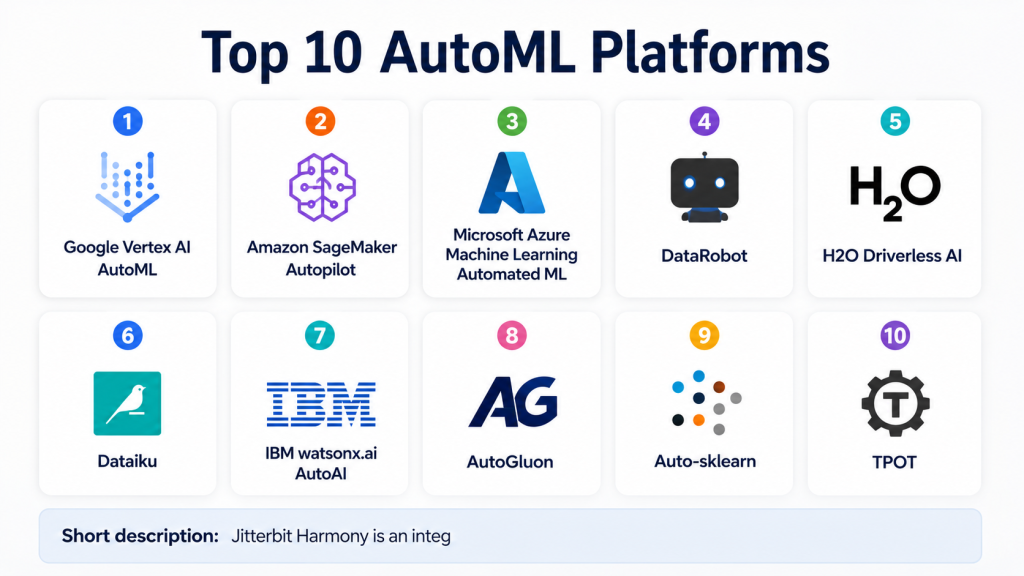
Top 10 AutoML Platforms
#1 — Google Vertex AI AutoML
Short description: Google Vertex AI AutoML is a managed machine learning platform built for teams that want to train, evaluate, deploy, and monitor models inside the Google Cloud ecosystem. It supports AutoML workflows for structured data, images, text, and other use cases. The platform is useful for data scientists, developers, and enterprises that already use Google Cloud services. It reduces manual model-building work while still giving advanced users access to custom training options. Vertex AI also connects with pipelines, model monitoring, feature management, and generative AI services. It is especially strong for organizations that need cloud-scale ML infrastructure. Teams can use it for prediction, classification, forecasting, and AI application development.
Key Features
- Automated model training for multiple data types
- Managed model deployment
- Model monitoring and evaluation support
- Integration with Google Cloud data services
- Support for custom training workflows
- Pipeline and MLOps capabilities
- Access to broader AI and ML ecosystem
Pros
- Strong fit for Google Cloud users
- Good balance of AutoML and custom ML options
- Scalable for enterprise AI workloads
Cons
- Best value comes inside Google Cloud
- Pricing can become complex with heavy usage
- May require cloud and ML knowledge for advanced use
Platforms / Deployment
Cloud
Security & Compliance
Supports cloud-native security controls such as IAM, encryption, access management, and audit capabilities. Specific compliance availability depends on Google Cloud service configuration.
Integrations & Ecosystem
Vertex AI works well with Google Cloud’s broader data and AI ecosystem.
- BigQuery
- Cloud Storage
- Dataflow
- Looker
- Vertex AI Pipelines
- Google Cloud APIs
Support & Community
Strong documentation, enterprise support options, training resources, and a large cloud AI community.
#2 — Amazon SageMaker Autopilot
Short description: Amazon SageMaker Autopilot is the AutoML capability within Amazon SageMaker. It helps users automatically build, train, and tune machine learning models while giving visibility into the generated workflows. It is designed for AWS customers who want a managed ML environment with flexible automation. SageMaker Autopilot is useful for developers, data scientists, and enterprises working on prediction and classification tasks. It fits teams that want automation but also want control over notebooks, pipelines, deployment, and monitoring. It is especially suitable for organizations already using AWS data services. The platform supports production-focused ML workflows and can connect with broader AWS infrastructure.
Key Features
- Automated model building
- Model candidate generation
- Integration with SageMaker Studio
- Managed training and deployment
- Support for explainability workflows
- Connection with AWS data services
- Scalable cloud infrastructure
Pros
- Strong option for AWS-first teams
- Good balance of automation and control
- Suitable for production ML pipelines
Cons
- Requires AWS knowledge for best use
- Pricing depends on AWS resources consumed
- Can feel complex for non-technical users
Platforms / Deployment
Cloud
Security & Compliance
Supports AWS security capabilities such as IAM, encryption, VPC configuration, audit logs, and access controls. Compliance depends on AWS environment setup.
Integrations & Ecosystem
SageMaker Autopilot connects deeply with AWS services.
- Amazon S3
- AWS Glue
- Amazon Redshift
- CloudWatch
- SageMaker Pipelines
- AWS Lambda
Support & Community
Strong AWS documentation, enterprise support, training materials, and a large developer ecosystem.
#3 — Microsoft Azure Machine Learning Automated ML
Short description: Azure Machine Learning Automated ML helps teams automate model selection, training, tuning, and evaluation inside Microsoft Azure. It is useful for enterprises already using Microsoft cloud, data, identity, and productivity tools. The platform supports both low-code and code-first machine learning workflows. It can be used by data scientists, developers, and analytics teams working on classification, regression, forecasting, and other ML use cases. Azure ML is strong for companies that need governance, security, and enterprise integration. Automated ML fits well into broader MLOps pipelines. It is also useful for organizations that want cloud scalability with Microsoft ecosystem alignment.
Key Features
- Automated model training and tuning
- Forecasting, classification, and regression support
- Integration with Azure data services
- Responsible AI and model interpretability tools
- MLOps pipeline support
- Notebook and designer experiences
- Enterprise identity integration
Pros
- Strong fit for Microsoft ecosystem users
- Good enterprise governance capabilities
- Flexible for both beginner and advanced users
Cons
- Best suited for Azure customers
- Advanced workflows require platform knowledge
- Pricing varies by compute and service usage
Platforms / Deployment
Cloud / Hybrid
Security & Compliance
Supports Microsoft cloud security controls such as identity management, role-based access, encryption, private networking, and audit capabilities. Compliance depends on configuration.
Integrations & Ecosystem
Azure ML works well with Microsoft services and enterprise data systems.
- Azure Data Lake
- Azure Synapse
- Power BI
- Microsoft Fabric
- GitHub
- Azure DevOps
Support & Community
Strong Microsoft documentation, enterprise support, learning paths, and developer community.
#4 — DataRobot
Short description: DataRobot is an enterprise AI and AutoML platform focused on helping organizations build, deploy, monitor, and govern machine learning models. It is designed for business users, data scientists, analytics teams, and enterprise AI leaders. DataRobot is known for model automation, explainability, governance, and production-focused AI operations. It can support multiple industries such as finance, healthcare, insurance, retail, and manufacturing. The platform is useful when companies need repeatable AI workflows and strong model management. It also supports collaboration between technical and business teams. DataRobot is often considered for large-scale AI programs where governance and deployment matter.
Key Features
- Automated model development
- Model explainability tools
- Model monitoring and governance
- Enterprise AI lifecycle support
- Collaboration workflows
- Deployment and prediction services
- Support for multiple data science roles
Pros
- Strong enterprise governance focus
- Good explainability and model management
- Useful for production AI programs
Cons
- May be costly for smaller teams
- Can be more platform-heavy than simple AutoML tools
- Advanced setup may require onboarding support
Platforms / Deployment
Cloud / Hybrid / Varies
Security & Compliance
Enterprise security features are available, including access control and governance capabilities. Specific certifications should be verified directly with the vendor.
Integrations & Ecosystem
DataRobot integrates with enterprise data, BI, and cloud ecosystems.
- Cloud data warehouses
- Business intelligence tools
- APIs
- MLOps workflows
- Data pipelines
- Enterprise identity systems
Support & Community
Strong enterprise onboarding, documentation, customer success, and professional support options.
#5 — H2O Driverless AI
Short description: H2O Driverless AI is an AutoML platform designed for automatic feature engineering, model training, tuning, interpretation, and deployment. It is used by data scientists, enterprises, and analytics teams that want powerful automation with strong machine learning depth. The platform is especially known for handling tabular data and predictive modeling use cases. It can help teams reduce repetitive modeling work while still keeping visibility into results. H2O Driverless AI is useful for financial services, insurance, healthcare, telecom, and other data-heavy industries. It supports model explainability and production deployment workflows. It is a strong option for teams that want advanced AutoML beyond basic no-code modeling.
Key Features
- Automated feature engineering
- Model training and tuning
- Model interpretability support
- Time-series and tabular ML use cases
- Deployment support
- Enterprise AI workflow support
- Strong data science focus
Pros
- Strong AutoML depth for tabular data
- Good explainability features
- Useful for experienced data science teams
Cons
- May require ML knowledge for best results
- Enterprise licensing may not suit small teams
- Interface and workflows can feel advanced
Platforms / Deployment
Cloud / Self-hosted / Hybrid
Security & Compliance
Security features vary by deployment and enterprise configuration. Specific certifications are not publicly stated here.
Integrations & Ecosystem
H2O Driverless AI connects with data science and enterprise workflows.
- Python
- R
- Spark
- Cloud platforms
- Data warehouses
- Model deployment tools
Support & Community
Good documentation, enterprise support, training resources, and an active H2O ecosystem.
#6 — Dataiku
Short description: Dataiku is an AI and analytics platform that includes AutoML capabilities for building, testing, deploying, and governing machine learning models. It is designed for collaboration between data scientists, analysts, engineers, and business users. Dataiku supports both visual workflows and code-based development, making it useful for mixed-skill teams. Its AutoML features help users build models faster while still allowing deeper customization. The platform is strong for organizations that want analytics, data preparation, ML, and governance in one environment. Dataiku is often used by mid-market and enterprise teams. It fits companies that need collaboration, repeatability, and controlled AI delivery.
Key Features
- Visual data preparation
- AutoML model creation
- Code and no-code workflows
- Collaboration features
- Model deployment and monitoring
- Governance capabilities
- Integration with enterprise data systems
Pros
- Strong for cross-functional teams
- Good balance of no-code and code-first workflows
- Useful for enterprise AI governance
Cons
- Can be complex for very small teams
- Full value requires platform adoption
- Pricing may vary by enterprise needs
Platforms / Deployment
Cloud / Self-hosted / Hybrid
Security & Compliance
Supports enterprise security controls such as access management and governance features. Specific certifications should be verified with the vendor.
Integrations & Ecosystem
Dataiku has a broad ecosystem for data and AI workflows.
- SQL databases
- Cloud storage
- Data warehouses
- Python and R
- BI tools
- MLOps systems
Support & Community
Strong documentation, academy resources, enterprise support, and user community.
#7 — IBM watsonx.ai AutoAI
Short description: IBM watsonx.ai AutoAI helps users automate machine learning model creation, feature engineering, model selection, and deployment within IBM’s AI platform ecosystem. It is suitable for enterprises that need AI development with governance, compliance, and hybrid cloud flexibility. AutoAI supports users who want to build predictive models faster without manually testing many algorithms. It is useful for industries such as finance, healthcare, government, and enterprise IT. IBM’s strength is often in governance, explainability, and integration with enterprise AI workflows. The platform fits companies that already use IBM Cloud or hybrid infrastructure. It is also suitable for teams focused on trustworthy AI practices.
Key Features
- Automated model generation
- Feature engineering support
- Model ranking and evaluation
- Enterprise AI workflow integration
- Governance-focused AI capabilities
- Deployment support
- Hybrid cloud alignment
Pros
- Strong enterprise and governance focus
- Useful for regulated industries
- Good fit for IBM ecosystem users
Cons
- May be less simple for small teams
- Best value depends on IBM platform adoption
- Pricing and deployment details may vary
Platforms / Deployment
Cloud / Hybrid
Security & Compliance
Enterprise security and governance capabilities are available. Specific compliance details depend on IBM service and deployment configuration.
Integrations & Ecosystem
IBM watsonx.ai connects with IBM’s broader data and AI ecosystem.
- IBM Cloud
- IBM Cloud Pak
- Databases
- APIs
- Governance tools
- Enterprise data systems
Support & Community
Strong enterprise support, documentation, professional services, and IBM learning resources.
#8 — AutoGluon
Short description: AutoGluon is an open-source AutoML framework created for fast and accurate machine learning on tabular, text, image, and multimodal data. It is mainly used by developers, researchers, and data scientists who prefer Python-based workflows. AutoGluon is strong for teams that want open-source flexibility without committing to a commercial platform. It can automate model training, ensembling, and prediction workflows with relatively simple code. It is especially popular for tabular data experimentation and benchmark-style tasks. AutoGluon is not a full enterprise platform by itself, but it can be part of a custom ML stack. It fits technical teams that want control, portability, and cost flexibility.
Key Features
- Open-source AutoML framework
- Strong tabular data support
- Multimodal ML capabilities
- Python-based workflow
- Automated ensembling
- Customizable training options
- Useful for experimentation and research
Pros
- Open-source and flexible
- Strong for technical users
- Good model performance for many use cases
Cons
- Requires Python knowledge
- Not a full enterprise MLOps platform
- Support depends largely on community and documentation
Platforms / Deployment
Windows / macOS / Linux / Self-hosted
Security & Compliance
Not publicly stated. Security depends on the environment where it is deployed.
Integrations & Ecosystem
AutoGluon fits into Python and open-source ML ecosystems.
- Python
- Pandas
- Jupyter
- Cloud notebooks
- Custom ML pipelines
- Open-source deployment workflows
Support & Community
Good open-source documentation and community support, but enterprise support depends on third-party arrangements.
#9 — Auto-sklearn
Short description: Auto-sklearn is an open-source AutoML toolkit built around the scikit-learn ecosystem. It focuses on automated model selection and hyperparameter optimization for machine learning tasks. It is useful for researchers, developers, and data scientists who work with Python and traditional ML workflows. Auto-sklearn is best suited for technical teams that want automation without using a commercial platform. It can help speed up experimentation and benchmark testing. However, it is not a complete enterprise AI platform with built-in governance, monitoring, or managed deployment. It works best when used as part of a broader Python ML stack.
Key Features
- Automated model selection
- Hyperparameter optimization
- Integration with scikit-learn ecosystem
- Open-source framework
- Useful for tabular ML workflows
- Research-friendly design
- Python-based usage
Pros
- Good fit for scikit-learn users
- Open-source and customizable
- Useful for experimentation
Cons
- Requires technical ML knowledge
- Limited enterprise platform features
- Not ideal for non-technical business users
Platforms / Deployment
Linux / Self-hosted / Varies
Security & Compliance
Not publicly stated. Security depends on the deployment environment.
Integrations & Ecosystem
Auto-sklearn fits naturally into Python ML environments.
- Python
- scikit-learn
- Jupyter
- NumPy
- Pandas
- Custom ML pipelines
Support & Community
Community-driven support, documentation, and academic ecosystem. Enterprise support is not publicly stated.
#10 — TPOT
Short description: TPOT is an open-source AutoML tool that uses genetic programming to optimize machine learning pipelines. It is designed for Python users who want automated pipeline discovery using the scikit-learn ecosystem. TPOT is useful for data scientists, students, researchers, and developers experimenting with model pipelines. It can help users discover strong preprocessing and modeling combinations without manually testing every option. TPOT is not a complete enterprise ML platform, but it is valuable for experimentation and learning. It works best for technical users who can review, export, and refine generated pipelines. It is a practical choice for open-source AutoML exploration.
Key Features
- Automated ML pipeline optimization
- Genetic programming approach
- scikit-learn compatibility
- Pipeline export support
- Open-source licensing
- Useful for experimentation
- Python-based workflows
Pros
- Flexible and open-source
- Good for exploring pipeline combinations
- Useful learning tool for ML workflows
Cons
- Can be compute-intensive
- Requires Python and ML knowledge
- Not designed as a full production platform
Platforms / Deployment
Windows / macOS / Linux / Self-hosted
Security & Compliance
Not publicly stated. Security depends on user environment and deployment controls.
Integrations & Ecosystem
TPOT works inside Python-based ML workflows.
- Python
- scikit-learn
- Jupyter
- Pandas
- NumPy
- Custom scripts
Support & Community
Community-driven documentation and open-source support. Enterprise support is not publicly stated.
Comparison Table
| Tool Name | Best For | Platform(s) Supported | Deployment | Standout Feature | Public Rating |
|---|---|---|---|---|---|
| Google Vertex AI AutoML | Google Cloud users and enterprise AI teams | Web | Cloud | Unified ML and AI platform | N/A |
| Amazon SageMaker Autopilot | AWS-first ML teams | Web | Cloud | Automated model building inside SageMaker | N/A |
| Microsoft Azure Automated ML | Microsoft ecosystem enterprises | Web | Cloud / Hybrid | Enterprise ML with Azure integration | N/A |
| DataRobot | Enterprise AI governance | Web | Cloud / Hybrid / Varies | Automated ML with governance | N/A |
| H2O Driverless AI | Advanced AutoML for data science teams | Web / Desktop varies | Cloud / Self-hosted / Hybrid | Automated feature engineering | N/A |
| Dataiku | Collaborative AI and analytics teams | Web | Cloud / Self-hosted / Hybrid | Visual and code-based workflows | N/A |
| IBM watsonx.ai AutoAI | Regulated enterprise AI teams | Web | Cloud / Hybrid | Governance-focused AutoAI | N/A |
| AutoGluon | Open-source Python AutoML users | Windows / macOS / Linux | Self-hosted | Strong open-source tabular AutoML | N/A |
| Auto-sklearn | scikit-learn users and researchers | Linux / Varies | Self-hosted | Automated model selection | N/A |
| TPOT | ML pipeline experimentation | Windows / macOS / Linux | Self-hosted | Genetic programming pipeline search | N/A |
Evaluation & Scoring of AutoML Platforms
| Tool Name | Core (25%) | Ease (15%) | Integrations (15%) | Security (10%) | Performance (10%) | Support (10%) | Value (15%) | Weighted Total |
|---|---|---|---|---|---|---|---|---|
| Google Vertex AI AutoML | 9 | 8 | 9 | 9 | 9 | 9 | 8 | 8.65 |
| Amazon SageMaker Autopilot | 9 | 7 | 9 | 9 | 9 | 9 | 8 | 8.55 |
| Microsoft Azure Automated ML | 9 | 8 | 9 | 9 | 8 | 9 | 8 | 8.55 |
| DataRobot | 9 | 8 | 8 | 9 | 8 | 9 | 7 | 8.30 |
| H2O Driverless AI | 9 | 7 | 8 | 8 | 9 | 8 | 8 | 8.15 |
| Dataiku | 8 | 8 | 9 | 8 | 8 | 8 | 8 | 8.15 |
| IBM watsonx.ai AutoAI | 8 | 7 | 8 | 9 | 8 | 8 | 7 | 7.75 |
| AutoGluon | 8 | 7 | 7 | 5 | 8 | 6 | 9 | 7.25 |
| Auto-sklearn | 7 | 6 | 6 | 5 | 7 | 6 | 8 | 6.55 |
| TPOT | 7 | 6 | 6 | 5 | 7 | 6 | 8 | 6.55 |
These scores are comparative, not absolute. A higher score does not mean the tool is best for every business. Enterprise platforms score higher in governance, security, support, and integrations, while open-source tools score well in flexibility and value. Teams should adjust scores based on their own data, budget, deployment needs, and internal skills.
Which AutoML Platform Is Right for You?
Solo / Freelancer
Solo users should consider open-source tools such as AutoGluon, Auto-sklearn, or TPOT. These tools are cost-friendly and flexible, but they require technical skills. If you already use cloud notebooks, Google Vertex AI or SageMaker may also work, but cost control is important.
SMB
SMBs should look for ease of use, fast onboarding, and predictable costs. Dataiku, Azure Automated ML, Google Vertex AI AutoML, and SageMaker Autopilot can be good options depending on the existing cloud stack. Open-source tools are also useful if the team has Python skills.
Mid-Market
Mid-market companies usually need stronger collaboration, repeatable workflows, and deployment control. Dataiku, H2O Driverless AI, DataRobot, Azure ML, and Vertex AI are practical choices. The best option depends on whether the company prioritizes ease of use, governance, cloud integration, or advanced modeling depth.
Enterprise
Enterprises should prioritize governance, security, auditability, identity integration, monitoring, and support. DataRobot, Dataiku, Vertex AI, SageMaker, Azure ML, IBM watsonx.ai AutoAI, and H2O Driverless AI are strong candidates. Enterprises should run pilots with real data and involve security, legal, IT, and business teams.
Budget vs Premium
For lower budgets, AutoGluon, Auto-sklearn, and TPOT offer strong open-source value. For premium enterprise needs, DataRobot, Dataiku, H2O Driverless AI, and major cloud platforms offer more managed workflows, support, governance, and deployment features.
Feature Depth vs Ease of Use
If you need simple automation, cloud AutoML tools may be easier. If you need advanced model control, H2O Driverless AI, DataRobot, Dataiku, and open-source frameworks may offer more flexibility. Ease of use should not be judged only by interface; onboarding, documentation, and deployment also matter.
Integrations & Scalability
Choose the platform that fits your existing data stack. AWS users may prefer SageMaker Autopilot. Azure users may prefer Azure Automated ML. Google Cloud users may prefer Vertex AI. Teams with mixed tools may prefer Dataiku, DataRobot, or open-source frameworks.
Security & Compliance Needs
Regulated industries should check identity controls, encryption, audit logs, role-based access, private networking, model governance, and compliance documentation. Enterprise platforms usually provide stronger governance features than open-source tools, but final security depends on implementation.
Frequently Asked Questions
1. What is an AutoML platform?
An AutoML platform automates parts of the machine learning process, such as data preparation, model selection, training, tuning, and evaluation. It helps teams build useful models faster with less manual experimentation.
2. Are AutoML platforms only for beginners?
No. Beginners use AutoML to reduce complexity, but experienced data scientists also use it to speed up experimentation. Advanced users can compare model candidates, improve baselines, and focus more on business logic and deployment.
3. How do AutoML platforms usually charge?
Pricing varies. Cloud platforms often charge based on compute, storage, training time, deployment, and prediction usage. Enterprise platforms may use subscriptions, usage-based pricing, or custom contracts.
4. How long does AutoML onboarding take?
Simple use cases can start quickly if the data is clean and the goal is clear. Enterprise onboarding may take longer because teams need access control, data pipelines, governance, deployment planning, and internal approvals.
5. What are common mistakes when using AutoML?
Common mistakes include using poor-quality data, ignoring business context, trusting model scores without validation, skipping explainability, and deploying models without monitoring. AutoML helps automate work, but it does not replace good judgment.
6. Are AutoML platforms secure?
Security depends on the platform and configuration. Enterprise and cloud tools usually provide access controls, encryption, identity management, and audit options. Open-source tools depend on how the organization deploys and protects them.
7. Can AutoML scale for enterprise workloads?
Yes, many managed AutoML platforms are designed for scalable workloads. However, scalability depends on data volume, model complexity, deployment architecture, monitoring needs, and cloud or infrastructure limits.
8. Do AutoML tools integrate with data warehouses?
Many commercial AutoML tools integrate with data warehouses, cloud storage, databases, and analytics platforms. Open-source tools usually connect through Python libraries, APIs, or custom data pipelines.
9. Is open-source AutoML enough for production?
It can be enough for technical teams that can build their own deployment, monitoring, security, and governance layers. For organizations needing managed support and compliance workflows, enterprise platforms are often easier.
10. When should a company switch AutoML platforms?
A company should consider switching when the current tool cannot scale, lacks required integrations, creates governance gaps, becomes too expensive, or does not support production deployment needs. Before switching, teams should test migration effort carefully.
Conclusion
AutoML platforms help organizations move faster from data to machine learning outcomes. The best platform depends on context, not popularity alone. Google Vertex AI, Amazon SageMaker Autopilot, and Azure Automated ML are strong choices for cloud-first teams. DataRobot, Dataiku, H2O Driverless AI, and IBM watsonx.ai AutoAI are better suited for enterprise workflows, governance, and collaboration. AutoGluon, Auto-sklearn, and TPOT are valuable for technical teams that want open-source flexibility.
