Upgrade & Secure Your Future with DevOps, SRE, DevSecOps, MLOps!
We spend hours scrolling social media and waste money on things we forget, but won’t spend 30 minutes a day earning certifications that can change our lives.
Master in DevOps, SRE, DevSecOps & MLOps by DevOps School!
Learn from Guru Rajesh Kumar and double your salary in just one year.
Introduction
Computer vision platforms help businesses build systems that can understand images, videos, documents, camera feeds, and visual data. In simple words, these platforms allow software to detect objects, read text, identify defects, classify images, track movement, and automate visual inspection tasks.
Computer vision matters now because companies are using AI to improve quality control, safety, automation, customer experience, document processing, and real-time monitoring. From factories and hospitals to retail stores and logistics companies, visual AI is becoming a practical business tool.
Common use cases include:
- Product defect detection
- OCR and document image analysis
- Retail shelf monitoring
- Medical image assistance
- Security and safety monitoring
- Autonomous systems and robotics
Buyers should evaluate:
- Image and video analysis capabilities
- Pre-trained model availability
- Custom model training
- Annotation and dataset management
- Edge deployment support
- API quality and documentation
- Security and access control
- Model monitoring and retraining
- Integration with cloud and data systems
- Pricing and scalability
Best for: AI teams, ML engineers, product teams, manufacturing companies, healthcare analytics teams, retail businesses, logistics firms, security teams, and enterprises building image or video-based automation.
Not ideal for: teams with very small visual datasets, companies that only need basic image storage, or users who can solve their needs with simple OCR or manual review tools.
Key Trends in Computer Vision Platforms
- Computer vision platforms are moving from simple image recognition to full AI workflow platforms.
- More tools now support end-to-end workflows, including annotation, training, deployment, and monitoring.
- Edge AI is becoming more important for factories, cameras, robotics, vehicles, and offline environments.
- Generative AI is improving data labeling, synthetic data creation, and visual search workflows.
- Video intelligence is becoming a major focus for surveillance, safety, sports, retail, and logistics.
- Enterprises are asking for stronger governance, audit logs, access control, and model explainability.
- No-code and low-code computer vision tools are helping non-ML teams build visual AI applications.
- Cloud-native APIs remain popular for teams that need fast deployment without managing infrastructure.
- Model monitoring is becoming essential because visual data can change due to lighting, camera angle, background, or object variation.
- Multimodal AI is connecting computer vision with text, speech, documents, and business workflow automation.
How We Selected These Tools
The top tools were selected using practical product-analysis criteria:
- Recognition and adoption across computer vision and AI teams
- Strength of image, video, OCR, and object detection capabilities
- Support for custom model training and deployment
- Annotation, dataset management, and workflow support
- Cloud, edge, and hybrid deployment flexibility
- API maturity and developer experience
- Security and governance capabilities where publicly known
- Fit for startups, SMBs, mid-market teams, and enterprises
- Documentation, support, and community ecosystem
- Practical value across real-world computer vision use cases
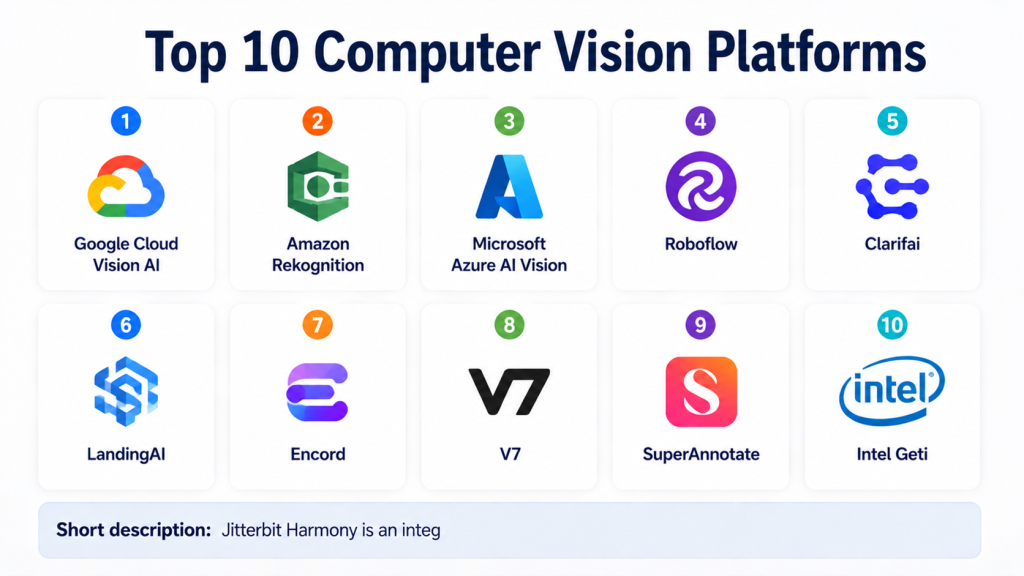
Top 10 Computer Vision Platforms
#1 — Google Cloud Vision AI
Short description:
Google Cloud Vision AI is a cloud-based computer vision platform for image analysis, OCR, object detection, and visual content understanding.
It is suitable for teams that want ready-to-use APIs instead of building vision models from scratch.
The platform can help businesses extract text, identify objects, detect labels, and analyze images at scale.
It is often used by developers, data teams, and enterprises already working inside Google Cloud.
Google Cloud Vision AI is strong for document image analysis, image classification, content moderation, and visual search workflows.
It works well when teams need scalable cloud infrastructure and API-based integration.
The platform is not always the best fit for teams wanting full control over custom model pipelines.
It is best for teams that prefer managed AI services with cloud-native scalability.
Key Features
- Image labeling and object detection
- OCR and text extraction
- Logo and landmark detection
- Safe search and content analysis
- API-based image processing
- Integration with Google Cloud services
- Scalable managed infrastructure
Pros
- Easy to integrate through APIs
- Strong fit for Google Cloud users
- Good for scalable image analysis workloads
Cons
- Cloud-first approach may not suit edge-heavy use cases
- Custom workflow flexibility may require additional services
- Costs can increase with high-volume processing
Platforms / Deployment
Cloud
Security & Compliance
Security is managed through Google Cloud identity, access control, encryption, and cloud security features. Specific compliance applicability depends on configuration and organization requirements.
Integrations & Ecosystem
Google Cloud Vision AI works well with Google Cloud data, AI, and application services.
- Google Cloud Storage
- BigQuery
- Vertex AI
- Cloud Functions
- Dataflow
- API-based applications
Support & Community
Google Cloud provides documentation, support plans, tutorials, and enterprise resources. Community support is strong across Google Cloud AI services.
#2 — Amazon Rekognition
Short description:
Amazon Rekognition is a cloud-based computer vision service for image and video analysis.
It helps teams detect objects, analyze faces, read text, moderate content, and process video streams.
The platform is useful for AWS customers who want managed computer vision without building models manually.
It is commonly used in media analysis, security workflows, identity verification, content moderation, and automation.
Amazon Rekognition can analyze both static images and video content.
It fits businesses that want scalable APIs connected to AWS infrastructure.
It may not be ideal for teams that want deep customization without using other AWS ML services.
AWS-first organizations can benefit most from its ecosystem alignment.
Key Features
- Image and video analysis
- Object and scene detection
- Facial analysis capabilities
- Text detection in images
- Content moderation workflows
- Video stream analysis
- Integration with AWS services
Pros
- Strong fit for AWS-based teams
- Supports both image and video workloads
- Managed service reduces infrastructure effort
Cons
- Best suited for AWS-first environments
- Advanced custom use cases may need additional AWS tools
- Pricing should be reviewed carefully for large-scale workloads
Platforms / Deployment
Cloud
Security & Compliance
Security is managed through AWS IAM, encryption, and AWS platform controls. Compliance applicability depends on configuration, region, and organization requirements.
Integrations & Ecosystem
Amazon Rekognition integrates naturally with AWS data, application, and machine learning services.
- Amazon S3
- AWS Lambda
- Amazon Kinesis Video Streams
- Amazon SageMaker
- AWS IAM
- Cloud monitoring services
Support & Community
AWS provides detailed documentation, enterprise support plans, learning resources, and a large developer ecosystem.
#3 — Microsoft Azure AI Vision
Short description:
Microsoft Azure AI Vision is a managed computer vision service inside the Azure AI ecosystem.
It helps teams analyze images, extract text, detect objects, generate image descriptions, and build visual AI applications.
The platform is useful for enterprises already using Microsoft Azure, Microsoft identity tools, and Azure data services.
Azure AI Vision is often selected by organizations that need cloud-native computer vision with enterprise governance.
It supports practical use cases like OCR, document image processing, visual inspection, and content analysis.
It works well for developers who want APIs and cloud-managed infrastructure.
The platform can also connect with broader Azure AI and ML workflows.
Teams outside Azure may prefer more platform-neutral options.
Key Features
- Image analysis and tagging
- OCR and text extraction
- Object detection
- Spatial and visual analysis capabilities
- API-based vision workflows
- Integration with Azure AI services
- Enterprise identity and access control through Azure
Pros
- Strong fit for Microsoft and Azure environments
- Good enterprise identity and governance alignment
- Useful for OCR and business document workflows
Cons
- Best value comes inside Azure ecosystem
- Complex workflows may need multiple Azure services
- Learning curve for teams new to Azure AI
Platforms / Deployment
Cloud
Security & Compliance
Security is managed through Azure identity, access control, encryption, and cloud governance features. Compliance applicability depends on configuration and service usage.
Integrations & Ecosystem
Azure AI Vision connects well with Microsoft’s enterprise cloud ecosystem.
- Azure Machine Learning
- Azure Data Lake
- Azure Functions
- Microsoft Entra ID
- Azure Cognitive Services
- Power Platform workflows
Support & Community
Microsoft provides documentation, enterprise support, training resources, and a strong Azure developer community.
#4 — Roboflow
Short description:
Roboflow is an end-to-end computer vision platform for building, managing, training, and deploying visual AI models.
It is popular with developers, startups, educators, and teams that want a faster way to build custom computer vision applications.
The platform supports dataset upload, annotation, preprocessing, augmentation, model training, deployment, and monitoring workflows.
Roboflow is especially useful for teams that want to move from raw images to working models without building every tool manually.
It supports object detection, classification, segmentation, and workflow automation use cases.
The platform can be helpful for rapid prototyping as well as production deployment.
It also provides a strong developer experience for teams new to computer vision.
Organizations with highly specialized enterprise workflows should still validate customization and governance needs.
Key Features
- Dataset management and annotation
- Image preprocessing and augmentation
- Custom model training
- Object detection and segmentation workflows
- Deployment options for cloud and edge
- Model versioning and monitoring
- Developer-friendly APIs and SDKs
Pros
- Strong end-to-end workflow for computer vision projects
- Good for rapid prototyping and iteration
- Helpful for teams without deep ML infrastructure experience
Cons
- May not suit teams needing fully custom research pipelines
- Advanced enterprise needs may require careful plan review
- Costs may grow with scale and usage
Platforms / Deployment
Cloud / Edge / Hybrid
Security & Compliance
Team access controls and enterprise security options may be available depending on plan. Specific compliance details are Not publicly stated unless confirmed for a specific plan.
Integrations & Ecosystem
Roboflow integrates with developer tools, model formats, deployment targets, and computer vision workflows.
- Python workflows
- Edge devices
- Cloud APIs
- Model training frameworks
- Annotation pipelines
- Application development workflows
Support & Community
Roboflow has strong documentation, tutorials, community examples, and developer-focused learning resources.
#5 — Clarifai
Short description:
Clarifai is an AI platform that supports computer vision, image recognition, video analysis, and broader AI workflows.
It provides pre-trained models, custom model training, and deployment capabilities for visual AI applications.
The platform is useful for enterprises and developers building image classification, object detection, moderation, and visual search systems.
Clarifai can support both ready-made AI use cases and custom model workflows.
It is suitable for companies that want a flexible AI platform rather than only a narrow vision API.
Teams can use it for image, video, and multimodal AI projects.
It may appeal to organizations that need scalable AI model management and deployment support.
Buyers should evaluate pricing, governance, and deployment fit based on project needs.
Key Features
- Pre-trained computer vision models
- Custom model training
- Image and video analysis
- Visual search capabilities
- Model deployment support
- API and workflow automation
- Support for broader AI use cases
Pros
- Flexible platform for visual and multimodal AI
- Useful for both pre-trained and custom models
- Strong fit for API-driven AI applications
Cons
- May feel broad for teams needing only one vision task
- Pricing and usage should be reviewed carefully
- Advanced workflows may require technical setup
Platforms / Deployment
Cloud / Hybrid options may vary
Security & Compliance
Enterprise security controls may be available. Specific compliance details are Not publicly stated unless confirmed for a specific plan.
Integrations & Ecosystem
Clarifai supports integration with applications, data workflows, and AI deployment systems.
- REST APIs
- SDKs
- Data pipelines
- Application backends
- Model deployment workflows
- Custom AI workflows
Support & Community
Clarifai provides documentation, examples, and vendor support. Community strength is solid among developers building AI applications.
#6 — LandingAI
Short description:
LandingAI is a computer vision platform focused on practical visual inspection and industrial AI use cases.
It is especially useful for manufacturing teams, quality control teams, and businesses that need defect detection from images.
The platform is designed to make computer vision easier for teams that may not have large ML engineering departments.
LandingAI supports image labeling, model training, inspection workflows, and deployment for visual AI applications.
It is well suited for companies that need to identify defects, classify products, or automate inspection processes.
The platform focuses on applied computer vision rather than generic AI experimentation.
It can help teams reduce manual inspection effort and improve consistency.
Organizations should validate whether it fits their specific manufacturing or operational environment.
Key Features
- Visual inspection workflows
- Image labeling and dataset management
- Custom model training
- Defect detection support
- Deployment for production inspection
- Collaboration features
- Practical AI workflow design
Pros
- Strong fit for manufacturing and inspection use cases
- Designed for practical business users and technical teams
- Helps reduce complexity in visual AI projects
Cons
- Less general-purpose than broad AI platforms
- Best suited for inspection-focused use cases
- Pricing and deployment details may require vendor review
Platforms / Deployment
Cloud / Hybrid options may vary
Security & Compliance
Enterprise security controls may be available. Specific compliance details are Not publicly stated.
Integrations & Ecosystem
LandingAI connects with inspection workflows, production environments, and image-based AI pipelines.
- Image datasets
- Quality inspection systems
- Production workflows
- Camera-based processes
- AI model deployment workflows
- Business review workflows
Support & Community
LandingAI provides vendor documentation and onboarding support. Community visibility is more specialized around industrial computer vision.
#7 — Encord
Short description:
Encord is a computer vision data platform focused on annotation, data curation, model evaluation, and dataset quality.
It is useful for teams that need high-quality labeled data for computer vision models.
The platform supports image and video annotation, workflow management, quality control, and model evaluation.
Encord is valuable for healthcare, autonomous systems, research, robotics, security, and enterprise AI teams.
It helps teams manage large visual datasets and improve labeling consistency.
The platform is especially strong when data quality is a major factor in model performance.
It is not only a labeling tool; it also supports broader data-centric AI workflows.
Teams that already have training and deployment tools can use Encord as the data layer.
Key Features
- Image and video annotation
- Dataset management and curation
- Quality control workflows
- Model evaluation support
- Collaboration and review workflows
- Support for large visual datasets
- Data-centric AI capabilities
Pros
- Strong for annotation and dataset quality
- Useful for complex visual data workflows
- Good fit for teams that need high-quality training data
Cons
- Not a complete replacement for all model training platforms
- May require integration with training and deployment tools
- Advanced use cases may need workflow setup
Platforms / Deployment
Cloud / Hybrid options may vary
Security & Compliance
Access control and enterprise security features may be available. Specific compliance details are Not publicly stated unless confirmed for a specific plan.
Integrations & Ecosystem
Encord integrates with data labeling, ML training, and model evaluation workflows.
- Image and video datasets
- ML pipelines
- Model evaluation workflows
- Annotation review processes
- APIs and SDKs
- Enterprise data workflows
Support & Community
Encord provides documentation, customer support, and onboarding resources. Community is strongest among data-centric AI and annotation teams.
#8 — V7
Short description:
V7 is a computer vision platform focused on visual data annotation, model training workflows, and AI-assisted labeling.
It helps teams manage image and video datasets for computer vision projects.
The platform is useful for companies that need high-quality annotation workflows, review processes, and dataset collaboration.
V7 supports computer vision teams working in healthcare, robotics, manufacturing, retail, and research.
Its value is strongest when labeling quality, review workflows, and dataset management are central to the project.
It can support teams building object detection, segmentation, classification, and visual AI systems.
V7 is often considered by teams that want a polished visual data platform.
Organizations should evaluate whether they need full platform capabilities or only a simple annotation tool.
Key Features
- Image and video annotation
- AI-assisted labeling workflows
- Dataset management
- Review and quality control processes
- Support for object detection and segmentation
- Collaboration tools
- Model workflow support
Pros
- Strong annotation and review experience
- Useful for teams handling complex visual datasets
- Good fit for collaborative computer vision teams
Cons
- May require other tools for full production deployment
- Can be more advanced than small teams need
- Pricing and enterprise features should be reviewed
Platforms / Deployment
Cloud / Hybrid options may vary
Security & Compliance
Enterprise access control and security options may be available. Specific compliance details are Not publicly stated.
Integrations & Ecosystem
V7 fits into computer vision workflows that need structured annotation and dataset quality processes.
- Image datasets
- Video datasets
- Annotation pipelines
- ML training workflows
- Review workflows
- APIs and export formats
Support & Community
V7 provides product documentation, onboarding support, and customer resources. Community visibility is strongest in annotation-heavy computer vision workflows.
#9 — SuperAnnotate
Short description:
SuperAnnotate is a computer vision platform for data annotation, dataset management, model training support, and AI data operations.
It helps teams create and manage labeled image, video, and visual datasets.
The platform is useful for enterprises and AI teams that need scalable annotation workflows with quality control.
SuperAnnotate supports collaboration between data teams, reviewers, labelers, and ML engineers.
It is commonly used for object detection, segmentation, image classification, and video labeling tasks.
The platform is valuable when dataset quality and labeling efficiency are critical.
It works well as part of a larger computer vision development pipeline.
Teams looking only for simple API-based image recognition may prefer cloud vision services instead.
Key Features
- Image and video annotation
- Dataset and project management
- Quality assurance workflows
- Collaboration for labeling teams
- Support for multiple annotation types
- AI-assisted labeling capabilities
- Export and integration support
Pros
- Strong for large-scale annotation operations
- Good collaboration and QA workflows
- Useful for enterprise visual data projects
Cons
- Not mainly a ready-made vision API platform
- Full production deployment may need additional tools
- Setup depends on annotation workflow complexity
Platforms / Deployment
Cloud / Hybrid options may vary
Security & Compliance
Enterprise security options may be available. Specific compliance details are Not publicly stated unless confirmed by the vendor.
Integrations & Ecosystem
SuperAnnotate connects with visual data pipelines, labeling operations, and ML development workflows.
- Image datasets
- Video datasets
- ML training pipelines
- Review workflows
- Export formats
- API-based integrations
Support & Community
SuperAnnotate provides documentation, onboarding, and vendor support. Community presence is strongest in AI data and annotation operations.
#10 — Intel Geti
Short description:
Intel Geti is a computer vision platform designed to help teams build AI models for visual inspection and image-based automation.
It is useful for organizations that want to create computer vision models without building every pipeline manually.
The platform supports annotation, training, evaluation, and deployment workflows for computer vision use cases.
Intel Geti is often relevant for manufacturing, industrial inspection, life sciences, and operational AI projects.
It can help teams speed up model development for defect detection, classification, and visual recognition tasks.
The platform is practical for teams that want structured computer vision workflows with support from a major technology provider.
Its value is strongest when teams need applied computer vision rather than general-purpose AI experimentation.
Buyers should validate deployment flexibility, integration requirements, and support needs before adoption.
Key Features
- Image annotation workflows
- Computer vision model training
- Visual inspection use cases
- Model evaluation tools
- Deployment workflow support
- Dataset management
- Applied AI workflow capabilities
Pros
- Strong fit for industrial and inspection workflows
- Helps simplify computer vision model development
- Backed by a major technology ecosystem
Cons
- May not suit teams needing only basic image APIs
- Platform fit depends on deployment requirements
- Advanced customization should be evaluated carefully
Platforms / Deployment
Cloud / Hybrid options may vary
Security & Compliance
Security and compliance details are Not publicly stated unless confirmed for a specific deployment or enterprise plan.
Integrations & Ecosystem
Intel Geti fits into visual AI workflows where teams need dataset preparation, training, and deployment support.
- Image datasets
- Industrial inspection workflows
- AI model training pipelines
- Edge AI environments
- Computer vision applications
- Enterprise AI workflows
Support & Community
Intel provides product resources and enterprise-oriented support options. Community strength may vary depending on use case and deployment model.
Comparison Table
| Tool Name | Best For | Platform(s) Supported | Deployment | Standout Feature | Public Rating |
|---|---|---|---|---|---|
| Google Cloud Vision AI | Cloud image analysis and OCR | Web / API / Google Cloud | Cloud | Scalable image analysis APIs | N/A |
| Amazon Rekognition | AWS image and video analysis | Web / API / AWS | Cloud | Managed image and video recognition | N/A |
| Microsoft Azure AI Vision | Azure-based enterprise vision workflows | Web / API / Azure | Cloud | Enterprise-friendly vision APIs | N/A |
| Roboflow | End-to-end custom computer vision | Web / API / Edge workflows | Cloud / Edge / Hybrid | Dataset-to-deployment workflow | N/A |
| Clarifai | API-driven visual and multimodal AI | Web / API | Cloud / Hybrid | Pre-trained and custom AI models | N/A |
| LandingAI | Industrial visual inspection | Web / AI workflow platform | Cloud / Hybrid | Practical inspection-focused vision AI | N/A |
| Encord | Annotation, curation, and evaluation | Web / API | Cloud / Hybrid | Data-centric computer vision workflows | N/A |
| V7 | Visual dataset annotation and review | Web / API | Cloud / Hybrid | AI-assisted labeling and review | N/A |
| SuperAnnotate | Enterprise annotation operations | Web / API | Cloud / Hybrid | Scalable annotation and QA workflows | N/A |
| Intel Geti | Applied industrial computer vision | Web / AI workflow platform | Cloud / Hybrid | Visual inspection model development | N/A |
Evaluation & Scoring of Computer Vision Platforms
| Tool Name | Core (25%) | Ease (15%) | Integrations (15%) | Security (10%) | Performance (10%) | Support (10%) | Value (15%) | Weighted Total (0–10) |
|---|---|---|---|---|---|---|---|---|
| Google Cloud Vision AI | 8 | 8 | 9 | 8 | 9 | 8 | 7 | 8.10 |
| Amazon Rekognition | 8 | 8 | 9 | 8 | 9 | 8 | 7 | 8.10 |
| Microsoft Azure AI Vision | 8 | 8 | 9 | 8 | 8 | 8 | 7 | 8.00 |
| Roboflow | 9 | 9 | 8 | 7 | 8 | 8 | 8 | 8.30 |
| Clarifai | 8 | 8 | 8 | 7 | 8 | 8 | 7 | 7.75 |
| LandingAI | 8 | 8 | 7 | 7 | 8 | 8 | 7 | 7.65 |
| Encord | 8 | 8 | 8 | 7 | 8 | 8 | 7 | 7.80 |
| V7 | 8 | 8 | 7 | 7 | 8 | 8 | 7 | 7.65 |
| SuperAnnotate | 8 | 8 | 7 | 7 | 8 | 8 | 7 | 7.65 |
| Intel Geti | 8 | 8 | 7 | 7 | 8 | 8 | 7 | 7.65 |
These scores are comparative, not universal.
A tool with a high score may still be the wrong fit if it does not match your cloud provider, deployment model, security needs, or use case.
Cloud APIs are usually easier for fast integration, while end-to-end platforms are better for custom model workflows.
Annotation-focused platforms are valuable when data quality is the biggest challenge.
Teams should test shortlisted tools with real images, real labels, and real deployment constraints before choosing.
Which Computer Vision Platform Is Right for You?
Solo / Freelancer
Solo users should choose tools that are easy to start with and do not require heavy ML infrastructure. Roboflow is a strong choice for building custom computer vision projects quickly. Google Cloud Vision AI, Amazon Rekognition, and Azure AI Vision are also useful when you only need API-based image analysis or OCR.
SMB
Small and mid-sized businesses should focus on ease of use, clear pricing, and fast deployment. Roboflow, Clarifai, and cloud vision APIs are practical choices. If the business is in manufacturing or inspection, LandingAI or Intel Geti may be more suitable.
Mid-Market
Mid-market teams usually need better collaboration, dataset management, deployment options, and monitoring. Roboflow, Encord, V7, SuperAnnotate, and Clarifai can work well depending on whether the main need is model training, annotation, or production deployment. Cloud-native APIs remain strong if the use case is simple and API-based.
Enterprise
Enterprises should prioritize governance, access control, auditability, integration, scalability, and support. Google Cloud Vision AI, Amazon Rekognition, Microsoft Azure AI Vision, Encord, SuperAnnotate, and LandingAI are strong candidates depending on the business use case. Industrial enterprises should evaluate LandingAI and Intel Geti for inspection workflows.
Budget vs Premium
Budget-conscious teams may start with cloud APIs or developer-friendly platforms. Premium platforms are better when teams need annotation workflows, collaboration, QA, deployment, monitoring, and enterprise support. The real cost should include labeling effort, model training, compute, storage, API usage, support, and maintenance.
Feature Depth vs Ease of Use
If ease of use matters most, Roboflow and cloud APIs are good starting points. If feature depth matters more, Encord, V7, SuperAnnotate, Clarifai, and LandingAI may offer stronger workflow control. For large enterprises, platform depth often matters more than a simple interface.
Integrations & Scalability
Computer vision platforms should integrate with cloud storage, data warehouses, ML pipelines, camera systems, edge devices, business applications, and monitoring tools. Teams should check API quality, export formats, model deployment targets, and support for existing infrastructure before buying.
Security & Compliance Needs
Security-focused teams should evaluate SSO, RBAC, audit logs, encryption, data residency, private deployment options, and compliance needs. This is especially important for healthcare, finance, public sector, manufacturing, and surveillance-related use cases.
Frequently Asked Questions
1. What is a computer vision platform?
A computer vision platform is software that helps teams build applications that can understand images, videos, and visual data. It can support tasks like object detection, OCR, image classification, defect detection, and visual search.
2. How is a computer vision platform different from an image recognition API?
An image recognition API usually solves specific tasks through ready-made endpoints. A full computer vision platform may include annotation, dataset management, model training, deployment, monitoring, and collaboration features.
3. What pricing models do computer vision platforms use?
Pricing may be based on API calls, number of images, video minutes, users, model training, storage, deployment type, or enterprise contracts. Buyers should estimate both development and production usage before choosing a tool.
4. How long does implementation usually take?
Implementation depends on the use case, data quality, labeling needs, and deployment environment. API-based use cases can start quickly, while custom inspection, healthcare, or video AI projects may require more planning and testing.
5. What are common mistakes when choosing a computer vision platform?
Common mistakes include choosing a tool before checking dataset quality, ignoring edge deployment needs, underestimating annotation effort, and not testing with real-world images. Teams should also avoid judging platforms only by demo performance.
6. Are computer vision platforms secure?
Many platforms offer security features, but the level of security depends on the vendor, plan, and deployment setup. Teams should verify encryption, access controls, audit logs, identity integration, and compliance needs before adoption.
7. Can computer vision platforms scale for enterprise use?
Yes, many platforms can scale for enterprise use, but scalability depends on image volume, video processing needs, latency requirements, data storage, and deployment architecture. Enterprises should run pilots with realistic workloads.
8. Which integrations matter most?
Important integrations include cloud storage, data pipelines, ML platforms, annotation tools, cameras, edge devices, APIs, business applications, and monitoring systems. The right integrations depend on how the model will be trained and used.
9. Should I choose a cloud API or a custom model platform?
Choose a cloud API when your use case is standard, such as OCR, tagging, or moderation. Choose a custom model platform when you need domain-specific detection, inspection, segmentation, or visual recognition based on your own data.
10. What are alternatives to computer vision platforms?
Alternatives include open-source frameworks, manual inspection, OCR tools, image processing libraries, custom ML pipelines, or general AI platforms. However, dedicated computer vision platforms usually reduce development effort and improve workflow consistency.
Conclusion
Computer vision platforms are now practical tools for businesses that want to automate visual inspection, image analysis, video intelligence, OCR, safety monitoring, retail analytics, and custom AI workflows. The best platform depends on your use case, team skill level, deployment needs, data quality, security requirements, and budget. Google Cloud Vision AI, Amazon Rekognition, and Azure AI Vision are strong for cloud-based APIs. Roboflow is a strong end-to-end choice for custom vision projects. Encord, V7, and SuperAnnotate are valuable when data quality and annotation matter most.
