Upgrade & Secure Your Future with DevOps, SRE, DevSecOps, MLOps!
We spend hours scrolling social media and waste money on things we forget, but won’t spend 30 minutes a day earning certifications that can change our lives.
Master in DevOps, SRE, DevSecOps & MLOps by DevOps School!
Learn from Guru Rajesh Kumar and double your salary in just one year.
Introduction
Experiment tracking tools help machine learning teams record, compare, and manage model experiments in a structured way. In simple terms, they keep track of what was tested, which dataset was used, what parameters were applied, what results were achieved, and which model version performed best. Without experiment tracking, ML projects can quickly become confusing because teams may lose visibility into runs, metrics, artifacts, code versions, and model decisions.
Experiment tracking matters now because AI teams are running more experiments across classical ML, deep learning, generative AI, and production model workflows. These tools help improve reproducibility, collaboration, auditability, and faster decision-making.
Common use cases include:
- Tracking model training runs
- Comparing metrics across experiments
- Managing model artifacts
- Logging hyperparameters and datasets
- Supporting reproducible ML workflows
Buyers should evaluate:
- Ease of experiment logging
- Model artifact management
- Dashboard quality
- Collaboration features
- Framework integrations
- Security and access control
- Scalability
- Deployment flexibility
- Pricing model
- MLOps ecosystem fit
Best for: data scientists, ML engineers, AI researchers, MLOps teams, platform teams, startups, SMBs, enterprises, and teams building production AI systems.
Not ideal for: teams doing only basic analytics, small one-time experiments, or organizations that do not need reproducibility, collaboration, or model comparison.
Key Trends in Experiment Tracking Tools
- Experiment tracking is becoming a core part of full MLOps platforms.
- Teams are tracking not only ML models but also LLM prompts, responses, embeddings, and evaluation results.
- Collaboration features are becoming more important as AI teams grow across departments.
- Open-source tools remain popular because teams want flexibility and lower vendor lock-in.
- Enterprise users now expect access control, audit logs, workspace governance, and compliance support.
- Cloud-native experiment tracking is growing because many teams train models on managed infrastructure.
- More platforms are connecting experiment tracking with model registries and deployment pipelines.
- AI teams are focusing more on reproducibility, dataset versioning, and model lineage.
- Cost visibility is becoming important as training workloads become larger.
- Integration with notebooks, CI/CD, feature stores, and monitoring tools is now a key buying factor.
How We Selected These Tools
The tools in this list were selected using practical evaluation logic:
- Market adoption and recognition among ML teams
- Strength of experiment tracking features
- Support for metrics, parameters, artifacts, and model versions
- Integration with popular ML frameworks
- Fit for individual users, startups, and enterprises
- Deployment flexibility across cloud, self-hosted, and hybrid setups
- Support for collaboration and governance
- Documentation quality and ecosystem maturity
- Ability to support reproducible ML workflows
- Practical value across research and production environments
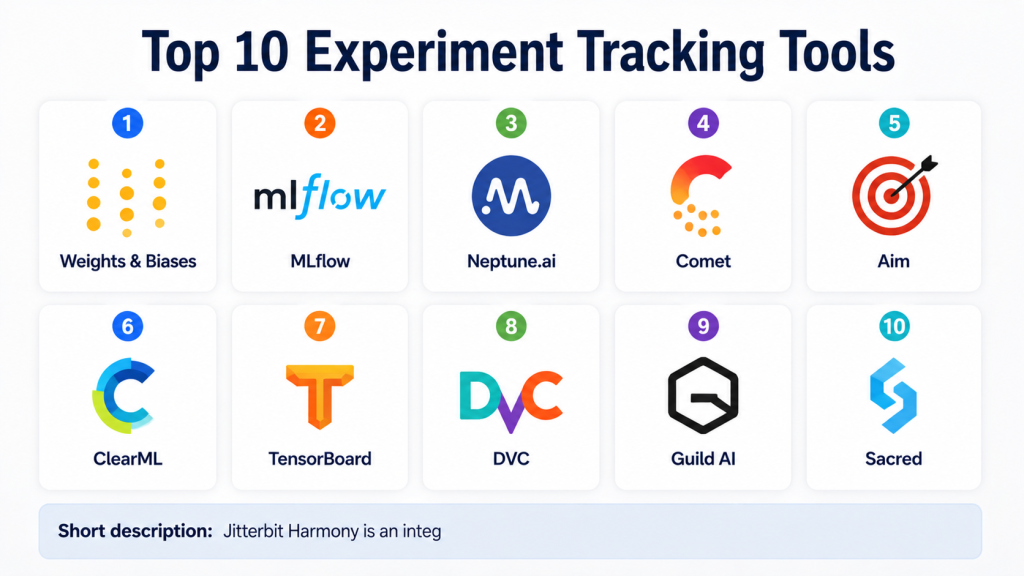
Top 10 Experiment Tracking Tools
#1 — Weights & Biases
Short description: Weights & Biases is a popular experiment tracking and ML collaboration platform used by data scientists, ML engineers, and AI researchers. It helps teams log metrics, compare runs, track artifacts, visualize training progress, and collaborate on model development. The platform is especially strong for deep learning, generative AI, and fast-moving research teams. It supports many popular ML frameworks and provides clean dashboards for experiment comparison. Teams can use it to understand what changed between runs and why one model performed better than another. It is useful for startups, research labs, and enterprises. It also supports broader MLOps workflows beyond tracking.
Key Features
- Experiment run tracking
- Metrics and hyperparameter logging
- Artifact and dataset tracking
- Visual dashboards and reports
- Collaboration workspaces
- Integration with popular ML frameworks
- Support for model evaluation workflows
Pros
- Excellent dashboard experience
- Strong adoption among ML and AI teams
- Useful for collaborative experimentation
Cons
- May be more than needed for small projects
- Costs can grow with team and usage scale
- Production deployment may require additional tools
Platforms / Deployment
Cloud / Self-hosted / Hybrid
Security & Compliance
Enterprise security features may include SSO, access controls, and private deployment options. Specific compliance details should be verified with the vendor.
Integrations & Ecosystem
Weights & Biases has a strong ecosystem for ML experimentation and AI workflows.
- PyTorch
- TensorFlow
- Hugging Face
- Keras
- Jupyter
- CI/CD workflows
Support & Community
Strong documentation, active community, enterprise support options, tutorials, and wide usage among ML practitioners.
#2 — MLflow
Short description: MLflow is an open-source platform for managing the machine learning lifecycle, with strong experiment tracking capabilities. It helps teams log parameters, metrics, artifacts, models, and run history. MLflow is widely used because it is flexible, framework-agnostic, and suitable for custom MLOps stacks. Data scientists can use it locally, while platform teams can deploy it in shared environments. It supports experiment comparison and model registry workflows. MLflow is a good choice for teams that want portability and open-source control. It fits startups, research teams, enterprises, and engineering-led ML teams.
Key Features
- Experiment tracking
- Metrics, parameters, and artifact logging
- Model registry support
- Framework-agnostic workflow
- API and CLI support
- Local and remote tracking server options
- Broad MLOps ecosystem compatibility
Pros
- Open-source and widely adopted
- Flexible for many ML workflows
- Good fit for custom MLOps platforms
Cons
- Requires setup and maintenance
- Governance depends on deployment design
- Interface may feel basic compared with commercial tools
Platforms / Deployment
Windows / macOS / Linux / Cloud / Self-hosted / Hybrid
Security & Compliance
Not publicly stated for the open-source version. Security depends on hosting, access controls, networking, and enterprise configuration.
Integrations & Ecosystem
MLflow works well with many tools and frameworks.
- Python
- R
- scikit-learn
- TensorFlow
- PyTorch
- Apache Spark
Support & Community
Large open-source community, strong documentation, broad ecosystem support, and enterprise support through commercial platforms.
#3 — Neptune.ai
Short description: Neptune.ai is an experiment tracking and model metadata management platform built for ML teams that need clean visibility into experiments. It helps users log metrics, compare runs, organize metadata, track artifacts, and manage model development history. Neptune is useful for data scientists, ML engineers, research teams, and growing AI teams. It works well when teams need structure without adopting a heavy enterprise platform. The platform supports flexible logging through APIs and integrations. It is often used to improve reproducibility and collaboration. Neptune.ai is a practical choice for teams that want experiment clarity and organized model metadata.
Key Features
- Experiment tracking
- Model metadata management
- Run comparison dashboards
- Artifact and metric logging
- API-first workflows
- Collaboration support
- Framework integrations
Pros
- Lightweight and easy to adopt
- Strong metadata organization
- Good for technical ML teams
Cons
- Not a full deployment platform
- Advanced enterprise workflows may need additional tools
- Some setup is required for custom pipelines
Platforms / Deployment
Cloud / Self-hosted / Hybrid
Security & Compliance
Security features may vary by plan and deployment. Specific compliance details are not publicly stated here.
Integrations & Ecosystem
Neptune.ai integrates with common ML development workflows.
- Python
- PyTorch
- TensorFlow
- scikit-learn
- Jupyter
- ML pipelines
Support & Community
Good documentation, support resources, technical guides, and a growing user community.
#4 — Comet
Short description: Comet is an experiment tracking and model management platform designed for ML teams that need visibility, comparison, and collaboration across experiments. It helps users log model runs, metrics, parameters, code, artifacts, and system information. Comet is useful for data scientists, ML engineers, AI researchers, and enterprise teams. It supports experiment comparison and helps teams understand how changes affect model outcomes. The platform is also used for model production workflows, monitoring, and collaboration. Comet fits teams that need a managed platform with strong experiment visibility. It is suitable for both research and applied ML use cases.
Key Features
- Experiment tracking
- Metrics and parameter logging
- Artifact tracking
- Model comparison dashboards
- Collaboration tools
- Model management capabilities
- Integration with popular ML frameworks
Pros
- Strong experiment comparison features
- Useful for team collaboration
- Supports research and production workflows
Cons
- Advanced features may require paid plans
- May be more than needed for simple projects
- Enterprise setup may need onboarding
Platforms / Deployment
Cloud / Self-hosted / Hybrid
Security & Compliance
Enterprise security features may include access controls and identity integration. Specific certifications should be verified directly with the vendor.
Integrations & Ecosystem
Comet supports many ML libraries and workflows.
- Python
- PyTorch
- TensorFlow
- Keras
- scikit-learn
- Jupyter
Support & Community
Provides documentation, support resources, tutorials, and enterprise support options.
#5 — Aim
Short description: Aim is an open-source experiment tracking tool designed for tracking, comparing, and exploring machine learning runs. It helps teams log metrics, parameters, distributions, images, text, and other experiment data. Aim is useful for developers, data scientists, and teams that want a self-hosted and open-source approach. It provides a clean interface for comparing experiments and understanding model behavior. Aim is especially practical for technical teams that want control over infrastructure and data. It can fit into custom ML workflows and local development environments. It is a good option for teams that want flexibility without starting with a commercial platform.
Key Features
- Open-source experiment tracking
- Metrics and parameter logging
- Run comparison interface
- Support for different data types
- Self-hosted deployment
- Python-friendly workflow
- Lightweight setup for technical users
Pros
- Open-source and flexible
- Good visual comparison experience
- Useful for developer-first teams
Cons
- Requires self-management
- Enterprise governance depends on setup
- Smaller ecosystem than larger platforms
Platforms / Deployment
Windows / macOS / Linux / Self-hosted
Security & Compliance
Not publicly stated. Security depends on deployment environment, access controls, and infrastructure setup.
Integrations & Ecosystem
Aim works well with Python-based ML workflows.
- Python
- PyTorch
- TensorFlow
- Jupyter
- Custom scripts
- Local and remote workflows
Support & Community
Open-source documentation and community support are available. Enterprise-grade support is not publicly stated.
#6 — ClearML
Short description: ClearML is an open-source and enterprise MLOps platform that includes experiment tracking, orchestration, data management, and model management. It helps teams log experiments, reproduce runs, manage tasks, and connect experimentation with broader ML workflows. ClearML is useful for ML engineers, data scientists, and teams that want more than basic tracking. It can support self-hosted and managed environments. The platform is practical for teams that want open-source flexibility with optional enterprise capabilities. ClearML also supports automation and pipeline workflows. It is a strong choice for teams building complete ML operations processes.
Key Features
- Experiment tracking
- Task and run management
- Artifact and model tracking
- Pipeline orchestration
- Dataset management
- Self-hosted and managed options
- Automation support
Pros
- Broad MLOps feature set
- Good open-source foundation
- Useful for teams wanting tracking plus orchestration
Cons
- Can take time to configure fully
- More features may mean more learning effort
- Enterprise details may vary by plan
Platforms / Deployment
Cloud / Self-hosted / Hybrid
Security & Compliance
Security features vary by deployment and edition. Specific certifications are not publicly stated here.
Integrations & Ecosystem
ClearML integrates with ML frameworks and infrastructure workflows.
- Python
- PyTorch
- TensorFlow
- Kubernetes
- Docker
- CI/CD pipelines
Support & Community
Good documentation, open-source community, and commercial support options.
#7 — TensorBoard
Short description: TensorBoard is a visualization and experiment analysis tool commonly used with TensorFlow and deep learning workflows. It helps users visualize metrics, graphs, embeddings, images, histograms, and training progress. TensorBoard is especially useful for researchers and engineers training neural networks. It is not a complete MLOps platform, but it is very practical for experiment inspection and model debugging. It is widely used because it is simple, familiar, and closely connected with TensorFlow. Teams can use it locally or inside managed environments. TensorBoard is a good fit for users who need visualization more than full lifecycle management.
Key Features
- Training metric visualization
- Graph and model structure visualization
- Image, text, and histogram logging
- Embedding visualization
- TensorFlow integration
- Local experiment analysis
- Support for deep learning workflows
Pros
- Simple and widely understood
- Strong TensorFlow ecosystem fit
- Good for model training visualization
Cons
- Not a full experiment management platform
- Collaboration features are limited
- Best suited for TensorFlow-heavy workflows
Platforms / Deployment
Windows / macOS / Linux / Self-hosted / Cloud through managed environments
Security & Compliance
Not publicly stated. Security depends on where and how TensorBoard is deployed.
Integrations & Ecosystem
TensorBoard is closely tied to TensorFlow but can also support other workflows through logging integrations.
- TensorFlow
- Keras
- PyTorch through compatible logging
- Jupyter
- Local training workflows
- Cloud ML environments
Support & Community
Strong documentation and large community because of TensorFlow adoption.
#8 — DVC
Short description: DVC is an open-source tool focused on data versioning, model versioning, pipeline tracking, and reproducible machine learning workflows. While it is not only an experiment tracking tool, it helps teams manage experiment history and connect model results with data and code versions. DVC is useful for developers and ML teams that want Git-like workflows for machine learning. It helps track large datasets and model files without storing them directly in Git. DVC is especially valuable when reproducibility is a priority. It fits technical teams that want open-source control. It works well as part of a custom MLOps stack.
Key Features
- Data versioning
- Model versioning
- Experiment management
- Pipeline tracking
- Git-based workflow alignment
- Remote storage support
- Reproducibility support
Pros
- Strong for reproducible ML workflows
- Good fit for developer-first teams
- Flexible and open-source
Cons
- Requires technical setup
- Not a visual-first tracking platform
- Needs additional tools for full monitoring and deployment
Platforms / Deployment
Windows / macOS / Linux / Self-hosted / Cloud storage integration
Security & Compliance
Not publicly stated for the open-source version. Security depends on repository practices, storage backend, access controls, and infrastructure configuration.
Integrations & Ecosystem
DVC works well with developer and ML engineering tools.
- Git
- GitHub
- GitLab
- Bitbucket
- Cloud storage
- CI/CD pipelines
Support & Community
Strong open-source documentation, active community, and commercial support through related offerings.
#9 — Guild AI
Short description: Guild AI is an open-source experiment tracking tool for running, tracking, comparing, and automating machine learning experiments. It helps users capture runs, parameters, metrics, source code, and output files. Guild AI is useful for individual data scientists, researchers, and engineering teams that prefer command-line workflows. It focuses on reproducibility and structured experimentation. The tool is lightweight compared with large commercial platforms. It can be used locally and integrated into technical workflows. Guild AI is a practical option for users who want open-source tracking without complex platform setup.
Key Features
- Experiment run tracking
- Parameter and metric logging
- Command-line workflow
- Run comparison
- Source code and output tracking
- Reproducibility support
- Open-source design
Pros
- Lightweight and open-source
- Good for command-line users
- Useful for reproducible experimentation
Cons
- Smaller ecosystem than major platforms
- Limited enterprise governance features
- Less visual and collaborative than commercial tools
Platforms / Deployment
Windows / macOS / Linux / Self-hosted
Security & Compliance
Not publicly stated. Security depends on local environment and infrastructure setup.
Integrations & Ecosystem
Guild AI fits into technical ML workflows.
- Python
- Command-line tools
- Local experiments
- Git workflows
- Custom scripts
- CI workflows
Support & Community
Documentation and open-source community support are available. Enterprise support is not publicly stated.
#10 — Sacred
Short description: Sacred is an open-source Python tool for configuring, organizing, logging, and reproducing computational experiments. It is commonly used by researchers and developers who want structured experiment tracking inside Python code. Sacred helps capture configuration, parameters, metrics, and run information. It is lightweight and useful for teams that prefer code-first workflows. Sacred is not a complete visual MLOps platform, but it can be useful for experiment discipline and reproducibility. It can connect with storage backends and other tools depending on setup. It is best for technical users who want simple experiment control inside Python projects.
Key Features
- Python-based experiment tracking
- Configuration management
- Parameter logging
- Run information capture
- Reproducibility support
- Lightweight experiment structure
- Extensible storage options
Pros
- Simple for Python-based experimentation
- Good for research workflows
- Lightweight and open-source
Cons
- Limited modern platform features
- Requires technical implementation
- Not ideal for business users or large teams alone
Platforms / Deployment
Windows / macOS / Linux / Self-hosted
Security & Compliance
Not publicly stated. Security depends on deployment, storage, and infrastructure setup.
Integrations & Ecosystem
Sacred works inside Python-based research and ML workflows.
- Python
- MongoDB-style storage options
- Custom scripts
- Research workflows
- Local experiments
- Notebook-based workflows
Support & Community
Open-source documentation and community support are available. Enterprise support is not publicly stated.
Comparison Table
| Tool Name | Best For | Platform(s) Supported | Deployment | Standout Feature | Public Rating |
|---|---|---|---|---|---|
| Weights & Biases | Collaborative ML experiment tracking | Web / API-based workflows | Cloud / Self-hosted / Hybrid | Visual dashboards and team collaboration | N/A |
| MLflow | Open-source ML lifecycle tracking | Windows / macOS / Linux | Cloud / Self-hosted / Hybrid | Flexible tracking and model registry | N/A |
| Neptune.ai | Model metadata management | Web / API-based workflows | Cloud / Self-hosted / Hybrid | Organized experiment metadata | N/A |
| Comet | Team-based experiment comparison | Web / API-based workflows | Cloud / Self-hosted / Hybrid | Rich experiment comparison | N/A |
| Aim | Open-source visual experiment tracking | Windows / macOS / Linux | Self-hosted | Lightweight run comparison | N/A |
| ClearML | Tracking plus MLOps automation | Web / API-based workflows | Cloud / Self-hosted / Hybrid | Experiment tracking with orchestration | N/A |
| TensorBoard | Deep learning visualization | Windows / macOS / Linux | Self-hosted / Cloud through managed environments | Training visualization | N/A |
| DVC | Reproducible ML versioning | Windows / macOS / Linux | Self-hosted / Cloud storage integration | Git-like data and model versioning | N/A |
| Guild AI | Command-line experiment tracking | Windows / macOS / Linux | Self-hosted | Lightweight reproducible runs | N/A |
| Sacred | Python research experiments | Windows / macOS / Linux | Self-hosted | Code-first experiment configuration | N/A |
Evaluation & Scoring of Experiment Tracking Tools
| Tool Name | Core (25%) | Ease (15%) | Integrations (15%) | Security (10%) | Performance (10%) | Support (10%) | Value (15%) | Weighted Total (0–10) |
|---|---|---|---|---|---|---|---|---|
| Weights & Biases | 9 | 9 | 9 | 8 | 9 | 9 | 8 | 8.75 |
| MLflow | 9 | 8 | 9 | 6 | 8 | 8 | 9 | 8.15 |
| Neptune.ai | 8 | 8 | 8 | 7 | 8 | 8 | 8 | 7.90 |
| Comet | 8 | 8 | 8 | 7 | 8 | 8 | 8 | 7.90 |
| Aim | 7 | 8 | 7 | 6 | 7 | 6 | 9 | 7.25 |
| ClearML | 8 | 7 | 8 | 7 | 8 | 7 | 8 | 7.65 |
| TensorBoard | 7 | 8 | 7 | 5 | 7 | 8 | 9 | 7.25 |
| DVC | 7 | 7 | 8 | 6 | 7 | 7 | 9 | 7.25 |
| Guild AI | 6 | 7 | 6 | 5 | 7 | 6 | 8 | 6.45 |
| Sacred | 6 | 6 | 6 | 5 | 6 | 6 | 8 | 6.25 |
The scoring is comparative and should be used as a practical guide, not a universal ranking. Commercial tools often score higher in collaboration, dashboards, and support. Open-source tools score well in flexibility and value but may need more setup. The best choice depends on your team size, technical skills, security needs, and MLOps maturity.
Which Experiment Tracking Tool Is Right for You?
Solo / Freelancer
Solo users should usually start with tools that are easy to set up and affordable. MLflow, TensorBoard, Aim, DVC, Guild AI, and Sacred are practical choices for individual work. They help track experiments without requiring a large platform commitment.
If you need visual dashboards and want to present results clearly to clients, Weights & Biases, Neptune.ai, or Comet may be better. For code-first users, MLflow and DVC offer strong flexibility.
SMB
SMBs should focus on ease of use, collaboration, and cost control. Weights & Biases, Neptune.ai, Comet, MLflow, and ClearML are good options depending on team skills and workflow needs.
If the SMB has a small but technical ML team, open-source tools can be enough. If the team needs shared dashboards, permissions, and smoother collaboration, managed platforms may save time.
Mid-Market
Mid-market teams often need shared workspaces, model comparison, team collaboration, artifact tracking, and integration with pipelines. Weights & Biases, Neptune.ai, Comet, ClearML, and MLflow are strong candidates.
At this stage, the team should also evaluate governance, auditability, cost, role-based access, and whether the tool can connect with model registries, deployment systems, and monitoring platforms.
Enterprise
Enterprises should prioritize security, access control, auditability, support, scalability, and integration with broader MLOps systems. Weights & Biases, Comet, Neptune.ai, ClearML, and managed MLflow-based platforms can be strong options.
Enterprise teams should involve security, compliance, platform engineering, and data science leaders before choosing. The platform must support collaboration without creating governance risks.
Budget vs Premium
For budget-sensitive teams, MLflow, Aim, TensorBoard, DVC, Guild AI, and Sacred provide strong value. They are useful when teams have engineering skills and can manage setup.
Premium tools such as Weights & Biases, Comet, Neptune.ai, and enterprise ClearML offerings provide better dashboards, onboarding, collaboration, and support, which can reduce operational effort.
Feature Depth vs Ease of Use
Weights & Biases, Comet, and Neptune.ai offer strong user experience and rich dashboards. MLflow and ClearML provide broader MLOps flexibility. TensorBoard is simple and strong for deep learning visualization.
If your team wants quick adoption, choose a managed platform. If your team wants infrastructure control and customization, open-source tools may be a better fit.
Integrations & Scalability
Experiment tracking tools should integrate with your ML frameworks, notebooks, pipelines, cloud storage, CI/CD systems, and model registry. MLflow, Weights & Biases, Comet, Neptune.ai, and ClearML are strong in ecosystem fit.
For scaling, consider how many experiments, users, artifacts, and models the platform must handle. Also check whether the tool supports remote storage, team workspaces, and automation.
Security & Compliance Needs
Security-sensitive teams should check SSO, SAML, MFA, RBAC, encryption, audit logs, private deployment, and data retention policies. Open-source tools can be secured, but the responsibility is mostly on your team.
For regulated industries, choose a tool that supports controlled access, auditability, and clear experiment lineage. Do not treat experiment tracking as only a developer convenience; it can become part of model governance.
Frequently Asked Questions
1. What is an experiment tracking tool?
An experiment tracking tool records model training runs, parameters, metrics, artifacts, code versions, and results. It helps teams compare experiments and understand which model version performed best.
2. Why is experiment tracking important in machine learning?
Experiment tracking improves reproducibility, collaboration, and decision-making. Without it, teams may lose track of which dataset, parameter, or model version created a specific result.
3. How are experiment tracking tools priced?
Pricing varies by tool. Some open-source tools are free to use but require hosting and maintenance. Managed platforms may charge by users, teams, usage volume, storage, or enterprise contract.
4. How long does onboarding usually take?
Basic onboarding can be quick for simple logging. Larger teams may need more time to set up workspaces, permissions, artifact storage, naming standards, dashboards, and integration with pipelines.
5. What are common mistakes when using experiment tracking tools?
Common mistakes include logging too little information, using inconsistent naming, ignoring dataset versions, not tracking code changes, and failing to define which metrics matter for the business goal.
6. Can experiment tracking tools manage model artifacts?
Yes, many tools can track artifacts such as trained models, plots, datasets, configuration files, and output files. Artifact tracking helps teams reproduce and review model results later.
7. Are open-source experiment tracking tools enough?
Open-source tools can be enough for skilled technical teams. However, teams needing collaboration, access controls, enterprise support, and managed infrastructure may prefer commercial platforms.
8. Do experiment tracking tools replace MLOps platforms?
Not always. Experiment tracking is one part of MLOps. A full MLOps platform may also include model registry, deployment, monitoring, governance, pipelines, and production operations.
9. What integrations should buyers check?
Buyers should check integrations with Python, notebooks, ML frameworks, cloud storage, CI/CD tools, model registries, data platforms, and deployment workflows. Strong integration reduces manual work.
10. How do teams switch experiment tracking tools?
Teams should export important run history, artifacts, metrics, and model metadata where possible. Before switching, they should test the new tool with a real workflow and confirm that key records can be preserved.
Conclusion
Experiment tracking tools are essential for machine learning teams that want clarity, reproducibility, and better collaboration. The best tool depends on team size, technical maturity, budget, security needs, and the larger MLOps strategy. Weights & Biases, Neptune.ai, and Comet are strong choices for collaborative experiment tracking. MLflow, Aim, DVC, Guild AI, Sacred, and TensorBoard are practical for open-source or developer-first workflows. ClearML is useful when teams want experiment tracking connected with broader MLOps automation.
