Upgrade & Secure Your Future with DevOps, SRE, DevSecOps, MLOps!
We spend hours scrolling social media and waste money on things we forget, but won’t spend 30 minutes a day earning certifications that can change our lives.
Master in DevOps, SRE, DevSecOps & MLOps by DevOps School!
Learn from Guru Rajesh Kumar and double your salary in just one year.
Introduction
Model registry tools help machine learning teams store, version, track, approve, and manage machine learning models before and after deployment. In simple words, a model registry acts like a control center where teams can see which model version is ready for testing, staging, production, rollback, monitoring, or retirement.
Model registry tools matter because modern AI systems are no longer one-time experiments. Teams now manage multiple models, frequent retraining, approval workflows, compliance checks, performance tracking, and production releases. Without a registry, it becomes difficult to know which model is live, who approved it, what data was used, and how to safely roll back if something goes wrong.
Common use cases include model versioning, production approval workflows, audit trails, deployment tracking, model lineage, experiment-to-production handoff, and governance for regulated ML systems.
Buyers should evaluate:
- Model versioning and lifecycle stages
- Experiment tracking integration
- Approval and governance workflows
- Deployment pipeline compatibility
- Metadata and lineage tracking
- Security and access control
- Model monitoring integration
- API and automation support
- Scalability across teams
- Ease of use for data scientists and engineers
Best for: ML engineers, data scientists, MLOps teams, AI platform teams, compliance teams, enterprises, fintech companies, healthcare analytics teams, SaaS firms, and any organization deploying multiple ML models.
Not ideal for: very small teams running only one or two simple models, teams doing only notebook-based experiments, or companies that do not yet deploy ML models into production.
Key Trends in Model Registry Tools
- Model registries are becoming part of broader AI governance and MLOps platforms.
- Approval workflows are becoming more important as companies deploy models into regulated environments.
- Teams now expect registries to track model lineage, datasets, parameters, metrics, and deployment history.
- Integration with CI/CD pipelines is becoming standard for production ML teams.
- Model registries are increasingly connected with model monitoring, drift detection, and rollback workflows.
- Cloud-native registries are growing because they reduce infrastructure management.
- Open-source registries remain popular with engineering teams that want control and customization.
- Support for large language models and generative AI assets is becoming more important.
- Enterprises are placing more focus on RBAC, audit logs, encryption, and compliance reporting.
- Teams want registries that work across notebooks, pipelines, model serving tools, and monitoring platforms.
How We Selected These Tools
The following tools were selected using practical SaaS, MLOps, and AI platform evaluation logic:
- Market adoption and recognition among ML engineering teams
- Model versioning and lifecycle management capabilities
- Support for experiment tracking and metadata management
- Integration with CI/CD, model serving, and deployment workflows
- Security and governance features where publicly known
- Fit for different teams, from startups to large enterprises
- Documentation quality and ecosystem maturity
- Open-source flexibility or managed platform strength
- Reliability signals for production ML workflows
- Practical usefulness across real-world MLOps use cases
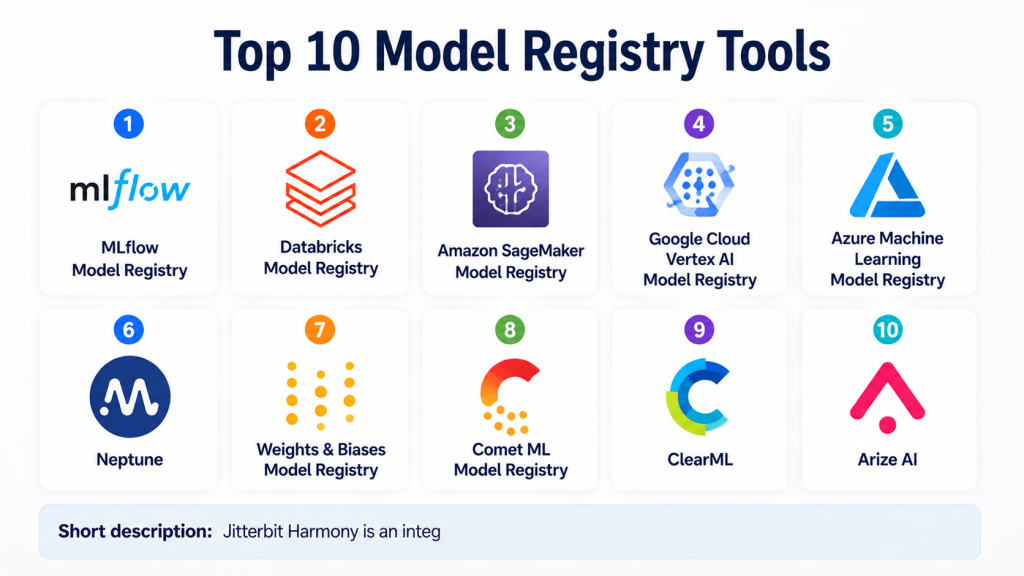
Top 10 Model Registry Tools
#1 — MLflow Model Registry
Short description:
MLflow Model Registry is one of the most widely recognized model registry tools in the machine learning ecosystem.
It helps teams manage model versions, lifecycle stages, metadata, and deployment readiness.
The registry works closely with MLflow Tracking, making it useful for teams that already use MLflow for experiments.
It supports the movement of models from experimentation to staging and production workflows.
MLflow is popular with data scientists, ML engineers, and platform teams because it is flexible and open-source friendly.
It can be self-hosted or used through managed platforms depending on the organization’s stack.
The tool is especially useful for teams that want a practical and developer-friendly registry.
It is a strong starting point for organizations building repeatable MLOps workflows.
Key Features
- Model versioning and lifecycle stages
- Integration with MLflow Tracking
- Model metadata and artifact management
- Support for staging and production transitions
- APIs for automation and CI/CD workflows
- Open-source ecosystem support
- Compatibility with multiple ML frameworks
Pros
- Strong open-source adoption and community support
- Easy to connect with experiment tracking workflows
- Flexible for custom MLOps pipelines
Cons
- Enterprise governance may require additional setup
- Self-hosting needs operational ownership
- Advanced approval workflows may require customization
Platforms / Deployment
Cloud / Self-hosted / Hybrid
Security & Compliance
Security depends on deployment environment and platform configuration. RBAC, authentication, and audit capabilities may vary. Compliance details are Not publicly stated.
Integrations & Ecosystem
MLflow integrates well with common data science, machine learning, and deployment workflows. It is often used as the model management layer inside broader MLOps platforms.
- Python workflows
- Databricks ecosystem
- Model serving systems
- CI/CD pipelines
- ML frameworks
- Cloud storage and artifact stores
Support & Community
MLflow has strong documentation, large community adoption, and broad ecosystem support. Commercial support depends on the managed platform or vendor used.
#2 — Databricks Model Registry
Short description:
Databricks Model Registry is designed for teams using the Databricks Lakehouse and ML platform.
It helps teams manage model versions, review transitions, control deployment stages, and connect models with production workflows.
The platform is especially useful for organizations already using Databricks notebooks, MLflow, Delta Lake, and lakehouse architecture.
It provides a smoother experience for teams that want model registry capabilities inside a unified data and AI platform.
Databricks Model Registry is suitable for enterprise ML teams working with large datasets and collaborative workflows.
It helps centralize model handoff between data scientists, ML engineers, and platform teams.
Its strength is strongest when the broader Databricks ecosystem is already in use.
Teams outside Databricks may prefer a more independent registry tool.
Key Features
- Model versioning and lifecycle management
- Integration with MLflow workflows
- Collaboration across data and ML teams
- Model stage transitions
- Lakehouse-native workflow support
- Integration with Databricks jobs and serving
- Enterprise governance through Databricks platform controls
Pros
- Excellent fit for Databricks users
- Strong integration with lakehouse and ML workflows
- Good for enterprise collaboration
Cons
- Less useful outside the Databricks ecosystem
- Platform dependency may be a concern
- Costs depend on broader Databricks usage
Platforms / Deployment
Cloud / Hybrid depending on Databricks environment
Security & Compliance
Security is managed through Databricks workspace controls, identity integration, RBAC, audit logs, and encryption features where configured. Compliance details vary by plan and region.
Integrations & Ecosystem
Databricks Model Registry works closely with the Databricks AI and data ecosystem.
- MLflow
- Databricks notebooks
- Delta Lake
- Databricks Jobs
- Model serving workflows
- Cloud data platforms
Support & Community
Databricks provides enterprise documentation, training, onboarding, and support options. Community support is strong due to MLflow and Spark ecosystem adoption.
#3 — Amazon SageMaker Model Registry
Short description:
Amazon SageMaker Model Registry is a managed model registry service inside the AWS machine learning ecosystem.
It helps teams catalog models, manage versions, approve model packages, and track deployment readiness.
The platform is suitable for organizations already using AWS for data engineering, analytics, and ML operations.
It supports governance workflows for moving models from development into production.
SageMaker Model Registry works well with SageMaker pipelines, training jobs, and deployment workflows.
It is useful for teams that want cloud-native model lifecycle management without building registry infrastructure manually.
The tool is particularly relevant for AWS-first ML teams.
Teams using multi-cloud or non-AWS-first environments should evaluate ecosystem fit carefully.
Key Features
- Managed model registry inside AWS
- Model package versioning
- Approval status workflows
- Integration with SageMaker pipelines
- Metadata and model artifact tracking
- Deployment workflow support
- AWS identity and access management integration
Pros
- Strong fit for AWS ML teams
- Managed infrastructure reduces setup effort
- Good integration with SageMaker workflows
Cons
- Best suited for AWS-first organizations
- Multi-cloud flexibility may be limited
- Cost management requires careful planning
Platforms / Deployment
Cloud
Security & Compliance
Security is managed through AWS IAM, encryption, and AWS platform controls. Compliance applicability depends on configuration, region, and organization requirements.
Integrations & Ecosystem
SageMaker Model Registry works naturally with AWS machine learning and data services.
- Amazon SageMaker
- SageMaker Pipelines
- Amazon S3
- AWS IAM
- Model deployment workflows
- AWS monitoring and automation services
Support & Community
AWS provides extensive documentation, support plans, training resources, and a large cloud ML community.
#4 — Google Cloud Vertex AI Model Registry
Short description:
Vertex AI Model Registry is Google Cloud’s managed model registry capability for machine learning teams.
It helps teams organize, version, manage, and deploy models within the Vertex AI ecosystem.
The platform is useful for organizations already building ML workflows on Google Cloud.
It supports model lifecycle management from training to deployment and monitoring workflows.
Teams can use it to centralize model assets and improve production readiness.
Vertex AI Model Registry is suitable for cloud-native ML teams that prefer managed infrastructure.
It works best when combined with other Vertex AI services and Google Cloud data tools.
Teams outside Google Cloud may find it less suitable as a standalone model registry.
Key Features
- Managed model registry in Google Cloud
- Model versioning and metadata management
- Integration with Vertex AI training and deployment
- Support for model lifecycle workflows
- Cloud-native scalability
- Identity and access management through Google Cloud
- Compatibility with Google Cloud ML services
Pros
- Strong fit for Google Cloud users
- Managed service reduces operational burden
- Good connection with Vertex AI workflows
Cons
- Best value comes inside Google Cloud ecosystem
- May not suit teams using multi-cloud-first strategies
- Advanced customization may be limited compared with self-hosted options
Platforms / Deployment
Cloud
Security & Compliance
Security is managed through Google Cloud IAM, encryption, and platform controls. Compliance details depend on service configuration and organizational requirements.
Integrations & Ecosystem
Vertex AI Model Registry integrates with Google Cloud’s ML and data ecosystem.
- Vertex AI
- BigQuery
- Cloud Storage
- Model training workflows
- Prediction services
- Google Cloud IAM
Support & Community
Google Cloud provides documentation, support options, learning resources, and ecosystem guidance for Vertex AI users.
#5 — Azure Machine Learning Model Registry
Short description:
Azure Machine Learning Model Registry helps teams manage models inside Microsoft’s Azure ML ecosystem.
It supports model versioning, registration, deployment preparation, and lifecycle workflows.
The platform is useful for teams already using Azure Machine Learning and Microsoft cloud services.
It helps centralize model assets so teams can track which models are trained, tested, approved, and deployed.
Azure ML Model Registry fits enterprise teams that need identity integration and governance alignment.
It can support collaborative workflows between data scientists, ML engineers, and IT teams.
The registry is practical for organizations standardizing AI work on Azure.
Teams not using Azure may prefer independent or open-source registry tools.
Key Features
- Model registration and versioning
- Integration with Azure Machine Learning workflows
- Deployment support for Azure ML endpoints
- Metadata and artifact management
- Enterprise identity integration
- Governance through Azure platform controls
- Pipeline and automation support
Pros
- Strong fit for Azure-based ML teams
- Enterprise-friendly identity and governance alignment
- Useful for regulated and corporate environments
Cons
- Less ideal outside Microsoft Azure
- Requires Azure ML knowledge
- Pricing and usage can vary by workload
Platforms / Deployment
Cloud
Security & Compliance
Security is managed through Azure identity, access control, encryption, and governance features. Compliance applicability depends on configuration and service usage.
Integrations & Ecosystem
Azure ML Model Registry connects with Microsoft’s cloud and AI ecosystem.
- Azure Machine Learning
- Azure Data Lake
- Azure Synapse
- Microsoft Entra ID
- Azure DevOps
- Model deployment endpoints
Support & Community
Microsoft provides enterprise support, documentation, learning resources, and a broad cloud community.
#6 — Neptune
Short description:
Neptune is an experiment tracking and model metadata management platform used by ML teams to organize model development workflows.
While it is often known for experiment tracking, it also supports model versioning, metadata tracking, and collaboration around ML assets.
It is useful for teams that want visibility into experiments, metrics, parameters, artifacts, and model progress.
Neptune helps data scientists and ML engineers compare runs and maintain structured records.
It can be valuable for teams that need a lightweight and collaborative layer before full production deployment.
The platform supports both individual practitioners and teams managing multiple experiments.
It is especially useful when experiment visibility and reproducibility are key concerns.
Teams needing deeply integrated production deployment controls may need additional tools.
Key Features
- Experiment and model metadata tracking
- Model version organization
- Metrics, parameters, and artifact logging
- Collaboration for ML teams
- Dashboards and comparison views
- API and SDK support
- Integration with common ML frameworks
Pros
- Strong experiment visibility
- Easy for data science teams to adopt
- Useful for reproducibility and collaboration
Cons
- Not a full deployment platform by itself
- Production approval workflows may require additional tools
- Advanced governance depends on plan and setup
Platforms / Deployment
Cloud / Self-hosted options may vary by plan
Security & Compliance
Security features may include access controls and team permissions. Specific compliance details are Not publicly stated unless confirmed for a specific plan.
Integrations & Ecosystem
Neptune works well with data science workflows and popular machine learning frameworks.
- Python ML workflows
- PyTorch
- TensorFlow
- Scikit-learn
- Jupyter notebooks
- MLOps pipelines
Support & Community
Neptune provides documentation, examples, and vendor support. Community strength is good among experiment tracking and ML metadata users.
#7 — Weights & Biases Model Registry
Short description:
Weights & Biases Model Registry is part of the broader Weights & Biases MLOps platform.
It helps teams manage model versions, track lineage, organize artifacts, and connect experimentation with deployment workflows.
The platform is popular among machine learning teams that need strong experiment tracking and collaboration.
Its model registry helps teams move from training results to approved model assets.
Weights & Biases is especially useful for teams working with frequent experiments, deep learning models, and collaborative research workflows.
The registry can support production handoff when combined with pipelines and deployment tooling.
It is useful for startups, research teams, and enterprise AI teams.
Teams needing only a simple registry may find the broader platform more than required.
Key Features
- Model versioning and artifact management
- Experiment tracking integration
- Model lineage visibility
- Collaboration and dashboarding
- Integration with training workflows
- API and automation support
- Support for team-based ML workflows
Pros
- Strong experiment tracking and collaboration
- Good visibility into model lineage
- Popular with modern ML and deep learning teams
Cons
- Broader platform may be more than some teams need
- Deployment workflows may need external integrations
- Pricing details can vary by team size and usage
Platforms / Deployment
Cloud / Self-hosted options may vary by plan
Security & Compliance
Enterprise security controls may be available. Specific compliance details are Not publicly stated unless confirmed for a specific plan.
Integrations & Ecosystem
Weights & Biases integrates with many ML frameworks, training workflows, and pipeline tools.
- PyTorch
- TensorFlow
- Keras
- Scikit-learn
- Jupyter notebooks
- CI/CD and workflow tools
Support & Community
Weights & Biases has strong documentation, tutorials, examples, and a large community among ML practitioners.
#8 — Comet ML Model Registry
Short description:
Comet ML provides experiment tracking, model management, and model registry capabilities for ML teams.
It helps teams track models, compare experiments, manage metadata, and improve collaboration.
The model registry features support versioning, artifact organization, and movement toward production workflows.
Comet is useful for teams that need visibility into the full model development lifecycle.
It supports both individual data scientists and enterprise ML teams.
The platform helps teams reduce lost experiment history and improve reproducibility.
It is especially useful when model development involves many experiments, parameters, and metrics.
Teams that need advanced deployment automation may need to connect Comet with external systems.
Key Features
- Model registry and versioning
- Experiment tracking and comparison
- Metadata and artifact management
- Collaboration dashboards
- Model lifecycle tracking
- Framework integrations
- API support for automation
Pros
- Strong experiment and model tracking capabilities
- Good for collaboration across ML teams
- Useful for reproducibility and audit trails
Cons
- Deployment may require external tooling
- Advanced governance depends on plan and setup
- May overlap with existing MLOps platforms
Platforms / Deployment
Cloud / Self-hosted options may vary by plan
Security & Compliance
Security features may include access controls and enterprise options. Specific compliance details are Not publicly stated unless confirmed for a specific plan.
Integrations & Ecosystem
Comet ML integrates with common machine learning workflows and frameworks.
- Python workflows
- PyTorch
- TensorFlow
- Scikit-learn
- Jupyter notebooks
- Pipeline and automation tools
Support & Community
Comet ML provides documentation, examples, and support resources. Community presence is solid among experiment tracking and ML lifecycle users.
#9 — ClearML
Short description:
ClearML is an open-source MLOps platform that includes experiment tracking, model management, orchestration, and registry-style workflows.
It helps teams track experiments, manage artifacts, register models, and automate machine learning pipelines.
ClearML is useful for teams that want more than a basic model registry but still value open-source control.
It supports collaboration between data scientists, ML engineers, and infrastructure teams.
The platform can be used for both research and production ML workflows.
It is suitable for teams that want self-hosted flexibility with optional managed services.
ClearML is practical for organizations building custom MLOps stacks.
Teams wanting a purely lightweight registry may find it broader than needed.
Key Features
- Experiment tracking and model management
- Model artifact registration
- Pipeline orchestration support
- Dataset and metadata tracking
- Self-hosted and managed deployment options
- Automation and agent-based workflows
- Open-source ecosystem
Pros
- Flexible open-source MLOps platform
- Good for teams needing tracking, orchestration, and registry workflows
- Supports custom infrastructure
Cons
- Requires setup and operational ownership
- Broader platform may require onboarding time
- Enterprise security details depend on deployment and plan
Platforms / Deployment
Cloud / Self-hosted / Hybrid
Security & Compliance
Security depends on deployment model and configuration. Enterprise controls may be available. Compliance details are Not publicly stated.
Integrations & Ecosystem
ClearML integrates with many ML frameworks and infrastructure workflows.
- Python ML frameworks
- Docker
- Kubernetes
- CI/CD tools
- Cloud storage
- Pipeline automation tools
Support & Community
ClearML has open-source documentation, community resources, and commercial support options depending on plan.
#10 — Arize AI
Short description:
Arize AI is primarily known for ML observability and model monitoring, but it also supports model management workflows around production model visibility.
It helps teams track model performance, drift, data quality, and operational issues after deployment.
While it may not be a traditional standalone model registry in the same way as MLflow, it is useful in the broader model lifecycle.
Teams can use Arize to understand which models are performing well and which need investigation.
It is especially helpful for production AI teams that care about monitoring, explainability, and model health.
Arize fits organizations running models at scale where observability is as important as registration.
It works well alongside model registries, deployment platforms, and feature stores.
Teams that only need basic model version storage may prefer a simpler registry tool.
Key Features
- Model monitoring and observability
- Drift and performance tracking
- Production model visibility
- Data quality analysis
- Model troubleshooting workflows
- Integration with ML production systems
- Support for team collaboration around model health
Pros
- Strong fit for production model monitoring
- Useful for identifying model performance issues
- Complements registry and deployment workflows
Cons
- Not a pure model registry tool
- Best used with existing ML deployment infrastructure
- May be more useful after models are already in production
Platforms / Deployment
Cloud / Hybrid options may vary
Security & Compliance
Enterprise security controls may be available. Specific compliance details are Not publicly stated unless confirmed for a specific plan.
Integrations & Ecosystem
Arize connects with production ML systems, data pipelines, and model monitoring workflows.
- Model serving systems
- Data pipelines
- Feature stores
- ML platforms
- APIs and SDKs
- Observability workflows
Support & Community
Arize provides documentation, onboarding resources, and vendor support. Community presence is strongest around ML observability and production AI monitoring.
Comparison Table
| Tool Name | Best For | Platform(s) Supported | Deployment | Standout Feature | Public Rating |
|---|---|---|---|---|---|
| MLflow Model Registry | Open-source model lifecycle management | Web / Linux / Cloud environments | Cloud / Self-hosted / Hybrid | Open-source model versioning and lifecycle stages | N/A |
| Databricks Model Registry | Databricks lakehouse users | Web / Databricks ecosystem | Cloud / Hybrid | Deep integration with Databricks and MLflow | N/A |
| Amazon SageMaker Model Registry | AWS ML teams | Web / AWS ecosystem | Cloud | Managed model package approval workflows | N/A |
| Vertex AI Model Registry | Google Cloud ML teams | Web / Google Cloud | Cloud | Managed model lifecycle inside Vertex AI | N/A |
| Azure ML Model Registry | Azure-based enterprise ML teams | Web / Azure ecosystem | Cloud | Azure-native model registration and deployment support | N/A |
| Neptune | Experiment tracking and model metadata teams | Web / Python workflows | Cloud / Varies | Strong metadata and experiment visibility | N/A |
| Weights & Biases Model Registry | Collaborative ML and deep learning teams | Web / Python workflows | Cloud / Varies | Model lineage with experiment tracking | N/A |
| Comet ML Model Registry | ML experiment and model lifecycle teams | Web / Python workflows | Cloud / Varies | Experiment comparison and model management | N/A |
| ClearML | Open-source MLOps teams | Web / Linux / Cloud environments | Cloud / Self-hosted / Hybrid | Open-source tracking, orchestration, and model management | N/A |
| Arize AI | Production ML observability teams | Web / Cloud environments | Cloud / Hybrid | Model monitoring and performance visibility | N/A |
Evaluation & Scoring of Model Registry Tools
| Tool Name | Core (25%) | Ease (15%) | Integrations (15%) | Security (10%) | Performance (10%) | Support (10%) | Value (15%) | Weighted Total (0–10) |
|---|---|---|---|---|---|---|---|---|
| MLflow Model Registry | 9 | 8 | 9 | 7 | 8 | 9 | 9 | 8.45 |
| Databricks Model Registry | 9 | 8 | 9 | 8 | 9 | 9 | 7 | 8.45 |
| Amazon SageMaker Model Registry | 8 | 8 | 8 | 8 | 8 | 8 | 7 | 7.85 |
| Vertex AI Model Registry | 8 | 8 | 8 | 8 | 8 | 8 | 7 | 7.85 |
| Azure ML Model Registry | 8 | 8 | 8 | 8 | 8 | 8 | 7 | 7.85 |
| Neptune | 7 | 9 | 8 | 7 | 8 | 8 | 8 | 7.85 |
| Weights & Biases Model Registry | 8 | 9 | 9 | 7 | 8 | 9 | 8 | 8.25 |
| Comet ML Model Registry | 8 | 8 | 8 | 7 | 8 | 8 | 8 | 7.90 |
| ClearML | 8 | 7 | 8 | 7 | 8 | 8 | 9 | 7.90 |
| Arize AI | 7 | 8 | 8 | 8 | 9 | 8 | 7 | 7.80 |
These scores are comparative and should be used as a starting point, not as a final buying decision.
A tool with a higher score may not be the best option if it does not fit your cloud provider, team skill level, or compliance needs.
Open-source tools may score well on value but require more internal setup.
Managed cloud tools may reduce operational burden but can increase ecosystem dependency.
Teams should validate each shortlisted tool through a pilot before committing.
Which Model Registry Tool Is Right for You?
Solo / Freelancer
Solo users and independent ML practitioners usually need something simple, flexible, and low-friction. MLflow Model Registry is a practical choice because it connects well with experiment tracking and local workflows. Neptune, Weights & Biases, and Comet ML can also be good if experiment visibility and collaboration are important.
SMB
Small and mid-sized businesses should focus on ease of adoption, cost control, and integration with their existing stack. If the team already uses AWS, Google Cloud, or Azure, native model registries can reduce setup complexity. If the team wants more flexibility, MLflow, ClearML, Neptune, or Weights & Biases may be better options.
Mid-Market
Mid-market teams usually need collaboration, model lifecycle control, metadata tracking, and production readiness. Databricks Model Registry is strong for lakehouse teams. Weights & Biases and Comet ML are useful for experiment-heavy teams. ClearML can work well when the team wants open-source control with broader MLOps features.
Enterprise
Enterprises should prioritize governance, identity management, audit trails, approval workflows, and integration with CI/CD and monitoring systems. Databricks, SageMaker, Vertex AI, Azure ML, and MLflow-based enterprise setups are strong candidates. Enterprises should also consider Arize AI when production monitoring and model health are major priorities.
Budget vs Premium
Open-source tools like MLflow and ClearML can offer strong value, but they require technical ownership. Managed platforms like Databricks, SageMaker, Vertex AI, Azure ML, Neptune, Weights & Biases, and Comet reduce setup effort but may involve subscription or usage-based pricing. The best choice depends on whether your team wants to optimize for license cost or operational simplicity.
Feature Depth vs Ease of Use
If feature depth matters most, MLflow, Databricks, ClearML, and Weights & Biases are strong options. If ease of use matters more, managed cloud registries and SaaS platforms may be better. Teams should avoid choosing a complex platform if their model lifecycle is still simple.
Integrations & Scalability
Integration is critical because a model registry should connect with experiment tracking, training pipelines, artifact storage, CI/CD, deployment systems, monitoring tools, and access control. Cloud-native teams may prefer native registries. Multi-tool teams may prefer MLflow, ClearML, Weights & Biases, Neptune, or Comet ML.
Security & Compliance Needs
Security-focused teams should evaluate RBAC, SSO, audit logs, encryption, approval workflows, and data governance controls. Regulated industries should avoid informal model handoffs through notebooks or shared folders. A proper registry helps create a cleaner record of model ownership, approval, and deployment history.
Frequently Asked Questions
1. What is a model registry tool?
A model registry tool is a system used to store, version, manage, approve, and track machine learning models. It helps teams understand which model version is ready for testing, staging, production, rollback, or retirement.
2. Why is a model registry important in MLOps?
A model registry is important because it creates a controlled handoff between experimentation and production. It helps teams avoid confusion, track model history, improve governance, and deploy models more safely.
3. How is a model registry different from experiment tracking?
Experiment tracking records runs, metrics, parameters, and training results. A model registry focuses on approved model assets, lifecycle stages, version control, ownership, and production readiness.
4. What pricing models do model registry tools usually follow?
Pricing can be open-source, usage-based, subscription-based, cloud-service-based, or enterprise-contract-based. Buyers should check storage, number of users, model volume, support, and deployment usage before estimating cost.
5. How long does it take to implement a model registry?
Implementation depends on team size, pipeline maturity, deployment complexity, and governance needs. A small team can start quickly, while enterprise rollout may require approval workflows, access policies, CI/CD integration, and documentation.
6. What are common mistakes when choosing a model registry?
Common mistakes include choosing a tool only because it is popular, ignoring deployment integration, skipping governance requirements, and failing to define model lifecycle stages. Teams should also avoid adding complex tools before they have real production needs.
7. Are model registry tools secure?
Many model registry tools support security controls, but the level of security depends on the platform and configuration. Teams should evaluate RBAC, SSO, encryption, audit logs, access approvals, and compliance needs before adoption.
8. Can model registry tools support large enterprise teams?
Yes, many model registry tools support enterprise workflows, but scalability depends on architecture, access control, integration depth, and support model. Enterprises should test team collaboration, auditability, and deployment workflows before rollout.
9. Which integrations matter most for a model registry?
Important integrations include experiment tracking, artifact storage, model serving, CI/CD pipelines, data platforms, feature stores, monitoring tools, and identity providers. The best registry should fit naturally into the existing ML workflow.
10. When should a company switch from manual model tracking to a registry?
A company should switch when multiple models, multiple team members, repeated deployments, compliance reviews, or rollback needs become common. Manual tracking through spreadsheets, folders, or notebook notes becomes risky as ML operations grow. workflows.
Conclusion
Model registry tools are essential for teams that want to move machine learning from experimentation into reliable production workflows. They help manage model versions, approvals, metadata, artifacts, deployment readiness, and governance. MLflow is a strong open-source choice, Databricks fits lakehouse-focused teams, and cloud-native options from AWS, Google Cloud, and Azure are practical for teams already using those platforms. Neptune, Weights & Biases, Comet ML, ClearML, and Arize AI are also valuable depending on whether your priority is experiment tracking, model lifecycle management, open-source flexibility, or production monitoring. model.
