Upgrade & Secure Your Future with DevOps, SRE, DevSecOps, MLOps!
We spend hours scrolling social media and waste money on things we forget, but won’t spend 30 minutes a day earning certifications that can change our lives.
Master in DevOps, SRE, DevSecOps & MLOps by DevOps School!
Learn from Guru Rajesh Kumar and double your salary in just one year.
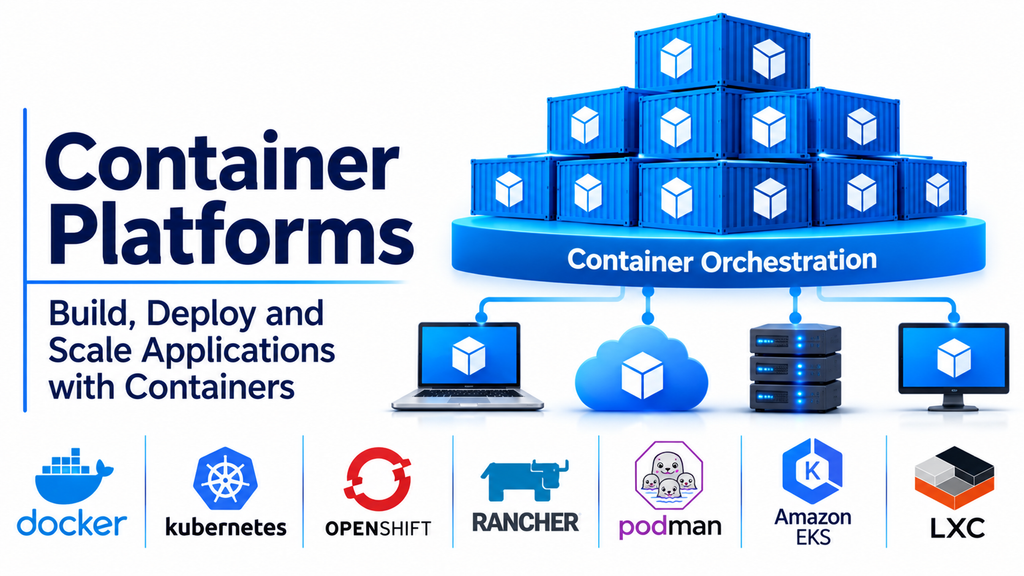
Container platforms have become an essential part of modern software development and IT infrastructure. They help organizations package applications with their dependencies, deploy them consistently, and manage workloads across different computing environments.
As businesses adopt cloud computing, microservices, and DevOps practices, container technology provides a flexible way to develop, test, distribute, and operate applications.
Instead of installing applications directly on individual servers, containers package application code, libraries, and configuration requirements into isolated environments. This makes applications easier to move between development systems, testing environments, and production infrastructure.
Container platforms provide the tools required to create, run, manage, secure, and scale these containers.
What Are Container Platforms?
Container platforms are software solutions that help developers and IT teams build, deploy, execute, and manage containerized applications.
They provide the infrastructure and management capabilities needed to run containers across individual computers, servers, private data centers, and cloud environments.
A container platform typically includes:
- Container runtime: Executes and manages containers.
- Image management: Stores and distributes container images.
- Networking: Enables communication between containers and external systems.
- Storage management: Provides persistent storage for containerized applications.
- Orchestration: Coordinates container deployment, scaling, and recovery.
- Security controls: Helps manage access, image security, and container isolation.
- Monitoring: Tracks container performance and resource consumption.
- Automation: Simplifies application deployment and operational workflows.
Container platforms can range from lightweight tools for individual developers to enterprise-grade systems that manage thousands of containers across distributed infrastructure.
Popular Container Platforms
Docker: Widely Used Container Development Platform
Docker is one of the most recognized technologies in the container ecosystem.
It allows developers to package applications and their dependencies into portable container images that can run consistently across supported environments.
Docker provides tools for building, running, and distributing containers. Its ecosystem includes Docker Desktop, Docker Engine, Docker Hub, and Compose.
These capabilities make Docker useful throughout the software development lifecycle.
Key capabilities:
- Container image creation.
- Container execution and management.
- Docker Compose for multi-container applications.
- Image distribution through Docker Hub.
- Development environment standardization.
- Integration with development workflows.
Best suited for: Developers, software teams, startups, and organizations adopting container-based application development.
Consideration: Docker is particularly useful for building and running containers, while large-scale production environments may require additional orchestration technologies.
Podman: Daemonless Container Management
Podman is an open-source container management tool designed to build, run, and manage containers.
Unlike traditional Docker Engine architecture, Podman operates without requiring a central daemon. It also supports rootless containers, allowing users to run containers without always requiring elevated privileges.
Its compatibility with many Docker-related workflows makes it a useful alternative for developers and Linux administrators.
Key capabilities:
- Daemonless container execution.
- Rootless container support.
- Container image management.
- Pod management.
- Docker-compatible command workflows.
- Integration with Linux infrastructure.
Best suited for: Linux administrators, developers, security-conscious organizations, and users looking for an alternative container management approach.
Consideration: Some Docker-specific features and integrations may require adjustments when moving workloads to Podman.
Red Hat OpenShift: Enterprise Container Application Platform
Red Hat OpenShift is an enterprise application platform built around Kubernetes.
It provides capabilities for deploying, managing, and scaling containerized applications while supporting developer workflows and infrastructure administration.
OpenShift combines Kubernetes orchestration with additional enterprise tools for security, application delivery, automation, and operational management.
Organizations can use it to build and operate containerized applications across supported infrastructure environments.
Key capabilities:
- Kubernetes-based orchestration.
- Container application deployment.
- Integrated developer tools.
- Security and access management.
- Automated application scaling.
- Monitoring and operational management.
- Support for hybrid cloud environments.
Best suited for: Enterprises, large development teams, and organizations building cloud-native applications.
Consideration: OpenShift offers extensive functionality but requires infrastructure planning, platform expertise, and appropriate resource allocation.
Rancher: Centralized Kubernetes and Container Management
Rancher is a container management platform designed to simplify Kubernetes cluster administration.
It allows organizations to manage multiple Kubernetes clusters across different infrastructure environments through a centralized interface.
Rancher is particularly useful for teams that need consistent cluster management, access controls, monitoring, and operational visibility.
Its capabilities can help organizations manage containerized workloads across private data centers and cloud environments.
Key capabilities:
- Multi-cluster Kubernetes management.
- Centralized cluster administration.
- Role-based access control.
- Cluster monitoring.
- Application deployment management.
- Integration with Kubernetes infrastructure.
Best suited for: Organizations operating multiple Kubernetes clusters, platform engineering teams, and businesses managing hybrid infrastructure.
Consideration: Rancher focuses on Kubernetes management rather than replacing every component of the underlying container runtime or infrastructure.
Amazon Elastic Container Service (Amazon ECS): Managed Container Orchestration
Amazon Elastic Container Service (Amazon ECS) is a managed container orchestration service offered by AWS.
It helps organizations deploy, schedule, and manage containerized applications within the AWS ecosystem.
ECS supports different infrastructure options, including AWS Fargate and Amazon EC2, allowing businesses to choose between serverless container execution and infrastructure-managed deployments.
Its integration with other AWS services makes it useful for organizations already using Amazon’s cloud platform.
Key capabilities:
- Container workload orchestration.
- Service and task management.
- Integration with AWS networking.
- Automatic scaling options.
- Support for AWS Fargate.
- Integration with AWS monitoring and security services.
Best suited for: AWS-focused businesses, cloud-native development teams, and organizations deploying containerized applications on Amazon infrastructure.
Consideration: Evaluate the relationship between ECS, AWS services, infrastructure costs, and the organization’s long-term cloud strategy.
Microsoft Azure Container Apps: Serverless Container Deployment
Azure Container Apps is a managed service for running containerized applications without requiring organizations to manage the underlying Kubernetes infrastructure directly.
It supports application deployment, scaling, and communication between containerized services.
The platform is particularly useful for businesses that want to build microservices and event-driven applications within the Azure ecosystem.
Its managed approach can simplify infrastructure administration for development teams.
Key capabilities:
- Managed container application hosting.
- Automatic scaling.
- Microservices support.
- Event-driven application execution.
- Application revisions.
- Integration with Azure services.
Best suited for: Azure-based organizations, developers building microservices, and teams seeking managed container hosting.
Consideration: It offers a different management model from directly administering Kubernetes clusters, so compare its customization and infrastructure-control capabilities with your requirements.
Mirantis Kubernetes Engine: Enterprise Container Infrastructure
Mirantis Kubernetes Engine is a container infrastructure platform designed to support enterprise container deployments.
It provides capabilities for managing containerized applications and Kubernetes-based environments.
Organizations can evaluate Mirantis technologies when they need centralized container infrastructure management, deployment flexibility, and support for enterprise workloads.
Key capabilities:
- Container infrastructure management.
- Kubernetes-based application orchestration.
- Enterprise deployment support.
- Container lifecycle management.
- Infrastructure integration.
- Centralized operational controls.
Best suited for: Enterprise IT teams, infrastructure operators, and organizations managing containerized production environments.
Consideration: Review the current product portfolio, support arrangements, and available deployment options when evaluating Mirantis solutions.
Comparing Popular Container Platforms
| Platform | Main strength | Suitable users |
|---|---|---|
| Docker | Container development and execution | Developers and software teams |
| Podman | Daemonless container management | Linux administrators |
| Red Hat OpenShift | Enterprise Kubernetes platform | Large organizations |
| Rancher | Multi-cluster Kubernetes management | Platform engineering teams |
| Amazon ECS | AWS-managed container orchestration | AWS users |
| Azure Container Apps | Managed serverless containers | Azure development teams |
| Mirantis Kubernetes Engine | Enterprise container infrastructure | Enterprise IT teams |
These platforms address different parts of the container ecosystem. Some focus on creating and running containers, while others provide managed application hosting or large-scale orchestration.
Important Features to Consider When Choosing a Container Platform
Selecting a container platform requires evaluating application requirements, infrastructure capabilities, security, and operational complexity.
Container Image Management
Container images contain the application and its required dependencies.
A good platform should support image creation, storage, distribution, and version management.
Organizations should also consider private registries, image scanning, and image signing to improve security and supply chain integrity.
Container Orchestration
Orchestration becomes important when applications contain multiple containers distributed across different servers.
It helps coordinate deployment, workload scheduling, scaling, service discovery, and recovery.
Kubernetes is one of the most widely adopted container orchestration technologies.
Scalability
Applications may experience changing workloads throughout the day.
A container platform should support scaling according to application demand and available infrastructure resources.
Depending on the solution, scaling may involve adding container replicas, increasing resources, or adjusting the underlying compute infrastructure.
Networking and Service Discovery
Containerized applications frequently consist of multiple interconnected services.
The platform should provide suitable networking capabilities for communication between containers and external systems.
Important considerations include network policies, service discovery, ingress management, and traffic routing.
Persistent Storage
Containers are often designed to be replaceable, but applications may still need persistent data.
Look for storage integration, persistent volumes, backup options, and reliable data recovery mechanisms.
Security and Access Management
Container security should be considered throughout the application lifecycle.
Useful capabilities include:
- Role-based access control.
- Image vulnerability scanning.
- Secure image registries.
- Runtime protection.
- Network policies.
- Secret management.
- Container isolation.
- Audit logging.
Organizations should also maintain updated base images and avoid running containers with unnecessary privileges.
Monitoring and Logging
Monitoring helps administrators understand application health and infrastructure performance.
Look for visibility into CPU consumption, memory usage, container status, application logs, network traffic, and deployment failures.
Integration with centralized monitoring systems can simplify troubleshooting across large container environments.
Developer and CI/CD Integration
Container platforms should integrate with software development and deployment workflows.
Support for automated builds, image registries, deployment pipelines, and version control can help teams release applications more efficiently.
Common Business Applications of Container Platforms
Container platforms support a wide range of modern IT operations.
Microservices architecture: Applications can be divided into smaller services that are developed, deployed, and maintained independently.
Cloud-native applications: Containers provide a consistent deployment model across supported cloud and infrastructure environments.
DevOps automation: Development and operations teams can use container images to standardize application deployment.
Continuous integration and delivery: Container platforms can work with CI/CD pipelines to automate application testing and releases.
Application modernization: Organizations can package selected legacy applications into containers as part of broader modernization initiatives.
Testing environments: Developers can create isolated environments that closely resemble production deployments.
Hybrid cloud infrastructure: Containerized applications can run across supported private and public cloud environments.
Container Platforms vs. Virtualization Platforms
Container platforms and virtualization platforms both help organizations use computing infrastructure efficiently, but they operate differently.
Virtual machines generally run complete guest operating systems, whereas containers share the host operating system kernel.
| Feature | Container Platforms | Virtualization Platforms |
|---|---|---|
| Main workload | Containers | Virtual machines |
| Operating system | Shared host kernel | Separate guest OS |
| Resource overhead | Generally lower | Generally higher |
| Startup time | Usually faster | Usually slower |
| Isolation | Process and namespace-based | Virtual hardware-based |
| Common use | Microservices and cloud-native applications | Full operating systems and isolated workloads |
| Examples | Docker, OpenShift, Podman | VMware vSphere, Hyper-V, KVM |
Both technologies can complement each other. Organizations frequently run container platforms inside virtual machines to combine infrastructure isolation with flexible application deployment.
Common Challenges in Container Platform Implementation
Although containers provide significant benefits, adopting them requires careful planning.
- Security vulnerabilities: Outdated images and insecure configurations can introduce risks.
- Networking complexity: Distributed applications may require sophisticated network configuration.
- Persistent data management: Stateful applications need reliable storage and recovery strategies.
- Monitoring difficulties: Large container environments can generate substantial logs and metrics.
- Orchestration complexity: Kubernetes-based environments require specialized operational knowledge.
- Resource management: Poor resource limits can affect application performance.
- Configuration management: Inconsistent deployment configurations can cause unexpected behavior.
Organizations can reduce these challenges by establishing standardized container images, automated security checks, infrastructure monitoring, and documented deployment procedures.
How to Choose the Right Container Platform
The right container platform depends on the development workflow, application architecture, cloud strategy, and technical expertise available within the organization.
Docker is a practical starting point for container development. Podman offers a daemonless alternative, while Red Hat OpenShift provides an enterprise Kubernetes environment.
Rancher is useful for centralized Kubernetes cluster management. Amazon ECS suits organizations using AWS, and Azure Container Apps is relevant for managed container deployment within Microsoft Azure.
Mirantis Kubernetes Engine is another option for organizations evaluating enterprise container infrastructure.
Before making a decision, consider:
- Application architecture and workload requirements.
- Existing cloud and infrastructure environment.
- Container orchestration requirements.
- Security and compliance needs.
- Networking and storage capabilities.
- Monitoring and automation integrations.
- Developer experience and CI/CD compatibility.
- Licensing and operational costs.
Testing a representative application before full adoption can help organizations identify compatibility, performance, and management issues.
Building an Efficient Container Environment
Container platforms have changed how organizations develop, distribute, and operate modern applications.
They provide a flexible foundation for application portability, microservices, automation, and cloud-native development.
Docker, Podman, Red Hat OpenShift, Rancher, Amazon ECS, Azure Container Apps, and Mirantis Kubernetes Engine offer different approaches to managing containerized workloads.
The most suitable platform should match the organization’s infrastructure strategy, application requirements, security expectations, and operational capabilities.
With proper image management, orchestration, monitoring, and security practices, container platforms can help businesses build scalable, reliable, and maintainable application environments.
