Upgrade & Secure Your Future with DevOps, SRE, DevSecOps, MLOps!
We spend hours scrolling social media and waste money on things we forget, but won’t spend 30 minutes a day earning certifications that can change our lives.
Master in DevOps, SRE, DevSecOps & MLOps by DevOps School!
Learn from Guru Rajesh Kumar and double your salary in just one year.
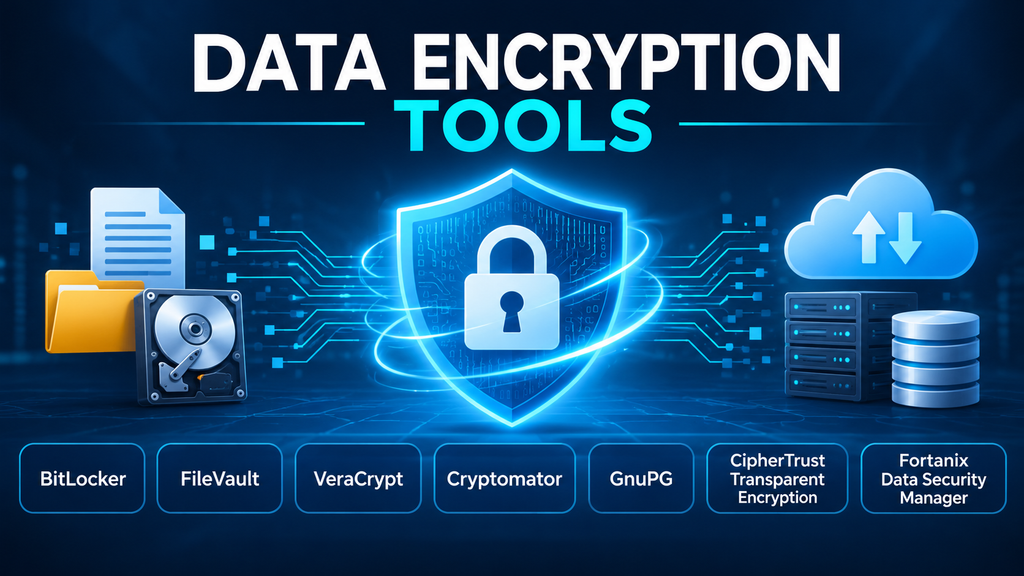
Data Encryption Tools: Choosing the Right Protection for Files, Devices, Cloud Storage, and Enterprise Data
Encryption is often treated as a single security feature: turn it on, protect the data, and move on. In practice, the choice of encryption tool determines which data is protected, where encryption happens, who controls access, and what happens when a device, account, or key is compromised.
A laptop’s full-disk encryption does not automatically protect files shared with an external partner. Encrypting files before uploading them to cloud storage addresses a different risk from encrypting a database volume. Likewise, enterprise file-system encryption may need policy enforcement and access auditing that consumer tools do not provide.
The most useful way to evaluate data encryption tools is therefore by protection boundary and workflow—not by a list of algorithms or a vendor’s broad claim that it encrypts data.
What Data Encryption Tools Actually Protect
Encryption transforms readable information (plaintext) into ciphertext using a cryptographic algorithm and key. Authorized users or systems with the required key can decrypt the information. The security of the arrangement depends on more than the algorithm: key protection, authentication, implementation, recovery, and operational discipline matter just as much.
Encryption tools generally address one or more of these use cases:
- Full-disk or volume encryption: Protects data stored on a device or storage volume, especially when the device is powered off or physically removed.
- File and folder encryption: Protects selected documents and directories, including data that may be copied or shared.
- Cloud-storage encryption: Encrypts files on the client before synchronization or upload, reducing reliance on the storage provider to protect readable content.
- Email and file-transfer encryption: Protects content as it is exchanged, often using public-key cryptography or secure transport protocols.
- Enterprise transparent encryption: Applies encryption to files, file systems, or workloads while allowing authorized applications to continue operating.
- Application and database encryption: Protects selected fields, records, or storage layers within business applications and data platforms.
These approaches overlap, but they are not interchangeable. A full-disk encryption product is not a substitute for secure file exchange, and cloud-provider server-side encryption is not necessarily equivalent to client-side encryption where the organization controls the keys.
The First Decision: Where Must Encryption Take Place?
Before comparing products, map the data lifecycle. Consider where information is created, processed, stored, copied, backed up, and shared. Identify the threat at each stage.
Protecting a device at rest
If the concern is a lost laptop, stolen workstation, or discarded drive, full-volume encryption is often the right baseline. It helps prevent someone from removing the storage device and reading its contents without the necessary credentials or recovery material.
It does not, by itself, stop malware or an authorized but malicious user from accessing files after the device has been unlocked.
Protecting selected files
When a document must remain protected after it leaves a workstation, file-level encryption may be more appropriate. It can support encrypted archives, portable containers, or individually encrypted files. The recipient still needs a secure way to obtain the decryption key or password.
Protecting cloud-synchronized data
Cloud synchronization creates a useful distinction: encryption performed by the cloud provider and encryption performed on the user’s device before upload. Client-side encryption can limit the provider’s ability to read file contents, but it also creates responsibilities for password recovery, collaboration, and multi-device access.
Protecting enterprise file systems
Large organizations may need encryption that operates below applications, with centralized policy, access controls, and audit records. This can protect structured and unstructured data across servers and cloud environments without requiring every application to implement its own encryption logic.
Data Encryption Tools Worth Evaluating
The products below serve different protection boundaries. They should not be interpreted as a single ranked list of direct competitors.
| Tool | Main protection model | Where it fits | Important consideration |
|---|---|---|---|
| Microsoft BitLocker | Full-volume encryption | Windows devices and drives | Recovery-key governance and device management are essential |
| Apple FileVault | Mac volume encryption | macOS endpoints | Recovery-key handling and fleet management need planning |
| VeraCrypt | Encrypted volumes and system encryption | Cross-platform encrypted containers and selected system drives | Users must manage mounting, passwords, and recovery procedures |
| Cryptomator | Client-side file encryption | Files stored in cloud-synchronized folders | Local endpoint security and vault-password recovery remain important |
| GnuPG | OpenPGP encryption and signing | Secure file exchange, email workflows, and automation | Key distribution, trust, and recipient support require care |
| Thales CipherTrust Transparent Encryption | Enterprise transparent file and volume encryption | Server, storage, and hybrid environments | Agent deployment, policy design, and centralized operations add complexity |
| Fortanix Data Security Manager | Enterprise cryptographic operations and data protection | Applications and hybrid environments requiring encryption, tokenization, and key services | Scope the encryption use case separately from its broader key-management capabilities |
Microsoft BitLocker: A practical Windows baseline
BitLocker is Microsoft’s full-volume encryption feature for supported Windows editions and devices. It is designed to protect data at rest if a computer or storage drive is lost, stolen, or accessed outside its normal operating environment. Its use of the Trusted Platform Module (TPM) can help protect encryption material and validate aspects of the boot process.
For organizations with managed Windows fleets, BitLocker can be operationally attractive because it is integrated into the operating system and can be managed through established device-management processes. The critical operational question is recovery: administrators need to know where recovery keys are escrowed, who can retrieve them, and how access is audited. A device that is encrypted but cannot be recovered during a legitimate incident can become a business continuity problem.
BitLocker is not a general-purpose solution for encrypting individual documents before external sharing. Nor does full-volume encryption prevent access by malware running within an already unlocked session. See Microsoft’s BitLocker overview.
Apple FileVault: Built around macOS storage security
FileVault provides volume encryption for Mac computers. Apple’s platform documentation describes its use of AES-XTS and hardware-backed key handling on supported Apple silicon and T2-equipped systems. Once enabled, credentials are required to unlock protected storage during startup.
FileVault is a sensible endpoint control for Mac fleets, particularly where organizations already manage Apple devices centrally. The main planning issue is recovery-key custody. Administrators should decide whether recovery keys are escrowed through device management or handled through another controlled process. The recovery method must be tested before broad deployment.
FileVault protects the device’s storage; it is not a replacement for encrypting a document for an outside recipient or controlling access to a cloud-shared file. Apple’s FileVault security documentation explains its volume-encryption model.
VeraCrypt: Portable encrypted volumes and system encryption
VeraCrypt is an open-source tool for creating encrypted volumes and, on supported configurations, encrypting a system partition or drive. Its mounted volumes behave much like storage devices: applications can work with files while VeraCrypt encrypts and decrypts data as it is read or written.
This model is useful when users need an encrypted container that can hold a collection of files or be moved between compatible systems. VeraCrypt also offers detailed control over volume creation and cryptographic configuration, which makes it more flexible than a simple operating-system toggle.
That flexibility brings responsibility. Users must protect volume passwords and keyfiles, understand how and when volumes are mounted, maintain backups, and test recovery. System encryption also introduces boot and recovery considerations. VeraCrypt’s documentation discusses system encryption, supported algorithms, and operational limitations.
Cryptomator: Client-side encryption for cloud-synchronized files
Cryptomator is designed for people and teams who want to encrypt files locally before they are synchronized to cloud storage. It creates encrypted vaults and provides a virtual drive through which files can be accessed in normal workflows. Its documentation describes encryption of file contents and names, with directory structure obfuscation.
This makes Cryptomator distinct from relying solely on the cloud provider’s storage encryption. The cloud service receives encrypted vault data rather than ordinary readable documents. The approach is useful for personal cloud storage and selected collaboration workflows, but teams must test how sharing, synchronization conflicts, mobile access, and recovery work in practice.
Cryptomator does not protect a computer that is already compromised and able to read files from an unlocked vault. Endpoint security remains necessary. Its security target clearly describes both its purpose and boundaries.
GnuPG: Encryption and signing for file exchange
GnuPG implements the OpenPGP standard and provides encryption and digital-signing functions. It is especially relevant when organizations need to exchange encrypted files or messages with external parties, automate secure transfers, or integrate cryptographic operations into scripts and applications.
Unlike disk encryption, OpenPGP encryption is organized around recipients and keys. A sender encrypts content for the intended recipient, who uses the corresponding private key to decrypt it. Digital signatures can help recipients verify origin and integrity, but encryption and signing solve different problems and should not be confused.
GnuPG is powerful and scriptable, but key management can be demanding for non-specialists. Public keys must be obtained and verified through a trustworthy process, private keys need secure storage and backup, and organizations need a plan for revocation and personnel changes. The GnuPG manual provides technical guidance.
Thales CipherTrust Transparent Encryption: Enterprise file-level controls
CipherTrust Transparent Encryption is intended for organizations that need to protect files and volumes across enterprise infrastructure. Thales describes an agent-based approach that performs encryption transparently at the file-system or device layer, alongside access controls and detailed data-access audit logging.
The distinction from endpoint tools is operational: enterprise teams can apply policies to protected data while applications continue to use it through authorized paths. This can be valuable for sensitive server data, hybrid environments, and workloads where application-level changes are difficult.
The trade-off is deployment and governance complexity. Agent compatibility, privileged-user policy, performance, failover behavior, and integration with centralized key and policy management all deserve testing. See the CipherTrust Transparent Encryption product description.
Fortanix Data Security Manager: Encryption across application environments
Fortanix Data Security Manager (DSM) provides cryptographic services and enterprise data-security capabilities, including file-system and transparent database encryption, tokenization, and key-management functions. Applications can integrate with the platform through supported interfaces and APIs.
It is relevant when encryption is part of a broader application-security architecture rather than a one-time endpoint setting. Teams should examine where encryption and decryption occur, how applications integrate, what operational dependencies are introduced, and which capabilities are included in the selected deployment.
Fortanix DSM overlaps with dedicated key-management systems, a subject that deserves its own evaluation. For this category, focus on its encryption and data-protection workflows rather than assuming every KMS capability is required. The Fortanix Data Security Manager overview describes its supported protection layers.
Encryption Is Only as Strong as Its Key and Recovery Process
The algorithm is only one part of the security design. If keys are stored beside the encrypted data without appropriate protection, an attacker may obtain both. If recovery keys are exposed to too many administrators, encryption may provide less protection than expected. If an organization loses its only decryption key, the data may be permanently inaccessible.
A workable encryption program needs explicit answers to several questions:
- Key ownership: Which person, team, or system is responsible for each key?
- Key storage: Are keys protected separately from the encrypted data and restricted to authorized identities?
- Recovery: How can legitimate users regain access after device failure, staff departure, or credential loss?
- Rotation and revocation: When should keys be changed, disabled, or retired?
- Separation of duties: Can the same administrator both access protected data and retrieve its recovery material?
- Auditability: Are key retrieval, decryption, policy changes, and privileged access recorded?
These questions become especially important in enterprise environments. A dedicated Key Management System (KMS) may be needed to centralize key lifecycle controls, but it is not the same thing as the encryption mechanism that protects a file, volume, or database.
Common Encryption Deployment Mistakes
Encrypting the wrong layer
Full-disk encryption protects a device when it is offline. It does not automatically protect an individual file after an authorized user copies it to an unencrypted USB drive or sends it to an external party. Match each control to the data’s movement and exposure points.
Treating encryption as a substitute for access control
Encryption does not determine whether an authenticated employee should be able to read a document. File permissions, identity controls, endpoint security, and monitoring remain necessary.
Losing recovery material
A recovery key that exists only on the encrypted device is not a recovery strategy. Store recovery material separately, restrict access, and test restoration procedures before a widespread rollout.
Ignoring backups and replicas
Encrypting the primary storage location does not guarantee that backup copies, exports, snapshots, temporary files, and replicas receive the same protection. Include the entire data lifecycle in the design.
Overlooking collaboration requirements
Client-side encryption can introduce friction when multiple users, devices, or external partners need access. Test collaboration and recovery workflows with realistic scenarios before selecting a tool.
Assuming encryption prevents ransomware
Encryption protects confidentiality; ransomware can attack data that an authorized or compromised process can already access. Combine encryption with backups, least privilege, endpoint protection, and recovery testing.
How to Evaluate a Data Encryption Tool
A useful proof of concept should be built around real data workflows rather than a generic feature demonstration.
- Define the protected data. Identify file types, sensitivity, volume, location, owners, and sharing patterns.
- Specify the threat. Decide whether the priority is device theft, cloud-provider visibility, unauthorized internal access, data transfer, or server compromise.
- Choose the encryption boundary. Determine whether protection belongs at the device, file, application, database, or storage layer.
- Validate compatibility. Test operating systems, storage services, applications, backup products, synchronization clients, and recovery environments.
- Measure operational impact. Observe encryption time, application behavior, user experience, support requirements, and failure handling in representative workloads.
- Test key recovery. Simulate lost credentials, a failed device, a departing administrator, and a restore from backup.
- Review governance. Confirm key ownership, administrator privileges, audit logs, retention, and separation of duties.
- Calculate total cost. Include licensing, deployment, endpoint management, support, training, recovery operations, and key-management infrastructure.
For a small team protecting laptops, built-in disk encryption may be sufficient. For cloud collaboration, a client-side file-encryption tool may address the more relevant risk. For sensitive server data, enterprise transparent encryption may be justified. The right answer depends on where the data is exposed and who must retain control over decryption.
The Practical Takeaway
Data encryption tools are not interchangeable products competing to solve one identical problem. BitLocker and FileVault protect device volumes; VeraCrypt creates encrypted volumes and can protect selected system drives; Cryptomator focuses on client-side cloud-file protection; GnuPG supports encrypted exchange and signing; and enterprise platforms such as CipherTrust Transparent Encryption and Fortanix DSM address broader infrastructure and application requirements.
Start with the data and the threat, not the product list. Select the narrowest protection layer that addresses the actual exposure, then verify key custody, recovery, compatibility, and operational ownership. Encryption succeeds when it remains effective not only during normal use, but also when devices are lost, staff change roles, systems fail, and data must be recovered.
