Upgrade & Secure Your Future with DevOps, SRE, DevSecOps, MLOps!
We spend hours scrolling social media and waste money on things we forget, but won’t spend 30 minutes a day earning certifications that can change our lives.
Master in DevOps, SRE, DevSecOps & MLOps by DevOps School!
Learn from Guru Rajesh Kumar and double your salary in just one year.
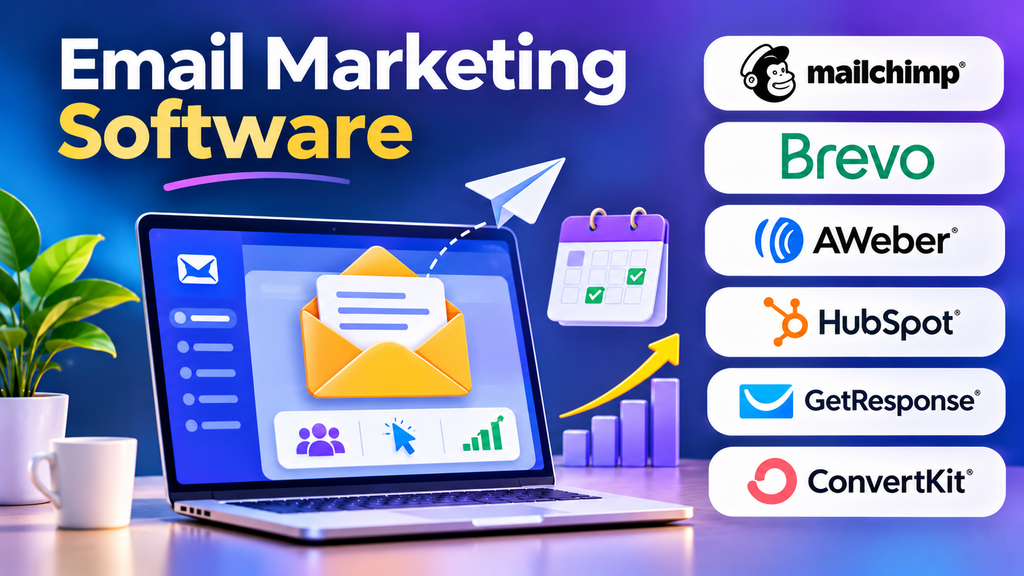
Email remains an important digital marketing channel because businesses can communicate directly with people who have chosen to receive their messages. From newsletters and product announcements to welcome sequences and customer retention campaigns, email marketing software helps teams manage communication at scale.
However, successful email marketing involves more than sending messages to a large contact list. Marketers need reliable subscriber data, useful content, appropriate targeting, responsible sending practices, and meaningful performance measurement.
What Is Email Marketing Software?
Email marketing software is a platform that helps organizations create, send, manage, and measure email campaigns. Depending on the product, it may also provide subscriber forms, contact segmentation, automation workflows, landing pages, A/B testing, and integrations with customer relationship management systems.
Small businesses may use these platforms to distribute newsletters and announce offers. Larger organizations may use them to coordinate sophisticated campaigns across customer segments, products, and regions.
The primary objective is to deliver useful communication to the right audience while maintaining subscriber trust and measuring business outcomes.
Essential Features to Look For
Email Campaign Builders
A visual email editor allows marketers to create messages using text, images, buttons, and reusable templates. Responsive design is important because subscribers may open emails on phones, tablets, and desktop computers.
Look for editing tools that make it easy to maintain consistent branding, check links, preview messages, and test layouts before sending.
Subscriber Management and Segmentation
Segmentation allows marketers to organize subscribers using relevant information such as preferences, signup source, purchase history, or engagement.
For example, an online fashion store could send a new-collection announcement to subscribers interested in particular product categories rather than sending the same message to everyone.
Segmentation should use accurate data and respect the permissions and preferences associated with each contact.
Email Automation
Automation allows messages to be triggered by defined events or scheduled as part of a sequence. Common examples include welcome emails, registration confirmations, abandoned-cart reminders, and post-purchase follow-ups.
Useful automation features include entry conditions, delays, branching rules, exit conditions, and suppression controls. These help prevent duplicate or irrelevant communication.
Analytics and A/B Testing
Campaign reports may include delivery rates, bounce rates, clicks, conversions, and unsubscribe activity. Some platforms also provide revenue attribution and comparisons between audience segments.
A/B testing allows marketers to compare selected elements, such as subject lines or calls to action. Results should be interpreted carefully, especially when sample sizes are small or multiple campaign variables change simultaneously.
Deliverability and List Management
Deliverability depends on sender reputation, authentication, recipient engagement, list quality, and responsible sending practices. Useful platform features include bounce management, suppression lists, unsubscribe processing, and support for domain authentication.
No platform can guarantee that every email will reach the inbox. Marketers must maintain good sending practices and monitor delivery performance.
Popular Email Marketing Platforms
The right platform depends on campaign complexity, audience size, integrations, technical skills, and budget. The following options serve different types of marketing teams.
Mailchimp
Mailchimp provides email campaign creation, audience management, marketing automation, and reporting capabilities. Its visual editor and campaign tools can be useful for small businesses, creators, and marketing teams managing newsletters and promotional communication.
Before selecting a plan, check the available automation features, contact limits, sending allowances, and integration requirements. Businesses with complex data models may also need to evaluate how well the platform fits their existing systems.
Brevo
Brevo offers email marketing, automation, contact management, and additional customer communication capabilities. It may be suitable for businesses looking to coordinate campaigns and follow-up messages without adopting a large enterprise marketing platform.
Evaluate the available sending limits, automation functionality, reporting tools, and pricing structure for your expected usage. Confirm which features are included in the selected plan.
Constant Contact
Constant Contact provides email marketing tools designed to help businesses create campaigns, manage contacts, and measure engagement. It may appeal to small organizations that value straightforward campaign creation and accessible marketing workflows.
Its suitability depends on the complexity of the campaign strategy, the integrations required, and the features available under the chosen subscription.
Campaign Monitor
Campaign Monitor focuses on email campaign design, audience segmentation, and campaign reporting. Its template and design capabilities can be useful for organizations that place a strong emphasis on branded email communication.
Teams should examine automation requirements, available integrations, audience management options, and the level of reporting needed before adopting it.
ActiveCampaign
ActiveCampaign combines email marketing with automation and customer engagement capabilities. It can support behavior-based communication, segmented campaigns, and multi-step follow-up workflows.
It is worth considering when the marketing strategy requires more than occasional newsletters. Buyers should assess workflow complexity, integration needs, contact limits, and the skills required to manage the system effectively.
HubSpot Marketing Hub
HubSpot Marketing Hub connects email marketing with CRM data, forms, landing pages, and broader marketing workflows. This can help organizations coordinate campaign activity with lead management and sales processes.
Its suitability depends on the existing HubSpot setup, required automation features, reporting needs, and total subscription cost. Some advanced capabilities may require higher-tier plans.
Comparing Email Marketing Software
| Platform | Potential strength | Important consideration |
|---|---|---|
| Mailchimp | Campaign creation and audience management | Plan limits and integration fit |
| Brevo | Email marketing and customer communication | Sending allowances and plan features |
| Constant Contact | Accessible campaign management | Workflow complexity and available integrations |
| Campaign Monitor | Branded email design and reporting | Automation requirements |
| ActiveCampaign | Behavior-based automation | Workflow management and cost |
| HubSpot Marketing Hub | CRM-connected email campaigns | Subscription scope and ecosystem fit |
Features, pricing, and limits can change. Verify the current terms of the specific plan before making a purchasing decision.
How to Choose the Right Platform
Define Your Primary Use Case
Start by identifying what you want to accomplish. A newsletter-focused business may need a reliable editor, subscriber forms, basic segmentation, and campaign reports. An e-commerce company may require purchase-triggered automation and revenue attribution. A B2B organization may prioritize lead nurturing and CRM integration.
Selecting a platform around real requirements helps avoid paying for capabilities that the team will not use.
Estimate Audience and Sending Volume
Consider both your current subscriber count and expected growth. Review contact-based pricing, sending allowances, overage rules, and any restrictions on automation or audience management.
Also determine whether the platform charges for stored contacts, active contacts, email volume, or a combination of these factors.
Check Integrations
Email software may need to connect with a website, online store, CRM, analytics platform, or customer data system. Confirm that the required integration is available and supports the information your campaigns need.
For important workflows, test whether data updates and unsubscribe preferences synchronize correctly between systems.
Evaluate Ease of Use
A feature-rich platform may not be the best choice if the team struggles to maintain it. Consider the time needed to create templates, build segments, test automations, generate reports, and train new users.
A short pilot using real campaign tasks can reveal usability issues before a long-term commitment.
Building an Effective Email Marketing Campaign
A successful campaign begins with a clear purpose and a message designed for its intended audience.
Start with a defined objective. Decide whether the email should generate registrations, promote a product, encourage repeat purchases, or provide useful information.
Write a relevant subject line. Keep it clear and aligned with the message inside. Avoid misleading claims or artificial urgency.
Provide useful content. Focus on information, offers, or resources that matter to the recipient. A concise message with a clear hierarchy is often easier to understand than a crowded design.
Include a clear call to action. Make the desired next step obvious, whether it is reading an article, booking a consultation, or exploring a product.
Test before sending. Check links, spelling, rendering, personalization fields, audience filters, and mobile layouts. Confirm that suppression rules and unsubscribe mechanisms work correctly.
Measure the outcome. Compare campaign performance with an appropriate baseline and use the findings to improve subsequent messages.
Email Marketing Metrics That Matter
Open rates can provide directional information, but privacy protections and automated email loading can make them unreliable as a standalone measure of engagement.
Click-through rate indicates how frequently delivered or viewed campaign emails generate clicks, depending on the reporting definition used by the platform. Conversion rate measures the proportion of recipients or visitors who complete a defined action. Always document the denominator when comparing reports.
Bounce rate helps identify delivery failures, while unsubscribe and complaint rates can reveal problems with relevance, frequency, or expectations.
For e-commerce campaigns, attributed revenue and purchase behavior may be useful. However, attribution models do not automatically prove that email caused the sale. Controlled experiments can provide stronger evidence when evaluating incremental impact.
Email Deliverability, Privacy, and Compliance
Maintaining a healthy email program requires attention to both technical configuration and subscriber expectations.
Configure the appropriate sender authentication records, including SPF, DKIM, and DMARC where applicable. Use permission-based lists, remove invalid addresses, monitor complaints, and process unsubscribe requests promptly.
Collect only the information needed for the campaign, protect subscriber data, and follow applicable privacy and electronic marketing laws. Requirements vary by jurisdiction and message type, so organizations should obtain appropriate compliance guidance.
Avoid purchased lists and deceptive collection practices. A smaller audience that genuinely wants to receive communication is often more valuable than a large list of uninterested recipients.
Common Email Marketing Mistakes
- Sending the same message to everyone: Use relevant segmentation where reliable data and permissions allow it.
- Overloading emails with content: Prioritize one main message and a clear next step.
- Ignoring mobile users: Test responsive layouts and make buttons easy to use on smaller screens.
- Over-automating communication: Review message frequency across campaigns to avoid overwhelming subscribers.
- Focusing only on opens: Include clicks, conversions, complaints, unsubscribes, and business outcomes in campaign evaluation.
- Neglecting inactive subscribers: Establish appropriate engagement and re-permission strategies rather than continuing to send indefinitely without review.
A Practical Email Marketing Implementation Plan
A simple, structured rollout can help a business establish a reliable email program.
- Define the audience, purpose, and success metric for the first campaign.
- Select a platform based on required features, integrations, and budget.
- Set up sender authentication and verify the subscriber collection process.
- Create a branded template with accessible, mobile-friendly formatting.
- Build a permission-aware subscriber segment and test the campaign.
- Send to the intended audience and monitor delivery and engagement.
- Use the results to refine content, segmentation, timing, and future automation.
Once the basic process is working reliably, the business can introduce welcome sequences, customer education, re-engagement campaigns, and other workflows that address specific customer needs.
Making Email Marketing Software Work for You
Email marketing software provides the tools to organize audiences, deliver relevant campaigns, automate repetitive tasks, and understand how subscribers respond. Mailchimp and Brevo may suit businesses looking for accessible campaign workflows, while ActiveCampaign and HubSpot Marketing Hub can be relevant when more sophisticated automation or CRM-connected marketing is required.
The best platform is not necessarily the one with the most features. It is the one that supports your goals, fits your budget, protects subscriber trust, and gives your team a sustainable way to improve results over time.
