Upgrade & Secure Your Future with DevOps, SRE, DevSecOps, MLOps!
We spend hours scrolling social media and waste money on things we forget, but won’t spend 30 minutes a day earning certifications that can change our lives.
Master in DevOps, SRE, DevSecOps & MLOps by DevOps School!
Learn from Guru Rajesh Kumar and double your salary in just one year.
Introduction
App Store Optimization Tools help mobile app teams improve how their apps appear, rank, and convert inside app stores. In simple words, ASO tools help teams research keywords, study competitors, improve app titles and descriptions, test screenshots, monitor rankings, analyze reviews, and understand app store performance.
ASO matters because app stores are crowded. A good app can still struggle if users cannot find it or if the app listing does not convince them to install. These tools help teams make better decisions about keywords, creatives, localization, reviews, ratings, and competitor positioning.
Common use cases include keyword research, app ranking tracking, competitor analysis, screenshot testing, review monitoring, localization planning, app metadata optimization, and conversion rate improvement.
Buyers should evaluate keyword data quality, rank tracking, competitor insights, app store coverage, creative testing, review analytics, localization support, reporting, integrations, pricing, and ease of use.
Best for: mobile app marketers, ASO specialists, app developers, gaming studios, SaaS mobile teams, ecommerce apps, agencies, and growth teams.
Not ideal for: teams with no mobile app, apps with very low store activity, or businesses that only need basic app analytics without optimization workflows.
Key Trends in App Store Optimization (ASO) Tools
- AI-assisted keyword research is becoming more useful for clustering keywords, identifying intent, and finding metadata improvement ideas.
- Creative optimization is now a major focus because icons, screenshots, preview videos, and app store visuals strongly affect install decisions.
- Review and rating intelligence is becoming more important as app teams use user feedback to improve product, support, and store conversion.
- Localization is no longer optional for global apps because app store behavior, keywords, screenshots, and competitors vary across markets.
- Competitor intelligence is becoming deeper as teams track rankings, category movement, paid visibility, app updates, and creative changes.
- Paid and organic app growth are becoming connected because app store ads, keyword rankings, and organic conversion influence each other.
- Conversion rate optimization is expanding beyond metadata into screenshot testing, message testing, audience targeting, and landing experiences.
- App store policy awareness is becoming important because rejected metadata, misleading claims, and poor compliance can slow growth.
- Product and marketing teams are working closer together because ASO insights often reveal feature gaps, user pain points, and market opportunities.
- Reporting is becoming more executive-friendly with dashboards showing rankings, installs, reviews, conversion, category position, and competitor movement.
How We Selected These Tools
- Market recognition across app store optimization, mobile growth, app intelligence, and app marketing workflows.
- Feature completeness for keyword research, ranking tracking, competitor analysis, metadata optimization, and review monitoring.
- Fit across solo developers, SMBs, agencies, mobile-first companies, gaming teams, and enterprises.
- Strength of app store data, keyword visibility, category tracking, and competitive intelligence.
- Support for creative optimization, A/B testing, screenshot testing, and conversion improvement.
- Integration options with app analytics, app store consoles, reporting tools, and team workflows.
- Ease of use for marketers and depth for experienced ASO professionals.
- Reporting quality for internal teams, clients, executives, and growth stakeholders.
- Support for localization and multi-market app optimization.
- Overall value compared with pricing, complexity, onboarding, and business needs.
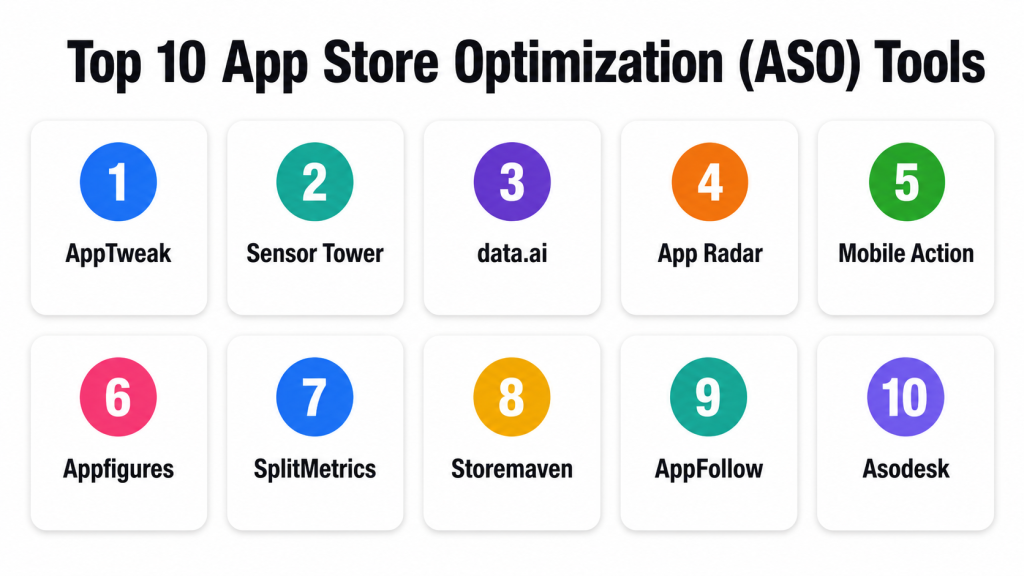
Top 10 App Store Optimization (ASO) Tools
#1 — AppTweak
Short description: AppTweak is an ASO and app intelligence platform for keyword research, competitor analysis, metadata optimization, and app store performance monitoring. It is best for mobile growth teams, agencies, and app marketers that need strong ASO research and reporting.
Key Features
- Keyword research and ranking tracking.
- Competitor app analysis.
- Metadata optimization support.
- App store visibility monitoring.
- Review and rating insights.
- Market and category intelligence.
- Reporting dashboards for ASO teams.
Pros
- Strong ASO research workflow.
- Useful for agencies and mobile marketing teams.
- Good competitor and keyword visibility features.
Cons
- Beginners may need time to understand all metrics.
- Pricing may not fit very small app teams.
- Advanced workflows require consistent ASO process.
Platforms / Deployment
Web
Cloud
Security & Compliance
Supports account access controls and secure platform usage. Specific certifications are not publicly stated here.
Integrations & Ecosystem
AppTweak fits app growth teams that need ASO insights connected with reporting and optimization workflows.
- App store performance workflows
- Keyword tracking
- Competitor monitoring
- Review analysis
- Agency reporting
- Localization planning
Support & Community
AppTweak provides documentation, support resources, ASO learning materials, onboarding guidance, and practical mobile growth content.
#2 — Sensor Tower
Short description: Sensor Tower is a mobile intelligence and app analytics platform used for app market research, competitor insights, rankings, downloads, revenue estimates, and ASO research. It is best for larger mobile teams, investors, publishers, and competitive intelligence teams.
Key Features
- App market intelligence.
- Competitor tracking.
- Keyword and ranking insights.
- Category and store performance analysis.
- Download and revenue estimates.
- Ad intelligence features.
- App portfolio and market trend reporting.
Pros
- Strong mobile market intelligence.
- Useful for competitive research and strategy.
- Good fit for large app publishers and analysts.
Cons
- May be more than small teams need.
- Some metrics are estimates and should be interpreted carefully.
- Pricing may be enterprise-oriented for advanced needs.
Platforms / Deployment
Web
Cloud
Security & Compliance
Supports account controls, user access management, and secure platform workflows. Specific certifications should be validated directly.
Integrations & Ecosystem
Sensor Tower supports app intelligence and competitive research across mobile markets.
- App ranking workflows
- Market intelligence reports
- Competitor research
- Ad intelligence workflows
- Category analysis
- Executive reporting
Support & Community
Sensor Tower provides support resources, data guidance, customer support, and market intelligence materials.
#3 — data.ai
Short description: data.ai is a mobile market intelligence platform for app performance, market trends, competitor analysis, downloads, revenue estimates, and app category insights. It is best for enterprise mobile teams, investors, publishers, and strategy teams.
Key Features
- Mobile market intelligence.
- App performance benchmarking.
- Competitor and category insights.
- Download and revenue estimates.
- Store ranking analysis.
- App portfolio monitoring.
- Market and consumer trend reports.
Pros
- Strong for executive-level app market intelligence.
- Useful for mobile strategy and competitor benchmarking.
- Good fit for large publishers and enterprises.
Cons
- May be too advanced for small ASO-only teams.
- Estimate-based metrics require careful interpretation.
- Pricing and access may vary by use case.
Platforms / Deployment
Web
Cloud
Security & Compliance
Supports account permissions and secure platform access. Specific certifications should be validated directly.
Integrations & Ecosystem
data.ai fits teams that need app intelligence beyond basic keyword tracking.
- Market benchmarking
- Competitor research
- Portfolio analysis
- Category performance
- Strategic reporting
- Mobile app analytics workflows
Support & Community
data.ai provides enterprise support, documentation, customer guidance, and market intelligence resources.
#4 — App Radar
Short description: App Radar is an ASO platform focused on keyword optimization, metadata management, app store listing improvements, competitor tracking, and review workflows. It is best for app marketers, agencies, and mobile teams that want practical ASO execution tools.
Key Features
- Keyword research and tracking.
- Metadata optimization workflows.
- Competitor monitoring.
- App listing management.
- Review and rating management.
- Localization support.
- ASO reporting dashboards.
Pros
- Practical for hands-on ASO work.
- Useful metadata and keyword workflows.
- Good for agencies and app marketing teams.
Cons
- May not have the same broad market intelligence depth as enterprise tools.
- Some advanced users may need additional analytics platforms.
- Value depends on regular ASO execution.
Platforms / Deployment
Web
Cloud
Security & Compliance
Supports account access controls and secure platform workflows. Specific certifications are not publicly stated here.
Integrations & Ecosystem
App Radar supports app store listing management and ASO execution workflows.
- App store metadata workflows
- Keyword tracking
- Competitor analysis
- Review management
- Localization workflows
- Reporting dashboards
Support & Community
App Radar provides documentation, support, onboarding help, and ASO educational resources.
#5 — Mobile Action
Short description: Mobile Action is an app intelligence and ASO platform for keyword tracking, competitor research, app store visibility, and mobile advertising insights. It is best for mobile marketers, agencies, and app growth teams.
Key Features
- Keyword research and rank tracking.
- Competitor app analysis.
- App store visibility monitoring.
- Market intelligence insights.
- Ad intelligence features.
- App performance reports.
- Category and ranking analysis.
Pros
- Good combination of ASO and mobile intelligence.
- Useful for competitor monitoring.
- Practical for app marketers and agencies.
Cons
- Beginners may need time to understand advanced metrics.
- Pricing may vary by data depth and access.
- Estimate-based insights should be validated with internal data.
Platforms / Deployment
Web
Cloud
Security & Compliance
Supports user account controls and secure platform access. Specific certifications are not publicly stated here.
Integrations & Ecosystem
Mobile Action fits mobile growth teams combining ASO and competitive research.
- Keyword tracking
- Competitor monitoring
- Ad intelligence
- Category analysis
- Reporting workflows
- App growth planning
Support & Community
Mobile Action provides support resources, guides, onboarding, and mobile growth education.
#6 — Appfigures
Short description: Appfigures is an app analytics and ASO platform that helps teams monitor downloads, revenue, rankings, reviews, and app store performance. It is best for developers, publishers, and smaller teams that want practical app performance tracking.
Key Features
- App performance analytics.
- Download and revenue tracking.
- Store ranking monitoring.
- Review and rating tracking.
- ASO keyword insights.
- Cross-store reporting.
- Alerts and performance dashboards.
Pros
- Practical for developers and app publishers.
- Useful for tracking reviews, rankings, and app performance.
- Easier than some enterprise intelligence platforms.
Cons
- May not offer the deepest ASO keyword research.
- Advanced market intelligence may require other tools.
- Best for monitoring and reporting rather than full enterprise strategy.
Platforms / Deployment
Web
Cloud
Security & Compliance
Supports account security and app data access controls. Specific certifications are not publicly stated here.
Integrations & Ecosystem
Appfigures fits teams that need app store data and performance monitoring.
- App store analytics
- Review monitoring
- Ranking alerts
- Revenue reporting
- Developer dashboards
- App portfolio tracking
Support & Community
Appfigures provides documentation, support resources, product guides, and app analytics help.
#7 — SplitMetrics
Short description: SplitMetrics provides app growth and experimentation tools focused on app store conversion optimization, creative testing, and acquisition performance. It is best for app teams that want to improve store listing conversion and test app store creatives.
Key Features
- App store creative testing.
- Product page experimentation support.
- Conversion rate optimization workflows.
- App growth analytics.
- User behavior insights.
- Campaign performance support.
- Creative decision reporting.
Pros
- Strong for app store conversion testing.
- Useful for screenshots, icons, and product page experiments.
- Good fit for mobile growth and paid acquisition teams.
Cons
- Less focused on basic keyword tracking than ASO research tools.
- Best value appears when teams run regular creative tests.
- May require enough traffic for meaningful experiment results.
Platforms / Deployment
Web
Cloud
Security & Compliance
Supports account controls, user permissions, and secure testing workflows. Specific certifications should be validated directly.
Integrations & Ecosystem
SplitMetrics fits app growth teams focused on conversion optimization.
- App store creative workflows
- Paid acquisition testing
- App listing optimization
- Conversion reports
- Growth experiments
- Creative performance analysis
Support & Community
SplitMetrics provides documentation, support, onboarding, and app growth experimentation guidance.
#8 — Storemaven
Short description: Storemaven is an app store testing and conversion optimization platform focused on helping mobile teams improve app store product pages, screenshots, videos, and install conversion. It is best for app growth teams running structured creative experiments.
Key Features
- App store creative testing.
- Product page optimization.
- Screenshot and video testing.
- User behavior analysis.
- Conversion rate insights.
- Experiment reporting.
- App store growth recommendations.
Pros
- Strong focus on conversion optimization.
- Useful for testing creatives before rollout.
- Good for teams investing in paid acquisition and app store performance.
Cons
- Less focused on keyword research.
- Requires enough traffic or testing budget to generate insights.
- Best for teams with mature app growth workflows.
Platforms / Deployment
Web
Cloud
Security & Compliance
Supports account access controls and secure experiment workflows. Specific certifications are not publicly stated here.
Integrations & Ecosystem
Storemaven fits mobile growth teams that need data-backed creative decisions.
- App store creative testing
- Paid acquisition workflows
- Product page optimization
- Conversion tracking
- Growth analytics
- Creative decision workflows
Support & Community
Storemaven provides onboarding, customer support, growth resources, and app store optimization guidance.
#9 — AppFollow
Short description: AppFollow helps mobile teams monitor app reviews, ratings, keyword rankings, competitor activity, and app store performance. It is best for support, product, ASO, and reputation teams that need review intelligence and store monitoring.
Key Features
- Review and rating monitoring.
- Review response workflows.
- Keyword rank tracking.
- Competitor monitoring.
- App store performance reports.
- Sentiment and feedback analysis.
- Team collaboration for reviews.
Pros
- Strong review and reputation management workflow.
- Useful for product feedback and support teams.
- Good for tracking ratings and competitor movement.
Cons
- Not the deepest standalone keyword research platform.
- Best value depends on review volume.
- Advanced ASO teams may pair it with other tools.
Platforms / Deployment
Web
Cloud
Security & Compliance
Supports user permissions, account controls, and secure review management workflows. Specific certifications should be validated directly.
Integrations & Ecosystem
AppFollow connects app store reviews and ASO insights with support and product workflows.
- Review management
- Helpdesk workflows
- Keyword tracking
- Competitor monitoring
- Product feedback analysis
- Reporting dashboards
Support & Community
AppFollow provides documentation, support, onboarding resources, and app reputation management guidance.
#10 — Asodesk
Short description: Asodesk is an ASO platform for keyword research, rank tracking, app store optimization, review management, and competitor analysis. It is best for app marketers, agencies, and mobile teams needing practical ASO workflows.
Key Features
- Keyword research and tracking.
- App store listing optimization.
- Competitor analysis.
- Review and rating management.
- Metadata improvement workflows.
- ASO reporting.
- Localization support.
Pros
- Good ASO workflow coverage.
- Useful for keyword tracking and app listing optimization.
- Practical for agencies and app marketers.
Cons
- Data depth may vary by region and store.
- Interface may require learning for new users.
- Advanced market intelligence may require additional tools.
Platforms / Deployment
Web
Cloud
Security & Compliance
Supports account controls and secure platform usage. Specific certifications are not publicly stated here.
Integrations & Ecosystem
Asodesk fits ASO teams managing keywords, reviews, and app visibility.
- Keyword tracking
- Review management
- Competitor analysis
- Metadata workflows
- Localization planning
- Reporting dashboards
Support & Community
Asodesk provides documentation, support resources, onboarding help, and ASO-focused learning content.
Comparison Table
| Tool Name | Best For | Platform(s) Supported | Deployment | Standout Feature | Public Rating |
|---|---|---|---|---|---|
| AppTweak | ASO research and reporting | Web | Cloud | Keyword research and competitor intelligence | N/A |
| Sensor Tower | Mobile market intelligence | Web | Cloud | App market and competitor insights | N/A |
| data.ai | Enterprise app intelligence | Web | Cloud | Market benchmarking and app performance intelligence | N/A |
| App Radar | ASO execution workflows | Web | Cloud | Metadata optimization and keyword workflows | N/A |
| Mobile Action | ASO and ad intelligence | Web | Cloud | Keyword tracking plus mobile ad intelligence | N/A |
| Appfigures | App performance monitoring | Web | Cloud | Downloads, revenue, reviews, and ranking tracking | N/A |
| SplitMetrics | App store creative testing | Web | Cloud | Product page and creative experimentation | N/A |
| Storemaven | App store conversion optimization | Web | Cloud | Screenshot and app listing testing | N/A |
| AppFollow | Review and reputation management | Web | Cloud | Review monitoring and response workflows | N/A |
| Asodesk | Practical ASO workflows | Web | Cloud | Keyword, review, and metadata optimization | N/A |
Evaluation & Scoring of App Store Optimization (ASO) Tools
| Tool Name | Core (25%) | Ease (15%) | Integrations (15%) | Security (10%) | Performance (10%) | Support (10%) | Value (15%) | Weighted Total (0–10) |
|---|---|---|---|---|---|---|---|---|
| AppTweak | 9 | 8 | 8 | 8 | 8 | 8 | 7 | 8.15 |
| Sensor Tower | 9 | 6 | 8 | 8 | 9 | 8 | 6 | 7.80 |
| data.ai | 9 | 6 | 8 | 8 | 9 | 8 | 6 | 7.80 |
| App Radar | 8 | 8 | 7 | 7 | 8 | 8 | 8 | 7.80 |
| Mobile Action | 8 | 7 | 8 | 7 | 8 | 8 | 7 | 7.65 |
| Appfigures | 7 | 8 | 7 | 7 | 8 | 7 | 8 | 7.40 |
| SplitMetrics | 8 | 7 | 7 | 8 | 8 | 8 | 7 | 7.60 |
| Storemaven | 8 | 7 | 7 | 7 | 8 | 8 | 7 | 7.50 |
| AppFollow | 7 | 8 | 8 | 8 | 8 | 8 | 8 | 7.75 |
| Asodesk | 8 | 8 | 7 | 7 | 8 | 7 | 8 | 7.65 |
These scores are comparative and should be used as a practical selection guide, not a fixed ranking. AppTweak is strong for ASO research, while Sensor Tower and data.ai are stronger for market intelligence. SplitMetrics and Storemaven are better for creative testing and conversion optimization. AppFollow is especially useful for review management, while App Radar, Mobile Action, Appfigures, and Asodesk offer practical ASO workflows for different team sizes.
Which App Store Optimization (ASO) Tool Is Right for You?
Solo / Freelancer
Solo developers and freelancers usually need affordable keyword research, ranking checks, review monitoring, and basic app listing guidance. They should avoid enterprise market intelligence tools unless they manage multiple apps or clients.
Good options:
- Appfigures for app performance monitoring.
- Asodesk for keyword and review workflows.
- App Radar for app listing optimization.
- AppFollow for review monitoring.
- AppTweak if deeper ASO research is needed.
SMB
SMBs need practical ASO tools that help improve visibility, metadata, reviews, and conversion without heavy complexity.
Good options:
- AppTweak for keyword research and competitor tracking.
- App Radar for metadata and ASO execution.
- Mobile Action for ASO and competitive insights.
- AppFollow for reviews and ratings.
- Asodesk for keyword and localization workflows.
Mid-Market
Mid-market app teams often need better competitor intelligence, localization, ranking monitoring, creative testing, reporting, and app store conversion insights.
Good options:
- AppTweak for ASO research and reporting.
- Mobile Action for competitor and ad intelligence.
- SplitMetrics for creative testing.
- Storemaven for conversion optimization.
- AppFollow for review workflows and reputation tracking.
Enterprise
Enterprises need market intelligence, portfolio tracking, competitor benchmarking, advanced reporting, team workflows, and multi-market app visibility.
Good options:
- Sensor Tower for mobile market intelligence.
- data.ai for enterprise app benchmarking.
- AppTweak for ASO operations and reporting.
- SplitMetrics for structured app store experiments.
- AppFollow for review management at scale.
Budget vs Premium
Budget-focused teams should begin with tools that support essential ranking, keyword, and review workflows. Premium tools are better when app growth depends on multi-market tracking, competitive intelligence, paid acquisition alignment, and creative optimization.
Budget-friendly scenarios:
- Single app tracking.
- Basic keyword research.
- Review monitoring.
- Simple metadata updates.
- Small app portfolios.
Premium scenarios:
- Large app portfolios.
- Multi-country ASO.
- Competitive market intelligence.
- App store creative testing.
- Paid acquisition and ASO alignment.
- Executive app performance reporting.
Feature Depth vs Ease of Use
Ease of use matters when small teams need quick ASO actions. Feature depth matters when app teams manage large portfolios, multiple countries, creative experiments, and competitor research.
Choose ease of use when:
- You have one or two apps.
- You need basic keyword tracking.
- You want simple review monitoring.
- You do not need advanced market intelligence.
Choose feature depth when:
- You manage many apps.
- You need competitor benchmarking.
- You localize across markets.
- You run creative tests.
- You need app intelligence reports.
- You connect ASO with paid acquisition.
Integrations & Scalability
ASO tools become more valuable when connected with app analytics, review workflows, reporting dashboards, and growth operations.
Important integrations include:
- App store consoles
- App analytics tools
- Review management systems
- Helpdesk platforms
- Reporting dashboards
- Localization workflows
- Paid acquisition tools
- Product analytics tools
- Mobile measurement partners
- Team collaboration tools
Security & Compliance Needs
ASO platforms may access app performance data, app store information, reviews, rankings, and team workspaces. Security should be reviewed, especially for agencies and enterprises.
Important checks include:
- Role-based access control.
- SSO/SAML.
- MFA.
- User permissions.
- App account access controls.
- Data export permissions.
- Client workspace separation.
- Audit logs.
- Secure API access.
- Vendor security documentation.
Frequently Asked Questions
What are App Store Optimization Tools?
App Store Optimization Tools help app teams improve app visibility, keyword rankings, store listing quality, reviews, ratings, and install conversion across app stores.
Why do mobile app teams need ASO tools?
ASO tools help teams understand what users search for, how competitors rank, which keywords matter, and how app listings can be improved for more installs.
What is the difference between ASO and SEO?
SEO focuses on improving website visibility in search engines. ASO focuses on improving mobile app visibility and conversion inside app stores.
What pricing models are common?
Pricing may be based on app count, keyword limits, market coverage, user seats, reporting features, review volume, intelligence modules, or enterprise plans.
What is the biggest mistake in ASO?
The biggest mistake is optimizing only keywords and ignoring creatives, ratings, reviews, localization, competitor movement, and conversion rate.
Do ASO tools guarantee more installs?
No. ASO tools provide data and recommendations, but results depend on app quality, competition, metadata, creatives, reviews, ratings, and market demand.
Can ASO tools track competitors?
Yes, many ASO tools track competitor rankings, keywords, app updates, reviews, categories, screenshots, and market visibility.
Why are reviews important for ASO?
Reviews affect trust, conversion, and user perception. Review analysis also helps teams find product issues, feature requests, bugs, and customer experience problems.
What is app store creative testing?
Creative testing compares screenshots, icons, videos, and product page messages to understand which version improves install conversion.
Are ASO tools useful for games?
Yes. Gaming studios use ASO tools for keyword research, competitor tracking, creative testing, localization, ratings analysis, and category visibility.
What are alternatives to ASO tools?
Alternatives include manual app store research, spreadsheets, basic app store console data, app analytics tools, review monitoring tools, and mobile market intelligence reports.
How should a company start with ASO?
Start by tracking current rankings, researching target keywords, reviewing competitors, improving metadata, analyzing reviews, testing creatives, and measuring changes over time.
Conclusion
App Store Optimization Tools help mobile teams improve visibility, conversion, reviews, and competitive positioning inside app stores. The best tool depends on your app size, market goals, budget, team maturity, and growth strategy. AppTweak is strong for ASO research and reporting. Sensor Tower and data.ai are useful for market intelligence and competitor benchmarking. App Radar, Mobile Action, Appfigures, AppFollow, and Asodesk support practical ASO workflows. SplitMetrics and Storemaven are valuable when creative testing and conversion optimization are top priorities.
