Upgrade & Secure Your Future with DevOps, SRE, DevSecOps, MLOps!
We spend hours scrolling social media and waste money on things we forget, but won’t spend 30 minutes a day earning certifications that can change our lives.
Master in DevOps, SRE, DevSecOps & MLOps by DevOps School!
Learn from Guru Rajesh Kumar and double your salary in just one year.
Introduction
Applicant Tracking Systems, commonly called ATS platforms, help companies manage the hiring process from job posting to candidate selection. In simple words, an ATS keeps all candidate applications, resumes, interview feedback, hiring stages, and recruiter communication in one organized system.
For modern hiring teams, ATS software is no longer just a resume database. It supports faster hiring, structured collaboration, compliance tracking, candidate experience, automated screening, interview scheduling, reporting, and integration with job boards, HR systems, background checks, and onboarding tools.
Common use cases include managing job openings, collecting applications, screening resumes, scheduling interviews, tracking hiring pipelines, sending offer letters, and measuring recruiter performance.
Buyers should evaluate:
- Ease of use for recruiters and hiring managers
- Candidate pipeline management
- Job board distribution
- Resume parsing and search
- Interview scheduling
- Collaboration tools
- Reporting and analytics
- Integrations with HR and payroll systems
- Security and compliance controls
- Pricing and scalability
Best for: HR teams, recruiters, staffing agencies, hiring managers, startups, SMBs, mid-market companies, and enterprises that handle regular hiring and need a structured way to manage candidates.
Not ideal for: Very small teams hiring only one or two people occasionally. In such cases, a simple spreadsheet, email inbox, or basic job board dashboard may be enough until hiring volume increases.
Key Trends in Applicant Tracking Systems (ATS)
AI-assisted candidate screening: ATS platforms are increasingly using AI to help summarize resumes, match candidates to job requirements, suggest next steps, and reduce manual review time.
- Better candidate experience: Companies are focusing more on mobile-friendly applications, faster communication, transparent hiring stages, and personalized candidate journeys.
- Recruitment automation: Automated email updates, interview reminders, hiring workflow triggers, and candidate status changes are becoming standard expectations.
- Skills-based hiring: ATS tools are moving beyond keyword matching and supporting skills, competencies, assessments, and structured scorecards.
- Stronger compliance support: Hiring teams need better audit trails, consent tracking, equal opportunity reporting, data retention controls, and privacy support.
- Integration-first hiring stack: ATS platforms now need to connect with HRIS, payroll, onboarding, background checks, assessments, video interviews, calendars, and collaboration tools.
- Recruitment analytics: Hiring leaders want dashboards for time-to-fill, source quality, hiring funnel conversion, recruiter productivity, and candidate drop-off.
- Internal mobility support: Some ATS platforms now help companies identify internal candidates and manage employee career movement.
- Collaborative hiring: Hiring managers, recruiters, interviewers, and leadership teams need shared feedback, structured interview notes, and approval workflows.
- Flexible pricing models: Buyers are comparing per-user, per-job, per-employee, and custom enterprise pricing models more carefully.
How We Selected These Tools
The top ATS platforms in this guide were selected using a practical evaluation model focused on real-world hiring needs. The selection considered:
- Market adoption and visibility among recruiting teams
- Feature completeness across sourcing, pipeline management, interviews, and reporting
- Fit for different company sizes, from startups to enterprises
- Ease of use for recruiters and hiring managers
- Integration ecosystem with HR, payroll, calendars, assessments, and background checks
- Candidate experience and communication features
- Security posture signals such as access controls, audit logs, and identity support
- Scalability for growing hiring teams
- Support, onboarding, documentation, and customer enablement
- Practical trade-offs such as cost, setup time, and workflow flexibility
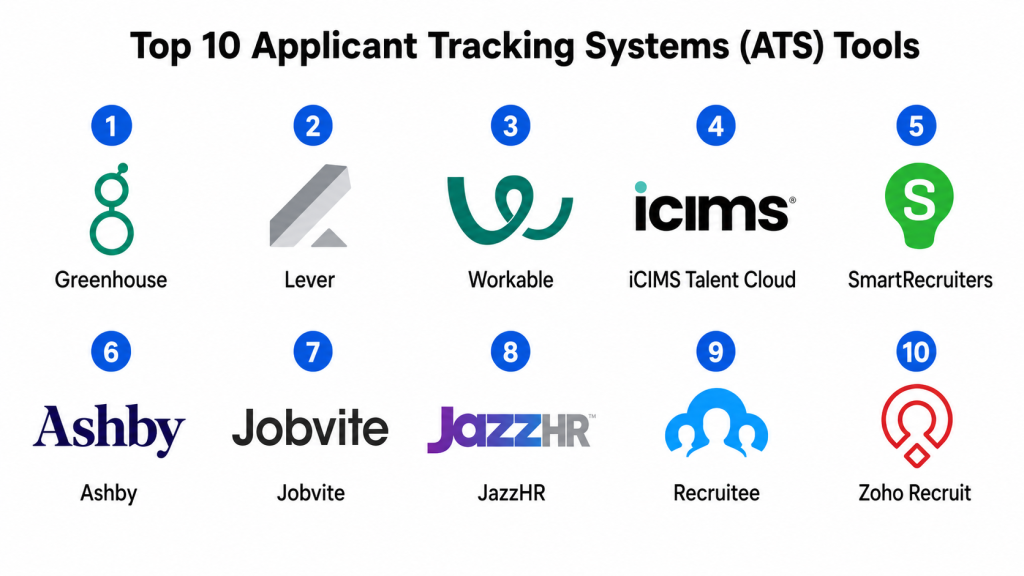
Top 10 Applicant Tracking Systems (ATS) Tools
#1 — Greenhouse
Short description: Greenhouse is a widely recognized ATS built for structured hiring, collaborative recruiting, interview planning, and reporting. It is popular among scaling companies and enterprises that want consistent hiring processes.
Key Features
- Structured hiring workflows
- Interview scorecards and feedback management
- Candidate pipeline tracking
- Job posting and candidate sourcing support
- Reporting and recruiting analytics
- Collaboration tools for hiring teams
- Integration marketplace for recruiting and HR tools
Pros
- Strong structured hiring and interview process support.
- Good fit for growing and mid-market hiring teams.
- Broad integration ecosystem for modern recruitment stacks.
Cons
- May feel complex for very small teams.
- Pricing may be high for early-stage businesses.
- Requires proper setup to get full value from structured workflows.
Platforms / Deployment
Web / iOS / Android
Cloud
Security & Compliance
Supports enterprise security expectations such as SSO, role-based permissions, audit-related controls, and data privacy features. Specific compliance details should be validated during procurement.
Integrations & Ecosystem
Greenhouse has a strong recruiting ecosystem and connects with many tools used across HR, sourcing, interviews, background checks, and onboarding.
- HRIS and HCM platforms
- Background check tools
- Candidate sourcing tools
- Video interview platforms
- Calendar and email tools
- Assessment platforms
Support & Community
Greenhouse provides documentation, customer support, onboarding resources, and a strong recruiting community. It is commonly used by professional recruiting teams and talent acquisition leaders.
#2 — Lever
Short description: Lever is an ATS and candidate relationship management platform designed for collaborative hiring and talent pipeline management. It is useful for companies that want recruiting and candidate nurturing in one system.
Key Features
- Applicant tracking and pipeline management
- Candidate relationship management
- Email and communication tracking
- Collaborative hiring workflows
- Interview scheduling and feedback
- Recruiting analytics
- Integrations with HR and sourcing tools
Pros
- Strong candidate relationship management features.
- Good for companies building long-term talent pipelines.
- Clean collaboration experience for recruiters and hiring teams.
Cons
- Some advanced reporting needs may require careful configuration.
- May be more than required for basic hiring workflows.
- Pricing details can vary based on company needs.
Platforms / Deployment
Web
Cloud
Security & Compliance
Supports common enterprise controls such as role-based access, audit-related features, and identity-related options. Specific compliance certifications are not publicly stated for every package.
Integrations & Ecosystem
Lever integrates with common recruiting, HR, sourcing, assessment, and productivity tools. Its ecosystem is useful for companies that want to manage both active applicants and future candidates.
- HRIS tools
- Sourcing platforms
- Assessment tools
- Calendar and email systems
- Background check providers
- Analytics and reporting tools
Support & Community
Lever offers documentation, support resources, onboarding help, and customer enablement. Community strength is solid among modern talent acquisition teams.
#3 — Workable
Short description: Workable is an ATS designed for SMBs, mid-market companies, and growing teams. It offers job posting, candidate management, sourcing, interview workflows, and hiring collaboration in a user-friendly platform.
Key Features
- Job posting to multiple job boards
- Candidate pipeline management
- Resume parsing and candidate profiles
- Interview scheduling and feedback
- Hiring team collaboration
- Offer letter workflows
- Recruiting reports and analytics
Pros
- Easy to use for small and mid-sized hiring teams.
- Good job board distribution capabilities.
- Practical balance between features and simplicity.
Cons
- May not match the deep enterprise customization of larger ATS platforms.
- Advanced workflows may require higher-tier plans.
- Some global enterprise needs may require additional tools.
Platforms / Deployment
Web / iOS / Android
Cloud
Security & Compliance
Supports standard security controls such as access permissions, data protection, and privacy-related features. Specific compliance details should be verified by buyers.
Integrations & Ecosystem
Workable connects with HR tools, calendars, background checks, assessments, and job boards. Its integrations are useful for companies that want a complete hiring workflow without heavy complexity.
- Job boards
- HRIS tools
- Calendar systems
- Background check providers
- Assessment tools
- Video interview tools
Support & Community
Workable provides support, documentation, onboarding resources, and product guidance. It has a strong user base among SMB and mid-market recruiting teams.
#4 — iCIMS Talent Cloud
Short description: iCIMS Talent Cloud is an enterprise-focused recruiting platform that supports applicant tracking, candidate engagement, career sites, recruitment marketing, and hiring workflows. It is well suited for large organizations with high hiring volume.
Key Features
- Enterprise applicant tracking
- Career site management
- Candidate relationship management
- Recruitment marketing tools
- Interview and offer workflows
- Hiring analytics and reporting
- Integrations with enterprise HR systems
Pros
- Strong fit for large and complex hiring operations.
- Good support for recruitment marketing and candidate engagement.
- Scalable for high-volume hiring.
Cons
- May require significant implementation planning.
- Can be too complex for small businesses.
- Configuration and administration may need trained users.
Platforms / Deployment
Web
Cloud
Security & Compliance
Supports enterprise-grade security expectations such as SSO, role-based permissions, audit features, and data privacy controls. Specific certification details should be confirmed during vendor review.
Integrations & Ecosystem
iCIMS integrates with HRIS, HCM, background checks, assessments, onboarding, and recruitment marketing tools. It is designed for enterprise recruiting ecosystems.
- HCM and HRIS platforms
- Background screening tools
- Assessment platforms
- Career site tools
- Onboarding systems
- Analytics platforms
Support & Community
iCIMS provides enterprise support, implementation services, documentation, and customer success resources. It has a strong presence among enterprise talent acquisition teams.
#5 — SmartRecruiters
Short description: SmartRecruiters is a modern talent acquisition platform that supports applicant tracking, recruitment marketing, candidate management, hiring collaboration, and analytics. It is often used by mid-market and enterprise organizations.
Key Features
- Applicant tracking and hiring workflows
- Candidate relationship management
- Recruitment marketing capabilities
- Interview scheduling and feedback
- Offer management
- Hiring analytics
- Marketplace integrations
Pros
- Strong talent acquisition suite for growing organizations.
- Good candidate experience and hiring collaboration tools.
- Useful marketplace ecosystem for recruiting teams.
Cons
- May require setup time for complex workflows.
- Some advanced features may depend on selected modules.
- Smaller teams may find it more platform than they need.
Platforms / Deployment
Web / iOS / Android
Cloud
Security & Compliance
Supports common enterprise security controls such as SSO, access permissions, data protection, and audit-related capabilities. Specific compliance details may vary.
Integrations & Ecosystem
SmartRecruiters offers a marketplace-style ecosystem and connects with tools across sourcing, assessments, background checks, HRIS, and onboarding.
- HRIS and HCM systems
- Candidate sourcing tools
- Assessment platforms
- Background check services
- Calendar tools
- Recruitment marketing tools
Support & Community
SmartRecruiters provides customer support, documentation, onboarding services, and product resources. Its community is strong among modern recruiting and talent acquisition teams.
#6 — Ashby
Short description: Ashby is a recruiting platform that combines ATS, CRM, scheduling, sourcing, and analytics. It is popular among fast-growing companies that want strong recruiting operations and reporting in one platform.
Key Features
- Applicant tracking and recruiting CRM
- Interview scheduling and coordination
- Pipeline management
- Recruiting analytics and dashboards
- Sourcing workflow support
- Automation for recruiting operations
- Collaboration tools for hiring teams
Pros
- Strong analytics and reporting experience.
- Good fit for startups and scaling companies.
- Combines ATS and recruiting operations features well.
Cons
- May be less familiar to traditional enterprise HR teams.
- Requires thoughtful setup to maximize analytics value.
- Some advanced enterprise requirements may need validation.
Platforms / Deployment
Web
Cloud
Security & Compliance
Supports common security expectations such as user permissions, data protection, and access controls. Specific compliance certifications should be confirmed during vendor review.
Integrations & Ecosystem
Ashby integrates with modern recruiting, HR, communication, calendar, and analytics tools. It is especially useful for teams that want data-driven recruiting workflows.
- HRIS systems
- Calendar and email tools
- Sourcing platforms
- Communication tools
- Assessment providers
- Analytics tools
Support & Community
Ashby provides documentation, support, onboarding resources, and product guidance. It has strong mindshare among startups, scaleups, and recruiting operations teams.
#7 — Jobvite
Short description: Jobvite is a recruiting platform that supports applicant tracking, recruitment marketing, candidate engagement, referrals, and onboarding-related workflows. It is useful for companies that want to improve sourcing and candidate communication.
Key Features
- Applicant tracking and pipeline management
- Recruitment marketing tools
- Employee referral management
- Candidate engagement workflows
- Interview scheduling and feedback
- Reporting and analytics
- Integration with HR and recruiting systems
Pros
- Strong candidate engagement and recruitment marketing features.
- Useful for organizations with referral-driven hiring.
- Good fit for mid-market and enterprise recruiting teams.
Cons
- May require configuration for complex hiring processes.
- User experience may depend on implementation quality.
- Some features may require additional modules.
Platforms / Deployment
Web
Cloud
Security & Compliance
Supports common enterprise security needs such as access controls, privacy features, and audit-related functionality. Specific compliance details are not publicly stated for every package.
Integrations & Ecosystem
Jobvite connects with HRIS, job boards, background check tools, assessment platforms, and recruitment marketing systems.
- HRIS platforms
- Job boards
- Background check providers
- Assessment tools
- Referral tools
- Recruitment marketing systems
Support & Community
Jobvite provides customer support, implementation assistance, product documentation, and training resources. It is recognized among mid-market and enterprise recruiting users.
#8 — JazzHR
Short description: JazzHR is an ATS designed mainly for small businesses and growing teams. It helps manage job postings, candidate pipelines, interview feedback, and hiring collaboration without heavy enterprise complexity.
Key Features
- Job posting and distribution
- Candidate pipeline tracking
- Resume and applicant management
- Interview workflows
- Hiring team collaboration
- Offer and approval workflows
- Basic reporting features
Pros
- Good option for small businesses needing a simple ATS.
- Easier to adopt than many enterprise recruiting systems.
- Practical features for organizing hiring without complexity.
Cons
- May not be deep enough for large enterprise hiring.
- Advanced analytics and automation may be limited.
- Integration depth may vary by use case.
Platforms / Deployment
Web
Cloud
Security & Compliance
Supports basic access and data protection controls. Specific security and compliance details should be validated with the vendor.
Integrations & Ecosystem
JazzHR integrates with common HR, job board, background check, and assessment tools. It is useful for small teams building a more structured hiring process.
- Job boards
- Background check tools
- HR systems
- Assessment platforms
- Calendar tools
- Offer management tools
Support & Community
JazzHR provides documentation, customer support, onboarding resources, and help materials. Community strength is strongest among small and growing businesses.
#9 — Recruitee
Short description: Recruitee is a collaborative hiring platform for companies that want simple applicant tracking, job promotion, candidate pipelines, and team-based recruiting workflows. It is well suited for SMB and mid-market teams.
Key Features
- Candidate pipeline management
- Job posting and career site tools
- Team collaboration and feedback
- Interview scheduling
- Automation workflows
- Reporting dashboards
- Recruiting campaign support
Pros
- Strong collaborative hiring experience.
- Easy for hiring managers and recruiters to use.
- Good fit for growing teams that want flexible workflows.
Cons
- May not cover all enterprise recruiting requirements.
- Advanced compliance needs should be validated.
- Some specialized integrations may require additional setup.
Platforms / Deployment
Web / iOS / Android
Cloud
Security & Compliance
Supports common security controls such as user permissions and data protection. Specific compliance details may vary by plan and region.
Integrations & Ecosystem
Recruitee integrates with HR, sourcing, calendar, job board, and productivity tools. It supports teams that want to streamline recruiting collaboration.
- Job boards
- HR systems
- Calendar tools
- Sourcing platforms
- Productivity tools
- Assessment tools
Support & Community
Recruitee offers support resources, documentation, onboarding help, and customer guidance. It has a strong following among collaborative hiring teams.
#10 — Zoho Recruit
Short description: Zoho Recruit is an ATS for corporate HR teams and staffing agencies. It offers candidate tracking, job posting, resume management, client and candidate workflows, and integration with the wider Zoho ecosystem.
Key Features
- Candidate and job opening management
- Resume parsing and search
- Job board posting
- Interview scheduling
- Client and staffing agency workflows
- Automation and custom workflows
- Integration with Zoho apps
Pros
- Cost-effective ATS option for SMBs and agencies.
- Strong fit for companies already using Zoho products.
- Flexible workflows for recruitment and staffing use cases.
Cons
- May not match the enterprise depth of larger ATS platforms.
- Advanced reporting and customization may require careful setup.
- User experience can depend on configuration quality.
Platforms / Deployment
Web / iOS / Android
Cloud
Security & Compliance
Supports common access controls and data protection features. Specific compliance details may vary by plan, region, and Zoho configuration.
Integrations & Ecosystem
Zoho Recruit integrates well with Zoho’s business suite and also supports common recruitment workflows through external integrations.
- Zoho CRM and Zoho People
- Email and calendar tools
- Job boards
- Assessment tools
- Background check providers
- Workflow automation tools
Support & Community
Zoho provides documentation, support resources, onboarding materials, and a large product ecosystem. Community strength is strong among SMBs, agencies, and Zoho users.
Comparison Table
| Tool Name | Best For | Platform(s) Supported | Deployment | Standout Feature | Public Rating |
|---|---|---|---|---|---|
| Greenhouse | Structured hiring for scaling companies | Web, iOS, Android | Cloud | Interview scorecards and structured hiring | N/A |
| Lever | Candidate relationship management and collaborative hiring | Web | Cloud | ATS plus recruiting CRM | N/A |
| Workable | SMB and mid-market hiring teams | Web, iOS, Android | Cloud | Job board distribution and easy hiring workflows | N/A |
| iCIMS Talent Cloud | Enterprise talent acquisition | Web | Cloud | Scalable enterprise recruiting suite | N/A |
| SmartRecruiters | Mid-market and enterprise talent acquisition | Web, iOS, Android | Cloud | Recruitment marketplace and candidate experience | N/A |
| Ashby | Data-driven recruiting teams | Web | Cloud | Recruiting analytics and operations workflows | N/A |
| Jobvite | Candidate engagement and recruitment marketing | Web | Cloud | Referral and engagement-focused recruiting | N/A |
| JazzHR | Small business hiring teams | Web | Cloud | Simple ATS for growing teams | N/A |
| Recruitee | Collaborative hiring teams | Web, iOS, Android | Cloud | Team-based recruitment workflows | N/A |
| Zoho Recruit | SMBs and staffing agencies | Web, iOS, Android | Cloud | Affordable ATS with Zoho ecosystem fit | N/A |
Evaluation & Scoring of Applicant Tracking Systems
| Tool Name | Core (25%) | Ease (15%) | Integrations (15%) | Security (10%) | Performance (10%) | Support (10%) | Value (15%) | Weighted Total (0–10) |
|---|---|---|---|---|---|---|---|---|
| Greenhouse | 9.2 | 8.0 | 9.0 | 8.5 | 8.8 | 8.5 | 7.8 | 8.55 |
| Lever | 8.8 | 8.2 | 8.5 | 8.3 | 8.5 | 8.2 | 7.8 | 8.36 |
| Workable | 8.5 | 8.8 | 8.2 | 8.0 | 8.4 | 8.2 | 8.5 | 8.39 |
| iCIMS Talent Cloud | 9.0 | 7.5 | 8.8 | 8.8 | 8.8 | 8.5 | 7.5 | 8.39 |
| SmartRecruiters | 8.8 | 8.0 | 8.8 | 8.5 | 8.5 | 8.2 | 7.8 | 8.38 |
| Ashby | 8.7 | 8.5 | 8.5 | 8.2 | 8.5 | 8.0 | 8.0 | 8.38 |
| Jobvite | 8.2 | 7.8 | 8.2 | 8.0 | 8.2 | 8.0 | 7.8 | 8.02 |
| JazzHR | 7.5 | 8.8 | 7.5 | 7.5 | 8.0 | 7.8 | 8.8 | 8.00 |
| Recruitee | 8.0 | 8.5 | 7.8 | 7.8 | 8.2 | 8.0 | 8.3 | 8.10 |
| Zoho Recruit | 7.8 | 8.0 | 8.0 | 7.8 | 8.0 | 7.8 | 9.0 | 8.06 |
These scores are comparative and should be used as a shortlisting guide, not as a final buying decision. A high enterprise score does not always mean the tool is right for a small business. For example, iCIMS may be excellent for enterprise hiring, while JazzHR or Zoho Recruit may be more practical for a small team. Buyers should validate pricing, workflows, integrations, data privacy, support quality, and hiring volume before selecting a platform.
Which Applicant Tracking System Tool Is Right for You?
Solo / Freelancer
Solo professionals usually do not need a full ATS unless they run a recruiting agency or regularly manage candidates for clients. For occasional hiring, a spreadsheet, email folder, or job board dashboard may be enough.
If a freelancer or small consultant needs a formal system, Zoho Recruit or JazzHR can be practical because they are simpler and easier to manage than enterprise ATS platforms.
SMB
Small and medium businesses should focus on ease of use, affordable pricing, job posting, candidate tracking, and simple interview workflows. Workable, JazzHR, Recruitee, Zoho Recruit, and Bamboo-style HR ecosystems are often suitable for this segment.
For SMBs that want strong job distribution, Workable is a strong option. For budget-conscious teams, Zoho Recruit and JazzHR are practical choices. For collaborative hiring, Recruitee is worth considering.
Mid-Market
Mid-market companies usually need stronger workflows, reporting, interview feedback, integrations, and recruiter collaboration. Greenhouse, Lever, Workable, SmartRecruiters, Ashby, and Jobvite can be strong choices depending on hiring style.
If structured hiring is a priority, Greenhouse is a good fit. If candidate nurturing matters, Lever is strong. If analytics and recruiting operations are important, Ashby deserves attention.
Enterprise
Enterprise teams need scalability, security, audit trails, complex workflows, integrations, reporting, compliance, and support for high hiring volume. iCIMS Talent Cloud, Greenhouse, SmartRecruiters, and Workday-connected recruiting environments are often considered by larger organizations.
Enterprise buyers should involve HR, IT, legal, data privacy, procurement, and hiring leadership before selecting an ATS.
Budget vs Premium
Budget-conscious teams may prefer JazzHR, Zoho Recruit, Recruitee, or selected Workable packages. Premium buyers with complex hiring requirements should evaluate Greenhouse, Lever, SmartRecruiters, Ashby, and iCIMS.
The lowest-cost ATS is not always the best value. If it lacks integrations, automation, reporting, or candidate communication features, recruiters may spend more time on manual work.
Feature Depth vs Ease of Use
For deep structured hiring and reporting, Greenhouse, Lever, Ashby, SmartRecruiters, and iCIMS are strong choices. For ease of use and faster adoption, Workable, JazzHR, Recruitee, and Zoho Recruit may be more practical.
A smaller team should avoid buying a tool that requires heavy administration. A larger team should avoid tools that cannot support complex workflows and reporting needs.
Integrations & Scalability
ATS integrations are important because recruiting rarely happens in one system. Buyers should check integrations with HRIS, payroll, calendars, email, background checks, job boards, assessments, video interviews, and onboarding tools.
If integrations are a major requirement, Greenhouse, Lever, SmartRecruiters, iCIMS, Ashby, and Workable should be evaluated carefully.
Security & Compliance Needs
Hiring platforms store sensitive candidate data, including resumes, contact details, interview notes, salary expectations, and sometimes identity documents. Buyers should check role-based access, audit logs, data retention, encryption, SSO, privacy controls, and regional compliance support.
For regulated industries or global hiring, security and compliance review should happen before final selection, not after implementation.
Frequently Asked Questions
1. What is an Applicant Tracking System?
An Applicant Tracking System is software that helps companies manage job openings, candidates, resumes, interviews, feedback, and hiring decisions. It organizes the recruitment process in one place.
2. Why do companies need an ATS?
Companies need an ATS to avoid scattered hiring data across emails, spreadsheets, and job boards. It improves organization, collaboration, candidate tracking, and recruitment reporting.
3. How much does an ATS cost?
ATS pricing varies widely. Some tools charge by user, job opening, employee count, or company size, while enterprise platforms often use custom pricing. Buyers should request pricing based on their hiring volume and feature needs.
4. What is the difference between ATS and CRM in recruiting?
An ATS manages active job applicants and hiring workflows. A recruiting CRM helps build and nurture talent pipelines, including passive candidates who may not apply immediately.
5. Can an ATS post jobs to multiple job boards?
Yes, many ATS platforms support job board posting and distribution. However, job board coverage, sponsored posting options, and regional availability vary by platform.
6. Is AI useful in ATS software?
AI can help summarize resumes, match candidates, suggest next actions, and automate repetitive tasks. However, companies should use AI carefully and keep human judgment in hiring decisions.
7. What are common ATS implementation mistakes?
Common mistakes include poor workflow planning, lack of hiring manager training, weak data migration, unclear permissions, over-customization, and not testing integrations before launch.
8. Can ATS platforms integrate with HR systems?
Yes, many ATS platforms integrate with HRIS, HCM, payroll, onboarding, background check, assessment, calendar, and communication tools. Integration depth should be tested before purchase.
9. Which ATS is best for small businesses?
Workable, JazzHR, Recruitee, and Zoho Recruit are practical choices for small businesses. The best option depends on hiring volume, budget, ease of use, and integration needs.
10. Which ATS is best for enterprise companies?
iCIMS Talent Cloud, Greenhouse, SmartRecruiters, and Lever are strong options for larger companies. Enterprise buyers should validate security, workflows, analytics, compliance, and implementation support.
Conclusion
Applicant Tracking Systems help companies bring structure, speed, and visibility to the hiring process. The right ATS can improve candidate management, reduce manual recruiter work, strengthen hiring collaboration, and provide better reporting for leadership. However, the best ATS depends on hiring volume, company size, budget, workflows, integrations, compliance needs, and internal recruiting maturity.
