Upgrade & Secure Your Future with DevOps, SRE, DevSecOps, MLOps!
We spend hours scrolling social media and waste money on things we forget, but won’t spend 30 minutes a day earning certifications that can change our lives.
Master in DevOps, SRE, DevSecOps & MLOps by DevOps School!
Learn from Guru Rajesh Kumar and double your salary in just one year.
Introduction
Community Management Platforms help organizations build, manage, engage, and grow online communities. These platforms provide spaces where customers, members, users, creators, employees, developers, learners, or fans can ask questions, share ideas, join discussions, access resources, attend events, and build relationships.
In simple words, a community management platform gives a brand or organization a structured place to connect with people beyond one-way communication. Instead of only sending emails or posting on social media, companies can create owned communities where people interact with each other and with the organization.
Common use cases include customer communities, product user groups, creator communities, professional networks, developer communities, learning communities, membership programs, support communities, advocacy programs, and employee communities.
Buyers should evaluate:
- Community discussion features
- Member profiles and segmentation
- Moderation and governance tools
- Events and content management
- Analytics and engagement reporting
- Integrations with CRM, support, marketing, and learning tools
- Mobile experience
- Security and access controls
- Custom branding and domain options
- Pricing, scalability, and support
Best for: SaaS companies, customer success teams, marketing teams, product teams, associations, educators, creators, nonprofits, developer relations teams, membership businesses, and enterprises that want to build long-term audience or customer relationships.
Not ideal for: teams that only need basic social posting, one-way announcements, or a simple group chat. In such cases, social media pages, messaging apps, newsletters, or basic forums may be enough.
Key Trends in Community Management Platforms
- Owned community spaces are becoming more important: Brands want direct relationships with customers, members, and users instead of relying only on social platforms or email lists.
- AI-assisted moderation and insights: Some platforms are adding AI to summarize discussions, detect spam, support moderation, suggest content, and identify engagement patterns.
- Customer community and support convergence: Many companies now use communities to reduce support load, share product knowledge, answer common questions, and build peer-to-peer help systems.
- Stronger focus on member experience: Modern community platforms are improving onboarding, personalization, notifications, profiles, badges, and content discovery.
- Integration with business systems: Community data is more useful when connected with CRM, helpdesk, marketing automation, product analytics, learning systems, and identity platforms.
- Hybrid content and events: Communities are no longer only forums. Many platforms now support courses, webinars, live events, resource libraries, groups, and member programs.
- Private and gated communities: Companies are creating invite-only spaces for customers, partners, employees, paid members, alumni, or premium users.
- Analytics-driven community growth: Community leaders want dashboards for engagement, active members, post performance, retention, unanswered questions, and member contribution.
- Creator and membership monetization: Some platforms support subscriptions, paid spaces, premium content, and community-led business models.
- Governance and safety: As communities grow, moderation, roles, permissions, reporting, content rules, and member trust become more important.
How We Selected These Tools
The top Community Management Platforms in this guide were selected using a practical evaluation model focused on community building, engagement, scalability, and operational fit. The selection considered:
- Market adoption and recognition among community, customer success, marketing, and membership teams
- Feature completeness across discussions, groups, events, moderation, content, and analytics
- Fit for different community types, including customer communities, creator communities, developer communities, and enterprise communities
- Ease of use for admins, moderators, and members
- Member engagement features such as profiles, notifications, badges, events, and content discovery
- Integration ecosystem with CRM, support, marketing, learning, and productivity tools
- Security posture signals such as access controls, permissions, privacy, and identity support
- Scalability for small groups, growing communities, and enterprise networks
- Custom branding and community experience control
- Practical trade-offs such as cost, setup effort, moderation needs, and platform flexibility
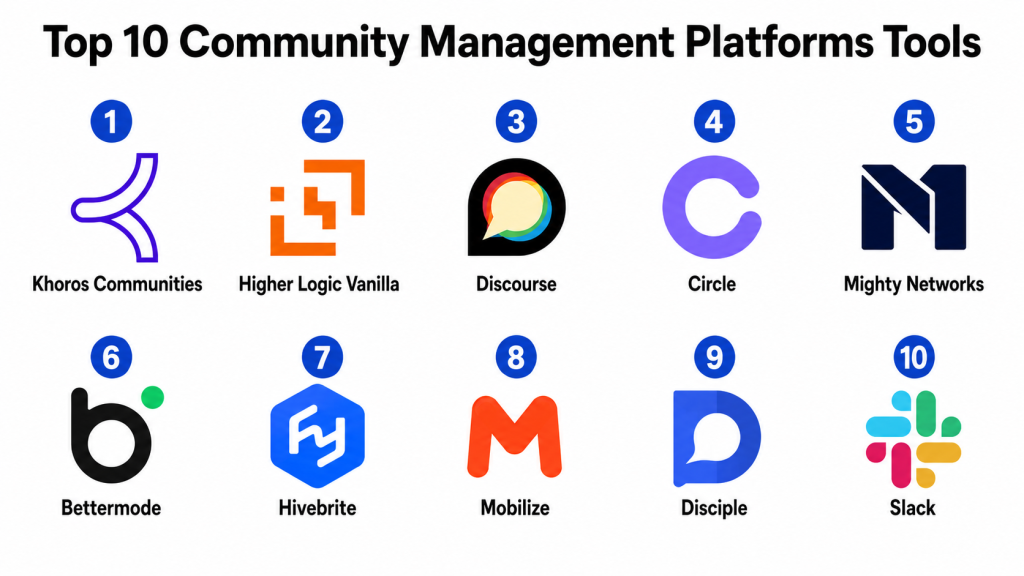
Top 10 Community Management Platforms Tools
#1 — Khoros Communities
Short description: Khoros Communities is an enterprise community platform designed for customer communities, peer support, brand engagement, and large-scale community programs. It is best suited for established organizations that need strong governance, moderation, and customer engagement workflows.
Key Features
- Customer community forums
- Knowledge sharing and peer support
- Moderation and governance tools
- Member profiles and reputation features
- Analytics and reporting dashboards
- Integration with customer support workflows
- Enterprise-grade community management features
Pros
- Strong fit for large customer communities.
- Useful for support deflection and peer-to-peer help.
- Good governance and moderation capabilities.
Cons
- May be too complex for small communities.
- Implementation can require planning and dedicated community management resources.
- Pricing may be better suited to enterprise buyers.
Platforms / Deployment
Web
Cloud
Security & Compliance
Supports common enterprise security expectations such as role-based access, permissions, identity options, and data protection controls. Specific compliance details should be validated during procurement.
Integrations & Ecosystem
Khoros Communities connects community workflows with customer experience, support, and marketing systems. It is designed for organizations where community is part of a larger customer engagement strategy.
- CRM systems
- Customer support platforms
- Knowledge base tools
- Marketing systems
- Identity providers
- Analytics and reporting tools
Support & Community
Khoros provides enterprise support, onboarding, documentation, professional services, customer success resources, and guidance for large-scale community operations.
#2 — Higher Logic Vanilla
Short description: Higher Logic Vanilla is a community platform used for customer communities, member communities, online forums, support communities, and engagement programs. It is suitable for associations, B2B companies, software vendors, and organizations that need structured discussion spaces.
Key Features
- Online forums and discussion boards
- Member profiles and groups
- Moderation and community governance
- Knowledge sharing and Q&A workflows
- Engagement analytics
- Custom branding options
- Integrations with business systems
Pros
- Strong forum and discussion experience.
- Useful for customer support and member engagement.
- Good fit for associations and organizations with knowledge-sharing needs.
Cons
- Design and experience depend on configuration.
- May require active moderation to maintain quality.
- Some advanced workflows may need setup support.
Platforms / Deployment
Web
Cloud
Security & Compliance
Supports common security expectations such as access controls, permissions, privacy settings, and identity-related options. Specific compliance details should be confirmed with the vendor.
Integrations & Ecosystem
Higher Logic Vanilla integrates with systems commonly used by customer, membership, and association teams.
- CRM platforms
- Association management systems
- Support tools
- Marketing platforms
- Identity providers
- Analytics workflows
Support & Community
Higher Logic provides documentation, customer support, onboarding resources, and community strategy guidance. It is strong for organizations that need formal community programs.
#3 — Discourse
Short description: Discourse is a modern discussion platform used for forums, developer communities, product communities, support spaces, and public or private discussion boards. It is valued for its clean conversation experience, moderation tools, and flexible deployment options.
Key Features
- Forum and discussion management
- Categories and tags
- Member profiles and trust levels
- Moderation and spam controls
- Private and public community options
- Plugin ecosystem
- Self-hosted and hosted deployment options
Pros
- Strong discussion and forum experience.
- Flexible for developer, product, and support communities.
- Open-source-friendly with self-hosting options.
Cons
- May require technical setup for self-hosted deployments.
- Not a full all-in-one membership or course platform.
- Custom workflows may require plugins or configuration.
Platforms / Deployment
Web
Cloud / Self-hosted / Hybrid
Security & Compliance
Security depends on hosting model, configuration, plugins, and administrative setup. Supports common access controls, moderation tools, and account security options. Specific compliance details should be validated based on deployment.
Integrations & Ecosystem
Discourse has a flexible ecosystem and can connect with developer tools, identity systems, community workflows, and support environments.
- SSO and identity providers
- Developer tools
- Support workflows
- Analytics tools
- Plugin-based integrations
- Custom API workflows
Support & Community
Discourse has strong documentation, community support, plugin ecosystem, and commercial support options depending on deployment model. It is popular among technical and discussion-driven communities.
#4 — Circle
Short description: Circle is a community platform designed for creators, educators, membership businesses, brands, and online learning communities. It combines discussions, events, courses, groups, and member engagement in one clean interface.
Key Features
- Community spaces and groups
- Member profiles and directories
- Events and live sessions
- Course and content hosting options
- Paid community and membership support
- Custom branding
- Engagement analytics
Pros
- Strong user experience for creator and membership communities.
- Useful for combining community, content, and learning.
- Easier to launch than many enterprise community platforms.
Cons
- May not fit complex enterprise customer support communities.
- Advanced customization may be limited compared with open-source platforms.
- Best results require active content and community programming.
Platforms / Deployment
Web / iOS / Android
Cloud
Security & Compliance
Supports common account security, access controls, permissions, and private community settings. Specific compliance details should be validated during procurement.
Integrations & Ecosystem
Circle integrates with creator, marketing, payment, learning, and automation workflows.
- Email marketing tools
- Payment platforms
- Course and learning workflows
- Automation tools
- CRM systems
- Analytics workflows
Support & Community
Circle provides documentation, customer support, onboarding resources, community-building education, and a strong creator-focused user base.
#5 — Mighty Networks
Short description: Mighty Networks is a community platform for creators, coaches, educators, brands, and membership businesses. It supports communities, courses, events, memberships, and branded member experiences.
Key Features
- Community spaces and member groups
- Courses and learning content
- Events and live sessions
- Paid memberships and subscriptions
- Member profiles and discovery
- Mobile apps
- Engagement and activity features
Pros
- Strong for creator-led and membership-based communities.
- Combines courses, community, and events.
- Good member experience across web and mobile.
Cons
- May not be ideal for enterprise support communities.
- Customization and integration depth should be validated.
- Best value depends on active member programming.
Platforms / Deployment
Web / iOS / Android
Cloud
Security & Compliance
Supports common private community controls, member access settings, and data protection features. Specific compliance details should be validated with the vendor.
Integrations & Ecosystem
Mighty Networks supports creator, membership, learning, and community business workflows.
- Payment workflows
- Course delivery workflows
- Email and marketing tools
- Event workflows
- Member communication tools
- Analytics workflows
Support & Community
Mighty Networks provides documentation, support resources, community-building content, and guidance for creators and membership businesses.
#6 — Bettermode
Short description: Bettermode is a community platform designed for branded customer communities, product communities, knowledge hubs, and member engagement spaces. It helps teams create customizable online communities with discussions, spaces, content, and integrations.
Key Features
- Customizable community spaces
- Discussions and posts
- Member profiles
- Moderation tools
- Knowledge base and resource areas
- Custom branding
- Integrations and API options
Pros
- Flexible design for branded communities.
- Useful for customer engagement, product feedback, and knowledge sharing.
- Good balance of customization and ease of use.
Cons
- Advanced enterprise workflows should be validated.
- Requires community strategy and moderation to maintain engagement.
- Some integrations may depend on plan or setup.
Platforms / Deployment
Web
Cloud
Security & Compliance
Supports common security expectations such as access permissions, private spaces, and data protection controls. Specific compliance details should be confirmed during procurement.
Integrations & Ecosystem
Bettermode works with customer, marketing, support, and automation systems to support branded community workflows.
- CRM tools
- Support systems
- Marketing platforms
- Automation tools
- Identity providers
- Analytics workflows
Support & Community
Bettermode provides documentation, support resources, onboarding materials, and guidance for creating customer and branded communities.
#7 — Hivebrite
Short description: Hivebrite is a community and engagement platform used for alumni networks, professional communities, associations, nonprofits, and member-based organizations. It supports member directories, events, groups, content, and engagement workflows.
Key Features
- Member directory and profiles
- Groups and community spaces
- Events management
- Content and resource sharing
- Email and communication tools
- Membership engagement features
- Analytics and reporting
Pros
- Strong fit for alumni, association, and professional networks.
- Good member directory and event management features.
- Useful for structured member engagement programs.
Cons
- May be more than needed for simple forums.
- Setup can require planning for large member networks.
- Customization and integration needs should be validated.
Platforms / Deployment
Web / iOS / Android
Cloud
Security & Compliance
Supports common access controls, private community settings, and data protection features. Specific compliance details should be confirmed with the vendor.
Integrations & Ecosystem
Hivebrite supports community, membership, events, and communication workflows.
- CRM systems
- Email tools
- Event workflows
- Membership systems
- Payment workflows
- Analytics tools
Support & Community
Hivebrite provides support, onboarding resources, documentation, and guidance for member-based community management.
#8 — Mobilize
Short description: Mobilize is a community management platform designed for professional networks, associations, customer groups, partner communities, and member engagement. It focuses on member communication, groups, events, and relationship-building.
Key Features
- Member groups and directories
- Community communication tools
- Event management
- Email and announcement workflows
- Member engagement tracking
- Private community spaces
- Admin and moderation tools
Pros
- Strong for professional and member-based communities.
- Useful for structured communication and group engagement.
- Good fit for organizations managing networks or associations.
Cons
- May not be ideal for open public forums.
- Advanced product community features should be validated.
- Engagement still depends on strong community programming.
Platforms / Deployment
Web
Cloud
Security & Compliance
Supports common member access controls, private group settings, and data protection features. Specific compliance details should be verified during procurement.
Integrations & Ecosystem
Mobilize connects community management with communication, events, and member engagement workflows.
- CRM tools
- Email communication systems
- Event workflows
- Membership databases
- Reporting tools
- Automation workflows
Support & Community
Mobilize provides documentation, support resources, onboarding assistance, and community engagement guidance for member-based organizations.
#9 — Disciple
Short description: Disciple is a community platform for creators, brands, educators, and membership communities that want branded web and mobile community experiences. It supports content, discussions, groups, subscriptions, and member engagement.
Key Features
- Branded community spaces
- Web and mobile community experience
- Groups and discussion feeds
- Content sharing
- Paid memberships
- Member profiles
- Engagement analytics
Pros
- Strong branded community experience.
- Useful for creators, educators, and membership businesses.
- Mobile-first community engagement options.
Cons
- May not fit complex enterprise support communities.
- Pricing and customization should be reviewed carefully.
- Requires consistent content and moderation to grow engagement.
Platforms / Deployment
Web / iOS / Android
Cloud
Security & Compliance
Supports common private community settings, user access controls, and data protection features. Specific compliance details should be validated with the vendor.
Integrations & Ecosystem
Disciple fits creator, membership, content, and mobile community workflows.
- Payment systems
- Marketing tools
- Content workflows
- Community analytics
- Member communication tools
- Automation workflows
Support & Community
Disciple provides support, onboarding resources, documentation, and community-building guidance for brands and creators.
#10 — Slack
Short description: Slack is a workplace communication platform that many organizations also use for communities, user groups, developer groups, partner spaces, and private member networks. While it is not a traditional community platform, it can work well for real-time community conversations.
Key Features
- Channels and group discussions
- Direct messaging
- File sharing
- App integrations
- Workflow automation
- Searchable conversation history
- Private and public channel options
Pros
- Familiar and easy for many users.
- Strong real-time communication experience.
- Large integration ecosystem.
Cons
- Not designed as a full community management platform.
- Long-term content discovery can become difficult.
- Limited built-in community analytics compared with dedicated platforms.
Platforms / Deployment
Web / Windows / macOS / Linux / iOS / Android
Cloud
Security & Compliance
Supports common enterprise security features such as SSO, access controls, workspace permissions, and data protection options depending on plan and configuration. Specific compliance details should be validated during procurement.
Integrations & Ecosystem
Slack has a broad app ecosystem and integrates with many workplace, developer, support, marketing, and automation tools.
- CRM systems
- Support tools
- Developer platforms
- Productivity apps
- Automation workflows
- Analytics and notification tools
Support & Community
Slack provides documentation, support resources, admin guidance, and a large user community. It is best for real-time communication rather than structured long-term community knowledge.
Comparison Table
| Tool Name | Best For | Platform(s) Supported | Deployment | Standout Feature | Public Rating |
|---|---|---|---|---|---|
| Khoros Communities | Enterprise customer communities | Web | Cloud | Large-scale customer engagement and support communities | N/A |
| Higher Logic Vanilla | Forums, associations, and member communities | Web | Cloud | Structured discussion and member engagement | N/A |
| Discourse | Developer, product, and discussion communities | Web | Cloud / Self-hosted / Hybrid | Open-source-friendly modern forum platform | N/A |
| Circle | Creator, learning, and membership communities | Web, iOS, Android | Cloud | Community, courses, and events in one platform | N/A |
| Mighty Networks | Creator and paid membership communities | Web, iOS, Android | Cloud | Courses, memberships, and community experiences | N/A |
| Bettermode | Branded customer and product communities | Web | Cloud | Customizable community spaces and knowledge hubs | N/A |
| Hivebrite | Alumni, associations, and professional networks | Web, iOS, Android | Cloud | Member directories and event-based engagement | N/A |
| Mobilize | Professional networks and member groups | Web | Cloud | Member communication and group management | N/A |
| Disciple | Branded creator and mobile communities | Web, iOS, Android | Cloud | Branded mobile-first community experience | N/A |
| Slack | Real-time private community communication | Web, Windows, macOS, Linux, iOS, Android | Cloud | Real-time channels and large app ecosystem | N/A |
Evaluation & Scoring of Community Management Platforms
| Tool Name | Core (25%) | Ease (15%) | Integrations (15%) | Security (10%) | Performance (10%) | Support (10%) | Value (15%) | Weighted Total (0–10) |
|---|---|---|---|---|---|---|---|---|
| Khoros Communities | 9.3 | 7.4 | 8.8 | 9.0 | 8.8 | 8.7 | 7.3 | 8.45 |
| Higher Logic Vanilla | 8.8 | 8.0 | 8.3 | 8.5 | 8.5 | 8.4 | 7.8 | 8.31 |
| Discourse | 8.7 | 8.2 | 8.6 | 8.0 | 8.5 | 8.5 | 8.8 | 8.51 |
| Circle | 8.4 | 9.0 | 8.0 | 8.0 | 8.4 | 8.2 | 8.3 | 8.34 |
| Mighty Networks | 8.3 | 8.7 | 7.8 | 7.8 | 8.3 | 8.0 | 8.2 | 8.22 |
| Bettermode | 8.5 | 8.6 | 8.3 | 8.2 | 8.4 | 8.1 | 8.1 | 8.34 |
| Hivebrite | 8.4 | 8.2 | 8.0 | 8.2 | 8.3 | 8.3 | 7.9 | 8.22 |
| Mobilize | 8.0 | 8.4 | 7.8 | 8.0 | 8.1 | 8.0 | 8.0 | 8.05 |
| Disciple | 8.0 | 8.5 | 7.6 | 7.8 | 8.2 | 8.0 | 8.0 | 8.02 |
| Slack | 7.5 | 9.0 | 9.2 | 8.8 | 9.0 | 8.8 | 8.3 | 8.50 |
These scores are comparative and should be used as a shortlisting guide. A higher score does not mean the tool is best for every community. For example, Slack is strong for real-time communication, but Discourse or Higher Logic Vanilla may be better for structured discussions and long-term knowledge. Buyers should validate community type, member behavior, moderation needs, integrations, privacy controls, and budget before making a final decision.
Which Community Management Platform Tool Is Right for You?
Solo / Freelancer
Solo creators, consultants, and independent educators usually need a simple platform that is easy to launch and manage. Circle, Mighty Networks, Disciple, and Slack can be practical choices depending on the type of community.
If the focus is paid membership, Mighty Networks or Circle may be useful. If the focus is real-time discussion, Slack can work. If the focus is long-form public discussions, Discourse may be better.
SMB
Small and medium businesses should focus on ease of use, branding, engagement features, integrations, and simple moderation. Circle, Bettermode, Discourse, Mighty Networks, and Higher Logic Vanilla are strong options depending on community goals.
For customer feedback and branded spaces, Bettermode can be practical. For learning and membership communities, Circle or Mighty Networks may fit better. For structured support forums, Discourse or Higher Logic Vanilla may be better.
Mid-Market
Mid-market companies usually need stronger analytics, moderation, groups, member segmentation, integrations, and customer or member lifecycle workflows. Bettermode, Higher Logic Vanilla, Discourse, Hivebrite, and Mobilize are strong options.
If the community is product-led or customer-facing, Bettermode, Discourse, or Higher Logic Vanilla can be useful. If it is member-based, alumni-focused, or association-driven, Hivebrite or Mobilize may be stronger.
Enterprise
Enterprise organizations need governance, security, analytics, moderation, identity management, support integration, and scalable member management. Khoros Communities, Higher Logic Vanilla, Hivebrite, Discourse, and Slack can be evaluated depending on the community type.
Khoros Communities is strong for enterprise customer communities. Higher Logic Vanilla is useful for structured member and support communities. Slack can support private internal or partner communities, but may need additional tools for analytics and long-term knowledge management.
Budget vs Premium
Budget-conscious teams may consider Discourse, Slack, Circle, or Mighty Networks depending on their needs and deployment preference. Discourse can be cost-effective for teams comfortable with technical setup, while Circle and Mighty Networks are easier for creators and membership communities.
Premium buyers should evaluate Khoros Communities, Higher Logic Vanilla, Hivebrite, Bettermode, and Mobilize when governance, branding, analytics, onboarding, and enterprise support matter.
Feature Depth vs Ease of Use
Khoros Communities, Higher Logic Vanilla, and Hivebrite offer deeper community and member management capabilities but may require more planning. Circle, Mighty Networks, Disciple, and Slack are easier to adopt for smaller or creator-led communities.
Discourse sits between both worlds: it can be simple for users but powerful for teams that can configure it properly.
Integrations & Scalability
Community platforms become more valuable when connected with CRM, customer support, marketing automation, learning systems, identity providers, analytics tools, and payment platforms. Integration helps teams understand who members are, what they do, and how community activity connects with business outcomes.
Before choosing a tool, map your community workflows. For example, a support community may need helpdesk integration, while a membership community may need payment and email automation.
Security & Compliance Needs
Community platforms may store member profiles, private messages, customer discussions, product feedback, internal knowledge, and sensitive business conversations. Buyers should review role-based access, private spaces, SSO, moderation logs, data retention, member privacy, and admin permissions.
For enterprise or regulated communities, IT, legal, security, and community leadership should review the platform before launch. Trust and safety are critical for long-term community health.
Frequently Asked Questions
1. What is a community management platform?
A community management platform is software that helps organizations create, manage, moderate, and grow online communities. It usually includes discussions, member profiles, groups, content, moderation, analytics, and engagement tools.
2. Who uses community management platforms?
Community managers, marketing teams, customer success teams, product teams, developer relations teams, associations, creators, educators, nonprofits, and enterprises use these platforms to build relationships with members or customers.
3. How is a community platform different from social media?
Social media platforms are public networks controlled by third-party companies. A community platform gives organizations more control over branding, access, member data, moderation, structure, and long-term engagement.
4. How much do community management platforms cost?
Pricing varies by platform, member count, features, branding, support level, integrations, and deployment model. Some tools are more affordable for creators, while enterprise platforms usually use custom pricing.
5. What features should I look for first?
Start with discussions, member profiles, moderation, groups, analytics, notifications, integrations, branding, and access controls. The right feature set depends on whether your community is for customers, members, creators, employees, or developers.
6. Are community platforms secure?
Many platforms offer access controls, private spaces, identity options, permissions, and data protection settings. Buyers should validate security based on the type of community and the sensitivity of member data.
7. Can community platforms integrate with CRM tools?
Yes, many platforms integrate with CRM tools. This helps teams connect community activity with customer records, member profiles, sales data, support history, and engagement insights.
8. What are common community management mistakes?
Common mistakes include launching without a clear purpose, not moderating discussions, ignoring member onboarding, posting only announcements, failing to measure engagement, and not giving members reasons to return.
9. Which platform is best for customer communities?
Khoros Communities, Higher Logic Vanilla, Discourse, and Bettermode are strong options for customer communities. The best choice depends on scale, support integration, moderation needs, and customer experience goals.
10. Which platform is best for creator communities?
Circle, Mighty Networks, Disciple, and Slack can be good choices for creators. The best platform depends on whether the creator needs paid memberships, courses, mobile apps, events, or real-time conversations.
Conclusion
Community Management Platforms help organizations build stronger relationships with customers, members, users, creators, employees, and professional networks. The right platform can improve engagement, reduce support pressure, increase product feedback, strengthen brand loyalty, and create a long-term space for meaningful conversations.Khoros Communities and Higher Logic Vanilla are strong for enterprise and structured customer communities. Discourse is useful for discussion-led and technical communities. Circle, Mighty Networks, and Disciple are practical for creators, educators, and paid membership communities. Bettermode is useful for branded customer spaces, while Hivebrite and Mobilize are strong for associations, alumni, and member networks. Slack can work well for real-time private communities but may need support from other tools for long-term knowledge and analytics.
