Upgrade & Secure Your Future with DevOps, SRE, DevSecOps, MLOps!
We spend hours scrolling social media and waste money on things we forget, but won’t spend 30 minutes a day earning certifications that can change our lives.
Master in DevOps, SRE, DevSecOps & MLOps by DevOps School!
Learn from Guru Rajesh Kumar and double your salary in just one year.
Introduction
Video Conferencing Tools help people meet, communicate, present, teach, sell, support customers, and collaborate through live video and audio calls. In simple words, these tools allow teams, clients, students, partners, and communities to connect face-to-face without being in the same physical location.
Video conferencing matters because modern work depends on remote meetings, hybrid teams, online training, customer demos, interviews, webinars, virtual events, and global collaboration. A good video conferencing platform improves communication quality, reduces travel needs, supports screen sharing, enables recording, and helps teams work faster across locations.
Common use cases include team meetings, client calls, webinars, online classes, sales demos, support sessions, remote interviews, training programs, and executive meetings.
Buyers should evaluate:
- Audio and video quality
- Meeting reliability
- Screen sharing and recording
- Participant limits
- AI meeting summaries and transcription
- Security and meeting controls
- Integrations with calendars and workplace tools
- Webinar and event support
- Admin and compliance controls
- Pricing and scalability
Best for: remote teams, hybrid companies, educators, trainers, consultants, sales teams, support teams, healthcare teams, agencies, enterprises, and organizations that need reliable face-to-face communication.
Not ideal for: teams that only need quick text updates, simple voice calls, or asynchronous collaboration. In those cases, chat apps, project management tools, email, or recorded video tools may be better.
Key Trends in Video Conferencing Tools
- AI meeting assistants: Many video platforms now include AI summaries, action items, transcripts, meeting notes, smart recaps, and follow-up suggestions.
- Hybrid meeting experience: Tools are improving support for meeting rooms, remote participants, noise cancellation, smart cameras, and equal participation between office and remote users.
- Integrated collaboration: Video meetings are becoming connected with chat, calendars, whiteboards, documents, tasks, and project workflows.
- Stronger security controls: Buyers expect waiting rooms, meeting passwords, SSO, admin policies, encryption, role permissions, and secure recording controls.
- Webinar and virtual event support: Many platforms now support larger events, registrations, attendee analytics, Q&A, polls, and audience engagement.
- Better accessibility: Captions, transcripts, keyboard navigation, language support, and screen reader compatibility are becoming important for inclusive meetings.
- Customer-facing video workflows: Sales, support, healthcare, education, and consulting teams use video conferencing for client-facing experiences, not just internal meetings.
- Recording and knowledge capture: Meeting recordings, searchable transcripts, and shared recaps help teams reduce repeated discussions and preserve decisions.
- Interoperability with workplace tools: Video platforms need to connect with CRM, calendar, chat, LMS, project management, support, and productivity tools.
- Admin governance: Larger organizations need user management, meeting policies, recording retention, analytics, device management, and compliance controls.
How We Selected These Tools
The top Video Conferencing Tools in this guide were selected using a practical evaluation model focused on meeting quality, reliability, collaboration value, and business fit. The selection considered:
- Market adoption and recognition among individuals, SMBs, enterprises, educators, and teams
- Feature completeness across video, audio, screen sharing, chat, recording, and meeting controls
- Fit for different use cases such as internal meetings, webinars, training, sales demos, and support calls
- Ease of use for hosts, participants, admins, and external guests
- Reliability across web, desktop, and mobile apps
- Integration ecosystem with calendars, chat tools, CRM, LMS, support, and productivity platforms
- Security posture signals such as SSO, MFA, waiting rooms, host controls, and encryption options
- Scalability for small meetings, large meetings, and virtual events
- AI, transcription, and meeting productivity features
- Practical trade-offs such as pricing, learning curve, admin complexity, and support quality
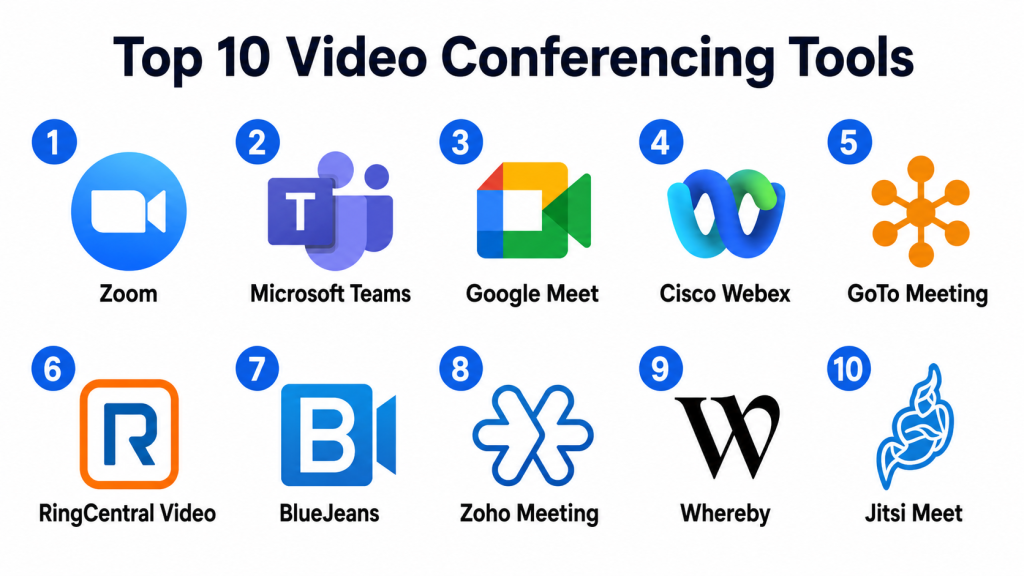
Top 10 Video Conferencing Tools
#1 — Zoom
Short description: Zoom is a widely used video conferencing platform for meetings, webinars, online events, training, interviews, and remote collaboration. It is suitable for individuals, SMBs, enterprises, educators, healthcare teams, and customer-facing businesses.
Key Features
- HD video and audio meetings
- Screen sharing and meeting recording
- Breakout rooms
- Webinars and events
- Meeting chat and reactions
- AI meeting summaries and transcription features
- Calendar and workplace integrations
Pros
- Easy for external guests and clients to join.
- Strong meeting reliability and broad adoption.
- Useful for meetings, webinars, training, and events.
Cons
- Advanced admin and event features may require higher plans.
- Meeting settings need proper configuration for security.
- Some teams may already have video tools inside their productivity suite.
Platforms / Deployment
Web / Windows / macOS / Linux / iOS / Android
Cloud
Security & Compliance
Supports common business security controls such as meeting passwords, waiting rooms, host controls, SSO, encryption options, admin policies, and role-based settings depending on plan and configuration. Specific compliance details should be validated during procurement.
Integrations & Ecosystem
Zoom integrates with many business, education, healthcare, productivity, and customer-facing workflows.
- Calendar tools
- CRM systems
- Learning management systems
- Collaboration platforms
- Webinar and event workflows
- Customer support tools
Support & Community
Zoom provides documentation, admin resources, onboarding materials, support options, and a large global user community. It is one of the most familiar video conferencing tools for business and personal use.
#2 — Microsoft Teams
Short description: Microsoft Teams is a collaboration platform that includes video meetings, chat, file sharing, calling, webinars, and workplace collaboration. It is best suited for organizations already using Microsoft workplace tools.
Key Features
- Video meetings and calls
- Team chat and channels
- Screen sharing and recording
- Calendar integration
- File collaboration
- Webinars and live events
- Admin and security controls
Pros
- Strong fit for Microsoft-centered organizations.
- Combines meetings, chat, files, and collaboration in one workspace.
- Good enterprise governance and admin controls.
Cons
- Interface can feel heavy for simple meeting-only needs.
- Best value depends on Microsoft ecosystem adoption.
- Guest access and permissions may require careful setup.
Platforms / Deployment
Web / Windows / macOS / Linux / iOS / Android
Cloud
Security & Compliance
Supports Microsoft identity, SSO, MFA, access policies, encryption, admin controls, retention settings, and compliance-related features depending on plan and configuration.
Integrations & Ecosystem
Microsoft Teams works deeply with Microsoft productivity and business tools while also supporting many third-party apps.
- Microsoft calendar and email tools
- File collaboration workflows
- Productivity apps
- CRM and business tools
- Automation workflows
- Enterprise identity systems
Support & Community
Microsoft provides documentation, admin training, enterprise support, partner services, and a large global user community. It is widely used across enterprise and education environments.
#3 — Google Meet
Short description: Google Meet is a video conferencing tool within the Google Workspace ecosystem. It is useful for teams, schools, businesses, and individuals who need simple and reliable video meetings connected with Google Calendar, Gmail, and Drive.
Key Features
- Browser-based video meetings
- Screen sharing and captions
- Calendar-based meeting scheduling
- Meeting recording on supported plans
- Mobile and web access
- Integration with Google Workspace
- Host controls and participant management
Pros
- Very easy to join through a browser.
- Strong fit for Google Workspace users.
- Simple meeting experience for internal and external participants.
Cons
- Advanced webinar and event features may be limited compared with specialist platforms.
- Best value is inside Google Workspace.
- Some advanced admin features depend on plan.
Platforms / Deployment
Web / iOS / Android
Cloud
Security & Compliance
Security depends on Google Workspace configuration. Supports Google account security, admin controls, meeting host controls, data protection, and identity options depending on plan.
Integrations & Ecosystem
Google Meet works naturally with Google Workspace and common productivity workflows.
- Google Calendar
- Gmail
- Google Drive
- Google Chat
- Classroom and education workflows
- Workspace administration tools
Support & Community
Google provides help documentation, admin support depending on plan, and a large user community across business, education, and personal use.
#4 — Cisco Webex
Short description: Cisco Webex is an enterprise video conferencing and collaboration platform used for meetings, webinars, calling, messaging, and hybrid work. It is suitable for enterprises, regulated industries, and organizations needing strong meeting controls.
Key Features
- Video meetings and webinars
- Screen sharing and recording
- Meeting transcription and assistant features
- Calling and messaging options
- Room device support
- Enterprise administration
- Security and compliance controls
Pros
- Strong enterprise meeting and room system capabilities.
- Good fit for security-conscious organizations.
- Useful for hybrid work and large meeting environments.
Cons
- May feel more enterprise-oriented than small teams need.
- Setup and administration can require planning.
- Some features may depend on selected package and hardware ecosystem.
Platforms / Deployment
Web / Windows / macOS / Linux / iOS / Android
Cloud / Hybrid options may vary by deployment
Security & Compliance
Supports common enterprise security expectations such as encryption options, SSO, access controls, admin policies, meeting locks, role controls, and audit-related capabilities. Specific compliance details should be validated during procurement.
Integrations & Ecosystem
Cisco Webex connects with workplace, calling, hardware, productivity, and enterprise collaboration systems.
- Calendar tools
- Collaboration platforms
- Calling systems
- Room devices
- CRM and productivity tools
- Enterprise identity providers
Support & Community
Cisco provides enterprise support, documentation, deployment resources, partner services, and strong support for large organizations and IT-managed environments.
#5 — GoTo Meeting
Short description: GoTo Meeting is a video conferencing platform designed for online meetings, business calls, screen sharing, and remote collaboration. It is useful for SMBs, consultants, sales teams, and organizations needing dependable meeting tools.
Key Features
- Video and audio meetings
- Screen sharing
- Meeting recording
- Mobile meeting access
- Calendar integrations
- Drawing and collaboration tools
- Admin controls
Pros
- Reliable option for business meetings.
- Simple meeting experience for small and mid-sized teams.
- Useful for client calls and remote collaboration.
Cons
- May not have the same ecosystem depth as larger collaboration suites.
- Advanced webinar features may require related products.
- Some teams may prefer platforms already included with their workplace suite.
Platforms / Deployment
Web / Windows / macOS / iOS / Android
Cloud
Security & Compliance
Supports common business meeting security controls such as meeting passwords, access controls, and admin settings. Specific compliance details should be validated with the vendor.
Integrations & Ecosystem
GoTo Meeting connects with common calendar, productivity, and business workflows.
- Calendar tools
- Email systems
- Productivity platforms
- Meeting room workflows
- CRM workflows
- Webinar-related tools
Support & Community
GoTo provides documentation, customer support, onboarding resources, and business meeting guidance. It is commonly used by SMB and professional services teams.
#6 — RingCentral Video
Short description: RingCentral Video is part of RingCentral’s communication platform, combining video meetings with messaging and business calling workflows. It is useful for organizations that want meetings, phone, and team communication in one communication stack.
Key Features
- Video meetings
- Team messaging
- Screen sharing
- File sharing
- Meeting recording
- Calendar integration
- Business communication suite support
Pros
- Good fit for teams using RingCentral for business communication.
- Combines video, messaging, and calling workflows.
- Useful for distributed teams and customer-facing communication.
Cons
- Best value depends on RingCentral ecosystem adoption.
- May not be the first choice for teams needing only standalone video meetings.
- Some advanced features may depend on package.
Platforms / Deployment
Web / Windows / macOS / iOS / Android
Cloud
Security & Compliance
Supports common business communication security controls such as user permissions, access controls, encryption options, and admin settings depending on plan and configuration.
Integrations & Ecosystem
RingCentral Video integrates with communication, productivity, CRM, and business workflows.
- Calendar platforms
- CRM systems
- Business phone workflows
- Team messaging
- Productivity apps
- Customer communication tools
Support & Community
RingCentral provides documentation, support resources, onboarding assistance, and business communication guidance. It is strong for organizations standardizing communication tools.
#7 — BlueJeans
Short description: BlueJeans is a video conferencing platform known for business meetings, webinars, room systems, and enterprise collaboration. It has historically been used by organizations needing professional video meeting experiences.
Key Features
- Video meetings
- Screen sharing
- Meeting recording
- Webinar and event support
- Room system support
- Meeting analytics
- Business meeting controls
Pros
- Good fit for professional video meetings and room-based collaboration.
- Useful for organizations with structured meeting needs.
- Supports business-grade meeting workflows.
Cons
- Market availability and product direction should be validated before procurement.
- May not have the same current ecosystem momentum as larger platforms.
- Buyers should verify long-term support and feature roadmap.
Platforms / Deployment
Web / Windows / macOS / iOS / Android
Cloud
Security & Compliance
Supports common business meeting security controls such as meeting access settings, encryption options, and admin features. Specific compliance and product availability details should be verified with the vendor.
Integrations & Ecosystem
BlueJeans has supported business meeting, room, calendar, and event workflows.
- Calendar tools
- Room systems
- Productivity platforms
- Event workflows
- Meeting analytics
- Business communication tools
Support & Community
Support and community strength should be validated based on current product availability, customer requirements, and vendor roadmap.
#8 — Zoho Meeting
Short description: Zoho Meeting is a web conferencing and webinar platform for online meetings, remote collaboration, product demos, training, and business communication. It is especially useful for organizations already using Zoho products.
Key Features
- Online meetings
- Webinars
- Screen sharing
- Meeting recording
- Registration and attendee management for webinars
- Browser-based access
- Integration with Zoho ecosystem
Pros
- Good fit for Zoho users and SMBs.
- Simple browser-based meeting experience.
- Useful for meetings and webinars at practical pricing levels.
Cons
- May not match enterprise depth of larger platforms.
- Advanced room system or event needs should be validated.
- Best value is often inside the Zoho ecosystem.
Platforms / Deployment
Web / iOS / Android
Cloud
Security & Compliance
Supports common meeting security features such as access controls, meeting locks, and data protection settings. Specific compliance details should be validated during procurement.
Integrations & Ecosystem
Zoho Meeting connects with Zoho’s wider business suite and common meeting workflows.
- Zoho CRM
- Zoho Calendar
- Zoho Projects
- Zoho Desk
- Email workflows
- Webinar workflows
Support & Community
Zoho provides documentation, support resources, onboarding materials, and a large product ecosystem. It is practical for SMBs and Zoho-centered businesses.
#9 — Whereby
Short description: Whereby is a browser-based video meeting tool focused on simple meeting rooms, easy guest access, and lightweight video collaboration. It is useful for consultants, startups, healthcare workflows, educators, and teams that want minimal setup.
Key Features
- Browser-based video meetings
- Permanent meeting rooms
- Screen sharing
- Recording on supported plans
- Custom branding options
- Embeddable video workflows
- Guest-friendly joining experience
Pros
- Very easy for external participants to join.
- Good for lightweight meetings and client calls.
- Useful for embedded video experiences.
Cons
- May not fit large enterprise meeting governance needs.
- Advanced webinar and event functionality may be limited.
- Feature depth depends on plan and use case.
Platforms / Deployment
Web / iOS / Android through browser and apps
Cloud
Security & Compliance
Supports common meeting access controls, room locks, and privacy settings. Specific compliance details should be validated during vendor review, especially for sensitive use cases.
Integrations & Ecosystem
Whereby supports lightweight meeting workflows and embedded video use cases.
- Calendar workflows
- Website embedding
- Customer-facing video workflows
- Scheduling tools
- Productivity apps
- API-based workflows where available
Support & Community
Whereby provides documentation, support resources, and guidance for simple video meeting and embedded video workflows.
#10 — Jitsi Meet
Short description: Jitsi Meet is an open-source-friendly video conferencing option used for browser-based meetings, private deployments, education, communities, and organizations that want flexible hosting options. It is suitable for teams that value control and open-source flexibility.
Key Features
- Browser-based video meetings
- Screen sharing
- Meeting chat
- Password-protected rooms
- Open-source-friendly deployment
- Self-hosting options
- Basic moderation controls
Pros
- Strong option for teams wanting open-source flexibility.
- Can be self-hosted for more control.
- Easy to start for simple browser-based meetings.
Cons
- Self-hosting requires technical knowledge.
- Enterprise support and governance depend on deployment model.
- Advanced business features may require additional configuration.
Platforms / Deployment
Web / iOS / Android
Cloud / Self-hosted / Hybrid
Security & Compliance
Security depends on deployment, configuration, hosting, and administrative controls. Specific compliance details are not publicly stated as one standard and should be validated based on implementation.
Integrations & Ecosystem
Jitsi Meet can be used in open-source, education, community, and custom application workflows.
- Self-hosted environments
- Web embedding
- Open-source collaboration workflows
- Custom applications
- Education platforms
- Developer integrations
Support & Community
Jitsi has community documentation, open-source resources, and deployment guidance. Formal support depends on hosting provider, implementation model, or service partner.
Comparison Table
| Tool Name | Best For | Platform(s) Supported | Deployment | Standout Feature | Public Rating |
|---|---|---|---|---|---|
| Zoom | Meetings, webinars, training, and events | Web, Windows, macOS, Linux, iOS, Android | Cloud | Easy external meetings and strong webinar support | N/A |
| Microsoft Teams | Microsoft-centered workplace collaboration | Web, Windows, macOS, Linux, iOS, Android | Cloud | Meetings, chat, files, and collaboration together | N/A |
| Google Meet | Google Workspace video meetings | Web, iOS, Android | Cloud | Simple browser-based meetings with Google integration | N/A |
| Cisco Webex | Enterprise meetings and hybrid work | Web, Windows, macOS, Linux, iOS, Android | Cloud / Hybrid options vary | Enterprise meeting controls and room support | N/A |
| GoTo Meeting | SMB and professional business meetings | Web, Windows, macOS, iOS, Android | Cloud | Reliable business meeting experience | N/A |
| RingCentral Video | Unified business communication | Web, Windows, macOS, iOS, Android | Cloud | Video connected with messaging and calling | N/A |
| BlueJeans | Professional meetings and room collaboration | Web, Windows, macOS, iOS, Android | Cloud | Business-grade video meetings and room support | N/A |
| Zoho Meeting | Zoho users and SMB webinars | Web, iOS, Android | Cloud | Simple meetings and webinars inside Zoho ecosystem | N/A |
| Whereby | Lightweight browser-based client meetings | Web, iOS, Android | Cloud | Guest-friendly meeting rooms | N/A |
| Jitsi Meet | Open-source and self-hosted video meetings | Web, iOS, Android | Cloud / Self-hosted / Hybrid | Open-source flexibility and self-hosting | N/A |
Evaluation & Scoring of Video Conferencing Tools
| Tool Name | Core (25%) | Ease (15%) | Integrations (15%) | Security (10%) | Performance (10%) | Support (10%) | Value (15%) | Weighted Total (0–10) |
|---|---|---|---|---|---|---|---|---|
| Zoom | 9.3 | 9.0 | 9.0 | 8.8 | 9.2 | 8.8 | 8.3 | 8.93 |
| Microsoft Teams | 9.0 | 8.0 | 9.2 | 9.2 | 8.8 | 8.8 | 8.5 | 8.78 |
| Google Meet | 8.3 | 9.0 | 8.5 | 8.8 | 8.8 | 8.2 | 8.7 | 8.59 |
| Cisco Webex | 9.0 | 8.0 | 8.7 | 9.2 | 8.8 | 8.7 | 7.8 | 8.58 |
| GoTo Meeting | 8.2 | 8.5 | 8.0 | 8.3 | 8.5 | 8.2 | 8.0 | 8.24 |
| RingCentral Video | 8.4 | 8.4 | 8.5 | 8.5 | 8.5 | 8.3 | 8.1 | 8.38 |
| BlueJeans | 8.0 | 8.0 | 7.8 | 8.2 | 8.2 | 7.8 | 7.5 | 7.92 |
| Zoho Meeting | 8.0 | 8.7 | 8.0 | 8.0 | 8.2 | 8.0 | 8.6 | 8.22 |
| Whereby | 7.8 | 9.2 | 7.6 | 7.8 | 8.0 | 7.8 | 8.4 | 8.06 |
| Jitsi Meet | 7.8 | 8.0 | 7.8 | 7.8 | 7.8 | 7.5 | 9.0 | 7.93 |
These scores are comparative and should be used as a shortlisting guide. A higher score does not mean the platform is best for every team. Zoom may be stronger for external meetings and webinars, Microsoft Teams may be better for Microsoft-centered organizations, and Jitsi Meet may be better for teams that want open-source flexibility. Buyers should validate meeting quality, security controls, integrations, admin needs, and pricing before making a final decision.
Which Video Conferencing Tool Is Right for You?
Solo / Freelancer
Solo professionals usually need simple, affordable, and reliable video meetings. Zoom, Google Meet, Whereby, Zoho Meeting, and Jitsi Meet can be practical options depending on the use case.
If you regularly meet clients, Zoom or Whereby can be useful because guests can join easily. If you already use Google Workspace, Google Meet is convenient. If you want open-source flexibility, Jitsi Meet is worth considering.
SMB
Small and medium businesses should focus on ease of use, screen sharing, recordings, calendar integration, meeting reliability, guest access, and pricing. Zoom, Google Meet, Microsoft Teams, Zoho Meeting, and GoTo Meeting are strong choices.
If the business already uses Microsoft tools, Microsoft Teams is practical. If the business uses Google Workspace, Google Meet is easy to adopt. If webinars and external meetings are important, Zoom or Zoho Meeting may be more suitable.
Mid-Market
Mid-market organizations usually need admin controls, meeting analytics, integrations, recordings, guest access, webinars, and team collaboration. Zoom, Microsoft Teams, Cisco Webex, RingCentral Video, and GoTo Meeting are strong options.
If the company wants meetings, chat, and calls in one communication stack, Microsoft Teams or RingCentral Video may fit well. If meeting quality and external access are top priorities, Zoom is a strong option.
Enterprise
Enterprise organizations should focus on governance, security, SSO, admin policies, compliance support, recording controls, room systems, webinar scale, integrations, and support. Microsoft Teams, Cisco Webex, Zoom, RingCentral Video, and Google Meet are strong starting points.
Microsoft Teams fits Microsoft-centered enterprises. Cisco Webex is strong for enterprise meeting controls and hybrid room systems. Zoom is practical for large external meetings, training, webinars, and events.
Budget vs Premium
Budget-conscious teams may consider Google Meet, Zoho Meeting, Whereby, Jitsi Meet, or included tools from existing productivity suites. These may be enough for simple meetings and small teams.
Premium buyers should evaluate Zoom, Microsoft Teams, Cisco Webex, RingCentral Video, and GoTo Meeting if they need advanced admin controls, webinars, room systems, support, and enterprise governance.
Feature Depth vs Ease of Use
Zoom, Microsoft Teams, Cisco Webex, and RingCentral Video offer deeper business capabilities but may require more setup. Google Meet, Whereby, Zoho Meeting, and Jitsi Meet are simpler for many users.
The right choice depends on whether the team needs simple meetings, enterprise governance, webinars, training, customer-facing demos, or full communication suite features.
Integrations & Scalability
Video conferencing tools become more valuable when integrated with calendars, email, chat, CRM, LMS, support tools, project management software, and webinar workflows. These integrations reduce manual scheduling and improve meeting follow-up.
Before choosing a platform, map your most common meeting workflows. Sales teams may need CRM integration, training teams may need LMS integration, and enterprises may need room systems and identity controls.
Security & Compliance Needs
Video conferencing tools may include sensitive business discussions, customer information, recordings, chat messages, files, and transcripts. Buyers should review SSO, MFA, encryption, waiting rooms, meeting locks, recording permissions, retention policies, and admin controls.
For regulated industries, legal, IT, security, and compliance teams should review the platform before rollout. Meeting security depends not only on the tool, but also on how hosts configure meetings and share access.
Frequently Asked Questions
1. What are video conferencing tools?
Video conferencing tools are software platforms that allow people to meet through live video and audio. They often include screen sharing, chat, recording, meeting scheduling, and collaboration features.
2. Who uses video conferencing tools?
Remote teams, businesses, educators, trainers, consultants, sales teams, support teams, healthcare providers, recruiters, and communities use video conferencing tools for communication and collaboration.
3. What is the difference between video conferencing and webinar software?
Video conferencing is usually designed for interactive meetings where participants can speak and collaborate. Webinar software is designed for larger audience sessions with registration, Q&A, polls, and presenter controls.
4. How much do video conferencing tools cost?
Pricing varies by vendor, user count, meeting length, participant limits, webinar needs, storage, admin controls, and support level. Some tools are included with productivity suites, while others use separate plans.
5. What features should I look for first?
Start with video quality, audio quality, screen sharing, meeting recording, participant limits, calendar integration, security controls, mobile support, and ease of joining for external guests.
6. Are video conferencing tools secure?
Many video platforms include security features such as passwords, waiting rooms, encryption, host controls, SSO, admin policies, and recording permissions. Buyers should validate security based on business needs.
7. Can video conferencing tools integrate with CRM or LMS platforms?
Yes, many tools integrate with CRM, LMS, calendar, email, chat, support, and productivity platforms. Integration is especially useful for sales demos, online training, customer onboarding, and education.
8. What are common video meeting mistakes?
Common mistakes include poor meeting settings, unclear agendas, too many participants, no recording policy, weak audio setup, poor screen sharing discipline, and lack of follow-up after meetings.
9. Which video conferencing tool is best for webinars?
Zoom, Cisco Webex, GoTo-related webinar products, Zoho Meeting, and Microsoft Teams can support webinar-style needs. The best choice depends on attendee size, registration, analytics, and engagement features.
10. Which tool is best for small teams?
Google Meet, Zoom, Zoho Meeting, Whereby, and Microsoft Teams are practical for small teams. The best option depends on existing tools, budget, and whether meetings are mostly internal or client-facing
Conclusion
Video Conferencing Tools help organizations communicate, collaborate, train, sell, support customers, and run meetings across locations. The best platform depends on meeting type, company size, existing software stack, security needs, webinar requirements, and user experience expectations. Zoom is strong for external meetings, webinars, and training. Microsoft Teams is practical for Microsoft-centered organizations. Google Meet works well for Google Workspace users. Cisco Webex is strong for enterprise meeting controls, while GoTo Meeting, RingCentral Video, Zoho Meeting, Whereby, BlueJeans, and Jitsi Meet each serve different needs around simplicity, communication suites, open-source flexibility, and lightweight meetings.
