Upgrade & Secure Your Future with DevOps, SRE, DevSecOps, MLOps!
We spend hours scrolling social media and waste money on things we forget, but won’t spend 30 minutes a day earning certifications that can change our lives.
Master in DevOps, SRE, DevSecOps & MLOps by DevOps School!
Learn from Guru Rajesh Kumar and double your salary in just one year.
Introduction
Call Center Software helps businesses manage inbound and outbound customer calls, agent workflows, call routing, call recording, reporting, customer conversations, and service performance. In simple words, it gives support, sales, service, and operations teams one system to handle customer phone communication in a more organized and measurable way.
Call center software matters because customers expect faster responses, smoother conversations, and support across multiple channels. Modern call centers are no longer only about phone calls. Many platforms now support voice, chat, SMS, email, social messaging, AI assistance, automation, analytics, and CRM integration.
Common use cases include customer support, sales calling, helpdesk operations, appointment booking, technical support, collections, service dispatch, lead follow-up, and customer retention.
Buyers should evaluate:
- Call routing and IVR features
- Inbound and outbound calling
- Call recording and monitoring
- Agent dashboards
- CRM and helpdesk integrations
- AI, automation, and self-service features
- Workforce management capabilities
- Reporting and analytics
- Security and compliance controls
- Pricing, scalability, and support quality
Best for: customer support teams, sales teams, helpdesk teams, contact centers, BPOs, healthcare service teams, financial service teams, SaaS companies, eCommerce businesses, and enterprises that handle high customer call volume.
Not ideal for: very small teams that only receive a few calls per week. In such cases, a simple business phone system, shared inbox, or CRM calling feature may be enough.
Key Trends in Call Center Software
- AI-assisted agent support: Call center platforms are using AI to suggest responses, summarize calls, detect sentiment, and help agents resolve issues faster.
- Omnichannel customer service: Businesses want voice, chat, email, SMS, WhatsApp-style messaging, and social channels in one customer conversation view.
- Cloud-first contact centers: Many teams prefer cloud-based call center tools because they are easier to deploy, scale, and manage across remote agents.
- Smarter call routing: Skills-based routing, queue routing, priority routing, and customer history-based routing are becoming more important for better service.
- Self-service and automation: IVR, chatbots, voice bots, knowledge base suggestions, and automated workflows help reduce repetitive agent workload.
- Customer experience analytics: Leaders want visibility into call volume, wait time, abandon rate, resolution time, sentiment, agent performance, and customer satisfaction.
- Remote and hybrid agent support: Call center software now needs strong browser-based access, softphones, supervisor monitoring, and secure remote login controls.
- Quality management: Call recording, call scoring, coaching, monitoring, and performance dashboards are increasingly important for improving agent performance.
- CRM-connected service: Customer conversations are more useful when connected with CRM records, support tickets, purchase history, and account data.
- Security and compliance governance: Call centers handle sensitive customer information, so buyers need encryption, access controls, audit logs, recording permissions, and privacy controls.
How We Selected These Tools
The top Call Center Software platforms in this guide were selected using a practical evaluation model focused on communication quality, customer experience, scalability, and business fit. The selection considered:
- Market adoption and recognition among support, sales, and service teams
- Feature completeness across inbound calls, outbound calls, routing, recording, analytics, and automation
- Fit for SMBs, mid-market companies, enterprises, and high-volume contact centers
- Ease of use for agents, supervisors, admins, and remote teams
- Integration ecosystem with CRM, helpdesk, workforce management, and productivity tools
- Security posture signals such as access controls, encryption, permissions, and auditability
- Reliability and performance for business-critical calling
- AI, automation, self-service, and analytics capabilities
- Support for omnichannel communication
- Practical trade-offs such as pricing, setup effort, administration, and training needs
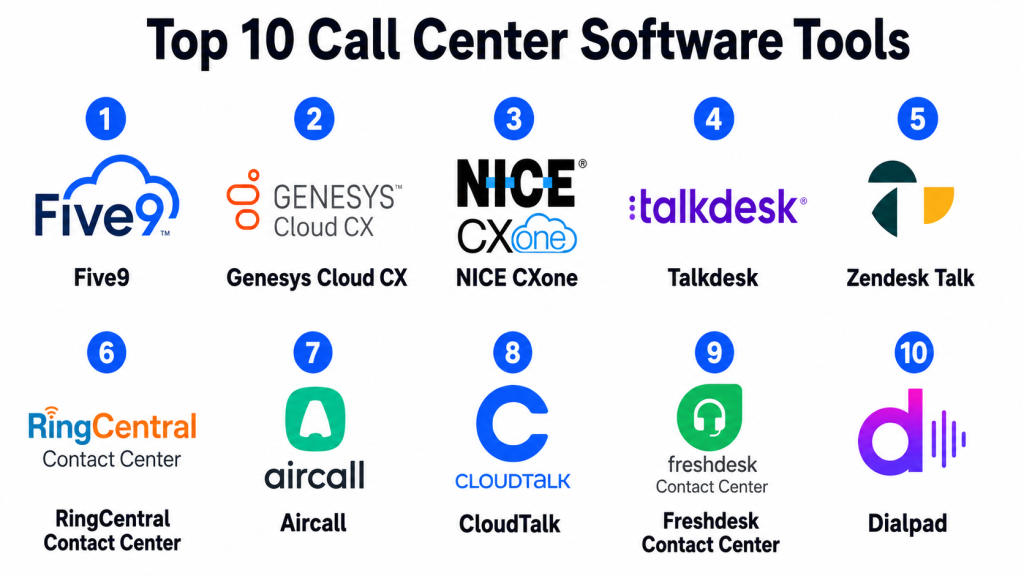
Top 10 Call Center Software Tools
#1 — Five9
Short description: Five9 is a cloud contact center platform designed for customer service, sales, and enterprise contact center operations. It supports inbound and outbound calling, omnichannel engagement, automation, analytics, and workforce optimization.
Key Features
- Inbound and outbound call management
- Intelligent call routing
- IVR and self-service workflows
- Omnichannel customer engagement
- Agent desktop and supervisor tools
- Call recording and quality management
- Analytics and performance dashboards
Pros
- Strong fit for mid-market and enterprise contact centers.
- Good support for high-volume call operations.
- Useful for teams needing voice, automation, and analytics together.
Cons
- May be more advanced than small teams need.
- Implementation can require planning and admin training.
- Pricing and packaging should be reviewed carefully.
Platforms / Deployment
Web
Cloud
Security & Compliance
Supports common enterprise security expectations such as access controls, user permissions, encryption, and audit-related capabilities. Specific compliance details should be validated during procurement.
Integrations & Ecosystem
Five9 integrates with CRM, service, workforce, and business systems to support full customer service workflows.
- CRM platforms
- Helpdesk systems
- Workforce management tools
- Quality management systems
- Analytics platforms
- Customer data workflows
Support & Community
Five9 provides documentation, customer support, onboarding resources, professional services, and enterprise contact center guidance. It is widely recognized among contact center teams.
#2 — Genesys Cloud CX
Short description: Genesys Cloud CX is a cloud-based customer experience and contact center platform for voice, digital channels, workforce engagement, AI, analytics, and customer journey management. It is suitable for enterprises and complex customer service operations.
Key Features
- Voice and digital engagement
- Intelligent routing
- IVR and self-service automation
- Workforce engagement tools
- AI-assisted customer experience features
- Customer journey analytics
- Supervisor and reporting dashboards
Pros
- Strong enterprise customer experience platform.
- Good for complex omnichannel contact centers.
- Useful for organizations needing workforce and journey insights.
Cons
- May require careful implementation planning.
- Can be complex for smaller teams.
- Full value depends on strong process and data maturity.
Platforms / Deployment
Web
Cloud
Security & Compliance
Supports enterprise security expectations such as access controls, identity integrations, encryption, permissions, and audit-related features. Specific compliance details should be verified during vendor review.
Integrations & Ecosystem
Genesys Cloud CX integrates with CRM, workforce, analytics, customer data, and communication systems.
- CRM systems
- Workforce management tools
- Customer data platforms
- Helpdesk systems
- Analytics tools
- Digital engagement channels
Support & Community
Genesys provides enterprise support, documentation, implementation resources, training, and partner services. It is strong for large customer experience programs.
#3 — NICE CXone
Short description: NICE CXone is a cloud contact center platform focused on customer experience, omnichannel routing, workforce engagement, analytics, automation, and quality management. It is best suited for larger support and contact center teams.
Key Features
- Omnichannel contact center support
- Inbound and outbound voice
- Workforce management
- Quality management and recording
- AI and automation features
- Analytics and reporting
- Customer interaction management
Pros
- Strong contact center depth for enterprise teams.
- Good workforce and quality management capabilities.
- Useful for complex service environments.
Cons
- May be too robust for small businesses.
- Setup and process design can require expert support.
- Buyers should carefully evaluate package complexity.
Platforms / Deployment
Web
Cloud
Security & Compliance
Supports common enterprise-grade security controls such as permissions, data protection, access management, and auditability. Specific compliance details should be confirmed during procurement.
Integrations & Ecosystem
NICE CXone connects with contact center, CRM, workforce, reporting, and customer experience systems.
- CRM platforms
- Workforce optimization tools
- Helpdesk systems
- Analytics platforms
- Quality management workflows
- Customer engagement channels
Support & Community
NICE provides documentation, customer support, enterprise services, training, and implementation resources. It is well suited for mature contact center operations.
#4 — Talkdesk
Short description: Talkdesk is a cloud contact center platform for customer service, sales, and support teams. It combines voice, digital channels, automation, analytics, and agent productivity tools in a modern cloud environment.
Key Features
- Cloud-based call center operations
- Intelligent routing and IVR
- Omnichannel support
- AI-assisted agent workflows
- Call recording and monitoring
- Analytics and dashboards
- CRM and helpdesk integrations
Pros
- Modern interface and cloud-first design.
- Strong fit for growing support and service teams.
- Good integration options with customer service systems.
Cons
- Advanced features may require higher packages.
- Setup quality affects reporting and automation value.
- Some enterprise needs may require careful validation.
Platforms / Deployment
Web
Cloud
Security & Compliance
Supports common business security features such as role-based permissions, identity options, data protection, and admin controls. Specific compliance details should be validated with the vendor.
Integrations & Ecosystem
Talkdesk integrates with CRM, support, productivity, and customer engagement tools.
- CRM systems
- Helpdesk platforms
- Workforce tools
- Analytics systems
- Customer data workflows
- Productivity apps
Support & Community
Talkdesk provides support resources, documentation, onboarding services, customer success guidance, and contact center best-practice content.
#5 — Zendesk Talk
Short description: Zendesk Talk is a call center solution connected with the Zendesk customer service platform. It helps support teams manage customer calls, tickets, call routing, recordings, and service conversations inside a helpdesk workflow.
Key Features
- Call routing and IVR
- Inbound and outbound calling
- Call recording
- Ticket creation from calls
- Agent workspace integration
- Reporting and dashboards
- Customer history visibility
Pros
- Strong fit for teams already using Zendesk.
- Connects calls directly with support tickets.
- Easy for support agents to work from one service workspace.
Cons
- Best value depends on Zendesk ecosystem adoption.
- May not be as deep as dedicated enterprise contact center platforms.
- Advanced call center workflows may require additional Zendesk products or integrations.
Platforms / Deployment
Web / iOS / Android
Cloud
Security & Compliance
Supports common Zendesk security controls such as user permissions, access management, data protection, and admin settings depending on plan and configuration. Specific compliance details should be validated during procurement.
Integrations & Ecosystem
Zendesk Talk works closely with Zendesk support workflows and connects with broader customer service systems.
- Zendesk support tools
- CRM systems
- Customer data workflows
- Reporting tools
- Messaging channels
- Productivity integrations
Support & Community
Zendesk provides documentation, customer support, onboarding resources, training materials, and a large customer service community.
#6 — RingCentral Contact Center
Short description: RingCentral Contact Center is a cloud contact center solution for voice, omnichannel communication, routing, analytics, and workforce engagement. It is useful for teams that want contact center capabilities connected with business communication tools.
Key Features
- Inbound and outbound calling
- Omnichannel customer communication
- IVR and call routing
- Call recording and monitoring
- Workforce and supervisor tools
- Analytics and reporting
- Business communication integrations
Pros
- Strong option for unified communication and contact center needs.
- Good for organizations already using RingCentral.
- Useful for distributed and remote service teams.
Cons
- Best value depends on communication stack alignment.
- Advanced contact center features may require specific packages.
- Buyers should validate integration and reporting requirements.
Platforms / Deployment
Web / Windows / macOS / iOS / Android
Cloud
Security & Compliance
Supports common business communication security controls such as access management, encryption options, permissions, and admin settings depending on plan and configuration.
Integrations & Ecosystem
RingCentral Contact Center integrates with communication, CRM, support, and business productivity workflows.
- CRM tools
- Helpdesk platforms
- Business phone systems
- Productivity apps
- Workforce management tools
- Analytics workflows
Support & Community
RingCentral provides documentation, customer support, onboarding resources, implementation guidance, and a business communication user community.
#7 — Aircall
Short description: Aircall is a cloud-based phone and call center platform for sales and support teams. It is especially useful for SMB and mid-market teams that need simple call management, CRM integration, and fast setup.
Key Features
- Cloud phone system
- Inbound and outbound calls
- Call routing and queues
- Call recording
- Shared call inbox
- CRM and helpdesk integrations
- Team analytics
Pros
- Easy to set up and use.
- Strong CRM and helpdesk integration focus.
- Good for SMB sales and support teams.
Cons
- May not match deep enterprise contact center platforms.
- Advanced workforce management may require other tools.
- Large-scale contact centers should validate scalability needs.
Platforms / Deployment
Web / Windows / macOS / iOS / Android
Cloud
Security & Compliance
Supports common business security features such as account controls, permissions, and data protection options. Specific compliance details should be verified during vendor review.
Integrations & Ecosystem
Aircall integrates with common CRM, helpdesk, sales, and productivity tools.
- CRM platforms
- Helpdesk systems
- Sales engagement tools
- Productivity apps
- Reporting workflows
- Customer support workflows
Support & Community
Aircall provides support, documentation, onboarding resources, and practical guidance for sales and support call workflows.
#8 — CloudTalk
Short description: CloudTalk is a cloud call center software platform for support and sales teams. It offers calling, routing, analytics, call recording, and integrations for teams that need a practical voice communication system.
Key Features
- Inbound and outbound calling
- Call routing and queues
- IVR and call flows
- Call recording
- Agent analytics
- CRM integrations
- International calling support
Pros
- Practical option for SMB and mid-market teams.
- Good call routing and analytics features.
- Useful for sales and support operations.
Cons
- May not fit very complex enterprise contact centers.
- Advanced features may depend on selected plan.
- Call quality and availability should be tested for target regions.
Platforms / Deployment
Web / Windows / macOS / iOS / Android
Cloud
Security & Compliance
Supports common security controls such as account permissions, access management, and data protection features. Specific compliance details should be validated during procurement.
Integrations & Ecosystem
CloudTalk integrates with CRM, helpdesk, sales, and customer service systems.
- CRM tools
- Helpdesk platforms
- Sales platforms
- Productivity apps
- Reporting tools
- Customer communication workflows
Support & Community
CloudTalk provides documentation, support resources, onboarding help, and guidance for cloud calling and call center setup.
#9 — Freshdesk Contact Center
Short description: Freshdesk Contact Center is a cloud phone and call center solution connected with Freshworks customer service workflows. It helps teams manage customer calls, call routing, agent performance, and support conversations.
Key Features
- Cloud phone system
- Call routing and IVR
- Call recording
- Agent and team analytics
- Customer context
- Support ticket connection
- Remote agent access
Pros
- Good fit for teams using Freshworks products.
- Simple cloud calling experience for support teams.
- Useful for SMB and mid-market service operations.
Cons
- May not offer the same depth as large enterprise contact center suites.
- Best value depends on Freshworks ecosystem adoption.
- Complex workforce management needs may require additional tools.
Platforms / Deployment
Web / iOS / Android
Cloud
Security & Compliance
Supports common platform security features such as user permissions, access controls, and data protection settings. Specific compliance details depend on plan and configuration.
Integrations & Ecosystem
Freshdesk Contact Center works well with Freshworks service workflows and common business systems.
- Freshdesk support workflows
- CRM platforms
- Customer service tools
- Reporting dashboards
- Productivity apps
- Customer data workflows
Support & Community
Freshworks provides documentation, support resources, onboarding materials, product training, and a large SMB customer service user community.
#10 — Dialpad
Short description: Dialpad is a cloud communication and contact center platform that supports business calling, contact center workflows, messaging, AI-assisted conversations, and analytics. It is useful for support, sales, and remote teams.
Key Features
- Cloud calling and contact center support
- AI-powered call transcription and summaries
- Call routing and queues
- Agent coaching features
- Messaging and meetings support
- CRM integrations
- Analytics and reporting
Pros
- Strong AI-assisted communication features.
- Useful for distributed sales and support teams.
- Combines calling, messaging, and contact center workflows.
Cons
- Best value depends on team communication needs.
- Buyers should validate call quality in target regions.
- Advanced enterprise contact center needs should be reviewed carefully.
Platforms / Deployment
Web / Windows / macOS / iOS / Android
Cloud
Security & Compliance
Supports common security expectations such as access controls, encryption options, permissions, admin settings, and identity-related features depending on plan and configuration.
Integrations & Ecosystem
Dialpad integrates with CRM, productivity, support, and business communication workflows.
- CRM platforms
- Helpdesk systems
- Productivity tools
- Calendar apps
- Sales workflows
- Customer support workflows
Support & Community
Dialpad provides support resources, documentation, onboarding guidance, and customer success materials. It is suitable for teams wanting AI-assisted business communication.
Comparison Table
| Tool Name | Best For | Platform(s) Supported | Deployment | Standout Feature | Public Rating |
|---|---|---|---|---|---|
| Five9 | Enterprise and high-volume contact centers | Web | Cloud | Advanced cloud contact center workflows | N/A |
| Genesys Cloud CX | Enterprise customer experience operations | Web | Cloud | Omnichannel customer journey management | N/A |
| NICE CXone | Large contact centers and workforce management | Web | Cloud | Workforce, quality, and contact center analytics | N/A |
| Talkdesk | Modern cloud customer service teams | Web | Cloud | Cloud-first contact center with AI and integrations | N/A |
| Zendesk Talk | Zendesk-based support teams | Web, iOS, Android | Cloud | Calls connected directly with support tickets | N/A |
| RingCentral Contact Center | Unified communication and contact center teams | Web, Windows, macOS, iOS, Android | Cloud | Contact center plus business communications | N/A |
| Aircall | SMB sales and support calling | Web, Windows, macOS, iOS, Android | Cloud | Easy cloud calling with CRM integrations | N/A |
| CloudTalk | SMB and mid-market call operations | Web, Windows, macOS, iOS, Android | Cloud | Practical call routing and analytics | N/A |
| Freshdesk Contact Center | Freshworks support teams | Web, iOS, Android | Cloud | Cloud phone system connected with support workflows | N/A |
| Dialpad | AI-assisted sales and support communication | Web, Windows, macOS, iOS, Android | Cloud | AI transcription, summaries, and coaching | N/A |
Evaluation & Scoring of Call Center Software
| Tool Name | Core (25%) | Ease (15%) | Integrations (15%) | Security (10%) | Performance (10%) | Support (10%) | Value (15%) | Weighted Total (0–10) |
|---|---|---|---|---|---|---|---|---|
| Five9 | 9.3 | 7.8 | 9.0 | 8.8 | 9.0 | 8.7 | 7.8 | 8.66 |
| Genesys Cloud CX | 9.5 | 7.5 | 9.0 | 9.0 | 9.0 | 8.8 | 7.5 | 8.64 |
| NICE CXone | 9.4 | 7.4 | 8.8 | 9.0 | 9.0 | 8.7 | 7.5 | 8.58 |
| Talkdesk | 8.8 | 8.3 | 8.7 | 8.5 | 8.7 | 8.4 | 8.0 | 8.52 |
| Zendesk Talk | 8.0 | 8.7 | 8.8 | 8.3 | 8.4 | 8.5 | 8.3 | 8.43 |
| RingCentral Contact Center | 8.7 | 8.2 | 8.7 | 8.5 | 8.6 | 8.4 | 8.0 | 8.43 |
| Aircall | 8.0 | 9.0 | 8.8 | 8.0 | 8.4 | 8.2 | 8.5 | 8.42 |
| CloudTalk | 8.0 | 8.7 | 8.5 | 8.0 | 8.3 | 8.0 | 8.5 | 8.31 |
| Freshdesk Contact Center | 7.8 | 8.8 | 8.5 | 8.0 | 8.2 | 8.2 | 8.5 | 8.28 |
| Dialpad | 8.5 | 8.5 | 8.5 | 8.4 | 8.6 | 8.3 | 8.2 | 8.45 |
These scores are comparative and should be used as a shortlisting guide. A higher score does not mean the tool is best for every call center. For example, Genesys Cloud CX and NICE CXone may fit complex enterprise teams, while Aircall or CloudTalk may be better for SMB sales and support teams. Buyers should validate call quality, regional coverage, integrations, security, pricing, and agent experience before making a final decision.
Which Call Center Software Tool Is Right for You?
Solo / Freelancer
Solo professionals usually do not need full call center software. A simple business phone app, CRM calling feature, or shared customer communication tool may be enough.
If a solo consultant or small agency handles frequent client calls, Aircall, CloudTalk, Freshdesk Contact Center, or Dialpad may be useful because they are easier to adopt than enterprise platforms.
SMB
Small and medium businesses should focus on ease of setup, call routing, call recording, CRM integration, affordability, and simple analytics. Aircall, CloudTalk, Freshdesk Contact Center, Zendesk Talk, and Dialpad are strong options.
If the team already uses Zendesk, Zendesk Talk may be practical. If the business uses Freshworks, Freshdesk Contact Center can fit well. If sales and support teams need strong CRM calling, Aircall or CloudTalk may be useful.
Mid-Market
Mid-market companies usually need stronger routing, supervisor tools, analytics, call monitoring, CRM integration, and automation. Talkdesk, RingCentral Contact Center, Dialpad, Aircall, and CloudTalk are good options depending on workflow complexity.
If AI-assisted calling and summaries are important, Dialpad is worth evaluating. If contact center workflows and customer service scale matter, Talkdesk or RingCentral Contact Center may be stronger.
Enterprise
Enterprise contact centers need advanced routing, workforce management, quality management, security, reporting, omnichannel support, AI automation, and admin controls. Five9, Genesys Cloud CX, NICE CXone, Talkdesk, and RingCentral Contact Center are strong starting points.
Genesys Cloud CX and NICE CXone are suitable for complex customer experience operations. Five9 is strong for enterprise cloud contact centers. Talkdesk is useful for modern cloud-first customer service teams.
Budget vs Premium
Budget-conscious teams should consider simpler cloud call center tools such as Aircall, CloudTalk, Freshdesk Contact Center, Zendesk Talk, or Dialpad depending on existing systems.
Premium buyers should evaluate Five9, Genesys Cloud CX, NICE CXone, Talkdesk, and RingCentral Contact Center if they need advanced routing, workforce tools, quality management, omnichannel service, and enterprise support.
Feature Depth vs Ease of Use
Five9, Genesys Cloud CX, and NICE CXone offer deeper enterprise contact center capabilities but require more planning. Aircall, CloudTalk, Freshdesk Contact Center, and Zendesk Talk are easier to adopt for smaller teams.
The right choice depends on your call volume, team size, customer expectations, reporting needs, and whether you need a full contact center or a simple cloud phone system.
Integrations & Scalability
Call center software becomes more valuable when connected with CRM, helpdesk, ticketing, billing, workforce management, analytics, and customer data systems. Integrations help agents see customer history and reduce repeated questions.
Before choosing a platform, map your workflows. For example, support teams may need ticket creation from calls, while sales teams may need call logging inside CRM records.
Security & Compliance Needs
Call center platforms may store sensitive customer conversations, recordings, payment discussions, personal information, account details, and support history. Buyers should review access controls, encryption, call recording settings, audit logs, retention policies, and admin permissions.
For regulated industries, legal, IT, compliance, and security teams should review the platform before rollout. Call recording rules and customer consent requirements should also be checked carefully.
Frequently Asked Questions
1. What is call center software?
Call center software is a platform that helps businesses manage customer calls, call routing, agent workflows, call recording, analytics, and customer communication. It is used by support, sales, and service teams.
2. What is the difference between call center software and contact center software?
Call center software mainly focuses on voice calls. Contact center software usually supports multiple channels such as voice, chat, email, SMS, social messaging, and self-service.
3. Who uses call center software?
Customer support teams, sales teams, helpdesk teams, BPOs, healthcare service teams, financial service teams, SaaS companies, eCommerce companies, and enterprises use call center software.
4. How much does call center software cost?
Pricing varies by vendor, number of users, call volume, region, phone numbers, features, integrations, support level, and deployment model. Enterprise platforms often use custom pricing.
5. What features should I look for first?
Start with call routing, IVR, call recording, agent dashboards, CRM integration, analytics, supervisor tools, security controls, and call quality. For larger teams, workforce and quality management also matter.
6. Can call center software integrate with CRM tools?
Yes, many call center platforms integrate with CRM tools. This helps agents see customer history, log calls, create tasks, update records, and improve follow-up quality.
7. What are common implementation mistakes?
Common mistakes include poor call flow design, weak CRM integration, unclear queue rules, not training agents, ignoring call quality testing, and failing to define reporting metrics before launch.
8. Is cloud call center software better than on-premise software?
Cloud call center software is easier to deploy and scale for many teams. However, some organizations may prefer self-managed or hybrid systems due to control, compliance, or infrastructure requirements.
9. Which call center software is best for small businesses?
Aircall, CloudTalk, Freshdesk Contact Center, Zendesk Talk, and Dialpad are practical choices for small businesses. The best option depends on budget, CRM system, call volume, and support needs.
10. Which call center software is best for enterprises?
Five9, Genesys Cloud CX, NICE CXone, Talkdesk, and RingCentral Contact Center are strong enterprise options. Enterprise buyers should validate scalability, security, workforce tools, and integration depth.
Conclusion
Call Center Software helps organizations manage customer calls, improve agent productivity, route conversations effectively, record and monitor service quality, and measure customer communication performance. The best platform depends on company size, call volume, customer service model, CRM stack, security needs, and whether the team needs simple voice calling or a full omnichannel contact center.Five9, Genesys Cloud CX, NICE CXone, and Talkdesk are strong for larger and more complex contact centers. Zendesk Talk and Freshdesk Contact Center are practical for teams already using those support ecosystems. RingCentral Contact Center and Dialpad are useful for businesses that want calling connected with broader communication workflows. Aircall and CloudTalk are strong options for SMB and mid-market teams that want fast setup and CRM-connected calling.
