Upgrade & Secure Your Future with DevOps, SRE, DevSecOps, MLOps!
We spend hours scrolling social media and waste money on things we forget, but won’t spend 30 minutes a day earning certifications that can change our lives.
Master in DevOps, SRE, DevSecOps & MLOps by DevOps School!
Learn from Guru Rajesh Kumar and double your salary in just one year.
Introduction
IVR and Voice Bot Platforms help businesses automate phone-based customer interactions. IVR stands for Interactive Voice Response, which lets callers use voice commands or keypad inputs to reach the right department, get information, or complete simple tasks. Voice bots go a step further by using conversational AI to understand spoken language and respond more naturally.
These platforms matter because customers still use phone support for urgent, complex, or high-value issues. At the same time, support teams need to reduce wait times, manage call volume, route customers correctly, and automate repetitive calls such as order status, appointment booking, payment reminders, account verification, and basic troubleshooting.
Common real-world use cases include call routing, self-service support, appointment scheduling, order tracking, payment reminders, customer verification, inbound support automation, outbound voice campaigns, and contact center automation.
Buyers should evaluate:
- IVR flow design and call routing
- Natural language understanding
- Voice bot accuracy and response quality
- Speech-to-text and text-to-speech quality
- Contact center and CRM integrations
- Call analytics and conversation reporting
- Omnichannel support
- Security and compliance controls
- Scalability for call volume
- Ease of building and maintaining voice flows
Best for: contact centers, customer support teams, banks, insurance companies, healthcare providers, telecom companies, eCommerce teams, travel businesses, utilities, BPOs, SaaS companies, and enterprises with high inbound or outbound call volume.
Not ideal for: very small businesses with low call volume may not need a dedicated IVR or voice bot platform. A simple business phone system, live agent support, voicemail routing, or basic call menu may be enough until call volume grows.
Key Trends in IVR & Voice Bot Platforms
- Conversational AI replacing rigid menus: Businesses are moving from “press 1, press 2” menus toward voice bots that understand natural customer language.
- AI-powered self-service: Voice bots are being used to answer repetitive questions, verify customers, collect details, book appointments, and reduce live agent workload.
- Human handoff with context: Better platforms transfer customers to agents with conversation history, intent, caller details, and previous bot actions.
- Voice analytics and sentiment detection: Contact centers want insights into caller frustration, intent, drop-off points, call outcomes, and containment rates.
- Integration with CRM and contact center tools: Voice automation is more useful when connected with customer records, tickets, orders, payments, and service history.
- Multilingual voice support: Businesses serving diverse regions need voice bots that can handle multiple languages, accents, and local service flows.
- Low-code bot building: Non-developer teams want visual builders for call flows, intents, prompts, routing logic, and testing.
- Outbound voice automation: Voice bots are increasingly used for reminders, confirmations, surveys, payment follow-ups, delivery updates, and appointment notifications.
- Security and identity verification: Voice platforms must handle customer authentication, privacy, call recording rules, sensitive data masking, and access control.
- Hybrid automation: The strongest use cases combine IVR, voice bots, live agents, knowledge bases, and analytics instead of relying on automation alone.
How We Selected These Tools
The following IVR and voice bot platforms were selected using practical buyer-focused evaluation logic:
- Market adoption and recognition: Tools widely known in voice automation, contact center, AI customer service, and cloud communications were prioritized.
- Feature completeness: Platforms with IVR, voice bots, speech recognition, call routing, analytics, and integrations were considered stronger.
- Customer fit across segments: The list includes enterprise platforms, cloud-native developer platforms, contact center tools, and AI-first voice automation systems.
- AI and conversation quality: Natural language understanding, voice recognition, handoff quality, and bot flow flexibility were important factors.
- Integration ecosystem: CRM, contact center, help desk, telephony, payment, identity, and analytics integrations were evaluated.
- Reliability and scalability: Voice automation must handle real-time calls, high traffic, and failover scenarios reliably.
- Security posture: Platforms that can support sensitive customer conversations, authentication, permissions, and call governance were prioritized.
- Ease of implementation: Low-code builders, templates, testing tools, and deployment support were considered.
- Analytics and optimization: Reporting on containment, call drop-offs, transfer rates, intent performance, and customer experience was important.
- Practical business value: The final list balances enterprise depth, developer flexibility, contact center alignment, and voice automation capability.
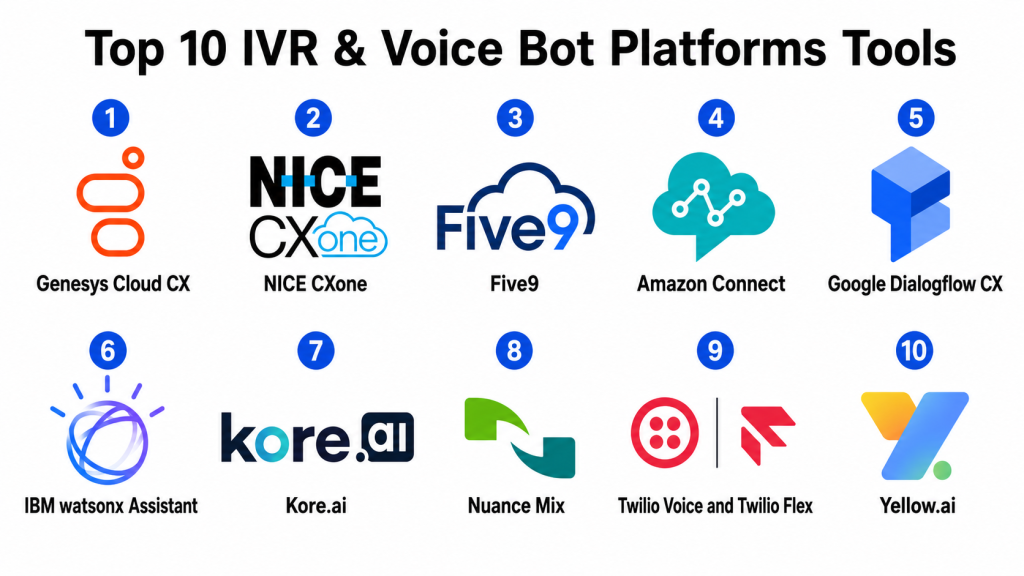
Top 10 IVR & Voice Bot Platforms Tools
#1 — Genesys Cloud CX
Short description: Genesys Cloud CX is a cloud contact center platform with IVR, routing, voice automation, AI-powered customer experience tools, and omnichannel support. It is best suited for mid-market and enterprise organizations with complex service operations.
Key Features
- IVR and intelligent call routing
- Voice and digital customer engagement
- AI-powered self-service support
- Contact center analytics
- Workforce engagement tools
- Omnichannel customer journey support
- CRM and enterprise integrations
Pros
- Strong enterprise-grade contact center foundation.
- Useful for complex routing, large teams, and omnichannel service.
- Good fit for organizations combining agents, IVR, and AI automation.
Cons
- Implementation can require planning and trained administrators.
- May be more than small teams need.
- Full value depends on proper call flow and integration design.
Platforms / Deployment
Web / Windows / macOS / iOS / Android
Cloud
Security & Compliance
Genesys Cloud CX supports enterprise contact center access controls, user management, and customer interaction data workflows. Specific details such as SSO/SAML, MFA, encryption, audit logs, RBAC, SOC 2, ISO 27001, GDPR, or HIPAA should be confirmed during vendor review.
SOC 2 / ISO 27001 / GDPR / HIPAA: Not publicly stated.
Integrations & Ecosystem
Genesys Cloud CX fits into broader customer experience, contact center, CRM, workforce, and analytics ecosystems.
- CRM platforms
- Help desk tools
- Workforce management systems
- Identity providers
- Analytics platforms
- Customer experience tools
Support & Community
Genesys provides documentation, customer success resources, implementation support, training, and partner ecosystem options. Support depth may vary by contract and deployment complexity.
#2 — NICE CXone
Short description: NICE CXone is a cloud contact center platform with IVR, voice routing, AI automation, workforce optimization, analytics, quality management, and omnichannel customer engagement. It is built for larger contact centers and service operations.
Key Features
- IVR and automatic call distribution
- AI-powered routing and automation
- Voice and digital channel support
- Quality monitoring and call recording
- Workforce management tools
- Real-time dashboards
- Customer journey analytics
Pros
- Strong for large contact centers and complex service teams.
- Deep analytics, quality monitoring, and workforce optimization.
- Useful for businesses that need structured service governance.
Cons
- Can be complex for smaller teams.
- Implementation may require experienced admins and process owners.
- Full platform value depends on proper configuration.
Platforms / Deployment
Web / Windows / macOS / iOS / Android
Cloud
Security & Compliance
NICE CXone supports enterprise contact center controls, recording governance, access management, and customer data workflows. Specific security certifications and compliance details should be validated directly.
SOC 2 / ISO 27001 / GDPR / HIPAA: Not publicly stated.
Integrations & Ecosystem
NICE CXone integrates with CRM, workforce, analytics, quality management, and service operations tools.
- CRM systems
- Workforce management platforms
- Help desk tools
- Analytics platforms
- Quality monitoring systems
- Identity providers
Support & Community
NICE provides documentation, enterprise support, professional services, training resources, and partner support. Support quality may vary by contract and implementation model.
#3 — Five9
Short description: Five9 is a cloud contact center platform with IVR, inbound routing, outbound dialing, voice automation, agent tools, and analytics. It is useful for support centers, sales teams, BPOs, and voice-heavy service operations.
Key Features
- IVR and call routing
- Inbound and outbound calling
- Predictive and power dialing options
- Voice and digital engagement support
- Agent desktop tools
- Call recording and analytics
- CRM integrations
Pros
- Strong fit for voice-heavy contact centers.
- Useful for inbound, outbound, and blended call operations.
- Good CRM-connected calling workflows.
Cons
- Advanced setup may require planning.
- Digital channel depth should be validated for specific needs.
- Pricing and features may vary by package.
Platforms / Deployment
Web / Windows / macOS
Cloud
Security & Compliance
Five9 supports contact center access management, call handling controls, and customer interaction workflows. Specific certifications and compliance coverage should be confirmed with the vendor.
SOC 2 / ISO 27001 / GDPR / HIPAA: Not publicly stated.
Integrations & Ecosystem
Five9 works well with CRM, workforce, help desk, and customer service environments.
- CRM platforms
- Help desk tools
- Workforce management systems
- Sales engagement tools
- Analytics tools
- Identity providers
Support & Community
Five9 provides documentation, onboarding support, customer success resources, and professional services. Support experience may vary by plan and deployment complexity.
#4 — Amazon Connect
Short description: Amazon Connect is a cloud contact center service that supports IVR, contact flows, voice automation, chat, analytics, and integrations with AWS services. It is best for teams that want scalable, cloud-native voice automation and custom contact center workflows.
Key Features
- Visual contact flow builder
- IVR and call routing
- Voice and chat support
- AI automation through AWS services
- Customer profiles and analytics
- API-driven customization
- Usage-based cloud model
Pros
- Strong for scalable and customizable contact centers.
- Good fit for organizations with AWS expertise.
- Flexible for custom IVR and voice bot workflows.
Cons
- Requires technical knowledge for advanced setup.
- Less plug-and-play than some packaged enterprise platforms.
- Non-technical teams may need implementation support.
Platforms / Deployment
Web
Cloud
Security & Compliance
Amazon Connect uses AWS security, identity, and access management patterns. Specific compliance coverage depends on AWS configuration, region, services used, and implementation design.
SOC 2 / ISO 27001 / GDPR / HIPAA: Not publicly stated.
Integrations & Ecosystem
Amazon Connect is strongest when connected with AWS services, APIs, CRM platforms, and custom workflows.
- AWS services
- CRM systems
- AI and machine learning services
- Data and analytics platforms
- Customer profile tools
- Custom APIs
Support & Community
Amazon Connect is supported through AWS documentation, technical resources, support plans, and partner ecosystem. Implementation often benefits from cloud and contact center architecture expertise.
#5 — Google Dialogflow CX
Short description: Google Dialogflow CX is a conversational AI platform used to build advanced virtual agents for voice and chat experiences. It is useful for businesses that need natural language understanding, voice bots, and complex conversational flows.
Key Features
- Conversational AI bot building
- Natural language understanding
- Voice and chat virtual agents
- Flow-based conversation design
- Multilingual bot support
- Telephony and contact center integrations
- Analytics and testing tools
Pros
- Strong natural language and AI capabilities.
- Useful for building advanced voice bots and virtual agents.
- Good fit for teams with cloud or conversational AI expertise.
Cons
- Requires bot design and technical implementation skills.
- Not a full contact center by itself.
- Voice experience quality depends on integration and conversation design.
Platforms / Deployment
Web
Cloud
Security & Compliance
Google Dialogflow CX uses Google Cloud security and identity controls. Specific certifications and compliance coverage should be verified based on Google Cloud configuration, region, and implementation.
SOC 2 / ISO 27001 / GDPR / HIPAA: Not publicly stated.
Integrations & Ecosystem
Dialogflow CX integrates with telephony, contact center, messaging, cloud, and custom application environments.
- Contact center platforms
- Telephony systems
- Google Cloud services
- Messaging channels
- CRM systems
- Custom APIs
Support & Community
Google provides cloud documentation, technical support options, developer resources, and community support. Successful deployments often require conversation design and integration expertise.
#6 — IBM watsonx Assistant
Short description: IBM watsonx Assistant is an AI assistant platform used to build conversational experiences across voice, chat, and digital channels. It is suitable for enterprises that need AI-powered self-service, virtual agents, and integration with business systems.
Key Features
- Conversational AI assistant builder
- Voice and chat automation
- Intent recognition and dialog design
- Integration with contact center workflows
- Analytics and conversation improvement tools
- Enterprise deployment support
- Knowledge and service automation
Pros
- Strong fit for enterprise AI assistant use cases.
- Useful for self-service and customer support automation.
- Can support voice bot and digital assistant workflows.
Cons
- Implementation may require AI and integration expertise.
- Best value comes with clear use cases and trained content.
- Buyers should validate voice channel depth for specific workflows.
Platforms / Deployment
Web
Cloud / Hybrid
Security & Compliance
IBM watsonx Assistant supports enterprise AI assistant workflows and business access controls. Specific security certifications, compliance details, and deployment controls should be verified during procurement.
SOC 2 / ISO 27001 / GDPR / HIPAA: Not publicly stated.
Integrations & Ecosystem
IBM watsonx Assistant connects with customer service systems, contact center platforms, cloud services, and enterprise applications.
- Contact center platforms
- CRM systems
- Knowledge bases
- Enterprise applications
- Cloud services
- Custom APIs
Support & Community
IBM provides documentation, enterprise support, implementation resources, partner services, and technical guidance. Support depth depends on contract and deployment model.
#7 — Kore.ai
Short description: Kore.ai is an enterprise conversational AI platform that supports voice bots, chatbots, virtual assistants, contact center automation, and customer self-service. It is built for companies that need AI automation across multiple channels.
Key Features
- Voice bot and chatbot builder
- Natural language understanding
- Contact center automation
- Agent assist capabilities
- Multichannel deployment
- Analytics and conversation insights
- Enterprise integrations
Pros
- Strong enterprise conversational AI capabilities.
- Useful for voice, chat, and customer self-service automation.
- Supports complex bot workflows across channels.
Cons
- Requires planning and conversation design expertise.
- May be more advanced than smaller teams need.
- Implementation scope should be controlled carefully.
Platforms / Deployment
Web
Cloud / Hybrid
Security & Compliance
Kore.ai supports enterprise conversational AI workflows, user management, and access controls. Specific compliance certifications and security controls should be confirmed with the vendor.
SOC 2 / ISO 27001 / GDPR / HIPAA: Not publicly stated.
Integrations & Ecosystem
Kore.ai integrates with contact center systems, CRM platforms, messaging channels, enterprise apps, and APIs.
- Contact center platforms
- CRM systems
- Messaging channels
- Enterprise applications
- Knowledge bases
- Custom APIs
Support & Community
Kore.ai provides documentation, implementation support, customer success resources, and enterprise services. Support experience may depend on contract and deployment complexity.
#8 — Nuance Mix
Short description: Nuance Mix is a conversational AI platform for building voice and digital assistants. It is often used in enterprise voice automation, IVR modernization, and customer self-service workflows where speech recognition and natural conversation design are important.
Key Features
- Voice assistant development
- Speech recognition and language understanding
- Conversational AI design tools
- IVR modernization support
- Omnichannel assistant workflows
- Analytics and tuning tools
- Enterprise integration support
Pros
- Strong heritage in enterprise voice automation.
- Useful for IVR modernization and conversational self-service.
- Good fit for complex voice assistant use cases.
Cons
- May require specialized implementation expertise.
- Not ideal for simple low-volume phone menus.
- Buyers should validate deployment and licensing needs carefully.
Platforms / Deployment
Web
Cloud / Hybrid
Security & Compliance
Nuance Mix supports enterprise voice and conversational AI workflows. Specific security certifications, compliance details, deployment controls, and data handling practices should be confirmed during vendor review.
SOC 2 / ISO 27001 / GDPR / HIPAA: Not publicly stated.
Integrations & Ecosystem
Nuance Mix can integrate with contact center platforms, telephony systems, enterprise applications, and digital channels.
- Contact center platforms
- IVR systems
- Telephony infrastructure
- Enterprise applications
- CRM systems
- Digital messaging channels
Support & Community
Nuance provides enterprise support, implementation resources, technical documentation, and partner services. Support depth depends on deployment model and contract.
#9 — Twilio Voice and Twilio Flex
Short description: Twilio Voice and Twilio Flex provide programmable voice, IVR, and contact center capabilities for companies that want to build custom voice automation and customer communication workflows. It is best for developer-led teams.
Key Features
- Programmable voice APIs
- Custom IVR workflows
- Voice bot integration support
- Twilio Flex contact center
- Call routing and recording
- SMS and omnichannel support
- Developer tools and APIs
Pros
- Highly flexible for custom voice and IVR workflows.
- Strong developer ecosystem.
- Useful for teams building tailored communication experiences.
Cons
- Requires technical resources.
- Not ideal for teams wanting a fully packaged plug-and-play IVR.
- Custom development can increase project scope.
Platforms / Deployment
Web
Cloud
Security & Compliance
Twilio uses platform-level security and account controls for communication workflows. Specific certifications, compliance details, and data handling practices should be verified based on implementation and region.
SOC 2 / ISO 27001 / GDPR / HIPAA: Not publicly stated.
Integrations & Ecosystem
Twilio integrates with custom applications, CRM systems, contact centers, messaging workflows, and data platforms.
- Custom APIs
- CRM platforms
- Contact center tools
- Messaging channels
- Data platforms
- Authentication systems
Support & Community
Twilio provides developer documentation, support plans, API resources, partner support, and a strong developer community. Technical teams benefit most from its flexibility.
#10 — Yellow.ai
Short description: Yellow.ai is a conversational AI platform that supports voice bots, chatbots, customer support automation, and enterprise virtual assistants. It is useful for businesses that want AI-driven customer engagement across voice and digital channels.
Key Features
- Voice bot and chatbot automation
- Customer support virtual assistants
- Multichannel deployment
- Natural language understanding
- Agent handoff workflows
- Analytics and conversation tracking
- CRM and enterprise integrations
Pros
- Strong for AI-powered customer engagement.
- Useful for voice and digital automation across channels.
- Good fit for organizations seeking self-service automation.
Cons
- Requires clear bot strategy and conversation design.
- Not a full contact center replacement in every case.
- Buyers should validate voice quality and integrations for their needs.
Platforms / Deployment
Web
Cloud
Security & Compliance
Yellow.ai supports enterprise conversational automation and user access workflows. Specific security certifications and compliance details should be confirmed directly with the vendor.
SOC 2 / ISO 27001 / GDPR / HIPAA: Not publicly stated.
Integrations & Ecosystem
Yellow.ai connects with contact centers, CRM, help desk, messaging, and enterprise systems.
- Contact center platforms
- CRM tools
- Help desk systems
- Messaging channels
- Knowledge bases
- Enterprise applications
Support & Community
Yellow.ai provides onboarding help, documentation, customer support, and implementation resources. Support depth may vary by solution scope and contract.
Comparison Table
| Tool Name | Best For | Platform(s) Supported | Deployment | Standout Feature | Public Rating |
|---|---|---|---|---|---|
| Genesys Cloud CX | Enterprise contact center IVR and voice automation | Web, Windows, macOS, iOS, Android | Cloud | Omnichannel routing with AI-assisted service | N/A |
| NICE CXone | Large contact centers and workforce optimization | Web, Windows, macOS, iOS, Android | Cloud | IVR, routing, analytics, and quality management | N/A |
| Five9 | Voice-heavy inbound and outbound operations | Web, Windows, macOS | Cloud | Strong call routing and blended contact center support | N/A |
| Amazon Connect | Cloud-native custom IVR and contact centers | Web | Cloud | AWS-native contact flows and scalability | N/A |
| Google Dialogflow CX | Advanced conversational voice bots | Web | Cloud | Flow-based conversational AI design | N/A |
| IBM watsonx Assistant | Enterprise AI virtual assistants | Web | Cloud / Hybrid | AI assistant for voice and digital self-service | N/A |
| Kore.ai | Enterprise conversational AI automation | Web | Cloud / Hybrid | Multichannel voice and chat automation | N/A |
| Nuance Mix | Enterprise voice assistant and IVR modernization | Web | Cloud / Hybrid | Advanced voice automation and speech workflows | N/A |
| Twilio Voice and Twilio Flex | Developer-led custom voice workflows | Web | Cloud | Programmable voice and contact center APIs | N/A |
| Yellow.ai | AI-driven voice and digital customer automation | Web | Cloud | Voice bots and multichannel virtual assistants | N/A |
Evaluation & Scoring of IVR & Voice Bot Platforms
The scoring below is comparative and based on practical IVR and voice bot platform evaluation criteria. A higher score does not mean one platform is best for every business. It means the tool performs strongly against this model for core features, ease of use, integrations, security expectations, reliability, support, and value.
| Tool Name | Core (25%) | Ease (15%) | Integrations (15%) | Security (10%) | Performance (10%) | Support (10%) | Value (15%) | Weighted Total (0–10) |
|---|---|---|---|---|---|---|---|---|
| Genesys Cloud CX | 9.3 | 7.7 | 9.0 | 8.8 | 8.8 | 8.5 | 7.5 | 8.53 |
| NICE CXone | 9.2 | 7.5 | 8.8 | 8.8 | 8.8 | 8.5 | 7.4 | 8.45 |
| Five9 | 8.8 | 8.0 | 8.6 | 8.5 | 8.7 | 8.3 | 7.8 | 8.39 |
| Amazon Connect | 8.8 | 7.0 | 9.3 | 8.8 | 9.0 | 8.0 | 8.4 | 8.45 |
| Google Dialogflow CX | 8.9 | 7.4 | 8.9 | 8.6 | 8.6 | 8.0 | 8.2 | 8.36 |
| IBM watsonx Assistant | 8.7 | 7.6 | 8.6 | 8.6 | 8.5 | 8.2 | 7.8 | 8.26 |
| Kore.ai | 8.8 | 7.7 | 8.7 | 8.5 | 8.5 | 8.1 | 7.9 | 8.30 |
| Nuance Mix | 8.7 | 7.2 | 8.5 | 8.6 | 8.6 | 8.1 | 7.6 | 8.18 |
| Twilio Voice and Twilio Flex | 8.7 | 6.8 | 9.5 | 8.5 | 8.8 | 8.0 | 8.3 | 8.34 |
| Yellow.ai | 8.4 | 8.0 | 8.3 | 8.2 | 8.3 | 8.0 | 8.0 | 8.22 |
Use these scores as a practical comparison guide, not as a final buying decision. Genesys Cloud CX, NICE CXone, and Five9 are strong for contact center environments where IVR and routing are central. Amazon Connect and Twilio are strong for cloud-native and developer-led deployments. Google Dialogflow CX, IBM watsonx Assistant, Kore.ai, Nuance Mix, and Yellow.ai are stronger for advanced conversational AI and voice bot experiences. Always validate integrations, call quality, bot accuracy, compliance controls, and implementation effort before choosing a platform.
Which IVR & Voice Bot Platforms Tool Is Right for You?
Solo / Freelancer
Solo professionals usually do not need a dedicated IVR or voice bot platform. A basic business phone system with voicemail, call forwarding, and a simple greeting is usually enough.
If you receive frequent calls and want simple automation, start with a business phone system that includes basic IVR before moving into full AI voice bots.
SMB
Small businesses should focus on practical call routing, business hours, voicemail, basic IVR menus, simple reporting, and affordable pricing. A full conversational voice bot may be unnecessary unless the team receives repeated calls that can be automated.
If call volume is growing, tools like Five9, Freshdesk-style contact center systems, or cloud phone platforms with IVR can be easier starting points than enterprise AI voice platforms.
Mid-Market
Mid-market companies usually need stronger call routing, CRM integration, IVR design, call recording, analytics, and agent handoff. Five9, Amazon Connect, Genesys Cloud CX, NICE CXone, Talkdesk-style platforms, and AI voice bot tools can be useful depending on call volume and technical resources.
At this stage, the key is to automate repetitive calls without frustrating customers. Human handoff must be smooth and fast.
Enterprise
Enterprises need scalable IVR, conversational AI, omnichannel routing, call recording governance, authentication, multilingual support, analytics, agent assist, and integration with CRM, contact center, and data systems.
Genesys Cloud CX, NICE CXone, Amazon Connect, Google Dialogflow CX, IBM watsonx Assistant, Kore.ai, Nuance Mix, and Twilio Flex can be suitable depending on the organization’s architecture, AI maturity, and compliance needs.
Budget vs Premium
Budget-focused teams should start with basic IVR menus, call routing, voicemail, and simple automation. This may be enough for small teams and local businesses.
Premium platforms make sense when the business needs natural language voice bots, enterprise routing, AI-powered self-service, advanced analytics, identity verification, multilingual support, and deep system integrations.
Feature Depth vs Ease of Use
Feature-rich platforms provide stronger AI, routing, analytics, contact center workflows, CRM integration, and customization. But they also require planning, testing, tuning, and ongoing optimization.
Simpler tools are better when the goal is basic call routing. Choose deeper platforms when call volume is high and automation directly affects support cost, customer experience, or revenue.
Integrations & Scalability
IVR and voice bot platforms should connect with CRM, contact center systems, help desks, payment systems, authentication tools, order systems, knowledge bases, and analytics platforms.
Scalability matters when the business handles large call volume, many queues, multiple languages, regional service teams, or complex customer journeys.
Security & Compliance Needs
IVR and voice bot platforms may process personal data, account details, payment-related information, health-related requests, financial questions, and call recordings. Security review is essential.
Look for SSO, MFA, RBAC, encryption, audit logs, recording controls, data retention, redaction, privacy settings, and compliance documentation. Regulated organizations should involve legal, security, and compliance teams early.
Frequently Asked Questions
1. What is an IVR platform?
An IVR platform lets callers interact with a phone system using keypad inputs or voice commands. It helps route calls, collect information, provide self-service, and reduce manual call handling.
2. What is a voice bot platform?
A voice bot platform uses conversational AI to understand spoken language and respond to callers. It can answer questions, complete tasks, verify users, and transfer calls to agents when needed.
3. How is IVR different from a voice bot?
Traditional IVR usually follows menu-based options like “press 1 for support.” A voice bot can understand natural language and handle more conversational customer interactions.
4. Who should use IVR and voice bot platforms?
Contact centers, support teams, banks, healthcare providers, telecom companies, eCommerce businesses, utilities, travel companies, and BPOs can use IVR and voice bots to manage call volume and automate repetitive tasks.
5. How much do IVR and voice bot platforms cost?
Pricing varies by vendor, call volume, number of agents, AI usage, speech recognition needs, integrations, deployment model, and support level. Some tools use usage-based pricing, while others use custom enterprise pricing.
6. What is the biggest mistake when choosing an IVR or voice bot platform?
The biggest mistake is automating without understanding the customer journey. Poorly designed menus or bots can increase frustration instead of improving service.
7. Can voice bots replace live agents?
Voice bots can handle repetitive and simple tasks, but they should not fully replace agents for complex, emotional, sensitive, or high-value conversations. The best systems combine automation with smooth human handoff.
8. Can IVR platforms integrate with CRM tools?
Yes, many IVR and voice bot platforms integrate with CRM systems so they can identify customers, retrieve account data, create tickets, route calls, and pass context to agents.
9. Are IVR and voice bot platforms secure?
Business-grade platforms usually include access controls and security features. Buyers should review SSO, MFA, encryption, audit logs, recording controls, data retention, and compliance documentation.
10. What are alternatives to IVR and voice bot platforms?
Alternatives include live agents, business phone systems, contact center platforms, help desks, chatbots, live chat tools, callback systems, and simple voicemail routing.
Conclusion
IVR and Voice Bot Platforms help businesses manage phone interactions more efficiently by routing callers, automating repetitive requests, reducing wait times, and improving customer self-service. A well-designed IVR or voice bot can help customers get answers faster while allowing agents to focus on complex and high-value conversations. However, poor design can frustrate callers, so success depends on clear call flows, strong integrations, accurate language understanding, and smooth human handoff.There is no single best IVR or voice bot platform for every company. Genesys Cloud CX, NICE CXone, and Five9 are strong for contact center environments. Amazon Connect and Twilio are useful for cloud-native and developer-led teams. Google Dialogflow CX, IBM watsonx Assistant, Kore.ai, Nuance Mix, and Yellow.ai are stronger for advanced conversational AI and voice automation.
