Upgrade & Secure Your Future with DevOps, SRE, DevSecOps, MLOps!
We spend hours scrolling social media and waste money on things we forget, but won’t spend 30 minutes a day earning certifications that can change our lives.
Master in DevOps, SRE, DevSecOps & MLOps by DevOps School!
Learn from Guru Rajesh Kumar and double your salary in just one year.
Introduction
IT Service Management, commonly called ITSM, is the practice of managing IT services in a structured way. ITSM tools help IT teams handle service requests, incidents, problems, changes, assets, approvals, knowledge articles, automation, and reporting from one central platform.
In simple words, ITSM software helps an organization provide reliable IT support to employees, customers, and business teams. Instead of handling issues through scattered emails, chats, and spreadsheets, ITSM platforms give teams a clear process for logging, assigning, resolving, and measuring IT work.
Common use cases include helpdesk ticketing, incident management, change management, service request management, asset management, knowledge base management, employee self-service, IT approvals, and service performance reporting.
Buyers should evaluate:
- Incident and request management
- Change and problem management
- Service catalog and self-service portal
- Automation and workflow builder
- Asset and configuration management
- Knowledge base capabilities
- Reporting and SLA tracking
- Integrations with monitoring, identity, and DevOps tools
- Security and compliance controls
- Pricing, scalability, and implementation effort
Best for: IT support teams, service desk teams, infrastructure teams, DevOps teams, security teams, managed service providers, enterprises, SMBs, and organizations that need structured IT service delivery.
Not ideal for: very small teams that only need simple task tracking or a basic shared inbox. In those cases, lightweight ticketing tools, email-based support, or project management software may be enough.
Key Trends in IT Service Management Tools
- AI-assisted service desk operations: ITSM platforms are adding AI features for ticket classification, response suggestions, knowledge article recommendations, incident summaries, and virtual agents.
- Self-service IT support: Organizations want portals where employees can request software, access knowledge articles, reset passwords, check ticket status, and solve common issues without waiting for an agent.
- Automation-first workflows: Modern IT teams are automating approvals, escalations, routing, onboarding requests, access requests, and repetitive service desk tasks.
- ITSM and DevOps convergence: IT teams increasingly connect ITSM with DevOps pipelines, incident response, observability, change management, and release workflows.
- Better employee experience: ITSM tools now focus on simple portals, faster support, better communication, and smoother internal service delivery.
- Cloud-first deployment: Many organizations prefer cloud ITSM platforms because they are easier to scale, update, and access across distributed teams.
- Asset and configuration visibility: IT leaders need clearer visibility into devices, software, services, dependencies, ownership, and lifecycle status.
- Security and governance: ITSM platforms must support access controls, audit trails, approval workflows, data protection, and compliance reporting.
- Enterprise service management: Companies are extending ITSM-style workflows beyond IT into HR, finance, facilities, legal, and operations.
- Analytics-driven service improvement: IT leaders want dashboards for SLA performance, ticket trends, recurring issues, backlog, resolution time, team workload, and service quality.
How We Selected These Tools
The top IT Service Management tools in this guide were selected using a practical evaluation model focused on IT support maturity, platform depth, usability, and business fit. The selection considered:
- Market adoption and recognition among IT, service desk, and enterprise operations teams
- Feature completeness across incidents, requests, problems, changes, assets, knowledge, and reporting
- Fit for SMBs, mid-market companies, enterprises, and managed service providers
- Ease of use for agents, administrators, approvers, and employees
- Automation and workflow flexibility
- Integration ecosystem with identity, monitoring, endpoint, DevOps, security, and business tools
- Security posture signals such as access controls, audit logs, SSO, and role-based permissions
- Scalability for growing IT operations and enterprise service management
- Reporting depth, SLA tracking, and service performance visibility
- Practical trade-offs such as pricing, implementation complexity, customization, and support quality
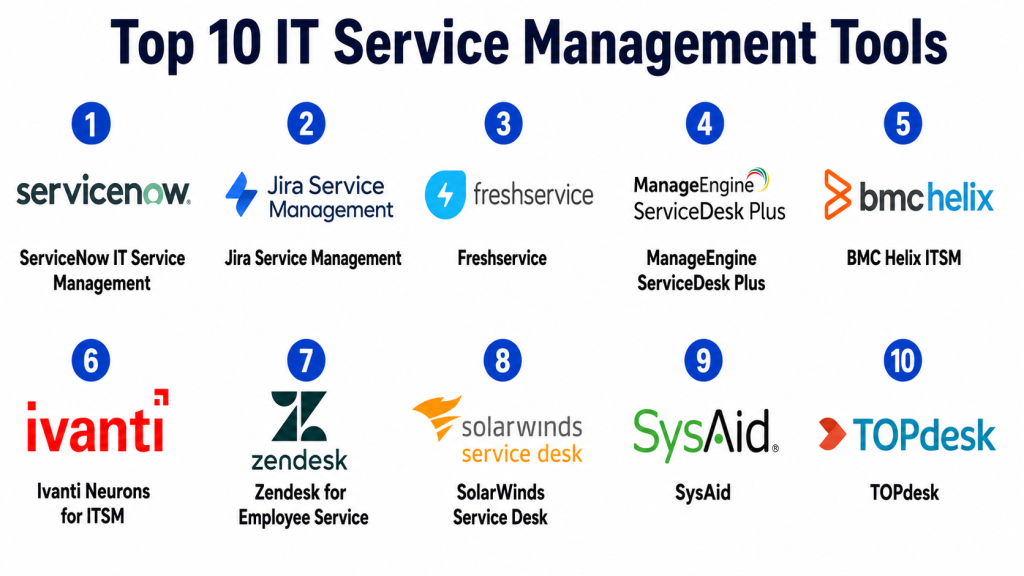
Top 10 IT Service Management Tools
#1 — ServiceNow IT Service Management
Short description: ServiceNow IT Service Management is an enterprise-grade ITSM platform for large organizations that need structured service delivery, workflow automation, incident management, change management, service catalog, asset visibility, and enterprise service management.
Key Features
- Incident, problem, change, and request management
- Service catalog and employee self-service portal
- Workflow automation and approvals
- Knowledge management
- SLA tracking and reporting
- Configuration and asset-related capabilities
- Enterprise service management expansion
Pros
- Strong fit for large and complex enterprise IT environments.
- Deep workflow automation and process customization.
- Scalable beyond IT into HR, finance, facilities, and operations workflows.
Cons
- Implementation can be complex and resource-heavy.
- May be too expensive or advanced for smaller teams.
- Requires skilled administration and strong process governance.
Platforms / Deployment
Web / iOS / Android
Cloud
Security & Compliance
Supports common enterprise security expectations such as SSO, role-based access, audit logs, encryption, admin controls, and identity integrations. Specific compliance details should be validated during procurement.
Integrations & Ecosystem
ServiceNow has a broad enterprise ecosystem and integrates with many IT, security, DevOps, HR, and business systems.
- Identity and access management tools
- Monitoring and observability platforms
- DevOps and CI/CD systems
- Endpoint and asset management tools
- Security operations platforms
- ERP and HR systems
Support & Community
ServiceNow provides enterprise support, documentation, training resources, partner implementation services, and a large professional ecosystem. It is widely used by mature enterprise IT organizations.
#2 — Jira Service Management
Short description: Jira Service Management is an ITSM and service management platform from Atlassian. It is popular among IT, DevOps, engineering, and support teams that want incident management, service requests, change workflows, and strong integration with agile development tools.
Key Features
- Incident and request management
- Change management workflows
- Service portal and knowledge base support
- SLA tracking and queues
- Automation rules
- Integration with Jira Software and Confluence
- DevOps and incident response workflows
Pros
- Strong fit for IT and DevOps teams working closely with engineering.
- Good integration with Atlassian tools.
- Flexible workflows and automation for service teams.
Cons
- Advanced configuration can become complex without governance.
- May require setup effort for traditional ITIL-style processes.
- Best value is often within the Atlassian ecosystem.
Platforms / Deployment
Web / iOS / Android
Cloud / Self-hosted options may vary by edition and deployment model
Security & Compliance
Supports common security features such as SSO, user permissions, audit logs, access controls, and admin policies depending on plan and configuration. Specific compliance details should be validated with the vendor.
Integrations & Ecosystem
Jira Service Management has a strong ecosystem across IT, DevOps, knowledge management, and collaboration workflows.
- Jira Software
- Confluence
- Monitoring tools
- Incident response tools
- Identity providers
- Marketplace apps and automation tools
Support & Community
Atlassian provides documentation, community resources, marketplace support, product training, and support options. The user community is strong among IT, DevOps, and agile teams.
#3 — Freshservice
Short description: Freshservice is a cloud-based ITSM platform from Freshworks designed for IT service desks, employee support, asset management, automation, and service operations. It is suitable for SMB, mid-market, and growing enterprise teams.
Key Features
- Incident, request, problem, and change management
- Service catalog and self-service portal
- Asset management
- Knowledge base
- Workflow automation
- SLA management and reporting
- Employee onboarding workflows
Pros
- Easy to adopt compared with many enterprise-heavy ITSM tools.
- Good balance of ITSM features and usability.
- Suitable for growing IT teams that need structured service management.
Cons
- Very complex enterprise workflows may require validation.
- Some advanced features may depend on higher plans.
- Customization depth may not match the largest enterprise platforms.
Platforms / Deployment
Web / iOS / Android
Cloud
Security & Compliance
Supports common business security features such as role-based access, SSO options, access permissions, and data protection settings. Specific compliance details should be validated during procurement.
Integrations & Ecosystem
Freshservice integrates with IT operations, collaboration, identity, and business productivity tools.
- Identity providers
- Monitoring tools
- Collaboration platforms
- Endpoint and asset tools
- Productivity apps
- Freshworks ecosystem tools
Support & Community
Freshworks provides documentation, customer support, onboarding resources, training materials, and a strong SMB and mid-market user community.
#4 — ManageEngine ServiceDesk Plus
Short description: ManageEngine ServiceDesk Plus is an ITSM platform for helpdesk, incident management, asset management, change management, service catalog, and IT operations support. It is popular among IT teams that want strong ITSM features with flexible deployment choices.
Key Features
- Incident and request management
- Problem and change management
- Asset management
- Service catalog
- Knowledge base
- SLA tracking and reporting
- On-premise and cloud deployment options
Pros
- Strong feature depth for IT service desk teams.
- Flexible deployment options for different IT policies.
- Good fit for organizations needing ITSM and asset management together.
Cons
- Interface and configuration may require learning.
- Advanced customization can need administrator expertise.
- Buyers should validate scalability for very large enterprise environments.
Platforms / Deployment
Web / Windows / Linux / iOS / Android
Cloud / Self-hosted / Hybrid
Security & Compliance
Supports common IT administration features such as user permissions, role-based access, authentication options, and audit-related controls. Specific compliance details should be validated based on deployment model.
Integrations & Ecosystem
ManageEngine ServiceDesk Plus works well within the ManageEngine ecosystem and integrates with common IT operations tools.
- Endpoint management tools
- Monitoring systems
- Active Directory and identity tools
- Asset discovery tools
- Collaboration platforms
- IT operations workflows
Support & Community
ManageEngine provides documentation, support resources, product training, forums, and implementation guidance. It is widely used by IT operations teams.
#5 — BMC Helix ITSM
Short description: BMC Helix ITSM is an enterprise IT service management platform designed for large organizations that need ITIL-aligned processes, automation, AI-assisted service management, asset visibility, and complex service operations.
Key Features
- Incident, problem, change, and request management
- AI-assisted service management features
- Service catalog and knowledge management
- Asset and configuration-related capabilities
- Workflow automation
- Reporting and analytics
- Enterprise service management support
Pros
- Strong fit for large and mature IT organizations.
- Deep ITSM and ITIL-aligned process support.
- Useful for enterprise service management and complex operations.
Cons
- Implementation can be complex.
- May be more than smaller teams need.
- Administration and customization may require specialist skills.
Platforms / Deployment
Web
Cloud / Hybrid options may vary
Security & Compliance
Supports common enterprise security expectations such as access controls, identity integration, auditability, and data protection. Specific compliance details should be confirmed during procurement.
Integrations & Ecosystem
BMC Helix ITSM integrates with enterprise IT operations, monitoring, automation, and business systems.
- IT operations platforms
- Monitoring tools
- Asset management systems
- Identity providers
- Automation tools
- Reporting and analytics workflows
Support & Community
BMC provides enterprise support, documentation, training resources, implementation partners, and ITSM expertise. It is suitable for mature enterprise IT service organizations.
#6 — Ivanti Neurons for ITSM
Short description: Ivanti Neurons for ITSM is an IT service management platform focused on service desk, automation, asset management, self-service, and enterprise service workflows. It is useful for organizations that want ITSM connected with endpoint and IT operations management.
Key Features
- Incident and request management
- Change and problem management
- Service catalog
- Knowledge management
- Asset and endpoint-related workflows
- Automation and self-service
- Reporting and dashboards
Pros
- Strong connection between ITSM and endpoint management.
- Useful for IT teams managing devices, support, and service workflows.
- Supports automation across IT operations.
Cons
- Setup can require planning for best results.
- Some features may depend on broader Ivanti ecosystem usage.
- Buyers should validate integration and reporting needs.
Platforms / Deployment
Web
Cloud / Hybrid options may vary
Security & Compliance
Supports common enterprise security features such as role-based access, identity options, permissions, and audit-related capabilities. Specific compliance details should be validated with the vendor.
Integrations & Ecosystem
Ivanti Neurons for ITSM integrates with endpoint, asset, identity, and IT operations workflows.
- Endpoint management systems
- Asset management tools
- Identity providers
- Monitoring tools
- Automation workflows
- Business productivity tools
Support & Community
Ivanti provides documentation, customer support, implementation resources, and IT operations guidance. It is useful for organizations already invested in Ivanti products.
#7 — Zendesk for Employee Service
Short description: Zendesk can be used for internal IT support, employee service, request management, knowledge base, and service workflows. It is suitable for teams that want a user-friendly service desk experience and strong support ticketing capabilities.
Key Features
- Ticketing and request management
- Knowledge base and help center
- Automation and macros
- SLA management
- Employee self-service workflows
- Reporting dashboards
- Multi-channel support options
Pros
- Easy-to-use ticketing and support experience.
- Strong help center and knowledge base capabilities.
- Good fit for teams that value simple service interactions.
Cons
- May not match deep ITIL-focused ITSM platforms.
- Advanced change, problem, and asset management may require integrations or additional configuration.
- Best value depends on service desk use case and Zendesk ecosystem fit.
Platforms / Deployment
Web / iOS / Android
Cloud
Security & Compliance
Supports common platform security features such as user permissions, access controls, identity options, and data protection settings. Specific compliance details depend on plan and configuration.
Integrations & Ecosystem
Zendesk integrates with service, productivity, CRM, identity, and collaboration systems.
- Identity providers
- Collaboration platforms
- CRM tools
- Productivity apps
- Knowledge base workflows
- Reporting and analytics tools
Support & Community
Zendesk provides documentation, customer support, product training, community resources, and a broad support operations ecosystem.
#8 — SolarWinds Service Desk
Short description: SolarWinds Service Desk is a cloud-based ITSM platform for incident management, service requests, asset management, knowledge management, and IT service operations. It is useful for SMB and mid-market IT teams that need practical service desk features.
Key Features
- Incident and request management
- Service catalog
- Knowledge base
- Asset management
- Change management support
- SLA tracking
- Reporting and dashboards
Pros
- Practical ITSM features for growing IT teams.
- Good combination of service desk and asset management.
- Easier to adopt than some larger enterprise platforms.
Cons
- Advanced enterprise workflows should be validated.
- Customization depth may not match larger platforms.
- Best fit depends on IT operations maturity and requirements.
Platforms / Deployment
Web / iOS / Android
Cloud
Security & Compliance
Supports common access control, permission, and data protection features. Specific compliance details should be validated during procurement.
Integrations & Ecosystem
SolarWinds Service Desk integrates with IT operations and service workflows.
- Asset management workflows
- Monitoring tools
- Identity systems
- Productivity platforms
- Collaboration tools
- Reporting systems
Support & Community
SolarWinds provides documentation, support resources, customer guidance, and IT operations community resources.
#9 — SysAid
Short description: SysAid is an ITSM and helpdesk platform for service desk automation, incident management, request management, asset management, and self-service. It is suitable for SMB and mid-market IT teams looking for practical IT support automation.
Key Features
- Incident and request management
- Service automation
- Asset management
- Self-service portal
- Knowledge base
- Workflow automation
- Reporting and dashboards
Pros
- Good service desk automation capabilities.
- Practical option for SMB and mid-market IT teams.
- Combines helpdesk and asset management features.
Cons
- Interface and customization should be evaluated during trial.
- Complex enterprise ITSM needs may require validation.
- Advanced integrations may depend on package and setup.
Platforms / Deployment
Web / iOS / Android
Cloud / Self-hosted options may vary
Security & Compliance
Supports common access management, permissions, and data protection features. Specific compliance details should be verified with the vendor.
Integrations & Ecosystem
SysAid integrates with IT support, identity, asset, and productivity workflows.
- Identity providers
- Asset discovery tools
- Productivity apps
- Monitoring systems
- Collaboration platforms
- Automation workflows
Support & Community
SysAid provides documentation, support resources, onboarding assistance, and IT service desk guidance for growing IT teams.
#10 — TOPdesk
Short description: TOPdesk is a service management platform for ITSM, facilities, HR service delivery, and enterprise service management. It is useful for organizations that want structured service workflows across multiple internal departments.
Key Features
- Incident and request management
- Service catalog and self-service portal
- Change management support
- Knowledge management
- Asset and configuration-related features
- Workflow automation
- Enterprise service management support
Pros
- Strong fit for IT and enterprise service management.
- Useful for organizations extending service workflows beyond IT.
- Practical self-service and service catalog capabilities.
Cons
- Advanced technical IT operations integrations should be validated.
- Setup requires clear process design.
- May not be ideal for teams that only need basic ticketing.
Platforms / Deployment
Web / iOS / Android
Cloud / Self-hosted options may vary
Security & Compliance
Supports common business security expectations such as permissions, role-based access, and data protection features. Specific compliance details should be validated during procurement.
Integrations & Ecosystem
TOPdesk integrates with IT, HR, facilities, identity, and business service workflows.
- Identity systems
- Asset management tools
- Productivity platforms
- HR workflows
- Facilities workflows
- Reporting systems
Support & Community
TOPdesk provides documentation, support resources, customer guidance, training, and service management best-practice materials.
Comparison Table
| Tool Name | Best For | Platform(s) Supported | Deployment | Standout Feature | Public Rating |
|---|---|---|---|---|---|
| ServiceNow IT Service Management | Large enterprises and complex IT operations | Web, iOS, Android | Cloud | Enterprise workflow automation and ITSM depth | N/A |
| Jira Service Management | IT and DevOps service teams | Web, iOS, Android | Cloud / Self-hosted options vary | ITSM connected with agile and DevOps workflows | N/A |
| Freshservice | SMB and mid-market IT service teams | Web, iOS, Android | Cloud | Easy-to-use ITSM with automation and assets | N/A |
| ManageEngine ServiceDesk Plus | IT teams needing helpdesk and asset management | Web, Windows, Linux, iOS, Android | Cloud / Self-hosted / Hybrid | Flexible ITSM deployment and asset management | N/A |
| BMC Helix ITSM | Mature enterprise IT service organizations | Web | Cloud / Hybrid options vary | Enterprise ITIL-aligned service management | N/A |
| Ivanti Neurons for ITSM | ITSM connected with endpoint operations | Web | Cloud / Hybrid options vary | ITSM plus endpoint and asset workflows | N/A |
| Zendesk for Employee Service | User-friendly internal service desks | Web, iOS, Android | Cloud | Simple ticketing and knowledge base experience | N/A |
| SolarWinds Service Desk | Growing IT teams needing practical ITSM | Web, iOS, Android | Cloud | Service desk and asset management together | N/A |
| SysAid | SMB and mid-market IT support automation | Web, iOS, Android | Cloud / Self-hosted options vary | Helpdesk automation and asset management | N/A |
| TOPdesk | IT and enterprise service management | Web, iOS, Android | Cloud / Self-hosted options vary | Service workflows across IT and business teams | N/A |
Evaluation & Scoring of IT Service Management Tools
| Tool Name | Core (25%) | Ease (15%) | Integrations (15%) | Security (10%) | Performance (10%) | Support (10%) | Value (15%) | Weighted Total (0–10) |
|---|---|---|---|---|---|---|---|---|
| ServiceNow IT Service Management | 9.7 | 7.2 | 9.5 | 9.3 | 9.0 | 9.0 | 7.2 | 8.69 |
| Jira Service Management | 8.8 | 8.3 | 9.2 | 8.7 | 8.7 | 8.5 | 8.3 | 8.65 |
| Freshservice | 8.5 | 9.0 | 8.5 | 8.3 | 8.5 | 8.4 | 8.5 | 8.55 |
| ManageEngine ServiceDesk Plus | 8.7 | 8.0 | 8.3 | 8.3 | 8.4 | 8.2 | 8.6 | 8.41 |
| BMC Helix ITSM | 9.3 | 7.2 | 8.8 | 9.0 | 8.8 | 8.7 | 7.4 | 8.44 |
| Ivanti Neurons for ITSM | 8.7 | 7.8 | 8.5 | 8.7 | 8.5 | 8.3 | 7.8 | 8.36 |
| Zendesk for Employee Service | 7.8 | 9.2 | 8.5 | 8.4 | 8.5 | 8.8 | 8.3 | 8.43 |
| SolarWinds Service Desk | 8.2 | 8.5 | 8.0 | 8.2 | 8.3 | 8.2 | 8.4 | 8.26 |
| SysAid | 8.0 | 8.2 | 7.8 | 8.0 | 8.2 | 8.0 | 8.3 | 8.08 |
| TOPdesk | 8.3 | 8.3 | 8.0 | 8.2 | 8.3 | 8.2 | 8.0 | 8.20 |
These scores are comparative and should be used as a shortlisting guide. A higher score does not mean the tool is best for every IT team. ServiceNow and BMC Helix are strong for large enterprises, while Freshservice, SolarWinds Service Desk, and SysAid may be more practical for smaller IT teams. Buyers should validate workflows, integrations, security controls, licensing, and implementation effort before making a final decision.
Which IT Service Management Tool Is Right for You?
Solo / Freelancer
Solo professionals usually do not need a full ITSM platform. A simple task board, ticketing inbox, or helpdesk tool may be enough for basic service tracking.
If a solo consultant manages IT support for multiple clients, Zendesk, Freshservice, SysAid, or SolarWinds Service Desk may be useful because they provide structured ticketing without requiring heavy enterprise implementation.
SMB
Small and medium businesses should focus on ease of setup, ticketing, self-service, knowledge base, asset tracking, and affordable pricing. Freshservice, ManageEngine ServiceDesk Plus, SolarWinds Service Desk, SysAid, and Zendesk are strong options.
Freshservice is useful for teams that want cloud-based ITSM with good usability. ManageEngine ServiceDesk Plus is practical when asset management and flexible deployment matter. Zendesk works well when the team values simple support workflows.
Mid-Market
Mid-market organizations usually need stronger workflows, automation, service catalog, change management, asset management, SLA reporting, and integrations. Jira Service Management, Freshservice, ManageEngine ServiceDesk Plus, TOPdesk, and Ivanti Neurons for ITSM are strong options.
Jira Service Management is a good fit for teams working closely with software engineering and DevOps. TOPdesk is useful when the company wants service management across IT, HR, and facilities.
Enterprise
Enterprise organizations need advanced workflows, governance, approvals, auditability, CMDB, automation, integrations, reporting, and scalability. ServiceNow IT Service Management, BMC Helix ITSM, Ivanti Neurons for ITSM, Jira Service Management, and TOPdesk are strong starting points.
ServiceNow is suitable for large-scale enterprise workflow automation. BMC Helix is strong for mature ITIL-aligned IT organizations. Ivanti is useful when ITSM needs to connect with endpoint and asset operations.
Budget vs Premium
Budget-conscious teams should consider Freshservice, SysAid, SolarWinds Service Desk, ManageEngine ServiceDesk Plus, or Zendesk depending on service maturity and required features.
Premium buyers should evaluate ServiceNow, BMC Helix ITSM, Ivanti Neurons for ITSM, and Jira Service Management if they need deeper workflows, enterprise integrations, governance, automation, and scale.
Feature Depth vs Ease of Use
ServiceNow, BMC Helix, and Ivanti provide deep enterprise ITSM capabilities but require more planning and administration. Freshservice, Zendesk, SolarWinds Service Desk, and SysAid are generally easier to adopt for smaller or growing teams.
Jira Service Management offers a strong middle ground for IT and DevOps teams, especially where service management must connect with engineering workflows.
Integrations & Scalability
ITSM tools become more valuable when connected with identity providers, endpoint management, monitoring, observability, DevOps pipelines, security tools, HR systems, and collaboration platforms. Integrations reduce manual work and improve incident response.
Before choosing a platform, map the systems that create or consume IT tickets. For example, monitoring alerts may need to create incidents automatically, while HR onboarding may need service requests for devices and access.
Security & Compliance Needs
ITSM platforms store sensitive operational data, user requests, asset records, incidents, approvals, service histories, access requests, and sometimes security-related tickets. Buyers should review SSO, MFA, RBAC, encryption, audit logs, approval controls, retention policies, and admin permissions.
For regulated organizations, IT, security, compliance, and legal teams should review the platform before rollout. ITSM workflows often become part of audit evidence, so governance and reporting matter.
Frequently Asked Questions
1. What is IT Service Management software?
IT Service Management software helps IT teams manage incidents, service requests, changes, problems, assets, knowledge articles, approvals, and service performance in a structured platform.
2. What is the difference between ITSM and helpdesk software?
Helpdesk software usually focuses on ticketing and support requests. ITSM software is broader and may include incident management, change management, problem management, service catalog, asset management, knowledge management, and reporting.
3. Who uses ITSM tools?
IT support teams, service desk agents, infrastructure teams, DevOps teams, security teams, managed service providers, operations teams, and business service teams use ITSM tools.
4. How much do ITSM tools cost?
Pricing varies by vendor, number of agents, modules, deployment model, automation features, asset management needs, and support level. Enterprise platforms often use custom pricing.
5. What features should I look for first?
Start with incident management, request management, service catalog, knowledge base, SLA tracking, automation, reporting, asset management, integrations, and access controls.
6. Can ITSM tools integrate with monitoring systems?
Yes, many ITSM tools integrate with monitoring and observability systems. This helps teams automatically create incidents from alerts and manage response workflows.
7. What are common ITSM implementation mistakes?
Common mistakes include over-customizing workflows, skipping process design, weak knowledge base planning, poor data cleanup, unclear ownership, and not training service desk agents and requesters.
8. Is ITSM useful for small businesses?
Yes, but small businesses should choose tools that are easy to set up and not overly complex. Freshservice, SolarWinds Service Desk, SysAid, Zendesk, and ManageEngine ServiceDesk Plus can be practical options.
9. Which ITSM tool is best for enterprises?
ServiceNow IT Service Management, BMC Helix ITSM, Ivanti Neurons for ITSM, Jira Service Management, and TOPdesk are strong enterprise options. The best choice depends on workflow complexity, integrations, governance, and budget.
10. What is a service catalog in ITSM?
A service catalog is a structured list of services users can request, such as laptop access, software installation, password help, hardware replacement, onboarding support, or system access.
Conclusion
IT Service Management Tools help organizations deliver IT services in a more structured, reliable, and measurable way. The right platform can improve incident response, request fulfillment, change control, asset visibility, knowledge sharing, SLA performance, and employee experience. However, the best ITSM tool depends on team size, IT maturity, workflow complexity, integrations, deployment preference, budget, and security requirementsServiceNow IT Service Management and BMC Helix ITSM are strong for large enterprise IT organizations. Jira Service Management is practical for IT and DevOps teams that need strong engineering alignment. Freshservice, ManageEngine ServiceDesk Plus, SolarWinds Service Desk, SysAid, and Zendesk are useful for SMB and mid-market teams that want faster adoption. Ivanti Neurons for ITSM and TOPdesk are strong options when ITSM needs to connect with endpoint, asset, or enterprise service management workflows.
