Upgrade & Secure Your Future with DevOps, SRE, DevSecOps, MLOps!
We spend hours scrolling social media and waste money on things we forget, but won’t spend 30 minutes a day earning certifications that can change our lives.
Master in DevOps, SRE, DevSecOps & MLOps by DevOps School!
Learn from Guru Rajesh Kumar and double your salary in just one year.
Introduction
Resource management tools help organizations plan, allocate, track, and optimize people, time, skills, budgets, and workloads across projects. In simple terms, these platforms help teams understand who is available, who is overloaded, what skills are needed, which projects need support, and whether work can be delivered on time with the resources available.
These tools matter because many teams struggle with hidden capacity issues, overbooked employees, poor workload balance, missed deadlines, unclear utilization, and weak project visibility. Resource management platforms help managers make better staffing decisions, forecast demand, reduce burnout, and improve delivery planning.
Real-world use cases include:
- Project resource planning
- Team capacity forecasting
- Employee workload balancing
- Skills-based staffing
- Consultant and agency utilization tracking
- Project portfolio resource planning
- Time tracking and billable utilization
- Hiring and workforce planning support
Buyers should evaluate:
- Resource scheduling and allocation
- Capacity planning
- Skills and role management
- Utilization tracking
- Time tracking and timesheets
- Project and portfolio visibility
- Forecasting and demand planning
- Integrations with project tools
- Reporting and dashboards
- Security and access controls
Best for: Resource management tools are best for project managers, PMO teams, agencies, consulting firms, professional services teams, IT teams, engineering managers, operations leaders, finance teams, and enterprises that need better control over people, workload, capacity, and project delivery.
Not ideal for: These tools may not be ideal for very small teams with simple task tracking needs, solo users who only need a calendar, or teams that do not manage shared resources across multiple projects. If resource demand is low and predictable, a simple project management tool may be enough.
Key Trends in Resource Management Tools Platforms
AI-assisted capacity planning is becoming more useful. Teams increasingly expect tools to highlight overload risks, suggest staffing options, summarize utilization, and forecast delivery pressure.
- Skills-based resource planning is growing. Managers want to assign people based on role, skill, seniority, availability, location, cost, and project fit instead of only using names and calendars.
- Workforce planning and project planning are becoming connected. Businesses want to link project demand with hiring plans, contractor needs, budget availability, and delivery timelines.
- Burnout prevention is becoming a business priority. Resource management tools now help identify over-allocation, uneven workloads, repeated overtime, and unrealistic staffing plans.
- Real-time dashboards are expected. PMO leaders and managers want visibility into utilization, availability, planned work, actual work, project health, and upcoming capacity gaps.
- Integration with project management tools is critical. Resource planning must connect with Jira, Asana, Microsoft Project, Smartsheet, Wrike, monday.com, Azure DevOps, and other delivery platforms.
- Financial visibility is becoming more important. Agencies and consulting firms need billable utilization, project profitability, cost rates, revenue forecasting, and margin visibility.
- Hybrid work has changed resource planning. Teams need to plan around remote work, time zones, holidays, part-time schedules, contractors, and distributed teams.
- Security and governance are rising priorities. Resource tools often store employee, project, client, and financial data, so SSO, MFA, RBAC, audit logs, encryption, and data access controls matter.
- Scenario planning is becoming standard. Leaders want to test “what if” situations such as adding a project, losing a team member, delaying a hire, or shifting priorities.
How We Selected These Tools
This Top 10 list was selected using practical buyer-focused evaluation logic:
- Market adoption and recognition among PMO teams, agencies, professional services firms, consulting teams, and enterprises
- Feature completeness across scheduling, allocation, capacity planning, utilization, forecasting, and reporting
- Ease of use for project managers, resource managers, team leads, and executives
- Reliability and performance for multi-project resource planning
- Security posture signals such as SSO, MFA, RBAC, audit logs, encryption, and admin controls
- Integration ecosystem with project management, time tracking, finance, HR, and collaboration tools
- Fit across SMBs, mid-market teams, agencies, enterprises, and professional services organizations
- Support for skills, roles, availability, holidays, capacity, and utilization tracking
- Documentation, onboarding, support, templates, and customer success resources
- Practical value based on usability, scalability, forecasting depth, and reporting quality
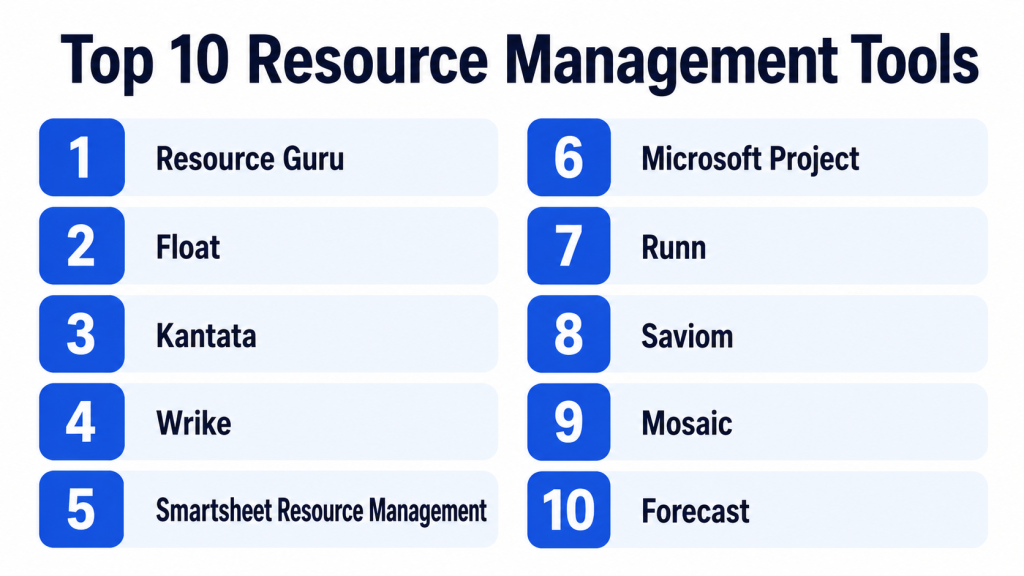
Top 10 Resource Management Tools Platforms Tools
#1 — Resource Guru
Short description: Resource Guru is a resource scheduling and capacity planning tool designed to help teams manage people, equipment, rooms, and project availability. It is best for agencies, project teams, operations teams, and businesses that need simple visual resource planning.
Key Features
- Resource scheduling calendar
- Availability and capacity tracking
- Conflict management
- Leave and time-off visibility
- Resource utilization reports
- Project and client scheduling
- Equipment and room booking support
Pros
- Easy to use for visual resource scheduling.
- Good for preventing double-booking and over-allocation.
- Useful for agencies and project-based teams.
Cons
- May not offer deep financial forecasting.
- Advanced portfolio management may require other tools.
- Best suited for scheduling rather than full PSA workflows.
Platforms / Deployment
Web
Cloud
Security & Compliance
Resource Guru provides cloud-based account and access controls. Specific details such as SSO/SAML, MFA, audit logs, RBAC, SOC 2, ISO 27001, GDPR, HIPAA, and encryption should be verified directly. If unclear, use Not publicly stated.
Integrations & Ecosystem
Resource Guru works well for teams that need resource scheduling connected with calendars and project planning workflows.
- Calendar tools
- Project planning workflows
- Team scheduling
- Leave tracking processes
- Client project planning
- Reporting exports
Support & Community
Resource Guru provides documentation, help resources, onboarding guidance, and customer support. It is practical for teams that want quick resource scheduling without heavy enterprise complexity.
#2 — Float
Short description: Float is a resource management and capacity planning platform for agencies, studios, consulting teams, and project-based organizations. It helps teams plan availability, allocate work, track capacity, and understand who is working on what.
Key Features
- Resource scheduling
- Capacity planning
- Team availability tracking
- Project allocation
- Time tracking options
- Utilization reporting
- Forecasting and planning views
Pros
- Clean and visual resource planning experience.
- Good for agencies and creative teams.
- Helps managers balance workloads across projects.
Cons
- May not replace full project management tools.
- Advanced financial management may be limited.
- Larger enterprises may need deeper governance.
Platforms / Deployment
Web / iOS / Android
Cloud
Security & Compliance
Float provides cloud-based resource planning controls, but specific details such as SSO/SAML, MFA, audit logs, RBAC, SOC 2, ISO 27001, GDPR, HIPAA, and encryption should be verified directly.
Integrations & Ecosystem
Float integrates with common planning and project management workflows.
- Calendar tools
- Project management tools
- Time tracking workflows
- Team planning systems
- Reporting exports
- Collaboration workflows
Support & Community
Float offers documentation, templates, onboarding resources, and support options. It is a strong choice for teams that want simple, visual resource planning.
#3 — Kantata
Short description: Kantata is a professional services automation and resource management platform built for services organizations, agencies, consulting firms, and project-based businesses. It helps teams manage resources, projects, utilization, margins, time, and delivery operations.
Key Features
- Resource planning and allocation
- Skills and role management
- Project financials
- Time and expense tracking
- Utilization reporting
- Capacity forecasting
- Professional services automation features
Pros
- Strong for consulting and professional services teams.
- Useful for utilization, revenue, and margin visibility.
- Good for organizations managing billable people across projects.
Cons
- May be too advanced for small teams.
- Implementation may require process alignment.
- Pricing and configuration should be reviewed carefully.
Platforms / Deployment
Web
Cloud
Security & Compliance
Kantata supports professional services operations and enterprise-style access controls depending on plan. Specific details such as SSO/SAML, MFA, audit logs, RBAC, SOC 2, ISO 27001, GDPR, HIPAA, and encryption should be verified directly.
Integrations & Ecosystem
Kantata fits professional services teams that need project delivery connected with finance, CRM, and operations.
- CRM systems
- Accounting and finance tools
- Project management workflows
- Time tracking
- Business intelligence tools
- Professional services operations
Support & Community
Kantata provides documentation, onboarding, customer success support, and professional services guidance. It is well suited for organizations that need resource planning tied to financial performance.
#4 — Wrike
Short description: Wrike is a collaborative work management platform with resource management, workload views, project planning, dashboards, and reporting. It is useful for marketing teams, creative teams, PMOs, operations teams, and enterprise work management.
Key Features
- Workload management
- Project and task planning
- Resource allocation views
- Dashboards and reports
- Request forms
- Proofing and approvals
- Automation and templates
Pros
- Strong for teams that need project and resource visibility together.
- Good reporting and workload tracking.
- Useful for creative, marketing, and operations teams.
Cons
- May be more complex than simple scheduling tools.
- Advanced features may require higher plans.
- Not a full professional services automation platform.
Platforms / Deployment
Web / Windows / macOS / iOS / Android
Cloud
Security & Compliance
Wrike provides business and enterprise security controls depending on plan. Specific details such as SSO/SAML, MFA, audit logs, RBAC, SOC 2, ISO 27001, GDPR, HIPAA, and encryption should be verified directly.
Integrations & Ecosystem
Wrike works well across project, creative, operations, and collaboration workflows.
- Microsoft Teams
- Slack
- Google Workspace
- Salesforce
- Adobe Creative Cloud
- Jira and development tools
Support & Community
Wrike provides documentation, training, templates, onboarding resources, customer support, and enterprise assistance. It is a strong fit for teams needing work and resource management in one platform.
#5 — Smartsheet Resource Management
Short description: Smartsheet Resource Management helps teams plan people, track capacity, forecast workload, and understand utilization across projects. It is useful for PMOs, agencies, professional services teams, and organizations already using Smartsheet for project tracking.
Key Features
- Resource allocation
- Capacity planning
- Workload forecasting
- Time tracking
- Utilization reports
- Project staffing visibility
- Integration with Smartsheet project workflows
Pros
- Strong fit for Smartsheet users.
- Useful for PMO and project-based resource planning.
- Good visibility into capacity and utilization.
Cons
- Best value appears inside the Smartsheet ecosystem.
- Setup may require clean project and resource data.
- Advanced financial workflows should be verified.
Platforms / Deployment
Web
Cloud
Security & Compliance
Smartsheet provides business and enterprise security controls depending on plan. Specific details such as SSO/SAML, MFA, audit logs, RBAC, SOC 2, ISO 27001, GDPR, HIPAA, and encryption should be verified directly.
Integrations & Ecosystem
Smartsheet Resource Management connects well with structured project tracking and reporting workflows.
- Smartsheet projects
- Microsoft 365
- Google Workspace
- Salesforce
- Reporting dashboards
- Project portfolio workflows
Support & Community
Smartsheet provides documentation, training, community support, templates, customer success options, and enterprise support. It is a strong choice for organizations already using Smartsheet.
#6 — Microsoft Project
Short description: Microsoft Project is a project and resource management platform used by PMO teams, project managers, and enterprises for schedules, resources, timelines, dependencies, and portfolio planning. It is best for structured project environments that use Microsoft tools.
Key Features
- Project scheduling
- Resource assignment
- Gantt charts
- Capacity planning
- Portfolio visibility
- Timeline and dependency tracking
- Microsoft ecosystem integration
Pros
- Strong for professional project and resource planning.
- Good fit for Microsoft-centered enterprises.
- Useful for structured project governance and PMO workflows.
Cons
- Can be complex for casual users.
- Requires project management discipline.
- Licensing and setup should be reviewed carefully.
Platforms / Deployment
Web / Windows
Cloud / Hybrid
Security & Compliance
Microsoft Project benefits from Microsoft identity, security, governance, and compliance controls depending on tenant and plan. Specific details such as SSO/SAML, MFA, audit logs, RBAC, SOC 2, ISO 27001, GDPR, HIPAA, and encryption should be verified through Microsoft configuration and licensing.
Integrations & Ecosystem
Microsoft Project works best in Microsoft-centered environments.
- Microsoft Teams
- SharePoint
- Outlook
- Power BI
- Power Automate
- Microsoft 365 ecosystem
Support & Community
Microsoft offers documentation, enterprise support, partner services, learning resources, and a strong project management user base. It is practical for PMO-led organizations.
#7 — Runn
Short description: Runn is a resource planning and forecasting platform for project-based teams. It helps organizations manage people, projects, capacity, utilization, and financial forecasts in a visual way.
Key Features
- Resource scheduling
- Capacity forecasting
- Project planning
- Utilization tracking
- Financial forecasting
- People and role planning
- Scenario planning
Pros
- Good for project-based businesses and agencies.
- Useful for forecasting workload and revenue.
- Visual and practical for resource planning discussions.
Cons**
- May not replace full project management tools.
- Advanced enterprise governance should be verified.
- Best fit depends on project and financial planning needs.
Platforms / Deployment
Web
Cloud
Security & Compliance
Runn provides cloud-based resource planning controls, but specific details such as SSO/SAML, MFA, audit logs, RBAC, SOC 2, ISO 27001, GDPR, HIPAA, and encryption should be verified directly.
Integrations & Ecosystem
Runn fits teams that need resource forecasting connected with project and business planning.
- Project planning tools
- Time tracking tools
- Financial forecasting workflows
- Reporting exports
- Resource scheduling
- Business planning workflows
Support & Community
Runn provides documentation, onboarding resources, and customer support. It is useful for agencies, consultants, and project-based teams that need forecasting and resource visibility.
#8 — Saviom
Short description: Saviom is an enterprise resource management and workforce planning platform for organizations that need capacity planning, utilization management, skills tracking, and project staffing at scale. It is suitable for enterprises, consulting firms, engineering firms, and PMO-led teams.
Key Features
- Enterprise resource planning
- Capacity and demand forecasting
- Skills and competency tracking
- Utilization management
- Project staffing
- Reports and dashboards
- Scenario planning
Pros
- Strong for enterprise resource planning.
- Useful for skills-based workforce allocation.
- Good fit for large project-based organizations.
Cons
- May be too advanced for small teams.
- Implementation requires clean resource and skills data.
- User adoption needs process discipline.
Platforms / Deployment
Web
Cloud / Hybrid
Security & Compliance
Saviom supports enterprise workforce and resource planning patterns, but specific details such as SSO/SAML, MFA, audit logs, RBAC, SOC 2, ISO 27001, GDPR, HIPAA, and encryption should be verified directly.
Integrations & Ecosystem
Saviom works well in enterprise project and workforce planning environments.
- ERP systems
- HR systems
- Project management tools
- Finance systems
- Business intelligence tools
- Timesheet workflows
Support & Community
Saviom provides documentation, customer support, implementation guidance, and enterprise resource planning expertise. It is best for larger organizations with serious capacity planning needs.
#9 — Mosaic
Short description: Mosaic is a resource planning and workforce intelligence platform often used by architecture, engineering, consulting, and professional services teams. It helps organizations plan teams, forecast demand, and understand resource utilization.
Key Features
- Resource planning
- Workforce forecasting
- Skills and role visibility
- Utilization tracking
- Project staffing
- AI-assisted planning support
- Reporting dashboards
Pros
- Strong for professional services and project-based teams.
- Useful for workforce planning and utilization visibility.
- Helps managers make staffing decisions faster.
Cons
- Fit should be validated for non-services teams.
- Advanced integrations should be reviewed.
- Pricing and implementation details should be checked directly.
Platforms / Deployment
Web
Cloud
Security & Compliance
Mosaic provides cloud-based resource planning workflows, but specific details such as SSO/SAML, MFA, audit logs, RBAC, SOC 2, ISO 27001, GDPR, HIPAA, and encryption should be verified directly.
Integrations & Ecosystem
Mosaic fits project-based professional services environments.
- Project management systems
- Time tracking tools
- Financial systems
- HR data workflows
- Planning dashboards
- Professional services operations
Support & Community
Mosaic provides onboarding resources, customer support, and resource planning guidance. It is practical for firms needing clearer workforce and utilization visibility.
#10 — Forecast
Short description: Forecast is a project and resource management platform for planning work, staffing teams, tracking utilization, and managing project delivery. It is useful for agencies, consulting firms, software teams, and professional services organizations.
Key Features
- Resource scheduling
- Project planning
- Time tracking
- Utilization reporting
- Budget and financial visibility
- Workload planning
- AI-assisted project planning features
Pros
- Good for project-based delivery teams.
- Combines resource planning with project management.
- Useful for utilization and financial tracking.
Cons
- May require process setup to get full value.
- Smaller teams may find simpler tools enough.
- Current feature packaging should be verified directly.
Platforms / Deployment
Web
Cloud
Security & Compliance
Forecast provides cloud-based project and resource management controls. Specific details such as SSO/SAML, MFA, audit logs, RBAC, SOC 2, ISO 27001, GDPR, HIPAA, and encryption should be verified directly.
Integrations & Ecosystem
Forecast works well for service delivery, project planning, and resource management workflows.
- Project management tools
- Time tracking
- Financial workflows
- Collaboration tools
- Reporting dashboards
- Professional services workflows
Support & Community
Forecast provides documentation, onboarding, support resources, and customer success guidance. It is useful for project-based teams that need resource and delivery planning together.
Comparison Table
| Tool Name | Best For | Platform(s) Supported | Deployment | Standout Feature | Public Rating |
|---|---|---|---|---|---|
| Resource Guru | Simple visual resource scheduling | Web | Cloud | Preventing double-booking and over-allocation | N/A |
| Float | Agencies and creative resource planning | Web / iOS / Android | Cloud | Visual capacity and availability planning | N/A |
| Kantata | Professional services automation | Web | Cloud | Resource planning tied to project financials | N/A |
| Wrike | Work and resource management together | Web / Windows / macOS / iOS / Android | Cloud | Workload visibility and structured reporting | N/A |
| Smartsheet Resource Management | PMO and Smartsheet-centered planning | Web | Cloud | Capacity planning connected with Smartsheet workflows | N/A |
| Microsoft Project | Structured project and resource planning | Web / Windows | Cloud / Hybrid | Professional scheduling and resource allocation | N/A |
| Runn | Project-based forecasting | Web | Cloud | Resource and financial scenario planning | N/A |
| Saviom | Enterprise workforce planning | Web | Cloud / Hybrid | Skills-based enterprise resource planning | N/A |
| Mosaic | Professional services workforce intelligence | Web | Cloud | AI-assisted resource and workforce planning | N/A |
| Forecast | Project delivery and resource management | Web | Cloud | Resource planning with delivery and financial visibility | N/A |
Evaluation & Scoring of Resource Management Tools Platforms
| Tool Name | Core (25%) | Ease (15%) | Integrations (15%) | Security (10%) | Performance (10%) | Support (10%) | Value (15%) | Weighted Total (0–10) |
|---|---|---|---|---|---|---|---|---|
| Resource Guru | 7 | 9 | 7 | 6 | 8 | 8 | 9 | 7.70 |
| Float | 8 | 9 | 7 | 7 | 8 | 8 | 8 | 7.95 |
| Kantata | 9 | 7 | 8 | 8 | 8 | 9 | 7 | 8.05 |
| Wrike | 8 | 7 | 8 | 8 | 8 | 8 | 7 | 7.75 |
| Smartsheet Resource Management | 8 | 7 | 9 | 8 | 8 | 8 | 7 | 7.90 |
| Microsoft Project | 9 | 6 | 9 | 9 | 9 | 9 | 7 | 8.30 |
| Runn | 8 | 8 | 7 | 7 | 8 | 8 | 8 | 7.80 |
| Saviom | 9 | 6 | 8 | 8 | 8 | 8 | 7 | 7.80 |
| Mosaic | 8 | 8 | 7 | 7 | 8 | 8 | 7 | 7.60 |
| Forecast | 8 | 7 | 8 | 7 | 8 | 8 | 7 | 7.65 |
These scores are comparative and should be interpreted based on your business model. Resource Guru and Float are easier for visual scheduling. Kantata, Forecast, and Mosaic are stronger for professional services teams. Microsoft Project and Smartsheet Resource Management fit structured PMO environments. Saviom is stronger for enterprise workforce planning. Wrike is useful when project work and resource visibility must live together.
Which Resource Management Tools Platform Is Right for You?
Solo / Freelancer
Solo users usually do not need a heavy resource management platform unless they manage contractors, client projects, or subcontracted work. Resource Guru, Float, Runn, and Microsoft Project can be practical depending on the workflow.
Choose Resource Guru for simple scheduling. Choose Float if you manage small teams or contractors. Choose Runn if forecasting and availability planning matter. Choose Microsoft Project if you already use Microsoft tools and need structured planning.
SMB
Small and medium businesses need easy planning, clear utilization, and better workload visibility without heavy implementation. Float, Resource Guru, Runn, Wrike, and Forecast are strong options.
Choose Float for simple visual planning. Choose Wrike if you want tasks, projects, and workload views together. Choose Forecast if you need project delivery and utilization visibility. Choose Runn if scenario planning and forecasting matter.
Mid-Market
Mid-market teams usually need stronger reporting, capacity planning, skills tracking, project financials, and integrations. Kantata, Smartsheet Resource Management, Wrike, Forecast, Mosaic, and Microsoft Project can fit different needs.
Choose Kantata if professional services automation is central. Choose Smartsheet Resource Management if you already use Smartsheet. Choose Mosaic if workforce intelligence and staffing visibility matter. Choose Microsoft Project for structured PMO planning.
Enterprise
Enterprise buyers should prioritize governance, scalability, skills management, demand forecasting, portfolio visibility, access controls, integrations, and executive reporting. Saviom, Microsoft Project, Kantata, Smartsheet Resource Management, and Wrike are practical enterprise options.
Choose Saviom for enterprise workforce and skills-based planning. Choose Microsoft Project for PMO-led environments. Choose Kantata for professional services organizations. Choose Smartsheet Resource Management for capacity planning connected to structured project dashboards.
Budget vs Premium
For budget-conscious teams, Resource Guru, Float, and Runn may be practical starting points because they focus on scheduling and capacity without heavy enterprise complexity.
Premium platforms like Kantata, Saviom, Microsoft Project, Smartsheet Resource Management, and Forecast may cost more, but they provide deeper resource planning, financial visibility, reporting, governance, and scalability.
Feature Depth vs Ease of Use
If ease of use matters most, choose Resource Guru, Float, Runn, or Mosaic. These tools are easier for managers who need visibility without complex administration.
If feature depth matters more, choose Saviom, Kantata, Microsoft Project, Smartsheet Resource Management, or Forecast. These tools support broader planning, financials, forecasting, and enterprise reporting.
Integrations & Scalability
Resource management works best when connected with project management, time tracking, HR, finance, and reporting systems. Before choosing, check whether the tool connects with your existing tools and whether data can move cleanly.
Choose Smartsheet Resource Management if Smartsheet is central. Choose Microsoft Project for Microsoft environments. Choose Kantata for professional services operations. Choose Wrike if project work and resource planning need to stay in one place.
Security & Compliance Needs
Resource management tools often hold sensitive employee, contractor, project, client, rate, cost, and utilization data. Review SSO, MFA, RBAC, audit logs, encryption, guest permissions, data retention, access controls, and reporting permissions.
For enterprises, involve IT, HR, finance, legal, and security teams before rolling out resource planning across departments.
Frequently Asked Questions
What is a resource management tool?
A resource management tool helps teams plan, schedule, allocate, and track people, skills, time, workload, and capacity across projects. It helps managers understand who is available and who is overloaded.
How is resource management different from project management?
Project management focuses on tasks, timelines, deliverables, and milestones. Resource management focuses on people, capacity, skills, availability, utilization, and staffing decisions.
Which resource management tool is best for agencies?
Float, Resource Guru, Kantata, Runn, Forecast, and Mosaic are strong choices for agencies. The best option depends on whether the agency needs simple scheduling, utilization tracking, forecasting, or financial visibility.
Which tool is best for enterprises?
Saviom, Microsoft Project, Kantata, Smartsheet Resource Management, and Wrike are strong enterprise options. The right choice depends on governance needs, integrations, reporting, and workforce planning complexity.
What is capacity planning?
Capacity planning helps teams understand whether they have enough available people and hours to complete planned work. It helps prevent overbooking, missed deadlines, and unrealistic project commitments.
What is utilization tracking?
Utilization tracking measures how much of a person’s available time is planned or spent on billable, project, or productive work. It is especially important for agencies, consulting firms, and professional services teams.
What are common resource management mistakes?
Common mistakes include planning without accurate availability, ignoring holidays and leave, overbooking high performers, not tracking skills, using outdated spreadsheets, and failing to compare planned work with actual work.
Do resource management tools support time tracking?
Many resource management tools support time tracking or integrate with time tracking systems. This helps teams compare planned capacity with actual effort.
Are resource management tools secure?
They can be secure when configured properly. Buyers should review SSO, MFA, RBAC, audit logs, encryption, guest access, data retention, and compliance documentation before storing sensitive workforce data.
What pricing factors should buyers check?
Buyers should check user seats, resource limits, project limits, reporting features, time tracking, integrations, financial planning, support tiers, and enterprise security features.
Can resource management tools help reduce burnout?
Yes. They can help identify over-allocation, uneven workloads, repeated overtime, and unrealistic project plans. However, managers must act on the insights for burnout prevention to work.
Can small teams use resource management tools?
Yes. Small teams can benefit from simple tools like Resource Guru, Float, or Runn if they manage multiple projects, contractors, or client commitments.
Conclusion
Resource management tools help organizations plan people, capacity, skills, and workload more effectively. The best platform depends on your company size, project complexity, business model, and planning maturity. Resource Guru is strong for simple scheduling. Float is excellent for visual agency-style resource planning. Kantata is useful for professional services automation and financial visibility. Wrike combines work management with workload planning. Smartsheet Resource Management fits teams already using Smartsheet. Microsoft Project is practical for structured PMO planning. Runn supports forecasting and scenario planning. Saviom is built for enterprise workforce planning. Mosaic helps professional services teams improve staffing visibility. Forecast combines project delivery with resource planning and utilization tracking.
