Upgrade & Secure Your Future with DevOps, SRE, DevSecOps, MLOps!
We spend hours scrolling social media and waste money on things we forget, but won’t spend 30 minutes a day earning certifications that can change our lives.
Master in DevOps, SRE, DevSecOps & MLOps by DevOps School!
Learn from Guru Rajesh Kumar and double your salary in just one year.
Introduction
Knowledge Base Software helps organizations create, organize, publish, search, and maintain helpful information in one central place. It can be used for customer help centers, internal company wikis, IT documentation, product guides, HR policies, onboarding resources, troubleshooting articles, and support documentation.
Knowledge base software matters because teams and customers now expect fast answers without waiting for manual support. A good knowledge base reduces repeated questions, improves onboarding, supports remote work, and helps teams keep important information consistent. Modern tools now include AI search, article suggestions, workflow approvals, analytics, content ownership, version history, integrations, and customer self-service features.
Common use cases include customer support portals, internal team documentation, product help centers, IT service knowledge, employee onboarding, SOP libraries, and technical documentation.
Buyers should evaluate search quality, article editor, AI features, permissions, workflows, analytics, branding, integrations, localization, version control, security, scalability, and ease of maintenance.
Best for: customer support teams, IT teams, SaaS companies, HR teams, operations teams, product teams, education teams, agencies, SMBs, mid-market companies, and enterprises that need searchable knowledge.
Not ideal for: individuals with very small note collections, teams that only need simple file storage, or companies without a process to maintain and update content regularly.
Key Trends in Knowledge Base Software
AI-powered search and answers: Knowledge bases are moving from keyword search to AI-assisted answers, summaries, article recommendations, and conversational support.
- Self-service support growth: Businesses want customers to solve common issues without opening tickets, reducing support load and response time.
- Internal knowledge governance: Teams need owners, review dates, approvals, version control, and article freshness indicators.
- Integrated help experiences: Knowledge content is increasingly embedded inside apps, chatbots, support widgets, customer portals, and onboarding flows.
- Analytics-driven content improvement: Teams now track failed searches, article usefulness, common questions, and support deflection.
- Multilingual knowledge bases: Global companies need translation workflows, locale-specific articles, and regional content controls.
- Private and public knowledge spaces: Many tools now support both internal employee knowledge and public customer help centers.
- Security and permissions: Role-based access, SSO, MFA, audit logs, and workspace permissions are important for internal knowledge.
- Content lifecycle management: Old, duplicate, or inaccurate articles can damage trust, so review workflows are becoming more important.
- Composable documentation stacks: Developer-led teams increasingly connect knowledge bases with docs-as-code, APIs, version control, and product documentation systems.
How We Selected These Tools
The tools below were selected using practical SaaS evaluation logic:
- Strong recognition in knowledge base, documentation, customer support, or internal wiki use cases.
- Feature completeness for article creation, search, organization, publishing, and permissions.
- Fit for customer-facing and internal knowledge workflows.
- Ease of use for non-technical content contributors.
- Security posture signals such as SSO, RBAC, permissions, encryption, and audit features where known.
- Integration ecosystem with support desks, chat tools, CRM, project management, and productivity platforms.
- Analytics and reporting for article performance and search behavior.
- Scalability for growing teams, content libraries, and customer bases.
- Support for workflow approvals, version history, and article maintenance.
- Quality of documentation, onboarding, customer support, and community resources.
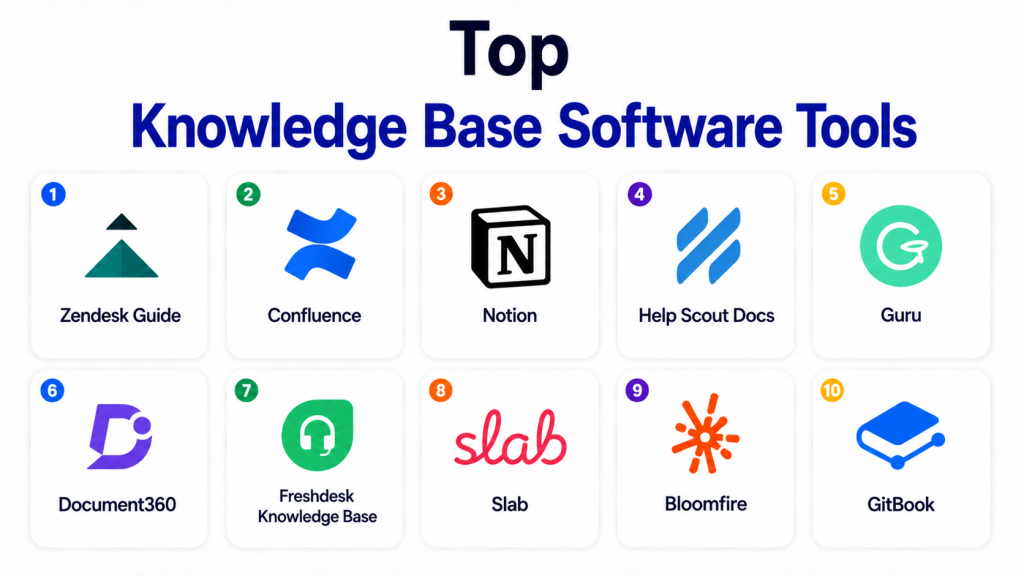
Top Knowledge Base Software Tools
#1 — Zendesk Guide
Short description: Zendesk Guide is a knowledge base and help center solution built into the Zendesk customer service ecosystem. It is best for support teams that want customer self-service, help articles, support ticket deflection, and integrated agent workflows.
Key Features
- Public help center creation.
- Article categories and sections.
- Search and self-service support.
- Integration with Zendesk Support.
- Agent knowledge suggestions.
- Content analytics.
- Multilingual help center support.
Pros
- Strong fit for customer support teams.
- Works well with ticketing and agent workflows.
- Useful for reducing repetitive support requests.
Cons
- Best value is inside the Zendesk ecosystem.
- Advanced customization may need setup effort.
- Pricing may increase with broader support stack usage.
Platforms / Deployment
Web
Cloud
Security & Compliance
SSO, roles, permissions, encryption, and admin controls are available on business-oriented plans. Specific compliance details vary by plan and configuration.
Integrations & Ecosystem
Zendesk Guide works best when connected to support and customer service operations.
- Zendesk Support
- Live chat workflows
- CRM tools
- Customer portals
- Analytics tools
- App marketplace integrations
Support & Community
Zendesk provides documentation, training resources, customer support, partner services, and a large support operations community.
#2 — Confluence
Short description: Confluence is a team workspace and internal knowledge base platform used for documentation, project notes, policies, planning pages, and team collaboration. It is especially useful for product, engineering, IT, operations, and enterprise teams.
Key Features
- Team spaces and pages.
- Rich editor and templates.
- Page hierarchy and organization.
- Comments and collaboration.
- Permissions and restrictions.
- Integration with Atlassian tools.
- Version history.
Pros
- Strong for internal documentation and team knowledge.
- Works well with Jira and software teams.
- Good templates for project and operational documentation.
Cons
- Can become cluttered without governance.
- Search and structure depend on content hygiene.
- Best value is stronger inside Atlassian ecosystem.
Platforms / Deployment
Web / iOS / Android
Cloud / Self-hosted options vary
Security & Compliance
SSO, permissions, access controls, encryption, audit logs, and admin features are available on business and enterprise plans. Specific compliance details vary by plan and deployment.
Integrations & Ecosystem
Confluence fits internal knowledge workflows across technical and business teams.
- Jira
- Trello
- Slack
- Microsoft Teams
- Developer tools
- Marketplace apps
Support & Community
Atlassian provides documentation, training, enterprise support, community forums, marketplace partners, and a strong user community.
#3 — Notion
Short description: Notion is a flexible workspace for notes, documents, wikis, databases, and lightweight project management. It is useful for startups, SMBs, content teams, product teams, and companies building internal knowledge bases.
Key Features
- Pages, databases, and wikis.
- Templates for documentation and operations.
- Team collaboration.
- Comments and mentions.
- Search across workspace content.
- Permissions and sharing controls.
- AI-assisted writing and summarization features.
Pros
- Flexible and easy to adapt to many workflows.
- Good for internal knowledge and team documentation.
- Strong template ecosystem.
Cons
- Can become messy without structure.
- Not always ideal for complex customer help centers.
- Advanced governance may require higher plans.
Platforms / Deployment
Web / Windows / macOS / iOS / Android
Cloud
Security & Compliance
SSO/SAML, permissions, encryption, and admin controls are available on business-oriented plans. Specific compliance details vary by plan.
Integrations & Ecosystem
Notion works well as a flexible knowledge workspace.
- Project management tools
- Calendar workflows
- Cloud file embeds
- Automation tools
- API support
- Team collaboration tools
Support & Community
Notion has documentation, onboarding resources, templates, customer support, and a large user community.
#4 — Help Scout Docs
Short description: Help Scout Docs is a customer-facing knowledge base tool built for simple help centers and support self-service. It is useful for SMBs, SaaS companies, ecommerce teams, and support teams using Help Scout.
Key Features
- Help center article publishing.
- Categories and collections.
- Searchable knowledge base.
- Support widget integration.
- Article performance reporting.
- Simple editor.
- Customer self-service workflows.
Pros
- Simple and clean customer help experience.
- Good fit for SMB support teams.
- Works well with Help Scout support workflows.
Cons
- Less suitable for complex enterprise knowledge governance.
- Best value is inside Help Scout ecosystem.
- Advanced customization may be limited.
Platforms / Deployment
Web
Cloud
Security & Compliance
Access controls, encryption, and account security features are available. Specific compliance details vary by plan.
Integrations & Ecosystem
Help Scout Docs supports customer self-service and support workflows.
- Help Scout inbox
- Beacon support widget
- Customer support workflows
- Analytics
- Chat and email support
- Third-party app integrations
Support & Community
Help Scout provides documentation, support resources, onboarding content, and customer service guidance.
#5 — Guru
Short description: Guru is a knowledge management platform focused on verified internal knowledge, AI search, browser-based access, and knowledge delivery inside team workflows. It is useful for sales, support, operations, HR, and remote teams.
Key Features
- Verified knowledge cards.
- AI-powered search and answers.
- Browser extension.
- Knowledge verification workflows.
- Slack and workplace integrations.
- Analytics and usage tracking.
- Team collections and permissions.
Pros
- Strong for keeping internal knowledge accurate.
- Useful for sales and support enablement.
- Fits well into daily team workflows.
Cons
- Best for internal knowledge, not full public help centers.
- Requires content ownership discipline.
- Teams may need onboarding to maintain verification.
Platforms / Deployment
Web / Browser extension
Cloud
Security & Compliance
SSO, permissions, encryption, admin controls, and security features are available on business-oriented plans. Specific compliance details vary by plan.
Integrations & Ecosystem
Guru brings knowledge into the tools teams already use.
- Slack
- Microsoft Teams
- Browser extension workflows
- CRM tools
- Help desk tools
- API and automation options
Support & Community
Guru provides documentation, customer support, onboarding resources, templates, and knowledge management guidance.
#6 — Document360
Short description: Document360 is a dedicated knowledge base platform for customer documentation, internal knowledge bases, product docs, and help centers. It is suitable for SaaS companies, product teams, support teams, and documentation teams.
Key Features
- Public and private knowledge bases.
- Category-based article organization.
- Rich editor and Markdown support.
- Versioning and workflow controls.
- Analytics and search insights.
- Custom domain and branding options.
- Role-based access management.
Pros
- Purpose-built for knowledge base management.
- Good for customer-facing and internal documentation.
- Strong article organization and analytics.
Cons
- May be more than very small teams need.
- Advanced customization may require setup.
- Some workflow features may depend on plan.
Platforms / Deployment
Web
Cloud
Security & Compliance
SSO, roles, permissions, encryption, audit-related controls, and admin features are available on business-oriented plans. Specific compliance details vary by plan.
Integrations & Ecosystem
Document360 supports documentation and support knowledge workflows.
- Help desk tools
- Chat tools
- Analytics tools
- API access
- Markdown workflows
- Customer support platforms
Support & Community
Document360 provides documentation, onboarding resources, customer support, learning content, and product guidance.
#7 — Freshdesk Knowledge Base
Short description: Freshdesk Knowledge Base is part of the Freshdesk customer support platform and helps teams publish help articles, FAQs, and self-service content. It is useful for support teams that want customer service, tickets, and knowledge content connected.
Key Features
- Help center publishing.
- Article categories and folders.
- Customer self-service.
- Ticket deflection support.
- Multilingual knowledge base support.
- Workflow approvals on supported plans.
- Integration with Freshdesk support.
Pros
- Good for support teams using Freshdesk.
- Simple help center and FAQ publishing.
- Useful for reducing repetitive customer tickets.
Cons
- Best value is inside Freshdesk ecosystem.
- Advanced knowledge workflows may require higher plans.
- Less suitable for internal enterprise wiki needs.
Platforms / Deployment
Web / iOS / Android
Cloud
Security & Compliance
Roles, permissions, encryption, SSO options, and admin controls are available on business-oriented plans. Specific compliance details vary by plan.
Integrations & Ecosystem
Freshdesk Knowledge Base supports customer service and ticketing workflows.
- Freshdesk ticketing
- Chat support
- CRM tools
- Customer portals
- Analytics
- Marketplace apps
Support & Community
Freshdesk provides documentation, customer support, onboarding guides, academy-style learning, and partner resources.
#8 — Slab
Short description: Slab is an internal knowledge base and company wiki designed for clean documentation, team knowledge, and easy discovery. It is useful for startups, remote teams, product teams, and growing companies that need simple internal documentation.
Key Features
- Internal knowledge base pages.
- Topic-based organization.
- Modern editor.
- Search and discovery.
- Team collaboration.
- Integrations with workplace tools.
- Permissions and access controls.
Pros
- Clean and simple internal knowledge experience.
- Good for remote and growing teams.
- Easier to maintain than overly complex wiki systems.
Cons
- Not focused on customer-facing help centers.
- May not fit complex enterprise governance needs.
- Advanced workflow features may be limited.
Platforms / Deployment
Web
Cloud
Security & Compliance
SSO, permissions, encryption, and admin controls are available on business-oriented plans. Specific compliance details vary by plan.
Integrations & Ecosystem
Slab supports internal knowledge discovery and team collaboration.
- Slack
- GitHub
- Google Workspace
- Microsoft tools
- Project management tools
- Workplace search workflows
Support & Community
Slab provides documentation, support resources, onboarding guidance, and customer support options.
#9 — Bloomfire
Short description: Bloomfire is a knowledge sharing platform for internal teams, customer insights, research, and organization-wide knowledge access. It is useful for enterprises, research teams, sales enablement, customer support, and distributed teams.
Key Features
- Centralized knowledge repository.
- Search across content.
- Q&A and knowledge sharing.
- Content organization.
- Analytics and engagement tracking.
- Access controls.
- Multimedia content support.
Pros
- Good for enterprise knowledge sharing.
- Useful for research, insights, and internal content.
- Supports broad content types.
Cons
- May be more than small teams need.
- Requires governance to keep content fresh.
- Not primarily a public help center tool.
Platforms / Deployment
Web
Cloud
Security & Compliance
SSO, permissions, access controls, encryption, and admin features are available. Specific compliance details vary by plan.
Integrations & Ecosystem
Bloomfire supports internal knowledge and insights workflows.
- CRM tools
- Collaboration platforms
- File storage tools
- Search workflows
- Analytics
- Internal communication tools
Support & Community
Bloomfire provides documentation, onboarding support, customer success resources, and enterprise support options.
#10 — GitBook
Short description: GitBook is a documentation and knowledge base platform often used by product, developer, and technical teams. It is useful for API docs, product guides, internal documentation, technical knowledge bases, and public developer portals.
Key Features
- Documentation spaces.
- Markdown-friendly editing.
- Git-style workflows.
- Public and private docs.
- Search and navigation.
- Team collaboration.
- Developer documentation support.
Pros
- Strong for technical documentation.
- Good for developer and product teams.
- Clean documentation publishing experience.
Cons
- May be less suited for non-technical internal wikis.
- Advanced governance needs should be validated.
- Best results require documentation discipline.
Platforms / Deployment
Web
Cloud
Security & Compliance
SSO, permissions, encryption, and admin controls are available on business-oriented plans. Specific compliance details vary by plan.
Integrations & Ecosystem
GitBook fits developer and product documentation workflows.
- Git workflows
- API documentation
- Developer portals
- Team collaboration
- Product documentation
- Search and publishing workflows
Support & Community
GitBook provides documentation, customer support, developer-focused resources, and product guidance.
Comparison Table
| Tool Name | Best For | Platform(s) Supported | Deployment | Standout Feature | Public Rating |
|---|---|---|---|---|---|
| Zendesk Guide | Customer support self-service | Web | Cloud | Help center tied to support tickets | N/A |
| Confluence | Internal team documentation | Web, iOS, Android | Cloud / Self-hosted options vary | Team spaces and knowledge pages | N/A |
| Notion | Flexible internal knowledge workspaces | Web, Windows, macOS, iOS, Android | Cloud | Pages, databases, and wikis together | N/A |
| Help Scout Docs | Simple customer help centers | Web | Cloud | Clean customer support knowledge base | N/A |
| Guru | Verified internal knowledge | Web, browser extension | Cloud | AI search and knowledge verification | N/A |
| Document360 | Dedicated knowledge base management | Web | Cloud | Public and private documentation portals | N/A |
| Freshdesk Knowledge Base | Support teams using Freshdesk | Web, iOS, Android | Cloud | Support ticket and FAQ integration | N/A |
| Slab | Internal company wiki | Web | Cloud | Clean internal knowledge structure | N/A |
| Bloomfire | Enterprise knowledge sharing | Web | Cloud | Searchable knowledge sharing repository | N/A |
| GitBook | Technical and developer documentation | Web | Cloud | Markdown-friendly product docs | N/A |
Evaluation & Scoring of Knowledge Base Software
| Tool Name | Core (25%) | Ease (15%) | Integrations (15%) | Security (10%) | Performance (10%) | Support (10%) | Value (15%) | Weighted Total |
|---|---|---|---|---|---|---|---|---|
| Zendesk Guide | 9 | 8 | 9 | 8 | 8 | 9 | 7 | 8.35 |
| Confluence | 9 | 7 | 10 | 8 | 8 | 9 | 8 | 8.50 |
| Notion | 8 | 9 | 8 | 8 | 8 | 8 | 8 | 8.20 |
| Help Scout Docs | 8 | 9 | 8 | 7 | 8 | 8 | 8 | 8.00 |
| Guru | 8 | 8 | 9 | 8 | 8 | 8 | 7 | 8.05 |
| Document360 | 9 | 8 | 8 | 8 | 8 | 8 | 8 | 8.25 |
| Freshdesk Knowledge Base | 8 | 8 | 8 | 8 | 8 | 8 | 8 | 8.00 |
| Slab | 8 | 9 | 8 | 8 | 8 | 7 | 8 | 8.05 |
| Bloomfire | 8 | 8 | 8 | 8 | 8 | 8 | 7 | 7.85 |
| GitBook | 8 | 8 | 8 | 8 | 8 | 8 | 8 | 8.00 |
These scores are comparative and should be interpreted by use case. A customer support team may rate Zendesk Guide, Help Scout Docs, or Freshdesk Knowledge Base higher. An engineering team may prefer Confluence or GitBook. A startup may prefer Notion or Slab. A larger enterprise may value Bloomfire, Guru, or Document360 for governance and knowledge discovery.
Which Knowledge Base Software Tool Is Right for You?
Solo / Freelancer
Solo users usually need a simple, low-cost way to organize knowledge, notes, client processes, and reusable answers. Notion, GitBook, Slab, or a lightweight documentation tool can work well. If the goal is public customer help articles, Help Scout Docs or Document360 may be better.
SMB
SMBs should focus on ease of use, fast setup, customer self-service, and team adoption. Help Scout Docs, Freshdesk Knowledge Base, Notion, Document360, and Zendesk Guide are strong options. If the business already uses a help desk, choosing the built-in knowledge base can reduce complexity.
Mid-Market
Mid-market companies often need article ownership, review workflows, analytics, permissions, integrations, and better search. Confluence, Guru, Document360, Zendesk Guide, Freshdesk Knowledge Base, and Bloomfire are strong options. The best fit depends on whether knowledge is mostly internal, customer-facing, or technical.
Enterprise
Enterprises should focus on governance, SSO, permissions, audit controls, analytics, article lifecycle management, multilingual content, and integration with support or IT systems. Confluence, Zendesk Guide, Guru, Bloomfire, Document360, and Freshdesk Knowledge Base are good options to evaluate.
Budget vs Premium
Budget-focused teams may prefer Notion, GitBook, Slab, or bundled help desk knowledge bases. Premium tools are better when content accuracy, analytics, approvals, multilingual support, AI search, and enterprise permissions matter.
Feature Depth vs Ease of Use
Notion, Slab, and Help Scout Docs are easier for many users. Confluence, Zendesk Guide, Document360, Guru, and Bloomfire provide deeper knowledge management and governance features. GitBook is strong when technical documentation matters more than general team wiki features.
Integrations & Scalability
Zendesk Guide and Freshdesk Knowledge Base are strong for customer support ecosystems. Confluence is strong for Atlassian and engineering workflows. Guru works well inside team communication and sales/support workflows. GitBook is useful for developer documentation. Document360 fits both internal and external documentation use cases.
Security & Compliance Needs
Security-focused buyers should review SSO, MFA, RBAC, workspace permissions, encryption, audit logs, public/private access controls, data retention, and admin reporting. Internal knowledge bases often contain sensitive company information, so access planning is important.
Frequently Asked Questions (FAQs)
What is Knowledge Base Software?
Knowledge Base Software helps teams create, organize, publish, and maintain helpful information in one searchable place. It can be used for customer support, internal documentation, product guides, and team knowledge.
What is the difference between a knowledge base and a wiki?
A wiki is often used for internal team documentation. A knowledge base can be internal or customer-facing and usually focuses on structured articles, search, FAQs, and support content.
Which knowledge base tool is best for customer support?
Zendesk Guide, Help Scout Docs, Freshdesk Knowledge Base, and Document360 are strong customer support knowledge base options. The best choice depends on your support stack.
Which knowledge base tool is best for internal teams?
Confluence, Notion, Guru, Slab, and Bloomfire are strong for internal knowledge sharing. The right choice depends on team size, integrations, and governance needs.
Do knowledge base tools support AI?
Many modern tools are adding AI search, answer suggestions, article summaries, content recommendations, and knowledge discovery features. Availability varies by platform and plan.
Can a knowledge base reduce support tickets?
Yes. A well-maintained knowledge base can reduce repeated questions by helping customers and employees find answers themselves. The content must be accurate and easy to search.
What are common mistakes when building a knowledge base?
Common mistakes include poor article structure, no ownership, outdated content, weak search tags, too many duplicate articles, and no review process.
How should a team organize knowledge base articles?
Teams should use clear categories, consistent titles, tags, article templates, ownership rules, and review schedules. The structure should match how users search for answers.
Are knowledge base tools secure?
Business-grade knowledge base tools usually include permissions, encryption, access controls, and admin settings. Security depends on vendor, plan, and configuration.
Can knowledge base software support multilingual content?
Yes, many platforms support multilingual knowledge bases or localization workflows. Teams should confirm translation management and regional publishing features before choosing.
How long does implementation take?
A small knowledge base can be launched quickly, but larger knowledge programs require content audits, migration, structure design, ownership rules, and training.
What are alternatives to knowledge base software?
Alternatives include shared documents, wikis, intranets, help desk FAQs, documentation platforms, CMS tools, note-taking apps, and enterprise search platforms.
Conclusion
Knowledge Base Software helps companies make information easier to find, trust, and reuse. The right tool depends on whether the knowledge base is for customers, employees, developers, support agents, or the whole organization. Zendesk Guide and Freshdesk Knowledge Base are strong for support teams. Confluence is powerful for internal documentation. Notion and Slab are flexible for growing teams. Guru is useful for verified internal knowledge. Document360 works well for structured customer and internal documentation. Bloomfire is useful for enterprise knowledge sharing, while GitBook is strong for technical and developer documentation.
