Upgrade & Secure Your Future with DevOps, SRE, DevSecOps, MLOps!
We spend hours scrolling social media and waste money on things we forget, but won’t spend 30 minutes a day earning certifications that can change our lives.
Master in DevOps, SRE, DevSecOps & MLOps by DevOps School!
Learn from Guru Rajesh Kumar and double your salary in just one year.
Introduction
Document automation tools help teams create, edit, approve, generate, send, and manage documents with less manual work. Instead of writing the same contracts, proposals, invoices, HR letters, forms, reports, and agreements again and again, these tools use templates, rules, workflows, data fields, and integrations to produce accurate documents faster.
This matters now because businesses are handling more digital paperwork across sales, legal, HR, finance, compliance, and customer operations. Manual document creation creates delays, errors, version confusion, approval bottlenecks, and compliance risk. A good document automation platform improves speed, consistency, control, and audit readiness.
Common use cases include contract generation, proposal automation, invoice creation, HR document workflows, legal document assembly, onboarding forms, compliance reports, and customer-facing agreements.
Buyers should evaluate template management, workflow automation, integrations, eSignature support, approval flows, security, scalability, ease of use, document versioning, and reporting.
Best for: legal teams, sales teams, HR teams, finance teams, operations teams, compliance teams, SMBs, mid-market companies, and enterprises that create repeated business documents.
Not ideal for: individuals who only create occasional documents, teams that only need simple word processing, or companies that already have very basic document needs with no approval, compliance, or integration requirements.
Key Trends in Document Automation Tools
AI-assisted drafting is becoming common for creating first drafts, summaries, clauses, and reusable document language.
- No-code workflow builders are helping non-technical teams automate approvals, routing, reminders, and document generation.
- CRM-driven document generation is growing, especially for sales proposals, quotes, contracts, and customer onboarding documents.
- Legal and compliance automation is expanding as companies need better clause control, audit trails, and approval visibility.
- eSignature integration is now expected, not optional, for contracts, agreements, HR forms, and customer documents.
- Template governance is becoming more important so teams can avoid outdated documents, wrong branding, and risky clauses.
- API-first automation is useful for companies that want to generate documents from apps, portals, databases, or internal systems.
- Cloud-first deployment remains popular, but some regulated industries still prefer hybrid or controlled deployment models.
- Data accuracy and field mapping are major priorities because automated documents are only useful when the source data is reliable.
- Collaboration and version control are now key because many documents require input from legal, sales, finance, and leadership.
How We Selected These Tools
- Market recognition and adoption across document automation, contract automation, and business workflow use cases.
- Strength of template creation, document generation, workflow automation, and approval features.
- Practical fit across SMB, mid-market, and enterprise teams.
- Integration ecosystem with CRM, ERP, eSignature, cloud storage, and productivity tools.
- Security posture signals such as access control, audit logs, encryption, and role-based permissions.
- Ease of use for non-technical business teams.
- Scalability for high-volume document generation.
- Flexibility for legal, sales, HR, finance, and operations use cases.
- Support resources, documentation, onboarding, and partner ecosystem.
- Overall value compared with complexity, implementation effort, and business impact.
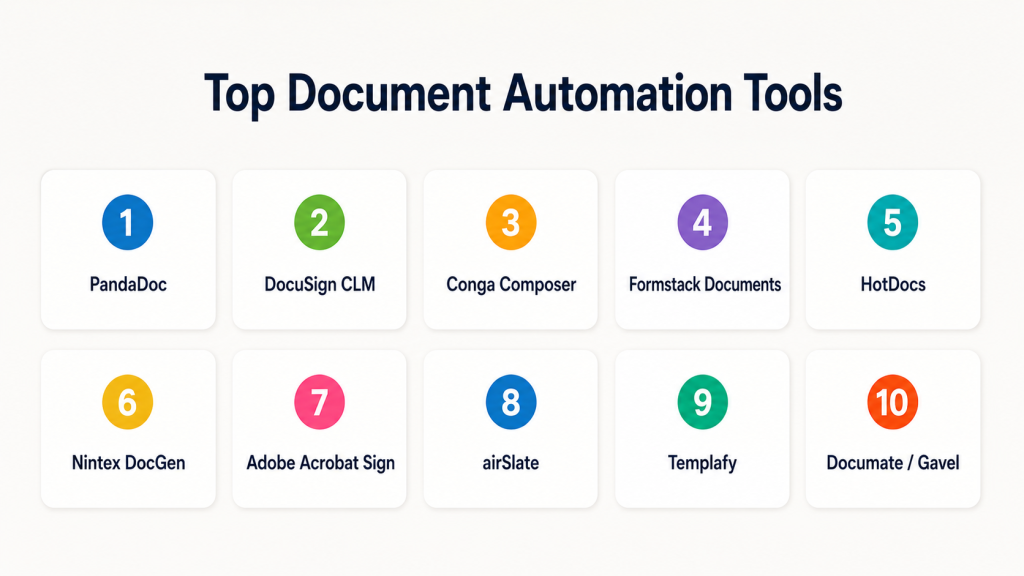
Top Document Automation Tools
#1 — PandaDoc
Short description: PandaDoc is a document automation platform focused on proposals, quotes, contracts, and sales documents. It is useful for sales, revenue, and customer-facing teams that need faster document creation and approvals.
Key Features
- Proposal and quote automation.
- Template library for repeatable document creation.
- eSignature support.
- CRM integrations.
- Approval workflows.
- Content library for reusable sections.
- Document tracking and analytics.
Pros
- Strong for sales proposals and client-facing documents.
- Easy for business teams to adopt.
- Combines document creation, approval, and eSignature in one platform.
Cons
- May not be ideal for highly complex legal document assembly.
- Advanced workflows may require higher-tier plans.
- Best suited for business documents rather than deep enterprise records governance.
Platforms / Deployment
Web / iOS / Android
Cloud
Security & Compliance
Supports access controls, audit trails, encryption, and eSignature-related security features. Specific certifications vary by plan and should be validated during procurement.
Integrations & Ecosystem
PandaDoc works well with sales, CRM, payment, and productivity systems. It is strongest where document generation connects directly with revenue workflows.
- CRM platforms
- Payment tools
- Cloud storage
- Productivity tools
- eSignature workflows
- APIs and webhooks
Support & Community
PandaDoc provides documentation, onboarding resources, customer support, and learning materials. Community strength is good among sales and revenue teams.
#2 — DocuSign CLM
Short description: DocuSign CLM supports contract lifecycle management, document generation, routing, approval, and agreement workflows. It is best for organizations that need structured contract automation and eSignature alignment.
Key Features
- Contract generation and workflow automation.
- Clause and template management.
- Approval routing.
- eSignature integration.
- Contract repository support.
- Audit trails and status tracking.
- Integration with CRM and business systems.
Pros
- Strong fit for agreement-heavy businesses.
- Works well with eSignature-driven workflows.
- Good option for sales, legal, procurement, and operations teams.
Cons
- Can require implementation planning.
- May be more complex than simple document automation tools.
- Pricing and packaging can vary.
Platforms / Deployment
Web / iOS / Android
Cloud
Security & Compliance
Supports access controls, audit trails, encryption, and role-based workflows. Specific certifications should be confirmed based on plan and region.
Integrations & Ecosystem
DocuSign CLM fits well into agreement workflows where contracts need approval, signature, storage, and tracking.
- CRM systems
- ERP systems
- Cloud storage
- eSignature workflows
- Business process tools
- APIs and connectors
Support & Community
DocuSign offers documentation, enterprise support, customer success resources, onboarding options, and a large ecosystem around digital agreements.
#3 — Conga Composer
Short description: Conga Composer is a document generation tool often used with CRM systems to create quotes, proposals, contracts, reports, and business documents. It is especially useful for teams using Salesforce-driven workflows.
Key Features
- Data-driven document generation.
- Template-based document creation.
- CRM integration.
- Batch document generation.
- Document merging and formatting.
- Support for quotes, contracts, and reports.
- Workflow and automation support.
Pros
- Strong fit for Salesforce-based teams.
- Useful for generating documents from structured CRM data.
- Good for repeatable sales and operational documents.
Cons
- Best value is often tied to CRM usage.
- Setup can require admin knowledge.
- Complex templates may need careful configuration.
Platforms / Deployment
Web
Cloud
Security & Compliance
Supports role-based access and enterprise security features through connected platforms and Conga configuration. Specific certifications are not publicly stated here and should be validated directly.
Integrations & Ecosystem
Conga Composer is strong in CRM-centered document workflows where business data must flow into documents automatically.
- Salesforce
- CRM workflows
- eSignature tools
- Cloud storage
- Business applications
- APIs and automation tools
Support & Community
Conga provides documentation, training resources, customer support, and implementation partners. Salesforce ecosystem knowledge is helpful for successful adoption.
#4 — Formstack Documents
Short description: Formstack Documents helps teams generate documents automatically from forms, databases, CRMs, and business applications. It is useful for HR, finance, operations, legal, and customer service workflows.
Key Features
- Template-based document generation.
- Data merging from forms and apps.
- Automated delivery workflows.
- PDF, Word, and business document creation.
- eSignature integration support.
- Cloud storage integrations.
- No-code automation workflows.
Pros
- Good for no-code document generation.
- Useful across many departments.
- Strong fit for form-based workflows.
Cons
- May not provide deep contract lifecycle management.
- Complex enterprise governance may need additional tools.
- Advanced automation depends on integration setup.
Platforms / Deployment
Web
Cloud
Security & Compliance
Supports access controls, encryption, and workflow security features. Specific certifications vary and should be validated during evaluation.
Integrations & Ecosystem
Formstack Documents works well when documents need to be generated from forms, CRM records, spreadsheets, or submitted data.
- Online forms
- CRM systems
- Cloud storage
- eSignature platforms
- Spreadsheets
- Workflow automation tools
Support & Community
Formstack provides documentation, support, templates, and onboarding resources. It is approachable for business users and no-code teams.
#5 — HotDocs
Short description: HotDocs is a document automation platform known for legal, insurance, banking, government, and regulated document assembly. It is useful for organizations that need complex logic-based document generation.
Key Features
- Advanced document assembly.
- Conditional logic and interviews.
- Template automation.
- Complex legal and business document generation.
- Data capture and reuse.
- Support for high-volume document creation.
- Enterprise deployment options.
Pros
- Strong for complex legal and regulated documents.
- Supports detailed rules and conditional logic.
- Useful for document-heavy professional services.
Cons
- Can be more complex than modern no-code tools.
- Template development may require skilled users.
- User experience may feel more specialized.
Platforms / Deployment
Web / Windows
Cloud / Self-hosted / Hybrid
Security & Compliance
Supports enterprise security controls, permissions, and controlled document generation. Specific certifications are not publicly stated here and should be confirmed directly.
Integrations & Ecosystem
HotDocs is often used where complex document assembly must connect with business systems, legal processes, and internal applications.
- Legal systems
- Business databases
- Case management tools
- CRM systems
- Custom applications
- APIs and enterprise integrations
Support & Community
HotDocs provides documentation, enterprise support, and implementation guidance. It is strongest for organizations with serious document assembly requirements.
#6 — Nintex DocGen
Short description: Nintex DocGen helps teams automate document generation as part of broader workflow automation. It is useful for organizations that want document creation connected to business process automation.
Key Features
- Document generation from business data.
- Workflow automation integration.
- Template-based document creation.
- Approval and routing support.
- CRM and productivity integrations.
- Document delivery automation.
- Process automation ecosystem support.
Pros
- Strong when document generation is part of a larger workflow.
- Good fit for business process automation teams.
- Useful for sales, operations, HR, and finance workflows.
Cons
- Best value comes when using broader workflow automation.
- Setup may require workflow design skills.
- May be more than needed for simple document generation.
Platforms / Deployment
Web
Cloud / Hybrid
Security & Compliance
Supports access controls, workflow governance, and enterprise security features. Specific certifications vary by deployment and should be validated.
Integrations & Ecosystem
Nintex DocGen connects document automation with broader process automation, approvals, routing, and business workflows.
- CRM systems
- Microsoft ecosystem
- Workflow tools
- eSignature platforms
- Cloud storage
- APIs and connectors
Support & Community
Nintex provides documentation, training, partner support, and enterprise onboarding. It has a strong workflow automation ecosystem.
#7 — Adobe Acrobat Sign
Short description: Adobe Acrobat Sign supports digital document workflows, eSignature, agreement routing, and PDF-based business processes. It is best for teams that already work heavily with PDFs and Adobe tools.
Key Features
- eSignature workflows.
- PDF document preparation.
- Agreement routing and tracking.
- Template reuse.
- Integration with Microsoft and business tools.
- Mobile signing support.
- Audit trails for signed documents.
Pros
- Strong PDF and eSignature experience.
- Good fit for teams already using Adobe tools.
- Easy for common agreement workflows.
Cons
- Not as deep as full document assembly tools.
- Best suited for signing and agreement workflows.
- Complex document generation may require other tools.
Platforms / Deployment
Web / Windows / macOS / iOS / Android
Cloud
Security & Compliance
Supports encryption, audit trails, authentication options, and access controls. Specific certifications vary by Adobe service and plan.
Integrations & Ecosystem
Adobe Acrobat Sign fits well into document approval, signing, and PDF-heavy business workflows.
- Microsoft 365
- Salesforce
- Workday
- ServiceNow
- Cloud storage
- APIs and workflow tools
Support & Community
Adobe offers documentation, enterprise support, learning resources, and a broad user community. It is widely adopted for PDF and eSignature workflows.
#8 — airSlate
Short description: airSlate is a document workflow automation platform that helps teams create, route, approve, sign, and manage documents. It is useful for businesses that want no-code workflow automation around documents.
Key Features
- No-code document workflow automation.
- Form and document generation.
- eSignature capabilities.
- Approval routing.
- Bot-based automation.
- CRM and cloud integrations.
- Workflow templates.
Pros
- Strong for no-code automation.
- Useful for repetitive document workflows.
- Good fit for operations, HR, sales, and admin teams.
Cons
- Advanced workflows need careful planning.
- May not replace specialized legal CLM platforms.
- Some teams may need training to design workflows well.
Platforms / Deployment
Web
Cloud
Security & Compliance
Supports access controls, encryption, audit trails, and workflow governance features. Specific certifications should be confirmed during vendor review.
Integrations & Ecosystem
airSlate focuses on connecting forms, documents, approvals, signatures, and business applications into automated workflows.
- CRM tools
- Cloud storage
- Productivity tools
- eSignature workflows
- Forms
- APIs and automation bots
Support & Community
airSlate provides support resources, documentation, templates, onboarding materials, and learning content for no-code automation users.
#9 — Templafy
Short description: Templafy is a document generation and brand governance platform for enterprises. It helps teams create compliant, branded, and approved documents across departments.
Key Features
- Centralized template management.
- Brand and content governance.
- Document generation.
- Approved content libraries.
- Integration with office productivity tools.
- Compliance-focused document control.
- Enterprise administration and user management.
Pros
- Strong for brand consistency and enterprise templates.
- Useful for large distributed teams.
- Helps reduce outdated or off-brand documents.
Cons
- More focused on document governance than deep legal automation.
- Best suited for larger organizations.
- Implementation requires template and brand governance planning.
Platforms / Deployment
Web / Windows / macOS
Cloud
Security & Compliance
Supports enterprise access controls, user management, governance, and audit-related controls. Specific certifications should be validated directly.
Integrations & Ecosystem
Templafy works well where employees need to create approved documents, presentations, letters, and content inside everyday productivity tools.
- Microsoft Office
- Google Workspace
- DAM systems
- CRM systems
- eSignature tools
- Enterprise content systems
Support & Community
Templafy provides enterprise onboarding, documentation, customer success, and support services. It is strongest for organizations with formal brand and document governance needs.
#10 — Documate / Gavel
Short description: Gavel, formerly known as Documate, is a document automation platform often used by legal teams and professional service providers. It helps build guided workflows that generate documents from structured questions and answers.
Key Features
- Guided document interviews.
- Logic-based document generation.
- Legal document automation.
- Client-facing intake workflows.
- Template and clause automation.
- Workflow customization.
- No-code automation builder.
Pros
- Strong fit for legal and professional service use cases.
- Useful for client-facing document intake.
- Helps turn repeated legal workflows into guided processes.
Cons
- More specialized than general business document tools.
- May not be ideal for sales proposal automation.
- Complex workflows still require thoughtful setup.
Platforms / Deployment
Web
Cloud
Security & Compliance
Supports access controls and secure document workflow features. Specific certifications are not publicly stated here and should be confirmed directly.
Integrations & Ecosystem
Gavel is useful where legal documents, client intake, and guided automation need to work together.
- Legal workflows
- Intake forms
- Document templates
- CRM or case tools
- eSignature tools
- APIs and workflow connections
Support & Community
Gavel provides support resources, documentation, and guidance for legal automation users. Its community strength is strongest among legal technology and professional services teams.
Comparison Table
| Tool Name | Best For | Platform(s) Supported | Deployment | Standout Feature | Public Rating |
|---|---|---|---|---|---|
| PandaDoc | Sales proposals and quotes | Web, iOS, Android | Cloud | Proposal automation with eSignature | N/A |
| DocuSign CLM | Contract lifecycle automation | Web, iOS, Android | Cloud | Agreement workflow and contract management | N/A |
| Conga Composer | CRM-driven document generation | Web | Cloud | Salesforce-based document generation | N/A |
| Formstack Documents | No-code document generation | Web | Cloud | Form and app-based document creation | N/A |
| HotDocs | Complex legal document assembly | Web, Windows | Cloud, Self-hosted, Hybrid | Logic-based document automation | N/A |
| Nintex DocGen | Workflow-based document automation | Web | Cloud, Hybrid | Document generation inside process automation | N/A |
| Adobe Acrobat Sign | PDF signing and approval workflows | Web, Windows, macOS, iOS, Android | Cloud | PDF and eSignature workflow support | N/A |
| airSlate | No-code document workflow automation | Web | Cloud | Workflow bots and document routing | N/A |
| Templafy | Enterprise template and brand governance | Web, Windows, macOS | Cloud | Centralized document template control | N/A |
| Gavel | Legal document automation | Web | Cloud | Guided legal document workflows | N/A |
Evaluation & Scoring of Document Automation Tools
| Tool Name | Core (25%) | Ease (15%) | Integrations (15%) | Security (10%) | Performance (10%) | Support (10%) | Value (15%) | Weighted Total |
|---|---|---|---|---|---|---|---|---|
| PandaDoc | 8 | 9 | 8 | 8 | 8 | 8 | 8 | 8.15 |
| DocuSign CLM | 9 | 7 | 9 | 9 | 8 | 8 | 7 | 8.15 |
| Conga Composer | 8 | 7 | 9 | 8 | 8 | 8 | 7 | 7.85 |
| Formstack Documents | 8 | 8 | 8 | 7 | 8 | 7 | 8 | 7.75 |
| HotDocs | 9 | 6 | 7 | 8 | 8 | 7 | 7 | 7.55 |
| Nintex DocGen | 8 | 7 | 8 | 8 | 8 | 8 | 7 | 7.70 |
| Adobe Acrobat Sign | 7 | 9 | 8 | 8 | 8 | 8 | 8 | 7.90 |
| airSlate | 8 | 8 | 8 | 8 | 8 | 7 | 8 | 7.90 |
| Templafy | 8 | 8 | 8 | 8 | 8 | 8 | 7 | 7.90 |
| Gavel | 8 | 8 | 7 | 7 | 8 | 7 | 8 | 7.65 |
These scores are comparative and should be treated as a practical starting point, not a final buying decision. A tool with a slightly lower score may still be the best choice if it fits your workflow, team size, industry, and integration needs. For example, HotDocs may be better for complex legal document assembly, while PandaDoc may be better for sales proposals. Always validate templates, workflows, security, integrations, and user adoption through a pilot.
Which Document Automation Tool Is Right for You?
Solo / Freelancer
Solo users usually need simple document generation, reusable templates, eSignature, and easy sharing. They should avoid complex enterprise platforms unless their work requires legal-grade automation or client-facing intake workflows.
Good options:
- PandaDoc for proposals and client documents.
- Adobe Acrobat Sign for PDF signing.
- Gavel for legal document automation.
- Formstack Documents for form-based document creation.
SMB
SMBs need tools that are simple, affordable, and quick to implement. The focus should be on saving time, reducing manual errors, and improving approval workflows.
Good options:
- PandaDoc for sales and proposals.
- Formstack Documents for no-code document generation.
- airSlate for workflow automation.
- Adobe Acrobat Sign for signing and PDF workflows.
Mid-Market
Mid-market companies usually need stronger integrations, approval workflows, CRM alignment, and better template control. They should evaluate how well the tool fits sales, legal, HR, finance, and operations.
Good options:
- Conga Composer for CRM-driven document generation.
- Nintex DocGen for workflow-connected automation.
- PandaDoc for sales document workflows.
- Templafy for document governance and brand consistency.
Enterprise
Enterprises need stronger security, governance, compliance, workflow control, template administration, and integration with business systems. They should also evaluate implementation support and long-term scalability.
Good options:
- DocuSign CLM for agreement lifecycle management.
- Templafy for enterprise template governance.
- HotDocs for complex document assembly.
- Nintex DocGen for process automation.
- Conga Composer for CRM-heavy enterprise document workflows.
Budget vs Premium
Budget-focused teams should start with tools that solve clear use cases without heavy implementation. Premium tools are better when document risk, compliance, approvals, and integration complexity are high.
Budget-friendly scenarios:
- Basic proposal automation.
- Simple eSignature workflows.
- Form-based document generation.
- Small team templates.
Premium scenarios:
- Contract lifecycle automation.
- Legal document assembly.
- Enterprise template governance.
- Complex CRM or ERP integrations.
- High-volume document generation.
Feature Depth vs Ease of Use
Some tools are easy to use but less flexible for complex rules. Others are powerful but require deeper setup. The best choice depends on how complex your documents are.
Choose ease of use when:
- Your templates are simple.
- Your users are non-technical.
- You need fast adoption.
- You mainly create proposals, forms, or standard agreements.
Choose feature depth when:
- You need conditional logic.
- You manage legal clauses.
- You need complex approvals.
- You generate documents from multiple systems.
- Compliance and audit trails matter.
Integrations & Scalability
Document automation becomes more valuable when it connects with existing systems. A strong tool should pull data from CRM, ERP, HR, finance, forms, databases, and cloud storage.
For Salesforce-heavy teams, Conga Composer is often a strong fit. For agreement workflows, DocuSign CLM is practical. For workflow automation, Nintex DocGen and airSlate are useful. For enterprise template control, Templafy is strong.
Security & Compliance Needs
Security should be reviewed carefully, especially when documents include contracts, employee records, customer data, financial information, legal content, or regulated data.
Important security checks include:
- SSO and MFA
- Role-based access control
- Audit logs
- Encryption
- Template permissions
- Approval history
- Data retention
- Admin controls
- eSignature audit trails
- Vendor compliance documentation
Frequently Asked Questions
What is document automation software?
Document automation software helps teams create documents from templates, data fields, rules, and workflows. It reduces manual writing, copying, formatting, and approval delays.
How is document automation different from document management?
Document automation focuses on creating and generating documents faster. Document management focuses on storing, organizing, finding, and controlling documents after they are created.
Which teams benefit most from document automation?
Sales, legal, HR, finance, operations, procurement, compliance, and customer success teams benefit the most. Any team creating repeated documents can save time and reduce errors.
Is document automation only for legal teams?
No. Legal teams use it heavily, but sales teams use it for proposals, HR teams use it for employee letters, finance teams use it for invoices, and operations teams use it for forms and reports.
What are common pricing models?
Pricing may be based on users, document volume, features, templates, workflows, eSignature usage, or enterprise plans. Pricing varies, so buyers should confirm directly with each vendor.
How long does onboarding take?
Onboarding depends on template complexity, integrations, approval flows, and user training. Simple teams can start quickly, while enterprise setups may require phased implementation.
What is the biggest mistake when choosing a document automation tool?
The biggest mistake is choosing a tool before mapping document workflows. Teams should first define templates, data sources, approvals, owners, and security needs.
Can document automation tools integrate with CRM systems?
Yes, many document automation tools integrate with CRM platforms. This is useful for generating proposals, quotes, contracts, and customer documents from existing CRM data.
Are these tools secure enough for sensitive documents?
Many tools include security features like access controls, encryption, audit trails, and admin permissions. However, buyers should validate security documentation before purchasing.
Can document automation replace eSignature tools?
Some platforms include eSignature, while others integrate with eSignature tools. If signing is your main need, an eSignature-first platform may be enough.
What are good alternatives to document automation tools?
Alternatives include word processors, cloud storage templates, document management systems, contract lifecycle management platforms, and workflow automation tools. The right alternative depends on complexity.
How should a company switch from manual documents to automation?
Start with high-volume and error-prone documents. Build templates, connect data sources, test workflows, train users, and measure time saved before expanding to other departments.
Conclusion
Document automation tools help organizations reduce manual work, improve document quality, speed up approvals, and create more consistent business processes. The best platform depends on your real use case. PandaDoc is strong for sales proposals, DocuSign CLM works well for agreement workflows, Conga Composer fits CRM-driven teams, HotDocs is useful for complex legal documents, and Templafy is strong for enterprise template governance. No single tool is the universal winner.
