Upgrade & Secure Your Future with DevOps, SRE, DevSecOps, MLOps!
We spend hours scrolling social media and waste money on things we forget, but won’t spend 30 minutes a day earning certifications that can change our lives.
Master in DevOps, SRE, DevSecOps & MLOps by DevOps School!
Learn from Guru Rajesh Kumar and double your salary in just one year.
Introduction
Feature Flag Management Tools help software teams turn features on or off without redeploying code. In simple terms, a feature flag is like a controlled switch inside an application. Teams can release a feature to internal users, beta customers, a small percentage of traffic, or a specific customer segment before making it available to everyone.
This matters in beyond because software teams need faster releases, safer deployments, better experimentation, and reduced production risk. Modern teams use feature flags for progressive delivery, canary releases, A/B testing, entitlement control, emergency kill switches, and customer-specific rollouts.
Common use cases include gradual feature rollouts, beta testing, production testing, release rollback, pricing-tier access, experiment control, migration toggles, and environment-based configuration.
Buyers should evaluate SDK coverage, flag governance, targeting rules, audit logs, performance, experimentation support, approval workflows, integrations, security, pricing, and self-hosting options.
Best for: DevOps teams, platform engineers, product managers, developers, SRE teams, SaaS companies, mobile app teams, and enterprises practicing continuous delivery.
Not ideal for: very small projects with rare releases, teams without structured deployment practices, or businesses that only need simple environment variables instead of controlled runtime feature management.
Key Trends in Feature Flag Management Tools
Progressive delivery is becoming standard as teams want to release features slowly, monitor impact, and reduce production risk.
- Feature flags and experimentation are merging because product teams want to test features, measure outcomes, and decide based on real behavior.
- AI-assisted release insights are emerging through anomaly detection, rollout recommendations, and risk signals based on telemetry.
- Flag governance is now critical because unmanaged flags can become technical debt, security risk, and confusing release clutter.
- Open-source and self-hosted tools are gaining adoption among teams that want more control over deployment, data, and cost.
- Security and auditability matter more because feature flags can control access to sensitive features, billing plans, and customer-specific functionality.
- SDK performance is a major buying factor because flag evaluation must be fast, reliable, and safe during production traffic.
- DevOps integrations are becoming deeper with CI/CD, incident management, observability, issue tracking, and approval workflows.
- Multi-environment management is essential as teams manage flags across development, staging, production, mobile, backend, frontend, and edge systems.
- Feature entitlement use cases are expanding as SaaS teams use flags for plan-based access, customer rollouts, and product packaging.
How We Selected These Tools
- Market adoption and recognition across feature flagging, release management, progressive delivery, and experimentation.
- Feature completeness for targeting, rollouts, kill switches, environments, SDKs, and governance.
- Fit across startups, SMBs, mid-market companies, enterprise teams, and developer-led organizations.
- Strength of SDK coverage across frontend, backend, mobile, and server-side environments.
- Security posture signals such as RBAC, audit logs, SSO/SAML, MFA, and approval workflows.
- Integration ecosystem with CI/CD, observability, incident response, analytics, and product tools.
- Support for experimentation, metrics, and controlled rollouts.
- Reliability and performance of flag evaluation.
- Deployment flexibility across cloud, self-hosted, and hybrid needs.
- Overall value compared with complexity, pricing, and operational effort.
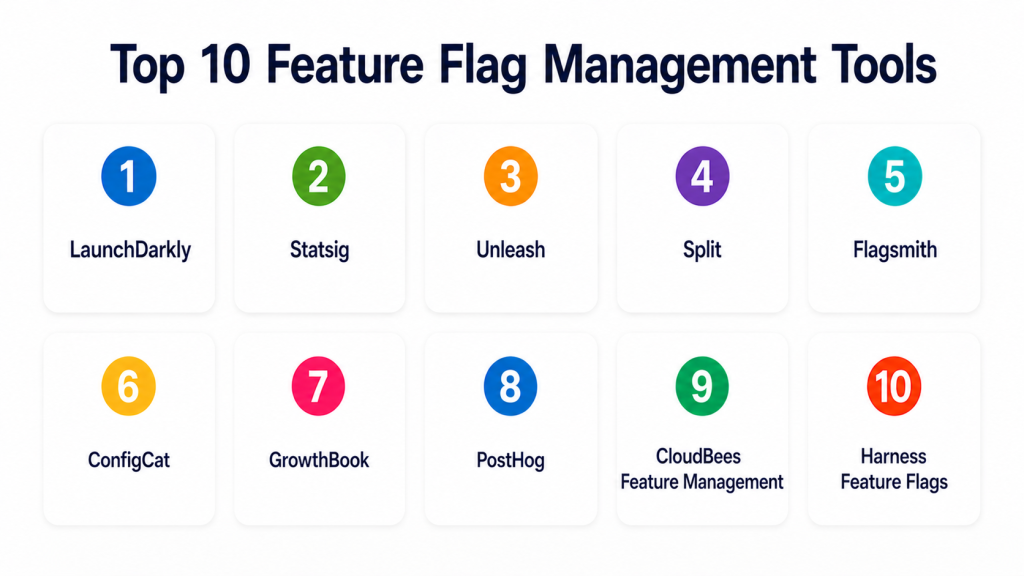
Top 10 Feature Flag Management Tools
#1 — LaunchDarkly
Short description = LaunchDarkly is a mature feature management platform for progressive delivery, controlled rollouts, experimentation, and release governance. It is best for engineering, DevOps, product, and enterprise teams managing frequent releases.
Key Features
- Feature flags and progressive rollouts.
- User, segment, environment, and percentage-based targeting.
- Kill switches for fast rollback.
- SDKs for many languages and platforms.
- Experimentation and metrics support.
- Audit logs, approvals, and governance workflows.
- Integrations with DevOps and observability tools.
Pros
- Strong enterprise-grade feature management.
- Excellent fit for release governance and progressive delivery.
- Broad SDK and integration ecosystem.
Cons
- May be costly for smaller teams.
- Advanced setup requires process maturity.
- Can be more than needed for simple flag use cases.
Platforms / Deployment
Web / APIs / SDKs
Cloud / Hybrid options may vary
Security & Compliance
Supports RBAC, SSO/SAML, audit logs, access controls, and enterprise governance features. Specific certifications should be validated directly.
Integrations & Ecosystem
LaunchDarkly fits modern software delivery workflows where release control connects with engineering systems.
- CI/CD tools
- Observability platforms
- Incident management tools
- Product analytics tools
- APIs and SDKs
- DevOps workflows
Support & Community
LaunchDarkly provides strong documentation, developer guides, customer support, enterprise onboarding, and a mature feature management ecosystem.
#2 — Statsig
Short description = Statsig combines feature flags, experimentation, metrics, and product analytics-style decision-making. It is best for product and engineering teams that want feature rollout and experiment measurement in one platform.
Key Features
- Feature gates and controlled rollouts.
- A/B testing and experimentation.
- Metrics and experiment analysis.
- Holdouts and targeting rules.
- SDKs for product and engineering teams.
- Data warehouse and analytics integrations.
- Experiment governance workflows.
Pros
- Strong for product experimentation.
- Combines feature flags with metrics and analysis.
- Good fit for product-led engineering teams.
Cons
- Less suited for simple no-code release toggles.
- Requires technical implementation.
- Best value comes when teams run regular experiments.
Platforms / Deployment
Web / APIs / SDKs
Cloud
Security & Compliance
Supports access controls, user permissions, and enterprise security features. Specific certifications should be validated directly.
Integrations & Ecosystem
Statsig works well where product analytics, feature flags, and experimentation need to work together.
- Data warehouses
- Product analytics tools
- Developer SDKs
- CI/CD systems
- APIs
- Internal metrics platforms
Support & Community
Statsig provides documentation, developer resources, support, and experimentation guidance for product and engineering teams.
#3 — Unleash
Short description = Unleash is an open-source feature management platform with cloud and self-hosted options. It is useful for teams that want control, privacy, and flexible deployment while still using structured feature flags.
Key Features
- Open-source feature flag management.
- Gradual rollouts and targeting strategies.
- SDKs for multiple languages.
- Self-hosted and cloud deployment options.
- Role-based access controls.
- Audit logs and environment management.
- Custom activation strategies.
Pros
- Strong open-source and self-hosted option.
- Good fit for privacy-conscious and regulated teams.
- Flexible for developer-led organizations.
Cons
- Self-hosting requires operational maintenance.
- Advanced enterprise features may require paid plans.
- Teams need discipline to manage flag lifecycle.
Platforms / Deployment
Web / Linux / Docker / Kubernetes / APIs / SDKs
Cloud / Self-hosted / Hybrid
Security & Compliance
Supports RBAC, audit logs, access controls, and self-hosted deployment control. Specific certifications depend on deployment and plan.
Integrations & Ecosystem
Unleash fits technical teams that want feature flagging integrated into internal platforms and delivery workflows.
- APIs and SDKs
- Kubernetes
- CI/CD tools
- Internal developer platforms
- Observability tools
- Custom applications
Support & Community
Unleash has open-source community support, documentation, enterprise support options, and developer-focused resources.
#4 — Split
Short description= Split is a feature delivery and experimentation platform designed to help teams release features safely and measure their impact. It is best for product and engineering teams that want feature flags connected with metrics.
Key Features
- Feature flags and controlled rollouts.
- Experimentation and impact measurement.
- Targeting and segmentation.
- SDKs for multiple platforms.
- Metrics monitoring.
- Kill switches and rollback support.
- Governance and collaboration workflows.
Pros
- Strong focus on feature impact measurement.
- Good balance of release control and experimentation.
- Useful for product and engineering collaboration.
Cons
- May require analytics and metrics setup.
- Advanced use cases need process discipline.
- Pricing and packaging vary by usage.
Platforms / Deployment
Web / APIs / SDKs
Cloud
Security & Compliance
Supports access controls, permissions, audit-related features, and enterprise security options. Specific certifications should be validated directly.
Integrations & Ecosystem
Split works well when feature delivery needs to connect with product metrics and engineering workflows.
- Product analytics tools
- Data platforms
- CI/CD systems
- Observability tools
- APIs and SDKs
- Incident workflows
Support & Community
Split provides documentation, customer support, onboarding resources, and guidance for experimentation and feature delivery teams.
#5 — Flagsmith
Short description = Flagsmith is a feature flag and remote configuration platform with cloud and open-source self-hosted options. It is best for teams that need flexible flag management, environment control, and deployment choice.
Key Features
- Feature flags and remote configuration.
- User and segment targeting.
- Cloud and self-hosted deployment.
- SDKs for web, backend, and mobile use cases.
- Environment management.
- Audit logs and permissions.
- API-first feature management.
Pros
- Good balance of simplicity and control.
- Self-hosted option is useful for data-sensitive teams.
- Practical for startups, SMBs, and developer teams.
Cons
- May not match the enterprise depth of larger platforms.
- Advanced experimentation may require external analytics.
- Self-hosting needs maintenance.
Platforms / Deployment
Web / Linux / Docker / APIs / SDKs
Cloud / Self-hosted / Hybrid
Security & Compliance
Supports access controls, audit logs, role permissions, and self-hosted deployment control. Specific certifications should be validated directly.
Integrations & Ecosystem
Flagsmith fits teams that need feature flags connected with application configuration and release workflows.
- APIs and SDKs
- CI/CD pipelines
- Mobile apps
- Web apps
- Backend services
- Internal tools
Support & Community
Flagsmith provides documentation, open-source community resources, support plans, and developer-focused guidance.
#6 — ConfigCat
Short description= ConfigCat is a feature flag and configuration management tool known for simple setup and broad SDK support. It is useful for developers, startups, SMBs, and teams that want straightforward feature flagging without heavy complexity.
Key Features
- Feature flags and targeting rules.
- Percentage-based rollouts.
- SDKs for many platforms.
- Remote configuration.
- Team permissions.
- Audit logs.
- Simple dashboard and API access.
Pros
- Easy to set up and use.
- Good SDK coverage for common development stacks.
- Practical for teams that want lightweight flag management.
Cons
- May not have the deepest enterprise experimentation features.
- Advanced governance needs may require more mature platforms.
- Best for feature control rather than full experimentation programs.
Platforms / Deployment
Web / APIs / SDKs
Cloud
Security & Compliance
Supports permissions, access controls, audit logs, and secure flag management workflows. Specific certifications should be validated directly.
Integrations & Ecosystem
ConfigCat works well for teams that want feature flags integrated quickly into apps and services.
- APIs and SDKs
- Web applications
- Mobile apps
- Backend services
- CI/CD workflows
- Developer tools
Support & Community
ConfigCat provides documentation, SDK examples, support resources, and developer guides. It is approachable for smaller engineering teams.
#7 — GrowthBook
Short description = GrowthBook is an open-source feature flagging and experimentation platform. It is best for technical teams that want feature flags, A/B testing, and data warehouse-connected experiment analysis.
Key Features
- Feature flags and targeting.
- A/B testing and experiment analysis.
- Self-hosted and cloud options.
- SDKs for developers.
- Data warehouse integrations.
- Experiment metrics and reporting.
- Open-source transparency.
Pros
- Strong open-source option for experimentation.
- Good for teams that want control over data.
- Useful for feature flags plus A/B testing.
Cons
- Requires technical setup for best results.
- Not as simple as pure no-code feature flag tools.
- Self-hosting requires maintenance.
Platforms / Deployment
Web / Linux / Docker / APIs / SDKs
Cloud / Self-hosted / Hybrid
Security & Compliance
Supports permissions, deployment control, and self-hosting options. Specific certifications depend on deployment and hosting setup.
Integrations & Ecosystem
GrowthBook fits technical product teams that want flags and experiments connected to analytics infrastructure.
- Data warehouses
- APIs and SDKs
- CI/CD workflows
- Product analytics tools
- Web apps
- Internal data platforms
Support & Community
GrowthBook offers documentation, open-source community support, developer resources, and paid support options depending on plan.
#8 — PostHog
Short description = PostHog combines product analytics, feature flags, A/B testing, session replay, and user behavior analysis. It is best for developer-led product teams that want flags connected with analytics and experimentation.
Key Features
- Feature flags.
- A/B testing.
- Product analytics.
- Session replay.
- Funnels and retention analysis.
- Cloud and self-hosted options.
- Developer APIs and SDKs.
Pros
- Combines flags, analytics, and experiments in one product stack.
- Open-source and self-hosted options give more control.
- Strong fit for engineering-led product teams.
Cons
- May be broader than teams needing only feature flags.
- Advanced setup can require engineering support.
- Self-hosting requires maintenance and monitoring.
Platforms / Deployment
Web / Linux / APIs / SDKs
Cloud / Self-hosted / Hybrid
Security & Compliance
Supports user permissions, deployment controls, and self-hosting options. Specific certifications should be validated directly.
Integrations & Ecosystem
PostHog fits teams that want feature flagging connected with product usage insights.
- APIs and SDKs
- Data warehouses
- Product analytics workflows
- Session replay
- Experimentation tools
- Developer stacks
Support & Community
PostHog provides documentation, open-source community support, developer resources, and paid support options.
#9 — CloudBees Feature Management
Short description = CloudBees Feature Management is a feature flagging and release control solution suited for DevOps and enterprise software delivery teams. It is useful for organizations already using CloudBees or mature CI/CD practices.
Key Features
- Feature flags and rollout control.
- Targeting and segmentation.
- Release management support.
- SDKs for multiple platforms.
- Integration with software delivery workflows.
- Governance and team controls.
- Environment-based flag management.
Pros
- Good fit for DevOps-focused teams.
- Useful in enterprise release management workflows.
- Works well where CI/CD governance matters.
Cons
- Best value may be tied to broader CloudBees usage.
- May be more enterprise-oriented than small teams need.
- Specific feature depth should be validated during evaluation.
Platforms / Deployment
Web / APIs / SDKs
Cloud / Hybrid options may vary
Security & Compliance
Supports access controls, governance workflows, and enterprise release management controls. Specific certifications should be validated directly.
Integrations & Ecosystem
CloudBees Feature Management fits software delivery environments where feature flags connect to CI/CD governance.
- CI/CD pipelines
- DevOps platforms
- Release management workflows
- APIs and SDKs
- Enterprise software delivery tools
- Observability workflows
Support & Community
CloudBees provides enterprise support, documentation, customer success resources, and DevOps-focused implementation guidance.
#10 — Harness Feature Flags
Short description= Harness Feature Flags is part of the Harness software delivery platform and helps teams manage feature rollouts, targeting, and release control. It is best for teams using or considering Harness for CI/CD and DevOps automation.
Key Features
- Feature flags and gradual rollouts.
- Targeting and segmentation.
- Kill switches and rollback control.
- SDKs for applications and services.
- Integration with Harness delivery workflows.
- Environment and project management.
- Governance and access controls.
Pros
- Strong fit for teams already using Harness.
- Connects feature flags with software delivery workflows.
- Useful for DevOps-driven release control.
Cons
- Best value may come inside the broader Harness ecosystem.
- Teams only needing simple flags may find it more than necessary.
- Advanced experimentation capabilities should be validated.
Platforms / Deployment
Web / APIs / SDKs
Cloud / Hybrid options may vary
Security & Compliance
Supports access controls, governance features, and release workflow controls. Specific certifications should be validated directly.
Integrations & Ecosystem
Harness Feature Flags fits CI/CD-centered DevOps environments.
- Harness CI/CD
- Git workflows
- Deployment pipelines
- Observability tools
- APIs and SDKs
- Release management workflows
Support & Community
Harness provides documentation, support, onboarding resources, and DevOps-focused guidance for teams building modern delivery pipelines.
Comparison Table
| Tool Name | Best For | Platform(s) Supported | Deployment | Standout Feature | Public Rating |
|---|---|---|---|---|---|
| LaunchDarkly | Enterprise feature management | Web, APIs, SDKs | Cloud, Hybrid options may vary | Mature progressive delivery and governance | N/A |
| Statsig | Product experimentation | Web, APIs, SDKs | Cloud | Feature flags with metrics and experiments | N/A |
| Unleash | Open-source and self-hosted flagging | Web, Linux, Docker, Kubernetes, APIs, SDKs | Cloud, Self-hosted, Hybrid | Open-source feature management | N/A |
| Split | Feature delivery with measurement | Web, APIs, SDKs | Cloud | Feature impact measurement | N/A |
| Flagsmith | Flexible flags and remote config | Web, Linux, Docker, APIs, SDKs | Cloud, Self-hosted, Hybrid | Cloud and self-hosted feature flags | N/A |
| ConfigCat | Simple developer-friendly flags | Web, APIs, SDKs | Cloud | Lightweight flag management with broad SDKs | N/A |
| GrowthBook | Open-source flags and A/B testing | Web, Linux, Docker, APIs, SDKs | Cloud, Self-hosted, Hybrid | Feature flags plus experimentation | N/A |
| PostHog | Product analytics plus flags | Web, Linux, APIs, SDKs | Cloud, Self-hosted, Hybrid | Flags, analytics, replay, and experiments | N/A |
| CloudBees Feature Management | Enterprise DevOps release control | Web, APIs, SDKs | Cloud, Hybrid options may vary | Feature flags aligned with CI/CD governance | N/A |
| Harness Feature Flags | DevOps platform users | Web, APIs, SDKs | Cloud, Hybrid options may vary | Feature flags inside software delivery workflows | N/A |
Evaluation & Scoring of Feature Flag Management Tools
| Tool Name | Core (25%) | Ease (15%) | Integrations (15%) | Security (10%) | Performance (10%) | Support (10%) | Value (15%) | Weighted Total (0–10) |
|---|---|---|---|---|---|---|---|---|
| LaunchDarkly | 9 | 8 | 9 | 9 | 9 | 9 | 7 | 8.55 |
| Statsig | 9 | 7 | 9 | 8 | 8 | 8 | 8 | 8.20 |
| Unleash | 8 | 7 | 8 | 8 | 8 | 7 | 9 | 7.95 |
| Split | 8 | 7 | 8 | 8 | 8 | 8 | 7 | 7.70 |
| Flagsmith | 8 | 8 | 8 | 8 | 8 | 7 | 9 | 8.00 |
| ConfigCat | 7 | 9 | 7 | 8 | 8 | 7 | 8 | 7.75 |
| GrowthBook | 8 | 7 | 8 | 8 | 8 | 7 | 9 | 7.95 |
| PostHog | 8 | 7 | 8 | 8 | 8 | 7 | 9 | 7.95 |
| CloudBees Feature Management | 8 | 7 | 8 | 8 | 8 | 8 | 7 | 7.70 |
| Harness Feature Flags | 8 | 7 | 8 | 8 | 8 | 8 | 7 | 7.70 |
These scores are comparative and should be treated as a practical guide, not a universal ranking. LaunchDarkly is strong for mature enterprise feature management. Statsig is strong for experimentation-driven product teams. Unleash, Flagsmith, GrowthBook, and PostHog are practical for teams that value open-source or self-hosted control. Harness and CloudBees are useful when feature flags need to fit into broader DevOps delivery workflows.
Which Feature Flag Management Tools Tool Is Right for You?
Solo / Freelancer
Solo developers usually need simple flags, environment toggles, and low-cost release control. They may not need enterprise governance or advanced experimentation.
Good options:
- ConfigCat for simple cloud-based feature flags.
- Flagsmith for flexible cloud or self-hosted use.
- Unleash for open-source control.
- PostHog if analytics and feature flags are both needed.
SMB
SMBs should focus on ease of setup, SDK support, cost, and basic targeting. They need tools that reduce release risk without adding too much process overhead.
Good options:
- ConfigCat for lightweight developer-friendly flagging.
- Flagsmith for cloud or self-hosted flexibility.
- Unleash for open-source feature management.
- GrowthBook for flags plus A/B testing.
- PostHog for analytics-connected feature releases.
Mid-Market
Mid-market teams usually need better governance, environments, targeting, experimentation, integrations, and release workflows.
Good options:
- LaunchDarkly for mature feature management.
- Statsig for product experimentation.
- Split for feature delivery and measurement.
- Flagsmith for flexible deployment.
- GrowthBook for warehouse-connected experimentation.
Enterprise
Enterprises need audit logs, RBAC, SSO, approval workflows, SDK reliability, governance, support, and integration with DevOps workflows.
Good options:
- LaunchDarkly for enterprise-grade feature management.
- Statsig for experimentation and product metrics.
- Split for feature impact measurement.
- Harness Feature Flags for software delivery workflows.
- CloudBees Feature Management for enterprise DevOps environments.
- Unleash for self-hosted control.
Budget vs Premium
Budget-focused teams should start with tools that provide simple flags, SDKs, and basic targeting. Premium platforms are better when flags control mission-critical releases, customer access, experiments, and compliance-sensitive workflows.
Budget-friendly scenarios:
- Simple feature toggles.
- Startup product releases.
- Developer side projects.
- Basic rollout control.
- Open-source deployments.
Premium scenarios:
- Enterprise release governance.
- Mission-critical SaaS releases.
- Complex segmentation.
- Experimentation at scale.
- Regulated environments.
- Multi-team DevOps workflows.
Feature Depth vs Ease of Use
Ease of use matters when teams want quick rollout control. Feature depth matters when flags become part of delivery governance, experiments, access control, and release safety.
Choose ease of use when:
- Your team is small.
- You need basic on/off flags.
- You want quick SDK integration.
- You do not run complex experiments.
Choose feature depth when:
- You need audit logs and approvals.
- You run canary releases.
- You use flags for entitlements.
- You need experimentation.
- You manage many teams and environments.
- You need self-hosted or hybrid deployment.
Integrations & Scalability
Feature flag tools should fit naturally into your software delivery lifecycle. A good platform connects release control with development, deployment, monitoring, and product measurement.
Important integrations include:
- CI/CD systems
- Git platforms
- Observability tools
- Incident management tools
- Product analytics platforms
- Data warehouses
- Experimentation systems
- Internal developer platforms
- Kubernetes and cloud platforms
- APIs and SDKs
Security & Compliance Needs
Feature flags can affect production behavior, customer access, pricing tiers, experiments, and sensitive functionality. Governance is important as teams scale.
Important security checks include:
- SSO/SAML.
- MFA.
- Role-based access control.
- Audit logs.
- Approval workflows.
- Environment separation.
- SDK key management.
- Kill switch controls.
- Change history.
- Data residency options.
- Vendor compliance documentation.
Frequently Asked Questions
What is a Feature Flag Management Tool?
A Feature Flag Management Tool lets teams turn features on or off without deploying new code. It helps control releases, test features, and reduce production risk.
How is a feature flag different from a configuration setting?
A configuration setting usually controls environment or app behavior. A feature flag is designed for controlled rollout, targeting, experimentation, and runtime release management.
Why do DevOps teams use feature flags?
DevOps teams use feature flags to release faster, reduce deployment risk, test in production safely, roll back quickly, and separate code deployment from feature release.
What are common pricing models?
Pricing may be based on monthly active users, seats, flags, environments, events, SDK usage, or enterprise plans. Pricing varies, so buyers should confirm directly with vendors.
What is progressive delivery?
Progressive delivery means releasing a feature gradually to selected users, teams, regions, or traffic percentages while monitoring impact before full rollout.
What is a kill switch?
A kill switch is a feature flag used to turn off a problematic feature quickly without redeploying code. It is useful during incidents or unexpected production behavior.
What is the biggest mistake with feature flags?
The biggest mistake is not removing old flags. Stale flags create technical debt, confusion, testing complexity, and sometimes security risk.
Can feature flags support A/B testing?
Yes, many feature flag tools support experimentation or integrate with analytics platforms. However, proper metrics, sample size, and experiment design are still important.
Are feature flag tools secure?
Many tools support RBAC, SSO, audit logs, approvals, and environment controls. Buyers should validate security features before using flags for sensitive production behavior.
Do feature flags affect application performance?
Feature flags can affect performance if SDKs are poorly implemented or remote calls are not cached properly. Teams should review SDK behavior and fail-safe patterns.
What are alternatives to feature flag tools?
Alternatives include environment variables, config files, custom flag systems, CI/CD variables, manual deployments, branch-based releases, and application configuration platforms.
How should a team start with feature flags?
Start with a small use case, define naming rules, assign owners, use flags for release safety, document cleanup dates, and integrate flag changes into your deployment process.
Conclusion
Feature Flag Management Tools help modern software teams release faster, reduce risk, experiment safely, and control production behavior without constant redeployment. The best tool depends on your team size, release maturity, security needs, experimentation goals, and deployment preferences. LaunchDarkly is strong for mature enterprise feature management. Statsig and Split are useful for product experimentation and impact measurement. Unleash, Flagsmith, GrowthBook, and PostHog are strong for teams that value open-source or self-hosted flexibility. ConfigCat is practical for simpler developer-friendly flagging, while Harness and CloudBees fit DevOps-centered delivery workflows.
