Upgrade & Secure Your Future with DevOps, SRE, DevSecOps, MLOps!
We spend hours scrolling social media and waste money on things we forget, but won’t spend 30 minutes a day earning certifications that can change our lives.
Master in DevOps, SRE, DevSecOps & MLOps by DevOps School!
Learn from Guru Rajesh Kumar and double your salary in just one year.
Introduction
Web Analytics Tools help businesses understand how people visit, use, and interact with websites, landing pages, web apps, blogs, ecommerce stores, and digital products. In simple terms, these tools show where visitors come from, what pages they view, what actions they take, where they drop off, and which campaigns or content bring results.
This matters in 2026 and beyond because websites are no longer only online brochures. They are sales channels, support hubs, product experiences, lead engines, and customer education platforms. Teams need clear data to improve conversion rates, user journeys, SEO performance, campaign ROI, and product decisions.
Common use cases include traffic analysis, conversion tracking, funnel analysis, campaign measurement, ecommerce reporting, user behavior tracking, content performance, and privacy-friendly analytics.
Buyers should evaluate tracking accuracy, privacy controls, dashboard quality, event tracking, attribution, integrations, data ownership, reporting flexibility, scalability, cost, and ease of implementation.
Best for: marketers, product teams, founders, ecommerce teams, SaaS teams, agencies, content teams, growth teams, and analytics teams.
Not ideal for: teams that only need basic visitor counts, websites with very low traffic, or companies that need deep data warehouse analytics instead of website-level reporting.
Key Trends in Web Analytics Tools
Privacy-first analytics is now a major priority as businesses move away from unnecessary personal tracking and focus on consent-aware measurement.
- Cookieless and server-side tracking are growing because browser restrictions, ad blockers, and privacy rules affect traditional tracking methods.
- AI-assisted insights are becoming common through automated anomaly detection, trend summaries, predictive analysis, and natural language reporting.
- Product and web analytics are merging as SaaS teams want one view of website visits, signups, onboarding, feature usage, and retention.
- First-party data is more valuable because companies want direct, trusted analytics instead of depending only on third-party tracking.
- Data warehouse integration is increasing as teams connect analytics with CRM, revenue, support, and product data.
- Real-time dashboards matter more for campaigns, launches, ecommerce events, and product experiments.
- Attribution is becoming harder but more important as users interact across multiple devices, channels, and privacy-controlled environments.
- Open-source and self-hosted analytics are gaining attention from teams that want data ownership and deployment control.
- Behavior analytics is expanding with heatmaps, session replay, funnels, and user journey analysis becoming part of decision-making.
How We Selected These Tools
- Market adoption and recognition across web analytics, product analytics, privacy analytics, and behavior analytics.
- Feature completeness for traffic reporting, event tracking, funnels, attribution, dashboards, and segmentation.
- Fit across solo users, SMBs, mid-market teams, enterprises, and developer-led organizations.
- Strength of privacy controls, consent support, data ownership options, and compliance-friendly workflows.
- Integration ecosystem with ad platforms, CRMs, data warehouses, CMS tools, tag managers, and product stacks.
- Ease of implementation for non-technical users and flexibility for technical teams.
- Reporting quality, dashboard customization, and executive-level visibility.
- Scalability for high-traffic websites and large data volumes.
- Support for modern measurement needs such as server-side tracking and event-based analytics.
- Overall value compared with complexity, pricing, and learning curve.
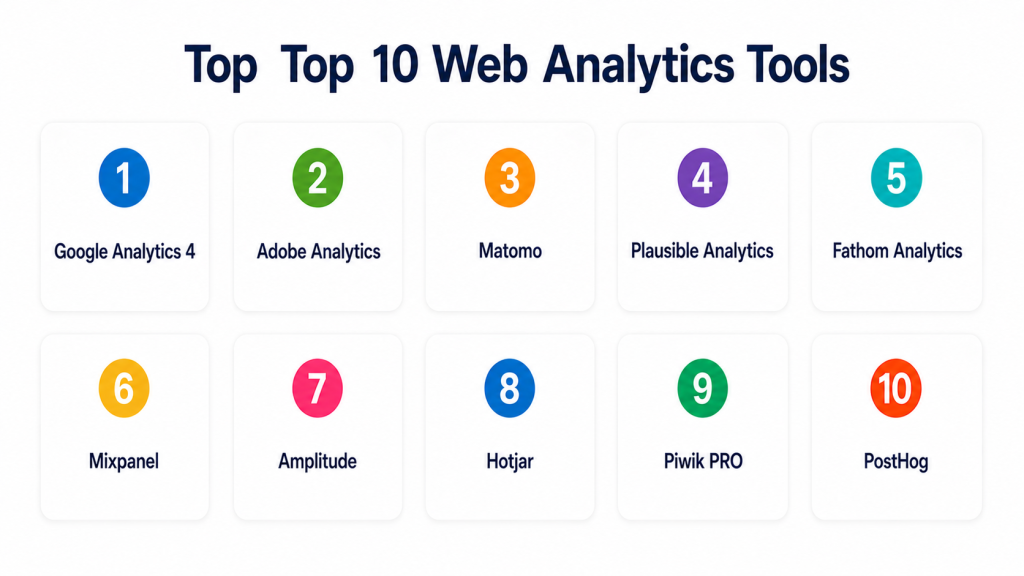
Top 10 Web Analytics Tools
#1 — Google Analytics 4
Short description (2–3 lines): Google Analytics 4 is a widely used web and app analytics platform for tracking traffic, events, conversions, audiences, and campaign performance. It is best for businesses that need free or widely adopted analytics connected with Google’s marketing ecosystem.
Key Features
- Event-based web and app analytics.
- Traffic source and campaign reporting.
- Conversion and goal tracking.
- Audience segmentation.
- Funnel and path exploration.
- Integration with Google Ads and related tools.
- Custom reports and dashboard options.
Pros
- Widely adopted and familiar to many marketers.
- Strong connection with Google marketing tools.
- Good starting point for traffic and conversion measurement.
Cons
- Learning curve can be high for beginners.
- Privacy and consent setup needs careful planning.
- Some teams may prefer simpler or privacy-first alternatives.
Platforms / Deployment
Web / iOS / Android
Cloud
Security & Compliance
Supports Google account security, access controls, permissions, and privacy-related configuration options. Specific compliance details depend on implementation, region, and account setup.
Integrations & Ecosystem
Google Analytics 4 works well inside the Google marketing and analytics ecosystem.
- Google Ads
- Google Tag Manager
- Looker Studio
- BigQuery
- Search Console
- Ecommerce platforms
Support & Community
Google provides documentation, help resources, community forums, learning materials, and partner support options. Community knowledge is very strong due to broad adoption.
#2 — Adobe Analytics
Short description (2–3 lines): Adobe Analytics is an enterprise analytics platform for advanced digital measurement, segmentation, attribution, and customer journey analysis. It is best for large organizations with complex marketing, ecommerce, and customer experience needs.
Key Features
- Advanced web and digital analytics.
- Customer journey analysis.
- Segmentation and cohort reporting.
- Attribution and campaign analysis.
- Custom dashboards and reporting.
- Integration with Adobe Experience Cloud.
- Data governance and enterprise controls.
Pros
- Strong enterprise analytics depth.
- Good for complex customer journeys and multi-channel measurement.
- Powerful segmentation and reporting capabilities.
Cons
- Can be complex to implement and operate.
- Usually better suited for large teams with analytics maturity.
- Cost and setup effort may be high for smaller businesses.
Platforms / Deployment
Web
Cloud
Security & Compliance
Supports enterprise access controls, user permissions, audit-related controls, and Adobe ecosystem governance. Specific certifications should be validated directly.
Integrations & Ecosystem
Adobe Analytics is strongest for organizations using Adobe’s broader digital experience and marketing stack.
- Adobe Experience Cloud
- Customer data platforms
- Campaign tools
- Data warehouses
- Tag management systems
- Personalization platforms
Support & Community
Adobe offers enterprise support, documentation, training, partner implementation, and customer success resources. Best results usually require skilled analytics teams.
#3 — Matomo
Short description (2–3 lines): Matomo is a privacy-focused web analytics platform available as cloud-hosted or self-hosted software. It is best for organizations that want more data ownership and privacy control than traditional analytics tools.
Key Features
- Website traffic analytics.
- Goal and conversion tracking.
- Event tracking.
- Heatmaps and session recording options.
- Ecommerce analytics.
- Self-hosted deployment option.
- Privacy-focused reporting controls.
Pros
- Strong data ownership and self-hosting option.
- Good fit for privacy-conscious organizations.
- Useful alternative to mainstream analytics platforms.
Cons
- Self-hosting requires technical maintenance.
- Advanced features may require paid plans or add-ons.
- Smaller community than Google Analytics.
Platforms / Deployment
Web / Linux
Cloud / Self-hosted / Hybrid
Security & Compliance
Supports privacy-focused configuration, user permissions, data ownership controls, and self-hosted deployment. Specific certifications should be validated directly.
Integrations & Ecosystem
Matomo fits websites and organizations that want analytics control without depending fully on large ad ecosystems.
- CMS platforms
- Tag managers
- Ecommerce platforms
- Data exports
- APIs
- Custom websites
Support & Community
Matomo has documentation, community support, paid support options, and open-source ecosystem resources.
#4 — Plausible Analytics
Short description (2–3 lines): Plausible Analytics is a lightweight, privacy-friendly web analytics tool focused on simple traffic insights without unnecessary complexity. It is best for bloggers, startups, SMBs, and privacy-conscious website owners.
Key Features
- Simple website traffic dashboards.
- Privacy-friendly analytics model.
- Goal and conversion tracking.
- Lightweight tracking script.
- Referral and campaign reporting.
- Custom events.
- Team access and reporting.
Pros
- Very easy to use.
- Lightweight and simple dashboards.
- Good fit for privacy-conscious teams.
Cons
- Not ideal for complex enterprise analytics.
- Advanced attribution and product analytics are limited.
- Less suitable for deep multi-channel reporting.
Platforms / Deployment
Web
Cloud / Self-hosted options may vary
Security & Compliance
Supports privacy-friendly analytics design and basic access controls. Specific certifications are not publicly stated here.
Integrations & Ecosystem
Plausible works well for websites that need clear traffic analytics without heavy setup.
- CMS platforms
- Static websites
- Marketing websites
- Custom websites
- Campaign tracking
- Basic reporting workflows
Support & Community
Plausible provides documentation, support resources, and an active privacy-focused user community.
#5 — Fathom Analytics
Short description (2–3 lines): Fathom Analytics is a privacy-focused web analytics tool designed for simple, fast, and easy website measurement. It is useful for businesses that want clean dashboards and minimal tracking complexity.
Key Features
- Simple website analytics dashboard.
- Lightweight tracking script.
- Privacy-friendly measurement.
- Goal tracking.
- Campaign tracking.
- Fast reporting experience.
- Team access support.
Pros
- Simple and easy for non-technical users.
- Good for privacy-conscious businesses.
- Clean reporting without dashboard overload.
Cons
- Not built for complex enterprise analysis.
- Limited advanced segmentation compared with larger platforms.
- Not ideal for deep product analytics.
Platforms / Deployment
Web
Cloud
Security & Compliance
Supports privacy-friendly analytics workflows and account security controls. Specific certifications are not publicly stated here.
Integrations & Ecosystem
Fathom fits marketing websites, blogs, landing pages, and content sites that need clean reporting.
- CMS platforms
- Static websites
- Marketing sites
- Campaign tracking
- Basic conversion tracking
- Custom websites
Support & Community
Fathom provides documentation, product support, and helpful onboarding resources. It is easy for smaller teams to adopt.
#6 — Mixpanel
Short description (2–3 lines): Mixpanel is a product and web analytics platform focused on event tracking, funnels, retention, cohorts, and user behavior. It is best for SaaS, product, and growth teams that need more than pageview reporting.
Key Features
- Event-based analytics.
- Funnel analysis.
- Retention and cohort reporting.
- User segmentation.
- Product usage dashboards.
- Experiment and growth analysis support.
- Integrations with data and marketing tools.
Pros
- Strong for product-led growth teams.
- Good funnel and retention analytics.
- Useful for understanding user behavior after signup.
Cons
- Requires thoughtful event tracking setup.
- May be more complex than basic website analytics.
- Pricing can depend on usage and scale.
Platforms / Deployment
Web / iOS / Android
Cloud
Security & Compliance
Supports access controls, team permissions, and enterprise security features. Specific certifications should be validated directly.
Integrations & Ecosystem
Mixpanel works well for teams that want product usage data connected with marketing and data tools.
- Data warehouses
- CDPs
- Marketing platforms
- Product tools
- Mobile apps
- APIs
Support & Community
Mixpanel provides documentation, customer support, learning resources, and a strong product analytics community.
#7 — Amplitude
Short description (2–3 lines): Amplitude is a digital analytics platform for product, growth, and marketing teams. It helps teams analyze user journeys, funnels, cohorts, retention, experiments, and product performance.
Key Features
- Product and user behavior analytics.
- Funnel and cohort analysis.
- Retention reporting.
- Journey analysis.
- Experimentation support.
- Data governance features.
- Integrations with product and data stacks.
Pros
- Strong for SaaS and product analytics.
- Good for user journey and retention analysis.
- Useful for product-led companies.
Cons
- Requires event tracking discipline.
- May feel advanced for simple traffic analytics.
- Setup quality strongly affects reporting value.
Platforms / Deployment
Web / iOS / Android
Cloud
Security & Compliance
Supports user permissions, governance controls, and enterprise security features. Specific certifications should be validated directly.
Integrations & Ecosystem
Amplitude fits teams that want analytics connected to product decisions and growth workflows.
- Data warehouses
- CDPs
- Marketing tools
- Experimentation tools
- Mobile apps
- APIs and SDKs
Support & Community
Amplitude provides documentation, learning resources, customer support, academy-style content, and a strong product analytics ecosystem.
#8 — Hotjar
Short description (2–3 lines): Hotjar is a behavior analytics tool that helps teams understand how users interact with websites through heatmaps, recordings, surveys, and feedback tools. It is best for UX, CRO, marketing, and product teams.
Key Features
- Heatmaps.
- Session recordings.
- User feedback widgets.
- Surveys.
- Funnel insights.
- User behavior analysis.
- Website experience optimization.
Pros
- Great for visual behavior insights.
- Useful for conversion and UX research.
- Easy for marketers and UX teams to understand.
Cons
- Not a full replacement for traffic analytics.
- Session recording needs privacy review.
- Large-scale usage may require careful sampling and configuration.
Platforms / Deployment
Web
Cloud
Security & Compliance
Supports privacy controls, access controls, and data handling settings. Specific certifications should be validated directly.
Integrations & Ecosystem
Hotjar works well alongside traditional analytics tools to explain user behavior visually.
- Google Analytics
- Tag managers
- CMS platforms
- Product tools
- Survey workflows
- UX research workflows
Support & Community
Hotjar provides documentation, support resources, tutorials, and a strong UX-focused community.
#9 — Piwik PRO
Short description (2–3 lines): Piwik PRO is a privacy-focused analytics suite for web, app, and customer journey analytics. It is best for organizations that need analytics with stronger privacy, consent, and data control requirements.
Key Features
- Web and app analytics.
- Tag management.
- Consent management support.
- Customer journey analytics.
- Data control and governance features.
- Dashboards and reports.
- Enterprise deployment options.
Pros
- Strong privacy and compliance focus.
- Useful for regulated industries.
- Combines analytics, tag management, and consent workflows.
Cons
- May be more complex than lightweight analytics tools.
- Best suited for teams with governance needs.
- Pricing and implementation vary by requirements.
Platforms / Deployment
Web
Cloud / Private cloud / Hybrid options may vary
Security & Compliance
Supports privacy-focused controls, consent management, access controls, and governance features. Specific certifications should be validated directly.
Integrations & Ecosystem
Piwik PRO fits businesses that need analytics aligned with privacy and data governance.
- Tag management
- Consent platforms
- CMS platforms
- Marketing tools
- Data exports
- Business intelligence workflows
Support & Community
Piwik PRO provides documentation, support, onboarding guidance, and enterprise assistance. It is strong for privacy-sensitive analytics teams.
#10 — PostHog
Short description (2–3 lines): PostHog is an open-source product analytics platform that includes event analytics, funnels, session replay, feature flags, experiments, and product data workflows. It is best for developer-led product teams that want flexibility and control.
Key Features
- Product and web event analytics.
- Funnel and retention analysis.
- Session replay.
- Feature flags.
- Experimentation support.
- Open-source deployment option.
- Data warehouse and developer integrations.
Pros
- Strong for developer-led product teams.
- Combines analytics with experimentation and feature flags.
- Open-source option gives more control.
Cons
- May require technical setup for advanced use.
- Not as simple as lightweight web analytics tools.
- Best fit is product analytics rather than only marketing traffic.
Platforms / Deployment
Web / Linux
Cloud / Self-hosted / Hybrid
Security & Compliance
Supports user permissions, deployment controls, and self-hosting options. Specific certifications should be validated directly.
Integrations & Ecosystem
PostHog fits technical teams that want product analytics connected with engineering workflows.
- APIs
- Data warehouses
- Feature flag workflows
- Product tools
- Developer stacks
- Session replay workflows
Support & Community
PostHog has documentation, community support, developer resources, and paid support options. It is strong among technical product teams.
Comparison Table
| Tool Name | Best For | Platform(s) Supported | Deployment | Standout Feature | Public Rating |
|---|---|---|---|---|---|
| Google Analytics 4 | General website and campaign analytics | Web, iOS, Android | Cloud | Widely adopted event-based analytics | N/A |
| Adobe Analytics | Enterprise digital analytics | Web | Cloud | Advanced segmentation and journey analysis | N/A |
| Matomo | Privacy-focused analytics with ownership | Web, Linux | Cloud, Self-hosted, Hybrid | Self-hosted web analytics option | N/A |
| Plausible Analytics | Simple privacy-friendly analytics | Web | Cloud, Self-hosted options may vary | Lightweight traffic reporting | N/A |
| Fathom Analytics | Simple website analytics | Web | Cloud | Clean privacy-friendly dashboard | N/A |
| Mixpanel | Product and funnel analytics | Web, iOS, Android | Cloud | Event-based product behavior analysis | N/A |
| Amplitude | Product growth analytics | Web, iOS, Android | Cloud | Retention and journey analytics | N/A |
| Hotjar | UX behavior analytics | Web | Cloud | Heatmaps and session recordings | N/A |
| Piwik PRO | Privacy and consent-focused analytics | Web | Cloud, Private cloud, Hybrid options may vary | Analytics with consent and governance controls | N/A |
| PostHog | Developer-led product analytics | Web, Linux | Cloud, Self-hosted, Hybrid | Open-source product analytics and feature flags | N/A |
Evaluation & Scoring of Web Analytics Tools
| Tool Name | Core (25%) | Ease (15%) | Integrations (15%) | Security (10%) | Performance (10%) | Support (10%) | Value (15%) | Weighted Total (0–10) |
|---|---|---|---|---|---|---|---|---|
| Google Analytics 4 | 8 | 7 | 9 | 8 | 8 | 8 | 9 | 8.10 |
| Adobe Analytics | 9 | 6 | 9 | 9 | 9 | 9 | 6 | 8.00 |
| Matomo | 8 | 7 | 7 | 8 | 8 | 7 | 8 | 7.60 |
| Plausible Analytics | 7 | 9 | 6 | 8 | 8 | 7 | 8 | 7.55 |
| Fathom Analytics | 7 | 9 | 6 | 8 | 8 | 7 | 8 | 7.55 |
| Mixpanel | 9 | 7 | 8 | 8 | 8 | 8 | 7 | 8.00 |
| Amplitude | 9 | 7 | 8 | 8 | 8 | 8 | 7 | 8.00 |
| Hotjar | 7 | 9 | 7 | 7 | 8 | 8 | 8 | 7.70 |
| Piwik PRO | 8 | 7 | 8 | 9 | 8 | 8 | 7 | 7.85 |
| PostHog | 8 | 7 | 8 | 8 | 8 | 7 | 9 | 7.95 |
These scores are comparative and should be used as a starting point. Google Analytics 4 is strong for general web analytics, while Adobe Analytics is better for enterprise digital measurement. Mixpanel, Amplitude, and PostHog are stronger for product analytics. Plausible, Fathom, Matomo, and Piwik PRO are better when privacy, simplicity, or data ownership matter.
Which Web Analytics Tools Tool Is Right for You?
Solo / Freelancer
Solo users usually need simple dashboards, traffic sources, top pages, and basic goal tracking. They should avoid complex tools unless they run a product or ecommerce business.
Good options:
- Plausible Analytics for simple privacy-friendly reporting.
- Fathom Analytics for clean website analytics.
- Google Analytics 4 for free broad analytics.
- Matomo if data ownership matters.
SMB
SMBs need reliable traffic reporting, campaign tracking, conversions, and easy dashboards. They should choose based on marketing needs, privacy expectations, and team skill level.
Good options:
- Google Analytics 4 for campaign and conversion tracking.
- Plausible or Fathom for simple privacy-friendly analytics.
- Hotjar for UX and behavior insights.
- Matomo for more control over analytics data.
Mid-Market
Mid-market teams often need funnels, attribution, campaign reporting, product insights, integrations, and privacy governance.
Good options:
- Google Analytics 4 for marketing performance.
- Mixpanel for product and funnel analytics.
- Amplitude for retention and journey analytics.
- Hotjar for UX behavior.
- Piwik PRO for privacy-sensitive analytics.
Enterprise
Enterprises need governance, scale, advanced segmentation, user permissions, data integrations, consent controls, and analytics maturity.
Good options:
- Adobe Analytics for enterprise digital analytics.
- Piwik PRO for privacy-focused enterprise analytics.
- Amplitude or Mixpanel for product-led organizations.
- Google Analytics 4 for broad digital reporting.
- PostHog for developer-led teams needing control.
Budget vs Premium
Budget-focused teams should start with tools that solve core reporting needs without adding complexity. Premium tools are better when analytics directly impacts revenue, product growth, compliance, or executive reporting.
Budget-friendly scenarios:
- Basic website traffic.
- Blog analytics.
- Small business reporting.
- Simple landing page tracking.
- Privacy-friendly dashboards.
Premium scenarios:
- Multi-channel attribution.
- Enterprise reporting.
- Product analytics.
- Advanced funnels.
- Customer journey analysis.
- Data governance and compliance.
Feature Depth vs Ease of Use
Ease of use matters when marketers and founders need quick answers. Feature depth matters when teams need segmentation, funnels, cohorts, attribution, and product behavior insights.
Choose ease of use when:
- You need simple traffic reporting.
- Your team is small.
- You do not have analysts.
- You want fast setup.
Choose feature depth when:
- You need user journey analysis.
- You track product behavior.
- You need attribution reporting.
- You have large traffic volume.
- You need custom dashboards.
Integrations & Scalability
Analytics becomes more useful when connected with marketing, sales, product, and data systems.
Important integrations include:
- Tag managers
- Ad platforms
- CRM systems
- CMS platforms
- Data warehouses
- Customer data platforms
- Ecommerce platforms
- BI tools
- Product tools
- Experimentation platforms
Security & Compliance Needs
Privacy and compliance should be part of analytics planning. Websites often collect behavioral data, campaign data, device data, and sometimes user identifiers.
Important checks include:
- Consent management.
- IP handling.
- Data retention controls.
- Role-based permissions.
- SSO and MFA.
- Audit logs.
- Data residency.
- Cookie controls.
- User deletion workflows.
- Vendor compliance documentation.
Frequently Asked Questions
What is a Web Analytics Tool?
A Web Analytics Tool tracks and reports how users visit and interact with a website. It helps teams understand traffic, pages, campaigns, conversions, and user behavior.
What is the difference between web analytics and product analytics?
Web analytics focuses on website traffic and marketing performance. Product analytics focuses on user actions inside apps or products, such as onboarding, feature usage, retention, and funnels.
Which Web Analytics Tool is best for beginners?
Plausible, Fathom, and Google Analytics 4 are common starting points. Plausible and Fathom are simpler, while Google Analytics 4 offers broader reporting but has a steeper learning curve.
Are Web Analytics Tools free?
Some tools offer free plans or free versions, while others are subscription-based or enterprise-priced. Pricing may depend on traffic, events, users, features, or data volume.
What is the biggest mistake in web analytics?
The biggest mistake is tracking data without clear goals. Teams should define conversions, key pages, events, audiences, and decisions before adding too many reports.
Do Web Analytics Tools affect website speed?
Some analytics scripts can affect performance if not implemented carefully. Lightweight tools may reduce impact, while complex tracking setups should be tested for page speed.
Can analytics tools track conversions?
Yes, most tools support conversion tracking through goals, events, funnels, or ecommerce actions. Setup quality is important for accurate reporting.
What is privacy-friendly analytics?
Privacy-friendly analytics reduces unnecessary personal tracking and focuses on aggregated website insights. These tools often avoid invasive tracking methods and provide simpler compliance-friendly reporting.
Do I need both Google Analytics and Hotjar?
Many teams use both because they answer different questions. Google Analytics shows what happened, while Hotjar helps explain user behavior through heatmaps, recordings, and feedback.
Can Web Analytics Tools integrate with CRM systems?
Yes, many tools integrate with CRMs directly or through tag managers, APIs, CDPs, or data warehouses. This helps connect website behavior with leads, sales, and customer data.
What are alternatives to Web Analytics Tools?
Alternatives include server logs, BI dashboards, product analytics platforms, CRM reports, marketing platform analytics, customer data platforms, and custom data warehouse reporting.
How should a company start with web analytics?
Start by defining goals, installing one analytics tool properly, tracking key conversions, reviewing traffic sources, and building simple dashboards before adding advanced tracking.
Conclusion
Web Analytics Tools help businesses understand how visitors arrive, behave, convert, and engage across websites and digital products. The best tool depends on your goals. Google Analytics 4 is a strong general option, Adobe Analytics fits enterprise digital teams, Matomo and Piwik PRO support privacy and data control, Plausible and Fathom are simple privacy-friendly choices, and Mixpanel, Amplitude, and PostHog are strong for product-led teams. Hotjar adds behavior insights through heatmaps and recordings.
