Upgrade & Secure Your Future with DevOps, SRE, DevSecOps, MLOps!
We spend hours scrolling social media and waste money on things we forget, but won’t spend 30 minutes a day earning certifications that can change our lives.
Master in DevOps, SRE, DevSecOps & MLOps by DevOps School!
Learn from Guru Rajesh Kumar and double your salary in just one year.
Introduction
Enterprise Search Platforms help organizations find information across internal systems such as documents, emails, wikis, tickets, chat tools, CRM records, file storage, intranets, and knowledge bases. In simple terms, they act like a secure search layer for company knowledge, helping employees find the right answer without manually checking many tools.
This matters more in 2026 and beyond because company knowledge is scattered across SaaS apps, cloud storage, collaboration tools, databases, and legacy systems. Modern enterprise search is also shifting from keyword search to AI-powered discovery, semantic search, vector search, and conversational answers. Current market coverage commonly highlights platforms such as Glean, Coveo, Elastic, Sinequa, Lucidworks, Microsoft Search, Google Cloud Search, and IBM Watson Discovery as major enterprise search options.
Real-world use cases include employee knowledge search, customer support knowledge retrieval, legal document discovery, engineering documentation search, intranet search, compliance research, product knowledge access, and AI-powered workplace assistants.
Buyers should evaluate connectors, permission-aware search, AI answers, relevance tuning, security, deployment model, scalability, indexing speed, analytics, administration, and total cost.
Best for: IT leaders, knowledge managers, support teams, legal teams, engineering teams, operations teams, customer service teams, and enterprises with information spread across many systems.
Not ideal for: very small teams with only a few documents, companies already satisfied with basic file search, or teams that need only a website search widget instead of full internal knowledge discovery.
Key Trends in Enterprise Search Platforms
AI-powered answer engines are becoming standard. Users increasingly expect direct answers, summaries, citations, and recommended next actions instead of only search-result links.
- Retrieval-augmented generation is now a major architecture pattern because organizations want AI assistants grounded in internal company data rather than generic responses.
- Permission-aware search is critical because enterprise platforms must respect source-system access controls and avoid exposing confidential content.
- Vector search and semantic relevance are growing as buyers want search systems that understand meaning, not only exact keywords.
- Connectors are a major differentiator because the value of enterprise search depends on how well it connects to tools like SharePoint, Google Drive, Slack, Jira, Confluence, Salesforce, ServiceNow, GitHub, and internal databases.
- Hybrid and self-hosted deployment remain important for regulated industries, government, finance, healthcare, and organizations with strict data residency needs.
- Knowledge graphs and personalization are improving relevance by understanding people, teams, projects, roles, and content relationships.
- Search analytics are becoming more important so teams can understand failed searches, content gaps, popular queries, and knowledge quality.
- AI governance is now part of enterprise search buying because companies need control over data access, model usage, prompt behavior, audit logs, and answer traceability.
- Enterprise search is expanding into workplace AI assistants where users can search, summarize, draft, and trigger workflows from one interface.
How We Selected These Tools
- Market adoption and recognition across enterprise search, AI search, workplace search, and knowledge discovery.
- Breadth and quality of connectors across business, collaboration, developer, and content systems.
- Strength of search relevance, semantic search, AI answers, filtering, indexing, and personalization.
- Security posture signals such as permission awareness, access controls, encryption, audit logs, and admin governance.
- Fit across SMB, mid-market, enterprise, developer-first, and regulated-industry use cases.
- Deployment flexibility across cloud, self-hosted, and hybrid environments.
- Scalability for large document volumes, frequent indexing, and complex permission structures.
- Integration support through APIs, SDKs, plugins, and enterprise connectors.
- Support quality, documentation, onboarding resources, and partner ecosystem.
- Overall value compared with complexity, customization needs, and implementation effort.
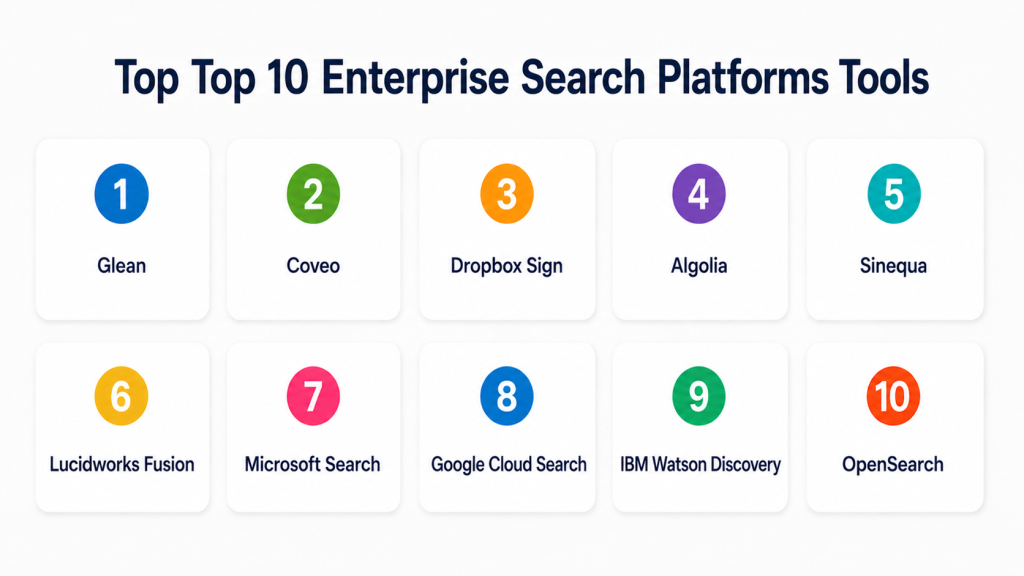
Top 10 Enterprise Search Platforms Tools
#1 — Glean
Short description (2–3 lines): Glean is an AI-powered workplace search and knowledge discovery platform built to help employees find information across company apps. It is best for organizations with knowledge spread across many SaaS tools and collaboration platforms.
Key Features
- Unified workplace search across connected business tools.
- AI-powered answers and summaries.
- Permission-aware search results.
- Knowledge graph for people, teams, documents, and context.
- Personalization based on role, activity, and relevance.
- Connectors for common SaaS and productivity tools.
- Admin controls and search analytics.
Pros
- Strong fit for modern SaaS-heavy workplaces.
- Helpful for employees who need fast answers across many tools.
- Good focus on permission-aware AI search.
Cons
- Best value appears in organizations with many connected systems.
- May be more than small teams need.
- Pricing and implementation details vary by company size and needs.
Platforms / Deployment
Web / iOS / Android
Cloud
Security & Compliance
Supports permission-aware access, enterprise authentication, admin controls, and secure search workflows. Specific certifications should be validated directly during procurement.
Integrations & Ecosystem
Glean is designed for workplace search across SaaS, productivity, communication, and knowledge systems.
- Google Workspace
- Microsoft 365
- Slack
- Jira
- Confluence
- Salesforce
- GitHub
- ServiceNow
Support & Community
Glean provides enterprise onboarding, documentation, customer success support, and implementation resources. It is best suited for organizations ready to connect many internal knowledge sources.
#2 — Coveo
Short description (2–3 lines): Coveo is an AI-powered search and relevance platform used for enterprise search, customer support search, commerce search, and knowledge discovery. It is best for organizations that need personalized and relevance-driven search experiences.
Key Features
- AI-powered search and relevance tuning.
- Enterprise knowledge search.
- Customer service and support search.
- Personalization and recommendation features.
- Search analytics and relevance insights.
- Connectors for enterprise applications.
- API and developer extensibility.
Pros
- Strong relevance and personalization capabilities.
- Useful across employee, customer support, and digital experience search.
- Good fit for enterprises that need search across multiple experiences.
Cons
- May require tuning and implementation planning.
- Can be more complex than lightweight workplace search tools.
- Pricing and packaging vary by use case.
Platforms / Deployment
Web / iOS / Android
Cloud
Security & Compliance
Supports access controls, secure indexing, permission-aware search patterns, and enterprise governance features. Specific certifications should be validated directly.
Integrations & Ecosystem
Coveo works well in environments where search must connect to service, CRM, commerce, and knowledge platforms.
- Salesforce
- ServiceNow
- Sitecore
- Microsoft 365
- Knowledge bases
- APIs and SDKs
- Customer support systems
Support & Community
Coveo provides documentation, customer support, implementation partners, developer resources, and enterprise onboarding options.
#3 — Elastic Enterprise Search
Short description (2–3 lines): Elastic Enterprise Search is built on the Elastic Stack and supports workplace search, application search, observability-adjacent search, and custom search experiences. It is best for technical teams that want control, flexibility, and scalable search infrastructure.
Key Features
- Full-text search and relevance tuning.
- Vector and semantic search capabilities.
- Search analytics and relevance controls.
- Connector support for enterprise sources.
- API-first search development.
- Scalable search infrastructure.
- Strong observability and data ecosystem alignment.
Pros
- Flexible for custom enterprise and application search.
- Strong developer and operations ecosystem.
- Good fit for organizations needing control over search architecture.
Cons
- May require technical expertise to configure well.
- Business-user experience may depend on implementation.
- Governance and connectors require careful planning.
Platforms / Deployment
Web / Windows / macOS / Linux
Cloud / Self-hosted / Hybrid
Security & Compliance
Supports role-based access control, encryption, audit logging, SSO/SAML options, and enterprise security features depending on deployment and license. Specific certifications should be validated directly.
Integrations & Ecosystem
Elastic fits organizations that need search across applications, logs, documents, databases, and custom data sources.
- APIs
- Databases
- Cloud platforms
- Custom applications
- Workplace repositories
- Observability systems
- Developer tools
Support & Community
Elastic has strong documentation, community support, enterprise support plans, training resources, and a large developer ecosystem.
#4 — Algolia
Short description (2–3 lines): Algolia is a search and discovery platform known for fast, user-facing search experiences. While often used for ecommerce and application search, it can also support enterprise search use cases where speed, relevance, and developer control matter.
Key Features
- Fast hosted search infrastructure.
- Relevance tuning and ranking controls.
- Typo tolerance and query suggestions.
- APIs and SDKs for developers.
- Analytics and search performance insights.
- Personalization capabilities.
- Scalable application search experiences.
Pros
- Strong search performance and user experience.
- Developer-friendly APIs and implementation model.
- Good for app search, product search, and structured content search.
Cons
- Not always a full out-of-the-box workplace search platform.
- Enterprise knowledge connectors may require custom integration.
- Best suited for structured search experiences rather than broad internal knowledge discovery.
Platforms / Deployment
Web / APIs
Cloud
Security & Compliance
Supports API security, access controls, admin controls, and enterprise security features. Specific certifications should be validated directly.
Integrations & Ecosystem
Algolia is strongest where search is embedded into digital products, portals, marketplaces, content platforms, and customer-facing applications.
- APIs and SDKs
- Ecommerce platforms
- CMS platforms
- Web applications
- Mobile applications
- Analytics tools
- Custom backend systems
Support & Community
Algolia provides developer documentation, support options, SDK resources, tutorials, and a strong developer community.
#5 — Sinequa
Short description (2–3 lines): Sinequa is an enterprise AI search platform focused on large, complex, and regulated organizations. It is best for enterprises that need search across many repositories, languages, permissions, and business domains.
Key Features
- AI-powered enterprise search.
- Natural language processing and semantic search.
- Connectors for enterprise data sources.
- Permission-aware search.
- Knowledge discovery and content analytics.
- Multilingual search support.
- Deployment flexibility for complex environments.
Pros
- Strong fit for large and regulated enterprises.
- Good for complex data environments and multilingual needs.
- Supports advanced enterprise knowledge discovery.
Cons
- May require significant implementation effort.
- More suitable for mature enterprise search programs.
- Can be too complex for SMB use cases.
Platforms / Deployment
Web
Cloud / Self-hosted / Hybrid
Security & Compliance
Supports enterprise access controls, secure indexing, permission-aware search, audit-oriented workflows, and governance features. Specific certifications should be validated directly.
Integrations & Ecosystem
Sinequa is designed for large enterprise environments with many data sources and complex permissions.
- Enterprise content repositories
- Microsoft 365
- SharePoint
- File systems
- Databases
- Business applications
- Custom connectors and APIs
Support & Community
Sinequa provides enterprise support, professional services, implementation guidance, and customer success resources. It is best for organizations with serious enterprise search maturity.
#6 — Lucidworks Fusion
Short description (2–3 lines): Lucidworks Fusion is an AI-powered search and discovery platform built on search infrastructure and machine learning capabilities. It is suitable for enterprise search, ecommerce search, support search, and custom search applications.
Key Features
- Enterprise search and discovery.
- AI-based relevance tuning.
- Query understanding and ranking features.
- Connectors and data ingestion pipelines.
- Search analytics.
- Support for personalization.
- Developer and enterprise search controls.
Pros
- Strong for custom enterprise search experiences.
- Useful for both internal and customer-facing search.
- Flexible for organizations with technical search teams.
Cons
- Implementation may require search expertise.
- Can be complex for simple workplace search needs.
- Best results depend on tuning and data quality.
Platforms / Deployment
Web / Linux
Cloud / Self-hosted / Hybrid
Security & Compliance
Supports enterprise access controls, secure deployment models, and governance features. Specific certifications are not publicly stated here and should be validated directly.
Integrations & Ecosystem
Lucidworks Fusion fits organizations that need configurable search pipelines and relevance engineering.
- Enterprise repositories
- Ecommerce platforms
- Knowledge bases
- APIs
- Databases
- Cloud storage
- Custom applications
Support & Community
Lucidworks provides documentation, enterprise support, training, and implementation resources. It is practical for organizations with search engineering needs.
#7 — Microsoft Search
Short description (2–3 lines): Microsoft Search helps users find information across Microsoft 365 apps such as SharePoint, OneDrive, Outlook, Teams, and other Microsoft-connected content. It is best for organizations already standardized on Microsoft 365.
Key Features
- Search across Microsoft 365 content.
- Integration with SharePoint, OneDrive, Outlook, and Teams.
- Permission-aware results.
- People, files, sites, and message discovery.
- Microsoft Graph-based relevance.
- Admin configuration options.
- Alignment with Microsoft 365 productivity workflows.
Pros
- Strong fit for Microsoft-first organizations.
- Built into familiar productivity experiences.
- Respects Microsoft 365 permissions and identity controls.
Cons
- Best value is within the Microsoft ecosystem.
- May not cover all non-Microsoft repositories equally.
- Advanced enterprise search experiences may require additional configuration or complementary tools.
Platforms / Deployment
Web / Windows / macOS / iOS / Android
Cloud
Security & Compliance
Supports Microsoft 365 security controls such as identity management, permissions, audit capabilities, encryption, and admin governance. Specific certifications vary by Microsoft service and region.
Integrations & Ecosystem
Microsoft Search works best for organizations already using Microsoft 365 as the center of employee productivity.
- SharePoint
- OneDrive
- Outlook
- Microsoft Teams
- Microsoft Graph
- Microsoft 365 admin tools
- Selected third-party connectors
Support & Community
Microsoft provides documentation, admin resources, enterprise support, partner services, and a very large user and administrator community.
#8 — Google Cloud Search
Short description (2–3 lines): Google Cloud Search helps organizations search across Google Workspace content and connected enterprise repositories. It is best for companies using Gmail, Drive, Docs, Calendar, and Google-based collaboration workflows.
Key Features
- Search across Google Workspace.
- Permission-aware results.
- People and document discovery.
- Connectors for selected third-party data.
- Integration with Google identity and access controls.
- Relevance based on user context.
- Enterprise administration features.
Pros
- Strong fit for Google Workspace organizations.
- Simple user experience for Google-first teams.
- Useful for internal content discovery across Google apps.
Cons
- Best value is inside the Google ecosystem.
- Complex non-Google data environments may need connector planning.
- May not replace specialized AI search tools for advanced use cases.
Platforms / Deployment
Web / iOS / Android
Cloud
Security & Compliance
Supports Google identity, permissions, access controls, encryption, and administrative governance. Specific certifications depend on Google Workspace and cloud configuration.
Integrations & Ecosystem
Google Cloud Search works best where Google Workspace is the main collaboration and document environment.
- Gmail
- Google Drive
- Google Docs
- Google Calendar
- Google Workspace identity
- Third-party connectors
- APIs
Support & Community
Google provides documentation, admin resources, cloud support plans, and partner services. It is best suited for Google Workspace-centered organizations.
#9 — IBM Watson Discovery
Short description (2–3 lines): IBM Watson Discovery is an AI-powered search and text analytics platform for finding insights across documents, web content, and enterprise data. It is useful for organizations that need natural language search, document understanding, and analysis.
Key Features
- AI-powered document search.
- Natural language processing.
- Text analytics and entity extraction.
- Document enrichment.
- Search over structured and unstructured data.
- API-based integration.
- Support for custom discovery workflows.
Pros
- Strong for text analytics and document insight use cases.
- Good fit for enterprise AI and knowledge discovery projects.
- Useful where search and analysis are both needed.
Cons
- May require technical implementation.
- Not always as simple as workplace search tools.
- Best suited for organizations with AI and data teams.
Platforms / Deployment
Web / APIs
Cloud / Hybrid
Security & Compliance
Supports IBM Cloud security controls, identity management, encryption, and governance features depending on deployment. Specific certifications should be validated directly.
Integrations & Ecosystem
IBM Watson Discovery fits enterprise AI workflows where search connects with analytics, knowledge discovery, and custom applications.
- APIs
- IBM Cloud services
- Enterprise data repositories
- Document collections
- Custom applications
- Analytics workflows
- Chatbot and assistant systems
Support & Community
IBM provides enterprise support, documentation, technical resources, professional services, and partner support. It is strongest for AI and data-driven enterprise teams.
#10 — OpenSearch
Short description (2–3 lines): OpenSearch is an open-source search and analytics engine used for building custom search, observability, and analytics solutions. It is best for technical teams that want control, self-hosting options, and open-source flexibility.
Key Features
- Full-text search engine.
- Open-source search and analytics foundation.
- Query and relevance controls.
- Dashboards and analytics capabilities.
- Vector search support in modern use cases.
- APIs for custom applications.
- Self-hosted and managed deployment options through providers.
Pros
- Strong open-source flexibility.
- Good for technical teams building custom search platforms.
- Useful for self-hosted and controlled environments.
Cons
- Requires engineering expertise.
- Not an out-of-the-box workplace search experience.
- Connectors, UI, permissions, and governance may need custom work.
Platforms / Deployment
Web / Linux / Docker / Kubernetes
Cloud / Self-hosted / Hybrid
Security & Compliance
Supports access controls, encryption, authentication options, and security plugins depending on deployment. Specific certifications depend on hosting provider and implementation.
Integrations & Ecosystem
OpenSearch is useful when organizations want a flexible search engine for custom applications and internal platforms.
- APIs
- Databases
- Log pipelines
- Custom applications
- Cloud infrastructure
- Kubernetes
- Analytics dashboards
Support & Community
OpenSearch has open-source community support, documentation, plugins, and vendor support options through managed service providers and ecosystem partners.
Comparison Table
| Tool Name | Best For | Platform(s) Supported | Deployment | Standout Feature | Public Rating |
|---|---|---|---|---|---|
| Glean | AI workplace search | Web, iOS, Android | Cloud | Permission-aware AI answers across workplace apps | N/A |
| Coveo | Personalized enterprise and support search | Web, iOS, Android | Cloud | AI relevance and personalization | N/A |
| Elastic Enterprise Search | Developer-controlled enterprise search | Web, Windows, macOS, Linux | Cloud, Self-hosted, Hybrid | Flexible search infrastructure and semantic search | N/A |
| Algolia | Fast application and digital experience search | Web, APIs | Cloud | High-speed search experience and relevance tuning | N/A |
| Sinequa | Large regulated enterprises | Web | Cloud, Self-hosted, Hybrid | Advanced AI search for complex enterprise data | N/A |
| Lucidworks Fusion | Custom enterprise search applications | Web, Linux | Cloud, Self-hosted, Hybrid | AI-powered relevance pipelines | N/A |
| Microsoft Search | Microsoft 365 workplace search | Web, Windows, macOS, iOS, Android | Cloud | Native Microsoft 365 search experience | N/A |
| Google Cloud Search | Google Workspace search | Web, iOS, Android | Cloud | Permission-aware Google Workspace search | N/A |
| IBM Watson Discovery | AI search and text analytics | Web, APIs | Cloud, Hybrid | NLP-driven document discovery and insights | N/A |
| OpenSearch | Open-source custom search infrastructure | Web, Linux, Docker, Kubernetes | Cloud, Self-hosted, Hybrid | Open-source search and analytics engine | N/A |
Evaluation & Scoring of Enterprise Search Platforms
| Tool Name | Core (25%) | Ease (15%) | Integrations (15%) | Security (10%) | Performance (10%) | Support (10%) | Value (15%) | Weighted Total (0–10) |
|---|---|---|---|---|---|---|---|---|
| Glean | 9 | 8 | 9 | 9 | 8 | 8 | 7 | 8.25 |
| Coveo | 9 | 7 | 9 | 8 | 8 | 8 | 7 | 8.05 |
| Elastic Enterprise Search | 9 | 6 | 8 | 8 | 9 | 8 | 8 | 8.05 |
| Algolia | 8 | 8 | 8 | 8 | 9 | 8 | 8 | 8.10 |
| Sinequa | 9 | 6 | 9 | 9 | 8 | 8 | 7 | 8.10 |
| Lucidworks Fusion | 8 | 6 | 8 | 8 | 8 | 8 | 7 | 7.55 |
| Microsoft Search | 8 | 8 | 8 | 9 | 8 | 8 | 8 | 8.10 |
| Google Cloud Search | 7 | 8 | 7 | 8 | 8 | 8 | 8 | 7.65 |
| IBM Watson Discovery | 8 | 6 | 8 | 8 | 8 | 8 | 7 | 7.60 |
| OpenSearch | 8 | 5 | 8 | 7 | 9 | 7 | 9 | 7.65 |
These scores are comparative and should be used as a practical guide, not as a universal ranking. A Microsoft-first company may get more value from Microsoft Search, while a SaaS-heavy company may prefer Glean. A developer-heavy organization may prefer Elastic, Algolia, or OpenSearch. A large regulated enterprise may need Sinequa, Coveo, or Lucidworks depending on deployment and governance needs.
Which Enterprise Search Platforms Tool Is Right for You?
Solo / Freelancer
Solo users usually do not need a full enterprise search platform. Basic cloud storage search, note-taking app search, or local file search is usually enough.
Good options if you still need stronger search:
- Algolia for search inside a small application.
- OpenSearch if you are technical and want an open-source search engine.
- Microsoft Search or Google Cloud Search if you already use Microsoft 365 or Google Workspace.
SMB
SMBs should focus on ease of setup, useful connectors, permission-aware search, and simple administration. They should avoid overbuilding a complex search system unless they have technical resources.
Good options:
- Glean for SaaS-heavy workplace search.
- Microsoft Search for Microsoft 365 users.
- Google Cloud Search for Google Workspace users.
- Algolia for application search.
- Elastic if the team has technical search skills.
Mid-Market
Mid-market companies often have information spread across many systems, departments, and tools. They need stronger connectors, search analytics, admin controls, and relevance tuning.
Good options:
- Glean for employee-facing workplace search.
- Coveo for enterprise and customer support search.
- Elastic Enterprise Search for custom search needs.
- Microsoft Search for Microsoft-first organizations.
- Algolia for digital product search experiences.
Enterprise
Enterprises need scalable indexing, strong security, permission-aware access, advanced connectors, auditability, compliance support, and integration with many repositories.
Good options:
- Sinequa for complex regulated environments.
- Coveo for relevance-driven enterprise and support search.
- Glean for AI workplace search.
- Elastic Enterprise Search for custom search infrastructure.
- Lucidworks Fusion for configurable search pipelines.
- IBM Watson Discovery for AI discovery and text analytics.
Budget vs Premium
Budget-focused teams should start with existing productivity search or open-source infrastructure. Premium tools are better when search directly affects productivity, customer support, legal discovery, compliance, or revenue.
Budget-friendly scenarios:
- Microsoft 365 or Google Workspace search already included in existing stack.
- OpenSearch for technical teams.
- Algolia for focused application search.
- Elastic for teams with search engineering capacity.
Premium scenarios:
- AI workplace search across many SaaS apps.
- Regulated enterprise knowledge discovery.
- Support knowledge search at scale.
- Customer-facing search with personalization.
- Search with advanced connectors and governance.
Feature Depth vs Ease of Use
Ease of use matters when employees need simple workplace search. Feature depth matters when teams need semantic search, relevance tuning, custom indexing, multilingual search, and complex permissions.
Choose ease of use when:
- Users are non-technical.
- Search is mainly for employees.
- Fast rollout matters.
- Your data sources are common SaaS apps.
Choose feature depth when:
- You need custom relevance tuning.
- You have complex permissions.
- You need hybrid or self-hosted deployment.
- You support multiple languages.
- You have engineering resources for search operations.
Integrations & Scalability
Enterprise search is only useful when it connects to the systems where knowledge lives. Buyers should test connectors before purchasing.
Important integrations include:
- Microsoft 365
- Google Workspace
- Slack
- Teams
- Jira
- Confluence
- Salesforce
- ServiceNow
- GitHub
- SharePoint
- Box
- Dropbox
- Databases
- Internal APIs
Security & Compliance Needs
Security is one of the most important parts of enterprise search because search can accidentally expose sensitive information if permissions are not handled correctly.
Important security checks include:
- Permission-aware indexing.
- SSO/SAML.
- MFA.
- Role-based access control.
- Audit logs.
- Encryption.
- Admin controls.
- Data residency.
- Private deployment options.
- AI answer governance.
- Source-level permission mirroring.
- Compliance documentation.
Frequently Asked Questions
What is an Enterprise Search Platform?
An Enterprise Search Platform helps employees find information across internal company systems such as documents, chat tools, emails, tickets, wikis, cloud storage, and business applications.
How is enterprise search different from normal website search?
Website search usually searches public website pages. Enterprise search searches private internal company knowledge and must respect user permissions, security rules, and connected business systems.
What is AI enterprise search?
AI enterprise search uses semantic search, natural language processing, vector search, and generative AI to provide better results, summaries, and direct answers from internal company data.
What are common pricing models?
Pricing may be based on users, indexed documents, connectors, queries, AI usage, data volume, deployment model, or enterprise agreements. Pricing varies, so buyers should confirm directly with vendors.
How long does implementation take?
Implementation depends on data sources, connectors, permissions, indexing volume, security review, and customization needs. Simple SaaS rollouts can be faster, while complex enterprise deployments may take longer.
What is the biggest mistake when buying enterprise search?
The biggest mistake is focusing only on AI answers while ignoring permissions, content quality, connectors, governance, and search analytics. Bad source data leads to poor search results.
Can enterprise search connect to Slack, Jira, and Confluence?
Many modern platforms support connectors for collaboration and productivity systems. However, connector quality varies, so buyers should test real data sources during a pilot.
Is enterprise search secure?
Enterprise search can be secure when it respects source permissions, supports encryption, uses SSO, provides audit logs, and limits results based on user access. Security must be validated before rollout.
What is permission-aware search?
Permission-aware search means users only see results they are allowed to access in the original source system. This is essential for HR, legal, finance, engineering, and confidential business content.
Can enterprise search replace an intranet?
In some organizations, enterprise search can reduce dependence on traditional intranet navigation. However, it usually works best alongside good content ownership, knowledge management, and governance.
What are alternatives to enterprise search platforms?
Alternatives include basic cloud storage search, intranet search, document management search, knowledge base search, database search, custom search engines, and AI chatbot tools.
How should a company start with enterprise search?
Start by identifying the most important knowledge sources, testing permissions, choosing a small pilot group, measuring search success, and expanding only after validating relevance and security.
Conclusion
Enterprise Search Platforms are now a core part of digital workplace productivity because company knowledge is spread across too many tools, apps, files, and conversations. The best platform depends on your context. Glean is strong for AI workplace search, Coveo is strong for relevance-driven enterprise and support search, Elastic and OpenSearch fit technical teams, Algolia works well for fast application search, Sinequa supports complex enterprise environments, and Microsoft Search or Google Cloud Search may be practical for organizations already standardized on those ecosystems.
