Upgrade & Secure Your Future with DevOps, SRE, DevSecOps, MLOps!
We spend hours scrolling social media and waste money on things we forget, but won’t spend 30 minutes a day earning certifications that can change our lives.
Master in DevOps, SRE, DevSecOps & MLOps by DevOps School!
Learn from Guru Rajesh Kumar and double your salary in just one year.
Introduction
Endpoint Detection & Response (EDR) tools help security teams monitor laptops, desktops, servers, and workloads for suspicious activity. In simple words, EDR watches endpoints continuously, detects threats, investigates attacker behavior, and helps teams respond quickly before damage spreads.
EDR matters now because attackers use advanced methods like credential theft, fileless malware, ransomware, living-off-the-land techniques, and multi-stage attacks. Traditional antivirus alone is often not enough. Modern EDR platforms use behavioral analytics, automation, threat intelligence, and AI-assisted investigation to help security teams detect and stop threats faster.
Common use cases include ransomware detection, incident investigation, malware containment, endpoint visibility, threat hunting, compliance reporting, and managed detection response support.
Buyers should evaluate detection quality, response automation, ease of deployment, operating system coverage, integrations, alert quality, reporting, support, scalability, and total cost.
Best for: Security teams, IT teams, SOC analysts, enterprises, mid-market companies, regulated industries, managed service providers, and organizations handling sensitive data.
Not ideal for: Very small teams with limited security skills, businesses needing only basic antivirus, or companies that prefer fully managed MDR without managing an EDR console directly.
Key Trends in Endpoint Detection & Response (EDR) Tools
- AI-assisted alert investigation is becoming more common, helping analysts summarize incidents faster.
- EDR is increasingly part of broader XDR platforms that connect endpoint, identity, email, cloud, and network signals.
- Ransomware rollback, containment, and automated response are becoming key buying criteria.
- Cloud workload and Linux server protection are more important as hybrid infrastructure grows.
- Identity-based attack detection is becoming essential because many breaches start with stolen credentials.
- Managed Detection and Response services are often bundled with EDR for teams without large SOC resources.
- Compliance reporting, audit trails, and policy control are becoming more important for regulated businesses.
- Integration with SIEM, SOAR, ticketing, vulnerability management, and cloud platforms is now expected.
- Pricing is shifting toward endpoint-based, workload-based, and platform bundle models.
- Security teams are paying more attention to alert fatigue, false positives, and operational usability.
How We Selected These Tools
The tools below were selected based on practical enterprise relevance and common market recognition.
- Strong endpoint protection and detection capabilities.
- Real-world adoption across enterprise, mid-market, and security service providers.
- Support for modern attack detection, investigation, and response workflows.
- Integration ecosystem with SIEM, SOAR, identity, cloud, and IT operations tools.
- Ability to support Windows, macOS, Linux, servers, and cloud workloads where applicable.
- Security posture features such as RBAC, MFA, audit logs, and policy controls.
- Scalability for distributed teams and hybrid environments.
- Quality of documentation, onboarding, and support options.
- Balance between advanced capabilities and usability.
- Fit for different company sizes and security maturity levels.
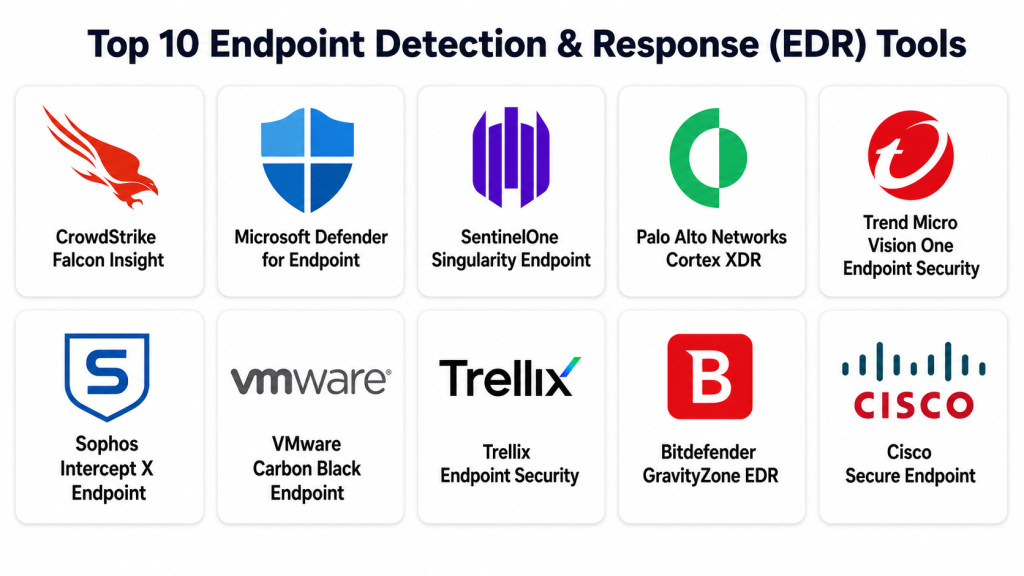
Top 10 Endpoint Detection & Response (EDR) Tools
#1 — CrowdStrike Falcon Insight
Short description: CrowdStrike Falcon Insight is a widely recognized EDR solution designed for fast threat detection, investigation, and response. It is cloud-native and commonly used by enterprises, security teams, and managed service providers. The platform focuses on behavioral detection, threat intelligence, lightweight agents, and rapid containment. It is well suited for organizations that need scalable endpoint visibility and advanced response capabilities.
Key Features
- Real-time endpoint activity monitoring.
- Behavioral threat detection.
- Threat hunting and investigation workflows.
- Endpoint isolation and response actions.
- Cloud-native management console.
- Threat intelligence integration.
- Support for broader Falcon platform modules.
Pros
- Strong enterprise adoption and mature detection capabilities.
- Lightweight agent approach helps reduce endpoint overhead.
- Works well for organizations building broader XDR workflows.
Cons
- Pricing can be premium for smaller teams.
- Advanced capabilities may require skilled security analysts.
- Full value often comes from using multiple Falcon modules.
Platforms / Deployment
Web console / Windows / macOS / Linux
Cloud deployment
Security & Compliance
Supports enterprise security controls such as MFA, RBAC, encryption, audit logs, and policy management. Specific certifications vary by product package and region.
Integrations & Ecosystem
CrowdStrike has a strong security ecosystem and integrates with many SOC and IT tools.
- SIEM integrations.
- SOAR integrations.
- Ticketing tools.
- Threat intelligence platforms.
- Cloud security tools.
- API-based integrations.
Support & Community
Documentation, enterprise support, professional services, and managed detection options are available. Community and partner ecosystem strength is high.
#2 — Microsoft Defender for Endpoint
Short description: Microsoft Defender for Endpoint is an EDR platform designed for organizations using Microsoft security and productivity ecosystems. It provides endpoint detection, attack surface reduction, vulnerability insights, investigation, and automated response. It is especially useful for businesses already using Microsoft 365, Microsoft Sentinel, and Microsoft Entra. The tool fits SMBs, mid-market companies, and large enterprises.
Key Features
- Endpoint detection and response.
- Automated investigation and remediation.
- Attack surface reduction rules.
- Threat and vulnerability management.
- Integration with Microsoft Sentinel.
- Identity and cloud signal correlation.
- Device risk visibility.
Pros
- Strong fit for Microsoft-heavy environments.
- Good integration across endpoint, identity, email, and cloud signals.
- Useful for teams wanting unified security operations.
Cons
- Best experience often requires Microsoft ecosystem commitment.
- Configuration can become complex in large environments.
- Some advanced features depend on licensing tiers.
Platforms / Deployment
Web / Windows / macOS / Linux / iOS / Android
Cloud deployment
Security & Compliance
Supports MFA, RBAC, encryption, audit logs, Microsoft identity controls, and enterprise compliance features. Exact compliance coverage depends on licensing and environment.
Integrations & Ecosystem
Defender integrates deeply with Microsoft security and productivity tools.
- Microsoft Sentinel.
- Microsoft Entra.
- Microsoft Intune.
- Microsoft Purview.
- Microsoft 365 Defender.
- APIs and partner integrations.
Support & Community
Strong documentation, broad partner network, Microsoft support options, and a large user community are available.
#3 — SentinelOne Singularity Endpoint
Short description: SentinelOne Singularity Endpoint is an autonomous EDR and endpoint protection platform focused on AI-driven prevention, detection, and response. It is popular with enterprises, mid-market teams, and MSSPs. The platform provides endpoint visibility, behavioral AI, automated response, and rollback capabilities. It is suitable for organizations that want strong automation and fast containment.
Key Features
- Behavioral AI-based detection.
- Automated response and remediation.
- Ransomware rollback capability.
- Endpoint isolation.
- Threat hunting and storylines.
- Cloud-based management.
- Cross-platform endpoint support.
Pros
- Strong automation capabilities.
- Useful ransomware recovery features.
- Good fit for teams that want fast response workflows.
Cons
- Advanced features may require careful tuning.
- Pricing may be high for smaller organizations.
- Teams still need security process maturity for best results.
Platforms / Deployment
Web / Windows / macOS / Linux
Cloud / Hybrid options
Security & Compliance
Supports enterprise security controls such as RBAC, MFA, encryption, audit logs, and policy-based access. Specific certifications vary by package and region.
Integrations & Ecosystem
SentinelOne supports integrations for modern SOC workflows.
- SIEM tools.
- SOAR platforms.
- Ticketing systems.
- Cloud security tools.
- Threat intelligence platforms.
- API integrations.
Support & Community
Documentation, support tiers, partner ecosystem, and managed security service integrations are available.
#4 — Palo Alto Networks Cortex XDR
Short description: Cortex XDR is Palo Alto Networks’ detection and response platform that combines endpoint, network, cloud, and identity signals. It is useful for organizations already using Palo Alto security products or those looking for broader XDR visibility. The platform helps detect advanced threats, investigate incidents, and automate response actions. It fits enterprises and mature security teams.
Key Features
- Endpoint detection and response.
- Cross-data analytics.
- Incident correlation.
- Behavioral threat detection.
- Root cause analysis.
- Network and cloud signal integration.
- Automated response workflows.
Pros
- Strong XDR approach across multiple security layers.
- Good fit for Palo Alto Networks customers.
- Helpful investigation and correlation capabilities.
Cons
- May be complex for small teams.
- Best value comes when using broader Palo Alto ecosystem.
- Deployment and tuning may require experienced security staff.
Platforms / Deployment
Web / Windows / macOS / Linux
Cloud / Hybrid options
Security & Compliance
Supports enterprise access controls, encryption, audit logs, RBAC, and administrative security features. Specific compliance details vary by deployment and licensing.
Integrations & Ecosystem
Cortex XDR integrates strongly with Palo Alto Networks products and SOC platforms.
- Palo Alto firewalls.
- Prisma Cloud.
- SIEM platforms.
- SOAR workflows.
- Threat intelligence sources.
- APIs and partner tools.
Support & Community
Enterprise documentation, premium support, professional services, and partner resources are available.
#5 — Trend Micro Vision One Endpoint Security
Short description: Trend Micro Vision One includes endpoint security and detection capabilities as part of a broader XDR platform. It is designed for businesses that need endpoint, email, cloud, server, and network visibility in one security operations view. The platform is useful for mid-market and enterprise teams. It supports threat detection, investigation, and response across multiple layers.
Key Features
- Endpoint detection and response.
- XDR signal correlation.
- Threat intelligence.
- Risk visibility.
- Automated response options.
- Cloud and workload protection.
- Email and endpoint security integration.
Pros
- Good fit for layered security environments.
- Strong coverage across endpoint, cloud, and email.
- Useful for teams wanting broader risk visibility.
Cons
- Full value depends on using multiple Trend Micro components.
- Console and workflow depth may require training.
- Pricing varies by package and deployment.
Platforms / Deployment
Web / Windows / macOS / Linux
Cloud / Hybrid options
Security & Compliance
Supports enterprise security controls such as MFA, RBAC, encryption, audit logs, and policy management. Specific compliance details are package-dependent.
Integrations & Ecosystem
Trend Micro integrates with security and IT environments.
- SIEM platforms.
- SOAR tools.
- Cloud platforms.
- Email security tools.
- APIs.
- Managed service partner tools.
Support & Community
Documentation, onboarding resources, enterprise support, and partner-led services are available.
#6 — Sophos Intercept X Endpoint
Short description: Sophos Intercept X Endpoint combines endpoint protection, EDR, anti-ransomware controls, and managed threat response options. It is popular among SMBs, mid-market companies, and organizations that want strong protection with manageable operations. The platform includes threat investigation, root cause analysis, and response actions. It works well for teams that need EDR without excessive complexity.
Key Features
- Endpoint protection and EDR.
- Anti-ransomware capabilities.
- Root cause analysis.
- Threat hunting features.
- Managed Detection and Response option.
- Central cloud management.
- Policy-based controls.
Pros
- Good usability for smaller security teams.
- Strong MDR option for teams needing extra help.
- Balanced endpoint protection and detection capabilities.
Cons
- Advanced hunting may be less deep than some enterprise-first platforms.
- Feature availability depends on licensing.
- Large enterprises may need broader XDR integrations.
Platforms / Deployment
Web / Windows / macOS / Linux
Cloud deployment
Security & Compliance
Supports MFA, role-based controls, encryption, and administrative security features. Specific compliance certifications vary.
Integrations & Ecosystem
Sophos integrates across its cybersecurity portfolio and external tools.
- Sophos firewall.
- Sophos MDR.
- SIEM integrations.
- PSA/RMM tools.
- APIs.
- Cloud security integrations.
Support & Community
Good documentation, partner ecosystem, support tiers, and managed response services are available.
#7 — VMware Carbon Black Endpoint
Short description: VMware Carbon Black is an endpoint detection and response platform known for endpoint visibility, behavioral detection, and threat hunting. It is often used by security teams that need detailed endpoint telemetry and investigation depth. The platform supports prevention, detection, and response across enterprise environments. It is suitable for organizations with experienced SOC teams.
Key Features
- Endpoint telemetry collection.
- Behavioral analytics.
- Threat hunting.
- Incident investigation.
- Policy-based prevention.
- Endpoint response actions.
- Enterprise reporting.
Pros
- Strong endpoint visibility.
- Useful for threat hunters and SOC teams.
- Mature EDR capabilities for enterprise environments.
Cons
- Can require skilled analysts to use fully.
- Operational tuning may be needed.
- Product packaging and ownership changes may require careful evaluation.
Platforms / Deployment
Web / Windows / macOS / Linux
Cloud / Hybrid options
Security & Compliance
Supports enterprise controls such as RBAC, audit logs, encryption, and administrative policy management. Specific compliance details are package-dependent.
Integrations & Ecosystem
Carbon Black integrates with SOC and IT security workflows.
- SIEM tools.
- SOAR platforms.
- Threat intelligence tools.
- Ticketing systems.
- APIs.
- Enterprise security platforms.
Support & Community
Documentation, enterprise support, and partner services are available. Community strength is solid among security practitioners.
#8 — Trellix Endpoint Security
Short description: Trellix Endpoint Security provides endpoint protection, detection, investigation, and response capabilities for enterprise environments. It combines technologies from established endpoint security products and is used by organizations needing centralized protection and visibility. Trellix is suitable for regulated industries, large enterprises, and teams with complex endpoint estates. It supports prevention, detection, and response workflows.
Key Features
- Endpoint threat detection.
- Malware prevention.
- Incident investigation.
- Policy management.
- Response actions.
- Centralized administration.
- Enterprise reporting.
Pros
- Strong enterprise endpoint security background.
- Suitable for large and regulated environments.
- Broad security portfolio support.
Cons
- Can feel complex for smaller teams.
- Modernization and packaging should be reviewed carefully.
- Best results require proper policy tuning.
Platforms / Deployment
Web / Windows / macOS / Linux
Cloud / Hybrid options
Security & Compliance
Supports enterprise controls such as RBAC, audit logs, encryption, and policy management. Specific certifications and compliance claims vary by product and deployment.
Integrations & Ecosystem
Trellix supports integrations across SOC and enterprise security tools.
- SIEM tools.
- SOAR platforms.
- Threat intelligence sources.
- Enterprise security tools.
- APIs.
- Managed security services.
Support & Community
Enterprise support, documentation, professional services, and partner support are available.
#9 — Bitdefender GravityZone EDR
Short description: Bitdefender GravityZone EDR provides endpoint detection, prevention, investigation, and response for businesses of different sizes. It is known for combining endpoint protection with EDR capabilities in a manageable platform. The tool is useful for SMBs, mid-market companies, and managed service providers. It supports risk analysis, threat detection, and response workflows.
Key Features
- Endpoint detection and response.
- Malware and ransomware protection.
- Risk analytics.
- Threat investigation.
- Centralized policy management.
- Cloud console.
- MSP-friendly options.
Pros
- Good balance of protection and usability.
- Suitable for SMB and mid-market environments.
- Often attractive for teams seeking value.
Cons
- Advanced enterprise hunting may be less deep than premium EDR platforms.
- Feature availability depends on package.
- Large SOC teams may need stronger ecosystem depth.
Platforms / Deployment
Web / Windows / macOS / Linux
Cloud / Hybrid options
Security & Compliance
Supports MFA, RBAC, encryption, policy controls, and administrative security features. Specific compliance details vary by package.
Integrations & Ecosystem
Bitdefender integrates with MSP, IT, and security tools.
- RMM tools.
- PSA platforms.
- SIEM integrations.
- APIs.
- Cloud management tools.
- Security partner platforms.
Support & Community
Documentation, partner support, business support tiers, and MSP resources are available.
#10 — Cisco Secure Endpoint
Short description: Cisco Secure Endpoint provides endpoint protection, detection, response, and threat intelligence capabilities. It is useful for organizations already using Cisco security products and wanting endpoint visibility inside a broader security architecture. The platform supports threat detection, file analysis, endpoint isolation, and investigation workflows. It fits mid-market and enterprise security teams.
Key Features
- Endpoint detection and response.
- Malware protection.
- Threat intelligence from Cisco Talos.
- File trajectory and device trajectory.
- Endpoint isolation.
- SecureX-related workflow support where applicable.
- Centralized management.
Pros
- Strong fit for Cisco security environments.
- Good threat intelligence foundation.
- Useful for organizations standardizing on Cisco security.
Cons
- Best value comes with Cisco ecosystem alignment.
- May not be the simplest choice for small teams.
- Licensing and package details need careful review.
Platforms / Deployment
Web / Windows / macOS / Linux
Cloud deployment
Security & Compliance
Supports enterprise security controls such as MFA, RBAC, encryption, and audit logging. Specific compliance details vary by subscription and environment.
Integrations & Ecosystem
Cisco Secure Endpoint integrates well within Cisco’s security ecosystem.
- Cisco SecureX-related workflows.
- Cisco Umbrella.
- Cisco Secure Firewall.
- SIEM tools.
- APIs.
- Threat intelligence integrations.
Support & Community
Cisco provides documentation, enterprise support, partner services, and a large security ecosystem.
Comparison Table: Top 10 EDR Tools
| Tool Name | Best For | Platform(s) Supported | Deployment | Standout Feature | Public Rating |
|---|---|---|---|---|---|
| CrowdStrike Falcon Insight | Enterprises and mature SOC teams | Windows, macOS, Linux | Cloud | Lightweight cloud-native EDR | N/A |
| Microsoft Defender for Endpoint | Microsoft-focused organizations | Windows, macOS, Linux, iOS, Android | Cloud | Microsoft ecosystem integration | N/A |
| SentinelOne Singularity Endpoint | Automation-focused teams | Windows, macOS, Linux | Cloud / Hybrid | AI-driven response and rollback | N/A |
| Palo Alto Networks Cortex XDR | Enterprise XDR environments | Windows, macOS, Linux | Cloud / Hybrid | Cross-data incident correlation | N/A |
| Trend Micro Vision One | Layered security teams | Windows, macOS, Linux | Cloud / Hybrid | Endpoint-to-XDR visibility | N/A |
| Sophos Intercept X Endpoint | SMB and mid-market teams | Windows, macOS, Linux | Cloud | MDR-friendly endpoint protection | N/A |
| VMware Carbon Black Endpoint | Threat hunting teams | Windows, macOS, Linux | Cloud / Hybrid | Deep endpoint telemetry | N/A |
| Trellix Endpoint Security | Large regulated enterprises | Windows, macOS, Linux | Cloud / Hybrid | Enterprise endpoint control | N/A |
| Bitdefender GravityZone EDR | SMBs and MSPs | Windows, macOS, Linux | Cloud / Hybrid | Balanced protection and value | N/A |
| Cisco Secure Endpoint | Cisco security customers | Windows, macOS, Linux | Cloud | Cisco Talos threat intelligence | N/A |
Evaluation & Scoring of Endpoint Detection & Response (EDR) Tools
| Tool Name | Core (25%) | Ease (15%) | Integrations (15%) | Security (10%) | Performance (10%) | Support (10%) | Value (15%) | Weighted Total (0–10) |
|---|---|---|---|---|---|---|---|---|
| CrowdStrike Falcon Insight | 9.5 | 8.5 | 9.0 | 9.0 | 9.0 | 9.0 | 8.0 | 8.90 |
| Microsoft Defender for Endpoint | 9.0 | 8.0 | 9.5 | 9.0 | 8.5 | 8.5 | 8.5 | 8.75 |
| SentinelOne Singularity Endpoint | 9.2 | 8.5 | 8.5 | 8.8 | 9.0 | 8.5 | 8.2 | 8.71 |
| Palo Alto Networks Cortex XDR | 9.0 | 7.8 | 9.0 | 9.0 | 8.8 | 8.8 | 7.8 | 8.59 |
| Trend Micro Vision One | 8.5 | 8.0 | 8.5 | 8.5 | 8.3 | 8.3 | 8.2 | 8.32 |
| Sophos Intercept X Endpoint | 8.2 | 8.8 | 8.0 | 8.3 | 8.2 | 8.5 | 8.7 | 8.38 |
| VMware Carbon Black Endpoint | 8.5 | 7.5 | 8.2 | 8.3 | 8.0 | 8.0 | 7.8 | 8.07 |
| Trellix Endpoint Security | 8.2 | 7.5 | 8.0 | 8.5 | 8.0 | 8.2 | 7.8 | 8.00 |
| Bitdefender GravityZone EDR | 8.0 | 8.5 | 7.8 | 8.0 | 8.3 | 8.0 | 8.8 | 8.22 |
| Cisco Secure Endpoint | 8.2 | 7.8 | 8.5 | 8.5 | 8.0 | 8.5 | 7.8 | 8.21 |
These scores are comparative, not absolute. A higher score does not automatically mean the tool is best for every organization. The right choice depends on your endpoint estate, existing security stack, SOC maturity, budget, and compliance needs. Always validate detection quality, integrations, deployment effort, and response workflows through a pilot before final selection.
Which Endpoint Detection & Response (EDR) Tool Is Right for You?
Solo / Freelancer
Solo users usually do not need a full enterprise EDR platform unless they manage sensitive client systems. A lightweight endpoint protection solution with basic detection and managed support may be enough. Bitdefender or Sophos-style options are often easier to manage than complex enterprise platforms.
SMB
SMBs should focus on ease of use, managed detection support, simple deployment, and good ransomware protection. Sophos Intercept X, Bitdefender GravityZone EDR, Microsoft Defender for Endpoint, and SentinelOne are strong options depending on budget and internal skills.
Mid-Market
Mid-market companies need stronger visibility, integrations, and response automation. Microsoft Defender for Endpoint works well for Microsoft-heavy businesses. SentinelOne, CrowdStrike, Trend Micro, and Sophos are also practical choices for growing security teams.
Enterprise
Enterprises should evaluate scalability, telemetry depth, XDR strategy, compliance, role-based access, reporting, and global support. CrowdStrike, Microsoft Defender for Endpoint, SentinelOne, Palo Alto Cortex XDR, Trellix, Cisco, and Carbon Black are common enterprise-level choices.
Budget vs Premium
Budget-conscious teams may prefer Bitdefender, Sophos, or Microsoft Defender if licensing already fits their stack. Premium buyers may choose CrowdStrike, SentinelOne, Palo Alto Cortex XDR, or enterprise-grade Microsoft deployments for advanced detection and response depth.
Feature Depth vs Ease of Use
If feature depth is the priority, consider CrowdStrike, Cortex XDR, SentinelOne, Microsoft Defender, or Carbon Black. If ease of use is more important, Sophos, Bitdefender, and Microsoft Defender may be easier for leaner teams to operate.
Integrations & Scalability
For Microsoft environments, Defender for Endpoint is naturally strong. For Palo Alto environments, Cortex XDR fits well. For Cisco-led environments, Cisco Secure Endpoint is practical. For vendor-neutral SOC teams, CrowdStrike and SentinelOne offer broad ecosystem flexibility.
Security & Compliance Needs
Regulated businesses should prioritize RBAC, audit logs, encryption, compliance reporting, data residency, retention options, and support documentation. Enterprises should also confirm procurement, legal, and privacy requirements before choosing a platform.
Frequently Asked Questions (FAQs)
What is Endpoint Detection & Response?
Endpoint Detection & Response is a security tool category that monitors endpoints for suspicious behavior. It helps detect attacks, investigate incidents, and respond through actions like isolation, process termination, and remediation.
How is EDR different from antivirus?
Antivirus mainly focuses on blocking known malware and malicious files. EDR goes deeper by monitoring behavior, collecting endpoint activity, supporting investigations, and enabling response actions after suspicious activity appears.
Is EDR useful for small businesses?
Yes, but only if the business has enough security needs or uses a managed service provider. Small businesses may prefer EDR with MDR support so experts can monitor alerts and respond when needed.
How much does EDR cost?
Pricing usually depends on the number of endpoints, selected features, support level, and add-on services. Some platforms charge per endpoint, while others bundle EDR into broader security suites.
How long does EDR implementation take?
Implementation depends on company size, endpoint count, operating systems, policy requirements, and integrations. A small rollout can be quick, while enterprise deployments need planning, testing, tuning, and user communication.
What are common EDR buying mistakes?
Common mistakes include choosing only by brand, ignoring alert quality, skipping a pilot, underestimating staffing needs, and not checking integrations with SIEM, SOAR, identity, and ticketing tools.
Does EDR stop ransomware?
EDR can help detect and stop ransomware behavior, isolate affected devices, and support investigation. Some tools also provide rollback or recovery features, but no tool guarantees complete protection alone.
Can EDR replace SIEM?
No, EDR and SIEM serve different purposes. EDR focuses on endpoint activity, while SIEM collects and correlates logs from many systems. Many organizations use both together.
What integrations matter most?
Important integrations include SIEM, SOAR, ticketing, identity platforms, cloud platforms, email security, firewalls, vulnerability tools, and threat intelligence feeds.
Is XDR better than EDR?
XDR can be better when an organization wants broader visibility across endpoint, network, cloud, email, and identity. However, EDR may be enough if the main need is endpoint-focused detection and response.
Should we choose EDR or MDR?
Choose EDR if you have internal analysts who can monitor and respond. Choose MDR if you need external experts to monitor alerts, investigate threats, and guide response.
What should be tested during an EDR pilot?
Test deployment ease, endpoint performance, detection quality, alert clarity, response actions, reporting, integrations, admin controls, and support responsiveness.
Conclusion
Endpoint Detection & Response tools are now a core part of modern cybersecurity programs because endpoints remain one of the most common entry points for attackers. The best EDR tool is not always the one with the longest feature list. It is the one that fits your team size, security maturity, existing technology stack, compliance needs, and response process. CrowdStrike, Microsoft Defender, SentinelOne, Cortex XDR, Trend Micro, Sophos, Carbon Black, Trellix, Bitdefender, and Cisco all bring different strengths. The safest next step is to shortlist two or three tools, run a controlled pilot, validate integrations, review alert quality, confirm security requirements, and choose the platform your team can operate confidently.
