Upgrade & Secure Your Future with DevOps, SRE, DevSecOps, MLOps!
We spend hours scrolling social media and waste money on things we forget, but won’t spend 30 minutes a day earning certifications that can change our lives.
Master in DevOps, SRE, DevSecOps & MLOps by DevOps School!
Learn from Guru Rajesh Kumar and double your salary in just one year.
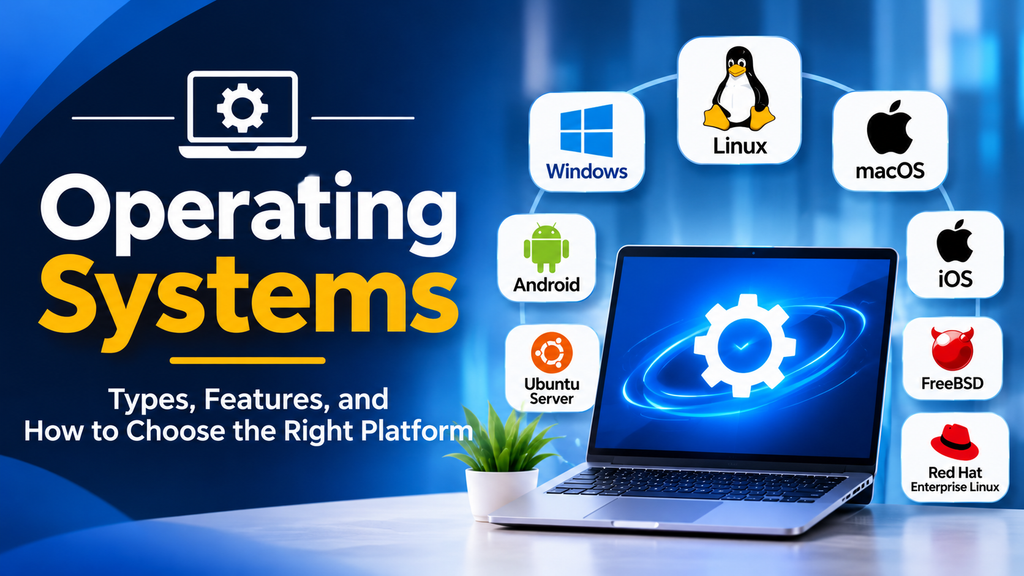
Operating systems are the foundation of modern computing, providing the interface between hardware, applications, and users. From personal computers and enterprise servers to smartphones and cloud infrastructure, operating systems manage resources, enforce security, and enable applications to run reliably.
The right operating system depends on workload requirements, hardware compatibility, security policies, licensing, performance, and technical expertise.
What Is an Operating System?
An operating system (OS) is system software that manages a computer’s hardware and software resources. It coordinates processors, memory, storage, networking, and peripheral devices while providing services that applications need to execute.
Its main responsibilities include process management, memory management, file system management, device management, security, and networking.
A desktop operating system typically prioritizes usability and application compatibility, while a server operating system emphasizes stability, remote administration, security, and long-running workloads.
Popular Operating Systems
1. Windows
Microsoft Windows is widely used on personal computers and in enterprise environments. Windows Server provides additional capabilities for server workloads, identity management, file services, and enterprise infrastructure.
Best suited for: Business desktops, Windows-compatible enterprise applications, and organizations using Microsoft infrastructure.
Considerations: Licensing, patch management, security configuration, hardware requirements, and application compatibility.
Website: https://www.microsoft.com/windows
2. Linux
Linux is an open-source operating system kernel used by distributions such as Ubuntu, Debian, Fedora, and Red Hat Enterprise Linux. It is widely adopted for servers, cloud infrastructure, containers, development environments, and embedded systems.
Best suited for: Cloud servers, web hosting, DevOps, containerized applications, automation, and infrastructure engineering.
Considerations: Distribution selection, administrator expertise, software compatibility, support requirements, and lifecycle management.
Websites: https://www.kernel.org/ and https://ubuntu.com/
3. macOS
macOS is Apple’s desktop operating system for Mac computers. It provides an integrated desktop environment and a Unix-based foundation that supports developer tools and command-line workflows.
Best suited for: Creative work, software development, productivity, and organizations using Apple hardware.
Considerations: Hardware availability, application compatibility, device management, and enterprise integration.
Website: https://www.apple.com/macos/
4. Android
Android is a mobile operating system used across smartphones, tablets, televisions, and embedded devices. Its ecosystem supports mobile applications and a wide range of hardware manufacturers.
Best suited for: Smartphones, mobile application development, enterprise mobility, and embedded devices.
Considerations: Device fragmentation, update availability, application permissions, and security patch delivery.
Website: https://www.android.com/
5. iOS
iOS is Apple’s mobile operating system for iPhone. It integrates closely with Apple’s hardware and services and provides a controlled application distribution and security model.
Best suited for: iPhone users, mobile application development, and organizations managing Apple mobile devices.
Considerations: Hardware requirements, application distribution policies, device management, and supported OS versions.
Website: https://www.apple.com/ios/
6. FreeBSD
FreeBSD is an open-source Unix-like operating system known for its integrated base system, networking capabilities, and emphasis on consistency and performance.
Best suited for: Specialized server deployments, networking, storage, and systems requiring FreeBSD-specific capabilities.
Considerations: Hardware and software compatibility, available expertise, support arrangements, and workload requirements.
Website: https://www.freebsd.org/
7. Ubuntu Server
Ubuntu Server is a Linux distribution used for cloud workloads, web applications, development environments, and container infrastructure. It offers package management, security updates, and extensive documentation.
Best suited for: Cloud deployments, web hosting, DevOps labs, and application servers.
Website: https://ubuntu.com/server
8. Red Hat Enterprise Linux
Red Hat Enterprise Linux (RHEL) is a commercial Linux distribution designed for enterprise workloads. It provides a supported platform for business applications, infrastructure services, and hybrid cloud environments.
Best suited for: Enterprises requiring vendor support, predictable maintenance, and established lifecycle-management processes.
Website: https://www.redhat.com/en/technologies/linux-platforms/enterprise-linux
Operating System Comparison
| Operating system | Primary use | Main advantage |
|---|---|---|
| Windows | Desktop and enterprise systems | Broad application compatibility |
| Linux | Servers, cloud, development | Flexibility and open-source ecosystem |
| macOS | Apple desktops and development | Hardware and software integration |
| Android | Mobile and embedded devices | Broad device ecosystem |
| iOS | iPhone and mobile applications | Integrated Apple ecosystem |
| FreeBSD | Servers and specialized infrastructure | Unix-like design and networking capabilities |
| Ubuntu Server | Cloud and web servers | Accessible Linux server environment |
| RHEL | Enterprise infrastructure | Commercial support and lifecycle management |
How to Choose the Right Operating System
The best operating system depends on the intended workload rather than popularity alone.
- For web servers and cloud infrastructure, compare Linux distributions based on application compatibility, security maintenance, support, and automation requirements.
- For business desktops, consider Windows or macOS according to application needs, hardware, device management, and existing infrastructure.
- For mobile applications, Android and iOS are the main platforms to consider, depending on the target audience and development requirements.
- For enterprise workloads, evaluate support commitments, update policies, compliance requirements, and integration with existing systems.
- For development and DevOps, Linux is widely used for scripting, containers, automation, and cloud-native development, while Windows and macOS remain valuable development environments.
Security should be part of the selection process. Regular updates, least-privilege access, disk encryption where appropriate, secure configuration, backups, and vulnerability management are important regardless of the operating system.
Common Operating System Management Challenges
Software compatibility: Applications may require specific operating systems, libraries, or versions. Verify compatibility before migrating.
Security updates: Delayed patches can leave systems exposed. Establish an update schedule and test critical changes before broad deployment.
Resource consumption: Operating systems and background services consume CPU, memory, and storage. Monitor workloads and tune configurations to meet performance requirements.
End-of-life software: Unsupported versions may no longer receive regular security updates. Maintain an inventory and plan upgrades before support ends.
Administration complexity: Managing many machines manually increases the chance of inconsistent settings. Use appropriate configuration management, endpoint management, and monitoring tools.
Conclusion
Operating systems form the foundation of desktops, mobile devices, servers, and cloud infrastructure. Windows and macOS serve desktop environments, Linux powers a broad range of server and cloud workloads, Android and iOS support mobile ecosystems, and FreeBSD serves specialized infrastructure needs.
The right choice comes from matching application requirements, security, hardware compatibility, support, and operational expertise. By evaluating these factors carefully, organizations can build computing environments that remain secure, reliable, and maintainable as their needs evolve.
