Upgrade & Secure Your Future with DevOps, SRE, DevSecOps, MLOps!
We spend hours scrolling social media and waste money on things we forget, but won’t spend 30 minutes a day earning certifications that can change our lives.
Master in DevOps, SRE, DevSecOps & MLOps by DevOps School!
Learn from Guru Rajesh Kumar and double your salary in just one year.
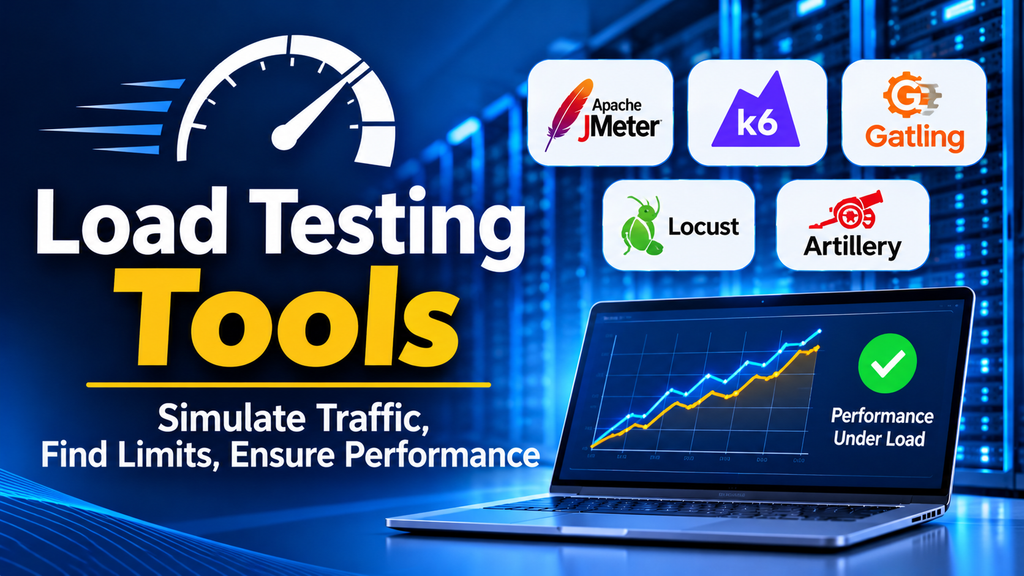
Load testing tools help teams evaluate how applications, websites, APIs, and servers behave when many users access them simultaneously. They simulate user traffic, measure response times, identify performance bottlenecks, and help determine whether an application can handle its expected workload.
As digital services grow, performance testing becomes essential for maintaining reliability and a positive user experience. Choosing the right load testing tool helps development and QA teams detect issues before they affect real users.
What Are Load Testing Tools?
Load testing tools generate simulated traffic against an application to measure performance under a specified workload. Teams use them to understand how systems behave during normal usage, peak demand, and gradual increases in concurrent users.
These tools commonly measure:
- Response time and latency
- Throughput and requests per second
- Concurrent users and transaction rates
- Error rates and failed requests
- CPU, memory, and other resource utilization when integrated with monitoring systems
Load testing is one part of performance testing. Stress testing, spike testing, and endurance testing answer related but different questions about system capacity and stability.
Popular Load Testing Tools
1. Apache JMeter
Apache JMeter is an open-source performance testing tool widely used for web applications, APIs, and other services. It supports configurable test plans, assertions, plugins, and distributed testing.
Best for: Teams looking for a flexible, open-source tool with a broad user community.
2. Grafana k6
Grafana k6 is a developer-oriented load testing tool that lets teams define performance tests using JavaScript. It integrates with automation pipelines and observability platforms, making it useful for testing APIs and modern applications.
Best for: Developers and DevOps teams that want performance checks integrated into CI/CD.
3. Gatling
Gatling provides code-based performance testing and detailed reporting. It is designed for repeatable tests and can be integrated into development workflows.
Best for: Engineering teams that prefer version-controlled test scripts and automated execution.
4. LoadRunner
OpenText LoadRunner is an enterprise performance testing solution with support for a variety of application protocols and complex testing environments.
Best for: Organizations testing large enterprise applications and diverse technology stacks.
5. Locust
Locust is an open-source load testing framework that allows users to define simulated user behavior in Python. It is useful when test scenarios need custom logic.
Best for: Python-oriented teams that need flexible user-behavior simulations.
6. BlazeMeter
BlazeMeter provides a platform for performance testing, test execution, and reporting. It can work with existing testing assets and supports team collaboration.
Best for: Teams seeking managed testing workflows and centralized reporting.
7. NeoLoad
NeoLoad focuses on performance testing for web applications, APIs, and enterprise systems. Its capabilities support reusable test design and performance analysis.
Best for: Enterprises that need structured performance testing across complex applications.
Key Features to Evaluate
When comparing load testing tools, consider the following capabilities:
- Workload simulation: Can the tool model realistic user journeys, concurrent sessions, and ramp-up patterns?
- Protocol and application support: Does it support the web protocols, APIs, authentication methods, and systems you use?
- Metrics and reporting: Can teams analyze latency percentiles, throughput, errors, and bottlenecks?
- Scalability: Can it generate the traffic volume required for your test?
- Automation integration: Can tests run automatically in CI/CD pipelines?
- Monitoring integration: Can test results be correlated with server, database, and infrastructure metrics?
- Cost and maintenance: Consider licensing, infrastructure, scripting effort, and ongoing test maintenance.
How to Choose the Right Load Testing Tool
Start by defining the system under test and the performance objectives. Identify the expected number of concurrent users, important transactions, acceptable response times, and target throughput.
Next, consider your team’s technical skills and test environment. An open-source tool may be a practical starting point for teams with scripting and infrastructure expertise. A commercial platform may be more suitable when enterprise support, collaboration, protocol coverage, or managed reporting is important.
Run a small proof of concept with representative user journeys. Validate the tool’s ease of use, reporting quality, integration options, and ability to generate the required workload before committing to a larger rollout.
Best Practices for Load Testing
- Establish baseline performance before making major changes.
- Use realistic user journeys and representative test data.
- Increase traffic gradually and include expected peak demand.
- Monitor the application, database, network, and infrastructure during tests.
- Run tests in an environment that resembles production as closely as practical.
- Repeat tests after significant code or configuration changes.
- Document workload assumptions, test conditions, and results so findings can be reproduced.
Avoid treating a single successful test as proof that an application will always perform well. Results depend on the test environment, workload model, data, and infrastructure configuration.
Common Challenges
Load testing can produce misleading results when the workload does not reflect real usage, the test generators become the bottleneck, or monitoring is incomplete. Shared test environments, unrealistic data, and poorly defined success criteria can also make results difficult to interpret.
Teams should validate their test setup, check generator resource utilization, and correlate performance measurements with application logs and infrastructure metrics. Testing should also be coordinated carefully to avoid affecting production users or shared services.
Conclusion
Load testing tools help teams understand application behavior under expected traffic, identify bottlenecks, and improve reliability before performance issues affect users. Apache JMeter, Grafana k6, Gatling, LoadRunner, Locust, BlazeMeter, and NeoLoad offer different approaches to performance testing.
The right choice depends on application architecture, workload requirements, team expertise, integration needs, and budget. A well-designed test strategy, combined with reliable monitoring and repeatable execution, is just as important as the tool itself.
