Upgrade & Secure Your Future with DevOps, SRE, DevSecOps, MLOps!
We spend hours scrolling social media and waste money on things we forget, but won’t spend 30 minutes a day earning certifications that can change our lives.
Master in DevOps, SRE, DevSecOps & MLOps by DevOps School!
Learn from Guru Rajesh Kumar and double your salary in just one year.
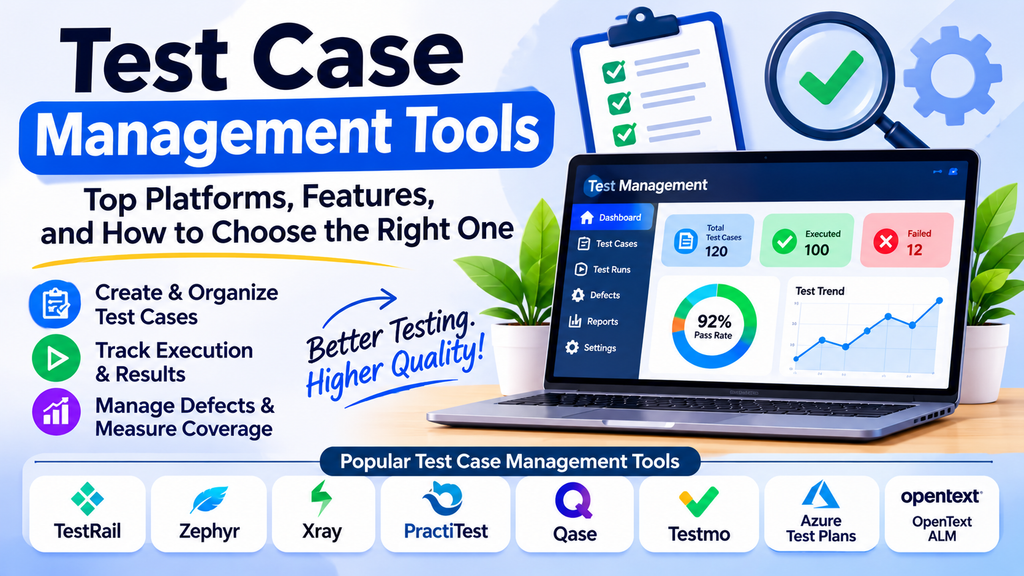
Test case management tools help software testing teams create, organize, execute, and maintain test cases in a structured environment. They make it easier to track test coverage, monitor execution progress, coordinate QA activities, and maintain visibility into software quality.
As applications grow and development cycles become faster, managing test cases through spreadsheets or scattered documents can become difficult. A dedicated test management platform provides a central place to store testing information and helps teams make their testing process more consistent and traceable.
What Are Test Case Management Tools?
Test case management tools provide features for documenting test scenarios, organizing test suites, planning test runs, recording execution results, and reporting testing progress. Many platforms also integrate with issue trackers, automation frameworks, and CI/CD systems.
Common capabilities include:
- Test case creation: Document preconditions, steps, expected results, and test data.
- Test organization: Group cases into suites, modules, releases, or projects.
- Test execution: Record pass, fail, blocked, or other execution statuses.
- Requirements traceability: Link requirements to test cases and results.
- Defect tracking: Connect failed tests to bugs or issue records.
- Reporting: Review coverage, execution progress, and outstanding risks.
- Collaboration: Allow team members to share testing information and responsibilities.
Popular Test Case Management Tools
1. TestRail
TestRail provides a centralized workspace for managing test cases, test suites, test runs, and testing reports. It supports manual testing workflows and integrations with development and defect-tracking tools.
Best for: QA teams that need structured test documentation and execution tracking.
2. Zephyr
Zephyr offers test management capabilities that integrate with Jira-based development workflows. Depending on the edition, teams can manage test cases, plan test cycles, and review execution results.
Best for: Teams that use Jira and want testing activities connected to issue management.
3. Xray
Xray is a test management solution closely integrated with Jira. It supports test planning, execution, traceability, and reporting across different testing approaches.
Best for: Teams that want test management within a Jira-centered workflow.
4. PractiTest
PractiTest is a test management platform that helps teams organize testing activities, reuse test assets, track results, and generate reports.
Best for: QA teams that need centralized test visibility across projects and testing types.
5. Qase
Qase provides test case management, test runs, reporting, and integrations with development workflows. It supports both manual and automated testing processes.
Best for: Teams seeking a modern test management workspace with collaboration features.
6. Testmo
Testmo combines test case management with capabilities for tracking exploratory testing and automation results. It helps teams consolidate different testing activities in one place.
Best for: Teams managing manual, exploratory, and automated testing together.
7. Azure Test Plans
Azure Test Plans supports planning, executing, and tracking manual and exploratory tests within the Azure DevOps ecosystem. It can connect testing activities with work items and development pipelines.
Best for: Organizations using Azure DevOps for software delivery.
8. OpenText ALM / Quality Center
OpenText ALM and Quality Center provide enterprise-oriented capabilities for requirements, test planning, execution, and quality management. Specific features depend on the product and edition.
Best for: Enterprises that require formal quality processes and traceability.
Test Case Management Tools Comparison
| Tool | Main strength | Suitable use |
|---|---|---|
| TestRail | Structured test organization and execution | Manual and mixed testing workflows |
| Zephyr | Jira ecosystem integration | Jira-centered QA teams |
| Xray | Test traceability in Jira | Requirements-driven testing |
| PractiTest | Centralized test visibility | Multi-project QA teams |
| Qase | Collaborative test management | Modern development teams |
| Testmo | Unified testing activities | Manual and automated testing |
| Azure Test Plans | Azure DevOps integration | Microsoft development environments |
| OpenText ALM / Quality Center | Enterprise quality management | Formal and regulated workflows |
Product capabilities, integrations, and licensing can vary by edition. Verify the current offering against your requirements before making a decision.
Key Features to Consider
When comparing platforms, focus on capabilities that support your team’s testing process:
- Reusable test cases: Make it easier to maintain shared scenarios.
- Traceability: Connect requirements, test cases, execution results, and defects.
- Execution management: Support test runs, assignments, and status tracking.
- Automation integration: Import or synchronize automated test results where needed.
- Issue tracking: Link failures to bugs in the tools your developers use.
- Reporting: Provide clear summaries of coverage, progress, and failures.
- Access controls: Support appropriate permissions for different team members.
- Scalability and cost: Account for project size, user count, storage, and licensing.
How to Choose the Right Tool
Start by mapping your existing testing process. Consider how your team creates test cases, organizes test suites, manages test cycles, records defects, and reports results to stakeholders.
Next, review the tools already used by your organization. Teams working in Jira may benefit from Zephyr or Xray, while organizations using Azure DevOps may prefer Azure Test Plans. Teams needing a more independent workspace can evaluate options such as TestRail, Qase, PractiTest, or Testmo.
Run a pilot using a real project. Check how easy it is to import existing cases, maintain test data, link requirements, record results, generate reports, and onboard team members. Consider the effort needed to maintain the platform as your testing workload grows.
Best Practices for Test Case Management
- Write clear test cases with specific steps and expected outcomes.
- Organize cases using a consistent naming and grouping structure.
- Link test cases to requirements and defects where appropriate.
- Review and update test cases when product behavior changes.
- Reuse common test cases instead of creating unnecessary duplicates.
- Define execution statuses consistently across the team.
- Use reports to identify gaps in coverage and recurring failures.
- Establish access and review practices to maintain test quality.
- Integrate automated results when this adds useful visibility.
- Archive obsolete cases carefully so historical information remains understandable.
A well-maintained test repository is more valuable than a large collection of duplicated or outdated test cases.
Common Challenges
Teams may struggle with duplicated test cases, unclear ownership, outdated documentation, fragmented defect records, and reports that do not reflect actual test coverage. Migration from spreadsheets or legacy platforms can also require considerable cleanup.
To reduce these challenges, establish common standards, assign responsibility for maintaining test assets, and review the repository regularly. During migration, validate sample records and preserve important links and historical data where possible.
Conclusion
Test case management tools help QA teams organize test assets, coordinate execution, track defects, and report testing progress. TestRail, Zephyr, Xray, PractiTest, Qase, Testmo, Azure Test Plans, and OpenText ALM / Quality Center serve different team sizes and workflows.
Choose a platform that fits your development ecosystem, traceability needs, reporting requirements, and budget. Clear test cases, consistent processes, and regular maintenance are essential to getting lasting value from any test management tool.
