Upgrade & Secure Your Future with DevOps, SRE, DevSecOps, MLOps!
We spend hours scrolling social media and waste money on things we forget, but won’t spend 30 minutes a day earning certifications that can change our lives.
Master in DevOps, SRE, DevSecOps & MLOps by DevOps School!
Learn from Guru Rajesh Kumar and double your salary in just one year.
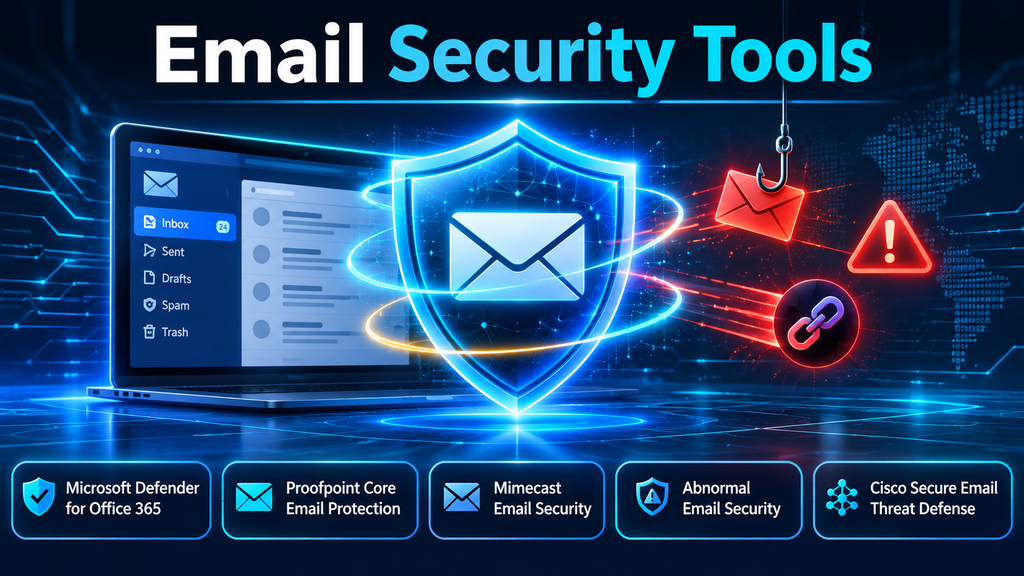
Email Security Tools: Defending the Inbox Against Phishing, Business Email Compromise, and Modern Social Engineering
Introduction
Email remains one of the most important business communication channels—and one of the most frequently exploited entry points for cyberattacks. A single convincing message can expose employee credentials, trigger a fraudulent payment, distribute ransomware, or give an attacker access to an otherwise well-protected environment.
The challenge is no longer limited to identifying suspicious attachments or blocking known spam senders. Modern attackers use compromised legitimate accounts, lookalike domains, QR-code phishing, malicious links, executive impersonation, and carefully researched social engineering. Some attacks contain no malware or obviously dangerous URL at all.
Email security tools help organizations detect, prevent, investigate, and remediate these threats. They combine technologies such as sender authentication, reputation analysis, attachment sandboxing, URL inspection, behavioral analytics, and automated response.
However, not every organization needs the same architecture. A company using Microsoft 365 may prioritize integrated protection and post-delivery remediation. A regulated enterprise may need advanced gateway controls, encryption, and detailed policy enforcement. An organization experiencing frequent business email compromise (BEC) attempts may place greater value on behavioral detection and identity context.
The right choice depends on the threats an organization faces, its existing email infrastructure, operational capacity, and requirements for visibility and control.
What Are Email Security Tools?
Email security tools are software platforms and services that protect email systems, users, and business information from threats delivered through electronic messages.
They inspect incoming, outgoing, and sometimes internal email traffic to identify suspicious senders, malicious content, fraudulent requests, and policy violations.
Depending on the product and deployment model, protection may take place before a message reaches the mailbox, after delivery, or when a user interacts with a link or attachment.
Common capabilities include:
- Anti-phishing protection: Identifies deceptive messages designed to steal credentials or manipulate recipients.
- Business email compromise detection: Detects impersonation, unusual communication patterns, and fraudulent payment requests.
- Malware and attachment analysis: Scans files and may execute suspicious attachments in isolated environments.
- URL protection: Inspects links and can re-evaluate destinations when users click them.
- Sender authentication: Uses SPF, DKIM, and DMARC to help validate sending infrastructure and reduce domain spoofing.
- Spam filtering: Separates unwanted bulk messages from legitimate business communication.
- Data loss prevention: Detects sensitive information in outgoing messages and applies organizational policies.
- Email encryption: Protects confidential information while it is transmitted or accessed.
- Threat investigation and remediation: Helps security teams locate malicious messages, remove them from mailboxes, and investigate related activity.
An effective email security strategy combines these controls rather than relying on a single detection mechanism.
Why Traditional Email Filtering Is No Longer Enough
Traditional email gateways were designed primarily to block spam, known malware, suspicious attachments, and messages from poor-reputation senders. These controls remain useful, but attackers have adapted.
1. Business email compromise
BEC attacks exploit trust rather than technical vulnerabilities. An attacker may impersonate an executive, supplier, or finance employee and request an urgent payment or change to bank details.
A message can appear legitimate, contain no malicious attachment, and use ordinary business language. Reputation-based filtering alone may not identify it.
2. Compromised legitimate accounts
Attackers who gain access to a real mailbox can send messages from a trusted account. They may reply within existing conversations, use familiar terminology, and exploit established relationships.
Because the sender is genuine, conventional spoofing checks may not detect the compromise.
3. Credential phishing
Fake login pages imitate Microsoft 365, Google Workspace, banking services, or internal applications. The email may contain a link that appears harmless until the recipient opens it.
Some campaigns also use adversary-in-the-middle techniques to capture authentication sessions.
4. Malicious links that change over time
A URL may appear harmless during initial inspection and redirect to a malicious destination later. Attackers can also use compromised websites, URL shorteners, and redirect chains to hide their infrastructure.
Time-of-click inspection helps address the gap between initial delivery and eventual user interaction.
5. QR-code phishing
Attackers place malicious URLs inside QR codes embedded in email messages or attachments. These attacks can encourage users to scan with personal mobile devices, where enterprise protections may be less consistent.
6. AI-assisted social engineering
Generative AI makes it easier to produce fluent, personalized messages and imitate business communication styles. This raises the importance of context, sender behavior, identity relationships, and unusual request detection.
The implication is clear: email security must evaluate more than message content. It must understand the context in which a message is sent and received.
Core Technologies Behind Modern Email Security
Secure email gateways
A secure email gateway (SEG) sits in the mail flow and inspects messages before delivery. It can enforce policies, filter spam, scan attachments, evaluate URLs, and block or quarantine suspicious messages.
Gateways provide centralized control over email traffic, but their deployment may involve mail-routing changes, MX-record updates, or additional infrastructure planning.
API-based email security
API-based solutions connect to cloud email platforms through supported interfaces. They can inspect mailbox content, identify threats that bypass initial filtering, and in some cases remove malicious messages after delivery.
This model can simplify deployment in cloud environments, although organizations should evaluate API permissions, mailbox coverage, response speed, and dependencies on the underlying email platform.
Behavioral analytics
Behavioral detection establishes patterns around users, senders, suppliers, and communication relationships. It can identify unusual requests, unexpected sender behavior, or messages that differ from normal business interactions.
This is particularly relevant to BEC and account-compromise scenarios where the message may not contain a recognizable malicious file or URL.
Sandboxing and detonation
Sandboxing executes suspicious files or analyzes content in an isolated environment to observe potentially harmful behavior.
It can help detect previously unknown malware, but organizations should understand how the product handles encrypted archives, password-protected files, large attachments, and analysis delays.
URL rewriting and time-of-click protection
Some tools rewrite links so that they can be checked when a user clicks them. This provides an additional opportunity to detect destinations that become malicious after the original message was delivered.
The implementation should be tested against business applications, mobile clients, third-party email systems, and user workflows.
Email authentication
Three important standards help protect email domains:
- SPF (Sender Policy Framework): Identifies which sending servers are authorized to send email for a domain.
- DKIM (DomainKeys Identified Mail): Uses cryptographic signatures to help verify that a message is associated with an authorized domain and has not been altered in transit.
- DMARC (Domain-based Message Authentication, Reporting, and Conformance): Allows domain owners to publish policies for handling messages that fail authentication checks and receive reporting information.
These standards reduce certain forms of spoofing, but they do not independently prevent compromised accounts, malicious messages from legitimate senders, or all forms of social engineering.
Leading Email Security Tools to Evaluate
The following products illustrate different approaches to email protection. They are not interchangeable: some emphasize integrated productivity-suite security, while others focus on advanced threat detection, gateway controls, or behavioral analysis.
1. Microsoft Defender for Office 365
Microsoft Defender for Office 365 extends email and collaboration protection within the Microsoft 365 ecosystem.
Its capabilities include Safe Links, Safe Attachments, anti-phishing policies, impersonation protection, and investigation and response features. Safe Links can inspect URLs at the time of click, while Safe Attachments analyzes potentially dangerous files.
Where it fits
Organizations already using Exchange Online and Microsoft 365 may benefit from the platform’s integration with Microsoft security administration and investigation workflows.
Evaluation considerations
- Review the capabilities included in the organization’s existing Microsoft licensing.
- Understand the differences between Defender for Office 365 plans.
- Configure anti-phishing, impersonation, Safe Links, and Safe Attachments policies deliberately.
- Review policy precedence and exclusions to avoid unexpected protection gaps.
- Test investigation and remediation workflows with the security operations team.
The main advantage is ecosystem integration. The main consideration is ensuring that licensing, configuration, and operational requirements match the organization’s actual risk profile.
2. Proofpoint Core Email Protection
Proofpoint Core Email Protection focuses on protecting users and business communication from phishing, BEC, account compromise, and other email-borne threats.
Its approach includes behavioral threat analysis, threat intelligence, URL and attachment inspection, and protection across different stages of email delivery and use. Proofpoint also describes gateway and API-based deployment approaches.
Where it fits
Organizations seeking specialized email threat protection, particularly those dealing with targeted phishing, supplier impersonation, or complex BEC campaigns, may consider Proofpoint.
Evaluation considerations
- Determine whether gateway, API, or combined deployment is appropriate.
- Assess how the platform detects compromised accounts and supplier-related threats.
- Review post-delivery investigation and remediation capabilities.
- Validate integration with Microsoft 365 or Google Workspace.
- Examine alert quality and the amount of analyst effort required.
Proofpoint is worth evaluating where advanced threat detection and broader human-centric security are important procurement priorities.
3. Mimecast Email Security
Mimecast provides email and collaboration threat protection with capabilities covering phishing, impersonation, malicious URLs, and dangerous attachments.
Its Targeted Threat Protection capabilities include URL Protection, Attachment Protection, and Impersonation Protection. These controls can help identify suspicious links, analyze attachments, and detect messages that imitate trusted individuals or domains.
Where it fits
Organizations looking for layered email protection and targeted threat controls may consider Mimecast, particularly where impersonation and malicious attachment protection are important.
Evaluation considerations
- Review URL inspection and time-of-click behavior.
- Test attachment sandboxing and handling of unusual file types.
- Evaluate impersonation policies for executives, finance teams, and suppliers.
- Understand policy exceptions and their operational implications.
- Assess reporting, quarantine management, and incident response integration.
Mimecast’s suitability depends on how well its policy model and deployment options fit the organization’s mail environment.
4. Abnormal Email Security
Abnormal Email Security emphasizes behavioral AI and contextual analysis. Rather than relying only on known malicious indicators, its approach considers normal communication patterns and identifies deviations that may indicate phishing, vendor fraud, account takeover, or BEC.
The platform describes behavioral models that learn from identity and communication context, along with investigation and response capabilities.
Where it fits
Organizations facing sophisticated impersonation, supplier fraud, and attacks that bypass conventional gateway filtering may find this approach relevant.
Evaluation considerations
- Understand which identity and communication signals are analyzed.
- Test detection against compromised vendor accounts and existing email-thread attacks.
- Review explainability: analysts should be able to understand why a message was flagged.
- Evaluate automated remediation and the handling of false positives.
- Check mailbox permissions, API integration, and deployment requirements.
Behavioral detection can complement conventional filtering, but buyers should validate detection quality against their own historical messages and attack scenarios.
5. Cisco Secure Email Threat Defense
Cisco Secure Email Threat Defense provides advanced email threat detection and response, using AI-driven analysis and Cisco Talos threat intelligence.
Cisco describes capabilities for identifying phishing, BEC, account takeover, and other threats, with visibility and remediation options. Its deployment choices include supplemental Microsoft 365 protection and gateway-oriented protection for supported email environments.
Where it fits
Organizations that want email threat visibility connected to broader Cisco security operations may consider this platform.
Evaluation considerations
- Compare the available licensing and deployment models.
- Determine whether API-based supplemental protection or inline gateway inspection is needed.
- Review visibility across inbound, outbound, and internal messages.
- Test message search, investigation, and remediation workflows.
- Assess integration with Cisco XDR and other security operations tools.
Cisco is particularly relevant to buyers evaluating email security as part of a wider security operations architecture.
Email Security Tools Compared
| Platform | Primary emphasis | Notable capabilities | Evaluation focus |
|---|---|---|---|
| Microsoft Defender for Office 365 | Microsoft 365-integrated protection | Safe Links, Safe Attachments, anti-phishing, investigation | Licensing, policy configuration, ecosystem fit |
| Proofpoint Core Email Protection | Advanced email threat protection | Behavioral analysis, threat intelligence, multi-stage protection | Deployment model, BEC detection, remediation |
| Mimecast Email Security | Layered email and targeted threat protection | URL, attachment, and impersonation protection | Policy flexibility, inspection, operations |
| Abnormal Email Security | Behavioral AI detection | Identity context, BEC and account-compromise detection | Explainability, API permissions, false positives |
| Cisco Secure Email Threat Defense | Threat detection and response | AI-driven analysis, Talos intelligence, remediation | Gateway/API options, integrations, visibility |
This comparison is a starting point, not a universal ranking. Product capabilities and licensing can change, so procurement teams should validate current feature availability and plan entitlements directly with vendors.
Secure Email Gateway vs. API-Based Email Security
One of the most important architectural decisions is whether to deploy protection inline, through APIs, or using a combination of both.
| Consideration | Secure email gateway | API-based protection |
|---|---|---|
| Inspection point | In the mail flow | Through cloud email platform APIs |
| Delivery control | Can inspect and block before delivery | May detect and remediate after delivery, depending on the product |
| Deployment | May require mail-routing changes | Often avoids MX-record changes |
| Policy enforcement | Centralized inline controls | Depends on available APIs and platform permissions |
| Retrospective detection | Depends on product capabilities | Often designed to inspect mailbox content and identify missed threats |
| Operational dependency | Mail routing and gateway availability | API permissions, platform support, and integration health |
A gateway may be appropriate when inline inspection and centralized mail-flow control are essential. API-based protection can be attractive for cloud-first organizations that want additional detection without redesigning mail routing.
Some organizations use both approaches to gain pre-delivery controls and post-delivery visibility. The additional coverage must justify the cost and operational complexity.
How to Choose the Right Email Security Tool
Selecting a platform should begin with an understanding of the organization’s threat exposure and email architecture.
1. Identify the email environment
Determine whether the organization uses:
- Microsoft 365 and Exchange Online
- Google Workspace
- Microsoft Exchange Server on premises
- Hybrid email infrastructure
- Multiple email platforms across subsidiaries or business units
Compatibility and deployment requirements can differ significantly between these environments.
2. Map the most important threats
Review incident history and identify the threats that create the greatest business risk.
For example:
- Frequent credential phishing suggests a need for stronger URL analysis and identity-aware controls.
- Supplier payment fraud suggests a need for behavioral BEC detection and payment verification procedures.
- Malware delivery suggests a need for attachment analysis and sandboxing.
- Sensitive outbound communication suggests a need for DLP and encryption.
- Compromised internal accounts suggest a need for internal-message inspection and account-compromise investigation.
3. Evaluate detection quality
Do not rely only on vendor demonstrations or headline detection claims. Test the product using representative attack scenarios and, where possible, historical email samples.
Include:
- Executive impersonation
- Lookalike supplier domains
- Compromised legitimate senders
- QR-code phishing
- Malicious links that redirect
- Password-protected attachments
- Internal account compromise
- Benign messages that resemble suspicious activity
Measure detection accuracy, false positives, missed threats, and time to remediation.
4. Examine response capabilities
Detection is only part of the requirement. Security teams need to understand what happens after a threat is identified.
Evaluate whether the product can:
- Locate related messages across mailboxes.
- Remove or quarantine malicious messages.
- Identify affected recipients.
- Provide useful investigation context.
- Integrate with SIEM, SOAR, and XDR platforms.
- Preserve evidence for incident investigation.
- Support controlled remediation and audit trails.
5. Consider user experience
Overly aggressive filtering can interrupt business operations. Poorly explained warnings can also encourage users to ignore security notifications.
Assess quarantine workflows, message release procedures, link-warning pages, user reporting, and support for mobile email clients.
6. Calculate the operational cost
Compare more than subscription price. Include implementation, mail-flow changes, licensing dependencies, integrations, policy maintenance, analyst time, and ongoing administration.
A platform that produces many low-value alerts can create hidden operational costs even if its initial licensing appears attractive.
Common Email Security Deployment Challenges
Misconfigured authentication records
Incorrect SPF, DKIM, or DMARC configuration can disrupt legitimate email delivery or leave spoofing opportunities unresolved.
Organizations should inventory legitimate sending services before tightening enforcement. Marketing platforms, ticketing systems, payroll applications, and third-party business services may all send email on behalf of the domain.
Excessive allowlisting
Broad allowlists can create exceptions that weaken protection. An organization should document why an exception exists, who approved it, and when it should be reviewed.
Incomplete mailbox coverage
Some deployments protect only selected users or inbound messages. Internal messages, shared mailboxes, executives, service accounts, and outbound email may require additional attention.
Alert fatigue
Large volumes of low-confidence alerts can overwhelm security teams. Detection rules should be tuned carefully, and automated response should be introduced with safeguards and clear rollback procedures.
Weak incident response procedures
A security platform cannot replace a defined response process. Organizations should establish how users report suspicious email, how analysts investigate incidents, and how finance or HR teams verify high-risk requests.
Overlooking account security
Email filtering cannot compensate for weak identity controls. Strong authentication, phishing-resistant MFA where appropriate, conditional access, and monitoring of suspicious sign-ins remain important layers of defense.
Best Practices for a Strong Email Security Strategy
A mature email security program combines technical controls with operational processes.
- Implement SPF, DKIM, and DMARC: Establish domain authentication and move toward an appropriately monitored enforcement policy.
- Enable advanced phishing protection: Configure impersonation detection and protection for high-risk users and domains.
- Inspect links and attachments: Use reputation checks, sandboxing, and time-of-click analysis where supported.
- Monitor internal email: Investigate unusual messages sent from legitimate accounts, not just external inbound traffic.
- Protect privileged users: Apply stronger controls and monitoring to executives, finance teams, administrators, and other high-impact roles.
- Integrate identity security: Correlate email threats with sign-in activity, mailbox rules, OAuth consent, and account changes.
- Automate carefully: Use automated message removal and response where confidence is sufficient, with auditability and recovery procedures.
- Train users around real attack patterns: Focus on payment changes, urgent requests, credential prompts, QR codes, and unexpected document-sharing invitations.
- Test incident response: Run phishing and BEC simulations that include security, finance, IT, and business stakeholders.
- Review policies regularly: Reassess exceptions, detection outcomes, authentication records, and coverage as the email environment changes.
The Role of Email Security in Zero Trust
Email security is an important part of a broader Zero Trust strategy because a message should not be trusted simply because it appears to originate from a known sender.
A trusted account can be compromised. A familiar supplier can be impersonated. A legitimate conversation can be hijacked.
A Zero Trust-oriented approach considers identity, device state, communication context, and risk signals before allowing sensitive actions. Email security can contribute by identifying suspicious messages, detecting unusual sender behavior, and sharing threat information with identity and endpoint security systems.
For example, a suspicious email followed by an unusual sign-in and a new mailbox forwarding rule should be investigated as a potentially connected incident rather than as unrelated alerts.
This cross-layer visibility helps organizations move from isolated message filtering toward coordinated threat detection and response.
Questions to Ask During an Email Security Proof of Concept
Before selecting a platform, use a structured proof of concept to validate its practical value.
- Can the product detect BEC messages that contain no malicious attachment or URL?
- How does it identify compromised legitimate accounts?
- Does it inspect inbound, outbound, and internal email?
- Can it detect threats after a message has already been delivered?
- How does URL protection work when a destination changes after delivery?
- What happens when sandbox analysis is delayed or inconclusive?
- Can analysts search for and remediate related messages across mailboxes?
- What permissions does the product require?
- Which SIEM, SOAR, XDR, and identity integrations are supported?
- How are false positives reviewed and corrected?
- What reporting is available for compliance and incident investigations?
- Which capabilities require additional licenses or services?
The proof of concept should use realistic business workflows and measurable outcomes rather than relying only on a vendor’s demonstration environment.
Conclusion
Email security tools have become essential components of enterprise cybersecurity. Their role extends beyond blocking spam and malware to identifying identity deception, compromised accounts, fraudulent requests, and sophisticated social engineering.
Microsoft Defender for Office 365 offers integrated protection for Microsoft environments. Proofpoint provides advanced email threat protection and behavioral analysis. Mimecast brings together targeted URL, attachment, and impersonation controls. Abnormal emphasizes behavioral AI and communication context. Cisco Secure Email Threat Defense combines threat analysis, intelligence, and remediation options.
The right platform is the one that addresses the organization’s real attack patterns, fits its email architecture, and enables security teams to respond effectively. Buyers should validate detection quality, deployment requirements, mailbox coverage, integration, and operational workload before committing.
Ultimately, a secure inbox is not achieved by filtering messages alone. It requires continuous verification of identities, context-aware threat detection, well-designed response processes, and informed users.
