Upgrade & Secure Your Future with DevOps, SRE, DevSecOps, MLOps!
We spend hours scrolling social media and waste money on things we forget, but won’t spend 30 minutes a day earning certifications that can change our lives.
Master in DevOps, SRE, DevSecOps & MLOps by DevOps School!
Learn from Guru Rajesh Kumar and double your salary in just one year.
Introduction
Content Delivery Networks, or CDNs, help websites, apps, APIs, videos, images, and downloadable files load faster by serving content from servers closer to the user. Instead of every visitor reaching the original hosting server, a CDN caches content across global edge locations and delivers it from the nearest or best-performing network point.
This matters in 2026 and beyond because users expect fast pages, smooth video, secure apps, low-latency APIs, and reliable digital experiences across regions. CDNs are also no longer only about caching; modern CDN platforms now include edge computing, DDoS protection, WAF, bot management, image optimization, API acceleration, observability, and AI workload support. CloudFront, for example, distributes static and dynamic web content through global edge locations, while Cloudflare and Fastly position CDN delivery alongside edge security and programmable edge capabilities.
Real-world use cases include website acceleration, ecommerce performance, video streaming, API delivery, software downloads, mobile app content delivery, gaming assets, image optimization, and global SaaS application performance.
Buyers should evaluate global coverage, latency, cache controls, security features, edge compute, pricing model, API support, analytics, origin protection, compliance needs, and support quality.
Best for: SaaS companies, ecommerce brands, media platforms, gaming companies, publishers, API providers, developers, IT teams, DevOps teams, and enterprises serving users across multiple regions.
Not ideal for: very small websites with low traffic, private internal apps with no public users, or teams that only need basic web hosting without performance, security, or scalability requirements.
Key Trends in Content Delivery Networks (CDN
Edge security is now part of CDN buying. Buyers increasingly expect WAF, DDoS protection, bot protection, TLS, rate limiting, and API security to work close to the user.
- Edge compute is growing fast. Platforms such as Cloudflare Workers, Fastly Compute, and Amazon CloudFront Functions/Lambda@Edge show how CDNs are becoming programmable application platforms.
- AI workloads are moving closer to users. CDN and edge platforms are adding support for AI inference, semantic caching, AI app acceleration, and low-latency AI experiences.
- Hybrid and multi-CDN strategies are increasing. Large companies often use more than one CDN for redundancy, regional optimization, traffic steering, and vendor risk management.
- API acceleration is becoming as important as static caching. Modern SaaS products need faster APIs, protected origins, low-latency routing, and better observability.
- Image and video optimization are standard expectations. Buyers want automatic resizing, compression, adaptive delivery, and streaming optimization.
- Developer experience matters more. Teams now evaluate Terraform support, APIs, CLI tools, edge scripting, logs, and CI/CD integration.
- Observability and real-time logs are key. CDN buyers want visibility into cache hit ratio, origin errors, latency, geographic traffic, attack patterns, and edge behavior.
- Cost control is a major selection factor. Data transfer, request pricing, cache misses, image optimization, edge compute, logs, and security add-ons can change the real cost.
- Compliance and data residency are more important. Regulated industries need control over where content is processed, logged, stored, and inspected.
How We Selected These Tools
- Market recognition and adoption across web performance, edge delivery, cloud infrastructure, media delivery, and security use cases.
- Strength of global network, edge locations, traffic routing, cache performance, and reliability.
- Feature completeness across CDN, WAF, DDoS protection, bot control, image optimization, edge compute, and analytics.
- Fit across startups, SMBs, mid-market companies, enterprises, media platforms, and developer-led teams.
- Integration depth with cloud providers, DevOps tools, CI/CD workflows, DNS, storage, security platforms, and observability stacks.
- Security posture signals such as TLS, WAF, DDoS mitigation, access controls, API protection, and logging.
- Ease of setup for smaller teams and flexibility for advanced engineering teams.
- Support for static sites, dynamic apps, APIs, video streaming, downloads, and global SaaS platforms.
- Pricing transparency, value at scale, and flexibility for different traffic patterns.
- Documentation, support quality, partner ecosystem, and operational maturity.
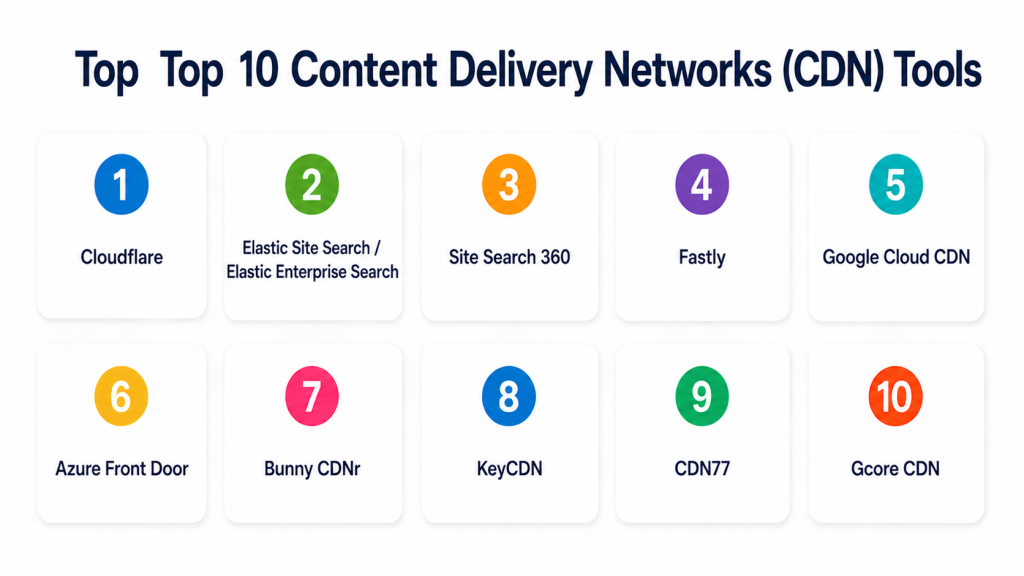
Top 10 Content Delivery Networks (CDN) Tools
#1 — Cloudflare
Short description (2–3 lines): Cloudflare is a global CDN, security, DNS, edge compute, and application delivery platform. It is best for websites, SaaS apps, APIs, ecommerce stores, and enterprises that want performance and security from one edge network.
Key Features
- Global CDN for static and dynamic content acceleration.
- Built-in DDoS protection and WAF capabilities.
- Cloudflare Workers for edge compute.
- Bot management and API security options.
- Image optimization and cache controls.
- DNS, SSL/TLS, and traffic routing features.
- Analytics, logs, and security event visibility.
Pros
- Strong balance of performance, security, and ease of use.
- Good fit for small websites through large enterprises.
- Broad platform beyond CDN, including DNS, Zero Trust, WAF, and edge development.
Cons
- Advanced controls may require careful configuration.
- Enterprise features and higher security controls may require paid plans.
- Some teams may prefer more cloud-provider-native CDN options.
Platforms / Deployment
Web / APIs
Cloud
Security & Compliance
Supports DDoS protection, WAF, TLS, bot management, access controls, audit-related controls, and Zero Trust features. Specific certifications vary by product and plan and should be validated directly.
Integrations & Ecosystem
Cloudflare integrates well with modern web, security, DevOps, and application delivery workflows.
- DNS and domain management
- Web hosting platforms
- Cloud infrastructure
- CI/CD workflows
- APIs and Workers
- Security tools
- Observability and logging pipelines
Support & Community
Cloudflare provides documentation, community resources, developer guides, enterprise support options, and a large ecosystem of users and developers.
#2 — Akamai
Short description (2–3 lines): Akamai is a long-standing enterprise CDN and edge security platform used by large organizations, media companies, financial services, ecommerce brands, and global applications. It is best for enterprises needing scale, performance, and mature security.
Key Features
- Large global CDN and edge delivery network.
- Web performance optimization.
- Media and video delivery support.
- DDoS protection and WAF options.
- Bot and API protection capabilities.
- Edge computing and traffic management options.
- Real-time monitoring and analytics.
Pros
- Strong enterprise credibility and global scale.
- Good fit for high-traffic, mission-critical digital platforms.
- Mature security and media delivery capabilities.
Cons
- Can be complex for smaller teams.
- Implementation may require expert support.
- Pricing and packaging may be less simple than SMB-focused CDNs.
Platforms / Deployment
Web / APIs
Cloud / Hybrid
Security & Compliance
Supports enterprise-grade security controls such as WAF, DDoS protection, bot management, access controls, and traffic protection. Specific certifications should be validated directly.
Integrations & Ecosystem
Akamai fits large organizations with complex delivery, security, and traffic management needs.
- Enterprise cloud environments
- Media workflows
- Security operations
- API platforms
- Web applications
- DNS and traffic management
- Logging and monitoring systems
Support & Community
Akamai provides enterprise support, professional services, documentation, account teams, and implementation guidance for large-scale deployments.
#3 — Amazon CloudFront
Short description (2–3 lines): Amazon CloudFront is AWS’s CDN for delivering websites, APIs, video, software downloads, and dynamic content through a global edge network. It is best for teams already using AWS infrastructure and services.
Key Features
- CDN for static and dynamic content.
- Integration with AWS origins such as S3, EC2, and load balancers.
- CloudFront Functions and Lambda@Edge for edge logic.
- TLS, field-level encryption, and security integrations.
- Origin Shield and cache controls.
- Real-time logs and monitoring integrations.
- Support for video and API acceleration.
Pros
- Strong fit for AWS-native architectures.
- Flexible edge compute and cache controls.
- Mature integration with AWS security, logging, and infrastructure tools.
Cons
- Configuration can feel complex for beginners.
- Cost modeling requires attention to traffic, requests, logs, and invalidations.
- Best value is usually inside AWS-heavy environments.
Platforms / Deployment
Web / APIs
Cloud
Security & Compliance
Supports TLS, AWS IAM, encryption options, logging, AWS WAF integration, Shield integration, and access control features. Specific compliance depends on AWS configuration and region.
Integrations & Ecosystem
Amazon CloudFront works best when connected with AWS services and DevOps workflows.
- Amazon S3
- Elastic Load Balancing
- AWS WAF
- AWS Shield
- Lambda@Edge
- CloudFront Functions
- CloudWatch and logging tools
Support & Community
AWS provides documentation, support plans, SDKs, partner support, training resources, and a large cloud community.
#4 — Fastly
Short description (2–3 lines): Fastly is an edge cloud and CDN platform focused on performance, programmability, real-time control, and security. It is best for engineering-led teams, media platforms, SaaS apps, and high-performance websites.
Key Features
- High-performance CDN and edge delivery.
- Fastly Compute for programmable edge workloads.
- Real-time logs and observability.
- Edge WAF and security services.
- Advanced cache controls and instant purging.
- API-first configuration.
- Support for dynamic sites, APIs, and media.
Pros
- Strong for engineering teams that need control.
- Real-time logging and instant cache invalidation are practical for fast-moving teams.
- Good fit for dynamic applications and advanced CDN configurations.
Cons
- May require more technical expertise than simple CDN platforms.
- Pricing and configuration can be less beginner-friendly.
- Smaller teams may not need its advanced controls.
Platforms / Deployment
Web / APIs
Cloud
Security & Compliance
Supports Edge WAF, TLS, DDoS-related protections, access controls, logging, and security services. Specific certifications should be validated directly.
Integrations & Ecosystem
Fastly fits modern DevOps and edge application workflows where teams need programmable delivery.
- CI/CD pipelines
- APIs and SDKs
- Observability tools
- Security tools
- Web applications
- Media delivery workflows
- Edge compute workloads
Support & Community
Fastly offers documentation, developer resources, enterprise support, implementation help, and technical guidance for advanced CDN use cases.
#5 — Google Cloud CDN
Short description (2–3 lines): Google Cloud CDN accelerates web and application content using Google’s global infrastructure. It is best for teams already using Google Cloud, global load balancing, and cloud-native application delivery.
Key Features
- CDN integrated with Google Cloud Load Balancing.
- Static and dynamic content acceleration.
- Cache controls and signed URLs.
- TLS and security integration.
- Logging and monitoring through Google Cloud tools.
- Support for global applications.
- Integration with Google Cloud storage and compute services.
Pros
- Strong fit for Google Cloud environments.
- Benefits from Google’s global network infrastructure.
- Good for cloud-native web apps and APIs.
Cons
- Best value is inside Google Cloud architecture.
- May be less convenient for non-Google origins.
- Advanced setup may require cloud networking knowledge.
Platforms / Deployment
Web / APIs
Cloud
Security & Compliance
Supports Google Cloud IAM, encryption, TLS, logging, and integration with Google Cloud security services. Specific compliance depends on configuration and region.
Integrations & Ecosystem
Google Cloud CDN works well for teams already building on Google Cloud infrastructure.
- Google Cloud Load Balancing
- Cloud Storage
- Compute Engine
- Google Kubernetes Engine
- Cloud Armor
- Cloud Logging
- Cloud Monitoring
Support & Community
Google provides documentation, cloud support plans, partner services, training, and developer resources.
#6 — Azure Front Door
Short description (2–3 lines): Azure Front Door is Microsoft’s global application delivery and CDN-style edge platform for web apps, APIs, and dynamic content. It is best for Microsoft Azure users needing global routing, acceleration, and security.
Key Features
- Global HTTP/HTTPS load balancing.
- CDN-style content acceleration.
- Web Application Firewall support.
- TLS termination and certificate management.
- Origin health probes and traffic routing.
- Integration with Azure services.
- Analytics and monitoring through Azure tools.
Pros
- Strong fit for Azure-based applications.
- Combines global routing, acceleration, and WAF.
- Useful for dynamic web apps and APIs.
Cons
- Best suited for Azure-centric architectures.
- Configuration may require Azure networking knowledge.
- Cost planning should include routing, security, and traffic patterns.
Platforms / Deployment
Web / APIs
Cloud
Security & Compliance
Supports Azure identity integration, WAF, TLS, access controls, logging, and monitoring. Specific certifications depend on Azure services and configuration.
Integrations & Ecosystem
Azure Front Door fits Microsoft cloud and enterprise application delivery workflows.
- Azure App Service
- Azure Kubernetes Service
- Azure Storage
- Azure WAF
- Azure Monitor
- Microsoft identity services
- DevOps pipelines
Support & Community
Microsoft provides documentation, enterprise support, partner services, training resources, and a large Azure community.
#7 — Bunny CDN
Short description (2–3 lines): Bunny CDN is a performance-focused CDN known for simple setup, competitive pricing, and developer-friendly controls. It is best for startups, SMBs, developers, content sites, and teams that want fast delivery without heavy enterprise complexity.
Key Features
- Global content delivery.
- Pull zones and storage zones.
- Image optimization options.
- Token authentication and access controls.
- Video delivery support.
- Simple dashboard and API.
- Real-time statistics and logs.
Pros
- Easy to set up and manage.
- Good value for small and mid-sized teams.
- Developer-friendly without being overly complex.
Cons
- May not match the enterprise depth of Akamai, Cloudflare, or Fastly.
- Advanced security capabilities may be more limited.
- Large regulated enterprises may need deeper compliance review.
Platforms / Deployment
Web / APIs
Cloud
Security & Compliance
Supports HTTPS, token authentication, access rules, and CDN security controls. Specific certifications are not publicly stated here and should be validated directly.
Integrations & Ecosystem
Bunny CDN fits simple and modern web delivery workflows.
- Static websites
- CMS platforms
- Object storage
- Video delivery
- APIs
- Developer tooling
- Image optimization workflows
Support & Community
Bunny provides documentation, support resources, developer guides, and a growing user community. It is approachable for smaller teams.
#8 — KeyCDN
Short description (2–3 lines): KeyCDN is a CDN platform focused on simple setup, global delivery, and practical performance features. It is suitable for developers, agencies, SMBs, and websites that need straightforward content acceleration.
Key Features
- Global content delivery.
- HTTP/2 and TLS support.
- Pull and push zone support.
- Image processing options.
- Real-time analytics.
- Origin shield and cache controls.
- API access.
Pros
- Simple and practical CDN setup.
- Good for agencies and small business websites.
- Transparent and developer-friendly approach.
Cons
- May not offer the deepest enterprise security stack.
- Smaller ecosystem than larger CDN platforms.
- Advanced edge compute capabilities may be limited.
Platforms / Deployment
Web / APIs
Cloud
Security & Compliance
Supports TLS, secure tokens, access controls, and CDN security settings. Specific certifications are not publicly stated here.
Integrations & Ecosystem
KeyCDN works well for common website performance and content delivery use cases.
- CMS websites
- Static websites
- Web applications
- Image delivery
- APIs
- Developer workflows
- Monitoring tools
Support & Community
KeyCDN provides documentation, support resources, API guides, and technical articles. It is practical for web teams that want simple CDN delivery.
#9 — CDN77
Short description (2–3 lines): CDN77 is a CDN provider focused on content delivery, video delivery, storage, and security features. It is useful for media companies, gaming platforms, software distributors, and high-bandwidth websites.
Key Features
- Global CDN delivery.
- Video streaming support.
- Object storage options.
- DDoS protection options.
- Cache controls and origin shielding.
- Real-time reporting.
- API access and custom configurations.
Pros
- Good fit for video and high-bandwidth delivery.
- Practical for media, downloads, and software distribution.
- Offers CDN and storage-related workflows.
Cons
- May not be as broadly known as Cloudflare, Akamai, or AWS.
- Enterprise security depth should be validated.
- Advanced edge compute may be limited compared with developer-edge platforms.
Platforms / Deployment
Web / APIs
Cloud
Security & Compliance
Supports TLS, DDoS protection options, access controls, and secure delivery features. Specific certifications should be validated directly.
Integrations & Ecosystem
CDN77 fits teams that need scalable delivery for heavy content and media.
- Video platforms
- Object storage
- Download portals
- Gaming assets
- APIs
- Web applications
- Monitoring workflows
Support & Community
CDN77 provides documentation, support, onboarding assistance, and technical resources. It is suitable for teams with media and bandwidth-heavy needs.
#10 — Gcore CDN
Short description (2–3 lines): Gcore CDN is a global content delivery and edge platform with CDN, streaming, cloud, and security-related capabilities. It is suitable for gaming, media, SaaS, ecommerce, and global digital platforms.
Key Features
- Global CDN and edge delivery.
- Video streaming and media delivery support.
- Edge security and DDoS protection options.
- Image optimization capabilities.
- API access and automation.
- Cloud and edge platform integrations.
- Traffic analytics and reporting.
Pros
- Good fit for gaming, media, and global content delivery.
- Offers CDN alongside cloud and edge services.
- Useful for teams needing performance and regional reach.
Cons
- Buyers should validate regional performance for their audience.
- Advanced enterprise requirements may need custom review.
- Pricing and support details vary by use case.
Platforms / Deployment
Web / APIs
Cloud
Security & Compliance
Supports TLS, DDoS protection options, access controls, and edge security features. Specific certifications should be validated directly.
Integrations & Ecosystem
Gcore fits teams that need CDN connected with cloud, streaming, and edge workflows.
- Video platforms
- Gaming workloads
- Web applications
- Object storage
- APIs
- Cloud services
- Security workflows
Support & Community
Gcore provides documentation, support resources, enterprise support options, and onboarding assistance depending on customer needs.
Comparison Table
| Tool Name | Best For | Platform(s) Supported | Deployment | Standout Feature | Public Rating |
|---|---|---|---|---|---|
| Cloudflare | Performance plus security | Web, APIs | Cloud | CDN, WAF, DDoS, DNS, and edge compute in one platform | N/A |
| Akamai | Large enterprise and media delivery | Web, APIs | Cloud, Hybrid | Mature global CDN and enterprise edge security | N/A |
| Amazon CloudFront | AWS-native CDN delivery | Web, APIs | Cloud | Deep AWS integration and edge compute | N/A |
| Fastly | Programmable edge delivery | Web, APIs | Cloud | Real-time control and edge compute | N/A |
| Google Cloud CDN | Google Cloud applications | Web, APIs | Cloud | CDN integrated with Google Cloud Load Balancing | N/A |
| Azure Front Door | Azure web apps and APIs | Web, APIs | Cloud | Global routing, acceleration, and WAF | N/A |
| Bunny CDN | Startups and SMB performance | Web, APIs | Cloud | Simple, affordable, developer-friendly CDN | N/A |
| KeyCDN | Agencies and simple CDN delivery | Web, APIs | Cloud | Straightforward global content acceleration | N/A |
| CDN77 | Video and high-bandwidth delivery | Web, APIs | Cloud | Media delivery and CDN storage workflows | N/A |
| Gcore CDN | Gaming, media, and global platforms | Web, APIs | Cloud | CDN with edge, cloud, and streaming focus | N/A |
Evaluation & Scoring of Content Delivery Networks (CDN)
| Tool Name | Core (25%) | Ease (15%) | Integrations (15%) | Security (10%) | Performance (10%) | Support (10%) | Value (15%) | Weighted Total (0–10) |
|---|---|---|---|---|---|---|---|---|
| Cloudflare | 9 | 9 | 9 | 9 | 9 | 8 | 8 | 8.75 |
| Akamai | 9 | 6 | 8 | 9 | 9 | 9 | 7 | 8.20 |
| Amazon CloudFront | 9 | 7 | 9 | 9 | 9 | 8 | 8 | 8.40 |
| Fastly | 9 | 7 | 9 | 8 | 9 | 8 | 7 | 8.20 |
| Google Cloud CDN | 8 | 7 | 9 | 8 | 8 | 8 | 8 | 8.00 |
| Azure Front Door | 8 | 7 | 9 | 8 | 8 | 8 | 8 | 8.00 |
| Bunny CDN | 8 | 9 | 7 | 7 | 8 | 7 | 9 | 8.00 |
| KeyCDN | 7 | 8 | 7 | 7 | 8 | 7 | 8 | 7.45 |
| CDN77 | 8 | 8 | 7 | 7 | 8 | 7 | 8 | 7.65 |
| Gcore CDN | 8 | 8 | 8 | 8 | 8 | 7 | 8 | 7.90 |
These scores are comparative and should be used as a practical buying guide, not a universal ranking. Cloudflare scores strongly for balanced performance and security, while CloudFront is very strong for AWS-native teams. Fastly is strong for programmable edge delivery, Akamai for enterprise scale, and Bunny CDN for value-focused teams. Always test real traffic patterns, cache behavior, regional performance, and security controls before choosing.
Which Content Delivery Networks (CDN) Tool Is Right for You?
Solo / Freelancer
Solo users usually need a CDN that is easy to set up, low-cost, and reliable for websites, images, and static assets. They do not usually need complex enterprise controls.
Good options:
- Cloudflare for simple setup and built-in security.
- Bunny CDN for value-focused performance.
- KeyCDN for straightforward CDN delivery.
- CloudFront if the site is already hosted on AWS.
SMB
SMBs need performance, security, simple dashboards, good documentation, and predictable cost. They should avoid overcomplicated setups unless their traffic or security needs justify it.
Good options:
- Cloudflare for performance plus WAF and DNS.
- Bunny CDN for affordability and ease.
- KeyCDN for developer-friendly delivery.
- CDN77 for media-heavy websites.
- Amazon CloudFront for AWS-hosted apps.
Mid-Market
Mid-market companies often need better logs, security controls, regional performance, API support, and integration with cloud platforms.
Good options:
- Cloudflare for broad CDN and security capabilities.
- Fastly for programmable edge and real-time control.
- Amazon CloudFront for AWS-native teams.
- Google Cloud CDN for Google Cloud users.
- Azure Front Door for Microsoft Azure apps.
- Gcore CDN for media, gaming, or global delivery.
Enterprise
Enterprises need strong global coverage, high availability, security controls, compliance review, advanced support, logs, traffic routing, and origin protection.
Good options:
- Akamai for large-scale enterprise delivery.
- Cloudflare for security, CDN, and edge services.
- Fastly for programmable edge and advanced caching.
- Amazon CloudFront for AWS-centered enterprise platforms.
- Azure Front Door for Microsoft enterprise applications.
- Google Cloud CDN for Google Cloud architectures.
Budget vs Premium
Budget-focused teams should start with a CDN that is easy to operate and gives strong basic performance. Premium CDNs are better when downtime, latency, security, or traffic spikes directly affect revenue.
Budget-friendly scenarios:
- Small websites.
- Blogs and documentation sites.
- Static websites.
- Low-to-medium traffic apps.
- Image-heavy pages.
- Startup projects.
Premium scenarios:
- Ecommerce stores.
- Media streaming.
- Global SaaS applications.
- Gaming platforms.
- APIs with high traffic.
- Financial or regulated platforms.
- Enterprise security needs.
Feature Depth vs Ease of Use
Ease of use matters when teams want quick setup. Feature depth matters when teams need edge logic, custom cache rules, advanced routing, traffic shielding, real-time logs, and security controls.
Choose ease of use when:
- You need fast setup.
- Your content is mostly static.
- Your team is small.
- You want simple DNS and CDN controls.
- You do not need edge programming.
Choose feature depth when:
- You need API acceleration.
- You use edge compute.
- You need advanced WAF and bot controls.
- You serve global high-traffic users.
- You need real-time logs and custom routing.
- You operate mission-critical applications.
Integrations & Scalability
CDNs should fit your hosting, cloud, deployment, and monitoring stack. A CDN that integrates well with your origin and DevOps process is usually easier to operate.
Important integration areas include:
- Cloud providers
- Object storage
- Load balancers
- DNS
- WAF and security tools
- CI/CD pipelines
- Observability platforms
- Image optimization workflows
- Video streaming platforms
- API gateways
Security & Compliance Needs
Security is now a major CDN buying factor. Many teams choose a CDN not only for speed, but also to protect applications from attacks and reduce origin exposure.
Important security checks include:
- TLS and certificate management.
- WAF capabilities.
- DDoS mitigation.
- Bot protection.
- Rate limiting.
- API security.
- Origin shielding.
- Access controls.
- Logging and audit trails.
- Data residency options.
- Compliance documentation.
- Incident response support.
Frequently Asked Questions
What is a CDN?
A CDN is a distributed network that stores and delivers website or application content from locations closer to users. This reduces latency and improves speed, availability, and reliability.
How does a CDN improve website performance?
A CDN caches content such as images, CSS, JavaScript, video, and files at edge locations. When users request content, it is served from a nearby edge server instead of the origin server.
Do small websites need a CDN?
Small websites may not always need a CDN, but they can still benefit from faster global delivery, basic DDoS protection, TLS, caching, and reduced origin load.
What are common CDN pricing models?
Pricing may be based on bandwidth, requests, regions, security features, edge compute usage, image optimization, logs, or enterprise contracts. Pricing varies, so buyers should confirm directly with each vendor.
What is edge computing in a CDN?
Edge computing lets developers run code closer to users on CDN edge locations. It can be used for redirects, authentication, personalization, header changes, routing, A/B testing, and API logic.
What is the biggest mistake when choosing a CDN?
The biggest mistake is choosing only by price. Teams should also test latency, cache hit ratio, regional performance, security features, support quality, and cost at scale.
Can a CDN protect against DDoS attacks?
Many modern CDNs include DDoS protection or integrate with DDoS mitigation services. The level of protection depends on the provider, plan, and configuration.
What is the difference between CDN and web hosting?
Web hosting stores and runs your website or application. A CDN sits in front of hosting and delivers cached or accelerated content from edge locations around the world.
Can CDNs speed up APIs?
Yes, CDNs can improve API performance through caching, routing, TLS optimization, edge logic, rate limiting, and origin shielding. Dynamic APIs need careful cache and security configuration.
What is multi-CDN?
Multi-CDN means using more than one CDN provider. It helps improve redundancy, regional performance, failover, and vendor risk management for high-traffic or mission-critical platforms.
Are CDNs secure?
CDNs can improve security with TLS, WAF, DDoS protection, bot controls, rate limiting, and origin hiding. Security depends on the provider and how the CDN is configured.
What are alternatives to a CDN?
Alternatives include basic web hosting, cloud load balancers, object storage with direct delivery, reverse proxies, application delivery controllers, or self-hosted caching layers. For global public traffic, a CDN is usually more practical.
Conclusion
Content Delivery Networks are no longer only speed tools. Modern CDNs now support global performance, edge security, API delivery, media streaming, image optimization, programmable edge logic, and observability. The best CDN depends on your architecture and business needs. Cloudflare is strong for balanced performance and security, Akamai fits large enterprises, Amazon CloudFront is practical for AWS teams, Fastly is strong for programmable edge workloads, and Google Cloud CDN or Azure Front Door fit cloud-native teams using those platforms. Bunny CDN, KeyCDN, CDN77, and Gcore CDN are practical options for teams that want value, media delivery, or simpler setup.
