Upgrade & Secure Your Future with DevOps, SRE, DevSecOps, MLOps!
We spend hours scrolling social media and waste money on things we forget, but won’t spend 30 minutes a day earning certifications that can change our lives.
Master in DevOps, SRE, DevSecOps & MLOps by DevOps School!
Learn from Guru Rajesh Kumar and double your salary in just one year.
Introduction
Customer Data Platforms, commonly called CDPs, help businesses collect customer data from different systems and create a unified customer profile. In simple words, a CDP brings together data from websites, apps, CRM, email tools, ecommerce platforms, support systems, ads, and offline sources so teams can understand customers better and deliver more relevant experiences.
A CDP matters because customer data is often scattered across many tools. Marketing teams may have campaign data, sales teams may have CRM data, support teams may have ticket data, and product teams may have usage data. Without a unified view, personalization, segmentation, reporting, and customer journeys become difficult.
Common use cases include customer segmentation, audience activation, personalization, customer journey orchestration, campaign targeting, churn analysis, lead scoring, and first-party data management.
Buyers should evaluate data collection, identity resolution, segmentation, activation channels, governance, privacy controls, integrations, scalability, analytics, and ease of use.
Best for: marketing teams, growth teams, ecommerce teams, SaaS companies, CRM teams, data teams, customer experience teams, and enterprises managing customer data across many platforms.
Not ideal for: very small businesses with limited customer data, teams that only need basic email lists, or companies without clear data governance and activation goals.
Key Trends in Customer Data Platforms (CDP) for the Future
- First-party data strategy is becoming essential as businesses focus more on owned customer data instead of depending heavily on third-party signals.
- AI-powered segmentation is growing because teams want smarter audience creation, predictive scoring, and next-best-action recommendations.
- Real-time customer profiles are becoming more important for personalization, triggered campaigns, fraud signals, and customer journey decisions.
- Composable CDP architecture is gaining attention as teams connect data warehouses, reverse ETL, analytics tools, and activation platforms.
- Privacy and consent management are now core requirements because CDPs process customer identity, behavior, preferences, and communication data.
- Warehouse-native CDPs are growing because data teams want customer profiles and audiences to live closer to trusted enterprise data.
- Omnichannel activation is becoming a major buying factor as teams want to send customer segments to email, ads, SMS, push, CRM, support, and personalization tools.
- Data quality and identity resolution are under stronger review because poor matching creates inaccurate customer profiles.
- Marketing and data teams are working closer together as CDPs become both a business tool and a data infrastructure layer.
- Governance, permissions, and auditability are becoming more important as more teams use customer data for campaigns and personalization.
How We Selected These Tools
- Market recognition across customer data, marketing activation, personalization, and customer experience use cases.
- Strength of data collection, identity resolution, segmentation, profile unification, and audience activation.
- Fit across SMB, mid-market, enterprise, ecommerce, SaaS, and data-led organizations.
- Integration depth with CRM, email, ads, analytics, data warehouses, ecommerce, support, and product tools.
- Security posture signals such as access controls, encryption, permissions, audit logs, and governance workflows.
- Ease of use for marketing teams and flexibility for technical teams.
- Support for real-time and batch customer data workflows.
- Scalability for large customer profiles, high event volume, and complex customer journeys.
- Quality of reporting, profile management, and activation controls.
- Overall value compared with implementation effort, complexity, and long-term operational needs.
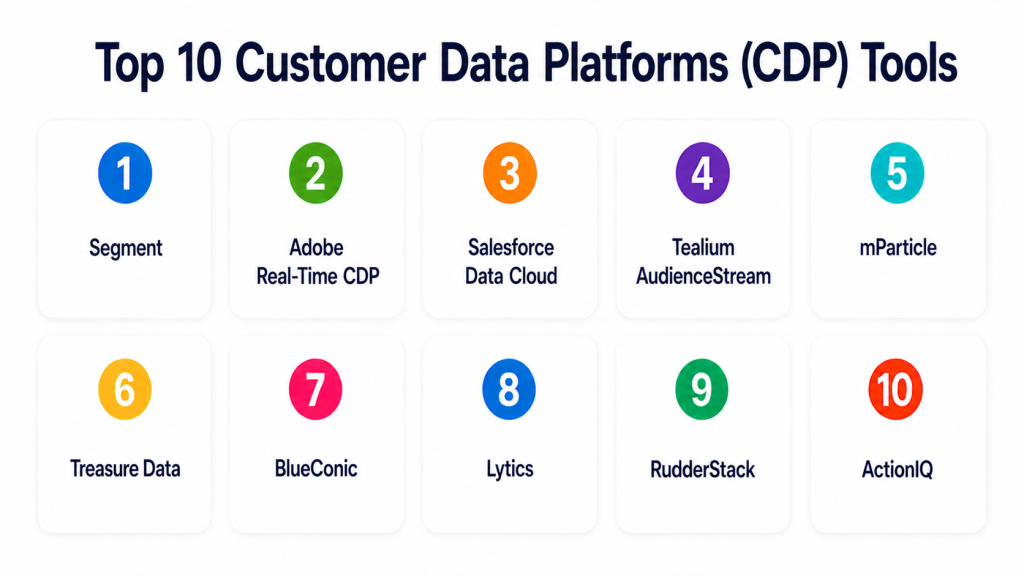
Top 10 Customer Data Platforms (CDP) Tools
#1 — Segment
Short description: Segment is a customer data platform that helps teams collect, clean, unify, and route customer data across analytics, marketing, data warehouse, and product tools. It is best for companies that need strong event data collection and broad integration coverage.
Key Features
- Customer data collection from websites, apps, and servers.
- Identity resolution and customer profile creation.
- Audience segmentation and activation.
- Large integration catalog.
- Data governance and tracking plan support.
- Real-time event routing.
- Data warehouse sync and activation workflows.
Pros
- Strong integration ecosystem.
- Good fit for product, marketing, and data teams.
- Useful for companies that need reliable event data pipelines.
Cons
- Implementation requires clean tracking planning.
- Pricing can increase with scale and usage.
- Non-technical teams may need support from data or engineering teams.
Platforms / Deployment
Web / APIs / SDKs
Cloud
Security & Compliance
Supports access controls, role permissions, encryption, governance features, and enterprise security controls. Specific certifications should be validated directly.
Integrations & Ecosystem
Segment connects customer data across analytics, marketing, product, and warehouse workflows.
- Analytics platforms
- Data warehouses
- CRM systems
- Email tools
- Ad platforms
- Product analytics tools
Support & Community
Segment provides documentation, developer resources, enterprise support, onboarding guidance, and a strong technical user community.
#2 — Adobe Real-Time CDP
Short description: Adobe Real-Time CDP helps enterprises unify customer data, build audiences, and activate profiles across Adobe and third-party channels. It is best for large organizations already using Adobe Experience Cloud.
Key Features
- Unified customer profiles.
- Real-time audience segmentation.
- Identity resolution.
- Data governance and consent controls.
- Integration with Adobe Experience Cloud.
- Audience activation across channels.
- Enterprise reporting and profile management.
Pros
- Strong fit for Adobe ecosystem customers.
- Good for enterprise personalization and marketing activation.
- Mature governance capabilities for large organizations.
Cons
- Can be complex for smaller teams.
- Best value depends on Adobe stack maturity.
- Implementation usually requires skilled teams.
Platforms / Deployment
Web / APIs
Cloud
Security & Compliance
Supports enterprise access controls, permissions, data governance, consent-related workflows, and Adobe ecosystem security controls. Specific certifications should be validated directly.
Integrations & Ecosystem
Adobe Real-Time CDP works best inside Adobe’s digital experience and marketing ecosystem.
- Adobe Analytics
- Adobe Target
- Adobe Journey Optimizer
- CRM tools
- Data warehouses
- Advertising platforms
Support & Community
Adobe provides enterprise support, documentation, training, implementation partners, and customer success resources.
#3 — Salesforce Data Cloud
Short description: Salesforce Data Cloud helps businesses unify customer data and activate it across Salesforce CRM, marketing, commerce, service, and analytics workflows. It is best for organizations already invested in Salesforce.
Key Features
- Customer profile unification.
- Identity resolution.
- Data ingestion from multiple systems.
- Audience segmentation.
- Salesforce ecosystem activation.
- Real-time customer data workflows.
- AI and analytics alignment with Salesforce tools.
Pros
- Strong fit for Salesforce-centered organizations.
- Useful for connecting sales, service, marketing, and commerce data.
- Good for customer journey and CRM-driven activation.
Cons
- Best value depends on Salesforce adoption.
- Implementation can be complex.
- Teams outside Salesforce may need additional integration planning.
Platforms / Deployment
Web / APIs
Cloud
Security & Compliance
Supports Salesforce access controls, permissions, identity features, encryption options, and governance workflows. Specific certifications should be validated directly.
Integrations & Ecosystem
Salesforce Data Cloud is strongest when used with Salesforce applications and customer workflows.
- Salesforce CRM
- Marketing Cloud
- Commerce Cloud
- Service Cloud
- Analytics tools
- External data platforms
Support & Community
Salesforce offers documentation, admin resources, partner support, customer success programs, and a large ecosystem of consultants and users.
#4 — Tealium AudienceStream
Short description: Tealium AudienceStream is a CDP focused on real-time customer data, audience creation, and activation across marketing and customer experience tools. It is best for teams that need strong tag, event, and audience management.
Key Features
- Real-time customer profiles.
- Audience segmentation.
- Identity resolution.
- Event data collection.
- Consent and governance controls.
- Large connector ecosystem.
- Customer journey activation.
Pros
- Strong real-time audience activation.
- Good fit for marketing and data governance teams.
- Useful for complex digital data collection environments.
Cons
- Setup requires strong data planning.
- Can be complex for smaller businesses.
- Advanced use cases may require specialist support.
Platforms / Deployment
Web / APIs
Cloud
Security & Compliance
Supports access controls, governance features, consent-related workflows, and secure data handling. Specific certifications should be validated directly.
Integrations & Ecosystem
Tealium connects customer data across marketing, analytics, advertising, and customer experience platforms.
- Tag management
- Analytics tools
- Advertising platforms
- CRM systems
- Email tools
- Data warehouses
Support & Community
Tealium provides documentation, implementation support, customer success resources, and partner services.
#5 — mParticle
Short description: mParticle is a customer data platform focused on data collection, identity, audience activation, and product-led customer data workflows. It is useful for mobile apps, digital products, media, retail, and subscription businesses.
Key Features
- Customer data collection from web, mobile, and backend sources.
- Identity resolution.
- Audience segmentation.
- Data quality controls.
- Real-time data forwarding.
- Warehouse and activation integrations.
- Mobile and product data support.
Pros
- Strong for mobile and product data workflows.
- Good fit for digital-first businesses.
- Useful for data quality and audience activation.
Cons
- Requires careful event design.
- Pricing may vary by usage and scale.
- Non-technical users may need support for advanced setup.
Platforms / Deployment
Web / iOS / Android / APIs / SDKs
Cloud
Security & Compliance
Supports access controls, permissions, encryption, data governance, and enterprise security features. Specific certifications should be validated directly.
Integrations & Ecosystem
mParticle works well with customer engagement, analytics, and data infrastructure stacks.
- Mobile apps
- Analytics tools
- Data warehouses
- Marketing automation
- Advertising tools
- Customer engagement platforms
Support & Community
mParticle provides documentation, customer support, implementation guidance, and technical resources for data and product teams.
#6 — Treasure Data
Short description: Treasure Data is an enterprise CDP focused on customer data unification, segmentation, analytics, and activation. It is best for larger organizations that need a scalable customer data foundation across departments and regions.
Key Features
- Customer data unification.
- Identity resolution.
- Audience segmentation.
- Data ingestion and transformation.
- Campaign activation.
- Analytics and customer intelligence.
- Enterprise governance features.
Pros
- Strong fit for enterprise customer data programs.
- Useful for complex and large-scale data environments.
- Supports marketing, analytics, and customer experience use cases.
Cons
- May be too advanced for smaller teams.
- Implementation requires planning and data maturity.
- Pricing and setup vary by enterprise requirements.
Platforms / Deployment
Web / APIs
Cloud
Security & Compliance
Supports enterprise access controls, permissions, encryption, governance features, and audit-oriented workflows. Specific certifications should be validated directly.
Integrations & Ecosystem
Treasure Data fits organizations that need to unify data from many business and customer systems.
- CRM systems
- Marketing platforms
- Data warehouses
- Ecommerce platforms
- Analytics tools
- Advertising platforms
Support & Community
Treasure Data provides enterprise support, documentation, onboarding, customer success, and professional services.
#7 — BlueConic
Short description: BlueConic is a customer data platform focused on first-party data, customer profiles, segmentation, and activation. It is useful for marketing, media, publishing, retail, and customer experience teams.
Key Features
- First-party customer profiles.
- Identity resolution.
- Audience segmentation.
- Behavioral data collection.
- Customer lifecycle orchestration.
- Data activation across channels.
- Profile analytics and insights.
Pros
- Strong first-party data focus.
- Useful for marketers who need customer segmentation and activation.
- Good fit for media, retail, and digital experience teams.
Cons
- May require data strategy planning.
- Not always ideal for highly technical warehouse-native use cases.
- Advanced integrations may require implementation support.
Platforms / Deployment
Web / APIs
Cloud
Security & Compliance
Supports access controls, permissions, privacy-oriented workflows, and data governance features. Specific certifications should be validated directly.
Integrations & Ecosystem
BlueConic connects customer profiles to marketing, personalization, and activation workflows.
- Email platforms
- CRM systems
- Advertising tools
- CMS platforms
- Analytics tools
- Customer engagement tools
Support & Community
BlueConic provides documentation, customer support, onboarding resources, and strategic guidance for customer data programs.
#8 — Lytics
Short description: Lytics is a customer data platform focused on customer profiles, behavioral insights, predictive audiences, and marketing activation. It is best for teams that want data-driven audience building and customer engagement.
Key Features
- Customer profile unification.
- Behavioral segmentation.
- Predictive audiences.
- Data collection and activation.
- Content and engagement personalization support.
- Integrations with marketing tools.
- Audience insights and analytics.
Pros
- Useful for behavior-based segmentation.
- Good fit for marketing and engagement teams.
- Supports predictive customer audience use cases.
Cons
- May require clean customer data to perform well.
- Not always the best fit for deeply technical data teams.
- Advanced use cases may need implementation guidance.
Platforms / Deployment
Web / APIs
Cloud
Security & Compliance
Supports access controls, permissions, and secure customer data workflows. Specific certifications are not publicly stated here and should be validated directly.
Integrations & Ecosystem
Lytics fits marketing teams that want to activate customer audiences across channels.
- Email platforms
- CMS tools
- Advertising platforms
- Analytics tools
- CRM systems
- Personalization tools
Support & Community
Lytics provides documentation, support resources, customer success assistance, and implementation guidance.
#9 — RudderStack
Short description: RudderStack is a warehouse-first customer data platform that helps teams collect event data, route it to destinations, and activate warehouse data. It is best for data-led companies that want customer data workflows built around their warehouse.
Key Features
- Event data collection.
- Warehouse-first architecture.
- Data routing to destinations.
- Reverse ETL-style activation.
- APIs and SDKs.
- Governance and data quality workflows.
- Developer-friendly pipelines.
Pros
- Strong fit for technical and data teams.
- Good for warehouse-centered customer data strategy.
- Useful for companies that want data ownership and flexibility.
Cons
- Requires data engineering involvement.
- Less marketer-friendly than some packaged CDPs.
- Business users may need dashboards or activation layers.
Platforms / Deployment
Web / Linux / APIs / SDKs
Cloud / Self-hosted / Hybrid
Security & Compliance
Supports access controls, deployment control, warehouse-based governance, and secure data routing. Specific certifications should be validated directly.
Integrations & Ecosystem
RudderStack connects customer event data with warehouses, analytics, and activation platforms.
- Data warehouses
- Analytics tools
- Marketing destinations
- Product analytics tools
- APIs and SDKs
- Reverse ETL workflows
Support & Community
RudderStack provides documentation, developer resources, support options, and a technical community around customer data pipelines.
#10 — ActionIQ
Short description: ActionIQ is an enterprise customer data platform focused on audience management, customer journey activation, and business-user access to customer data. It is best for large organizations that need marketing activation without overloading data teams.
Key Features
- Customer profile management.
- Audience segmentation.
- Journey activation.
- Data warehouse connectivity.
- Business-user audience workflows.
- Governance and permissions.
- Omnichannel activation support.
Pros
- Strong enterprise audience management.
- Useful for marketing teams working with complex customer data.
- Good fit for organizations that need business-user activation.
Cons
- Better suited for larger organizations.
- Implementation requires data readiness.
- Pricing and configuration vary by enterprise needs.
Platforms / Deployment
Web / APIs
Cloud / Hybrid options may vary
Security & Compliance
Supports access controls, permissions, governance features, and enterprise customer data workflows. Specific certifications should be validated directly.
Integrations & Ecosystem
ActionIQ works well where enterprise teams need customer data activation across many channels.
- Data warehouses
- CRM systems
- Email platforms
- Advertising platforms
- Customer journey tools
- Analytics systems
Support & Community
ActionIQ provides enterprise support, onboarding, documentation, customer success resources, and implementation guidance.
Comparison Table
| Tool Name | Best For | Platform(s) Supported | Deployment | Standout Feature | Public Rating |
|---|---|---|---|---|---|
| Segment | Event data collection and routing | Web, APIs, SDKs | Cloud | Broad integration ecosystem | N/A |
| Adobe Real-Time CDP | Adobe enterprise customers | Web, APIs | Cloud | Real-time profiles inside Adobe ecosystem | N/A |
| Salesforce Data Cloud | Salesforce-centered organizations | Web, APIs | Cloud | CRM-driven customer data unification | N/A |
| Tealium AudienceStream | Real-time audience activation | Web, APIs | Cloud | Real-time profiles and connector depth | N/A |
| mParticle | Mobile and product data teams | Web, iOS, Android, APIs, SDKs | Cloud | Strong mobile and product data support | N/A |
| Treasure Data | Enterprise customer data programs | Web, APIs | Cloud | Large-scale customer data unification | N/A |
| BlueConic | First-party data and marketing activation | Web, APIs | Cloud | First-party profile activation | N/A |
| Lytics | Behavior-based marketing audiences | Web, APIs | Cloud | Predictive audience creation | N/A |
| RudderStack | Warehouse-first customer data | Web, Linux, APIs, SDKs | Cloud, Self-hosted, Hybrid | Warehouse-first CDP architecture | N/A |
| ActionIQ | Enterprise audience management | Web, APIs | Cloud, Hybrid options may vary | Business-user audience activation | N/A |
Evaluation & Scoring of Customer Data Platforms (CDP)
| Tool Name | Core (25%) | Ease (15%) | Integrations (15%) | Security (10%) | Performance (10%) | Support (10%) | Value (15%) | Weighted Total (0–10) |
|---|---|---|---|---|---|---|---|---|
| Segment | 9 | 7 | 9 | 8 | 8 | 8 | 7 | 8.05 |
| Adobe Real-Time CDP | 9 | 6 | 9 | 9 | 8 | 9 | 6 | 7.95 |
| Salesforce Data Cloud | 9 | 6 | 9 | 9 | 8 | 9 | 6 | 7.95 |
| Tealium AudienceStream | 8 | 7 | 9 | 8 | 8 | 8 | 7 | 7.85 |
| mParticle | 8 | 7 | 8 | 8 | 8 | 8 | 7 | 7.70 |
| Treasure Data | 9 | 6 | 8 | 9 | 8 | 8 | 7 | 7.85 |
| BlueConic | 8 | 8 | 7 | 8 | 8 | 8 | 7 | 7.75 |
| Lytics | 7 | 8 | 7 | 7 | 8 | 7 | 8 | 7.40 |
| RudderStack | 8 | 6 | 9 | 8 | 8 | 7 | 9 | 7.80 |
| ActionIQ | 8 | 7 | 8 | 8 | 8 | 8 | 7 | 7.70 |
These scores are comparative and should be treated as a practical guide, not a fixed ranking. Segment and RudderStack are strong for technical customer data pipelines. Adobe Real-Time CDP and Salesforce Data Cloud are strongest inside their enterprise ecosystems. Tealium, Treasure Data, BlueConic, Lytics, and ActionIQ are practical for marketing activation, customer journeys, and first-party data programs.
Which Customer Data Platforms (CDP) Tool Is Right for You?
Solo / Freelancer
Solo users usually do not need a full CDP. A simple CRM, email marketing tool, website analytics tool, or spreadsheet-based customer list may be enough.
Good options if customer data needs are growing:
- Lytics for simpler audience workflows.
- BlueConic for first-party profile activation.
- RudderStack if you are technical and want control.
- Segment if you need structured event routing.
SMB
SMBs should focus on ease of use, cost control, clear activation use cases, and basic customer profile unification. They should avoid buying an enterprise CDP before data sources and campaign goals are clear.
Good options:
- Segment for event collection and tool connectivity.
- BlueConic for marketing-friendly customer profiles.
- Lytics for behavior-based audiences.
- mParticle for digital products and mobile apps.
Mid-Market
Mid-market companies often need better segmentation, lifecycle campaigns, warehouse integration, consent controls, and cross-channel activation.
Good options:
- Segment for integration-heavy stacks.
- Tealium AudienceStream for real-time activation.
- mParticle for mobile and product-led businesses.
- RudderStack for warehouse-first teams.
- BlueConic for first-party marketing activation.
Enterprise
Enterprises need governance, identity resolution, consent, scale, data quality, business-user access, and integration with existing cloud, CRM, and marketing systems.
Good options:
- Adobe Real-Time CDP for Adobe ecosystem enterprises.
- Salesforce Data Cloud for Salesforce-centered companies.
- Treasure Data for large customer data programs.
- ActionIQ for enterprise audience activation.
- Tealium AudienceStream for real-time customer data activation.
Budget vs Premium
Budget-focused teams should start with clear use cases and avoid building a complex CDP before customer data quality is ready. Premium CDPs are better when customer data affects revenue, personalization, lifecycle campaigns, and enterprise reporting.
Budget-friendly scenarios:
- Basic event routing.
- Simple segmentation.
- Email audience syncing.
- Small customer databases.
- Early first-party data programs.
Premium scenarios:
- Enterprise identity resolution.
- Real-time personalization.
- Omnichannel journey activation.
- Data governance and consent control.
- Large-scale customer profiles.
- Cross-department customer intelligence.
Feature Depth vs Ease of Use
Ease of use matters when marketing teams need to build audiences quickly. Feature depth matters when data teams need identity resolution, warehouse integration, governance, and scalable pipelines.
Choose ease of use when:
- Marketing owns audience creation.
- Data sources are limited.
- Campaigns are simple.
- Fast activation matters.
Choose feature depth when:
- You have many customer data sources.
- You need identity resolution.
- You need warehouse integration.
- You need consent and governance controls.
- You activate audiences across many channels.
- You need enterprise scalability.
Integrations & Scalability
CDPs are valuable only when they connect cleanly to the systems where customer data is created and used.
Important integrations include:
- CRM systems
- Email platforms
- Advertising platforms
- Data warehouses
- Ecommerce platforms
- Product analytics tools
- Customer support tools
- Mobile apps
- Web analytics tools
- Personalization engines
- Customer journey tools
Security & Compliance Needs
CDPs manage sensitive customer data, so privacy, access control, and governance should be evaluated from the beginning.
Important checks include:
- Consent management.
- Role-based access control.
- SSO/SAML.
- MFA.
- Audit logs.
- Encryption.
- Data retention controls.
- Data deletion workflows.
- Data residency.
- Identity resolution governance.
- Vendor compliance documentation.
Frequently Asked Questions
What is a Customer Data Platform?
A Customer Data Platform is software that collects customer data from different tools, creates unified customer profiles, and helps teams activate that data across marketing, sales, product, and service channels.
How is a CDP different from a CRM?
A CRM mainly manages sales and customer relationship records. A CDP collects broader customer behavior, event, profile, and engagement data from many systems to support segmentation and activation.
How is a CDP different from a data warehouse?
A data warehouse stores and analyzes large datasets. A CDP focuses on customer profiles, identity resolution, segmentation, and activation into business tools.
What are common CDP use cases?
Common use cases include customer segmentation, personalization, email targeting, ad audience syncing, churn prevention, lifecycle campaigns, customer journey orchestration, and first-party data management.
What pricing models are common?
Pricing may be based on profiles, events, data volume, destinations, users, modules, or enterprise contracts. Pricing varies, so buyers should confirm directly with vendors.
How long does CDP implementation take?
Implementation depends on data sources, identity rules, integrations, governance, and activation goals. Simple setups can move faster, while enterprise programs need more planning.
What is the biggest mistake when buying a CDP?
The biggest mistake is buying a CDP before defining use cases, data ownership, identity strategy, privacy rules, and activation channels. Technology cannot fix unclear data strategy.
Do CDPs support real-time personalization?
Many CDPs support real-time or near-real-time profiles and activation. Actual performance depends on data pipelines, integrations, event latency, and destination systems.
Are CDPs secure?
Many CDPs offer access controls, encryption, permissions, governance, and audit features. Buyers should validate security and compliance requirements directly with vendors.
Do I need a CDP if I already use a CRM?
You may still need a CDP if customer data is spread across websites, apps, email, ads, ecommerce, product usage, and support tools. A CRM alone may not provide a full behavioral profile.
What are alternatives to a CDP?
Alternatives include CRM systems, marketing automation platforms, data warehouses, reverse ETL tools, customer engagement platforms, product analytics tools, and custom data pipelines.
How should a company start with a CDP?
Start with one or two high-value use cases, such as abandoned cart recovery, lifecycle segmentation, lead scoring, or cross-channel audience activation. Validate data quality before expanding.
Conclusion
Customer Data Platforms help businesses turn scattered customer data into unified profiles, useful segments, and actionable audiences. The best CDP depends on your data maturity, customer volume, business model, ecosystem, and activation needs. Segment is strong for event routing and integrations. Adobe Real-Time CDP and Salesforce Data Cloud fit companies already invested in those ecosystems. Tealium, Treasure Data, BlueConic, Lytics, mParticle, RudderStack, and ActionIQ each serve different needs across marketing activation, warehouse-first data strategy, mobile product data, and enterprise audience management.
