Upgrade & Secure Your Future with DevOps, SRE, DevSecOps, MLOps!
We spend hours scrolling social media and waste money on things we forget, but won’t spend 30 minutes a day earning certifications that can change our lives.
Master in DevOps, SRE, DevSecOps & MLOps by DevOps School!
Learn from Guru Rajesh Kumar and double your salary in just one year.
Introduction
Business Process Management (BPM) suites help organizations design, automate, monitor, improve, and govern business processes. In simple words, BPM platforms help teams convert manual, scattered, email-based, or spreadsheet-based workflows into structured digital processes with clear steps, approvals, rules, ownership, and reporting.
BPM platforms matter because businesses need faster operations, better compliance, fewer delays, and more visibility across departments. Whether it is employee onboarding, loan approval, claims processing, procurement, customer service, compliance review, or case management, BPM tools help teams work in a more organized and measurable way.
Common use cases include approval workflows, case management, document routing, customer onboarding, service request handling, compliance processes, finance approvals, HR workflows, and operational automation.
Buyers should evaluate workflow design, automation depth, integration options, reporting, governance, security, scalability, user experience, mobile support, deployment flexibility, and vendor support.
Best for: operations teams, IT leaders, process owners, enterprise architects, compliance teams, HR, finance, banking, insurance, healthcare, government, manufacturing, and large service organizations.
Not ideal for: very small teams with simple task lists, startups needing only lightweight project management, or businesses where basic workflow automation tools are enough.
Key Trends in Business Process Management (BPM) Suites Platforms
- AI-assisted process improvement is growing: BPM tools are adding smarter recommendations, process insights, document understanding, task suggestions, and automation guidance.
- Low-code process design is becoming standard: Business users and IT teams want visual workflow builders, drag-and-drop forms, decision rules, and reusable process templates.
- Process mining and BPM are moving closer: Teams want to discover real process bottlenecks from system data before redesigning workflows.
- Case management is becoming more important: Many businesses need flexible workflows where every case may not follow the exact same path.
- Integration depth is a major buying factor: BPM suites must connect with ERP, CRM, HRMS, databases, APIs, document systems, email tools, and legacy systems.
- Compliance and auditability matter more: Regulated industries need audit trails, role-based access, approval history, policy enforcement, and secure data handling.
- Hybrid deployment is still important: Some organizations need cloud BPM, while others require self-hosted or hybrid models due to security and data policies.
- Automation is expanding beyond simple workflows: BPM platforms now work with RPA, AI, decision engines, document automation, and service orchestration.
- User experience is now a serious requirement: Employees need clean forms, mobile-friendly approvals, notifications, and simple dashboards.
- Operational visibility is expected: Leaders want process analytics, SLA tracking, bottleneck reports, workload views, and performance dashboards.
How We Selected These Tools
The tools in this list were selected based on practical BPM requirements, enterprise relevance, feature depth, and fit across different business environments.
- Market adoption and recognition among process automation, IT, and enterprise operations teams.
- Strength of workflow modeling, process automation, case management, and decision management.
- Support for low-code design, forms, rules, dashboards, and business-user collaboration.
- Integration ecosystem across APIs, SaaS tools, enterprise applications, databases, and document systems.
- Security and governance signals such as RBAC, audit logs, SSO, encryption, and compliance readiness.
- Scalability for departmental, mid-market, and enterprise-wide process programs.
- Reporting, monitoring, SLA tracking, and process analytics capabilities.
- Support for cloud, self-hosted, and hybrid deployment needs.
- Vendor support, documentation, partner ecosystem, and implementation maturity.
- Overall value based on flexibility, usability, governance, and long-term process improvement.
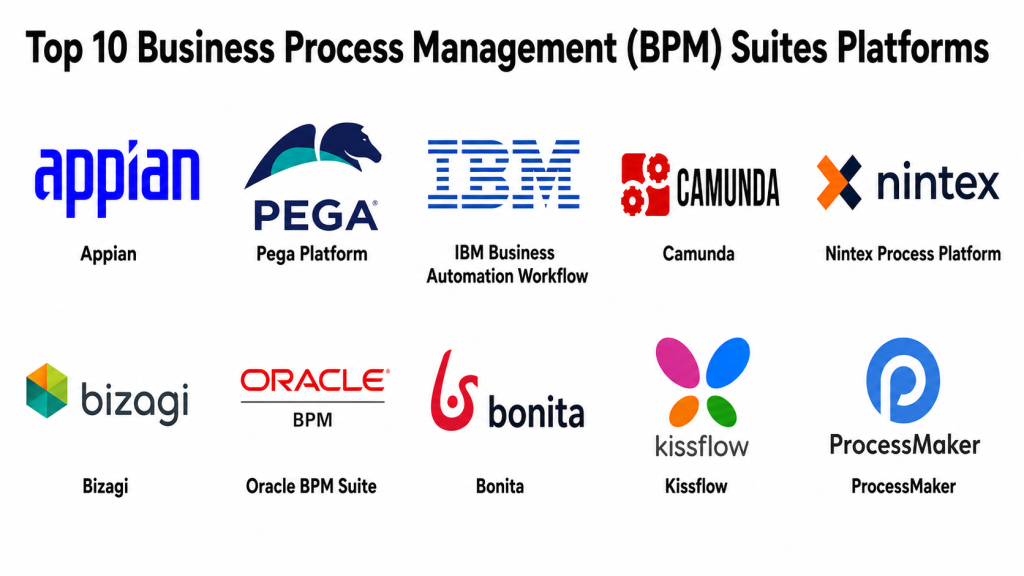
Top 10 Business Process Management (BPM) Suites Platforms
#1 — Appian
Short description: Appian is a low-code BPM and process automation platform used for workflow automation, case management, data integration, and enterprise applications. It is best for organizations that need strong process control, governance, and rapid application development.
Key Features
- Low-code process and app design.
- Workflow automation and case management.
- Data fabric-style access across systems.
- Business rules and decision logic.
- Process monitoring and reporting.
- AI and automation support.
- Enterprise governance and security controls.
Pros
- Strong for complex business workflows.
- Good balance of BPM, low-code, and case management.
- Suitable for regulated and enterprise environments.
Cons
- May be more than needed for simple workflows.
- Implementation requires process design discipline.
- Pricing may suit larger organizations better.
Platforms / Deployment
Web / iOS / Android.
Cloud / Hybrid.
Security & Compliance
Enterprise security features may be available depending on plan and deployment. Confirm SSO/SAML, MFA, RBAC, audit logs, encryption, SOC 2, ISO 27001, GDPR, HIPAA, and data residency directly with the vendor.
Integrations & Ecosystem
Appian is useful when processes need to connect people, data, systems, and decisions.
- APIs and web services.
- Enterprise databases.
- RPA tools.
- ERP and CRM platforms.
- Identity providers.
- Document and case systems.
Support & Community
Appian offers documentation, training, partner support, customer success, and professional services. It is strong for organizations running structured process automation programs.
#2 — Pega Platform
Short description: Pega Platform is an enterprise BPM, decisioning, case management, and automation platform. It is widely used by large organizations that need complex process automation, customer workflows, service operations, and rule-driven applications.
Key Features
- Case management and workflow automation.
- Business rules and decisioning.
- Customer service and operational process support.
- Low-code application development.
- AI-assisted decisioning and automation features.
- Process analytics and monitoring.
- Enterprise-grade governance capabilities.
Pros
- Strong for complex enterprise process environments.
- Good for case-heavy and rule-heavy workflows.
- Suitable for large-scale customer and operational processes.
Cons
- Requires skilled implementation teams.
- Can be complex for smaller organizations.
- Total cost should be reviewed carefully.
Platforms / Deployment
Web / iOS / Android.
Cloud / Self-hosted / Hybrid.
Security & Compliance
Security capabilities may vary by deployment and contract. Confirm SSO/SAML, MFA, RBAC, audit logs, encryption, SOC 2, ISO 27001, GDPR, HIPAA, and industry-specific requirements directly with the vendor.
Integrations & Ecosystem
Pega works well in enterprise environments where BPM, case management, decisioning, and customer workflows need to connect.
- CRM and service systems.
- Enterprise databases.
- APIs and integration layers.
- RPA and automation tools.
- Identity providers.
- Legacy systems.
Support & Community
Pega provides documentation, training, partner ecosystem support, certifications, and enterprise assistance. It is suitable for organizations with mature process and technology teams.
#3 — IBM Business Automation Workflow
Short description: IBM Business Automation Workflow is a BPM and case management platform for automating business processes, tasks, decisions, and operational workflows. It is well suited for enterprises with complex process, content, and integration needs.
Key Features
- Workflow automation and orchestration.
- Case management support.
- Process modeling and monitoring.
- Integration with IBM automation ecosystem.
- Business rules and decision support.
- Document and content process support.
- Enterprise deployment options.
Pros
- Strong fit for complex enterprise automation.
- Useful where BPM, case, content, and decisions overlap.
- Good for organizations already using IBM technologies.
Cons
- May require specialist skills.
- Can be complex for simple business workflows.
- Best value often comes in enterprise IBM environments.
Platforms / Deployment
Web / Linux / Windows.
Cloud / Self-hosted / Hybrid.
Security & Compliance
Enterprise security options may be available depending on deployment and configuration. Confirm SSO, MFA, RBAC, audit logs, encryption, GDPR, SOC 2, ISO 27001, HIPAA, and industry compliance directly with the vendor.
Integrations & Ecosystem
IBM Business Automation Workflow fits enterprise environments with complex systems, documents, cases, and automation needs.
- IBM automation tools.
- Enterprise databases.
- Document systems.
- APIs and middleware.
- Decision engines.
- Legacy applications.
Support & Community
IBM offers enterprise support, professional services, documentation, partner assistance, and training resources. It is best for large organizations with formal automation programs.
#4 — Camunda
Short description: Camunda is a developer-friendly process orchestration platform used for BPMN-based workflow automation, microservices orchestration, and business process automation. It is best for technical teams that need flexible, scalable, and standards-based process execution.
Key Features
- BPMN process modeling and execution.
- DMN decision management support.
- Process orchestration for microservices.
- Developer-friendly APIs.
- Cloud-native deployment options.
- Process monitoring and operations tools.
- Support for distributed workflows.
Pros
- Strong for developer-led process orchestration.
- Good fit for microservices and cloud-native workflows.
- Standards-based BPMN and DMN approach.
Cons
- Less business-user-friendly than some low-code BPM suites.
- Requires technical skills for implementation.
- Full enterprise features may require commercial plans.
Platforms / Deployment
Web / Linux / Kubernetes.
Cloud / Self-hosted / Hybrid.
Security & Compliance
Security capabilities may vary by edition and deployment. Confirm SSO, RBAC, audit logs, encryption, SOC 2, ISO 27001, GDPR, HIPAA, and compliance requirements directly with the vendor.
Integrations & Ecosystem
Camunda fits well where process orchestration must connect APIs, microservices, events, and backend systems.
- REST APIs.
- Microservices.
- Message brokers.
- Kubernetes platforms.
- CI/CD workflows.
- Monitoring tools.
Support & Community
Camunda has strong documentation, community resources, developer adoption, training, and enterprise support options. It is well suited for technical BPM teams.
#5 — Nintex Process Platform
Short description: Nintex Process Platform helps teams map, automate, optimize, and manage business processes. It is useful for organizations that want workflow automation, document generation, forms, approvals, and process visibility without building everything from scratch.
Key Features
- Workflow automation.
- Process mapping and documentation.
- Forms and approval workflows.
- Document generation support.
- RPA and automation capabilities.
- Process monitoring and optimization.
- Integration with common business systems.
Pros
- Good for business-user-friendly automation.
- Strong process mapping and documentation features.
- Useful for approval-heavy and document-heavy workflows.
Cons
- May not fit highly technical orchestration needs.
- Advanced integrations may require configuration effort.
- Enterprise pricing should be reviewed carefully.
Platforms / Deployment
Web / iOS / Android.
Cloud / Hybrid.
Security & Compliance
Security features may vary by plan. Confirm SSO, MFA, RBAC, audit logs, encryption, GDPR, SOC 2, ISO 27001, HIPAA, and data governance needs directly with the vendor.
Integrations & Ecosystem
Nintex works well for business process automation across departments.
- Microsoft ecosystem.
- Document systems.
- CRM platforms.
- Workflow triggers.
- RPA tools.
- Business applications.
Support & Community
Nintex provides documentation, templates, partner resources, support plans, and learning content. It is practical for business-led automation teams.
#6 — Bizagi
Short description: Bizagi is a BPM and process automation platform focused on process modeling, automation, and enterprise workflow transformation. It is useful for companies that want to design, analyze, automate, and improve business processes.
Key Features
- Process modeling and documentation.
- Workflow automation.
- Low-code process application design.
- Business rules and forms.
- Process monitoring and analytics.
- Collaboration between business and IT teams.
- Enterprise integration support.
Pros
- Strong process modeling capabilities.
- Good for organizations formalizing process improvement.
- Useful bridge between business analysts and IT teams.
Cons
- Advanced automation may require technical support.
- Implementation success depends on process maturity.
- Some enterprise features may require paid plans.
Platforms / Deployment
Web / Windows.
Cloud / Self-hosted / Hybrid.
Security & Compliance
Security capabilities may vary by plan and deployment. Confirm SSO, MFA, RBAC, audit logs, encryption, GDPR, SOC 2, ISO 27001, HIPAA, and compliance needs directly with the vendor.
Integrations & Ecosystem
Bizagi is useful where process modeling and automation need to work together.
- Enterprise applications.
- Databases.
- APIs.
- Document systems.
- Workflow tools.
- Reporting systems.
Support & Community
Bizagi offers documentation, learning resources, process modeling guidance, and support options. It has a strong BPM-focused user base.
#7 — Oracle BPM Suite
Short description: Oracle BPM Suite is an enterprise BPM platform for process modeling, execution, monitoring, and business process automation. It is best for organizations already invested in Oracle middleware, databases, and enterprise applications.
Key Features
- Business process modeling and execution.
- Human workflow management.
- Business rules support.
- Process analytics and monitoring.
- Integration with Oracle middleware.
- Service-oriented architecture support.
- Enterprise deployment capabilities.
Pros
- Strong fit for Oracle-centered enterprises.
- Good for service-oriented and process-heavy environments.
- Useful where BPM must connect with Oracle applications.
Cons
- May feel complex for smaller teams.
- Requires Oracle platform expertise.
- Less flexible for organizations moving away from traditional middleware.
Platforms / Deployment
Web / Linux / Windows.
Self-hosted / Hybrid.
Security & Compliance
Security depends on Oracle platform configuration, deployment model, identity tools, and operational practices. Confirm SSO, RBAC, audit logs, encryption, GDPR, SOC 2, ISO 27001, HIPAA, and compliance needs with the vendor.
Integrations & Ecosystem
Oracle BPM Suite works best in Oracle-heavy architecture.
- Oracle databases.
- Oracle middleware.
- Enterprise applications.
- Web services.
- Business rules.
- Legacy systems.
Support & Community
Oracle provides enterprise support, documentation, partner services, and professional assistance. It is best for teams with Oracle architecture expertise.
#8 — Bonita
Short description: Bonita is a BPM and process automation platform that supports workflow applications, process modeling, automation, and integration. It is suitable for teams that want a flexible process automation platform with open-source-friendly roots.
Key Features
- BPMN process modeling.
- Workflow application development.
- Forms and user interfaces.
- Connectors and APIs.
- Process monitoring.
- Cloud and self-hosted options.
- Developer extensibility.
Pros
- Good flexibility for technical BPM teams.
- Open-source-friendly background.
- Useful for custom process applications.
Cons
- May require developer support for advanced use cases.
- Smaller ecosystem than larger enterprise vendors.
- Business users may need training.
Platforms / Deployment
Web / Linux / Windows.
Cloud / Self-hosted / Hybrid.
Security & Compliance
Security features may vary by edition and deployment. Confirm SSO, MFA, RBAC, audit logs, encryption, GDPR, SOC 2, ISO 27001, HIPAA, and compliance needs directly with the vendor.
Integrations & Ecosystem
Bonita works well for teams building custom process-driven applications.
- APIs.
- Databases.
- Business applications.
- Identity providers.
- Workflow systems.
- Custom connectors.
Support & Community
Bonita provides documentation, community resources, support options, and professional services. It is suitable for teams comfortable with technical process automation.
#9 — Kissflow
Short description: Kissflow is a workflow automation and low-code process platform designed for business users and IT teams. It is useful for approvals, forms, internal workflows, procurement, HR, finance, and service operations.
Key Features
- No-code and low-code workflow design.
- Forms and approval workflows.
- Process tracking and dashboards.
- Case and request management.
- Business rules and notifications.
- Integration with common work tools.
- Department-level automation templates.
Pros
- Easy for business teams to adopt.
- Good for approval and request workflows.
- Practical for SMB and mid-market operations.
Cons
- May not fit highly complex enterprise orchestration.
- Deep technical customization can be limited.
- Governance needs should be reviewed for large deployments.
Platforms / Deployment
Web / iOS / Android.
Cloud.
Security & Compliance
Security features may vary by plan. Confirm SSO, MFA, RBAC, audit logs, encryption, GDPR, SOC 2, ISO 27001, HIPAA, and data retention directly with the vendor.
Integrations & Ecosystem
Kissflow fits common business operations workflows and department-level automation needs.
- HR tools.
- Finance systems.
- Collaboration apps.
- APIs.
- Forms and approvals.
- Reporting tools.
Support & Community
Kissflow provides documentation, support options, templates, and onboarding resources. It is suitable for teams that want faster business-led process automation.
#10 — ProcessMaker
Short description: ProcessMaker is a BPM and workflow automation platform used for process design, approvals, forms, case handling, and business automation. It is useful for organizations that need structured workflows with flexibility and integration support.
Key Features
- BPMN process modeling.
- Workflow automation.
- Forms and approval routing.
- Case management support.
- API and integration capabilities.
- Process monitoring and reporting.
- Cloud and self-hosted deployment options.
Pros
- Good for structured workflow automation.
- Flexible for business and technical teams.
- Useful for industries with approval-heavy processes.
Cons
- Advanced implementations may require technical support.
- UI and workflow complexity should be managed carefully.
- Enterprise support and features should be reviewed by plan.
Platforms / Deployment
Web / Linux.
Cloud / Self-hosted / Hybrid.
Security & Compliance
Security features may vary by plan and deployment. Confirm SSO, MFA, RBAC, audit logs, encryption, GDPR, SOC 2, ISO 27001, HIPAA, and compliance needs directly with the vendor.
Integrations & Ecosystem
ProcessMaker works well for organizations that need forms, workflows, approval routing, and process visibility.
- APIs.
- Databases.
- Document systems.
- Business applications.
- Identity providers.
- Reporting tools.
Support & Community
ProcessMaker provides documentation, support options, community resources, and implementation assistance. It is useful for organizations formalizing workflow automation.
Comparison Table: Top 10
| Tool Name | Best For | Platform(s) Supported | Deployment | Standout Feature | Public Rating |
|---|---|---|---|---|---|
| Appian | Enterprise process automation and case management | Web, iOS, Android | Cloud / Hybrid | Low-code BPM with data and case management | N/A |
| Pega Platform | Complex enterprise workflows and decisioning | Web, iOS, Android | Cloud / Self-hosted / Hybrid | Case management and rules-driven automation | N/A |
| IBM Business Automation Workflow | Enterprise workflow and case automation | Web, Linux, Windows | Cloud / Self-hosted / Hybrid | BPM with content and automation ecosystem | N/A |
| Camunda | Developer-led process orchestration | Web, Linux, Kubernetes | Cloud / Self-hosted / Hybrid | BPMN-based microservices orchestration | N/A |
| Nintex Process Platform | Business workflow and document automation | Web, iOS, Android | Cloud / Hybrid | Process mapping plus workflow automation | N/A |
| Bizagi | Process modeling and automation | Web, Windows | Cloud / Self-hosted / Hybrid | Strong process modeling and business-IT collaboration | N/A |
| Oracle BPM Suite | Oracle-centered process automation | Web, Linux, Windows | Self-hosted / Hybrid | BPM for Oracle middleware environments | N/A |
| Bonita | Flexible BPM application development | Web, Linux, Windows | Cloud / Self-hosted / Hybrid | Open-source-friendly process applications | N/A |
| Kissflow | Business-user workflow automation | Web, iOS, Android | Cloud | Easy no-code workflow design | N/A |
| ProcessMaker | Forms, approvals, and BPM workflows | Web, Linux | Cloud / Self-hosted / Hybrid | BPMN workflows with flexible deployment | N/A |
Evaluation & Scoring of Business Process Management (BPM) Suites Platforms
| Tool Name | Core (25%) | Ease (15%) | Integrations (15%) | Security (10%) | Performance (10%) | Support (10%) | Value (15%) | Weighted Total (0–10) |
|---|---|---|---|---|---|---|---|---|
| Appian | 10 | 8 | 9 | 9 | 9 | 9 | 7 | 8.75 |
| Pega Platform | 10 | 7 | 9 | 9 | 9 | 9 | 7 | 8.60 |
| IBM Business Automation Workflow | 9 | 7 | 9 | 9 | 8 | 9 | 7 | 8.35 |
| Camunda | 9 | 6 | 9 | 8 | 9 | 8 | 8 | 8.20 |
| Nintex Process Platform | 8 | 9 | 8 | 8 | 8 | 8 | 8 | 8.20 |
| Bizagi | 8 | 8 | 8 | 8 | 8 | 8 | 8 | 8.00 |
| Oracle BPM Suite | 8 | 6 | 8 | 8 | 8 | 8 | 7 | 7.55 |
| Bonita | 8 | 7 | 8 | 8 | 8 | 7 | 8 | 7.80 |
| Kissflow | 7 | 9 | 7 | 7 | 8 | 8 | 8 | 7.70 |
| ProcessMaker | 8 | 8 | 8 | 7 | 8 | 8 | 8 | 7.90 |
These scores are comparative and should be used as a shortlist guide, not as a universal ranking. Appian and Pega are strong for complex enterprise BPM. Camunda is strong for developer-led process orchestration. Nintex and Kissflow are easier for business-led workflows. Oracle BPM Suite fits Oracle-heavy environments, while Bonita and ProcessMaker are flexible options for process-driven applications.
Which Business Process Management (BPM) Suites Platform Is Right for You?
Solo / Freelancer
Solo consultants and freelancers usually do not need a large enterprise BPM suite unless they are serving enterprise clients. For lightweight workflow consulting, Kissflow, ProcessMaker, Bonita, or Bizagi can be practical options.
If the freelancer is technical and works with BPMN, Camunda can be a strong choice. For enterprise consulting, the best platform often depends on the client’s existing stack, such as Appian, Pega, IBM, or Oracle.
Recommended tools: Camunda, Kissflow, ProcessMaker, Bonita, Bizagi.
SMB
Small and mid-sized businesses usually need simple workflow automation, approval flows, forms, and process visibility. Kissflow is a practical option for business users. Nintex can help with workflow and document-heavy processes. ProcessMaker and Bizagi are useful for more structured BPM needs.
If the SMB has technical resources, Bonita or Camunda may offer more flexibility. However, businesses should avoid overbuying enterprise BPM if a simpler workflow tool is enough.
Recommended tools: Kissflow, Nintex Process Platform, ProcessMaker, Bizagi, Bonita.
Mid-Market
Mid-market organizations usually need stronger governance, integrations, reporting, and cross-department workflows. Appian, Nintex, Bizagi, Camunda, and ProcessMaker are strong candidates depending on process complexity.
If the organization needs case management and low-code apps, Appian may fit well. If it needs developer-led orchestration, Camunda is strong. If the goal is business-user automation, Nintex or Kissflow may be easier to adopt.
Recommended tools: Appian, Nintex Process Platform, Camunda, Bizagi, ProcessMaker.
Enterprise
Enterprise teams need scalability, governance, auditability, complex workflow support, integration depth, and vendor support. Appian and Pega are strong choices for complex process automation and case management. IBM Business Automation Workflow is useful for enterprises with IBM automation needs. Oracle BPM Suite fits Oracle-centered environments.
Camunda is valuable for technical process orchestration across microservices. Nintex can be strong for business process and document automation at scale.
Recommended tools: Appian, Pega Platform, IBM Business Automation Workflow, Camunda, Oracle BPM Suite, Nintex Process Platform.
Budget vs Premium
Budget-conscious teams should evaluate Kissflow, ProcessMaker, Bonita, Bizagi, and Camunda based on workflow needs and internal skills. These tools may offer practical options without immediately committing to large enterprise programs.
Premium buyers should evaluate Appian, Pega, IBM Business Automation Workflow, Oracle BPM Suite, and enterprise Nintex deployments when governance, compliance, scale, and support are critical.
Feature Depth vs Ease of Use
For ease of use, Kissflow, Nintex, Bizagi, and ProcessMaker are strong options. They are more approachable for business users and process owners.
For feature depth, Appian, Pega, IBM Business Automation Workflow, Camunda, and Oracle BPM Suite offer stronger enterprise process capabilities, but they require better planning, technical skills, and implementation governance.
Integrations & Scalability
If your processes depend on many enterprise systems, Appian, Pega, IBM, Camunda, Oracle, and Nintex should be evaluated carefully. For developer-led integration and microservices orchestration, Camunda is especially relevant.
For business-led workflow automation, Kissflow, ProcessMaker, Bonita, and Bizagi may be easier to launch. Always validate API support, connector availability, identity integration, and data access before choosing.
Security & Compliance Needs
Security is critical because BPM platforms often handle approvals, customer data, employee records, financial workflows, and sensitive documents. Buyers should check SSO, MFA, RBAC, audit logs, encryption, data retention, access policies, workflow history, approval evidence, and compliance documentation.
Regulated industries should involve legal, security, compliance, enterprise architecture, and procurement teams before final selection. The platform must support both process efficiency and governance.
Frequently Asked Questions (FAQs)
What is a Business Process Management platform?
A BPM platform helps organizations design, automate, monitor, and improve business processes. It turns manual workflows into structured digital processes with rules, approvals, tracking, and reporting.
What is the difference between BPM and workflow automation?
Workflow automation usually focuses on automating specific tasks or approvals. BPM is broader and includes process modeling, governance, monitoring, optimization, analytics, and continuous improvement.
Which BPM platform is best for enterprises?
Appian, Pega, IBM Business Automation Workflow, Camunda, Oracle BPM Suite, and Nintex are strong enterprise choices. The best fit depends on process complexity, integrations, security needs, and existing systems.
Which BPM platform is easiest for business users?
Kissflow, Nintex, Bizagi, and ProcessMaker are generally easier for business users and process owners. They are useful for forms, approvals, request workflows, and departmental automation.
Is BPM useful for small businesses?
Yes, but small businesses should avoid overly complex BPM platforms. Simple workflow automation tools may be enough unless the business has complex approvals, compliance needs, or cross-department processes.
Do BPM platforms support integrations?
Most BPM platforms support integrations through APIs, connectors, web services, databases, and enterprise systems. Buyers should validate specific integrations before purchase.
Are BPM platforms secure?
They can be secure when properly configured. Buyers should review SSO, MFA, RBAC, audit logs, encryption, data retention, user permissions, and compliance documentation.
How are BPM platforms priced?
Pricing varies by users, workflows, apps, automation volume, environments, enterprise features, deployment model, and support level. Always calculate total cost beyond license fees.
What are common BPM implementation mistakes?
Common mistakes include automating broken processes, skipping process discovery, ignoring user experience, weak governance, poor training, unclear ownership, and not measuring process outcomes.
Can BPM platforms replace custom applications?
Sometimes, yes. BPM platforms can replace many approval apps, case tools, and workflow systems. However, highly specialized or performance-heavy applications may still need custom development.
When should a company switch BPM platforms?
A company should consider switching when the current platform is hard to maintain, lacks integrations, has poor reporting, cannot scale, fails security requirements, or slows business change.
What are alternatives to BPM suites?
Alternatives include workflow automation tools, project management software, iPaaS platforms, RPA tools, low-code app platforms, case management tools, and custom-built applications.
Conclusion
Business Process Management suites help organizations bring structure, speed, visibility, and control to important business workflows. The right platform depends on process complexity, team skills, budget, security needs, and existing systems. Appian and Pega are strong for enterprise-scale process automation and case management. IBM Business Automation Workflow fits complex enterprise automation needs. Camunda is excellent for developer-led process orchestration. Nintex, Bizagi, Kissflow, ProcessMaker, and Bonita are useful for workflow automation, process modeling, and business-led improvement. Oracle BPM Suite is best suited for Oracle-centered environments.
