Upgrade & Secure Your Future with DevOps, SRE, DevSecOps, MLOps!
We spend hours scrolling social media and waste money on things we forget, but won’t spend 30 minutes a day earning certifications that can change our lives.
Master in DevOps, SRE, DevSecOps & MLOps by DevOps School!
Learn from Guru Rajesh Kumar and double your salary in just one year.
Introduction
Integration Platform as a Service, commonly called iPaaS, is a cloud-based integration platform that helps businesses connect applications, data, APIs, workflows, and systems without building every integration manually from scratch. In simple words, iPaaS works like a central bridge between tools such as CRM, ERP, HR systems, ecommerce platforms, databases, marketing apps, finance tools, support platforms, and cloud services.
As companies use more SaaS tools, cloud apps, AI systems, and distributed data sources, integration becomes more important. Without a strong iPaaS, teams often depend on manual exports, spreadsheet work, brittle scripts, and slow engineering queues. A good iPaaS helps automate data movement, reduce duplicate work, improve visibility, and make business processes more reliable.
Real-world use cases include:
- CRM and marketing automation integration
- Order-to-cash and quote-to-cash workflows
- HR onboarding automation
- Finance and billing system synchronization
- Customer support ticket routing
- Data synchronization across cloud apps
- API-led integrations
- B2B and partner data exchange
Buyers should evaluate:
- Number and quality of prebuilt connectors
- Low-code workflow builder quality
- API integration and API management support
- Data mapping and transformation features
- Error handling and monitoring
- Security and governance controls
- Support for cloud, on-premises, and hybrid systems
- Scalability and performance reliability
- Pricing model and usage limits
- Support, documentation, and partner ecosystem
Best for: iPaaS platforms are best for IT teams, RevOps teams, business operations teams, SaaS companies, enterprises, integration architects, data teams, DevOps teams, finance teams, HR teams, and organizations that need reliable automation across many business systems.
Not ideal for: iPaaS may not be ideal for very small teams using only a few apps, projects needing only one simple integration, highly custom real-time engineering systems, or teams that prefer fully custom code for every integration due to strict architecture or control requirements.
Key Trends in Integration Platform as a Service (iPaaS)
- AI-assisted integration is becoming more practical. Modern iPaaS tools are adding AI support for workflow building, troubleshooting, documentation, connector suggestions, data mapping, and automation design.
- Enterprise automation is merging with iPaaS. Buyers no longer want only app-to-app connections. They want end-to-end business process automation across sales, finance, HR, support, product, and operations.
- Hybrid integration remains important. Many companies still need to connect cloud apps with on-premises ERP, legacy databases, private APIs, and internal systems.
- Security and governance are now major buying factors. Teams need SSO, RBAC, audit logs, encryption, secrets management, data protection, environment controls, and approval workflows.
- API-led integration is becoming standard. iPaaS platforms increasingly support reusable APIs, API products, API gateways, and integration assets to reduce repeated custom work.
- Low-code builders are expanding beyond IT. Business teams want to build automations safely, while IT teams want governance, guardrails, and centralized visibility.
- Prebuilt connector depth matters more than connector count. Buyers are checking whether connectors support real business actions, not just basic data sync.
- Observability and error handling are critical. Teams need dashboards, alerts, retries, logs, failed-job handling, and clear visibility into integration health.
- Pricing models require careful review. Pricing may depend on tasks, recipes, flows, connectors, API calls, users, environments, data volume, or enterprise features.
- Integration platforms are becoming AI workflow infrastructure. As businesses adopt AI agents and assistants, iPaaS tools are increasingly used to connect AI systems with trusted enterprise apps and data.
How We Selected These Tools
This Top 10 list was created using practical buyer-focused evaluation logic:
- Market adoption and recognition among IT teams, enterprise architects, business operations teams, and automation teams
- Feature completeness across connectors, workflow automation, data mapping, API integration, monitoring, and governance
- Reliability and performance signals for production integration workloads
- Security posture signals such as SSO, RBAC, MFA, audit logs, encryption, secrets management, and compliance-friendly controls
- Integration ecosystem across CRM, ERP, HR, finance, ecommerce, support, data, cloud, and collaboration apps
- Fit across SMB, mid-market, enterprise, technical, and business-user scenarios
- Deployment flexibility across cloud, on-premises, hybrid, and self-hosted needs
- Developer extensibility through APIs, webhooks, SDKs, custom connectors, and scripting
- Support resources, documentation, onboarding, partner ecosystem, and community strength
- Practical value based on ease of use, scalability, governance, and long-term maintainability
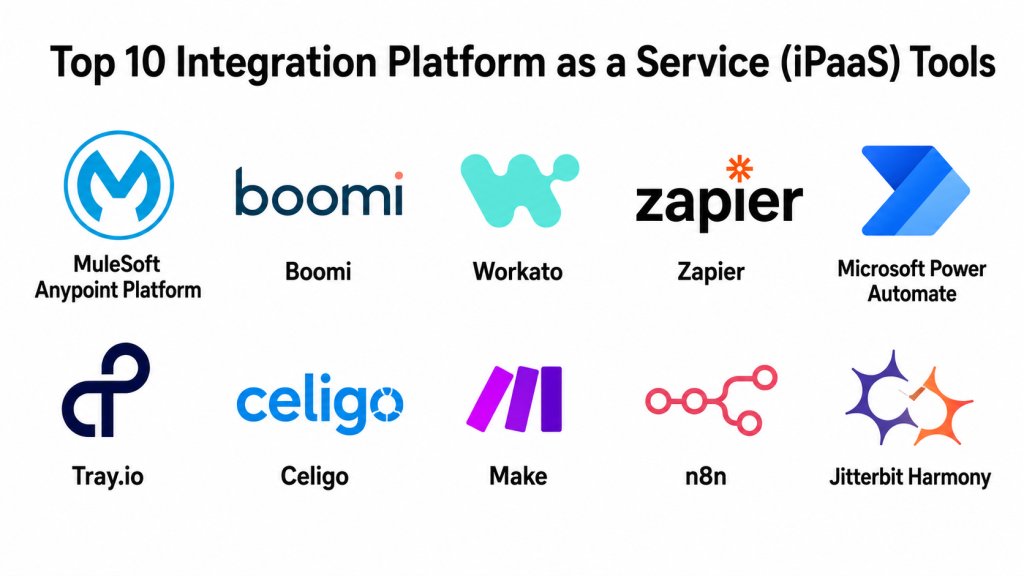
Top 10 Integration Platform as a Service (iPaaS) Tools
#1 — MuleSoft Anypoint Platform
Short description: MuleSoft Anypoint Platform is an enterprise integration and API management platform used to connect applications, data, devices, and systems. It is best for large organizations that need API-led connectivity, hybrid integration, governance, reusable assets, and enterprise-scale integration architecture.
Key Features
- API-led integration platform
- Prebuilt connectors and reusable integration assets
- API design, development, testing, and management
- Cloud and hybrid integration support
- Data transformation and mapping
- Monitoring and operational visibility
- Enterprise governance and lifecycle management
Pros
- Strong for complex enterprise integration programs.
- Combines API management and integration capabilities.
- Useful for organizations that need reusable integration architecture.
Cons
- May be too complex for small teams.
- Implementation often requires skilled integration architects.
- Pricing and governance planning can be significant.
Platforms / Deployment
Web / Linux
Cloud / Hybrid
Security & Compliance
MuleSoft supports enterprise security patterns such as access controls, identity integration, encryption, API policies, governance, and monitoring. Specific details such as SSO/SAML, MFA, audit logs, RBAC, SOC 2, ISO 27001, GDPR, or HIPAA should be verified directly based on plan, deployment model, and organization requirements.
Integrations & Ecosystem
MuleSoft has a strong enterprise ecosystem for connecting cloud apps, on-premises systems, APIs, and legacy platforms.
- CRM systems
- ERP platforms
- Databases
- SaaS applications
- API gateways
- Legacy and on-premises systems
Support & Community
MuleSoft offers enterprise documentation, training, support options, partner ecosystem, and professional services. It is a strong fit for mature organizations with formal integration strategy and API governance needs.
#2 — Boomi
Short description: Boomi is a widely used iPaaS platform for application integration, data integration, workflow automation, API management, B2B/EDI, and data management. It is suitable for enterprises, mid-market organizations, and teams that need broad integration capabilities in one platform.
Key Features
- Low-code integration builder
- Application and data integration
- API management capabilities
- B2B/EDI support
- Workflow automation
- Data mapping and transformation
- Monitoring and error handling
Pros
- Broad platform coverage beyond basic app integration.
- Good fit for enterprises and mid-market integration teams.
- Supports both business process automation and technical integration use cases.
Cons
- Platform depth may require learning and governance.
- Complex implementations may need experienced specialists.
- Pricing and usage planning should be reviewed carefully.
Platforms / Deployment
Web
Cloud / Hybrid
Security & Compliance
Boomi supports enterprise integration governance, access control, security policies, and data movement controls. Specific compliance and security items such as SSO/SAML, MFA, audit logs, RBAC, SOC 2, ISO 27001, GDPR, and HIPAA should be verified directly with Boomi for the selected plan and deployment setup.
Integrations & Ecosystem
Boomi is designed for broad enterprise connectivity across cloud apps, data sources, APIs, trading partners, and internal systems.
- SaaS applications
- ERP systems
- CRM platforms
- Databases
- EDI and B2B systems
- API and workflow automation tools
Support & Community
Boomi provides documentation, training, community resources, customer support, partner support, and professional services. It is especially strong for organizations that need broad integration coverage.
#3 — Workato
Short description: Workato is an enterprise automation and iPaaS platform that helps teams connect apps, automate workflows, and build business automations with governance. It is especially useful for RevOps, IT, HR, finance, support, and enterprise automation teams.
Key Features
- Low-code automation recipes
- Large connector ecosystem
- Enterprise workflow automation
- AI and agentic workflow support
- Data transformation and business logic
- Governance and access controls
- Monitoring and error handling
Pros
- Strong balance between business-user usability and enterprise governance.
- Good for cross-functional automation across departments.
- Useful for teams building AI-connected business workflows.
Cons
- Advanced automations need good process design.
- Pricing can depend on usage and enterprise needs.
- Complex workflows may require IT oversight.
Platforms / Deployment
Web
Cloud
Security & Compliance
Workato supports enterprise governance and security capabilities such as access controls, environment management, monitoring, and identity-related controls. Specific details such as SSO/SAML, MFA, audit logs, RBAC, SOC 2, ISO 27001, GDPR, and HIPAA should be verified directly based on the organization’s plan and requirements.
Integrations & Ecosystem
Workato has a strong ecosystem for automating business workflows across departments.
- CRM tools
- HR systems
- Finance platforms
- Support tools
- Collaboration apps
- AI and automation workflows
Support & Community
Workato provides documentation, automation templates, academy-style learning resources, community support, and enterprise support options. It is a strong fit for organizations that want business automation with IT governance.
#4 — Zapier
Short description: Zapier is a no-code automation platform used to connect thousands of apps and automate everyday workflows. It is best for freelancers, startups, SMBs, marketing teams, sales teams, support teams, and non-technical users who want fast app-to-app automation.
Key Features
- No-code workflow automation
- Large app connector ecosystem
- Multi-step automations
- Webhooks
- Forms, tables, and workflow tools
- AI workflow and agent capabilities
- Team and business automation features
Pros
- Very easy for non-technical users.
- Huge app ecosystem for common SaaS tools.
- Great for quick automation and productivity workflows.
Cons
- Not ideal for complex enterprise integration architecture.
- Usage-based pricing can grow with automation volume.
- Advanced governance and deep data transformation may require higher plans or alternatives.
Platforms / Deployment
Web
Cloud
Security & Compliance
Zapier provides business and enterprise automation controls, but buyers should verify specific details such as SSO/SAML, MFA, audit logs, RBAC, encryption, SOC 2, ISO 27001, GDPR, or HIPAA directly by plan. If unclear, use Not publicly stated.
Integrations & Ecosystem
Zapier is known for broad SaaS app connectivity and fast workflow automation.
- Marketing apps
- Sales tools
- CRM platforms
- Forms and spreadsheets
- Project management apps
- AI tools and agents
Support & Community
Zapier has extensive documentation, templates, learning resources, support options, community content, and a large user base. It is one of the easiest starting points for simple and medium-complexity automations.
#5 — Microsoft Power Automate
Short description: Microsoft Power Automate is a workflow automation and integration platform within the Microsoft Power Platform. It is best for organizations using Microsoft 365, Dynamics, Azure, SharePoint, Teams, and enterprise identity systems.
Key Features
- Low-code workflow automation
- Microsoft ecosystem integration
- Cloud flows and desktop flows
- Robotic process automation support
- Approval workflows
- Connectors for business systems
- Enterprise governance and administration
Pros
- Strong fit for Microsoft-heavy organizations.
- Good for approvals, document workflows, and business automation.
- Works well with Power Apps, Power BI, and Microsoft 365.
Cons
- Best value appears inside the Microsoft ecosystem.
- Licensing can require careful planning.
- Complex workflows may need experienced administrators.
Platforms / Deployment
Web / Windows / iOS / Android
Cloud / Hybrid
Security & Compliance
Power Automate benefits from Microsoft’s enterprise identity, governance, admin controls, and security ecosystem. Specific compliance details such as SOC 2, ISO 27001, HIPAA, GDPR, SSO, audit logs, and RBAC should be verified through the organization’s Microsoft licensing, tenant configuration, and compliance documentation.
Integrations & Ecosystem
Power Automate is especially strong in Microsoft-centered business environments.
- Microsoft 365
- SharePoint
- Teams
- Dynamics 365
- Azure services
- Power Platform tools
Support & Community
Microsoft provides official documentation, training, community forums, partner support, and enterprise support options. It is a strong choice for organizations already standardized on Microsoft.
#6 — Tray.io
Short description: Tray.io is an automation and integration platform for teams that need flexible, scalable workflows across SaaS apps, data systems, APIs, and business operations. It is often used by RevOps, sales operations, marketing operations, support operations, and IT teams.
Key Features
- Low-code integration builder
- API and webhook support
- Data transformation logic
- Workflow automation
- Connector ecosystem
- Error handling and monitoring
- Scalable automation workflows
Pros
- Strong for RevOps and business operations automation.
- Flexible workflow logic for complex processes.
- Good API and webhook support for technical teams.
Cons
- May require more technical understanding than simple automation tools.
- Complex workflows need careful design.
- Pricing and enterprise features should be reviewed directly.
Platforms / Deployment
Web
Cloud
Security & Compliance
Tray.io supports enterprise automation and integration security patterns, but specific features such as SSO/SAML, MFA, audit logs, RBAC, SOC 2, ISO 27001, GDPR, HIPAA, and encryption controls should be verified directly. If unclear, use Not publicly stated.
Integrations & Ecosystem
Tray.io fits well in business operations stacks where workflows connect many systems and APIs.
- CRM platforms
- Marketing automation tools
- Support tools
- Data warehouses
- Webhooks and APIs
- Revenue operations systems
Support & Community
Tray.io provides documentation, support resources, customer success options, and professional service support. It is best for teams that need more flexible automation than simple trigger-action workflows.
#7 — Celigo
Short description: Celigo is an iPaaS platform focused on business process automation and application integration, especially for ERP, ecommerce, finance, operations, and SaaS workflows. It is useful for mid-market and enterprise teams that need packaged integrations and process-level automation.
Key Features
- Application integration
- Business process automation
- Prebuilt integration templates
- ERP and ecommerce connectivity
- Data mapping and transformation
- Error handling and monitoring
- API and connector support
Pros
- Strong for ERP, finance, and ecommerce workflows.
- Prebuilt integrations can speed up implementation.
- Good fit for business teams with repeatable integration needs.
Cons
- Best fit depends on supported app ecosystem.
- Complex workflows may require specialist help.
- Pricing and connector scope should be reviewed carefully.
Platforms / Deployment
Web
Cloud
Security & Compliance
Celigo supports business integration security and access control patterns, but specific details such as SSO/SAML, MFA, audit logs, RBAC, SOC 2, ISO 27001, GDPR, HIPAA, and encryption should be verified directly based on plan and use case.
Integrations & Ecosystem
Celigo is strong in operational and business application integrations.
- ERP systems
- Ecommerce platforms
- CRM tools
- Finance systems
- SaaS applications
- Data and API workflows
Support & Community
Celigo provides documentation, integration templates, support resources, implementation guidance, and customer success options. It is especially suitable for mid-market companies with operational integration needs.
#8 — Make
Short description: Make is a visual automation and integration platform used to build workflows across apps, data, APIs, and business processes. It is popular with startups, SMBs, creators, operations teams, and technical power users who want visual automation flexibility.
Key Features
- Visual workflow builder
- App integrations
- API and webhook support
- Data transformation tools
- Multi-step automation scenarios
- Error handling options
- Scheduling and routing logic
Pros
- Strong visual workflow experience.
- Good value for many SMB and startup use cases.
- Flexible enough for technical power users.
Cons
- Complex scenarios can become hard to manage.
- Enterprise governance may be limited compared with premium iPaaS platforms.
- Users need discipline in naming, documentation, and error handling.
Platforms / Deployment
Web
Cloud
Security & Compliance
Make provides cloud automation and integration workflows, but specific enterprise details such as SSO/SAML, MFA, audit logs, RBAC, SOC 2, ISO 27001, GDPR, HIPAA, and encryption controls should be verified directly. If unclear, use Not publicly stated.
Integrations & Ecosystem
Make is useful for app-to-app workflows, operations automation, and API-driven scenarios.
- SaaS apps
- Webhooks
- REST APIs
- Data tools
- CRM and marketing tools
- Project management apps
Support & Community
Make has documentation, templates, learning resources, community content, and support options. It is a strong choice for users who want more visual control than basic automation tools.
#9 — n8n
Short description: n8n is a workflow automation platform with both self-hosted and cloud options. It is popular with technical teams, startups, developers, automation consultants, and organizations that want flexible automation with more control over deployment and data.
Key Features
- Workflow automation builder
- Self-hosted and cloud options
- App integrations
- Webhooks and APIs
- Custom code support
- Data transformation logic
- Flexible automation workflows
Pros
- Strong deployment flexibility.
- Good for technical users and developers.
- Useful when teams want control over automation infrastructure.
Cons
- Less beginner-friendly than simple no-code tools.
- Self-hosting requires operational responsibility.
- Enterprise governance features depend on edition and setup.
Platforms / Deployment
Web / Linux / Docker
Cloud / Self-hosted / Hybrid
Security & Compliance
n8n security depends on deployment model, hosting setup, access controls, secrets management, authentication, and configuration. Specific enterprise features such as SSO/SAML, MFA, audit logs, RBAC, SOC 2, ISO 27001, GDPR, HIPAA, and encryption should be verified directly based on edition and deployment.
Integrations & Ecosystem
n8n works well for technical automation, API workflows, and self-hosted integration needs.
- SaaS apps
- Webhooks
- REST APIs
- Databases
- Custom code nodes
- Self-hosted workflows
Support & Community
n8n has documentation, community resources, templates, and commercial support options. It is a strong choice for teams that want automation flexibility and deployment control.
#10 — Jitterbit Harmony
Short description: Jitterbit Harmony is an integration and automation platform used to connect applications, data, APIs, and business workflows. It is suitable for mid-market and enterprise teams that need application integration, API creation, workflow automation, and data synchronization.
Key Features
- Application integration
- API integration and management features
- Data transformation
- Workflow automation
- Connector ecosystem
- Monitoring and management
- Cloud and hybrid integration support
Pros
- Good fit for mid-market and enterprise integration needs.
- Supports both app integration and API workflows.
- Useful for business process automation across systems.
Cons
- May require experienced integration resources.
- Pricing and implementation scope should be reviewed carefully.
- Smaller teams may prefer simpler automation tools.
Platforms / Deployment
Web
Cloud / Hybrid
Security & Compliance
Jitterbit supports enterprise integration security patterns, but specific details such as SSO/SAML, MFA, audit logs, RBAC, SOC 2, ISO 27001, GDPR, HIPAA, and encryption controls should be verified directly by plan and deployment model.
Integrations & Ecosystem
Jitterbit supports integration across business apps, APIs, data systems, and enterprise workflows.
- CRM systems
- ERP systems
- Databases
- SaaS platforms
- APIs
- Business process workflows
Support & Community
Jitterbit provides documentation, customer support, partner services, and implementation guidance. It is suitable for teams that need structured integration projects across business systems.
Comparison Table
| Tool Name | Best For | Platform(s) Supported | Deployment | Standout Feature | Public Rating |
|---|---|---|---|---|---|
| MuleSoft Anypoint Platform | Enterprise API-led integration | Web / Linux | Cloud / Hybrid | Integration plus full API lifecycle management | N/A |
| Boomi | Broad enterprise iPaaS use cases | Web | Cloud / Hybrid | Integration, API, B2B/EDI, and data management breadth | N/A |
| Workato | Enterprise automation across business teams | Web | Cloud | Business automation with governance | N/A |
| Zapier | SMB and no-code app automation | Web | Cloud | Very large app connector ecosystem | N/A |
| Microsoft Power Automate | Microsoft-centered organizations | Web / Windows / iOS / Android | Cloud / Hybrid | Deep Microsoft ecosystem integration | N/A |
| Tray.io | RevOps and flexible business automation | Web | Cloud | Advanced low-code workflow flexibility | N/A |
| Celigo | ERP, ecommerce, and finance workflows | Web | Cloud | Prebuilt process integrations | N/A |
| Make | Visual automation for SMBs and power users | Web | Cloud | Visual scenario builder | N/A |
| n8n | Technical automation and self-hosting | Web / Linux / Docker | Cloud / Self-hosted / Hybrid | Flexible workflow automation with deployment control | N/A |
| Jitterbit Harmony | Mid-market and enterprise integration | Web | Cloud / Hybrid | App, data, API, and workflow integration | N/A |
Evaluation & Scoring of Integration Platform as a Service (iPaaS)
| Tool Name | Core (25%) | Ease (15%) | Integrations (15%) | Security (10%) | Performance (10%) | Support (10%) | Value (15%) | Weighted Total (0–10) |
|---|---|---|---|---|---|---|---|---|
| MuleSoft Anypoint Platform | 10 | 6 | 10 | 9 | 9 | 9 | 6 | 8.45 |
| Boomi | 9 | 7 | 9 | 8 | 8 | 9 | 7 | 8.20 |
| Workato | 9 | 8 | 9 | 8 | 8 | 8 | 7 | 8.20 |
| Zapier | 7 | 10 | 10 | 7 | 7 | 8 | 9 | 8.25 |
| Microsoft Power Automate | 8 | 8 | 9 | 9 | 8 | 9 | 8 | 8.40 |
| Tray.io | 8 | 7 | 9 | 8 | 8 | 8 | 7 | 7.90 |
| Celigo | 8 | 7 | 8 | 8 | 8 | 8 | 7 | 7.75 |
| Make | 7 | 9 | 8 | 7 | 7 | 7 | 9 | 7.75 |
| n8n | 7 | 7 | 8 | 7 | 7 | 7 | 10 | 7.45 |
| Jitterbit Harmony | 8 | 7 | 8 | 8 | 8 | 8 | 7 | 7.75 |
These scores are comparative and should not be treated as universal rankings. MuleSoft, Boomi, Workato, Power Automate, and Jitterbit are stronger for enterprise integration programs. Zapier and Make are easier for business users and SMBs. n8n is valuable for technical teams that want self-hosting and workflow control. Celigo is strong for business process integrations, especially where ERP, ecommerce, and finance workflows matter.
Which Integration Platform as a Service (iPaaS) Tool Is Right for You?
Solo / Freelancer
Solo users and freelancers usually need simple, affordable, and easy-to-maintain automation. Zapier, Make, and n8n are practical choices.
Choose Zapier if you want the fastest no-code setup and broad app connectivity. Choose Make if you want a visual workflow builder with more control over logic. Choose n8n if you are technical and want self-hosting or deeper customization.
SMB
Small and medium businesses usually need automation for sales, marketing, support, finance, ecommerce, HR, and operations. Zapier, Make, Workato, Power Automate, and Celigo are strong options.
Choose Zapier for quick app-to-app automations. Choose Make for visual scenarios and flexible workflows. Choose Power Automate if your team uses Microsoft tools. Choose Celigo if ERP, ecommerce, and finance workflows are important. Choose Workato if you need more enterprise-style governance as you grow.
Mid-Market
Mid-market companies often need stronger governance, monitoring, data mapping, API support, workflow orchestration, and cross-department automation. Boomi, Workato, Tray.io, Celigo, Jitterbit, and Power Automate are practical choices.
Choose Boomi for broad integration coverage. Choose Workato for business automation with governance. Choose Tray.io for RevOps and API-heavy workflows. Choose Jitterbit for structured app, data, and API integration. Choose Power Automate if Microsoft is already central to your business.
Enterprise
Enterprise teams should focus on security, governance, scalability, lifecycle management, hybrid integration, auditability, reusable assets, API strategy, and support. MuleSoft Anypoint Platform, Boomi, Workato, Microsoft Power Automate, Jitterbit Harmony, and Celigo are strong options.
Choose MuleSoft when API-led connectivity and hybrid integration architecture are major priorities. Choose Boomi when broad integration, API, B2B/EDI, and data management are important. Choose Workato when enterprise automation across departments is the main goal. Choose Power Automate for Microsoft-heavy enterprises.
Budget vs Premium
For budget-conscious users, Zapier, Make, and n8n are often practical starting points. They help teams automate common workflows without large implementation projects.
Premium platforms like MuleSoft, Boomi, Workato, Tray.io, Celigo, and Jitterbit may cost more, but they provide stronger governance, monitoring, security, enterprise support, and integration depth.
Feature Depth vs Ease of Use
If ease of use matters most, choose Zapier, Make, or Power Automate. These platforms are easier for non-technical users and business teams.
If feature depth matters more, choose MuleSoft, Boomi, Workato, Tray.io, Celigo, or Jitterbit. These platforms support more complex workflows, enterprise integrations, governance, and operational scale.
Integrations & Scalability
If your organization uses many systems, evaluate connector quality, API support, data transformation, monitoring, retries, versioning, environments, and deployment flexibility.
Choose MuleSoft for API-led enterprise integration. Choose Boomi for broad iPaaS coverage. Choose Workato for business automation at scale. Choose Power Automate for Microsoft-first environments. Choose n8n when self-hosting and control are important.
Security & Compliance Needs
Security should be central when integrations move customer data, employee data, financial records, healthcare information, or business-sensitive data. Review SSO, MFA, RBAC, audit logs, encryption, secrets management, data retention, environment separation, approval workflows, and compliance documentation.
For regulated industries, involve IT, security, legal, and compliance teams before deploying mission-critical integrations. A simple automation tool may be enough for low-risk workflows, but enterprise integration needs stronger governance and controls.
Frequently Asked Questions
What is iPaaS?
iPaaS stands for Integration Platform as a Service. It is a cloud-based platform that helps businesses connect applications, data, APIs, workflows, and systems through reusable integrations and automation flows.
How is iPaaS different from workflow automation?
Workflow automation focuses on automating tasks between tools. iPaaS is broader and often includes app integration, data mapping, API integration, monitoring, governance, security controls, and hybrid system connectivity.
Which iPaaS tool is best for beginners?
Zapier and Make are beginner-friendly options. They are useful for simple app-to-app workflows, marketing automation, sales handoffs, spreadsheet updates, notifications, and small business operations.
Which iPaaS platform is best for enterprises?
MuleSoft, Boomi, Workato, Microsoft Power Automate, Jitterbit, and Celigo are strong enterprise or mid-market options. The best choice depends on cloud strategy, system complexity, governance needs, and existing enterprise stack.
What is the difference between iPaaS and API management?
API management focuses on publishing, securing, monitoring, and governing APIs. iPaaS focuses on connecting apps, data, workflows, and systems. Some platforms, such as MuleSoft and Boomi, include both integration and API management capabilities.
Can iPaaS connect cloud and on-premises systems?
Yes, many iPaaS platforms support hybrid integration patterns that connect cloud applications with on-premises databases, ERP systems, legacy tools, private APIs, and internal services.
What are common iPaaS mistakes?
Common mistakes include choosing only by connector count, ignoring error handling, skipping governance, not documenting workflows, building too many unmanaged automations, and failing to review security before moving sensitive data.
Is iPaaS secure?
iPaaS can be secure when configured properly. Buyers should review SSO, MFA, RBAC, audit logs, encryption, secrets management, data handling, environment controls, and vendor compliance documentation before using it for sensitive workflows.
What pricing models do iPaaS platforms use?
Pricing varies widely. Some tools charge by tasks, flows, recipes, users, connectors, API calls, environments, data volume, or enterprise features. Always estimate cost using real workflow volume and future growth needs.
Can iPaaS replace custom code?
iPaaS can reduce the need for custom integration code, especially for common business workflows. However, complex real-time systems, advanced data logic, or highly customized architecture may still require engineering work.
How difficult is it to switch iPaaS platforms?
Switching can be difficult if many workflows, credentials, connectors, mappings, error rules, and business processes are already built. A phased migration is safer than replacing everything at once.
Which iPaaS is best for Microsoft users?
Microsoft Power Automate is a strong choice for organizations using Microsoft 365, Teams, SharePoint, Dynamics, Azure, and Power Platform. However, larger enterprises may still compare it with MuleSoft, Boomi, Workato, or Jitterbit.
Conclusion
Integration Platform as a Service helps organizations connect apps, data, APIs, and workflows in a more reliable and scalable way. The best iPaaS platform depends on your business size, technical maturity, security needs, integration complexity, and existing software ecosystem. MuleSoft is strong for enterprise API-led integration. Boomi offers broad integration, data, API, and B2B capabilities. Workato is powerful for enterprise automation across business teams. Zapier is excellent for simple no-code automation. Power Automate fits Microsoft-centered organizations. Tray.io is useful for flexible RevOps and operations workflows. Celigo is strong for ERP, ecommerce, and finance processes. Make is practical for visual automation. n8n is valuable for technical teams that want deployment control. Jitterbit supports structured integration across applications, APIs, and data systems.
