Upgrade & Secure Your Future with DevOps, SRE, DevSecOps, MLOps!
We spend hours scrolling social media and waste money on things we forget, but won’t spend 30 minutes a day earning certifications that can change our lives.
Master in DevOps, SRE, DevSecOps & MLOps by DevOps School!
Learn from Guru Rajesh Kumar and double your salary in just one year.
Introduction
Conversion Rate Optimization tools help businesses improve the percentage of visitors who take a desired action, such as buying a product, submitting a form, signing up for a trial, booking a demo, downloading an asset, or clicking a call-to-action. In simple words, CRO tools help teams understand what users are doing, test better page experiences, and remove friction from the customer journey.
CRO matters more now because paid traffic is expensive, buyers compare more options, and users expect faster, more personalized digital experiences. Instead of only increasing traffic, smart teams now focus on getting more value from the traffic they already have.
Common use cases include A/B testing landing pages, analyzing heatmaps, watching session recordings, improving checkout flows, testing personalized website messages, and validating product-page changes before full rollout.
Buyers should evaluate ease of use, experimentation depth, analytics quality, integrations, page-speed impact, privacy controls, support quality, scalability, pricing, and team workflow fit.
Best for: marketing teams, growth teams, product managers, UX teams, eCommerce brands, SaaS companies, agencies, and enterprise digital teams that want to improve website, landing page, product, or funnel performance.
Not ideal for: very small websites with little traffic, teams without clear goals, businesses that only need basic website analytics, or companies that cannot act on insights due to limited design, development, or marketing resources.
Key Trends in Conversion Rate Optimization Tools
- AI-assisted experimentation is becoming standard. CRO tools are increasingly using AI to suggest hypotheses, summarize user behavior, generate surveys, recommend winning variants, and help teams move faster.
- Personalization and experimentation are merging. Many teams no longer treat A/B testing and personalization as separate workstreams. They test what works, then personalize the experience for different audiences.
- Privacy-first analytics is now a buying requirement. Buyers are paying more attention to consent, data retention, personally identifiable information controls, GDPR readiness, and cookie-light tracking approaches.
- Behavior analytics is becoming more visual. Heatmaps, scroll maps, rage-click detection, dead-click tracking, journey maps, and session replay are now common parts of modern CRO workflows.
- Server-side and feature experimentation are growing. Product and engineering teams need experimentation beyond website pages, especially for SaaS products, checkout logic, pricing flows, onboarding steps, and feature rollouts.
- Integrations matter more than standalone dashboards. CRO tools must connect with analytics platforms, CDPs, CRMs, tag managers, marketing automation tools, data warehouses, and support platforms.
- Landing page optimization is becoming more automated. Tools are using AI routing, dynamic content, and variant recommendations to send visitors to experiences that are more likely to convert.
- Enterprise buyers expect governance. Larger teams need role-based access, audit logs, SSO, approval workflows, experiment documentation, and standardized testing processes.
- More teams are combining qualitative and quantitative data. Modern CRO is not only about numbers. Teams also use surveys, feedback widgets, recordings, and user interviews to understand why users behave in a certain way.
- Pricing models are becoming more usage-based. Many CRO platforms price by traffic volume, monthly tracked users, experiment volume, seats, domains, or enterprise-level feature bundles.
How We Selected These Tools
The tools below were selected based on practical market relevance and real-world CRO use cases. The goal is not to name one universal winner, but to compare tools that serve different team sizes, technical maturity levels, and optimization needs.
- Market adoption and mindshare: Tools widely recognized by marketers, CRO teams, growth teams, product teams, and agencies were prioritized.
- Feature completeness: A strong CRO tool should support testing, analytics, personalization, user behavior insights, or campaign optimization.
- Experimentation capability: A/B testing, multivariate testing, audience targeting, traffic allocation, and statistical confidence were considered important.
- Behavior analytics depth: Heatmaps, recordings, journey analysis, form analytics, friction signals, and feedback collection were reviewed as key CRO inputs.
- Ease of use: Tools that help non-technical teams launch tests and analyze results without heavy developer dependency received stronger usability consideration.
- Security posture signals: Privacy controls, access management, compliance readiness, and enterprise governance were considered where publicly clear.
- Integrations and ecosystem: Tools with stronger connections to analytics, CMS, eCommerce, CRM, tag management, and product stacks were favored.
- Customer fit across segments: The list includes enterprise platforms, SMB-friendly tools, landing page tools, privacy-focused testing platforms, and behavior analytics tools.
- Performance considerations: CRO scripts can affect page speed, so implementation quality, tagging flexibility, and performance awareness were included in evaluation.
- Strategic usefulness: Tools were judged not only by feature count, but by how well they support better decision-making, faster learning, and measurable conversion improvement.
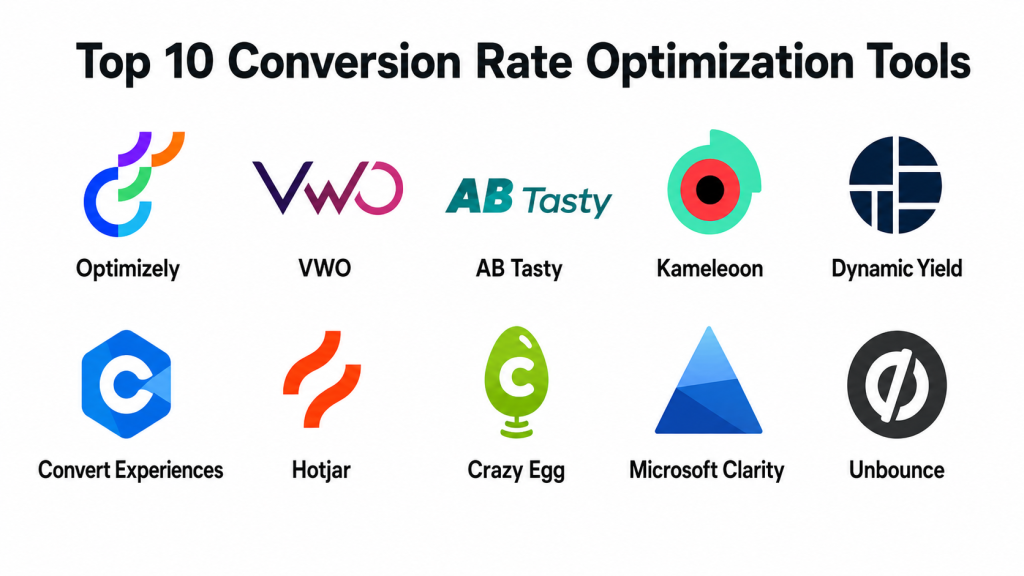
Top 10 Conversion Rate Optimization Tools
#1 — Optimizely
Short description: Optimizely is an enterprise-grade experimentation and digital experience platform used by marketing, product, and growth teams. It supports A/B testing, multivariate testing, personalization, and advanced experimentation programs for larger organizations. Optimizely describes its web experimentation product as supporting A/B, multivariate, and multi-armed bandit testing, along with behavior-based personalization.
Key Features
- A/B testing and multivariate testing for websites and digital experiences.
- Multi-armed bandit testing for dynamic traffic allocation.
- Personalization based on user behavior, context, and intent.
- Experimentation workflow suitable for enterprise teams.
- Support for larger testing programs across marketing and product teams.
- Advanced targeting and segmentation capabilities.
- Strong fit for organizations with mature experimentation culture.
Pros
- Strong enterprise experimentation depth.
- Good for teams running frequent, structured testing programs.
- Suitable for complex websites, product experiences, and personalization strategies.
Cons
- Can be more expensive and complex than basic CRO tools.
- May require technical support for advanced implementation.
- Smaller teams may find it more than they need.
Platforms / Deployment
Web / Cloud / Enterprise digital experience stack.
Security & Compliance
Enterprise-grade access and governance features are commonly expected, but exact certifications and compliance coverage may vary by product plan and contract. Confirm SSO, audit logs, RBAC, SOC 2, ISO 27001, GDPR, and data processing terms during vendor review.
Integrations & Ecosystem
Optimizely fits well into larger marketing, product, analytics, and digital experience ecosystems. It is suitable for teams that need testing programs connected with content, personalization, analytics, and customer data workflows.
- Web analytics platforms.
- Tag management systems.
- Customer data platforms.
- CMS and digital experience platforms.
- Product analytics tools.
- Marketing automation systems.
Support & Community
Optimizely typically serves mid-market and enterprise teams, so support is often structured through account teams, documentation, onboarding resources, and professional services. Community strength is stronger among mature experimentation and enterprise digital teams.
#2 — VWO
Short description: VWO is a digital experience optimization platform that brings together testing, behavior analytics, personalization, planning, and CRO workflows. VWO positions itself as a platform to analyze, optimize, and personalize websites, apps, and features.
Key Features
- A/B testing and split URL testing.
- Heatmaps and visitor behavior analysis.
- Session recordings and funnel insights.
- Website personalization and targeting.
- Experiment planning and prioritization workflows.
- Survey and feedback tools.
- AI-assisted hypothesis and optimization features.
Pros
- Balanced all-in-one CRO suite.
- Easier for marketing and growth teams than many enterprise-heavy tools.
- Useful for combining behavior insights with testing.
Cons
- Advanced use cases may still require technical setup.
- Pricing can increase with traffic and feature needs.
- Some teams may use only part of the platform if their CRO process is immature.
Platforms / Deployment
Web / Cloud.
Security & Compliance
VWO generally supports business and enterprise use cases, but buyers should confirm SSO, MFA, RBAC, audit logs, GDPR readiness, data retention, and compliance documentation based on plan.
Integrations & Ecosystem
VWO works well for teams that want testing and behavior analytics under one roof. It is useful when marketing, product, and UX teams need shared visibility into user problems and test outcomes.
- Analytics platforms.
- Tag managers.
- CMS platforms.
- eCommerce platforms.
- CRM and marketing tools.
- Product and customer data tools.
Support & Community
VWO offers documentation, onboarding resources, and support options for different business sizes. Its community and learning content are helpful for marketers, agencies, and CRO teams building structured optimization programs.
#3 — AB Tasty
Short description: AB Tasty is an experimentation, personalization, and feature management platform for digital teams that want to test, target, and progressively roll out experiences. Its feature experimentation product supports A/B testing with feature flags, targeting, and statistical measurement.
Key Features
- A/B testing and experimentation.
- Feature flags and progressive rollout support.
- Personalization and audience targeting.
- Visual editor for marketing-led experiments.
- Server-side and client-side experimentation options.
- Campaign targeting and segmentation.
- Experiment performance measurement.
Pros
- Strong mix of marketing experimentation and product experimentation.
- Useful for teams that need feature flags plus CRO testing.
- Good fit for brands running personalization programs.
Cons
- May require developer support for advanced feature experimentation.
- Enterprise-oriented features may be unnecessary for smaller websites.
- Requires process maturity to get full value.
Platforms / Deployment
Web / Cloud / Hybrid-style experimentation workflows depending on setup.
Security & Compliance
Security details should be reviewed directly with the vendor. Buyers should confirm SSO/SAML, MFA, RBAC, audit logs, data residency options, GDPR readiness, and enterprise compliance documentation.
Integrations & Ecosystem
AB Tasty can support both marketing and product experimentation programs, making it useful where CRO, personalization, and release management overlap.
- Analytics tools.
- Data platforms.
- Tag managers.
- CMS and eCommerce platforms.
- Product development workflows.
- Customer segmentation tools.
Support & Community
AB Tasty generally supports business and enterprise customers through documentation, onboarding, account support, and experimentation guidance. It is especially relevant for teams building formal testing programs.
#4 — Kameleoon
Short description: Kameleoon is an experimentation and personalization platform designed for web, product, and feature testing. It highlights AI-assisted experimentation, feature rollout control, and personalization workflows. Kameleoon states that teams can build, test, and roll out experiments in one place, including AI-prompted experiment creation and feature flag-based release control.
Key Features
- Web experimentation and A/B testing.
- Feature experimentation and rollout control.
- AI-assisted experiment creation.
- Personalization and audience targeting.
- Visual and code-ready testing options.
- Real-time performance-based rollout decisions.
- Support for product and marketing teams.
Pros
- Strong for teams combining CRO and product experimentation.
- AI features may help speed up experiment creation.
- Suitable for mature testing teams needing governance and control.
Cons
- Can be more advanced than needed for basic CRO.
- Technical involvement may be needed for feature experimentation.
- Pricing and implementation may suit mid-market and enterprise teams more than freelancers.
Platforms / Deployment
Web / Cloud / Feature experimentation workflows.
Security & Compliance
Not publicly stated in detail for all plans. Buyers should validate SSO/SAML, MFA, RBAC, audit logs, GDPR, data residency, and compliance requirements before purchase.
Integrations & Ecosystem
Kameleoon fits well in environments where marketing, product, and engineering teams collaborate on experiments. It is useful for testing both front-end experiences and product features.
- Analytics platforms.
- CDPs and customer data tools.
- Tag managers.
- Product analytics tools.
- Feature delivery workflows.
- Marketing and personalization systems.
Support & Community
Kameleoon provides enterprise-style documentation, onboarding, and support resources. It is best suited for teams with a clear experimentation roadmap and cross-functional ownership.
#5 — Dynamic Yield
Short description: Dynamic Yield is an experience optimization and personalization platform known for A/B testing, audience targeting, recommendations, and personalized customer journeys. Its optimization product is positioned for experimentation across different parts of the digital stack.
Key Features
- A/B testing and optimization.
- Personalization across web and digital channels.
- Audience segmentation and targeting.
- Product recommendations and merchandising support.
- Experience management for eCommerce and digital brands.
- Testing across web, apps, and customer journeys.
- Advanced campaign decisioning.
Pros
- Strong personalization and experience optimization depth.
- Good for eCommerce, retail, and large digital teams.
- Useful where recommendations and targeting matter heavily.
Cons
- May be complex for small teams.
- Requires strong data and marketing operations maturity.
- Pricing and implementation may be more enterprise-focused.
Platforms / Deployment
Web / Cloud / Digital experience stack.
Security & Compliance
Enterprise security details should be confirmed during procurement. Review SSO, access control, encryption, GDPR, data processing, audit logs, and any industry-specific requirements.
Integrations & Ecosystem
Dynamic Yield is best used when connected to customer data, product catalogs, analytics, and commerce platforms. It supports more advanced personalization programs where audience context matters.
- eCommerce platforms.
- Product catalogs.
- Analytics systems.
- CDPs and CRM systems.
- Marketing automation tools.
- Mobile and web experience layers.
Support & Community
Support is typically aligned with larger business and enterprise customer needs. Teams may benefit from onboarding, strategic guidance, and technical implementation support.
#6 — Convert Experiences
Short description: Convert Experiences is an A/B testing and personalization platform with a strong privacy-focused positioning. It is often considered by agencies, growth teams, and businesses that want testing capability with careful attention to data handling. Convert publicly positions its product around privacy-focused A/B testing and GDPR support.
Key Features
- A/B testing and split testing.
- Personalization and targeting.
- Visual experiment editor.
- Advanced audience conditions.
- QA and experiment preview workflows.
- Privacy-focused testing approach.
- Suitable for agencies and optimization teams.
Pros
- Strong privacy positioning.
- Good for teams that want testing without unnecessary platform complexity.
- Useful for agencies managing CRO across multiple clients.
Cons
- Less broad than full digital experience platforms.
- May need separate tools for heatmaps, surveys, or recordings.
- Advanced analytics depth depends on connected tools.
Platforms / Deployment
Web / Cloud.
Security & Compliance
Convert emphasizes privacy and GDPR-related support publicly. Buyers should still confirm plan-specific details around SSO, MFA, RBAC, audit logs, data processing agreements, and retention controls.
Integrations & Ecosystem
Convert works well as part of a broader analytics and marketing stack. It is practical for teams that already have analytics, tag management, and reporting tools in place.
- Google Analytics-style platforms.
- Tag managers.
- CMS platforms.
- eCommerce platforms.
- Customer data tools.
- Agency reporting workflows.
Support & Community
Convert offers documentation and support resources suited to CRO teams and agencies. Community visibility is more focused than broad analytics tools, but it has a clear audience among experimentation specialists.
#7 — Hotjar
Short description: Hotjar is a behavior analytics and feedback platform used to understand how visitors interact with websites. It is especially useful for heatmaps, session recordings, surveys, and user feedback. Hotjar’s platform includes heatmaps, surveys, user tests, AI survey generation, summaries, and sentiment analysis features.
Key Features
- Heatmaps for clicks, taps, and scrolling behavior.
- Session recordings to watch real user journeys.
- Surveys and feedback widgets.
- User interviews and testing workflows.
- AI summaries for survey results.
- Filtering based on user attributes and events.
- Useful qualitative insights for CRO planning.
Pros
- Very easy for marketers, UX teams, and founders to understand.
- Great for discovering friction before building tests.
- Strong qualitative insight layer for CRO.
Cons
- Not a complete experimentation platform by itself.
- Requires another tool for deeper A/B testing.
- Session replay data must be handled carefully from a privacy perspective.
Platforms / Deployment
Web / Cloud.
Security & Compliance
Hotjar supports privacy-focused website analytics use cases, but buyers should confirm GDPR, data masking, consent, retention, SSO, MFA, and role-based access details based on plan.
Integrations & Ecosystem
Hotjar is commonly used alongside analytics, product, marketing, and experimentation tools. It helps explain why numbers change, not just what changed.
- Analytics platforms.
- Tag managers.
- Product analytics tools.
- Survey and feedback workflows.
- CRM and customer insight tools.
- Experimentation platforms.
Support & Community
Hotjar has strong documentation, educational content, and a large user base among marketers and UX professionals. It is beginner-friendly and useful for teams starting CRO.
#8 — Crazy Egg
Short description: Crazy Egg is a website optimization tool focused on heatmaps, recordings, surveys, A/B testing, web analytics, and conversion insights. Crazy Egg publicly lists heatmaps, recordings, surveys, errors, A/B testing, web analytics, popup CTAs, and conversion analytics as core capabilities.
Key Features
- Heatmaps and scrollmaps.
- Session recordings.
- A/B testing.
- Web analytics and conversion analytics.
- Error tracking.
- Surveys and feedback tools.
- Popup CTAs for conversion campaigns.
Pros
- Practical for small and mid-sized teams.
- Combines behavior analytics and basic testing.
- Easier to use than many enterprise platforms.
Cons
- Less advanced than enterprise experimentation tools.
- May not fit complex product experimentation needs.
- Reporting depth may be lighter than specialized analytics platforms.
Platforms / Deployment
Web / Cloud.
Security & Compliance
Not publicly stated in full detail. Buyers should confirm SSO, MFA, RBAC, encryption, GDPR readiness, data masking, retention policies, and audit capabilities if required.
Integrations & Ecosystem
Crazy Egg is useful for websites that need fast visual insights and simple testing. It can sit alongside analytics, CMS, and marketing tools without requiring a heavy technical setup.
- Website platforms.
- CMS tools.
- Tag managers.
- Analytics tools.
- Marketing campaign workflows.
- Conversion tracking systems.
Support & Community
Crazy Egg has practical documentation and is widely known among marketers, founders, and small business website owners. It is suitable for teams that need quick insight without enterprise complexity.
#9 — Microsoft Clarity
Short description: Microsoft Clarity is a free user behavior analytics tool for heatmaps and session recordings. It helps teams understand how users interact with websites and apps. Microsoft describes Clarity as a free behavior analytics tool with session replays, heatmaps, integrations, and mobile app analytics support.
Key Features
- Heatmaps for user interaction analysis.
- Session recordings.
- Dashboard insights.
- Friction signals such as rage clicks and dead clicks.
- Integrations with analytics tools.
- Mobile app analytics support.
- Free usage model.
Pros
- Strong value because it is free.
- Easy to start for small teams and content websites.
- Useful for finding UX issues quickly.
Cons
- Not a full CRO experimentation platform.
- Less advanced than paid enterprise behavior analytics tools.
- Teams still need separate testing and personalization tools.
Platforms / Deployment
Web / Cloud / Mobile app analytics support.
Security & Compliance
Microsoft provides privacy and documentation resources for Clarity, but buyers should confirm data handling, consent setup, masking, retention, and compliance fit for their region and industry.
Integrations & Ecosystem
Clarity works well as a lightweight behavior analytics layer. It is useful when combined with analytics, website platforms, and CRO testing tools.
- Analytics platforms.
- Website tracking setup.
- Mobile SDK workflows.
- Browser extension workflows.
- AI and insight workflows.
- Reporting dashboards.
Support & Community
Microsoft Clarity has public documentation and a growing user base. Support is more documentation-driven compared with enterprise CRO platforms, but the tool is accessible and beginner-friendly.
#10 — Unbounce
Short description: Unbounce is a landing page builder and CRO platform focused on building, testing, and optimizing landing pages. It supports A/B testing and AI-powered optimization through Smart Traffic, which routes visitors to variants likely to convert better.
Key Features
- Landing page builder.
- A/B testing for page variants.
- AI-powered Smart Traffic routing.
- Popups and sticky bars.
- Lead generation-focused templates.
- Campaign-specific landing page workflows.
- No-code page creation for marketers.
Pros
- Excellent for paid campaign landing pages.
- Easy for marketers to launch pages without developers.
- Strong fit for lead generation and campaign optimization.
Cons
- Less suitable for full website experimentation.
- Not a complete product analytics or behavior analytics platform.
- Pricing may grow for teams with many campaigns or traffic needs.
Platforms / Deployment
Web / Cloud.
Security & Compliance
Not publicly stated in full detail for all plans. Buyers should verify SSO, MFA, RBAC, GDPR, data handling, form security, and enterprise controls where required.
Integrations & Ecosystem
Unbounce is valuable for teams running paid ads, lead generation campaigns, and fast landing page tests. It connects well with marketing, CRM, and analytics systems.
- CRM tools.
- Email marketing platforms.
- Analytics platforms.
- Tag managers.
- Ad platforms.
- Form and lead routing tools.
Support & Community
Unbounce has strong educational content, documentation, and onboarding resources for marketers. Its community is strongest among performance marketers, agencies, and lead generation teams.
Comparison Table: Top 10
| Tool Name | Best For | Platform(s) Supported | Deployment | Standout Feature | Public Rating |
|---|---|---|---|---|---|
| Optimizely | Enterprise experimentation and personalization | Web | Cloud | Advanced A/B, multivariate, and bandit testing | N/A |
| VWO | All-in-one CRO for marketing and growth teams | Web | Cloud | Testing plus heatmaps, recordings, and personalization | N/A |
| AB Tasty | Experimentation, personalization, and feature rollout | Web | Cloud / Hybrid-style workflows | Feature flags with experimentation | N/A |
| Kameleoon | AI-assisted experimentation and product testing | Web | Cloud | Prompt-based experimentation and rollout control | N/A |
| Dynamic Yield | Enterprise personalization and experience optimization | Web / Digital channels | Cloud | Personalization and recommendation engine | N/A |
| Convert Experiences | Privacy-focused A/B testing | Web | Cloud | Privacy-conscious experimentation | N/A |
| Hotjar | Heatmaps, recordings, and user feedback | Web | Cloud | Qualitative behavior analytics | N/A |
| Crazy Egg | Simple website behavior analytics and testing | Web | Cloud | Heatmaps plus A/B testing and conversion analytics | N/A |
| Microsoft Clarity | Free heatmaps and session recordings | Web / Mobile app analytics | Cloud | Free behavior analytics | N/A |
| Unbounce | Landing page CRO and lead generation | Web | Cloud | AI-powered landing page traffic routing | N/A |
Evaluation & Scoring of Conversion Rate Optimization Tools
The scoring below is comparative and based on practical CRO fit, feature depth, usability, ecosystem strength, security expectations, support maturity, and value. It is not a universal ranking for every business. A tool with a lower total may still be the best choice for a specific use case, budget, or team maturity level.
| Tool Name | Core (25%) | Ease (15%) | Integrations (15%) | Security (10%) | Performance (10%) | Support (10%) | Value (15%) | Weighted Total (0–10) |
|---|---|---|---|---|---|---|---|---|
| Optimizely | 9 | 7 | 9 | 9 | 8 | 9 | 7 | 8.30 |
| VWO | 9 | 8 | 8 | 8 | 8 | 8 | 8 | 8.35 |
| AB Tasty | 9 | 8 | 8 | 8 | 8 | 8 | 7 | 8.20 |
| Kameleoon | 9 | 8 | 8 | 8 | 8 | 8 | 7 | 8.20 |
| Dynamic Yield | 9 | 7 | 8 | 8 | 8 | 8 | 6 | 7.90 |
| Convert Experiences | 8 | 8 | 8 | 8 | 8 | 7 | 8 | 7.95 |
| Hotjar | 7 | 9 | 8 | 8 | 8 | 8 | 9 | 8.00 |
| Crazy Egg | 7 | 9 | 7 | 7 | 8 | 7 | 8 | 7.55 |
| Microsoft Clarity | 6 | 9 | 7 | 8 | 8 | 7 | 10 | 7.75 |
| Unbounce | 8 | 9 | 8 | 7 | 8 | 8 | 8 | 8.10 |
These scores should be used as a shortlist guide, not as a final buying decision. Enterprise teams may value governance and experimentation depth more than price. Small teams may value speed, simplicity, and low cost more than advanced testing models. The best choice depends on your traffic volume, team skill, testing roadmap, security needs, and integration requirements.
Which Conversion Rate Optimization Tool Is Right for You?
Solo / Freelancer
Solo marketers, consultants, creators, and freelancers should start with tools that are easy to learn and do not require heavy implementation. Microsoft Clarity is a strong starting point because it provides free heatmaps and session recordings. Hotjar is also useful if you need feedback surveys and user insight workflows.
For landing pages, Unbounce can be a practical option because it helps build and test campaign pages without relying on developers. Crazy Egg is also a good fit for freelancers who want heatmaps, recordings, and simple A/B testing in one place.
Recommended shortlist: Microsoft Clarity, Hotjar, Crazy Egg, Unbounce.
SMB
Small and mid-sized businesses usually need a balance of ease, value, and useful optimization features. VWO can be a good fit when the team wants testing, behavior analytics, and personalization together. Crazy Egg is suitable for teams that want simple website insights without enterprise complexity.
If the SMB is focused heavily on paid ads or lead generation, Unbounce may deliver faster value than a broad experimentation platform. If privacy is a key concern, Convert Experiences is worth considering.
Recommended shortlist: VWO, Convert Experiences, Crazy Egg, Unbounce, Hotjar.
Mid-Market
Mid-market companies often need stronger testing workflows, integrations, and cross-team collaboration. VWO, AB Tasty, Kameleoon, and Convert Experiences can support more structured experimentation programs.
For teams with both marketing and product experimentation needs, AB Tasty or Kameleoon may be stronger than simple heatmap tools. If the company wants behavior insights plus experimentation planning, VWO can be a practical all-in-one choice.
Recommended shortlist: VWO, AB Tasty, Kameleoon, Convert Experiences, Hotjar.
Enterprise
Enterprise teams usually need governance, scale, access control, personalization depth, and support for complex experimentation programs. Optimizely is a strong enterprise choice for mature experimentation teams. Dynamic Yield is useful for personalization-heavy brands, especially in commerce and digital experience optimization.
AB Tasty and Kameleoon also fit enterprise teams that need feature experimentation, rollout control, and cross-functional testing. Contentsquare could be considered if experience analytics is the main priority, though it was not scored as a standalone testing platform in this list.
Recommended shortlist: Optimizely, Dynamic Yield, AB Tasty, Kameleoon, VWO.
Budget vs Premium
If budget is the main concern, Microsoft Clarity is the easiest place to start. It gives useful behavior analytics without a paid commitment. Crazy Egg and Hotjar can also work well for smaller budgets depending on traffic and feature needs.
Premium buyers should focus on Optimizely, Dynamic Yield, AB Tasty, and Kameleoon if they need advanced experimentation, personalization, governance, or feature rollout control.
Feature Depth vs Ease of Use
For ease of use, Microsoft Clarity, Hotjar, Crazy Egg, and Unbounce are strong choices. They help teams move quickly without deep technical knowledge.
For feature depth, Optimizely, VWO, AB Tasty, Kameleoon, and Dynamic Yield are stronger. They support more advanced testing, targeting, and personalization programs, but they also require better process maturity.
Integrations & Scalability
If your CRO work depends on analytics, CRM, CDP, eCommerce, product analytics, or marketing automation tools, integration depth becomes very important. VWO, Optimizely, AB Tasty, Kameleoon, and Dynamic Yield are better fits for complex stacks.
For simpler websites, Microsoft Clarity, Crazy Egg, Hotjar, and Unbounce may be easier to connect and operate.
Security & Compliance Needs
Teams in finance, healthcare, enterprise SaaS, government, or regulated industries should review security documentation carefully before choosing a CRO platform. Confirm data masking, consent handling, access controls, SSO, audit logs, data retention, encryption, and compliance documentation.
For privacy-focused experimentation, Convert Experiences is worth reviewing. For enterprise governance, Optimizely, AB Tasty, Kameleoon, and Dynamic Yield should be evaluated with procurement and security teams.
Frequently Asked Questions
1. What are Conversion Rate Optimization tools?
CRO tools help businesses improve how many visitors take action on a website, landing page, product flow, or campaign. They usually include testing, heatmaps, recordings, surveys, personalization, or analytics features.
2. Are CRO tools only for eCommerce websites?
No. CRO tools are useful for SaaS websites, lead generation pages, content sites, mobile apps, marketplaces, financial services, education platforms, and B2B websites. Any digital journey with measurable actions can benefit from CRO.
3. What is the difference between A/B testing and CRO?
A/B testing is one method used inside CRO. CRO is the broader process of finding friction, creating hypotheses, testing improvements, analyzing results, and improving conversions over time.
4. Which CRO tool is best for beginners?
Microsoft Clarity, Hotjar, Crazy Egg, and Unbounce are beginner-friendly options. They are easier to understand and help teams quickly see user behavior or test landing page changes.
5. Which CRO tool is best for enterprise teams?
Optimizely, AB Tasty, Kameleoon, Dynamic Yield, and VWO are better suited for larger organizations. They offer deeper experimentation, personalization, governance, and integration capabilities.
6. How much do CRO tools usually cost?
Pricing varies widely. Some tools offer free plans, while enterprise platforms may use custom pricing based on traffic, domains, seats, features, or contract size. Always check pricing against your traffic and testing needs.
7. Do CRO tools slow down websites?
They can if implemented poorly. Testing scripts, heatmap tracking, and personalization tags can affect performance, so teams should monitor page speed, tag loading, and script impact during implementation.
8. Do I need a developer to use CRO tools?
Not always. Many tools offer visual editors and no-code setup. However, advanced experiments, server-side testing, checkout testing, feature flags, and complex integrations often need developer support.
9. What are common mistakes when using CRO tools?
Common mistakes include testing without enough traffic, changing too many things at once, ignoring statistical confidence, copying competitors blindly, not documenting learnings, and focusing only on button colors instead of real user friction.
10. Are heatmaps enough for CRO?
Heatmaps are useful, but they are not enough by themselves. Strong CRO combines analytics, recordings, surveys, user research, A/B testing, and business context to make better decisions.
11. How long does CRO implementation take?
Basic tools like heatmaps or recordings can be installed quickly. A full experimentation program takes longer because teams need goals, tracking, test ideas, design support, developer support, and a review process.
12. Can CRO tools integrate with Google Analytics or similar platforms?
Many CRO tools integrate with analytics platforms, tag managers, CRM systems, CDPs, CMS platforms, and eCommerce tools. Always confirm integration quality before buying.
13. When should a company switch CRO tools?
A company should consider switching when the current tool lacks required integrations, slows down workflows, cannot support traffic volume, has weak reporting, lacks governance, or no longer fits the team’s testing maturity.
14. What are alternatives to CRO tools?
Alternatives include basic web analytics, product analytics, user research tools, customer surveys, usability testing platforms, customer support insights, and manual landing page analysis. However, these usually work best when combined with CRO tools.
15. Do CRO tools guarantee higher conversions?
No tool can guarantee better conversions. CRO tools provide data, testing capability, and insights, but results depend on traffic quality, offer strength, design quality, messaging, product-market fit, and execution.
Conclusion
Conversion Rate Optimization tools help teams make better digital decisions by showing what users do, where they struggle, and which changes improve business outcomes. However, the best CRO tool depends on your context. A freelancer may get excellent value from Microsoft Clarity, Hotjar, Crazy Egg, or Unbounce. A growing SMB may prefer VWO or Convert Experiences. A mature enterprise team may need Optimizely, AB Tasty, Kameleoon, or Dynamic Yield for deeper experimentation, personalization, and governance.
