Upgrade & Secure Your Future with DevOps, SRE, DevSecOps, MLOps!
We spend hours scrolling social media and waste money on things we forget, but won’t spend 30 minutes a day earning certifications that can change our lives.
Master in DevOps, SRE, DevSecOps & MLOps by DevOps School!
Learn from Guru Rajesh Kumar and double your salary in just one year.
Introduction
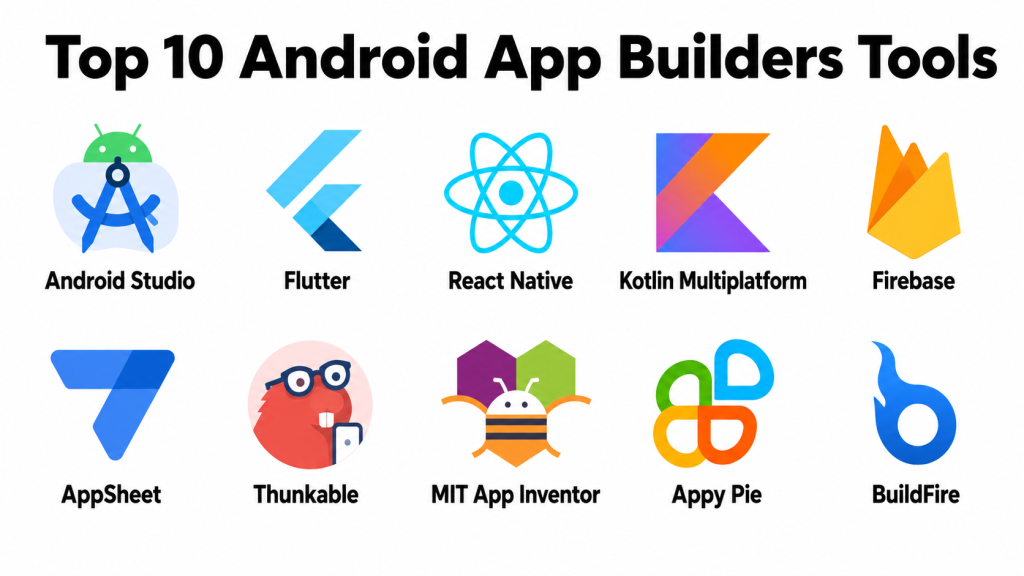
Android app builders are platforms, frameworks, IDEs, and no-code or low-code tools that help teams create Android applications faster. Some tools are made for professional developers, while others help non-technical users build mobile apps through drag-and-drop editors, templates, visual workflows, and ready-made integrations.
These tools matter because Android apps are widely used for ecommerce, education, finance, healthcare, logistics, customer support, employee operations, field service, booking, media, and SaaS products. Businesses need mobile apps that are secure, fast, easy to update, and connected with backend systems, analytics, payments, notifications, and user accounts.
Real-world use cases include:
- Customer-facing Android apps
- Ecommerce and shopping apps
- Internal workforce apps
- Booking and appointment apps
- Learning and training apps
- Delivery and logistics apps
- MVP apps for startups
- No-code business apps
Buyers should evaluate:
- Android development support
- Ease of use
- Native performance
- UI design flexibility
- Backend and database integration
- Push notification support
- Authentication and user management
- Testing and debugging tools
- Security and compliance readiness
- Pricing and long-term scalability
Best for: Android app builders are best for mobile developers, startups, agencies, small businesses, product teams, enterprise IT teams, creators, educators, and operations teams that need to build Android apps faster.
Not ideal for: Android app builders may not be ideal for businesses that only need a mobile-friendly website, teams without a clear app use case, or projects requiring deep custom native engineering, advanced device-level optimization, or strict regulated architecture from the beginning.
Key Trends in Android App Builders Tools
AI-assisted development is becoming more useful. Developers and business users now expect help with code suggestions, UI generation, bug fixing, testing, documentation, and faster prototyping.
- Cross-platform development is now a major priority. Many teams want one codebase that can support Android, iOS, web, and sometimes desktop apps.
- No-code Android app creation is growing. Small businesses, creators, and operations teams want to build simple Android apps without hiring full mobile engineering teams.
- Backend-as-a-service is becoming important. App teams want authentication, databases, storage, push notifications, crash reporting, and analytics without building every backend service from scratch.
- Security expectations are stronger. Teams now check app signing, encryption, authentication, API security, secure storage, permissions, RBAC, SSO, and compliance documentation before choosing a platform.
- Low-code enterprise mobile apps are increasing. Enterprises are using low-code tools for employee apps, approval systems, field apps, dashboards, and workflow apps.
- Offline-first app support is valuable. Field teams, healthcare workers, logistics staff, and retail teams often need apps that work even with poor internet connectivity.
- Real-device testing is more important. Android has many devices, screen sizes, hardware types, and OS versions, so testing across real devices is critical.
- Integrations drive platform selection. Android apps must connect with CRM, ERP, payment gateways, maps, analytics, identity providers, chat tools, and internal APIs.
- Lifecycle management matters more. Teams need version control, build pipelines, release management, monitoring, analytics, and app maintenance processes.
How We Selected These Tools
This Top 10 list was selected using practical buyer-focused evaluation logic:
- Market adoption and recognition among Android developers, startups, agencies, SMBs, and enterprises
- Feature completeness across Android app creation, testing, deployment, integrations, backend support, and UI development
- Fit for different skill levels, including developers, no-code users, low-code teams, and enterprise IT teams
- Reliability and performance signals for production Android apps
- Security posture signals such as app signing, authentication, permissions, encryption, SSO, RBAC, and governance features
- Integration ecosystem with APIs, databases, analytics, payments, cloud services, and automation tools
- Suitability for solo builders, SMBs, mid-market teams, and enterprise environments
- Long-term maintainability and scalability
- Strength of documentation, tutorials, community support, and partner ecosystem
- Practical value based on capability, learning curve, and business fit
Top 10 Android App Builders Tools
#1 — Android Studio
Short description: Android Studio is the official development environment for building native Android apps. It is best for professional developers and teams that need full control over Android app performance, UI, debugging, testing, packaging, and release workflows.
Key Features
- Native Android app development
- Kotlin and Java support
- Android emulator
- Layout editor
- App signing and packaging tools
- Performance profiling
- Debugging and testing tools
Pros
- Best option for full native Android development.
- Strong debugging, profiling, and testing capabilities.
- Deep access to Android platform features.
Cons
- Requires technical development skills.
- Not ideal for non-technical users.
- Building complex apps can take more time than no-code tools.
Platforms / Deployment
Windows / macOS / Linux / Android
Self-managed development workflow
Security & Compliance
Android Studio supports secure development workflows such as app signing and build configuration. However, app-level security depends on the developer’s implementation, backend architecture, authentication, API protection, encryption, storage practices, and release process. Specific compliance details such as SOC 2, ISO 27001, HIPAA, SSO, audit logs, and RBAC are Not publicly stated at the IDE level.
Integrations & Ecosystem
Android Studio works deeply with the Android ecosystem and common mobile development services.
- Android SDK
- Gradle
- Firebase
- Google Play workflows
- Testing frameworks
- Device emulators and real-device testing tools
Support & Community
Android Studio has strong official documentation, tutorials, developer guides, community forums, and a large Android developer ecosystem. It is the standard choice for serious native Android app development.
#2 — Flutter
Short description: Flutter is a cross-platform app development framework used to build Android, iOS, web, and desktop apps from a single codebase. It is useful for startups, agencies, and product teams that want strong UI control and faster cross-platform delivery.
Key Features
- Single codebase for Android and iOS
- Rich UI widget library
- Hot reload for faster development
- Strong animation and design control
- Support for mobile, web, and desktop targets
- Large package ecosystem
- Good performance for many production apps
Pros
- Strong UI consistency across platforms.
- Good for startups and product teams building Android and iOS together.
- Active ecosystem and many reusable packages.
Cons
- Requires learning Dart.
- Native platform-specific features may need plugins or custom code.
- App architecture must be planned carefully for large projects.
Platforms / Deployment
Web / Windows / macOS / Linux / iOS / Android
Cloud / Self-managed development workflow
Security & Compliance
Flutter is a framework, not a compliance platform. Security depends on how the app handles authentication, local storage, API access, permissions, encryption, and backend systems. Specific compliance items such as SOC 2, ISO 27001, HIPAA, SSO, audit logs, and RBAC depend on the broader app architecture and supporting services.
Integrations & Ecosystem
Flutter has a strong ecosystem for mobile app development, backend integration, analytics, payments, and device access.
- Firebase
- REST APIs
- GraphQL APIs
- Payment gateways
- Analytics SDKs
- Native device plugins
Support & Community
Flutter has strong documentation, active community support, learning resources, templates, packages, and developer adoption. It is a strong option for teams that need beautiful cross-platform Android apps.
#3 — React Native
Short description: React Native is a cross-platform framework that helps developers build Android and iOS apps using JavaScript or TypeScript. It is best for teams that already know React and want to reuse frontend development skills for mobile apps.
Key Features
- Cross-platform Android and iOS development
- JavaScript and TypeScript support
- Native component rendering
- Large library ecosystem
- Reusable business logic
- Native module support
- Strong developer community
Pros
- Good fit for teams already using React.
- Large ecosystem and strong hiring availability.
- Flexible for startups, agencies, and enterprise teams.
Cons
- Native module management can become complex.
- Performance tuning may be needed for advanced apps.
- Dependency maintenance requires discipline.
Platforms / Deployment
Web development environment / iOS / Android
Cloud / Self-managed development workflow
Security & Compliance
React Native is a development framework. App security depends on libraries, backend systems, authentication, secure storage, permissions, API protection, and release workflows. Specific compliance such as SOC 2, ISO 27001, HIPAA, SSO, audit logs, and RBAC is Not publicly stated at the framework level.
Integrations & Ecosystem
React Native integrates well with modern JavaScript, cloud, backend, and mobile development ecosystems.
- REST APIs
- GraphQL APIs
- Firebase
- Analytics SDKs
- Payment tools
- Native modules and device APIs
Support & Community
React Native has a large global community, open-source packages, learning content, and broad developer availability. It is a strong choice for teams that want mobile apps with JavaScript-based development skills.
#4 — Kotlin Multiplatform
Short description: Kotlin Multiplatform helps teams share business logic across Android, iOS, web, and backend projects while still allowing native UI where needed. It is useful for teams that want code sharing without giving up platform-specific control.
Key Features
- Shared business logic across platforms
- Strong Android alignment
- Kotlin language support
- Native UI flexibility
- Multiplatform architecture
- Integration with existing Android projects
- Suitable for shared domain and data layers
Pros
- Strong fit for Android teams using Kotlin.
- Allows shared logic while keeping native UI control.
- Useful for long-term maintainable cross-platform architecture.
Cons
- Requires skilled developers.
- Learning curve can be higher than simple cross-platform frameworks.
- Ecosystem maturity varies by use case and architecture.
Platforms / Deployment
Windows / macOS / Linux / Android / iOS
Self-managed development workflow
Security & Compliance
Kotlin Multiplatform is a development technology, not a compliance product. Security depends on app architecture, backend services, authentication, encryption, secure storage, permissions, and platform-specific implementation. Compliance details are Not publicly stated at the framework level.
Integrations & Ecosystem
Kotlin Multiplatform works well in engineering teams that want shared logic and native integration.
- Android Studio
- Kotlin libraries
- Native Android APIs
- iOS integration
- REST APIs
- Shared data and domain layers
Support & Community
Kotlin Multiplatform has growing adoption among Android and multiplatform engineering teams. It benefits from Kotlin’s ecosystem, official documentation, and developer community support.
#5 — Firebase
Short description: Firebase is a backend and app development platform that helps Android teams add authentication, databases, storage, push notifications, analytics, crash reporting, performance monitoring, and cloud functions without building everything from scratch.
Key Features
- Authentication
- Cloud database options
- Realtime data support
- Cloud functions
- Push notifications
- Analytics
- Crash reporting and performance monitoring
Pros
- Speeds up Android backend development.
- Good for MVPs and production mobile apps.
- Strong analytics, messaging, and crash monitoring ecosystem.
Cons
- Data modeling needs careful planning.
- Costs can increase with usage if not monitored.
- Vendor lock-in can be a concern for some teams.
Platforms / Deployment
Web / iOS / Android
Cloud
Security & Compliance
Firebase supports authentication, security rules, and cloud-based access control patterns. Compliance depends on the services used, configuration, data handling, and cloud setup. SOC 2, ISO 27001, HIPAA, GDPR, SSO, audit logs, and RBAC requirements should be verified directly based on the selected services and use case.
Integrations & Ecosystem
Firebase is commonly used as a backend layer for Android and cross-platform apps.
- Android apps
- Flutter
- React Native
- Web apps
- Google Cloud services
- Analytics and messaging tools
Support & Community
Firebase has strong documentation, SDKs, tutorials, community support, and wide adoption among mobile app developers. It is very useful for Android teams that want managed backend services.
#6 — AppSheet
Short description: AppSheet is a no-code app builder used to create business apps from structured data sources such as spreadsheets and databases. It is useful for operations teams, field teams, SMBs, and enterprises that need Android-friendly business apps without traditional coding.
Key Features
- No-code app creation from data
- Android and web app support
- Forms and data capture
- Workflow automation
- Role-based experiences
- Offline app support for selected use cases
- Integration with business data sources
Pros
- Strong for field apps and operational workflows.
- Good for spreadsheet-driven business apps.
- Useful for non-technical business teams.
Cons
- UI flexibility may feel limited for consumer-grade apps.
- Best for structured workflows, not complex product apps.
- Advanced configuration still needs planning.
Platforms / Deployment
Web / iOS / Android
Cloud
Security & Compliance
AppSheet security depends on the organization’s identity, access, and data configuration. Buyers should verify SSO, permissions, audit logs, data governance, encryption, SOC 2, ISO 27001, HIPAA, and GDPR requirements directly based on their setup. If unclear, use Not publicly stated for specific certifications.
Integrations & Ecosystem
AppSheet is strong for business data-driven apps and operational workflows.
- Google Sheets
- Google Workspace
- Databases
- Cloud data sources
- Forms
- Workflow automation
Support & Community
AppSheet has documentation, learning resources, templates, and community support. It is especially useful for business users and teams that need practical Android-friendly internal apps.
#7 — Thunkable
Short description: Thunkable is a no-code mobile app builder for creating Android and iOS apps using visual components and logic blocks. It is useful for educators, creators, startups, and non-technical builders who want to make mobile apps without traditional coding.
Key Features
- Drag-and-drop app builder
- Android and iOS app support
- Visual logic blocks
- Components and templates
- API connectivity
- App testing tools
- Publishing workflow support
Pros
- Good for beginners and mobile app learning.
- Visual logic makes app behavior easier to understand.
- Useful for prototypes and simple mobile apps.
Cons
- Not ideal for complex enterprise-grade apps.
- Advanced performance and design control may be limited.
- Some production use cases need careful testing.
Platforms / Deployment
Web / iOS / Android
Cloud
Security & Compliance
Thunkable supports mobile app creation and publishing workflows, but specific enterprise security features such as SSO, audit logs, SOC 2, ISO 27001, HIPAA, and advanced RBAC are Not publicly stated unless confirmed directly.
Integrations & Ecosystem
Thunkable supports app functionality through components, data sources, APIs, and external services.
- APIs
- Data sources
- Authentication workflows
- Device components
- Forms and input tools
- External app services
Support & Community
Thunkable has documentation, templates, tutorials, and a community of educators, students, creators, and app builders. It is a practical option for learning and simple Android app creation.
#8 — MIT App Inventor
Short description: MIT App Inventor is a visual app-building platform commonly used for education, learning, prototyping, and beginner Android app development. It uses block-based programming to help users understand app logic without writing traditional code.
Key Features
- Block-based app development
- Android app creation
- Visual interface designer
- Beginner-friendly logic system
- Educational learning support
- Device component access
- Prototype-friendly workflow
Pros
- Excellent for learning app development concepts.
- Beginner-friendly and educational.
- Useful for simple prototypes and classroom projects.
Cons
- Not ideal for professional production apps.
- Limited advanced design and scalability.
- Enterprise security and compliance features are not the focus.
Platforms / Deployment
Web / Android
Cloud / Self-managed learning workflow
Security & Compliance
MIT App Inventor is mainly an educational and beginner app-building platform. Enterprise security features such as SSO, audit logs, SOC 2, ISO 27001, HIPAA, advanced RBAC, and production-grade governance are Not publicly stated.
Integrations & Ecosystem
MIT App Inventor is useful for learning and simple app experimentation.
- Android device components
- Simple data storage
- Sensors
- Basic APIs
- Educational extensions
- Classroom projects
Support & Community
MIT App Inventor has educational documentation, tutorials, community resources, and strong use in learning environments. It is best suited for beginners, students, educators, and prototype builders.
#9 — Appy Pie
Short description: Appy Pie is a no-code app builder for small businesses, creators, service providers, and entrepreneurs who want to create Android apps without coding. It focuses on templates, business app features, app publishing, and simple mobile app creation.
Key Features
- No-code Android app builder
- Templates for business use cases
- Drag-and-drop app creation
- Push notifications
- Forms and content sections
- Basic ecommerce and business features
- App publishing support
Pros
- Beginner-friendly for non-technical users.
- Good for simple business apps.
- Helps small businesses create apps faster.
Cons
- Limited flexibility for advanced custom apps.
- Not ideal for performance-heavy or complex apps.
- Security and compliance details should be reviewed carefully.
Platforms / Deployment
Web / iOS / Android
Cloud
Security & Compliance
Appy Pie may provide general account and app security features, but specific enterprise compliance details such as SOC 2, ISO 27001, HIPAA, SSO, audit logs, encryption controls, and RBAC should be verified directly. If not confirmed, use Not publicly stated.
Integrations & Ecosystem
Appy Pie supports common small business app use cases and integrations.
- Push notifications
- Forms
- Ecommerce features
- Social media tools
- Business app templates
- Basic automation workflows
Support & Community
Appy Pie provides support resources, guides, templates, and customer support options. It is most useful for small businesses and non-technical users building simple Android apps.
#10 — BuildFire
Short description: BuildFire is an app-building platform for businesses, organizations, agencies, and teams that want to create mobile apps with prebuilt features, plugins, and customization options. It is useful for business apps, community apps, content apps, and service-based mobile experiences.
Key Features
- Mobile app builder
- Android and iOS support
- Plugin-based functionality
- App customization options
- Push notifications
- Content and business app features
- Publishing workflow support
Pros
- Useful for business and community apps.
- Plugin-based approach speeds up app creation.
- Can support non-technical and semi-technical teams.
Cons
- May not fit highly custom engineering-heavy apps.
- Pricing and feature access should be reviewed carefully.
- Advanced flexibility may require expert help.
Platforms / Deployment
Web / iOS / Android
Cloud
Security & Compliance
BuildFire supports app-building and publishing workflows, but specific enterprise security and compliance controls such as SSO, audit logs, SOC 2, ISO 27001, HIPAA, encryption, and advanced RBAC should be verified directly. If unclear, use Not publicly stated.
Integrations & Ecosystem
BuildFire uses plugins and app features to support common mobile business requirements.
- Push notifications
- Content tools
- Business plugins
- User engagement features
- Forms and data tools
- Third-party integrations
Support & Community
BuildFire provides customer support, app-building resources, documentation, and service options. It is suitable for teams that want a business app builder with guided mobile app creation capabilities.
Comparison Table
| Tool Name | Best For | Platform(s) Supported | Deployment | Standout Feature | Public Rating |
|---|---|---|---|---|---|
| Android Studio | Native Android app development | Windows / macOS / Linux / Android | Self-managed | Official Android development environment | N/A |
| Flutter | Cross-platform Android and iOS apps | Web / Windows / macOS / Linux / iOS / Android | Self-managed / Cloud-supported | Single codebase with rich UI widgets | N/A |
| React Native | JavaScript-based mobile teams | iOS / Android | Self-managed / Cloud-supported | Cross-platform development using React skills | N/A |
| Kotlin Multiplatform | Shared logic with native control | Windows / macOS / Linux / Android / iOS | Self-managed | Shared business logic across platforms | N/A |
| Firebase | Android backend and app services | Web / iOS / Android | Cloud | Authentication, database, messaging, and analytics | N/A |
| AppSheet | Data-driven business Android apps | Web / iOS / Android | Cloud | No-code apps from business data | N/A |
| Thunkable | No-code mobile app creation | Web / iOS / Android | Cloud | Visual app logic blocks | N/A |
| MIT App Inventor | Learning and beginner Android apps | Web / Android | Cloud / Learning workflow | Block-based Android app building | N/A |
| Appy Pie | Small business no-code apps | Web / iOS / Android | Cloud | Template-based no-code app creation | N/A |
| BuildFire | Business and community apps | Web / iOS / Android | Cloud | Plugin-based mobile app builder | N/A |
Evaluation & Scoring of Android App Builders Tools
| Tool Name | Core (25%) | Ease (15%) | Integrations (15%) | Security (10%) | Performance (10%) | Support (10%) | Value (15%) | Weighted Total (0–10) |
|---|---|---|---|---|---|---|---|---|
| Android Studio | 10 | 6 | 8 | 8 | 10 | 9 | 9 | 8.70 |
| Flutter | 9 | 7 | 8 | 7 | 9 | 9 | 9 | 8.40 |
| React Native | 9 | 7 | 9 | 7 | 8 | 9 | 9 | 8.35 |
| Kotlin Multiplatform | 8 | 6 | 8 | 7 | 9 | 8 | 8 | 7.75 |
| Firebase | 9 | 8 | 9 | 8 | 8 | 9 | 8 | 8.45 |
| AppSheet | 8 | 8 | 8 | 8 | 8 | 8 | 8 | 8.00 |
| Thunkable | 7 | 8 | 6 | 6 | 6 | 7 | 8 | 6.95 |
| MIT App Inventor | 5 | 9 | 4 | 4 | 5 | 7 | 9 | 6.05 |
| Appy Pie | 6 | 9 | 6 | 5 | 6 | 7 | 7 | 6.60 |
| BuildFire | 7 | 8 | 7 | 6 | 7 | 8 | 7 | 7.10 |
These scores are comparative and should be interpreted based on your app goal. Android Studio scores highest for native Android control, but it needs skilled developers. Flutter and React Native are strong for cross-platform delivery. Firebase is powerful as a backend platform, not a visual app builder. AppSheet is strong for business apps. Thunkable, MIT App Inventor, Appy Pie, and BuildFire are easier for non-technical users but may not match developer-first platforms for advanced performance, customization, and security control.
Which Android App Builders Tool Is Right for You?
Solo / Freelancer
Solo developers and freelancers should choose based on skill level and project type. If you are a developer, Android Studio, Flutter, React Native, or Kotlin Multiplatform can be strong choices. If you are not technical, Thunkable, Appy Pie, BuildFire, or MIT App Inventor may be easier starting points.
Choose Android Studio if you want to build a serious native Android app. Choose Flutter if you want one codebase for Android and iOS. Choose Thunkable or MIT App Inventor if your goal is learning, prototyping, or simple app creation.
SMB
Small and medium businesses usually need affordable, practical tools that can support customer engagement, bookings, ecommerce, forms, notifications, and operational workflows. AppSheet, BuildFire, Appy Pie, Flutter, and Firebase are useful options.
Choose AppSheet for data-driven business apps. Choose BuildFire or Appy Pie for simple business apps. Choose Flutter and Firebase if you have developer support and want a more scalable custom app.
Mid-Market
Mid-market teams often need better architecture, user management, integrations, release management, analytics, and security review. Android Studio, Flutter, React Native, Firebase, and Kotlin Multiplatform are practical choices.
Choose Android Studio for native Android performance and deep device control. Choose Flutter or React Native for cross-platform development. Choose Firebase when you need backend services like authentication, notifications, database, analytics, and crash reporting.
Enterprise
Enterprise teams should prioritize governance, identity integration, security, compliance, app lifecycle management, backend architecture, testing, release controls, and maintainability. Android Studio, Kotlin Multiplatform, Flutter, React Native, Firebase, and AppSheet can all fit different enterprise scenarios.
Choose Android Studio for mission-critical native Android apps. Choose Kotlin Multiplatform when shared business logic and native control are both important. Choose AppSheet for internal workflow apps. Choose Firebase only after reviewing cloud governance, security, and compliance needs.
Budget vs Premium
For budget-friendly projects, MIT App Inventor, Thunkable, Appy Pie, and AppSheet can help users start quickly. However, lower-cost or simpler tools may have limits in design flexibility, app complexity, performance, and long-term scalability.
For premium or professional use cases, Android Studio, Flutter, React Native, Kotlin Multiplatform, and Firebase may provide stronger long-term value, but they require development skills and proper project management.
Feature Depth vs Ease of Use
If feature depth matters most, choose Android Studio, Flutter, React Native, Kotlin Multiplatform, or Firebase. These tools support serious Android app development, custom features, backend integration, and scalable architecture.
If ease of use matters most, choose Thunkable, MIT App Inventor, Appy Pie, BuildFire, or AppSheet. These tools help non-technical users build simple Android apps faster.
Integrations & Scalability
If your app must connect with APIs, CRMs, payment gateways, databases, analytics, messaging, maps, authentication, or enterprise systems, choose tools with strong integration support.
Firebase is useful for backend services. Android Studio offers full native SDK access. Flutter and React Native have strong package ecosystems. AppSheet works well with structured business data. BuildFire and Appy Pie are better for template-based business app integrations.
Security & Compliance Needs
Security is critical when Android apps collect customer data, payments, health records, location data, employee records, or business-sensitive information. Review authentication, secure storage, encryption, API security, app signing, device permissions, data retention, audit logging, and backend compliance.
For regulated industries, use developer-first tools or enterprise-ready platforms with strong security review. Do not choose a no-code builder for sensitive apps unless it meets your internal security, legal, and compliance requirements.
Frequently Asked Questions
What is an Android app builder?
An Android app builder is a platform, framework, or tool that helps users create Android apps. Some builders require coding, while others use drag-and-drop editors, templates, visual logic, and no-code workflows.
Which Android app builder is best for beginners?
MIT App Inventor, Thunkable, Appy Pie, and BuildFire are beginner-friendly options. They are useful for learning, simple apps, prototypes, and small business use cases.
Which tool is best for professional Android development?
Android Studio is the strongest choice for professional native Android development. It gives developers full access to Android platform features, testing tools, debugging, app signing, and performance profiling.
Which Android app builder is best for cross-platform apps?
Flutter and React Native are strong choices for building Android and iOS apps from a shared codebase. Flutter is strong for custom UI, while React Native is useful for teams already skilled in React and JavaScript.
Is Firebase an Android app builder?
Firebase is not a visual app builder, but it is an important backend platform for Android apps. It provides authentication, databases, push notifications, analytics, crash reporting, cloud functions, and performance monitoring.
Can I build an Android app without coding?
Yes. Tools like Thunkable, AppSheet, Appy Pie, BuildFire, and MIT App Inventor allow users to build Android apps with little or no traditional coding. However, advanced apps may still require developer support.
Are no-code Android app builders secure?
They can be secure for basic use cases, but security depends on the platform, app configuration, data type, authentication, permissions, and backend setup. For sensitive data, always check security documentation and compliance controls.
What are common mistakes when choosing an Android app builder?
Common mistakes include choosing only by price, ignoring scalability, skipping security review, not testing on real Android devices, choosing a no-code tool for a complex app, and underestimating backend requirements.
Can I publish apps built with no-code tools to app stores?
Many no-code app builders support publishing workflows for Android apps, but requirements vary by platform and plan. Always check app export, publishing, branding, signing, and store submission rules before choosing.
Which tool is best for internal business Android apps?
AppSheet is strong for internal business apps and data-driven workflows. Firebase with Android Studio, Flutter, or React Native can also work well when custom development is needed.
Can I switch from a no-code Android builder to custom development later?
Yes, but switching may require rebuilding the app, database, workflows, UI, integrations, and backend logic. Before starting, check data export, API access, ownership, and migration options.
What pricing factors should buyers check?
Check app limits, user limits, storage, API usage, database usage, build limits, publishing fees, support tiers, branding removal, push notification limits, and enterprise security features.
Conclusion
Android app builders cover a wide range of needs, from beginner-friendly no-code tools to professional development platforms. There is no single best option for every project. Android Studio is the strongest choice for native Android development. Flutter and React Native are strong for cross-platform apps. Kotlin Multiplatform is useful when teams want shared logic with native control. Firebase is excellent for backend services such as authentication, databases, notifications, analytics, and crash reporting. AppSheet is practical for business apps and operational workflows. Thunkable, MIT App Inventor, Appy Pie, and BuildFire are useful for simple apps, learning, prototypes, and small business needs.
