Upgrade & Secure Your Future with DevOps, SRE, DevSecOps, MLOps!
We spend hours scrolling social media and waste money on things we forget, but won’t spend 30 minutes a day earning certifications that can change our lives.
Master in DevOps, SRE, DevSecOps & MLOps by DevOps School!
Learn from Guru Rajesh Kumar and double your salary in just one year.
Introduction
Low-code app development platforms help teams build business applications with visual builders, drag-and-drop components, workflow automation, database connections, and reusable logic. Instead of writing every line of code from scratch, users can create apps faster with prebuilt blocks, forms, dashboards, APIs, connectors, and automation tools.
These platforms matter because companies need internal tools, customer portals, approval workflows, mobile apps, data apps, and process automation faster than traditional development teams can always deliver. Low-code also helps business teams and IT teams collaborate better without losing control over security, governance, and scalability.
Common use cases include employee portals, CRM extensions, inventory apps, approval systems, customer onboarding apps, service request apps, reporting dashboards, workflow automation, and internal admin panels.
Buyers should evaluate visual development depth, workflow automation, database support, API integrations, security controls, deployment flexibility, mobile support, governance, scalability, pricing, and developer extensibility.
Best for: IT teams, business operations teams, developers, citizen developers, enterprise app teams, process automation teams, SMBs, mid-market companies, and large organizations that need faster app delivery.
Not ideal for: teams building highly specialized performance-heavy software, complex gaming apps, deep embedded systems, fully custom engineering products, or organizations that require complete source-level control over every layer of the application.
Key Trends in Low-Code App Development Platforms
- AI-assisted app building is becoming a major feature: Platforms are adding AI copilots, prompt-based app creation, automated workflow suggestions, form generation, and faster data model creation.
- Fusion teams are becoming common: Business users, IT teams, developers, analysts, and process owners are working together inside low-code platforms to reduce delivery delays.
- Governance is now a core buying factor: Companies want role-based access, audit logs, approval controls, environment management, deployment policies, and admin visibility.
- Low-code is moving beyond simple apps: Many platforms now support enterprise workflows, customer portals, mobile apps, AI apps, process automation, and system integrations.
- Integration depth is critical: Buyers expect connectors for databases, SaaS tools, APIs, cloud services, ERP systems, CRM platforms, and data warehouses.
- Developer extensibility still matters: Even with visual building, serious teams need custom code, APIs, scripts, reusable components, and integration logic.
- Mobile-first app delivery is growing: Many organizations want apps that work across web and mobile devices without maintaining separate development projects.
- Security expectations are stronger: SSO, MFA, encryption, permission control, audit trails, data governance, and compliance review are now part of platform selection.
- Internal tool development is expanding: Teams are using low-code platforms to replace spreadsheets, manual email approvals, and disconnected admin workflows.
- Pricing models need careful review: Platforms may charge by user, app, developer, workflow, automation volume, data usage, or enterprise plan, so cost planning is important.
How We Selected These Tools
The tools in this list were selected based on practical low-code app development use cases, market recognition, platform depth, and suitability for different business sizes.
- Market adoption and recognition among IT teams, developers, enterprises, SMBs, and business users.
- Strength of visual app development, workflow automation, database handling, and UI building.
- Support for web apps, mobile apps, portals, dashboards, and internal business tools.
- Integration ecosystem with APIs, SaaS platforms, databases, cloud services, CRM, ERP, and automation tools.
- Security and governance features where information is clearly known or commonly offered in enterprise plans.
- Developer extensibility through custom code, APIs, SDKs, scripting, or advanced logic.
- Ease of use for non-technical users and flexibility for professional developers.
- Scalability for departmental, mid-market, and enterprise use cases.
- Support resources, documentation, partner ecosystem, and community maturity.
- Overall value based on speed, flexibility, maintainability, and long-term business fit.
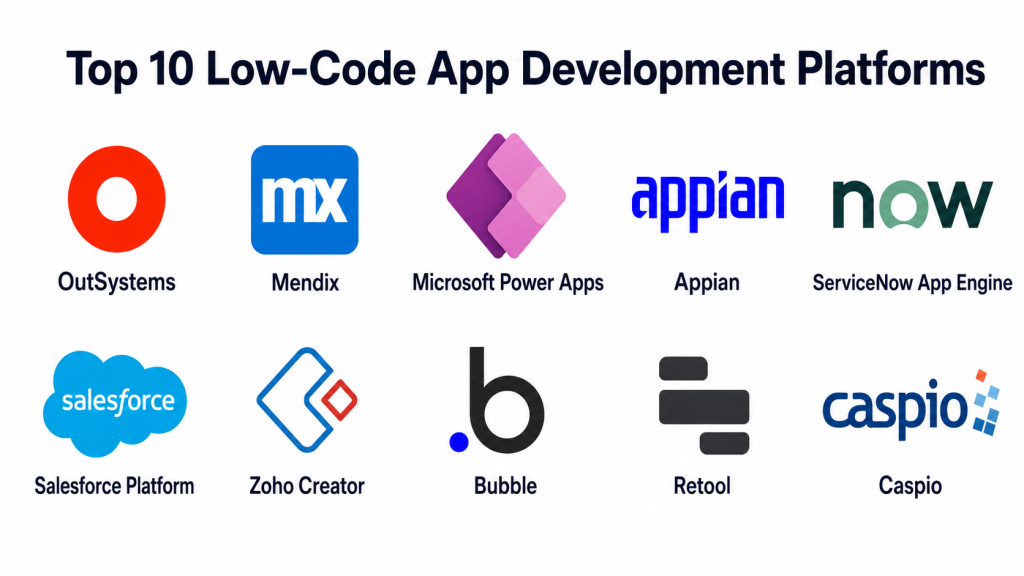
Top 10 Low-Code App Development Platforms
#1 — OutSystems
Short description: OutSystems is an enterprise-grade low-code platform for building web apps, mobile apps, customer portals, internal systems, and mission-critical business applications. It is best for large organizations and development teams that need speed without giving up governance, scalability, and architecture discipline.
Key Features
- Visual full-stack app development.
- Web and mobile application support.
- Workflow automation and business process logic.
- Integration with APIs, databases, and enterprise systems.
- AI-assisted development capabilities.
- Enterprise governance and deployment controls.
- Support for complex, scalable application delivery.
Pros
- Strong fit for enterprise-grade applications.
- Good balance between low-code speed and developer extensibility.
- Useful for teams building serious business systems, not just simple forms.
Cons
- Can be complex for small teams or basic use cases.
- Pricing may be high for startups and small businesses.
- Requires platform learning and governance planning.
Platforms / Deployment
Web / iOS / Android.
Cloud / Hybrid.
Security & Compliance
Enterprise security features may be available depending on plan and deployment model. Confirm SSO/SAML, MFA, RBAC, audit logs, encryption, SOC 2, ISO 27001, GDPR, HIPAA, and data residency requirements directly with the vendor.
Integrations & Ecosystem
OutSystems is designed for enterprise application environments where apps must connect with existing systems, cloud services, databases, and APIs.
- REST and SOAP APIs.
- Enterprise databases.
- CRM and ERP systems.
- Cloud services.
- Identity providers.
- DevOps and monitoring tools.
Support & Community
OutSystems provides documentation, training resources, partner support, enterprise onboarding, and a mature developer community. Larger organizations can benefit from structured customer success and professional services.
#2 — Mendix
Short description: Mendix is a low-code application development platform used for building web and mobile apps, enterprise workflows, portals, and industry-specific applications. It is suitable for developers, business users, and fusion teams that want faster app delivery with strong governance.
Key Features
- Visual app modeling and development.
- Web and mobile app support.
- Workflow and process automation.
- AI-assisted development features.
- Reusable components and marketplace assets.
- Enterprise integration support.
- Collaboration between business and IT teams.
Pros
- Strong for enterprise and industrial app development.
- Supports collaboration between technical and non-technical users.
- Good fit for organizations that need scalable low-code delivery.
Cons
- Learning curve may be higher than simpler no-code tools.
- Enterprise setup may require planning and platform expertise.
- Pricing and governance should be reviewed carefully.
Platforms / Deployment
Web / iOS / Android.
Cloud / Hybrid.
Security & Compliance
Enterprise security features may be available depending on plan and deployment setup. Confirm SSO/SAML, MFA, RBAC, audit logs, encryption, SOC 2, ISO 27001, GDPR, HIPAA, and data governance requirements with the vendor.
Integrations & Ecosystem
Mendix supports enterprise integration and reusable app components, making it useful for organizations with existing systems and complex app portfolios.
- APIs and web services.
- Enterprise databases.
- SAP and ERP-related workflows.
- Cloud platforms.
- Marketplace components.
- Identity and access systems.
Support & Community
Mendix has documentation, learning resources, community forums, marketplace assets, and enterprise support options. It is well suited for organizations building a low-code center of excellence.
#3 — Microsoft Power Apps
Short description: Microsoft Power Apps is a low-code platform for building business apps within the Microsoft ecosystem. It is useful for organizations already using Microsoft 365, Teams, SharePoint, Dataverse, Dynamics, Azure, or Power Platform services.
Key Features
- Canvas apps and model-driven apps.
- Dataverse for structured business data.
- Power Automate integration for workflows.
- Large connector ecosystem.
- Mobile-ready business apps.
- AI and Copilot-style assistance in the Microsoft ecosystem.
- Strong connection with Microsoft identity and productivity tools.
Pros
- Excellent fit for Microsoft-centered organizations.
- Strong integration with Teams, SharePoint, Excel, Dataverse, and Power Automate.
- Good for departmental apps and internal business workflows.
Cons
- Licensing can become confusing as usage grows.
- Advanced apps may need Power Platform specialists.
- Best value is usually achieved inside Microsoft-heavy environments.
Platforms / Deployment
Web / Windows / iOS / Android.
Cloud.
Security & Compliance
Microsoft enterprise security controls may be available through the broader Microsoft ecosystem. Confirm SSO, MFA, RBAC, audit logs, encryption, data loss prevention, GDPR, SOC 2, ISO 27001, and environment governance based on your tenant and licensing.
Integrations & Ecosystem
Power Apps has a strong ecosystem because it connects deeply with Microsoft tools and many third-party systems through connectors.
- Microsoft 365.
- Teams and SharePoint.
- Dataverse.
- Power Automate.
- Dynamics 365.
- Azure services.
- Third-party connectors.
Support & Community
Power Apps has extensive documentation, Microsoft learning resources, partner support, community forums, templates, and a large user base. It is one of the most accessible low-code options for Microsoft customers.
#4 — Appian
Short description: Appian is a low-code platform focused on process automation, workflow applications, case management, data integration, and enterprise operations. It is best for organizations that want to automate complex business processes and build governed applications.
Key Features
- Low-code app development.
- Business process automation.
- Case management capabilities.
- Data fabric-style data access.
- Workflow modeling and orchestration.
- AI and automation support.
- Enterprise governance and security controls.
Pros
- Strong for process-heavy enterprise workflows.
- Good fit for regulated and operations-driven industries.
- Useful when apps, workflows, and data need to work together.
Cons
- May be too advanced for simple departmental apps.
- Requires process design maturity.
- Pricing and implementation may suit larger organizations better.
Platforms / Deployment
Web / iOS / Android.
Cloud / Hybrid.
Security & Compliance
Enterprise security features may be available depending on plan and deployment. Confirm SSO/SAML, MFA, RBAC, audit logs, encryption, GDPR, SOC 2, ISO 27001, HIPAA, and industry-specific compliance requirements with the vendor.
Integrations & Ecosystem
Appian is strong in workflow-driven environments where systems, people, data, and approvals must be connected.
- Enterprise databases.
- APIs and web services.
- RPA and automation tools.
- ERP and CRM systems.
- Identity providers.
- Process monitoring workflows.
Support & Community
Appian offers documentation, training, implementation partners, enterprise support, and professional services. It is well suited for organizations with complex business process needs.
#5 — ServiceNow App Engine
Short description: ServiceNow App Engine is a low-code app development platform inside the ServiceNow ecosystem. It is designed for building workflow apps, service apps, operational tools, and enterprise applications connected to ServiceNow data and processes.
Key Features
- Low-code app development.
- Workflow automation.
- ServiceNow data model access.
- Forms, portals, and process apps.
- Integration with ServiceNow workflows.
- Governance and access controls.
- Suitable for IT, HR, operations, and service workflows.
Pros
- Strong choice for existing ServiceNow customers.
- Excellent for workflow and service management apps.
- Good governance and enterprise process alignment.
Cons
- Best fit is within the ServiceNow ecosystem.
- May not be ideal for standalone app development outside ServiceNow.
- Licensing and platform scope need careful review.
Platforms / Deployment
Web / iOS / Android.
Cloud.
Security & Compliance
Enterprise-grade security features may be available depending on ServiceNow plan and configuration. Confirm SSO, MFA, RBAC, audit logs, encryption, GDPR, SOC 2, ISO 27001, HIPAA, and data governance requirements with the vendor.
Integrations & Ecosystem
ServiceNow App Engine works best when apps need to connect with service management, operations workflows, and enterprise process automation.
- ServiceNow workflows.
- ITSM and ITOM processes.
- HR and employee workflows.
- APIs and integration hub.
- Identity systems.
- Enterprise service data.
Support & Community
ServiceNow has strong enterprise documentation, partner networks, community resources, training programs, and support tiers. It is best for organizations already invested in the ServiceNow platform.
#6 — Salesforce Platform
Short description: Salesforce Platform allows teams to build business apps, workflows, automations, portals, and CRM-connected experiences with low-code and pro-code capabilities. It is best for organizations already using Salesforce for sales, service, marketing, or customer data.
Key Features
- Low-code app building with Salesforce tools.
- CRM-connected applications.
- Workflow and automation capabilities.
- Custom objects and data models.
- Experience and portal-style app support.
- AppExchange ecosystem.
- Developer extensibility with code when needed.
Pros
- Strong for CRM-connected business apps.
- Large ecosystem of apps, partners, and integrations.
- Good for customer-facing and internal business workflows.
Cons
- Best value is inside the Salesforce ecosystem.
- Customization can become complex without governance.
- Licensing and implementation costs need careful planning.
Platforms / Deployment
Web / iOS / Android.
Cloud.
Security & Compliance
Salesforce enterprise security controls may be available depending on edition and configuration. Confirm SSO/SAML, MFA, RBAC, audit logs, encryption, GDPR, SOC 2, ISO 27001, HIPAA, and industry cloud compliance requirements with the vendor.
Integrations & Ecosystem
Salesforce Platform has a very large ecosystem for business applications, CRM workflows, automation, and industry solutions.
- Salesforce CRM.
- AppExchange apps.
- APIs and middleware.
- Marketing and service tools.
- Data and analytics platforms.
- Identity and access systems.
Support & Community
Salesforce has extensive documentation, Trailhead learning resources, partner networks, consultants, community groups, and enterprise support options. It is strong for businesses already committed to Salesforce.
#7 — Zoho Creator
Short description: Zoho Creator is a low-code app development platform for building custom web and mobile business applications. It is suitable for SMBs, growing teams, departments, and companies that need affordable custom apps without heavy development effort.
Key Features
- Drag-and-drop app builder.
- Custom forms, pages, and workflows.
- Web and mobile app support.
- Automation and approval workflows.
- Built-in database-style app structure.
- Integration with Zoho apps and external services.
- AI-assisted app building features in some areas.
Pros
- Good value for SMBs and departmental teams.
- Easy to build business apps without deep coding.
- Strong fit for companies already using Zoho products.
Cons
- May not match enterprise platforms for very complex governance needs.
- Advanced customization may require scripting knowledge.
- Best ecosystem value comes when used with Zoho apps.
Platforms / Deployment
Web / iOS / Android.
Cloud.
Security & Compliance
Security features may vary by plan and region. Confirm SSO, MFA, RBAC, audit logs, encryption, GDPR, SOC 2, ISO 27001, HIPAA, and data residency needs with the vendor.
Integrations & Ecosystem
Zoho Creator works well for businesses that need apps connected to sales, finance, operations, HR, and support workflows.
- Zoho applications.
- APIs and webhooks.
- Payment tools.
- CRM systems.
- Email and communication tools.
- Third-party business apps.
Support & Community
Zoho provides documentation, guides, support options, and a broad business software ecosystem. It is practical for SMBs and teams that need cost-conscious app development.
#8 — Bubble
Short description: Bubble is a visual web app development platform often used by startups, founders, product builders, and non-technical entrepreneurs. It helps users build web applications, marketplaces, SaaS prototypes, internal tools, and customer-facing products without traditional full-stack coding.
Key Features
- Visual web app builder.
- Database and workflow logic.
- User authentication and app logic.
- Responsive design controls.
- Plugin marketplace.
- API connections.
- Custom web app publishing.
Pros
- Strong for MVPs, startup apps, and web products.
- Allows non-developers to build functional applications.
- Large creator and builder community.
Cons
- Complex apps can become hard to maintain without structure.
- Performance and scalability need careful planning.
- Best suited for web apps, not every enterprise architecture.
Platforms / Deployment
Web.
Cloud.
Security & Compliance
Not publicly stated in full detail for every plan and use case. Confirm SSO, MFA, RBAC, encryption, GDPR, audit logs, data privacy, and compliance needs based on your app type.
Integrations & Ecosystem
Bubble has a strong builder ecosystem with plugins and API workflows. It is useful when speed and product validation matter.
- Plugin marketplace.
- REST APIs.
- Payment tools.
- Authentication workflows.
- Database workflows.
- Marketing and analytics tools.
Support & Community
Bubble has documentation, courses, templates, forums, agencies, and a large maker community. It is especially popular among founders and no-code builders.
#9 — Retool
Short description: Retool is a low-code platform focused on building internal tools, admin panels, dashboards, operational apps, and database-connected workflows. It is best for developers and operations teams that need to build secure internal applications quickly.
Key Features
- Drag-and-drop internal tool builder.
- Database and API connections.
- Custom JavaScript support.
- Workflow automation.
- Admin panels and dashboards.
- Role-based access support.
- Cloud and self-hosted deployment options.
Pros
- Excellent for internal tools and admin apps.
- Developer-friendly while still saving time.
- Strong integration with databases and APIs.
Cons
- Not designed mainly for public-facing consumer apps.
- Non-technical users may need developer support.
- Pricing should be reviewed carefully for larger user bases.
Platforms / Deployment
Web.
Cloud / Self-hosted / Hybrid.
Security & Compliance
Enterprise security features may be available depending on plan and deployment. Confirm SSO/SAML, MFA, RBAC, audit logs, encryption, SOC 2, ISO 27001, GDPR, HIPAA, and self-hosted security responsibilities with the vendor.
Integrations & Ecosystem
Retool is strong for connecting directly to operational systems, databases, APIs, and internal workflows.
- SQL databases.
- REST and GraphQL APIs.
- Internal business tools.
- Cloud services.
- Authentication providers.
- Automation workflows.
Support & Community
Retool provides documentation, templates, community resources, and support options. It is especially strong among developers, startups, operations teams, and engineering-led organizations.
#10 — Caspio
Short description: Caspio is a low-code platform for building database-driven business applications, online forms, portals, dashboards, and workflow apps. It is useful for organizations that need secure data-driven apps without building full custom software from scratch.
Key Features
- Database-driven app development.
- Online forms and reports.
- User authentication and access control.
- Workflow automation.
- Responsive web app deployment.
- Embeddable app components.
- Business app and portal creation.
Pros
- Strong for database-backed business applications.
- Useful for forms, dashboards, portals, and workflow apps.
- Good for teams that need structured data apps quickly.
Cons
- Interface may feel less modern than newer design-first platforms.
- Complex custom UX may require more effort.
- Best fit is data-driven business apps, not consumer-style product apps.
Platforms / Deployment
Web.
Cloud.
Security & Compliance
Security and compliance features may vary by plan. Confirm SSO, MFA, RBAC, audit logs, encryption, HIPAA, GDPR, SOC 2, and data governance needs directly with the vendor.
Integrations & Ecosystem
Caspio works well when applications are centered around structured data, secure forms, workflows, and reporting.
- Databases.
- Web forms.
- Reporting tools.
- Website embedding.
- APIs.
- Business process workflows.
Support & Community
Caspio offers documentation, support resources, templates, and implementation assistance options. It is useful for business teams building practical database-driven applications.
Comparison Table: Top 10
| Tool Name | Best For | Platform(s) Supported | Deployment | Standout Feature | Public Rating |
|---|---|---|---|---|---|
| OutSystems | Enterprise-grade web and mobile apps | Web, iOS, Android | Cloud / Hybrid | Full-stack enterprise low-code development | N/A |
| Mendix | Enterprise and fusion team app development | Web, iOS, Android | Cloud / Hybrid | Visual modeling and scalable app delivery | N/A |
| Microsoft Power Apps | Microsoft ecosystem business apps | Web, Windows, iOS, Android | Cloud | Deep Microsoft 365 and Power Platform integration | N/A |
| Appian | Process automation and workflow apps | Web, iOS, Android | Cloud / Hybrid | Low-code apps with process automation | N/A |
| ServiceNow App Engine | Service workflow apps | Web, iOS, Android | Cloud | Apps built around ServiceNow workflows | N/A |
| Salesforce Platform | CRM-connected business apps | Web, iOS, Android | Cloud | Low-code apps connected to Salesforce data | N/A |
| Zoho Creator | SMB and departmental custom apps | Web, iOS, Android | Cloud | Affordable business app development | N/A |
| Bubble | Startup web apps and MVPs | Web | Cloud | Visual full-stack web app building | N/A |
| Retool | Internal tools and admin panels | Web | Cloud / Self-hosted / Hybrid | Fast internal apps connected to databases and APIs | N/A |
| Caspio | Database-driven business apps | Web | Cloud | Secure forms, portals, and data apps | N/A |
Evaluation & Scoring of Low-Code App Development Platforms
| Tool Name | Core (25%) | Ease (15%) | Integrations (15%) | Security (10%) | Performance (10%) | Support (10%) | Value (15%) | Weighted Total (0–10) |
|---|---|---|---|---|---|---|---|---|
| OutSystems | 10 | 7 | 9 | 9 | 9 | 9 | 7 | 8.65 |
| Mendix | 10 | 7 | 9 | 9 | 9 | 9 | 7 | 8.65 |
| Microsoft Power Apps | 9 | 8 | 10 | 9 | 8 | 9 | 8 | 8.75 |
| Appian | 9 | 7 | 9 | 9 | 9 | 9 | 7 | 8.45 |
| ServiceNow App Engine | 8 | 7 | 9 | 9 | 8 | 9 | 7 | 8.15 |
| Salesforce Platform | 9 | 7 | 10 | 9 | 8 | 9 | 7 | 8.45 |
| Zoho Creator | 8 | 9 | 8 | 8 | 8 | 8 | 9 | 8.30 |
| Bubble | 8 | 8 | 8 | 7 | 7 | 8 | 9 | 7.95 |
| Retool | 8 | 8 | 9 | 8 | 8 | 8 | 8 | 8.10 |
| Caspio | 7 | 8 | 7 | 8 | 8 | 8 | 8 | 7.55 |
These scores are comparative and should be used as a shortlist guide, not as a final buying decision. A platform with a lower score may still be the best fit for a specific use case. For example, Bubble may be better for a startup MVP, Retool may be better for internal tools, and Power Apps may be better for Microsoft-heavy organizations. Always test the platform with a real business workflow before committing.
Which Low-Code App Development Platform Is Right for You?
Solo / Freelancer
Solo users and freelancers usually need speed, simplicity, and affordability. Bubble is a strong option for building web app ideas, MVPs, marketplaces, and SaaS-style prototypes without hiring a full engineering team. Zoho Creator is useful for custom business apps, forms, workflows, and small client projects.
If the freelancer works with Microsoft-based clients, Power Apps can be valuable. If the work is focused on internal dashboards and admin tools, Retool may be a good choice.
Recommended tools: Bubble, Zoho Creator, Microsoft Power Apps, Retool.
SMB
Small and mid-sized businesses usually need low-code platforms that are practical, affordable, and easy to maintain. Zoho Creator is a strong fit for SMBs that need custom apps for operations, sales, HR, finance, or support. Power Apps is a smart choice for companies already using Microsoft tools.
Caspio works well for database-driven apps, forms, and portals. Bubble can help SMBs build customer-facing web apps or MVPs. Retool is useful when the business needs internal tools connected to databases and APIs.
Recommended tools: Zoho Creator, Microsoft Power Apps, Caspio, Bubble, Retool.
Mid-Market
Mid-market companies need stronger governance, integrations, workflow management, and scalability. Microsoft Power Apps is often a strong fit when the company already uses Microsoft services. Appian is useful for process-heavy organizations that need workflow automation and case management.
OutSystems and Mendix are good options when teams need scalable web and mobile apps. Salesforce Platform is ideal when business apps need to connect deeply with CRM data.
Recommended tools: Microsoft Power Apps, Appian, OutSystems, Mendix, Salesforce Platform.
Enterprise
Enterprise teams should focus on security, governance, scalability, lifecycle management, integration depth, and long-term maintainability. OutSystems and Mendix are strong choices for enterprise app development. Appian is strong for workflow and process automation. ServiceNow App Engine is best for organizations already using ServiceNow for IT, HR, or operations workflows.
Salesforce Platform is ideal for CRM-connected enterprise apps, while Microsoft Power Apps is excellent for organizations deeply invested in Microsoft 365, Azure, Dataverse, and Power Platform.
Recommended tools: OutSystems, Mendix, Appian, Microsoft Power Apps, ServiceNow App Engine, Salesforce Platform.
Budget vs Premium
For budget-conscious teams, Zoho Creator, Bubble, Caspio, and Retool may offer practical value depending on the use case. These tools can help teams build useful apps without a large enterprise software investment.
Premium buyers should consider OutSystems, Mendix, Appian, ServiceNow App Engine, and Salesforce Platform when the requirements include governance, security, integrations, enterprise workflows, and mission-critical applications.
Feature Depth vs Ease of Use
For ease of use, Zoho Creator, Bubble, Caspio, and Power Apps are good starting points. They help teams build apps quickly with visual tools and practical templates.
For deeper enterprise functionality, OutSystems, Mendix, Appian, Salesforce Platform, and ServiceNow App Engine are stronger. They offer more governance, scalability, integration depth, and enterprise process support, but they require stronger planning and platform ownership.
Integrations & Scalability
If your company already uses Microsoft tools, Power Apps is usually easier to integrate. If your business runs on Salesforce, Salesforce Platform is a natural fit. If ServiceNow is central to operations, ServiceNow App Engine is often the best option.
For broader enterprise app development, OutSystems and Mendix provide strong integration and scalability. For database and API-heavy internal tools, Retool is excellent. For business data apps and portals, Caspio and Zoho Creator are practical choices.
Security & Compliance Needs
Security needs should be reviewed carefully before selecting any low-code platform. Teams should check SSO, MFA, RBAC, audit logs, encryption, data retention, environment controls, deployment approval, backup strategy, and compliance documentation.
For enterprise and regulated environments, OutSystems, Mendix, Appian, ServiceNow App Engine, Salesforce Platform, and Microsoft Power Apps should be reviewed closely with security, legal, and procurement teams. For self-hosted or hybrid setups, clarify which security responsibilities belong to your team and which belong to the vendor.
Frequently Asked Questions (FAQs)
What is a low-code app development platform?
A low-code app development platform helps users build applications with visual tools, prebuilt components, workflows, connectors, and minimal hand coding. It speeds up app delivery while still allowing customization.
Is low-code only for non-technical users?
No. Low-code is useful for both business users and professional developers. Business users can build simpler apps, while developers can extend platforms with APIs, custom logic, integrations, and advanced workflows.
What types of apps can be built with low-code platforms?
Teams can build internal tools, approval apps, CRM extensions, customer portals, dashboards, mobile apps, inventory systems, workflow apps, onboarding apps, and database-driven business applications.
Which low-code platform is best for beginners?
Zoho Creator, Bubble, Caspio, and Microsoft Power Apps are good starting points for beginners. The best choice depends on whether the user wants business apps, web apps, forms, workflows, or Microsoft-connected apps.
Which low-code platform is best for enterprise teams?
OutSystems, Mendix, Appian, ServiceNow App Engine, Salesforce Platform, and Microsoft Power Apps are strong enterprise options. They offer better governance, scalability, integrations, and security controls.
Do low-code platforms replace developers?
No. Low-code platforms reduce repetitive development work, but developers are still important for architecture, integrations, security, performance, complex logic, and governance.
Are low-code platforms secure?
They can be secure when configured properly. Buyers should review SSO, MFA, access control, encryption, audit logs, data retention, compliance documentation, and environment management before adoption.
How do low-code platforms charge customers?
Pricing varies. Some platforms charge by user, developer seat, app, workflow, automation volume, data usage, environment, or enterprise contract. Always model pricing based on expected usage.
What are common mistakes when adopting low-code?
Common mistakes include skipping governance, giving too many users admin rights, building apps without data rules, ignoring integration planning, not documenting workflows, and treating low-code as a shortcut without ownership.
Can low-code apps scale?
Yes, many low-code platforms can scale, especially enterprise-grade platforms. However, scalability depends on app design, data model, integrations, performance requirements, deployment model, and platform limits.
When should a company switch low-code platforms?
A company should consider switching when the current platform cannot meet integration needs, security requirements, performance expectations, governance controls, pricing goals, or long-term application complexity.
What are alternatives to low-code platforms?
Alternatives include custom software development, traditional web development frameworks, internal developer platforms, workflow automation tools, spreadsheets, database tools, and packaged SaaS applications.
Conclusion
Low-code app development platforms help organizations build apps faster, reduce manual work, improve workflows, and support business teams without waiting for every request to become a large engineering project. However, the best platform depends on your use case, team skills, budget, security needs, and existing technology stack.OutSystems and Mendix are strong for enterprise app delivery. Microsoft Power Apps is excellent for Microsoft-centered organizations. Appian is powerful for process automation. ServiceNow App Engine works best inside ServiceNow environments. Salesforce Platform is ideal for CRM-connected apps. Zoho Creator, Bubble, Retool, and Caspio are practical choices for SMBs, startups, internal tools, and database-driven applications.
