Upgrade & Secure Your Future with DevOps, SRE, DevSecOps, MLOps!
We spend hours scrolling social media and waste money on things we forget, but won’t spend 30 minutes a day earning certifications that can change our lives.
Master in DevOps, SRE, DevSecOps & MLOps by DevOps School!
Learn from Guru Rajesh Kumar and double your salary in just one year.
Introduction
Task management tools help individuals and teams plan, organize, assign, track, and complete work in a structured way. In simple terms, these platforms help teams answer important daily questions: what needs to be done, who owns it, when it is due, what is blocked, and what should happen next.
These tools matter because modern teams work across remote locations, departments, time zones, clients, and digital tools. Without a reliable task management system, work often gets lost in emails, chats, spreadsheets, meetings, and personal notes. A good platform improves accountability, visibility, prioritization, collaboration, and delivery consistency.
Real-world use cases include:
- Personal task planning and daily work tracking
- Project task assignment and deadline management
- Marketing campaign coordination
- Software development task tracking
- Client work and agency operations
- HR onboarding checklists
- Sales follow-up task management
- Cross-functional team collaboration
Buyers should evaluate:
- Ease of task creation and assignment
- Views such as list, board, calendar, timeline, and workload
- Collaboration and comments
- Automation and recurring tasks
- Integrations with calendars, chat, email, and file tools
- Mobile and desktop experience
- Reporting and dashboards
- Security and permissions
- Scalability across teams
- Pricing and user limits
Best for: Task management tools are best for freelancers, startups, SMBs, agencies, marketing teams, product teams, software teams, operations teams, HR teams, sales teams, remote teams, and enterprises that need better visibility and accountability around work.
Not ideal for: These tools may not be ideal for teams with very simple personal to-do needs, organizations that need heavy ERP-style process control, or companies that require full project portfolio management, financial planning, and resource management beyond basic task workflows.
Key Trends in Task Management Tools Platforms
AI-assisted task planning is becoming more common. Many platforms now support AI summaries, task suggestions, writing assistance, project updates, workflow recommendations, and meeting-to-task conversion.
- Task management is merging with work management. Teams no longer want only checklists. They want dashboards, goals, docs, workflows, approvals, automation, reporting, and cross-team visibility.
- Automation is becoming a standard feature. Recurring tasks, status changes, due date reminders, task routing, approval triggers, and notification rules are now expected.
- Remote and hybrid work needs better visibility. Managers need to see workloads, blocked tasks, ownership, and progress without relying only on meetings.
- Integrations are critical. Task tools must connect with Slack, Microsoft Teams, Google Workspace, Microsoft 365, GitHub, Jira, Salesforce, Figma, Zoom, email, calendars, and file storage.
- Security expectations are rising. Businesses increasingly review SSO, MFA, RBAC, audit logs, data retention, encryption, admin controls, and enterprise permission models.
- Personal productivity and team collaboration are overlapping. Tools like Todoist serve individual productivity, while platforms like Asana, ClickUp, monday.com, and Wrike serve broader team workflows.
- Visual work views are becoming more flexible. Teams want Kanban boards, tables, lists, timelines, calendars, Gantt-style views, dashboards, forms, and workload views in one place.
- Industry-specific workflows are growing. Agencies, software teams, marketing teams, legal teams, HR teams, and operations teams want templates that match their work style.
- Pricing transparency matters more. Buyers are checking guest access, automation limits, storage, dashboards, reporting, AI features, security features, and admin controls before selecting a platform.
How We Selected These Tools
This Top 10 list was selected using practical buyer-focused evaluation logic:
- Market adoption and recognition among individuals, SMBs, agencies, startups, enterprises, and remote teams
- Feature completeness across task creation, assignment, due dates, comments, views, automation, reporting, and collaboration
- Ease of use for both technical and non-technical users
- Reliability and performance for everyday team workflows
- Security posture signals such as SSO, MFA, RBAC, audit logs, admin controls, and enterprise permissions
- Integration ecosystem with communication, calendar, file storage, development, CRM, and automation tools
- Fit across solo users, SMBs, mid-market teams, and enterprise departments
- Support for different work styles such as Kanban, lists, timelines, calendars, and dashboards
- Documentation, templates, onboarding, support, community, and partner ecosystem
- Practical value based on pricing, feature depth, usability, and long-term scalability
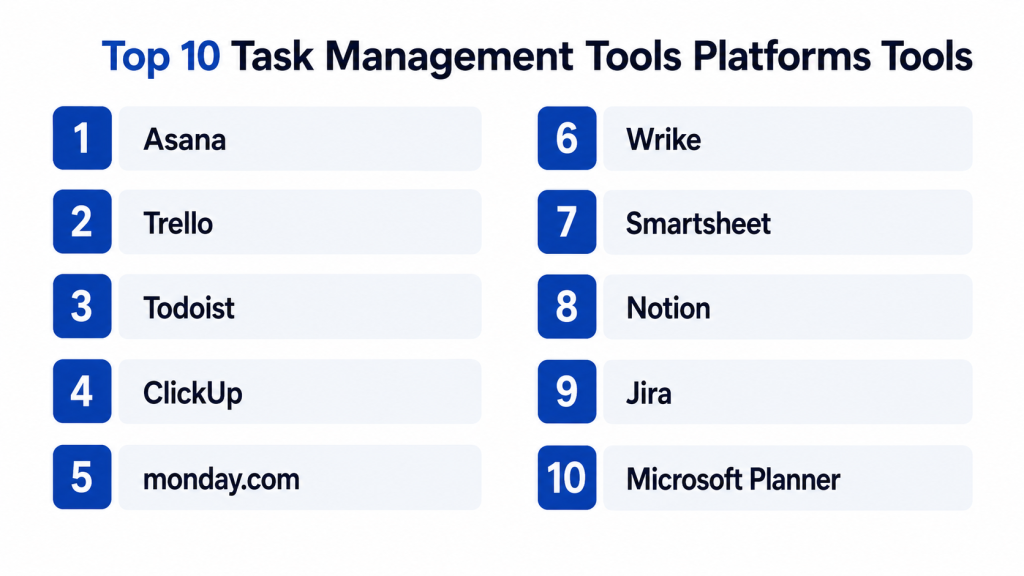
Top 10 Task Management Tools Platforms Tools
#1 — Asana
Short description: Asana is a work and task management platform designed for teams that need to plan projects, assign work, track progress, and coordinate across departments. It is useful for marketing, operations, product, HR, creative, and cross-functional teams.
Key Features
- Task lists, boards, timelines, and calendars
- Project and portfolio tracking
- Task dependencies and milestones
- Rules and workflow automation
- Goals and reporting dashboards
- Forms for work intake
- Team collaboration and comments
Pros
- Strong balance of usability and team workflow depth.
- Good for cross-functional project tracking.
- Helpful dashboards and visibility for managers.
Cons
- Advanced reporting and portfolio features may require higher plans.
- Can become complex if teams do not set naming and ownership rules.
- Not ideal for highly technical software issue tracking compared with developer-focused tools.
Platforms / Deployment
Web / Windows / macOS / iOS / Android
Cloud
Security & Compliance
Asana provides business and enterprise security controls depending on plan. Specific details such as SSO/SAML, MFA, audit logs, RBAC, SOC 2, ISO 27001, GDPR, HIPAA, and encryption should be verified directly based on subscription and configuration.
Integrations & Ecosystem
Asana has a strong ecosystem for team collaboration, project tracking, communication, and file sharing.
- Slack
- Microsoft Teams
- Google Workspace
- Microsoft 365
- Zoom
- Jira and development tools
Support & Community
Asana provides documentation, templates, help resources, community content, onboarding materials, and customer support options. It is a strong choice for teams that need structured task and project visibility.
#2 — Trello
Short description: Trello is a visual task management tool based on boards, lists, and cards. It is best for individuals, small teams, agencies, content teams, and lightweight project workflows that need a simple Kanban-style experience.
Key Features
- Kanban boards
- Cards, lists, labels, and checklists
- Due dates and reminders
- Power-Ups for integrations
- Automation rules
- Templates
- Mobile and web access
Pros
- Very easy to learn and use.
- Great for visual task tracking.
- Good for small teams and simple workflows.
Cons
- Can become messy with large projects.
- Advanced reporting and workload planning are limited.
- Not ideal for complex enterprise project management.
Platforms / Deployment
Web / Windows / macOS / iOS / Android
Cloud
Security & Compliance
Trello supports workspace and account security features depending on plan and Atlassian configuration. Specific details such as SSO/SAML, MFA, audit logs, RBAC, SOC 2, ISO 27001, GDPR, HIPAA, and encryption should be verified directly.
Integrations & Ecosystem
Trello connects with many productivity and collaboration tools through Power-Ups and integrations.
- Slack
- Google Drive
- Microsoft Teams
- Jira
- Calendar tools
- Automation platforms
Support & Community
Trello has extensive templates, documentation, community examples, and support resources. It is popular for simple visual project and task tracking.
#3 — Todoist
Short description: Todoist is a simple and powerful task management tool for individuals, freelancers, professionals, and small teams. It is best for personal productivity, recurring tasks, reminders, lightweight collaboration, and daily planning.
Key Features
- Personal task lists
- Projects and sections
- Due dates and recurring tasks
- Labels and filters
- Priority levels
- Comments and collaboration
- Cross-platform sync
Pros
- Clean and distraction-free task management.
- Excellent for personal productivity and recurring work.
- Easy to use across devices.
Cons
- Limited for complex team project management.
- Reporting and workload planning are basic.
- Not built for enterprise portfolio management.
Platforms / Deployment
Web / Windows / macOS / Linux / iOS / Android
Cloud
Security & Compliance
Todoist supports account and team security features depending on plan. Specific details such as SSO/SAML, MFA, audit logs, RBAC, SOC 2, ISO 27001, GDPR, HIPAA, and encryption should be verified directly. If unclear, use Not publicly stated.
Integrations & Ecosystem
Todoist works well with personal productivity and lightweight team workflows.
- Google Calendar
- Outlook Calendar
- Slack
- Email tools
- Browser extensions
- Automation platforms
Support & Community
Todoist has strong documentation, productivity guides, templates, and a loyal user community. It is best for individuals and small teams that value simplicity.
#4 — ClickUp
Short description: ClickUp is an all-in-one productivity and work management platform that combines tasks, docs, goals, dashboards, chat, whiteboards, automation, and project views. It is useful for teams that want many work management capabilities in one platform.
Key Features
- Tasks, subtasks, and checklists
- Multiple views including list, board, calendar, timeline, and workload
- Docs and whiteboards
- Goals and dashboards
- Automations
- Time tracking
- AI-assisted productivity features
Pros
- Broad feature set in one platform.
- Flexible for different teams and work styles.
- Good value for teams replacing multiple tools.
Cons
- Can feel overwhelming for new users.
- Requires setup discipline to avoid clutter.
- Performance and complexity should be tested for large workspaces.
Platforms / Deployment
Web / Windows / macOS / Linux / iOS / Android
Cloud
Security & Compliance
ClickUp provides business and enterprise security controls depending on plan. Specific details such as SSO/SAML, MFA, audit logs, RBAC, SOC 2, ISO 27001, GDPR, HIPAA, and encryption should be verified directly.
Integrations & Ecosystem
ClickUp integrates with many productivity, communication, development, and file tools.
- Slack
- Google Workspace
- Microsoft Teams
- GitHub
- GitLab
- Figma and design tools
Support & Community
ClickUp offers documentation, templates, onboarding resources, webinars, community content, and support options. It is suitable for teams that want a flexible all-in-one work platform.
#5 — monday.com
Short description: monday.com is a work operating system for managing tasks, projects, workflows, dashboards, and cross-team operations. It is useful for marketing, sales, operations, HR, agencies, PMO teams, and business teams that need visual work tracking.
Key Features
- Boards and task tracking
- Custom columns and workflows
- Automations
- Dashboards and reports
- Forms and work intake
- Timeline and calendar views
- Team collaboration features
Pros
- Highly visual and easy for business teams.
- Good for workflow customization.
- Strong dashboard and cross-team visibility.
Cons
- Pricing can increase with larger teams and advanced features.
- Setup can become complex without workspace governance.
- Not always ideal for highly technical software development workflows.
Platforms / Deployment
Web / Windows / macOS / iOS / Android
Cloud
Security & Compliance
monday.com provides business and enterprise security features depending on plan. Specific details such as SSO/SAML, MFA, audit logs, RBAC, SOC 2, ISO 27001, GDPR, HIPAA, and encryption should be verified directly.
Integrations & Ecosystem
monday.com works well with business, project, sales, and operations tools.
- Slack
- Microsoft Teams
- Google Workspace
- Salesforce
- Jira
- File storage platforms
Support & Community
monday.com offers templates, documentation, customer support, partner services, onboarding resources, and community content. It is a strong choice for visual work management.
#6 — Wrike
Short description: Wrike is a collaborative work management and task management platform for teams that need project planning, workload management, dashboards, approvals, and enterprise visibility. It is useful for marketing, creative, PMO, operations, and professional services teams.
Key Features
- Task and project management
- Gantt charts and timelines
- Workload management
- Dashboards and reports
- Request forms
- Proofing and approvals
- Automation and templates
Pros
- Strong for structured project and task management.
- Good reporting and workload visibility.
- Useful for marketing, creative, and operations teams.
Cons
- May be more complex than simple task tools.
- Best features may require higher plans.
- Teams need onboarding to use it effectively.
Platforms / Deployment
Web / Windows / macOS / iOS / Android
Cloud
Security & Compliance
Wrike provides enterprise-grade security controls depending on plan. Specific details such as SSO/SAML, MFA, audit logs, RBAC, SOC 2, ISO 27001, GDPR, HIPAA, and encryption should be verified directly.
Integrations & Ecosystem
Wrike supports integrations with communication, file sharing, marketing, business, and development tools.
- Microsoft Teams
- Slack
- Google Workspace
- Salesforce
- Adobe Creative Cloud
- Jira and development tools
Support & Community
Wrike provides documentation, training, templates, support options, and enterprise onboarding resources. It is best for teams that need structured work management and reporting.
#7 — Smartsheet
Short description: Smartsheet is a work management and task tracking platform with a spreadsheet-style interface. It is best for teams that want structured task tracking, project coordination, forms, dashboards, automation, and portfolio visibility.
Key Features
- Spreadsheet-style task management
- Gantt and calendar views
- Forms and data collection
- Dashboards and reports
- Workflow automation
- Resource and portfolio features
- Collaboration and sharing
Pros
- Familiar spreadsheet-like experience.
- Good for structured project tracking and operations.
- Strong dashboards and reporting options.
Cons
- Less modern-feeling than some visual task tools.
- Can become complex with large sheets and formulas.
- Not ideal for teams that dislike spreadsheet-style work.
Platforms / Deployment
Web / Windows / macOS / iOS / Android
Cloud
Security & Compliance
Smartsheet provides business and enterprise security features depending on plan. Specific details such as SSO/SAML, MFA, audit logs, RBAC, SOC 2, ISO 27001, GDPR, HIPAA, and encryption should be verified directly.
Integrations & Ecosystem
Smartsheet fits well with operational, project, and enterprise reporting workflows.
- Microsoft 365
- Google Workspace
- Salesforce
- Slack
- Tableau-style reporting workflows
- Automation and connector tools
Support & Community
Smartsheet provides documentation, learning resources, templates, customer support, community forums, and enterprise services. It is useful for teams that like structured, spreadsheet-style management.
#8 — Notion
Short description: Notion is a flexible workspace for notes, docs, databases, tasks, wikis, and lightweight project management. It is best for startups, creators, small teams, knowledge teams, and organizations that want tasks connected with documentation.
Key Features
- Tasks and databases
- Docs and knowledge base pages
- Project templates
- Custom views
- Team collaboration
- Wikis and notes
- AI-assisted writing and summaries
Pros
- Excellent for combining tasks with knowledge management.
- Very flexible and customizable.
- Good for startups, creators, and documentation-heavy teams.
Cons
- Can become unstructured without clear workspace rules.
- Not as strong for advanced project controls.
- Reporting and workload management are limited compared with dedicated PM tools.
Platforms / Deployment
Web / Windows / macOS / iOS / Android
Cloud
Security & Compliance
Notion provides workspace and enterprise security controls depending on plan. Specific details such as SSO/SAML, MFA, audit logs, RBAC, SOC 2, ISO 27001, GDPR, HIPAA, and encryption should be verified directly.
Integrations & Ecosystem
Notion works well as a connected workspace for docs, databases, tasks, and team knowledge.
- Slack
- Google Drive
- GitHub
- Jira
- Figma
- Calendar and automation tools
Support & Community
Notion has a large template ecosystem, documentation, creator community, learning resources, and support options. It is ideal for teams that want tasks and knowledge in one workspace.
#9 — Jira
Short description: Jira is a task, issue, and project tracking platform widely used by software development, DevOps, product, and engineering teams. It is best for agile teams that need backlog management, sprints, issue tracking, workflows, and release visibility.
Key Features
- Issue and task tracking
- Scrum and Kanban boards
- Backlog management
- Sprint planning
- Custom workflows
- Reporting and agile metrics
- Development tool integrations
Pros
- Strong for software and engineering teams.
- Highly customizable workflows.
- Good integration with developer tools.
Cons
- Can feel complex for non-technical teams.
- Requires admin governance to avoid workflow clutter.
- Not ideal for simple personal task management.
Platforms / Deployment
Web / Windows / macOS / Linux / iOS / Android
Cloud / Self-hosted / Hybrid
Security & Compliance
Jira provides security features through Atlassian cloud and enterprise offerings depending on deployment and plan. Specific details such as SSO/SAML, MFA, audit logs, RBAC, SOC 2, ISO 27001, GDPR, HIPAA, and encryption should be verified directly.
Integrations & Ecosystem
Jira has a strong ecosystem for engineering, DevOps, IT, and agile delivery.
- Bitbucket
- GitHub
- GitLab
- Confluence
- Slack
- CI/CD and DevOps tools
Support & Community
Jira has extensive documentation, marketplace apps, community forums, partner support, and enterprise services. It is a strong choice for software and technical teams.
#10 — Microsoft Planner
Short description: Microsoft Planner is a task management tool for teams using Microsoft 365. It helps users create plans, assign tasks, track progress, and collaborate inside the Microsoft ecosystem.
Key Features
- Task boards and plans
- Buckets, labels, and due dates
- Assignment and progress tracking
- Microsoft Teams integration
- Microsoft 365 connection
- Simple collaboration
- Calendar-style task visibility
Pros
- Easy for Microsoft 365 users.
- Good for lightweight team task management.
- Works naturally with Teams and Microsoft apps.
Cons
- Less advanced than full project management platforms.
- Limited reporting and portfolio controls.
- Best suited for simple team workflows.
Platforms / Deployment
Web / Windows / iOS / Android
Cloud
Security & Compliance
Microsoft Planner benefits from Microsoft 365 identity, admin, and security controls. Specific details such as SSO/SAML, MFA, audit logs, RBAC, SOC 2, ISO 27001, GDPR, HIPAA, and encryption should be verified through Microsoft tenant configuration and licensing.
Integrations & Ecosystem
Microsoft Planner works best inside Microsoft 365 environments.
- Microsoft Teams
- Outlook
- Microsoft 365 Groups
- To Do
- Power Automate
- SharePoint
Support & Community
Microsoft provides documentation, support, community forums, and enterprise assistance through Microsoft 365 support channels. Planner is best for teams that need simple task management inside Microsoft tools.
Comparison Table
| Tool Name | Best For | Platform(s) Supported | Deployment | Standout Feature | Public Rating |
|---|---|---|---|---|---|
| Asana | Cross-functional team task management | Web / Windows / macOS / iOS / Android | Cloud | Project visibility and workflow tracking | N/A |
| Trello | Visual Kanban-style task tracking | Web / Windows / macOS / iOS / Android | Cloud | Simple boards, lists, and cards | N/A |
| Todoist | Personal productivity and lightweight tasks | Web / Windows / macOS / Linux / iOS / Android | Cloud | Clean recurring task management | N/A |
| ClickUp | All-in-one productivity workspace | Web / Windows / macOS / Linux / iOS / Android | Cloud | Tasks, docs, dashboards, and automation together | N/A |
| monday.com | Visual work and operations management | Web / Windows / macOS / iOS / Android | Cloud | Custom boards and dashboards | N/A |
| Wrike | Structured project and workload management | Web / Windows / macOS / iOS / Android | Cloud | Workload, proofing, and reporting depth | N/A |
| Smartsheet | Spreadsheet-style work tracking | Web / Windows / macOS / iOS / Android | Cloud | Structured sheets, forms, and dashboards | N/A |
| Notion | Tasks with docs and knowledge management | Web / Windows / macOS / iOS / Android | Cloud | Flexible docs, databases, and tasks | N/A |
| Jira | Software issue and task tracking | Web / Windows / macOS / Linux / iOS / Android | Cloud / Self-hosted / Hybrid | Agile backlog and development workflows | N/A |
| Microsoft Planner | Microsoft 365 team task tracking | Web / Windows / iOS / Android | Cloud | Simple task boards inside Microsoft 365 | N/A |
Evaluation & Scoring of Task Management Tools Platforms
| Tool Name | Core (25%) | Ease (15%) | Integrations (15%) | Security (10%) | Performance (10%) | Support (10%) | Value (15%) | Weighted Total (0–10) |
|---|---|---|---|---|---|---|---|---|
| Asana | 9 | 8 | 9 | 8 | 8 | 8 | 8 | 8.35 |
| Trello | 7 | 10 | 8 | 7 | 8 | 8 | 9 | 8.10 |
| Todoist | 7 | 10 | 7 | 7 | 8 | 8 | 9 | 7.95 |
| ClickUp | 9 | 7 | 9 | 8 | 7 | 8 | 9 | 8.25 |
| monday.com | 9 | 8 | 9 | 8 | 8 | 8 | 7 | 8.20 |
| Wrike | 9 | 7 | 8 | 8 | 8 | 8 | 7 | 7.95 |
| Smartsheet | 8 | 7 | 8 | 8 | 8 | 8 | 7 | 7.75 |
| Notion | 8 | 8 | 8 | 8 | 8 | 8 | 8 | 8.00 |
| Jira | 9 | 6 | 10 | 9 | 8 | 9 | 8 | 8.40 |
| Microsoft Planner | 6 | 9 | 8 | 8 | 8 | 8 | 8 | 7.55 |
These scores are comparative and should be interpreted based on your work style. Jira scores strongly for software teams but may be too complex for non-technical teams. Asana, monday.com, ClickUp, and Wrike are stronger for team and project workflows. Trello and Todoist are easier for individuals and small teams. Notion is best when tasks need to sit close to docs and knowledge. Microsoft Planner is practical for Microsoft 365 users with simple task needs.
Which Task Management Tools Platform Is Right for You?
Solo / Freelancer
Solo users and freelancers usually need simplicity, speed, recurring tasks, reminders, and mobile access. Todoist, Trello, Notion, and Microsoft Planner can be good choices.
Choose Todoist for personal productivity and recurring work. Choose Trello for visual boards and simple project tracking. Choose Notion if you want tasks connected with notes, docs, and client information. Choose Planner if your work already happens inside Microsoft 365.
SMB
Small and medium businesses need task visibility, ownership, deadlines, forms, automation, and team collaboration. Asana, ClickUp, monday.com, Trello, and Notion are practical options.
Choose Asana for structured project workflows. Choose ClickUp if you want tasks, docs, dashboards, and automations in one place. Choose monday.com for visual operations management. Choose Trello if simplicity matters more than advanced reporting.
Mid-Market
Mid-market teams usually need stronger reporting, permissions, workload views, dashboards, integrations, and cross-team visibility. Asana, monday.com, Wrike, Smartsheet, ClickUp, and Jira are strong options.
Choose Wrike for structured project and workload management. Choose Smartsheet if spreadsheet-style planning is familiar to your teams. Choose Jira for software development and technical delivery. Choose Asana or monday.com for business team collaboration.
Enterprise
Enterprise buyers should prioritize security, admin controls, SSO, audit logs, permissions, data governance, reporting, scalability, and integration depth. Jira, Asana, Wrike, Smartsheet, monday.com, and ClickUp can fit different enterprise needs.
Choose Jira for software and IT teams. Choose Asana for cross-functional business work. Choose Wrike for structured project and creative operations. Choose Smartsheet for portfolio-style tracking and operational reporting. Choose monday.com for visual business workflows.
Budget vs Premium
For budget-sensitive users, Todoist, Trello, Microsoft Planner, and basic tiers of other tools may be enough. These options work well for simple tasks, small teams, and lightweight planning.
Premium tools such as Asana, Wrike, monday.com, ClickUp, Smartsheet, and Jira may cost more, but they offer stronger reporting, permissions, automation, dashboards, integrations, and scaling options.
Feature Depth vs Ease of Use
If ease of use matters most, choose Todoist, Trello, Microsoft Planner, or Notion. These tools are easier to start with and require less onboarding.
If feature depth matters more, choose Asana, ClickUp, monday.com, Wrike, Smartsheet, or Jira. These tools support more complex team workflows, reporting, automation, and governance.
Integrations & Scalability
If integrations matter, check how the platform connects with your calendar, email, chat, file storage, CRM, design tools, developer tools, automation tools, and reporting systems.
Choose Jira for developer ecosystems. Choose Asana or monday.com for broad business integrations. Choose ClickUp for all-in-one workspace needs. Choose Microsoft Planner if your team is already deeply invested in Microsoft 365.
Security & Compliance Needs
Security matters when task platforms contain client data, project details, employee information, financial notes, roadmap items, or confidential documents. Review SSO, MFA, RBAC, audit logs, encryption, admin controls, data retention, guest access, and export options.
For enterprise or regulated environments, involve IT and security teams before rollout. A simple tool may work for small teams, but enterprise use requires stronger governance.
Frequently Asked Questions
What is a task management tool?
A task management tool helps individuals and teams create, assign, track, prioritize, and complete tasks. It usually includes due dates, comments, reminders, views, labels, and collaboration features.
How is task management different from project management?
Task management focuses on individual work items and ownership. Project management is broader and includes planning, timelines, dependencies, resources, budgets, milestones, and reporting.
Which task management tool is best for beginners?
Trello, Todoist, Microsoft Planner, and Notion are beginner-friendly options. They are easy to start with and work well for simple personal or team task tracking.
Which task management platform is best for software teams?
Jira is one of the strongest options for software teams because it supports agile workflows, backlogs, sprints, issues, custom workflows, and developer tool integrations.
Which tool is best for agencies?
Asana, ClickUp, monday.com, Wrike, and Trello can work well for agencies. The best choice depends on whether the agency needs simple boards, client workflows, creative approvals, dashboards, or time tracking.
Are task management tools secure?
They can be secure when configured properly. Buyers should review SSO, MFA, RBAC, audit logs, encryption, guest access, permissions, and data retention before using them for sensitive work.
What are common mistakes when using task management tools?
Common mistakes include creating too many boards, unclear ownership, missing due dates, no naming standards, poor status discipline, duplicate tasks, and using chat instead of updating the task system.
Do task management tools support automation?
Yes, many tools support automation such as recurring tasks, status changes, reminders, task routing, notifications, form submissions, and workflow triggers. Automation depth varies by platform and plan.
What pricing factors should buyers check?
Buyers should check user limits, guest access, automation limits, storage, dashboards, reporting, timeline views, security features, AI features, integrations, and admin controls.
Can task management tools replace email?
They can reduce email for task updates, assignments, approvals, and status tracking. However, email is still useful for external communication, formal notices, and client-facing messages.
How hard is it to switch task management tools?
Switching can be difficult if many projects, comments, files, templates, automations, and workflows already exist. A phased migration with clean templates and naming standards is usually safer.
Which task management tool is best for Microsoft users?
Microsoft Planner is useful for simple task tracking inside Microsoft 365. Larger teams may also consider Microsoft Project, Power Automate, or other enterprise work management tools depending on their needs.
Conclusion
Task management tools help teams organize work, improve accountability, reduce missed deadlines, and create better visibility across projects and daily operations. The best platform depends on your team size, work style, complexity, and existing software ecosystem. Asana is strong for structured cross-functional work. Trello is excellent for simple visual boards. Todoist is ideal for personal productivity and recurring tasks. ClickUp offers a broad all-in-one workspace. monday.com is useful for visual operations and workflow tracking. Wrike supports structured project and workload management. Smartsheet works well for spreadsheet-style planning and reporting. Notion connects tasks with docs and knowledge. Jira is best for software and technical teams. Microsoft Planner is practical for Microsoft 365 users with simple task needs.Introduction
Task management tools help individuals and teams plan, organize, assign, track, and complete work in a structured way. In simple terms, these platforms help teams answer important daily questions: what needs to be done, who owns it, when it is due, what is blocked, and what should happen next.
These tools matter because modern teams work across remote locations, departments, time zones, clients, and digital tools. Without a reliable task management system, work often gets lost in emails, chats, spreadsheets, meetings, and personal notes. A good platform improves accountability, visibility, prioritization, collaboration, and delivery consistency.
Real-world use cases include:
- Personal task planning and daily work tracking
- Project task assignment and deadline management
- Marketing campaign coordination
- Software development task tracking
- Client work and agency operations
- HR onboarding checklists
- Sales follow-up task management
- Cross-functional team collaboration
Buyers should evaluate:
- Ease of task creation and assignment
- Views such as list, board, calendar, timeline, and workload
- Collaboration and comments
- Automation and recurring tasks
- Integrations with calendars, chat, email, and file tools
- Mobile and desktop experience
- Reporting and dashboards
- Security and permissions
- Scalability across teams
- Pricing and user limits
Best for: Task management tools are best for freelancers, startups, SMBs, agencies, marketing teams, product teams, software teams, operations teams, HR teams, sales teams, remote teams, and enterprises that need better visibility and accountability around work.
Not ideal for: These tools may not be ideal for teams with very simple personal to-do needs, organizations that need heavy ERP-style process control, or companies that require full project portfolio management, financial planning, and resource management beyond basic task workflows.
Key Trends in Task Management Tools Platforms for 2026 and Beyond
- AI-assisted task planning is becoming more common. Many platforms now support AI summaries, task suggestions, writing assistance, project updates, workflow recommendations, and meeting-to-task conversion.
- Task management is merging with work management. Teams no longer want only checklists. They want dashboards, goals, docs, workflows, approvals, automation, reporting, and cross-team visibility.
- Automation is becoming a standard feature. Recurring tasks, status changes, due date reminders, task routing, approval triggers, and notification rules are now expected.
- Remote and hybrid work needs better visibility. Managers need to see workloads, blocked tasks, ownership, and progress without relying only on meetings.
- Integrations are critical. Task tools must connect with Slack, Microsoft Teams, Google Workspace, Microsoft 365, GitHub, Jira, Salesforce, Figma, Zoom, email, calendars, and file storage.
- Security expectations are rising. Businesses increasingly review SSO, MFA, RBAC, audit logs, data retention, encryption, admin controls, and enterprise permission models.
- Personal productivity and team collaboration are overlapping. Tools like Todoist serve individual productivity, while platforms like Asana, ClickUp, monday.com, and Wrike serve broader team workflows.
- Visual work views are becoming more flexible. Teams want Kanban boards, tables, lists, timelines, calendars, Gantt-style views, dashboards, forms, and workload views in one place.
- Industry-specific workflows are growing. Agencies, software teams, marketing teams, legal teams, HR teams, and operations teams want templates that match their work style.
- Pricing transparency matters more. Buyers are checking guest access, automation limits, storage, dashboards, reporting, AI features, security features, and admin controls before selecting a platform.
How We Selected These Tools
This Top 10 list was selected using practical buyer-focused evaluation logic:
- Market adoption and recognition among individuals, SMBs, agencies, startups, enterprises, and remote teams
- Feature completeness across task creation, assignment, due dates, comments, views, automation, reporting, and collaboration
- Ease of use for both technical and non-technical users
- Reliability and performance for everyday team workflows
- Security posture signals such as SSO, MFA, RBAC, audit logs, admin controls, and enterprise permissions
- Integration ecosystem with communication, calendar, file storage, development, CRM, and automation tools
- Fit across solo users, SMBs, mid-market teams, and enterprise departments
- Support for different work styles such as Kanban, lists, timelines, calendars, and dashboards
- Documentation, templates, onboarding, support, community, and partner ecosystem
- Practical value based on pricing, feature depth, usability, and long-term scalability
Top 10 Task Management Tools Platforms Tools
#1 — Asana
Short description: Asana is a work and task management platform designed for teams that need to plan projects, assign work, track progress, and coordinate across departments. It is useful for marketing, operations, product, HR, creative, and cross-functional teams.
Key Features
- Task lists, boards, timelines, and calendars
- Project and portfolio tracking
- Task dependencies and milestones
- Rules and workflow automation
- Goals and reporting dashboards
- Forms for work intake
- Team collaboration and comments
Pros
- Strong balance of usability and team workflow depth.
- Good for cross-functional project tracking.
- Helpful dashboards and visibility for managers.
Cons
- Advanced reporting and portfolio features may require higher plans.
- Can become complex if teams do not set naming and ownership rules.
- Not ideal for highly technical software issue tracking compared with developer-focused tools.
Platforms / Deployment
Web / Windows / macOS / iOS / Android
Cloud
Security & Compliance
Asana provides business and enterprise security controls depending on plan. Specific details such as SSO/SAML, MFA, audit logs, RBAC, SOC 2, ISO 27001, GDPR, HIPAA, and encryption should be verified directly based on subscription and configuration.
Integrations & Ecosystem
Asana has a strong ecosystem for team collaboration, project tracking, communication, and file sharing.
- Slack
- Microsoft Teams
- Google Workspace
- Microsoft 365
- Zoom
- Jira and development tools
Support & Community
Asana provides documentation, templates, help resources, community content, onboarding materials, and customer support options. It is a strong choice for teams that need structured task and project visibility.
#2 — Trello
Short description: Trello is a visual task management tool based on boards, lists, and cards. It is best for individuals, small teams, agencies, content teams, and lightweight project workflows that need a simple Kanban-style experience.
Key Features
- Kanban boards
- Cards, lists, labels, and checklists
- Due dates and reminders
- Power-Ups for integrations
- Automation rules
- Templates
- Mobile and web access
Pros
- Very easy to learn and use.
- Great for visual task tracking.
- Good for small teams and simple workflows.
Cons
- Can become messy with large projects.
- Advanced reporting and workload planning are limited.
- Not ideal for complex enterprise project management.
Platforms / Deployment
Web / Windows / macOS / iOS / Android
Cloud
Security & Compliance
Trello supports workspace and account security features depending on plan and Atlassian configuration. Specific details such as SSO/SAML, MFA, audit logs, RBAC, SOC 2, ISO 27001, GDPR, HIPAA, and encryption should be verified directly.
Integrations & Ecosystem
Trello connects with many productivity and collaboration tools through Power-Ups and integrations.
- Slack
- Google Drive
- Microsoft Teams
- Jira
- Calendar tools
- Automation platforms
Support & Community
Trello has extensive templates, documentation, community examples, and support resources. It is popular for simple visual project and task tracking.
#3 — Todoist
Short description: Todoist is a simple and powerful task management tool for individuals, freelancers, professionals, and small teams. It is best for personal productivity, recurring tasks, reminders, lightweight collaboration, and daily planning.
Key Features
- Personal task lists
- Projects and sections
- Due dates and recurring tasks
- Labels and filters
- Priority levels
- Comments and collaboration
- Cross-platform sync
Pros
- Clean and distraction-free task management.
- Excellent for personal productivity and recurring work.
- Easy to use across devices.
Cons
- Limited for complex team project management.
- Reporting and workload planning are basic.
- Not built for enterprise portfolio management.
Platforms / Deployment
Web / Windows / macOS / Linux / iOS / Android
Cloud
Security & Compliance
Todoist supports account and team security features depending on plan. Specific details such as SSO/SAML, MFA, audit logs, RBAC, SOC 2, ISO 27001, GDPR, HIPAA, and encryption should be verified directly. If unclear, use Not publicly stated.
Integrations & Ecosystem
Todoist works well with personal productivity and lightweight team workflows.
- Google Calendar
- Outlook Calendar
- Slack
- Email tools
- Browser extensions
- Automation platforms
Support & Community
Todoist has strong documentation, productivity guides, templates, and a loyal user community. It is best for individuals and small teams that value simplicity.
#4 — ClickUp
Short description: ClickUp is an all-in-one productivity and work management platform that combines tasks, docs, goals, dashboards, chat, whiteboards, automation, and project views. It is useful for teams that want many work management capabilities in one platform.
Key Features
- Tasks, subtasks, and checklists
- Multiple views including list, board, calendar, timeline, and workload
- Docs and whiteboards
- Goals and dashboards
- Automations
- Time tracking
- AI-assisted productivity features
Pros
- Broad feature set in one platform.
- Flexible for different teams and work styles.
- Good value for teams replacing multiple tools.
Cons
- Can feel overwhelming for new users.
- Requires setup discipline to avoid clutter.
- Performance and complexity should be tested for large workspaces.
Platforms / Deployment
Web / Windows / macOS / Linux / iOS / Android
Cloud
Security & Compliance
ClickUp provides business and enterprise security controls depending on plan. Specific details such as SSO/SAML, MFA, audit logs, RBAC, SOC 2, ISO 27001, GDPR, HIPAA, and encryption should be verified directly.
Integrations & Ecosystem
ClickUp integrates with many productivity, communication, development, and file tools.
- Slack
- Google Workspace
- Microsoft Teams
- GitHub
- GitLab
- Figma and design tools
Support & Community
ClickUp offers documentation, templates, onboarding resources, webinars, community content, and support options. It is suitable for teams that want a flexible all-in-one work platform.
#5 — monday.com
Short description: monday.com is a work operating system for managing tasks, projects, workflows, dashboards, and cross-team operations. It is useful for marketing, sales, operations, HR, agencies, PMO teams, and business teams that need visual work tracking.
Key Features
- Boards and task tracking
- Custom columns and workflows
- Automations
- Dashboards and reports
- Forms and work intake
- Timeline and calendar views
- Team collaboration features
Pros
- Highly visual and easy for business teams.
- Good for workflow customization.
- Strong dashboard and cross-team visibility.
Cons
- Pricing can increase with larger teams and advanced features.
- Setup can become complex without workspace governance.
- Not always ideal for highly technical software development workflows.
Platforms / Deployment
Web / Windows / macOS / iOS / Android
Cloud
Security & Compliance
monday.com provides business and enterprise security features depending on plan. Specific details such as SSO/SAML, MFA, audit logs, RBAC, SOC 2, ISO 27001, GDPR, HIPAA, and encryption should be verified directly.
Integrations & Ecosystem
monday.com works well with business, project, sales, and operations tools.
- Slack
- Microsoft Teams
- Google Workspace
- Salesforce
- Jira
- File storage platforms
Support & Community
monday.com offers templates, documentation, customer support, partner services, onboarding resources, and community content. It is a strong choice for visual work management.
#6 — Wrike
Short description: Wrike is a collaborative work management and task management platform for teams that need project planning, workload management, dashboards, approvals, and enterprise visibility. It is useful for marketing, creative, PMO, operations, and professional services teams.
Key Features
- Task and project management
- Gantt charts and timelines
- Workload management
- Dashboards and reports
- Request forms
- Proofing and approvals
- Automation and templates
Pros
- Strong for structured project and task management.
- Good reporting and workload visibility.
- Useful for marketing, creative, and operations teams.
Cons
- May be more complex than simple task tools.
- Best features may require higher plans.
- Teams need onboarding to use it effectively.
Platforms / Deployment
Web / Windows / macOS / iOS / Android
Cloud
Security & Compliance
Wrike provides enterprise-grade security controls depending on plan. Specific details such as SSO/SAML, MFA, audit logs, RBAC, SOC 2, ISO 27001, GDPR, HIPAA, and encryption should be verified directly.
Integrations & Ecosystem
Wrike supports integrations with communication, file sharing, marketing, business, and development tools.
- Microsoft Teams
- Slack
- Google Workspace
- Salesforce
- Adobe Creative Cloud
- Jira and development tools
Support & Community
Wrike provides documentation, training, templates, support options, and enterprise onboarding resources. It is best for teams that need structured work management and reporting.
#7 — Smartsheet
Short description: Smartsheet is a work management and task tracking platform with a spreadsheet-style interface. It is best for teams that want structured task tracking, project coordination, forms, dashboards, automation, and portfolio visibility.
Key Features
- Spreadsheet-style task management
- Gantt and calendar views
- Forms and data collection
- Dashboards and reports
- Workflow automation
- Resource and portfolio features
- Collaboration and sharing
Pros
- Familiar spreadsheet-like experience.
- Good for structured project tracking and operations.
- Strong dashboards and reporting options.
Cons
- Less modern-feeling than some visual task tools.
- Can become complex with large sheets and formulas.
- Not ideal for teams that dislike spreadsheet-style work.
Platforms / Deployment
Web / Windows / macOS / iOS / Android
Cloud
Security & Compliance
Smartsheet provides business and enterprise security features depending on plan. Specific details such as SSO/SAML, MFA, audit logs, RBAC, SOC 2, ISO 27001, GDPR, HIPAA, and encryption should be verified directly.
Integrations & Ecosystem
Smartsheet fits well with operational, project, and enterprise reporting workflows.
- Microsoft 365
- Google Workspace
- Salesforce
- Slack
- Tableau-style reporting workflows
- Automation and connector tools
Support & Community
Smartsheet provides documentation, learning resources, templates, customer support, community forums, and enterprise services. It is useful for teams that like structured, spreadsheet-style management.
#8 — Notion
Short description: Notion is a flexible workspace for notes, docs, databases, tasks, wikis, and lightweight project management. It is best for startups, creators, small teams, knowledge teams, and organizations that want tasks connected with documentation.
Key Features
- Tasks and databases
- Docs and knowledge base pages
- Project templates
- Custom views
- Team collaboration
- Wikis and notes
- AI-assisted writing and summaries
Pros
- Excellent for combining tasks with knowledge management.
- Very flexible and customizable.
- Good for startups, creators, and documentation-heavy teams.
Cons
- Can become unstructured without clear workspace rules.
- Not as strong for advanced project controls.
- Reporting and workload management are limited compared with dedicated PM tools.
Platforms / Deployment
Web / Windows / macOS / iOS / Android
Cloud
Security & Compliance
Notion provides workspace and enterprise security controls depending on plan. Specific details such as SSO/SAML, MFA, audit logs, RBAC, SOC 2, ISO 27001, GDPR, HIPAA, and encryption should be verified directly.
Integrations & Ecosystem
Notion works well as a connected workspace for docs, databases, tasks, and team knowledge.
- Slack
- Google Drive
- GitHub
- Jira
- Figma
- Calendar and automation tools
Support & Community
Notion has a large template ecosystem, documentation, creator community, learning resources, and support options. It is ideal for teams that want tasks and knowledge in one workspace.
#9 — Jira
Short description: Jira is a task, issue, and project tracking platform widely used by software development, DevOps, product, and engineering teams. It is best for agile teams that need backlog management, sprints, issue tracking, workflows, and release visibility.
Key Features
- Issue and task tracking
- Scrum and Kanban boards
- Backlog management
- Sprint planning
- Custom workflows
- Reporting and agile metrics
- Development tool integrations
Pros
- Strong for software and engineering teams.
- Highly customizable workflows.
- Good integration with developer tools.
Cons
- Can feel complex for non-technical teams.
- Requires admin governance to avoid workflow clutter.
- Not ideal for simple personal task management.
Platforms / Deployment
Web / Windows / macOS / Linux / iOS / Android
Cloud / Self-hosted / Hybrid
Security & Compliance
Jira provides security features through Atlassian cloud and enterprise offerings depending on deployment and plan. Specific details such as SSO/SAML, MFA, audit logs, RBAC, SOC 2, ISO 27001, GDPR, HIPAA, and encryption should be verified directly.
Integrations & Ecosystem
Jira has a strong ecosystem for engineering, DevOps, IT, and agile delivery.
- Bitbucket
- GitHub
- GitLab
- Confluence
- Slack
- CI/CD and DevOps tools
Support & Community
Jira has extensive documentation, marketplace apps, community forums, partner support, and enterprise services. It is a strong choice for software and technical teams.
#10 — Microsoft Planner
Short description: Microsoft Planner is a task management tool for teams using Microsoft 365. It helps users create plans, assign tasks, track progress, and collaborate inside the Microsoft ecosystem.
Key Features
- Task boards and plans
- Buckets, labels, and due dates
- Assignment and progress tracking
- Microsoft Teams integration
- Microsoft 365 connection
- Simple collaboration
- Calendar-style task visibility
Pros
- Easy for Microsoft 365 users.
- Good for lightweight team task management.
- Works naturally with Teams and Microsoft apps.
Cons
- Less advanced than full project management platforms.
- Limited reporting and portfolio controls.
- Best suited for simple team workflows.
Platforms / Deployment
Web / Windows / iOS / Android
Cloud
Security & Compliance
Microsoft Planner benefits from Microsoft 365 identity, admin, and security controls. Specific details such as SSO/SAML, MFA, audit logs, RBAC, SOC 2, ISO 27001, GDPR, HIPAA, and encryption should be verified through Microsoft tenant configuration and licensing.
Integrations & Ecosystem
Microsoft Planner works best inside Microsoft 365 environments.
- Microsoft Teams
- Outlook
- Microsoft 365 Groups
- To Do
- Power Automate
- SharePoint
Support & Community
Microsoft provides documentation, support, community forums, and enterprise assistance through Microsoft 365 support channels. Planner is best for teams that need simple task management inside Microsoft tools.
Comparison Table
| Tool Name | Best For | Platform(s) Supported | Deployment | Standout Feature | Public Rating |
|---|---|---|---|---|---|
| Asana | Cross-functional team task management | Web / Windows / macOS / iOS / Android | Cloud | Project visibility and workflow tracking | N/A |
| Trello | Visual Kanban-style task tracking | Web / Windows / macOS / iOS / Android | Cloud | Simple boards, lists, and cards | N/A |
| Todoist | Personal productivity and lightweight tasks | Web / Windows / macOS / Linux / iOS / Android | Cloud | Clean recurring task management | N/A |
| ClickUp | All-in-one productivity workspace | Web / Windows / macOS / Linux / iOS / Android | Cloud | Tasks, docs, dashboards, and automation together | N/A |
| monday.com | Visual work and operations management | Web / Windows / macOS / iOS / Android | Cloud | Custom boards and dashboards | N/A |
| Wrike | Structured project and workload management | Web / Windows / macOS / iOS / Android | Cloud | Workload, proofing, and reporting depth | N/A |
| Smartsheet | Spreadsheet-style work tracking | Web / Windows / macOS / iOS / Android | Cloud | Structured sheets, forms, and dashboards | N/A |
| Notion | Tasks with docs and knowledge management | Web / Windows / macOS / iOS / Android | Cloud | Flexible docs, databases, and tasks | N/A |
| Jira | Software issue and task tracking | Web / Windows / macOS / Linux / iOS / Android | Cloud / Self-hosted / Hybrid | Agile backlog and development workflows | N/A |
| Microsoft Planner | Microsoft 365 team task tracking | Web / Windows / iOS / Android | Cloud | Simple task boards inside Microsoft 365 | N/A |
Evaluation & Scoring of Task Management Tools Platforms
| Tool Name | Core (25%) | Ease (15%) | Integrations (15%) | Security (10%) | Performance (10%) | Support (10%) | Value (15%) | Weighted Total (0–10) |
|---|---|---|---|---|---|---|---|---|
| Asana | 9 | 8 | 9 | 8 | 8 | 8 | 8 | 8.35 |
| Trello | 7 | 10 | 8 | 7 | 8 | 8 | 9 | 8.10 |
| Todoist | 7 | 10 | 7 | 7 | 8 | 8 | 9 | 7.95 |
| ClickUp | 9 | 7 | 9 | 8 | 7 | 8 | 9 | 8.25 |
| monday.com | 9 | 8 | 9 | 8 | 8 | 8 | 7 | 8.20 |
| Wrike | 9 | 7 | 8 | 8 | 8 | 8 | 7 | 7.95 |
| Smartsheet | 8 | 7 | 8 | 8 | 8 | 8 | 7 | 7.75 |
| Notion | 8 | 8 | 8 | 8 | 8 | 8 | 8 | 8.00 |
| Jira | 9 | 6 | 10 | 9 | 8 | 9 | 8 | 8.40 |
| Microsoft Planner | 6 | 9 | 8 | 8 | 8 | 8 | 8 | 7.55 |
These scores are comparative and should be interpreted based on your work style. Jira scores strongly for software teams but may be too complex for non-technical teams. Asana, monday.com, ClickUp, and Wrike are stronger for team and project workflows. Trello and Todoist are easier for individuals and small teams. Notion is best when tasks need to sit close to docs and knowledge. Microsoft Planner is practical for Microsoft 365 users with simple task needs.
Which Task Management Tools Platform Is Right for You?
Solo / Freelancer
Solo users and freelancers usually need simplicity, speed, recurring tasks, reminders, and mobile access. Todoist, Trello, Notion, and Microsoft Planner can be good choices.
Choose Todoist for personal productivity and recurring work. Choose Trello for visual boards and simple project tracking. Choose Notion if you want tasks connected with notes, docs, and client information. Choose Planner if your work already happens inside Microsoft 365.
SMB
Small and medium businesses need task visibility, ownership, deadlines, forms, automation, and team collaboration. Asana, ClickUp, monday.com, Trello, and Notion are practical options.
Choose Asana for structured project workflows. Choose ClickUp if you want tasks, docs, dashboards, and automations in one place. Choose monday.com for visual operations management. Choose Trello if simplicity matters more than advanced reporting.
Mid-Market
Mid-market teams usually need stronger reporting, permissions, workload views, dashboards, integrations, and cross-team visibility. Asana, monday.com, Wrike, Smartsheet, ClickUp, and Jira are strong options.
Choose Wrike for structured project and workload management. Choose Smartsheet if spreadsheet-style planning is familiar to your teams. Choose Jira for software development and technical delivery. Choose Asana or monday.com for business team collaboration.
Enterprise
Enterprise buyers should prioritize security, admin controls, SSO, audit logs, permissions, data governance, reporting, scalability, and integration depth. Jira, Asana, Wrike, Smartsheet, monday.com, and ClickUp can fit different enterprise needs.
Choose Jira for software and IT teams. Choose Asana for cross-functional business work. Choose Wrike for structured project and creative operations. Choose Smartsheet for portfolio-style tracking and operational reporting. Choose monday.com for visual business workflows.
Budget vs Premium
For budget-sensitive users, Todoist, Trello, Microsoft Planner, and basic tiers of other tools may be enough. These options work well for simple tasks, small teams, and lightweight planning.
Premium tools such as Asana, Wrike, monday.com, ClickUp, Smartsheet, and Jira may cost more, but they offer stronger reporting, permissions, automation, dashboards, integrations, and scaling options.
Feature Depth vs Ease of Use
If ease of use matters most, choose Todoist, Trello, Microsoft Planner, or Notion. These tools are easier to start with and require less onboarding.
If feature depth matters more, choose Asana, ClickUp, monday.com, Wrike, Smartsheet, or Jira. These tools support more complex team workflows, reporting, automation, and governance.
Integrations & Scalability
If integrations matter, check how the platform connects with your calendar, email, chat, file storage, CRM, design tools, developer tools, automation tools, and reporting systems.
Choose Jira for developer ecosystems. Choose Asana or monday.com for broad business integrations. Choose ClickUp for all-in-one workspace needs. Choose Microsoft Planner if your team is already deeply invested in Microsoft 365.
Security & Compliance Needs
Security matters when task platforms contain client data, project details, employee information, financial notes, roadmap items, or confidential documents. Review SSO, MFA, RBAC, audit logs, encryption, admin controls, data retention, guest access, and export options.
For enterprise or regulated environments, involve IT and security teams before rollout. A simple tool may work for small teams, but enterprise use requires stronger governance.
Frequently Asked Questions
What is a task management tool?
A task management tool helps individuals and teams create, assign, track, prioritize, and complete tasks. It usually includes due dates, comments, reminders, views, labels, and collaboration features.
How is task management different from project management?
Task management focuses on individual work items and ownership. Project management is broader and includes planning, timelines, dependencies, resources, budgets, milestones, and reporting.
Which task management tool is best for beginners?
Trello, Todoist, Microsoft Planner, and Notion are beginner-friendly options. They are easy to start with and work well for simple personal or team task tracking.
Which task management platform is best for software teams?
Jira is one of the strongest options for software teams because it supports agile workflows, backlogs, sprints, issues, custom workflows, and developer tool integrations.
Which tool is best for agencies?
Asana, ClickUp, monday.com, Wrike, and Trello can work well for agencies. The best choice depends on whether the agency needs simple boards, client workflows, creative approvals, dashboards, or time tracking.
Are task management tools secure?
They can be secure when configured properly. Buyers should review SSO, MFA, RBAC, audit logs, encryption, guest access, permissions, and data retention before using them for sensitive work.
What are common mistakes when using task management tools?
Common mistakes include creating too many boards, unclear ownership, missing due dates, no naming standards, poor status discipline, duplicate tasks, and using chat instead of updating the task system.
Do task management tools support automation?
Yes, many tools support automation such as recurring tasks, status changes, reminders, task routing, notifications, form submissions, and workflow triggers. Automation depth varies by platform and plan.
What pricing factors should buyers check?
Buyers should check user limits, guest access, automation limits, storage, dashboards, reporting, timeline views, security features, AI features, integrations, and admin controls.
Can task management tools replace email?
They can reduce email for task updates, assignments, approvals, and status tracking. However, email is still useful for external communication, formal notices, and client-facing messages.
How hard is it to switch task management tools?
Switching can be difficult if many projects, comments, files, templates, automations, and workflows already exist. A phased migration with clean templates and naming standards is usually safer.
Which task management tool is best for Microsoft users?
Microsoft Planner is useful for simple task tracking inside Microsoft 365. Larger teams may also consider Microsoft Project, Power Automate, or other enterprise work management tools depending on their needs.
Conclusion
Task management tools help teams organize work, improve accountability, reduce missed deadlines, and create better visibility across projects and daily operations. The best platform depends on your team size, work style, complexity, and existing software ecosystem. Asana is strong for structured cross-functional work. Trello is excellent for simple visual boards. Todoist is ideal for personal productivity and recurring tasks. ClickUp offers a broad all-in-one workspace. monday.com is useful for visual operations and workflow tracking. Wrike supports structured project and workload management. Smartsheet works well for spreadsheet-style planning and reporting. Notion connects tasks with docs and knowledge. Jira is best for software and technical teams. Microsoft Planner is practical for Microsoft 365 users with simple task needs.
