Upgrade & Secure Your Future with DevOps, SRE, DevSecOps, MLOps!
We spend hours scrolling social media and waste money on things we forget, but won’t spend 30 minutes a day earning certifications that can change our lives.
Master in DevOps, SRE, DevSecOps & MLOps by DevOps School!
Learn from Guru Rajesh Kumar and double your salary in just one year.
Introduction
Changelog and release notes tools help teams document, publish, and communicate software updates, bug fixes, new features, and improvements to both internal and external audiences. These tools provide structured channels to manage release information, ensuring stakeholders, customers, and end-users understand what has changed in each software version.
These tools are critical in modern software development because frequent releases, continuous deployment, and agile methodologies demand clear communication. They improve transparency, reduce support inquiries, and enhance user adoption of new features. Additionally, automated release notes reduce manual documentation overhead, streamline compliance, and enhance customer satisfaction.
Real-world use cases include generating release notes from commit history, publishing updates on product portals, notifying internal teams of version changes, integrating changelogs with project management tools, and maintaining compliance for regulated software.
Buyers should evaluate ease of content generation, automation capabilities, integrations with repositories and CI/CD, customization, audience targeting, analytics, security controls, platform compatibility, and cost.
Best for: product managers, release managers, developers, marketing teams, customer support teams, SaaS companies, and enterprises with frequent releases.
Not ideal for: small projects with infrequent releases, teams that communicate updates informally, or projects without user-facing applications.
Key Trends in Changelog & Release Notes Tools
- Automation from version control systems to reduce manual entry.
- Integration with CI/CD pipelines for continuous release notes generation.
- AI-assisted summaries for readable and concise release notes.
- Interactive release notes portals for customers and internal stakeholders.
- Customizable templates and branding for consistent communication.
- Multi-platform distribution including web, mobile, email, and in-app notifications.
- Analytics and engagement tracking to measure the impact of releases.
- Compliance and audit-ready documentation for regulated industries.
- Collaboration features for cross-functional teams to review and approve notes.
- Open-source and community-driven solutions gaining popularity for transparency and flexibility.
How We Selected These Tools
- Market adoption and popularity among software teams.
- Completeness of automation, templating, and version control integration features.
- Reliability and performance in handling frequent releases.
- Security posture including access control and audit trails.
- Integration capabilities with CI/CD, Git repositories, project management, and communication tools.
- Support for multi-platform publication and audience targeting.
- Ease of use, developer experience, and customization options.
- Scalability for small teams to enterprise environments.
- Vendor support, documentation, and community activity.
- Practical value for organizations with frequent, complex, or regulated releases.
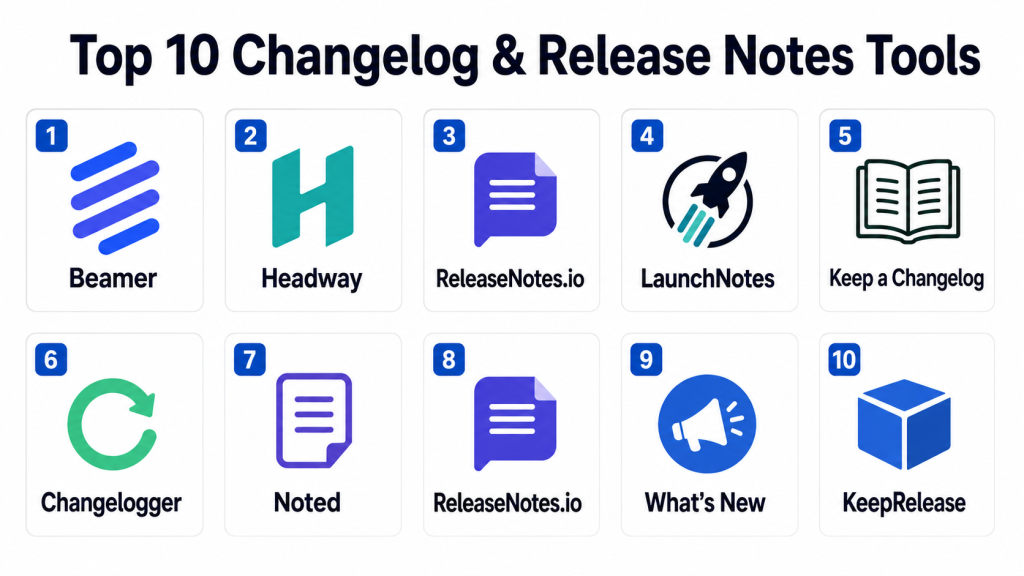
Top 10 Changelog & Release Notes Tools
#1 — Beamer
Short description: Beamer provides an in-app changelog and notification system for web and mobile applications, enabling product teams to communicate updates directly to users.
Key Features
- In-app notifications for updates.
- Visual and interactive changelogs.
- Segmented audience targeting.
- Analytics on user engagement.
- Easy drag-and-drop content editor.
- Integration with web and mobile apps.
- Multi-language support.
Pros
- Engages users directly inside the product.
- Reduces support tickets by informing users of changes.
- No technical setup required for content updates.
Cons
- Limited automation from version control systems.
- Best suited for SaaS or web applications.
- Some advanced analytics require higher-tier plans.
Platforms / Deployment
Web / iOS / Android
Cloud
Security & Compliance
Supports role-based access and encrypted content. Specific certifications are not publicly stated.
Integrations & Ecosystem
- Slack
- Jira
- Trello
- Zapier
- CI/CD notifications
- Email newsletters
Support & Community
Vendor documentation is available; community support is moderate.
#2 — Headway
Short description: Headway offers visual release notes and changelogs, helping teams keep users informed of updates and improvements in web and mobile products.
Key Features
- Drag-and-drop release notes editor.
- User engagement analytics.
- Scheduled announcements.
- Multi-language support.
- Customizable branding.
- Segmentation for targeted releases.
- Integration with product analytics tools.
Pros
- Easy for non-technical teams to publish updates.
- Improves user communication and retention.
- Customizable and visually appealing.
Cons
- Automation from code commits is limited.
- May require subscription for advanced features.
- Not ideal for desktop applications.
Platforms / Deployment
Web / iOS / Android
Cloud
Security & Compliance
Supports access control for team members. Audit-ready features vary by plan.
Integrations & Ecosystem
- Slack
- Jira
- Asana
- GitHub notifications
- Zapier
Support & Community
Vendor support is active; documentation is sufficient for setup.
#3 — ReleaseNotes.io
Short description: ReleaseNotes.io automates changelog creation from Git repositories, helping teams generate, maintain, and publish release notes efficiently.
Key Features
- Automatic generation from Git commits.
- Template-based formatting.
- Multi-environment publishing.
- Integration with CI/CD pipelines.
- Scheduled releases.
- Audience segmentation.
- Analytics for user interaction.
Pros
- Reduces manual work by automating notes creation.
- Integrates with development workflows.
- Suitable for technical teams.
Cons
- Primarily Git-focused; non-technical teams may need training.
- Limited in-app user notification support.
- Advanced features require premium plans.
Platforms / Deployment
Web
Cloud
Security & Compliance
Supports role-based access and encrypted data storage. Certifications not publicly stated.
Integrations & Ecosystem
- GitHub
- GitLab
- Bitbucket
- Jira
- CI/CD pipelines
- Slack notifications
Support & Community
Vendor support available; community activity moderate.
#4 — LaunchNotes
Short description: LaunchNotes provides structured release management, changelog creation, and audience engagement tools for SaaS and enterprise products.
Key Features
- Structured changelog management.
- Scheduled and targeted release announcements.
- Multi-channel publishing.
- Customizable templates and branding.
- Feedback collection from users.
- Analytics and insights.
- Collaboration for product and marketing teams.
Pros
- Suitable for enterprise and SaaS teams.
- Engages customers across multiple channels.
- Provides actionable analytics.
Cons
- Premium pricing may be high for small teams.
- Learning curve for complex workflows.
- May require integration with other tools for CI/CD automation.
Platforms / Deployment
Web / iOS / Android
Cloud
Security & Compliance
Role-based access, encrypted storage. Enterprise compliance should be verified.
Integrations & Ecosystem
- Jira
- Slack
- Intercom
- HubSpot
- CI/CD pipelines
- Webhooks
Support & Community
Strong vendor documentation and enterprise support available.
#5 — Keep a Changelog
Short description: Keep a Changelog is a simple, open-source approach for documenting changes in software projects. Ideal for developers and small teams.
Key Features
- Standardized markdown templates.
- Simple versioning and formatting.
- Git repository integration.
- Manual or semi-automated updates.
- Version history tracking.
- Public or internal release notes.
- Lightweight and flexible.
Pros
- Free and open-source.
- Easy to adopt for small projects.
- Provides clear, structured documentation.
Cons
- No advanced analytics or user engagement tracking.
- Manual updates may be required.
- Not suitable for complex multi-channel communication.
Platforms / Deployment
Web / Windows / macOS / Linux
Self-hosted / Git-based
Security & Compliance
Depends on repository security; no formal certifications.
Integrations & Ecosystem
- GitHub
- GitLab
- Bitbucket
- Markdown editors
- CI/CD pipelines
Support & Community
Open-source community; documentation available.
#6 — Changelogger
Short description: Changelogger is a tool for generating release notes from Git commits and pull requests. Designed for development teams using continuous integration workflows.
Key Features
- Git commit parsing for changelogs.
- Pull request integration.
- Automated formatting.
- Multi-project support.
- Version tagging.
- CI/CD pipeline integration.
- Markdown and HTML output.
Pros
- Automates notes generation.
- Integrates with development workflow.
- Reduces manual errors.
Cons
- Limited visual or in-app notification features.
- Requires Git knowledge.
- Customization options may be limited.
Platforms / Deployment
Web / Windows / Linux / macOS
Cloud / Self-hosted
Security & Compliance
Depends on Git repository access control; encrypted storage varies.
Integrations & Ecosystem
- GitHub
- GitLab
- Bitbucket
- CI/CD pipelines
- Slack
Support & Community
Documentation available; community support moderate.
#7 — Noted
Short description: Noted provides simple changelog management and release notes publication for small to mid-sized teams and open-source projects.
Key Features
- Simple editing interface.
- Version management.
- Publishing across internal portals.
- Markdown-based content.
- Analytics on readership.
- Collaboration features.
- Notifications and alerts.
Pros
- Lightweight and easy to adopt.
- Suitable for small teams or open-source projects.
- Minimal setup required.
Cons
- Limited automation from code repositories.
- Advanced analytics require higher-tier plans.
- Not enterprise-focused.
Platforms / Deployment
Web / Windows / macOS / Linux
Cloud
Security & Compliance
Supports user access control; certifications not publicly stated.
Integrations & Ecosystem
- GitHub
- Slack
- Trello
- Email notifications
Support & Community
Vendor documentation available; moderate community adoption.
#8 — ReleaseNotes.io
Short description: ReleaseNotes.io focuses on automated release note generation for technical teams with integrations into Git-based workflows.
Key Features
- Automatic notes from commits.
- Pull request analysis.
- Templates and formatting.
- Multi-project support.
- CI/CD integration.
- Scheduled release publications.
- Analytics dashboards.
Pros
- Reduces manual effort.
- CI/CD integrated.
- Supports multiple projects and versions.
Cons
- Limited non-technical customization.
- May require subscription for full features.
- User engagement tracking is basic.
Platforms / Deployment
Web
Cloud
Security & Compliance
Supports RBAC and encrypted storage; enterprise certifications not publicly stated.
Integrations & Ecosystem
- GitHub
- GitLab
- Bitbucket
- Jira
- Slack
- CI/CD pipelines
Support & Community
Vendor documentation and support available.
#9 — What’s New
Short description: What’s New provides simple and visually engaging release notes for SaaS products, focusing on customer-facing updates.
Key Features
- Visual release notes editor.
- Customer notifications via email or in-app.
- Version and feature categorization.
- Analytics on user engagement.
- Multi-language support.
- Integration with marketing tools.
- Scheduled updates.
Pros
- Engages users with clear visual updates.
- Reduces support inquiries.
- Supports multi-channel notifications.
Cons
- Less technical automation for commits.
- Best suited for customer-facing applications.
- Advanced CI/CD integration limited.
Platforms / Deployment
Web / iOS / Android
Cloud
Security & Compliance
Encrypted storage and role-based access; certifications not publicly stated.
Integrations & Ecosystem
- Intercom
- Slack
- Mailchimp
- Webhooks
- Jira
Support & Community
Vendor support available; documentation sufficient.
#10 — KeepRelease
Short description: KeepRelease is a changelog platform for managing and publishing software release notes with internal and external distribution capabilities.
Key Features
- Changelog creation and management.
- Publishing to web portals or internal tools.
- Template support.
- Version and environment tracking.
- CI/CD integration options.
- Analytics on release usage.
- User collaboration features.
Pros
- Structured release management.
- Suitable for small to mid-sized teams.
- Easy publishing for internal and external audiences.
Cons
- Limited advanced automation.
- Enterprise-scale workflow may require additional setup.
- Feature set less broad than enterprise tools.
Platforms / Deployment
Web / Windows / macOS / Linux
Cloud / Self-hosted / Hybrid
Security & Compliance
Supports role-based access and encrypted storage. Certifications not publicly stated.
Integrations & Ecosystem
- GitHub
- GitLab
- Slack
- CI/CD pipelines
- Trello
Support & Community
Vendor documentation available; moderate community.
Comparison Table
| Tool Name | Best For | Platform(s) Supported | Deployment | Standout Feature | Public Rating |
|---|---|---|---|---|---|
| Beamer | SaaS in-app notifications | Web, iOS, Android | Cloud | In-app changelogs | N/A |
| Headway | Visual release notes | Web, iOS, Android | Cloud | Drag-and-drop editor | N/A |
| ReleaseNotes.io | Git-based automation | Web | Cloud | Auto-generation from commits | N/A |
| LaunchNotes | Enterprise SaaS | Web, iOS, Android | Cloud | Structured release management | N/A |
| Keep a Changelog | Developers / OSS | Web, Git | Self-hosted / Cloud | Markdown-based templates | N/A |
| Changelogger | Dev teams | Web, Windows, Linux | Cloud / Self-hosted | Git commit parsing | N/A |
| Noted | Small / mid teams | Web, Windows, macOS | Cloud | Simple editing interface | N/A |
| ReleaseNotes.io | Multi-project automation | Web | Cloud | CI/CD integrated auto-generation | N/A |
| What’s New | Customer-facing SaaS | Web, iOS, Android | Cloud | Visual and in-app release notes | N/A |
| KeepRelease | Internal / external release | Web, Windows, macOS | Cloud / Self-hosted / Hybrid | Multi-channel publishing | N/A |
Evaluation & Scoring of Changelog & Release Notes Tools
| Tool Name | Core (25%) | Ease (15%) | Integrations (15%) | Security (10%) | Performance (10%) | Support (10%) | Value (15%) | Weighted Total (0–10) |
|---|---|---|---|---|---|---|---|---|
| Beamer | 8 | 9 | 8 | 8 | 8 | 8 | 8 | 8.30 |
| Headway | 8 | 9 | 7 | 8 | 8 | 8 | 8 | 8.15 |
| ReleaseNotes.io | 9 | 8 | 8 | 8 | 8 | 8 | 8 | 8.25 |
| LaunchNotes | 9 | 7 | 8 | 8 | 8 | 8 | 7 | 7.95 |
| Keep a Changelog | 7 | 8 | 6 | 7 | 7 | 7 | 9 | 7.60 |
| Changelogger | 8 | 7 | 7 | 7 | 7 | 7 | 8 | 7.70 |
| Noted | 7 | 9 | 7 | 7 | 7 | 7 | 7 | 7.55 |
| ReleaseNotes.io | 9 | 8 | 8 | 8 | 8 | 8 | 8 | 8.25 |
| What’s New | 8 | 8 | 7 | 8 | 8 | 7 | 8 | 7.95 |
| KeepRelease | 8 | 8 | 7 | 8 | 8 | 7 | 8 | 7.95 |
These scores are comparative to help teams prioritize which tool to evaluate. High scores indicate a balance of usability, integration, and functionality.
Which Changelog & Release Notes Tool Is Right for You?
Solo / Freelancer
Lightweight, easy-to-use tools like Beamer, Headway, and Keep a Changelog provide simple, visual, and markdown-based release notes without heavy setup.
SMB
SMBs can use Noted, ReleaseNotes.io, or KeepRelease to automate notes, maintain consistency, and communicate updates across teams.
Mid-Market
Teams with multiple applications may benefit from LaunchNotes, ReleaseNotes.io, or Changelogger for structured automation and multi-project support.
Enterprise
Enterprise teams should consider LaunchNotes, Beamer, or What’s New for cross-channel communication, analytics, and governance.
Budget vs Premium
Budget teams may start with open-source or simple tools. Premium tools offer advanced analytics, multi-channel distribution, and automation.
Feature Depth vs Ease of Use
Developer-focused teams may prefer ReleaseNotes.io and Changelogger for automation. Marketing-focused teams may benefit from Beamer or What’s New for visually appealing notes.
Integrations & Scalability
Ensure integration with Git repositories, CI/CD pipelines, project management tools, and internal portals for scaling across multiple applications and teams.
Security & Compliance Needs
For regulated industries, ensure audit logs, access control, and secure content storage are supported by the chosen tool.
Frequently Asked Questions
What is a changelog?
A changelog is a chronological record of software changes, including new features, bug fixes, and improvements.
What are release notes?
Release notes communicate the content of a software release to users, including enhancements, fixes, and known issues.
Why are changelogs important?
They improve transparency, help users adopt new features, reduce support queries, and enhance trust in software releases.
Can release notes be automated?
Yes, tools can generate notes from Git commits, pull requests, and CI/CD pipelines, reducing manual effort.
How do I choose the right tool?
Consider team size, release frequency, CI/CD integration, audience, and the level of automation needed.
Are these tools secure?
Most tools offer access control and encrypted storage. For compliance, verify audit capabilities and enterprise certifications.
Can I integrate release notes with in-app notifications?
Yes. Tools like Beamer and What’s New allow in-app announcements and notifications.
Are these tools suitable for mobile apps?
Yes. Many tools support web, iOS, and Android platforms for user-facing updates.
Do changelog tools support multiple languages?
Many premium tools provide multi-language support for international audiences.
Can these tools track user engagement?
Yes. Analytics features can show who viewed or interacted with release notes and announcements.
Conclusion
Changelog and release notes tools streamline communication of software updates, reduce support overhead, and improve user engagement. Developer-focused tools like ReleaseNotes.io and Changelogger automate note generation. Visual tools like Beamer, Headway, and What’s New enhance user engagement. Enterprise-grade solutions like LaunchNotes provide governance, analytics, and multi-channel distribution. Teams should shortlist two to three tools, test integration with their CI/CD pipelines and repositories
