Upgrade & Secure Your Future with DevOps, SRE, DevSecOps, MLOps!
We spend hours scrolling social media and waste money on things we forget, but won’t spend 30 minutes a day earning certifications that can change our lives.
Master in DevOps, SRE, DevSecOps & MLOps by DevOps School!
Learn from Guru Rajesh Kumar and double your salary in just one year.
Introduction
Code signing tools help developers and organizations digitally sign their applications, software binaries, scripts, and executables. By signing code, teams prove the authenticity and integrity of their software, ensuring that it has not been tampered with and confirming the publisher’s identity.
Code signing matters because modern software distribution channels, including app stores, enterprise software deployment, and cloud-based services, increasingly enforce strict security requirements. Unsigned or improperly signed software can be blocked by operating systems, cloud platforms, or security software, creating trust and compliance risks.
Common use cases include signing Windows executables, macOS apps, scripts, mobile applications, container images, CI/CD artifacts, and IoT firmware. It is also critical for software distributed through marketplaces and for maintaining compliance in regulated industries.
Buyers should evaluate certificate management, automation capabilities, platform coverage, integration with CI/CD, key storage options, policy enforcement, audit logs, developer experience, pricing, and support.
Best for: software developers, DevOps engineers, platform teams, security teams, IT teams, enterprises, SaaS companies, and regulated industries like finance, healthcare, and government.
Not ideal for: teams producing internal scripts only, hobbyist developers without distribution requirements, or projects where operating systems and distribution channels do not enforce code signing.
Key Trends in Code Signing Tools
- Cloud-based code signing is becoming standard for managing certificates and signing operations without local infrastructure.
- Automated code signing in CI/CD pipelines ensures consistency and reduces manual steps.
- Integration with DevOps and DevSecOps workflows is growing, connecting signing to builds, tests, and deployments.
- Hardware security module (HSM) and key vault integration is increasingly used for secure private key storage.
- Support for multiple platforms and binaries including Windows, macOS, Linux, mobile, containers, and IoT devices.
- Certificate lifecycle management (issuance, rotation, revocation) is critical to prevent expired or compromised keys.
- Multi-cloud and hybrid environment support for teams distributing software across multiple platforms.
- AI-assisted monitoring and alerts for suspicious signing activity and certificate expiration.
- Improved audit and compliance reporting to meet industry regulations and internal governance standards.
- Developer-friendly CLI and SDK support to simplify integration into build pipelines and automation scripts.
How We Selected These Tools
- Tools with wide adoption among developers, enterprises, and DevOps teams.
- Feature coverage for multi-platform code signing and certificate lifecycle management.
- Reliability and performance signals in continuous integration and deployment environments.
- Security posture, including HSM support, encryption, and key access controls.
- Integration capabilities with CI/CD systems, container platforms, IDEs, and cloud services.
- Flexibility across team sizes, from freelancers to enterprise-scale organizations.
- Support for automation, policy enforcement, and compliance reporting.
- Vendor support quality and community adoption.
- Ease of implementation and developer experience.
- Practical value for organizations needing both software security and operational efficiency.
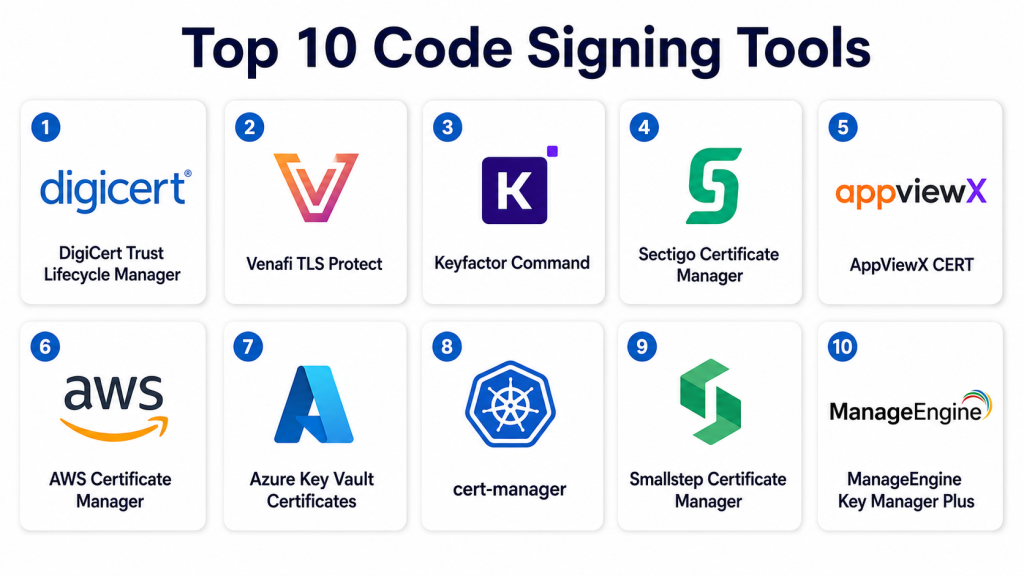
Top 10 Code Signing Tools
#1 — DigiCert Trust Lifecycle Manager
Short description: DigiCert Trust Lifecycle Manager provides enterprise-grade code signing management for applications, scripts, and binaries. It is designed for organizations that require secure certificate management and automated signing workflows.
Key Features
- Centralized code signing certificate management.
- Automated signing workflows.
- Certificate lifecycle monitoring and renewal alerts.
- Integration with CI/CD pipelines.
- Support for Windows, macOS, and mobile platforms.
- Audit and compliance reporting.
- HSM and key vault integration.
Pros
- Streamlines large-scale enterprise signing processes.
- Reduces risk of expired or misused certificates.
- Provides audit trails for compliance.
Cons
- Enterprise-oriented; may be complex for small teams.
- Pricing is typically premium.
- Setup may require dedicated security personnel.
Platforms / Deployment
Web / Windows / macOS / Linux
Cloud / Self-hosted / Hybrid
Security & Compliance
Supports MFA, encryption, HSM integration, audit logs, and RBAC. SOC 2 and ISO 27001 compliance are included for enterprise editions.
Integrations & Ecosystem
Works with CI/CD and DevOps tools to automate signing.
- Jenkins
- Azure DevOps
- GitHub Actions
- Docker and container pipelines
- Key vaults and HSMs
Support & Community
Strong enterprise support, documentation, and technical onboarding.
#2 — Venafi TLS Protect
Short description: Venafi TLS Protect is designed for securing and automating code signing and certificate management across enterprise environments. It is ideal for large-scale operations requiring policy enforcement.
Key Features
- Centralized certificate and key management.
- Policy-based code signing enforcement.
- Integration with DevOps pipelines.
- Expiry and risk monitoring.
- Support for multiple platforms including Windows and Linux.
- HSM and cloud key management integration.
- Audit and compliance reporting.
Pros
- Robust enterprise policy enforcement.
- Supports automated pipeline signing.
- Provides visibility into signing and certificate usage.
Cons
- High complexity for small deployments.
- Requires trained personnel for configuration.
- Licensing can be costly.
Platforms / Deployment
Web / Windows / Linux / macOS
Cloud / Self-hosted / Hybrid
Security & Compliance
Supports RBAC, MFA, audit logging, and HSM integration. Certifications are enterprise-grade, including SOC 2 and ISO 27001 where applicable.
Integrations & Ecosystem
- Jenkins
- GitLab CI/CD
- Azure DevOps
- Docker pipelines
- Cloud HSM providers
Support & Community
Enterprise-focused support, training, and documentation.
#3 — Keyfactor Command
Short description: Keyfactor Command manages certificates, code signing, and machine identities at scale. It is suitable for organizations needing secure lifecycle management and integration with DevOps environments.
Key Features
- Automated certificate issuance and signing.
- Lifecycle management and rotation.
- Policy enforcement for code signing.
- CI/CD integration.
- Multi-platform support.
- Key storage in HSMs.
- Audit logs and compliance dashboards.
Pros
- Strong automation for enterprise pipelines.
- Reduces operational errors and expired certificates.
- Visibility and reporting for compliance teams.
Cons
- Enterprise complexity; not ideal for small teams.
- Premium pricing.
- Setup may require dedicated staff.
Platforms / Deployment
Web / Windows / macOS / Linux
Cloud / Self-hosted / Hybrid
Security & Compliance
Supports encryption, RBAC, MFA, and audit logs. SOC 2, ISO 27001 compliance is included for enterprise offerings.
Integrations & Ecosystem
- Jenkins
- GitHub Actions
- Azure DevOps
- HSMs and key vaults
- Container pipeline integrations
Support & Community
Enterprise-level support and comprehensive documentation.
#4 — Sectigo Certificate Manager
Short description: Sectigo Certificate Manager helps teams manage code signing certificates, SSL/TLS certificates, and private PKI. It is suitable for mid-market to enterprise environments.
Key Features
- Certificate lifecycle management.
- Automated code signing workflows.
- Centralized visibility and audit logs.
- Integration with DevOps and CI/CD pipelines.
- Support for Windows, macOS, and mobile.
- HSM and cloud key storage.
- Policy enforcement and compliance tracking.
Pros
- Simplifies certificate and code signing processes.
- Reduces operational risk and human error.
- Provides audit and reporting capabilities.
Cons
- May be more than needed for small teams.
- Some features require paid editions.
- Initial setup can be time-consuming.
Platforms / Deployment
Web / Windows / macOS / Linux
Cloud / Self-hosted / Hybrid
Security & Compliance
Supports RBAC, MFA, encryption, and audit logs. Enterprise compliance certifications are included for premium editions.
Integrations & Ecosystem
- Jenkins
- GitLab
- Azure DevOps
- Docker pipelines
- HSM providers
Support & Community
Vendor-backed support, documentation, and professional onboarding.
#5 — AppViewX CERT
Short description: AppViewX CERT automates certificate management and code signing, providing policy enforcement and lifecycle monitoring. It is useful for large teams managing enterprise-scale secrets and certificates.
Key Features
- Code signing certificate management.
- Policy enforcement and compliance.
- Automated renewal and rotation.
- CI/CD pipeline integration.
- Multi-platform support.
- HSM and vault integration.
- Audit dashboards.
Pros
- Strong enterprise automation.
- Reduces certificate-related outages.
- Centralized visibility for compliance.
Cons
- Enterprise-oriented; may be complex for smaller teams.
- Pricing can be high.
- Requires operational setup.
Platforms / Deployment
Web / Windows / Linux
Cloud / Self-hosted / Hybrid
Security & Compliance
Encryption, MFA, RBAC, and audit logs. Enterprise certifications may vary; verify directly.
Integrations & Ecosystem
- Jenkins and Git pipelines
- Azure DevOps
- Key vaults and HSMs
- Container pipelines
- Audit and monitoring tools
Support & Community
Enterprise-focused support and documentation.
#6 — AWS Certificate Manager
Short description: AWS Certificate Manager simplifies certificate and code signing management for AWS applications and workloads. It is ideal for teams heavily using AWS services.
Key Features
- Managed certificate issuance and signing.
- Integration with AWS IAM for access control.
- Automated certificate rotation.
- Multi-platform signing support.
- CI/CD and AWS pipeline integration.
- Audit and logging via AWS services.
- HSM-backed security for keys.
Pros
- Fully managed service; minimal operational overhead.
- Strong integration with AWS environments.
- Supports automated rotation and policy enforcement.
Cons
- Best suited for AWS-centric environments.
- Limited multi-cloud support.
- Pricing based on usage.
Platforms / Deployment
Web / AWS CLI / Windows / macOS / Linux
Cloud
Security & Compliance
Supports IAM-based access control, encryption, MFA, and audit logging. Compliance depends on AWS configuration.
Integrations & Ecosystem
- AWS IAM
- AWS Lambda
- Amazon RDS and EC2
- CloudFormation pipelines
- CI/CD tools
Support & Community
AWS documentation and support plans are available. Community adoption is strong among AWS users.
#7 — Azure Key Vault Certificates
Short description: Azure Key Vault Certificates manages SSL/TLS and code signing certificates in Azure environments. It is suitable for organizations using Microsoft cloud services.
Key Features
- Certificate issuance, storage, and rotation.
- Policy-based access control.
- Integration with Azure DevOps pipelines.
- Multi-platform support for signing.
- HSM-backed key security.
- Audit logging and monitoring.
- Lifecycle management.
Pros
- Deep Azure integration.
- Simplifies management of certificates and secrets.
- Supports automated signing in DevOps workflows.
Cons
- Best suited for Azure environments.
- Multi-cloud adoption may require additional tools.
- Advanced workflows may require planning.
Platforms / Deployment
Web / Windows / macOS / Linux / CLI
Cloud
Security & Compliance
Supports RBAC, MFA, encryption, audit logging, and HSM-backed keys. Enterprise compliance should be verified per plan.
Integrations & Ecosystem
- Azure DevOps
- GitHub Actions
- Azure Kubernetes Service
- CI/CD pipelines
- HSM providers
Support & Community
Documentation and Microsoft support plans available. Community adoption strong among Azure users.
#8 — cert-manager
Short description: cert-manager is an open-source Kubernetes add-on for certificate management. It automates certificate issuance and renewal within Kubernetes clusters.
Key Features
- Automatic certificate issuance.
- Supports ACME, self-signed, and external CAs.
- Kubernetes-native integration.
- Certificate rotation.
- Multi-platform support within clusters.
- CLI and API for automation.
- Audit logging through Kubernetes.
Pros
- Kubernetes-native and open-source.
- Automates certificate management in clusters.
- Flexible with multiple CA providers.
Cons
- Requires Kubernetes expertise.
- Limited support for non-containerized applications.
- Community-based support.
Platforms / Deployment
Linux / Kubernetes clusters
Self-hosted / Cloud-based clusters
Security & Compliance
Security depends on Kubernetes cluster configuration and policies. Specific certifications not publicly stated.
Integrations & Ecosystem
- Kubernetes API
- CI/CD pipelines for containerized apps
- External CA providers
- Helm and Kustomize workflows
- Secret injection into pods
Support & Community
Open-source community support. Documentation is active and maintained.
#9 — Smallstep Certificate Manager
Short description: Smallstep Certificate Manager provides automated certificate and code signing workflows for applications and infrastructure. It is useful for developer and DevOps teams needing PKI automation.
Key Features
- Certificate issuance and management.
- Automated renewal and rotation.
- CLI and API-based integration.
- Multi-platform support for signing.
- Policy-based access controls.
- Audit logging.
- Integration with CI/CD pipelines.
Pros
- Developer-friendly and API-focused.
- Supports automated certificate workflows.
- Suitable for small to mid-sized teams.
Cons
- Enterprise governance depth may be limited.
- Open-source deployment may require operational expertise.
- Multi-cloud features may need custom setup.
Platforms / Deployment
Web / Linux / macOS / Windows
Cloud / Self-hosted / Hybrid
Security & Compliance
Supports encryption, access control, and audit logs. Certifications not publicly stated.
Integrations & Ecosystem
- CI/CD pipelines
- Kubernetes
- HSM integration
- Cloud providers
- DevOps automation tools
Support & Community
Documentation and community resources are available. Enterprise support varies.
#10 — ManageEngine Key Manager Plus
Short description: Key Manager Plus provides centralized certificate and key management including code signing certificates. It is designed for IT teams managing large numbers of keys and certificates.
Key Features
- Centralized certificate management.
- Key lifecycle management.
- Policy-based access control.
- Certificate rotation and renewal.
- Multi-platform support.
- Audit logging.
- Integration with IT workflows.
Pros
- Simplifies certificate and key management.
- Provides audit trails for compliance.
- Suitable for mid-sized to enterprise IT teams.
Cons
- Primarily IT-focused; not developer-centric.
- Limited DevOps pipeline integration compared with other tools.
- Setup may require planning.
Platforms / Deployment
Windows / Linux / macOS
Cloud / Self-hosted / Hybrid
Security & Compliance
Supports encryption, RBAC, audit logs. Certifications not publicly stated.
Integrations & Ecosystem
- IT management systems
- Active Directory
- HSMs
- CI/CD pipelines where applicable
- Key vault integrations
Support & Community
Vendor documentation and support available. Community is moderate.
Comparison Table
| Tool Name | Best For | Platform(s) Supported | Deployment | Standout Feature | Public Rating |
|---|---|---|---|---|---|
| DigiCert Trust Lifecycle Manager | Enterprise code signing | Web, Windows, macOS, Linux | Cloud / Self-hosted / Hybrid | Centralized certificate lifecycle | N/A |
| Venafi TLS Protect | Enterprise and policy enforcement | Web, Windows, Linux | Cloud / Self-hosted / Hybrid | Policy-based code signing | N/A |
| Keyfactor Command | Enterprise certificate and signing | Web, Windows, macOS, Linux | Cloud / Self-hosted / Hybrid | Automated lifecycle management | N/A |
| Sectigo Certificate Manager | Mid-market and enterprise | Web, Windows, macOS, Linux | Cloud / Self-hosted / Hybrid | Automated signing workflows | N/A |
| AppViewX CERT | Enterprise signing | Web, Windows, Linux | Cloud / Self-hosted / Hybrid | Policy enforcement dashboards | N/A |
| AWS Certificate Manager | AWS-native | Web, CLI | Cloud | Managed certificate rotation | N/A |
| Azure Key Vault Certificates | Azure-native | Web, Windows, macOS, Linux | Cloud | Integrated Azure certificate management | N/A |
| cert-manager | Kubernetes clusters | Linux / Kubernetes | Self-hosted / Cloud clusters | Kubernetes-native certificate automation | N/A |
| Smallstep Certificate Manager | Developer automation | Web, Linux, macOS, Windows | Cloud / Self-hosted / Hybrid | PKI automation and CLI | N/A |
| ManageEngine Key Manager Plus | IT teams | Windows, Linux, macOS | Cloud / Self-hosted / Hybrid | Centralized certificate/key management | N/A |
Evaluation & Scoring of Code Signing Tools
| Tool Name | Core (25%) | Ease (15%) | Integrations (15%) | Security (10%) | Performance (10%) | Support (10%) | Value (15%) | Weighted Total (0–10) |
|---|---|---|---|---|---|---|---|---|
| DigiCert Trust Lifecycle Manager | 9 | 8 | 9 | 9 | 8 | 9 | 8 | 8.60 |
| Venafi TLS Protect | 9 | 7 | 8 | 9 | 8 | 8 | 7 | 8.05 |
| Keyfactor Command | 9 | 8 | 8 | 9 | 8 | 8 | 8 | 8.35 |
| Sectigo Certificate Manager | 8 | 8 | 8 | 8 | 8 | 8 | 7 | 7.90 |
| AppViewX CERT | 8 | 7 | 8 | 8 | 8 | 8 | 7 | 7.85 |
| AWS Certificate Manager | 8 | 9 | 8 | 8 | 8 | 8 | 8 | 8.20 |
| Azure Key Vault Certificates | 8 | 9 | 8 | 8 | 8 | 8 | 8 | 8.20 |
| cert-manager | 7 | 7 | 7 | 7 | 7 | 7 | 9 | 7.45 |
| Smallstep Certificate Manager | 7 | 8 | 8 | 7 | 8 | 7 | 8 | 7.80 |
| ManageEngine Key Manager Plus | 7 | 7 | 7 | 7 | 7 | 7 | 8 | 7.45 |
These scores provide a comparative overview to help teams shortlist tools for evaluation. Teams should consider platform compatibility, deployment model, developer experience, and enterprise governance when choosing a code signing solution.
Which Code Signing Tool Is Right for You?
Solo / Freelancer
Solo developers often need cloud-native, easy-to-use signing solutions like AWS Certificate Manager, Azure Key Vault, or Smallstep. Focus on simple integration with local builds and CI/CD workflows.
SMB
Small and medium businesses benefit from cloud or hybrid solutions like Sectigo Certificate Manager, AppViewX CERT, or Keyfactor Command that simplify signing workflows and provide basic policy enforcement.
Mid-Market
Mid-market teams should consider solutions like DigiCert Trust Lifecycle Manager, Keyfactor Command, or Venafi TLS Protect that combine automation, auditing, and policy enforcement for multiple teams and applications.
Enterprise
Enterprises require robust lifecycle management, HSM integration, policy enforcement, and compliance reporting. DigiCert, Venafi, Keyfactor, and AppViewX are strong choices, with cloud or hybrid deployment depending on architecture.
Budget vs Premium
Budget-conscious teams may start with cloud-native solutions like AWS or Azure services. Premium enterprise solutions offer advanced lifecycle management, policy automation, and audit capabilities.
Feature Depth vs Ease of Use
Cloud-native services and small open-source options are easier to adopt. Enterprise platforms provide greater depth but may require dedicated operational expertise.
Integrations & Scalability
Choose tools that integrate with CI/CD pipelines, cloud platforms, Kubernetes, container registries, IDEs, and HSMs. Scalability should match application count, team size, and signing volume.
Security & Compliance Needs
Evaluate encryption standards, key access policies, audit logs, rotation capabilities, and compliance reporting. Enterprise buyers should verify vendor certifications for regulatory requirements.
Frequently Asked Questions
What is code signing?
Code signing is the process of digitally signing software to verify its authenticity and integrity. It proves that the software has not been tampered with and identifies the publisher.
Why is code signing important?
It prevents tampering, improves user trust, and ensures software passes operating system and marketplace security checks.
What types of software can be signed?
Executables, scripts, mobile apps, container images, firmware, libraries, and any binary artifact that is distributed to end-users or systems.
How does code signing work?
A cryptographic certificate is used to digitally sign the software. Users or systems can verify the signature against the certificate to ensure integrity.
What is a code signing certificate?
It is a digital certificate issued by a trusted certificate authority that verifies the identity of the software publisher.
Do all platforms require code signing?
Many platforms like Windows, macOS, mobile app stores, and enterprise deployment systems require code signing for security compliance.
Can code signing be automated?
Yes. Modern tools integrate with CI/CD pipelines, container registries, and DevOps workflows for automated signing.
How are code signing keys stored securely?
Keys can be stored in hardware security modules (HSMs), cloud key vaults, or secure on-premises storage to prevent unauthorized access.
What is certificate rotation?
Certificate rotation involves renewing or replacing code signing certificates to prevent expiration or compromise.
How do I choose the right code signing tool?
Evaluate platform support, deployment model, CI/CD integration, automation features, security controls, audit logs, and cost.
Conclusion
Code signing tools are essential for securing software, maintaining trust, and complying with platform and enterprise requirements. The best choice depends on environment, team size, deployment model, and workflow requirements. Cloud-native services like AWS Certificate Manager, Azure Key Vault, and Google Secret Manager are practical for smaller or cloud-first teams. Enterprise solutions like DigiCert, Venafi, Keyfactor, and AppViewX provide advanced lifecycle management, policy enforcement, and compliance reporting. Developers and organizations should shortlist 2–3 tools, test them with real build pipelines, verify security policies, and ensure integration with CI/CD and operational workflows before final adoption.
