Upgrade & Secure Your Future with DevOps, SRE, DevSecOps, MLOps!
We spend hours scrolling social media and waste money on things we forget, but won’t spend 30 minutes a day earning certifications that can change our lives.
Master in DevOps, SRE, DevSecOps & MLOps by DevOps School!
Learn from Guru Rajesh Kumar and double your salary in just one year.
Introduction
Code review tools help development teams inspect, discuss, and improve source code before it is merged into production. In simple words, these tools make it easier for developers to find bugs, improve code quality, follow standards, and collaborate during the software delivery process.
They matter because modern teams ship software faster, work across distributed locations, and manage complex applications with many contributors. Manual review through emails or informal messages is no longer enough for teams that need secure, reliable, and traceable development workflows.
Common use cases include pull request reviews, static code analysis, security checks, peer review workflows, compliance audits, and developer collaboration.
Buyers should evaluate:
- Ease of use
- Repository support
- CI/CD integration
- Security controls
- Review automation
- Developer experience
- Scalability
- Reporting and audit logs
- Pricing flexibility
- Support quality
Best for: software teams, DevOps teams, platform engineering teams, security teams, startups, SMBs, and enterprises that want better code quality and safer releases.
Not ideal for: very small teams with simple projects that can manage reviews directly inside a basic Git platform, or teams that need only lightweight comments without automation or governance.
Key Trends in Code Review Tools
- AI-assisted code review is becoming more common, helping teams detect bugs, suggest improvements, and reduce repetitive review work.
- Security-first review workflows are now important as teams want vulnerability detection before code reaches production.
- Deeper CI/CD integration allows code review tools to connect with build pipelines, testing tools, deployment systems, and quality gates.
- Policy-based approvals help organizations enforce rules for sensitive branches, high-risk code, and regulated environments.
- Developer experience matters more because teams want fast reviews without slowing delivery.
- Shift-left quality checks are becoming standard, where code quality, security, and compliance are checked earlier in development.
- Better reporting and analytics help engineering leaders understand review speed, defect trends, and team bottlenecks.
- Hybrid and self-hosted options remain important for enterprises with strict data control requirements.
- Integration with issue tracking tools helps connect code changes with user stories, bugs, incidents, and product work.
- Automated review suggestions are helping reduce reviewer fatigue and improve consistency.
How We Selected These Tools
The tools below were selected based on practical relevance for modern software teams. The evaluation focused on:
- Market adoption and developer mindshare
- Code review workflow strength
- Repository and version control support
- Collaboration and discussion features
- CI/CD and DevOps ecosystem integrations
- Security and access control capabilities
- Suitability for small teams, mid-sized teams, and enterprises
- Documentation and community availability
- Support for automation and review governance
- Flexibility across cloud, self-hosted, and hybrid needs
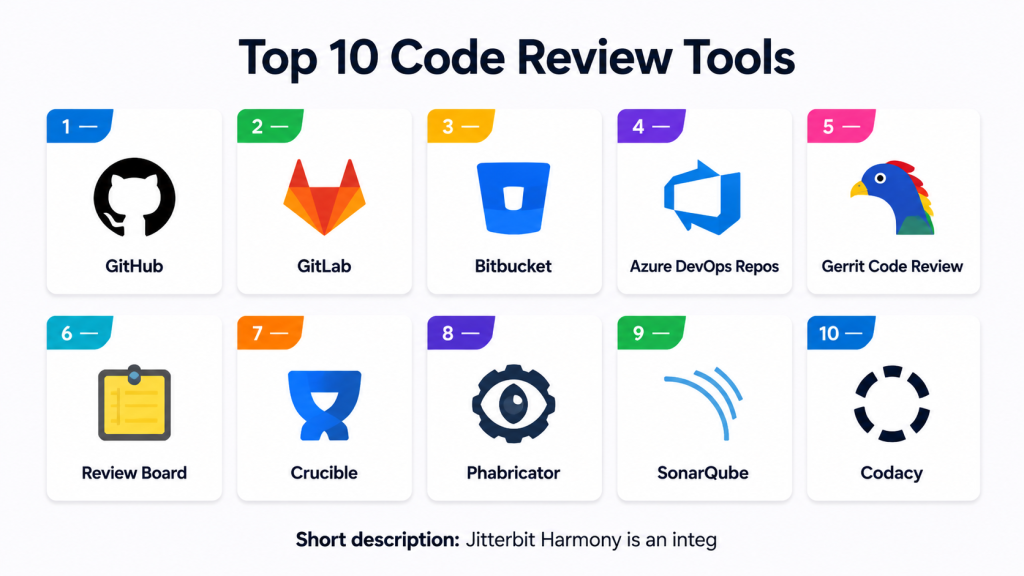
Top 10 Code Review Tools
#1 — GitHub
Short description: GitHub is one of the most widely used platforms for Git-based source code hosting and pull request reviews. It is suitable for open-source projects, startups, and large engineering teams.
Key Features
- Pull request-based code review
- Inline comments and threaded discussions
- Branch protection rules
- GitHub Actions integration
- Code owners support
- Security scanning features
- Large developer ecosystem
Pros
- Very familiar interface for developers
- Strong ecosystem with many integrations
- Good for both open-source and private projects
Cons
- Advanced controls may require higher plans
- Large organizations may need careful governance setup
- Some enterprise workflows can become complex
Platforms / Deployment
Web / Windows / macOS / Linux
Cloud / Enterprise self-hosted option
Security & Compliance
Supports MFA, SSO/SAML on enterprise plans, audit logs, role-based access, branch protection, and security scanning features. Specific certifications vary by plan and service scope.
Integrations & Ecosystem
GitHub has a strong ecosystem for development, CI/CD, project management, security, and deployment workflows.
- GitHub Actions
- Jira
- Slack
- Azure DevOps
- Snyk
- SonarQube
- Docker and Kubernetes workflows
Support & Community
GitHub has strong documentation, a very large community, enterprise support options, and extensive learning resources.
#2 — GitLab
Short description: GitLab is a complete DevSecOps platform with built-in code review, repository management, CI/CD, security scanning, and project planning features.
Key Features
- Merge request-based code review
- Built-in CI/CD pipelines
- Code owners and approval rules
- Security scanning capabilities
- Issue tracking and planning
- Audit and compliance features
- Cloud and self-managed deployment
Pros
- Strong all-in-one DevOps platform
- Good for teams wanting source control and CI/CD together
- Flexible deployment options
Cons
- Can feel heavy for teams needing only code review
- Advanced features may require higher tiers
- Setup and governance can take time
Platforms / Deployment
Web / Linux
Cloud / Self-hosted / Hybrid
Security & Compliance
Supports SSO/SAML, MFA, RBAC, audit logs, protected branches, approval rules, and security scanning features. Compliance details vary by edition.
Integrations & Ecosystem
GitLab integrates with common DevOps, security, monitoring, and collaboration tools.
- Jira
- Slack
- Kubernetes
- Terraform
- SonarQube
- Security scanning tools
Support & Community
GitLab has strong documentation, active community forums, enterprise support, and onboarding resources.
#3 — Bitbucket
Short description: Bitbucket is a Git repository and code review platform from Atlassian. It is commonly used by teams already working with Jira, Confluence, and other Atlassian products.
Key Features
- Pull request reviews
- Inline comments
- Branch permissions
- Jira integration
- Bitbucket Pipelines
- Code insights
- Reviewer assignment
Pros
- Strong integration with Jira
- Good for Agile software teams
- Built-in CI/CD option available
Cons
- Best value is often within Atlassian ecosystem
- Interface may feel less flexible than some alternatives
- Advanced controls vary by plan
Platforms / Deployment
Web
Cloud / Data Center options
Security & Compliance
Supports MFA, SSO/SAML through Atlassian access options, permissions, branch restrictions, and audit capabilities depending on plan.
Integrations & Ecosystem
Bitbucket works well with Atlassian tools and common DevOps systems.
- Jira
- Confluence
- Trello
- Slack
- Jenkins
- Snyk
- Bitbucket Pipelines
Support & Community
Atlassian provides documentation, support plans, marketplace apps, and a strong user community.
#4 — Azure DevOps Repos
Short description: Azure DevOps Repos provides Git repository hosting and code review workflows within Microsoft’s DevOps platform. It is well suited for teams using Azure, Visual Studio, and Microsoft development tools.
Key Features
- Pull request reviews
- Branch policies
- Reviewer requirements
- Work item linking
- Azure Pipelines integration
- Code search
- Enterprise access controls
Pros
- Strong fit for Microsoft and Azure teams
- Good enterprise governance features
- Integrates well with Azure Pipelines and Boards
Cons
- Less attractive for teams outside Microsoft ecosystem
- Interface can feel complex for beginners
- Some integrations may need configuration effort
Platforms / Deployment
Web / Windows / macOS / Linux through Git tools
Cloud / Server options vary
Security & Compliance
Supports Microsoft identity controls, MFA, access policies, audit capabilities, branch policies, and enterprise governance features.
Integrations & Ecosystem
Azure DevOps integrates strongly with Microsoft tools and common DevOps workflows.
- Azure Pipelines
- Azure Boards
- Visual Studio
- Teams
- GitHub
- Jenkins
- Kubernetes
Support & Community
Microsoft provides detailed documentation, enterprise support, learning resources, and a large developer ecosystem.
#5 — Gerrit Code Review
Short description: Gerrit is an open-source code review tool designed for Git-based workflows. It is often used by engineering teams that need detailed review control and strong approval workflows.
Key Features
- Web-based code review
- Fine-grained access controls
- Patch set review workflow
- Git integration
- Commenting and approvals
- Plugin support
- Strong audit trail
Pros
- Powerful review workflow control
- Good for large engineering projects
- Open-source and self-hosted
Cons
- Learning curve can be high
- Interface may feel less modern
- Requires administration and maintenance
Platforms / Deployment
Web / Linux
Self-hosted
Security & Compliance
Supports access controls, authentication integration, permissions, and audit-style review history. Formal compliance certifications are not publicly stated.
Integrations & Ecosystem
Gerrit supports plugins and integrations with common development systems.
- Jenkins
- Git
- LDAP
- CI tools
- Issue trackers through plugins
- Custom review workflows
Support & Community
Gerrit has open-source documentation and community support. Enterprise-style support depends on internal teams or third-party service providers.
#6 — Review Board
Short description: Review Board is an open-source web-based code review tool that supports multiple version control systems. It is useful for teams that want a dedicated review platform outside a single Git hosting provider.
Key Features
- Web-based review requests
- Inline comments
- Multiple version control support
- Diff viewer
- Review tracking
- Extension support
- Self-hosted deployment
Pros
- Supports different source control systems
- Dedicated review workflow
- Good for teams with mixed repositories
Cons
- Requires hosting and maintenance
- Interface may feel traditional
- Smaller ecosystem than larger platforms
Platforms / Deployment
Web
Self-hosted
Security & Compliance
Authentication and permission features are available. Specific compliance certifications are not publicly stated.
Integrations & Ecosystem
Review Board can connect with several repository and issue tracking systems.
- Git
- Subversion
- Mercurial
- Perforce
- Bug tracking tools
- Extensions and APIs
Support & Community
Documentation is available, with open-source community support. Commercial support may vary.
#7 — Crucible
Short description: Crucible is a code review tool from Atlassian designed for teams that need formal peer review workflows. It is often used with Jira and other Atlassian products.
Key Features
- Formal code review workflow
- Inline commenting
- Review tracking
- Jira integration
- Multiple repository support
- Reviewer assignment
- Audit-friendly review history
Pros
- Good for structured review processes
- Strong Jira connection
- Useful for teams needing formal approvals
Cons
- Less modern than cloud-native review tools
- Best suited for existing Atlassian users
- May not be ideal for lightweight teams
Platforms / Deployment
Web
Self-hosted / Server-style deployment
Security & Compliance
Supports user permissions and Atlassian ecosystem authentication options. Specific compliance details are not publicly stated.
Integrations & Ecosystem
Crucible works well with Atlassian tools and several source control systems.
- Jira
- Fisheye
- Subversion
- Git
- Mercurial
- Perforce
Support & Community
Atlassian documentation and support resources are available, though adoption depends heavily on existing Atlassian environments.
#8 — Phabricator
Short description: Phabricator is an open-source collaboration platform that includes code review, repository browsing, task management, and project workflow features.
Key Features
- Differential code review
- Repository hosting
- Task tracking
- Inline comments
- Audit workflows
- Project boards
- Self-hosted control
Pros
- Broad engineering collaboration features
- Strong review workflow capabilities
- Good for teams wanting self-hosted control
Cons
- Maintenance responsibility stays with the user
- Community and active development status may vary
- Setup can be complex
Platforms / Deployment
Web
Self-hosted
Security & Compliance
Supports permissions and access controls. Specific compliance certifications are not publicly stated.
Integrations & Ecosystem
Phabricator supports engineering workflow integrations through APIs and extensions.
- Git
- Mercurial
- Subversion
- CI tools
- Task management workflows
- Custom scripts and APIs
Support & Community
Documentation and community resources exist, but support strength may vary depending on deployment and internal expertise.
#9 — SonarQube
Short description: SonarQube is a code quality and security analysis platform that supports review workflows by identifying bugs, vulnerabilities, and code smells before merge.
Key Features
- Static code analysis
- Quality gates
- Security hotspot review
- Pull request decoration
- Multi-language support
- Technical debt tracking
- CI/CD integration
Pros
- Strong automated quality checks
- Helps standardize code quality
- Useful for DevSecOps workflows
Cons
- Not a full peer discussion platform by itself
- Requires tuning to reduce noise
- Advanced features may require commercial editions
Platforms / Deployment
Web
Cloud / Self-hosted
Security & Compliance
Supports authentication, permissions, and enterprise security controls depending on edition. Specific certifications vary by product offering.
Integrations & Ecosystem
SonarQube integrates with popular repositories and CI/CD tools.
- GitHub
- GitLab
- Bitbucket
- Azure DevOps
- Jenkins
- Maven and Gradle
- CI/CD pipelines
Support & Community
Strong documentation, community edition resources, commercial support options, and broad developer adoption.
#10 — Codacy
Short description: Codacy is an automated code review and code quality platform focused on helping teams detect issues, enforce standards, and improve maintainability.
Key Features
- Automated code review
- Static analysis
- Code quality metrics
- Pull request comments
- Security checks
- Coverage reporting
- Team dashboards
Pros
- Easy to add automated checks
- Good visibility into quality trends
- Helpful for distributed teams
Cons
- May require rule tuning
- Not a replacement for human review
- Some advanced capabilities may depend on plan
Platforms / Deployment
Web
Cloud / Self-hosted options may vary
Security & Compliance
Supports team access controls and security-focused review features. Detailed compliance availability varies by plan and is not fully assumed here.
Integrations & Ecosystem
Codacy connects with common source control and development workflows.
- GitHub
- GitLab
- Bitbucket
- Slack
- Jira
- CI/CD workflows
- Code coverage tools
Support & Community
Documentation and support resources are available. Support level varies by plan.
Comparison Table
| Tool Name | Best For | Platform(s) Supported | Deployment | Standout Feature | Public Rating |
|---|---|---|---|---|---|
| GitHub | Developer-first teams and open-source projects | Web / Windows / macOS / Linux | Cloud / Enterprise self-hosted option | Pull request review ecosystem | N/A |
| GitLab | DevSecOps teams needing all-in-one workflows | Web / Linux | Cloud / Self-hosted / Hybrid | Built-in CI/CD and merge requests | N/A |
| Bitbucket | Teams using Jira and Atlassian tools | Web | Cloud / Data Center | Jira-connected pull requests | N/A |
| Azure DevOps Repos | Microsoft and Azure-focused teams | Web / Windows / macOS / Linux | Cloud / Server options vary | Branch policies and Azure integration | N/A |
| Gerrit Code Review | Large engineering teams needing strict review controls | Web / Linux | Self-hosted | Patch set review workflow | N/A |
| Review Board | Teams with mixed version control systems | Web | Self-hosted | Multi-VCS review support | N/A |
| Crucible | Formal peer review in Atlassian environments | Web | Self-hosted | Structured review tracking | N/A |
| Phabricator | Self-hosted engineering collaboration | Web | Self-hosted | Differential review and task workflows | N/A |
| SonarQube | Automated quality and security review | Web | Cloud / Self-hosted | Quality gates and static analysis | N/A |
| Codacy | Automated code quality review | Web | Cloud / Varies | Pull request quality automation | N/A |
Evaluation & Scoring of Code Review Tools
| Tool Name | Core (25%) | Ease (15%) | Integrations (15%) | Security (10%) | Performance (10%) | Support (10%) | Value (15%) | Weighted Total (0–10) |
|---|---|---|---|---|---|---|---|---|
| GitHub | 9 | 9 | 10 | 8 | 9 | 9 | 8 | 8.90 |
| GitLab | 9 | 8 | 9 | 9 | 8 | 8 | 8 | 8.50 |
| Bitbucket | 8 | 8 | 8 | 8 | 8 | 8 | 8 | 8.00 |
| Azure DevOps Repos | 8 | 7 | 8 | 9 | 8 | 8 | 8 | 8.00 |
| Gerrit Code Review | 8 | 6 | 7 | 8 | 8 | 6 | 8 | 7.30 |
| Review Board | 7 | 7 | 7 | 6 | 7 | 6 | 8 | 6.95 |
| Crucible | 7 | 6 | 7 | 7 | 7 | 7 | 7 | 6.85 |
| Phabricator | 7 | 6 | 7 | 6 | 7 | 6 | 7 | 6.65 |
| SonarQube | 9 | 7 | 9 | 8 | 8 | 8 | 8 | 8.20 |
| Codacy | 8 | 8 | 8 | 7 | 8 | 7 | 8 | 7.75 |
These scores are comparative, not absolute. A higher score means the tool is stronger across the selected criteria, but it does not mean it is the best fit for every team. For example, Gerrit may score lower on ease of use but can still be excellent for teams needing strict review control. SonarQube is strong for automated quality checks, but it should usually complement human review rather than replace it.
Which Code Review Tool Is Right for You?
Solo / Freelancer
Solo developers usually need simplicity, low setup effort, and fast feedback. GitHub, GitLab, and Codacy are practical choices because they support quick repository setup and automated checks.
GitHub is a strong option if you work on open-source projects or personal repositories. Codacy can help when you want automated quality feedback without building everything manually.
SMB
Small and medium businesses usually need collaboration, basic governance, and affordable scalability. GitHub, GitLab, Bitbucket, and Azure DevOps Repos are strong choices.
If the team already uses Jira, Bitbucket may be easier to adopt. If the team wants source control, CI/CD, and security checks in one place, GitLab is a strong fit.
Mid-Market
Mid-market teams often need stronger policies, integrations, and reporting. GitLab, GitHub, Azure DevOps Repos, SonarQube, and Bitbucket are practical options.
A common setup is to use GitHub or GitLab for pull request reviews and SonarQube for automated code quality gates.
Enterprise
Enterprises usually need audit logs, SSO, RBAC, approval policies, compliance support, and deployment flexibility. GitLab, GitHub Enterprise, Azure DevOps Repos, Gerrit, and SonarQube are strong candidates.
Gerrit may be useful for organizations with strict engineering review processes. Azure DevOps Repos fits well for Microsoft-centered enterprises.
Budget vs Premium
Budget-focused teams can start with GitHub, GitLab, Review Board, Gerrit, or Phabricator depending on hosting preference. Premium-focused teams may prefer enterprise editions of GitHub, GitLab, Azure DevOps, or SonarQube.
The right choice depends on whether the team values low cost, strong automation, enterprise controls, or reduced administration effort.
Feature Depth vs Ease of Use
For ease of use, GitHub, Bitbucket, and Codacy are strong options. For deeper controls, GitLab, Azure DevOps Repos, Gerrit, and SonarQube are better fits.
Teams should avoid choosing a complex tool only because it has more features. A simpler tool that developers actually use can deliver better results.
Integrations & Scalability
GitHub, GitLab, Bitbucket, Azure DevOps Repos, and SonarQube provide strong integration options. These tools work well with CI/CD systems, issue trackers, security tools, and collaboration platforms.
For large teams, integration quality matters because review workflows must connect with planning, testing, release, and monitoring systems.
Security & Compliance Needs
Security-focused teams should prioritize tools with SSO, MFA, RBAC, audit logs, branch policies, approval workflows, and security scanning. GitLab, GitHub Enterprise, Azure DevOps Repos, and SonarQube are strong options.
Teams with strict data control needs may prefer self-hosted or hybrid deployment options.
Frequently Asked Questions
What is a code review tool?
A code review tool helps developers inspect, comment on, approve, and improve code before it is merged. It supports better collaboration, quality, and accountability.
Why are code review tools important?
They reduce bugs, improve code quality, and help teams follow engineering standards. They also create a review history that is useful for audits and learning.
Are code review tools only for large teams?
No. Small teams can also benefit from code review tools, especially when multiple developers work on the same codebase or when release quality matters.
What is the difference between manual and automated code review?
Manual review is done by people who inspect logic, design, and maintainability. Automated review uses tools to detect issues such as code smells, vulnerabilities, and formatting problems.
Can AI replace human code reviewers?
AI can help speed up review and catch common issues, but it should not fully replace human judgment. Humans are still needed for architecture, business logic, and context.
Which tool is best for startups?
GitHub, GitLab, Bitbucket, and Codacy are practical options for startups. The best choice depends on budget, team skills, and existing tool ecosystem.
Which tool is best for enterprise teams?
GitLab, GitHub Enterprise, Azure DevOps Repos, Gerrit, and SonarQube are strong enterprise options. Enterprises should evaluate security, governance, audit logs, and deployment control.
Do code review tools improve security?
Yes, they can improve security by enforcing review rules, approval workflows, branch protection, and automated scanning. However, they should be part of a broader security process.
What are common mistakes when choosing a code review tool?
Common mistakes include choosing too many tools, ignoring developer experience, skipping integration checks, and not defining review rules clearly.
How long does implementation take?
Implementation varies by team size, repository count, security needs, and integrations. Small teams can start quickly, while large organizations may need a phased rollout.
Can code review tools integrate with CI/CD?
Yes. Most modern tools integrate with CI/CD systems so tests, builds, security checks, and quality gates can run before code is merged.
Should teams use SonarQube with GitHub or GitLab?
Yes, many teams use SonarQube alongside GitHub or GitLab. GitHub or GitLab handles collaboration, while SonarQube adds deeper automated quality analysis.
Conclusion
Code review tools are now a core part of modern software delivery. They help teams improve code quality, reduce production risk, support collaboration, and create a more disciplined engineering process. GitHub, GitLab, Bitbucket, and Azure DevOps Repos are strong choices for general code review workflows, while Gerrit, Review Board, Crucible, and Phabricator are useful for teams with specific review or self-hosting needs. SonarQube and Codacy are especially valuable when automated quality checks are a priority.There is no single best tool for every team. The right choice depends on your team size, development process, security requirements, integration needs, and budget. A practical next step is to shortlist two or three tools, test them with real repositories, validate integrations, check security controls, and collect feedback from developers before making a final decision.
