Upgrade & Secure Your Future with DevOps, SRE, DevSecOps, MLOps!
We spend hours scrolling social media and waste money on things we forget, but won’t spend 30 minutes a day earning certifications that can change our lives.
Master in DevOps, SRE, DevSecOps & MLOps by DevOps School!
Learn from Guru Rajesh Kumar and double your salary in just one year.
Introduction
Test Case Management Tools help QA teams, developers, product teams, and test managers plan, organize, execute, track, and report software testing activities. In simple words, these tools keep test cases, test plans, test runs, defects, requirements, and test results in one structured place.
These tools matter because modern software delivery is fast, distributed, and quality-driven. Teams need clear visibility into what has been tested, what failed, what is blocked, and what is ready for release. Without proper test case management, QA work can become scattered across spreadsheets, chats, documents, and ticketing tools.
Common use cases include manual test management, regression testing, release testing, UAT tracking, requirements traceability, defect tracking, automation result reporting, and compliance-focused QA documentation.
Buyers should evaluate test case organization, Jira integration, automation integration, reporting, traceability, role permissions, import/export options, ease of use, collaboration, scalability, pricing, and support quality.
Best for: QA teams, software testers, test leads, product teams, DevOps teams, agile teams, regulated industries, SaaS companies, enterprise software teams, and organizations managing repeated testing cycles.
Not ideal for: very small teams with only a few test cases, projects without structured QA needs, or teams that only need lightweight checklist-based testing.
Key Trends in Test Case Management Tools
- AI-assisted test creation is becoming more useful, helping teams draft test cases, summarize failures, and identify missing coverage faster.
- Automation integration is now essential, because QA teams need manual and automated test results in one view.
- Agile and DevOps workflows are shaping test management, with tools expected to connect smoothly with sprints, releases, pipelines, and issue tracking.
- Requirements traceability is becoming more important, especially for regulated industries where teams must prove what was tested and why.
- Cloud-based test management is widely preferred, because distributed QA teams need shared access, fast collaboration, and easier onboarding.
- Reporting dashboards are becoming more business-friendly, helping managers understand release risk, test coverage, defect trends, and execution progress.
- Exploratory testing support is growing, as teams want to capture notes, screenshots, steps, and defects during real user-flow testing.
- Integration with Jira remains a major buying factor, especially for agile software teams that manage stories, bugs, and releases in Jira.
- Security and access control matter more, especially for teams handling customer data, regulated workflows, or outsourced testing.
- Test reuse and modular test design are becoming important, helping QA teams reduce duplicate test cases and maintain large test libraries more easily.
How We Selected These Tools
The tools below were selected using practical buyer-focused evaluation logic:
- Market recognition and adoption across QA, agile, DevOps, enterprise testing, and software delivery teams.
- Feature completeness for test case creation, test plans, test runs, defects, requirements, dashboards, and reporting.
- Reliability and performance for managing large test libraries and repeated release cycles.
- Security posture signals such as SSO, MFA, RBAC, audit logs, encryption, and administrative controls.
- Integration strength with Jira, CI/CD tools, automation frameworks, defect trackers, and collaboration tools.
- Fit across customer segments, including freelancers, SMBs, mid-market teams, enterprises, and regulated organizations.
- Ease of use for testers, developers, product owners, and QA managers.
- Flexibility for manual testing, automation tracking, exploratory testing, and UAT workflows.
- Support quality, documentation, onboarding resources, and ecosystem maturity.
- Practical value based on usability, scalability, reporting depth, integrations, and long-term maintainability.
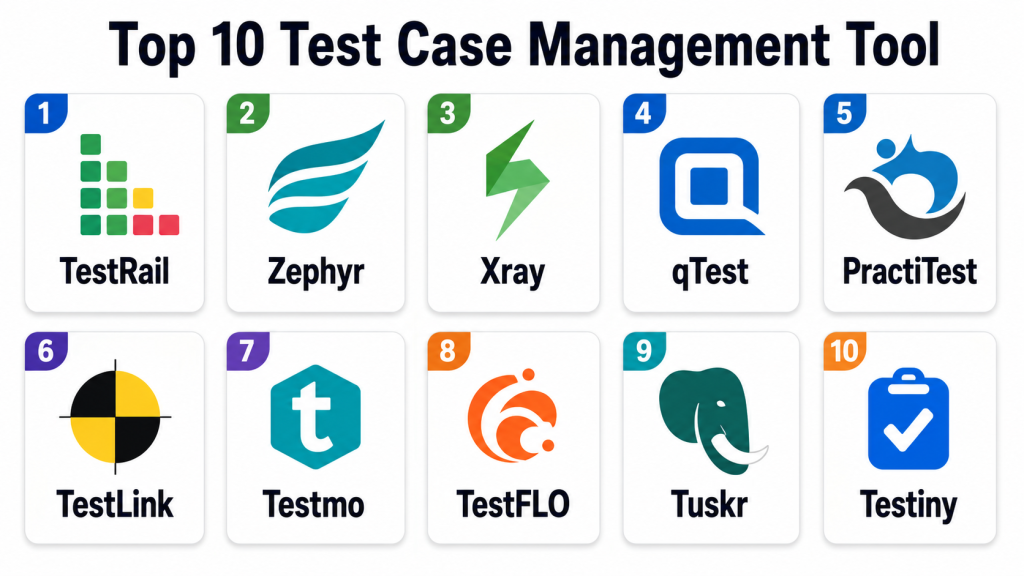
Top 10 Test Case Management Tools
#1 — TestRail
Short description: TestRail is a widely used test case management platform for QA teams that need structured test planning, execution, reporting, and release visibility. It is suitable for manual testing, regression testing, agile QA, and enterprise test management.
Key Features
- Test case creation and organization.
- Test plans, test runs, and milestones.
- Dashboards for execution and coverage visibility.
- Defect tracking integrations.
- Custom fields and test case templates.
- Reporting for release readiness and QA progress.
- API support for automation result integration.
Pros
- Strong structured test management workflow.
- Good reporting for QA leads and managers.
- Useful for both small and large test libraries.
Cons
- Can require setup effort for large teams.
- Pricing should be reviewed for bigger user groups.
- Some teams may need training to use advanced reporting well.
Platforms / Deployment
Web
Cloud / Self-hosted options may vary
Security & Compliance
Supports user roles, access controls, administrative permissions, and security features depending on edition and deployment. SSO, audit logs, encryption, and compliance details should be verified with the vendor.
Integrations & Ecosystem
TestRail works well with agile and DevOps workflows where QA needs to connect test execution with defects, stories, and automation results.
- Jira
- GitHub
- GitLab
- CI/CD pipelines
- Test automation frameworks
- Defect tracking tools
Support & Community
TestRail provides documentation, customer support, knowledge resources, onboarding materials, and a large QA user base.
#2 — Zephyr
Short description: Zephyr is a test management solution commonly used by teams working with Jira and agile development processes. It helps QA teams manage test cases, test cycles, executions, defects, and release quality from inside or alongside agile workflows.
Key Features
- Test case management linked with agile work items.
- Test cycles and test execution tracking.
- Jira integration for stories, bugs, and releases.
- Reporting and dashboard capabilities.
- Manual and automated test result tracking.
- Requirements traceability options depending on edition.
- Test planning for agile teams.
Pros
- Strong fit for Jira-centered teams.
- Good for agile QA and sprint-based testing.
- Helps connect tests with defects and requirements.
Cons
- Best value usually comes when used with Jira.
- Feature depth may vary by edition.
- Larger teams should validate reporting and scalability needs.
Platforms / Deployment
Web
Cloud / Self-hosted options may vary
Security & Compliance
Supports access controls, user permissions, and administrative controls depending on edition and hosting model. SSO, audit logs, encryption, and compliance details should be verified with the vendor.
Integrations & Ecosystem
Zephyr fits agile testing teams that want strong connection between QA workflows and issue tracking.
- Jira
- CI/CD tools
- Test automation frameworks
- Defect tracking workflows
- Agile reporting tools
- Requirements management tools
Support & Community
Zephyr provides documentation, product support, onboarding resources, and a strong user base among Jira-focused QA teams.
#3 — Xray
Short description: Xray is a test management tool built for teams using Jira to manage manual and automated testing. It is popular with agile teams that need traceability between requirements, tests, executions, and defects.
Key Features
- Test case management within Jira workflows.
- Manual and automated test tracking.
- Requirements traceability.
- Test plans, test sets, and test executions.
- Support for behavior-driven development workflows.
- Reporting and coverage visibility.
- Integration with CI/CD and automation tools.
Pros
- Strong Jira-native experience.
- Good traceability for agile and regulated teams.
- Supports both manual and automated testing.
Cons
- Best suited for Jira users.
- Jira configuration complexity can affect usability.
- Teams may need setup time for clean workflows.
Platforms / Deployment
Web
Cloud / Self-hosted options may vary
Security & Compliance
Security and access control largely depend on Jira configuration, user permissions, and product edition. SSO, audit logs, encryption, and compliance details should be verified with the vendor and hosting provider.
Integrations & Ecosystem
Xray is useful where QA, development, and product teams already work in Jira and want testing connected to the same workflow.
- Jira
- CI/CD pipelines
- Cucumber-style workflows
- Test automation frameworks
- Defect tracking
- Agile dashboards
Support & Community
Xray provides documentation, product support, implementation guidance, and a strong ecosystem among Jira-based testing teams.
#4 — qTest
Short description: qTest is an enterprise test management platform for teams that need test planning, execution, automation integration, reporting, and QA governance. It is suitable for larger organizations with structured testing processes and multiple delivery teams.
Key Features
- Test case management and test execution.
- Test planning across projects and releases.
- Requirements and defect traceability.
- Automation result integration.
- Reporting and analytics dashboards.
- Enterprise workflow and user management.
- Support for scaled QA processes.
Pros
- Strong fit for enterprise testing teams.
- Good reporting and governance capabilities.
- Useful for manual, automated, and agile testing visibility.
Cons
- May be more than small teams need.
- Implementation can require planning.
- Pricing and licensing should be reviewed carefully.
Platforms / Deployment
Web
Cloud / Hybrid options may vary
Security & Compliance
Supports enterprise access controls, user permissions, administrative controls, and secure test management workflows depending on edition. SSO, audit logs, encryption, and compliance details should be verified with the vendor.
Integrations & Ecosystem
qTest fits enterprise QA environments where testing must connect with agile planning, automation, and release governance.
- Jira
- CI/CD tools
- Test automation frameworks
- Defect management tools
- Agile planning platforms
- Reporting and analytics tools
Support & Community
qTest provides vendor documentation, support resources, onboarding assistance, and enterprise services depending on customer needs.
#5 — PractiTest
Short description: PractiTest is a test management platform built for end-to-end QA visibility, test execution, defect tracking, and reporting. It is useful for QA managers and testing teams that need flexible organization and actionable dashboards.
Key Features
- Test case and test set management.
- Test execution tracking.
- Requirements and defect traceability.
- Custom fields and workflow flexibility.
- Dashboards and reporting.
- Integration with issue trackers and automation tools.
- Support for exploratory and structured testing workflows.
Pros
- Flexible QA management structure.
- Strong visibility for QA leaders.
- Useful for teams managing complex testing processes.
Cons
- May require setup effort for best workflow design.
- Smaller teams may not need all features.
- Pricing should be reviewed based on team size.
Platforms / Deployment
Web
Cloud
Security & Compliance
Supports user roles, permissions, access controls, and secure cloud-based workflows depending on plan. SSO, audit logs, encryption, and compliance details should be verified with the vendor.
Integrations & Ecosystem
PractiTest connects testing workflows with development, defect tracking, and automation environments.
- Jira
- Azure DevOps
- GitHub
- CI/CD tools
- Automation frameworks
- Bug tracking systems
Support & Community
PractiTest provides documentation, customer support, onboarding help, and QA-focused learning resources.
#6 — TestLink
Short description: TestLink is an open-source test management tool used for creating, organizing, executing, and reporting test cases. It is best for teams that want basic test management without commercial licensing.
Key Features
- Test case creation and organization.
- Test plans and test execution.
- Requirements linking.
- Test result tracking.
- Basic reporting features.
- User role management.
- Integration options with defect tracking tools.
Pros
- Open-source and cost-friendly.
- Useful for basic structured test management.
- Good starting point for teams moving away from spreadsheets.
Cons
- Interface may feel dated.
- Requires self-hosting and administration.
- Reporting and integrations may be limited compared with modern tools.
Platforms / Deployment
Web / Linux / Windows support depends on hosting stack
Self-hosted
Security & Compliance
Supports user roles and basic access management depending on configuration. Advanced SSO, MFA, audit logs, encryption, and compliance certifications are not publicly stated as built-in universal claims.
Integrations & Ecosystem
TestLink fits teams that need simple test management and are comfortable managing their own hosting environment.
- Defect tracking tools
- Web server environments
- Database systems
- Manual QA workflows
- Basic requirements tracking
- Custom integrations
Support & Community
TestLink has community resources and open-source documentation. Support depends mostly on community knowledge or internal technical teams.
#7 — Testmo
Short description: Testmo is a modern test management tool for manual testing, exploratory testing, and automation result tracking. It is suitable for teams that want one place to manage structured QA, test runs, and CI/CD-connected automation.
Key Features
- Manual test case management.
- Exploratory testing support.
- Automation test result tracking.
- Test runs, milestones, and reporting.
- Integration with issue trackers.
- CI/CD pipeline integration.
- Modern web-based interface.
Pros
- Good balance of manual and automated testing.
- Modern and clean user experience.
- Useful for agile and DevOps teams.
Cons
- Buyers should validate enterprise governance needs.
- Feature fit depends on testing workflow maturity.
- Pricing should be reviewed for larger teams.
Platforms / Deployment
Web
Cloud / Self-hosted options may vary
Security & Compliance
Supports user management, access permissions, and secure workflow controls depending on edition. SSO, audit logs, encryption, and compliance details should be verified with the vendor.
Integrations & Ecosystem
Testmo fits teams that want to connect manual tests, exploratory sessions, and automation results into one QA workflow.
- Jira
- GitHub
- GitLab
- CI/CD tools
- Automation frameworks
- Issue tracking platforms
Support & Community
Testmo provides documentation, product support, onboarding resources, and modern QA workflow guidance.
#8 — TestFLO
Short description: TestFLO is a Jira-based test management tool designed for teams that want structured test processes connected directly to Jira workflows. It is useful for organizations that need customizable test management inside Jira.
Key Features
- Jira-integrated test case management.
- Test plans and test execution workflows.
- Requirements and defect traceability.
- Customizable testing processes.
- Reporting and dashboard options.
- Support for manual and automated test tracking.
- Strong fit for Jira issue-based workflows.
Pros
- Good for teams that want testing inside Jira.
- Flexible workflow customization.
- Useful for traceability and release testing.
Cons
- Best suited for Jira users.
- Setup complexity depends on Jira configuration.
- Non-Jira teams should consider other options.
Platforms / Deployment
Web
Cloud / Self-hosted options may vary
Security & Compliance
Security depends on Jira permissions, hosting model, and product configuration. SSO, audit logs, encryption, and compliance details should be verified with the vendor and hosting provider.
Integrations & Ecosystem
TestFLO works well in Jira-centered software delivery environments.
- Jira
- CI/CD tools
- Test automation frameworks
- Defect tracking workflows
- Agile boards
- Requirements workflows
Support & Community
TestFLO provides documentation, vendor support, and ecosystem resources for Jira-based QA teams.
#9 — Tuskr
Short description: Tuskr is a test management tool designed for test cases, test runs, reporting, and QA collaboration. It is useful for SMBs and growing teams that want a practical and easy-to-use test management system.
Key Features
- Test case management.
- Test runs and execution tracking.
- Test suites and reusable test organization.
- Reporting and analytics.
- Role-based collaboration.
- Integration with issue tracking tools.
- Import and export options.
Pros
- Simple and approachable for growing QA teams.
- Good value for structured testing needs.
- Useful for moving beyond spreadsheets.
Cons
- Enterprise governance should be validated.
- Advanced automation workflows may need review.
- Ecosystem may be smaller than larger platforms.
Platforms / Deployment
Web
Cloud
Security & Compliance
Supports user roles and access permissions depending on plan. SSO, audit logs, encryption, and compliance details should be verified with the vendor.
Integrations & Ecosystem
Tuskr fits teams that need practical test management and issue tracking integration without heavy enterprise complexity.
- Jira
- GitHub
- Issue trackers
- QA reporting workflows
- Manual testing workflows
- Team collaboration tools
Support & Community
Tuskr provides documentation, product support, and onboarding resources. Community size may be smaller than older enterprise tools.
#10 — Testiny
Short description: Testiny is a lightweight test case management tool focused on simplicity, speed, and usability. It is suitable for small to mid-sized teams that need clean test case organization, test runs, and basic QA visibility.
Key Features
- Test case creation and management.
- Test runs and execution tracking.
- Test result reporting.
- Team collaboration features.
- Integration with issue tracking tools.
- Fast and simple user interface.
- Import options for existing test assets.
Pros
- Easy to learn and use.
- Good for small and mid-sized QA teams.
- Practical alternative to spreadsheet-based testing.
Cons
- Larger enterprises should validate advanced governance needs.
- Integration depth may not match bigger platforms.
- Advanced reporting needs should be checked before adoption.
Platforms / Deployment
Web
Cloud / Self-hosted options may vary
Security & Compliance
Supports user management and access controls depending on edition. SSO, MFA, audit logs, encryption, and compliance details should be verified with the vendor.
Integrations & Ecosystem
Testiny fits teams that want lightweight test case management connected with development workflows.
- Jira
- Issue tracking tools
- Manual QA workflows
- Test run reporting
- Import and export workflows
- Team collaboration processes
Support & Community
Testiny provides documentation, product support, and resources for teams adopting structured test management.
Comparison Table (Top 10)
| Tool Name | Best For | Platform(s) Supported | Deployment | Standout Feature | Public Rating |
|---|---|---|---|---|---|
| TestRail | Structured QA test management | Web | Cloud / Self-hosted options vary | Strong test planning and reporting | N/A |
| Zephyr | Jira-centered agile QA teams | Web | Cloud / Self-hosted options vary | Jira-connected test execution | N/A |
| Xray | Jira-native manual and automated testing | Web | Cloud / Self-hosted options vary | Strong traceability inside Jira | N/A |
| qTest | Enterprise QA governance | Web | Cloud / Hybrid options vary | Scaled test management visibility | N/A |
| PractiTest | Flexible QA workflow management | Web | Cloud | End-to-end testing visibility | N/A |
| TestLink | Open-source test management | Web | Self-hosted | Cost-friendly basic test management | N/A |
| Testmo | Manual, exploratory, and automated testing | Web | Cloud / Self-hosted options vary | Unified modern QA workflow | N/A |
| TestFLO | Custom Jira-based testing workflows | Web | Cloud / Self-hosted options vary | Flexible Jira test process control | N/A |
| Tuskr | Growing QA teams | Web | Cloud | Simple test runs and reporting | N/A |
| Testiny | Lightweight test case management | Web | Cloud / Self-hosted options vary | Fast and simple test organization | N/A |
Evaluation & Scoring of Test Case Management Tools
| Tool Name | Core (25%) | Ease (15%) | Integrations (15%) | Security (10%) | Performance (10%) | Support (10%) | Value (15%) | Weighted Total (0–10) |
|---|---|---|---|---|---|---|---|---|
| TestRail | 9 | 8 | 9 | 8 | 8 | 8 | 8 | 8.35 |
| Zephyr | 8 | 8 | 9 | 8 | 8 | 8 | 8 | 8.20 |
| Xray | 9 | 8 | 9 | 8 | 8 | 8 | 8 | 8.45 |
| qTest | 9 | 7 | 9 | 9 | 8 | 9 | 7 | 8.35 |
| PractiTest | 8 | 8 | 8 | 8 | 8 | 8 | 8 | 8.00 |
| TestLink | 6 | 6 | 6 | 6 | 7 | 6 | 10 | 6.75 |
| Testmo | 8 | 9 | 8 | 8 | 8 | 8 | 8 | 8.15 |
| TestFLO | 8 | 7 | 9 | 8 | 8 | 8 | 8 | 8.05 |
| Tuskr | 7 | 9 | 7 | 7 | 8 | 7 | 9 | 7.75 |
| Testiny | 7 | 9 | 7 | 7 | 8 | 7 | 8 | 7.60 |
These scores are comparative and should be used as a decision-support guide, not as a universal ranking. Xray and Zephyr are strong for Jira-centered teams, TestRail is strong for structured QA management, and qTest fits larger enterprise environments. Lightweight tools such as Tuskr and Testiny may be better for smaller teams that want simplicity.
Which Test Case Management Tool Is Right for You?
Solo / Freelancer
Solo testers and freelancers usually need a simple, low-maintenance tool for organizing test cases, recording results, and sharing reports with clients. Testiny, Tuskr, or TestLink can be practical depending on budget and hosting preference.
If the freelancer works with Jira-based clients, Xray or Zephyr may be useful because they connect testing directly with stories and bugs.
SMB
SMBs should prioritize ease of use, fast onboarding, affordable pricing, simple reporting, Jira integration, and test reuse. TestRail, Testmo, Tuskr, Testiny, Zephyr, and Xray can all fit different SMB workflows.
If the team is moving from spreadsheets, the best first step is to choose a tool that is simple enough for testers and developers to actually use every day.
Mid-Market
Mid-market teams usually need better traceability, release reporting, integration with automation, role permissions, and reusable test libraries. TestRail, Xray, Zephyr, PractiTest, Testmo, and TestFLO are strong candidates.
Mid-market buyers should test how the tool handles large test suites, repeated regression cycles, automation result import, dashboards, and defect workflow integration.
Enterprise
Enterprises should focus on governance, scale, auditability, requirements traceability, role controls, reporting, automation integration, and support maturity. qTest, TestRail, Xray, Zephyr, PractiTest, and TestFLO are stronger enterprise options depending on Jira usage and QA process complexity.
Enterprise teams should also validate access control, integration with existing tools, data export, test history retention, and compliance support before purchase.
Budget vs Premium
Budget-focused teams may consider TestLink, Tuskr, Testiny, or lightweight cloud tools. Premium buyers may prefer qTest, TestRail, PractiTest, Xray, Zephyr, or TestFLO when they need stronger reporting, traceability, automation integration, and enterprise support.
The real cost should include licenses, migration effort, user training, reporting needs, admin time, and integration maintenance.
Feature Depth vs Ease of Use
For feature depth, qTest, TestRail, Xray, Zephyr, PractiTest, and TestFLO are strong. For ease of use, Testmo, Tuskr, Testiny, and some simpler configurations of TestRail may be more approachable.
A tool with many features is not always best. The best option is the one that matches your team’s testing maturity and daily workflow.
Integrations & Scalability
Jira-based teams should evaluate Xray, Zephyr, and TestFLO carefully. Teams needing broader QA management may prefer TestRail, qTest, PractiTest, or Testmo. Smaller teams may prefer Tuskr or Testiny for easier adoption.
Scalability should be tested by importing real test cases, running real test cycles, linking defects, connecting automation results, and generating release reports.
Security & Compliance Needs
Security-focused buyers should evaluate SSO, MFA, RBAC, audit logs, encryption, test data access, permission controls, backup options, and export controls. Regulated teams should request official vendor documentation and confirm whether the tool supports internal governance and traceability needs.
Test case management may contain sensitive business workflows, customer scenarios, and release data, so access control should not be ignored.
Frequently Asked Questions (FAQs)
1. What is a test case management tool?
A test case management tool helps teams create, organize, execute, track, and report software tests. It keeps test cases, test runs, defects, and results in one structured system.
2. Why should teams use test case management software?
Teams use test case management software to avoid scattered spreadsheets, improve test visibility, track release readiness, manage regression testing, and connect testing with defects and requirements.
3. What is the difference between test case management and bug tracking?
Test case management focuses on planning and executing tests. Bug tracking focuses on recording and resolving defects. Many teams connect both systems for better traceability.
4. Which tool is best for Jira users?
Xray, Zephyr, and TestFLO are strong options for Jira-centered teams. The best choice depends on workflow complexity, reporting needs, automation integration, and team preference.
5. Which tool is best for small QA teams?
Tuskr, Testiny, Testmo, TestRail, and TestLink can work well for smaller teams. Simplicity and adoption should be more important than feature overload.
6. How much do test case management tools cost?
Pricing varies by users, projects, hosting model, support level, enterprise features, and integration needs. Some tools are open-source, while enterprise platforms use paid subscriptions.
7. Can test case management tools track automation results?
Yes, many modern tools support automation result imports through APIs, CI/CD integrations, or framework connectors. Buyers should test this with their actual automation stack.
8. What are common test management mistakes?
Common mistakes include duplicate test cases, unclear naming, poor folder structure, no ownership, weak traceability, outdated test cases, and ignoring automation result integration.
9. Do these tools support requirements traceability?
Many tools support requirements traceability, especially enterprise and Jira-based tools. Teams should verify whether traceability works with their requirement and issue tracking process.
10. Can spreadsheets replace test case management tools?
Spreadsheets may work for very small projects, but they become hard to maintain as test cases, releases, defects, and team members grow. Dedicated tools provide better structure and reporting.
Conclusion
Test Case Management Tools help QA and software teams bring structure, visibility, and confidence to testing work. The best tool depends on team size, testing maturity, Jira usage, automation needs, reporting expectations, and compliance requirements. TestRail is strong for structured QA management, Xray and Zephyr are strong for Jira-centered teams, qTest fits enterprise governance, PractiTest offers flexible QA visibility, and Testmo provides a modern mix of manual, exploratory, and automation tracking. TestLink can work for open-source needs, while TestFLO, Tuskr, and Testiny serve teams looking for Jira flexibility, simplicity, or lightweight adoption. The best next step is to shortlist two or three tools, import real test cases, run a pilot test cycle, validate defect and automation integrations, and confirm that the tool improves both tester productivity and release confidence.
