Upgrade & Secure Your Future with DevOps, SRE, DevSecOps, MLOps!
We spend hours scrolling social media and waste money on things we forget, but won’t spend 30 minutes a day earning certifications that can change our lives.
Master in DevOps, SRE, DevSecOps & MLOps by DevOps School!
Learn from Guru Rajesh Kumar and double your salary in just one year.
Introduction
Performance Testing Tools help teams measure how applications, websites, APIs, databases, and systems behave under different user loads. In simple words, these tools show whether an application is fast, stable, scalable, and reliable when real users start using it heavily.
Performance testing matters because users expect applications to load quickly and work smoothly. A slow checkout page, delayed API response, crashing mobile app, or overloaded server can directly affect customer experience, revenue, brand trust, and operations.
Common real-world use cases include load testing, stress testing, spike testing, endurance testing, API performance testing, database performance checks, website speed validation, cloud capacity testing, and release readiness testing.
Buyers should evaluate protocol support, scripting flexibility, ease of test creation, cloud load generation, reporting quality, CI/CD integration, observability support, collaboration features, security controls, scalability, and pricing model.
Best for: QA engineers, performance testers, DevOps teams, SRE teams, developers, platform teams, ecommerce teams, SaaS companies, banks, telecom teams, healthcare platforms, and any organization running user-facing applications.
Not ideal for: very small websites with low traffic, teams that only need basic uptime checks, or organizations that do not yet have stable test environments and clear performance goals.
Key Trends in Performance Testing Tools
- Shift-left performance testing is becoming standard, with teams running smaller performance checks earlier in development instead of waiting until final release stages.
- API performance testing is now a major requirement, because modern applications depend heavily on APIs, microservices, backend services, and third-party integrations.
- Cloud-based load generation is growing, helping teams simulate traffic from different regions without managing large internal testing infrastructure.
- CI/CD integration is now expected, so performance tests can run automatically during builds, releases, and deployment pipelines.
- Observability integration is becoming critical, connecting load test results with metrics, logs, traces, infrastructure behavior, and application performance monitoring.
- Developer-friendly scripting is gaining importance, especially with tools that use JavaScript, Python, YAML, or code-based test definitions.
- Open-source performance tools remain widely used, especially when teams want flexibility, lower cost, and deeper customization.
- Enterprise teams are focusing on governance, including role controls, test history, audit visibility, reporting, and reusable test assets.
- Performance testing for cloud-native systems is expanding, especially for Kubernetes, serverless, distributed APIs, and event-driven architectures.
- AI-assisted analysis is becoming useful, especially for identifying bottlenecks, comparing test runs, detecting abnormal patterns, and explaining performance regressions.
How We Selected These Tools
The tools below were selected using practical buyer-focused evaluation logic:
- Market adoption and recognition across QA, DevOps, SRE, development, and enterprise testing teams.
- Feature completeness for load testing, stress testing, API testing, scripting, reporting, and test automation.
- Reliability and performance signals for generating realistic load and handling large-scale test scenarios.
- Security posture signals such as access control, encryption, user management, and safe handling of test data.
- Integration strength with CI/CD tools, monitoring platforms, cloud services, source control, and collaboration systems.
- Fit across customer segments, including freelancers, SMBs, mid-market teams, enterprises, and regulated organizations.
- Ease of test creation for both technical and non-technical users.
- Flexibility across cloud, self-hosted, hybrid, and open-source deployment models.
- Community maturity, documentation, vendor support, and ecosystem strength.
- Practical value based on scalability, usability, cost, reporting depth, and long-term maintainability.
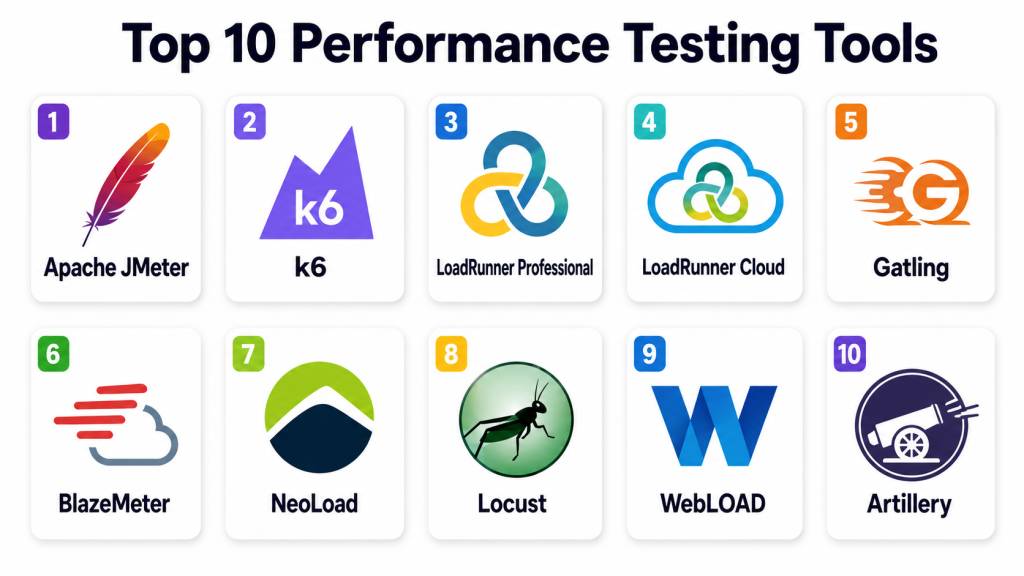
Top 10 Performance Testing Tools
#1 — Apache JMeter
Short description: Apache JMeter is a widely used open-source performance testing tool for load testing websites, APIs, databases, and various services. It is popular with QA teams, developers, and performance engineers who need flexible test design without commercial licensing.
Key Features
- Load testing for web applications and APIs.
- Support for HTTP, HTTPS, JDBC, FTP, SOAP, REST, and other protocols.
- Test plan creation through a graphical interface.
- Distributed load testing support.
- Assertions, timers, controllers, and listeners.
- Plugin ecosystem for extended functionality.
- Command-line execution for automation pipelines.
Pros
- Strong open-source adoption and community.
- Flexible for many performance testing scenarios.
- Good for teams that need low-cost load testing.
Cons
- Interface can feel dated for new users.
- Large tests require careful resource planning.
- Advanced reporting often needs additional setup.
Platforms / Deployment
Windows / macOS / Linux
Self-hosted / Cloud / Hybrid
Security & Compliance
Supports secure protocol testing, basic authentication handling, certificates, and test configuration controls. Enterprise-grade SSO, RBAC, audit logs, and compliance certifications are not publicly stated as built-in universal platform claims.
Integrations & Ecosystem
Apache JMeter integrates well with development, testing, and DevOps pipelines. It is often used with reporting, monitoring, and CI/CD tools.
- Jenkins
- GitLab CI
- Azure DevOps
- Grafana
- InfluxDB
- Docker environments
Support & Community
Apache JMeter has strong community support, open-source documentation, tutorials, plugins, and broad adoption among QA and performance testing professionals.
#2 — k6
Short description: k6 is a developer-friendly performance testing tool designed for modern engineering teams. It uses JavaScript-based scripting and works well for API performance testing, CI/CD pipelines, and cloud-native testing workflows.
Key Features
- JavaScript-based performance test scripting.
- API, load, stress, and spike testing support.
- Command-line execution for automation.
- Cloud and self-hosted usage options depending on setup.
- Threshold-based pass or fail checks.
- Good CI/CD integration.
- Metrics export for observability tools.
Pros
- Developer-friendly scripting model.
- Strong fit for API and CI/CD performance testing.
- Lightweight and modern testing experience.
Cons
- GUI-based test creation is limited compared with some enterprise tools.
- Browser-level testing may require additional capabilities or setup.
- Teams unfamiliar with scripting may need training.
Platforms / Deployment
Windows / macOS / Linux
Cloud / Self-hosted / Hybrid
Security & Compliance
Supports secure endpoint testing, token-based test flows, environment variables, and integration with secure pipelines. Enterprise security features such as SSO, RBAC, audit logs, and compliance details depend on product edition and deployment.
Integrations & Ecosystem
k6 fits modern DevOps, API, and cloud-native testing environments where performance checks are part of engineering workflows.
- Grafana ecosystem
- CI/CD pipelines
- Docker
- Kubernetes
- Prometheus
- Source control workflows
Support & Community
k6 has strong documentation, active community usage, commercial support options depending on product edition, and growing adoption among developers and SRE teams.
#3 — LoadRunner Professional
Short description: LoadRunner Professional is an enterprise-grade performance testing platform for complex applications, protocols, and large-scale test scenarios. It is suited for large organizations that need deep protocol support, governance, and mature performance engineering workflows.
Key Features
- Broad protocol support for enterprise applications.
- Script recording and advanced scripting capabilities.
- Large-scale load generation.
- Detailed performance analysis and reporting.
- Correlation and parameterization features.
- Integration with enterprise testing workflows.
- Support for complex legacy and modern systems.
Pros
- Strong enterprise feature depth.
- Good for complex applications and many protocols.
- Mature performance engineering capabilities.
Cons
- Can be expensive for smaller teams.
- Requires skilled performance engineers.
- Setup and scripting can be complex.
Platforms / Deployment
Windows / Web components may vary
Self-hosted / Hybrid options may vary
Security & Compliance
Supports enterprise user management, secure testing workflows, access controls, and controlled test assets depending on configuration. Specific compliance certifications should be verified with the vendor.
Integrations & Ecosystem
LoadRunner Professional fits enterprise testing environments with complex apps, legacy systems, and structured QA processes.
- Enterprise test management tools
- CI/CD tools
- Application monitoring tools
- Databases
- ERP and legacy systems
- Defect tracking workflows
Support & Community
Commercial support, documentation, training, partner resources, and enterprise services are available through the vendor ecosystem.
#4 — LoadRunner Cloud
Short description: LoadRunner Cloud is a cloud-based performance testing platform for teams that need scalable load generation, browser and protocol testing, and collaboration without managing heavy internal infrastructure.
Key Features
- Cloud-based load testing.
- Scalable virtual user generation.
- Web, API, and selected protocol testing.
- Test collaboration and centralized assets.
- Performance dashboards and analytics.
- Integration with CI/CD workflows.
- Geographic load generation options may vary by plan.
Pros
- Reduces infrastructure management effort.
- Strong for enterprise cloud-based performance testing.
- Useful for distributed teams and large tests.
Cons
- Pricing should be reviewed carefully.
- Some advanced needs may still require expert scripting.
- Best fit is for teams needing managed cloud performance testing.
Platforms / Deployment
Web
Cloud
Security & Compliance
Supports enterprise access controls, secure test management, encrypted communication, and admin controls depending on plan. Specific compliance certifications should be verified with the vendor.
Integrations & Ecosystem
LoadRunner Cloud connects performance testing with enterprise delivery, monitoring, and DevOps workflows.
- CI/CD tools
- Application monitoring tools
- Enterprise QA platforms
- Cloud applications
- API testing workflows
- Reporting systems
Support & Community
Vendor support, enterprise documentation, onboarding resources, and professional services are available depending on plan and customer requirements.
#5 — Gatling
Short description: Gatling is a performance testing tool known for code-based test scenarios and strong load testing capabilities. It is popular with developers, performance engineers, and teams that prefer test-as-code approaches.
Key Features
- Code-based performance test scripting.
- HTTP and API load testing support.
- Scenario simulation for user journeys.
- Detailed reports and test results.
- CI/CD-friendly execution.
- Open-source and commercial options.
- Good support for developer workflows.
Pros
- Strong test-as-code approach.
- Good performance and reporting model.
- Useful for technical teams and automation pipelines.
Cons
- Requires coding knowledge.
- Less suitable for non-technical testers.
- Advanced enterprise features depend on product edition.
Platforms / Deployment
Windows / macOS / Linux
Self-hosted / Cloud / Hybrid options may vary
Security & Compliance
Supports secure endpoint testing, environment variables, authentication flows, and controlled test configuration. SSO, RBAC, audit logs, and compliance features depend on commercial edition and deployment.
Integrations & Ecosystem
Gatling fits engineering-led performance testing where test scripts live close to application code.
- CI/CD pipelines
- Source control systems
- Maven and build tools
- API testing workflows
- Monitoring tools
- Container environments
Support & Community
Gatling has community documentation, open-source resources, commercial support options, and strong adoption among technical performance testing teams.
#6 — BlazeMeter
Short description: BlazeMeter is a cloud-based performance testing platform that supports open-source tools such as JMeter and offers scalable load generation, reporting, and collaboration features. It is useful for teams that want cloud performance testing without abandoning open-source workflows.
Key Features
- Cloud-based load testing.
- Support for JMeter and other open-source testing assets.
- API and web performance testing.
- Test recording and script management options.
- Scalable load generation.
- Dashboards and reporting.
- CI/CD integration support.
Pros
- Good for teams already using JMeter.
- Reduces load generation infrastructure burden.
- Useful for collaborative performance testing.
Cons
- Pricing should be reviewed based on usage.
- Advanced tuning still requires testing expertise.
- Feature depth depends on plan and use case.
Platforms / Deployment
Web
Cloud / Hybrid options may vary
Security & Compliance
Supports secure test execution, user management, encrypted communication, and access controls depending on plan. Specific compliance certifications should be verified with the vendor.
Integrations & Ecosystem
BlazeMeter fits teams that want cloud scalability with open-source testing workflows.
- Apache JMeter
- CI/CD tools
- API testing tools
- Monitoring platforms
- Source control workflows
- Collaboration tools
Support & Community
Vendor support, documentation, onboarding resources, and community knowledge around JMeter-style testing are available.
#7 — NeoLoad
Short description: NeoLoad is an enterprise performance testing platform designed for web, mobile, API, packaged applications, and complex enterprise systems. It is useful for teams that need scalable testing, collaboration, and continuous performance validation.
Key Features
- Load testing for web, mobile, and APIs.
- Script design and test scenario creation.
- Scalable load generation.
- Collaboration and test asset management.
- CI/CD integration.
- Performance analytics and reporting.
- Support for enterprise application performance testing.
Pros
- Strong enterprise performance testing workflow.
- Good collaboration features for performance teams.
- Useful for continuous testing strategies.
Cons
- May be too advanced for small teams.
- Licensing and implementation should be reviewed carefully.
- Requires performance testing expertise for best results.
Platforms / Deployment
Windows / Linux / Web components may vary
Cloud / Self-hosted / Hybrid
Security & Compliance
Supports enterprise user management, secure test execution, access controls, and reporting features depending on edition. Specific compliance certifications should be verified with the vendor.
Integrations & Ecosystem
NeoLoad fits enterprise delivery pipelines, QA teams, DevOps teams, and performance engineering practices.
- CI/CD tools
- APM tools
- Test management platforms
- API testing workflows
- Monitoring systems
- Defect tracking tools
Support & Community
Commercial documentation, vendor support, onboarding resources, training, and professional services are available depending on product edition.
#8 — Locust
Short description: Locust is an open-source performance testing tool that lets teams write load tests in Python. It is useful for developers and QA engineers who want flexible, code-driven testing for APIs and user behavior simulation.
Key Features
- Python-based test scripting.
- Distributed load testing support.
- Web-based test execution interface.
- User behavior modeling with code.
- Good for API and web performance testing.
- Open-source flexibility.
- Integration with DevOps workflows.
Pros
- Flexible and developer-friendly for Python teams.
- Good for custom user behavior simulation.
- Open-source and easy to extend.
Cons
- Requires Python knowledge.
- Reporting may need additional tooling for enterprise use.
- Protocol support is not as broad as some enterprise tools.
Platforms / Deployment
Windows / macOS / Linux
Self-hosted / Cloud / Hybrid
Security & Compliance
Supports secure endpoint testing and script-level control of authentication flows. Built-in enterprise SSO, RBAC, audit logs, and compliance certifications are not publicly stated as universal platform features.
Integrations & Ecosystem
Locust fits Python-centered engineering teams and custom test automation workflows.
- Python ecosystem
- CI/CD pipelines
- Docker
- Kubernetes
- Monitoring tools
- API testing workflows
Support & Community
Locust has open-source documentation, community support, examples, and adoption among developers who prefer Python-based testing.
#9 — WebLOAD
Short description: WebLOAD is a performance and load testing platform for web applications, APIs, and enterprise systems. It is suitable for QA teams and performance engineers who need scripting, reporting, and controlled load testing workflows.
Key Features
- Web and API load testing.
- Script recording and editing.
- Load generation and scenario execution.
- Performance analytics and reporting.
- Correlation and parameterization support.
- Integration with monitoring and CI/CD workflows.
- Enterprise testing capabilities.
Pros
- Good for structured performance testing teams.
- Supports scripting and detailed analysis.
- Useful for enterprise web and API workloads.
Cons
- May require testing expertise.
- Interface and workflow should be validated by users.
- Pricing and support options should be reviewed carefully.
Platforms / Deployment
Windows / Web components may vary
Self-hosted / Cloud / Hybrid options may vary
Security & Compliance
Supports secure testing workflows, access controls, and controlled execution depending on setup. Specific compliance certifications should be verified with the vendor.
Integrations & Ecosystem
WebLOAD fits QA and enterprise performance testing environments where teams need repeatable load tests and detailed analysis.
- CI/CD tools
- Monitoring tools
- Web applications
- API testing workflows
- Reporting systems
- Defect tracking tools
Support & Community
Vendor support, documentation, training resources, and professional guidance are available depending on plan and customer needs.
#10 — Artillery
Short description: Artillery is a developer-friendly load testing toolkit for APIs, services, and modern backend systems. It is useful for engineering teams that want scriptable, lightweight, and automation-friendly performance tests.
Key Features
- YAML and JavaScript-based test definitions.
- API and backend service load testing.
- CLI-first workflow.
- CI/CD-friendly execution.
- Support for modern protocols depending on configuration.
- Cloud and self-hosted usage options depending on setup.
- Good fit for developer-driven testing.
Pros
- Lightweight and easy to automate.
- Good for API and backend performance tests.
- Developer-friendly configuration style.
Cons
- Less suitable for non-technical testers.
- Enterprise governance depends on edition and setup.
- Advanced reporting may require additional tooling.
Platforms / Deployment
Windows / macOS / Linux
Self-hosted / Cloud options may vary
Security & Compliance
Supports secure endpoint testing and controlled configuration through scripts and environments. Enterprise SSO, RBAC, audit logs, and compliance details depend on product edition and deployment.
Integrations & Ecosystem
Artillery fits teams that want performance tests close to development and release automation workflows.
- CI/CD pipelines
- Source control systems
- API services
- Node.js ecosystem
- Container environments
- Monitoring workflows
Support & Community
Artillery has documentation, open-source community resources, examples, and commercial support options depending on product edition.
Comparison Table (Top 10)
| Tool Name | Best For | Platform(s) Supported | Deployment | Standout Feature | Public Rating |
|---|---|---|---|---|---|
| Apache JMeter | Open-source load testing | Windows, macOS, Linux | Self-hosted / Cloud / Hybrid | Flexible protocol support | N/A |
| k6 | Developer-led API performance testing | Windows, macOS, Linux | Cloud / Self-hosted / Hybrid | JavaScript test scripting | N/A |
| LoadRunner Professional | Enterprise performance engineering | Windows, Varies | Self-hosted / Hybrid | Broad enterprise protocol coverage | N/A |
| LoadRunner Cloud | Cloud-based enterprise load testing | Web | Cloud | Scalable managed load generation | N/A |
| Gatling | Test-as-code performance testing | Windows, macOS, Linux | Self-hosted / Cloud / Hybrid | Code-based performance scenarios | N/A |
| BlazeMeter | Cloud testing with open-source assets | Web | Cloud / Hybrid | JMeter-compatible cloud scaling | N/A |
| NeoLoad | Enterprise continuous performance testing | Windows, Linux, Web components | Cloud / Self-hosted / Hybrid | Collaborative enterprise performance testing | N/A |
| Locust | Python-based load testing | Windows, macOS, Linux | Self-hosted / Cloud / Hybrid | Python user behavior modeling | N/A |
| WebLOAD | Structured enterprise load testing | Windows, Web components | Self-hosted / Cloud / Hybrid | Web and API load testing analytics | N/A |
| Artillery | Lightweight API load testing | Windows, macOS, Linux | Self-hosted / Cloud options vary | YAML and JavaScript-driven tests | N/A |
Evaluation & Scoring of Performance Testing Tools
| Tool Name | Core (25%) | Ease (15%) | Integrations (15%) | Security (10%) | Performance (10%) | Support (10%) | Value (15%) | Weighted Total (0–10) |
|---|---|---|---|---|---|---|---|---|
| Apache JMeter | 9 | 7 | 9 | 7 | 8 | 9 | 10 | 8.55 |
| k6 | 8 | 9 | 9 | 8 | 9 | 8 | 9 | 8.60 |
| LoadRunner Professional | 10 | 6 | 9 | 9 | 9 | 10 | 6 | 8.35 |
| LoadRunner Cloud | 9 | 8 | 9 | 9 | 9 | 9 | 7 | 8.55 |
| Gatling | 8 | 8 | 8 | 8 | 9 | 8 | 8 | 8.15 |
| BlazeMeter | 8 | 8 | 9 | 8 | 8 | 8 | 7 | 8.00 |
| NeoLoad | 9 | 8 | 9 | 8 | 9 | 9 | 7 | 8.45 |
| Locust | 7 | 8 | 8 | 7 | 8 | 7 | 9 | 7.75 |
| WebLOAD | 8 | 7 | 8 | 8 | 8 | 8 | 7 | 7.75 |
| Artillery | 7 | 9 | 8 | 7 | 8 | 7 | 9 | 7.90 |
These scores are comparative and should be used as a decision-support guide, not as a universal ranking. JMeter is strong for open-source flexibility, k6 is strong for developer-led API testing, and LoadRunner is strong for complex enterprise environments. The best tool depends on application type, team skill, testing scale, budget, and reporting needs.
Which Performance Testing Tool Is Right for You?
Solo / Freelancer
Solo developers and freelancers usually need lightweight, affordable, and easy-to-run tools. Apache JMeter is practical for general load testing, while k6 and Artillery are strong for API-focused projects. Locust is useful if the user prefers Python-based scripting.
For simple website checks, a full enterprise performance platform may be unnecessary. A smaller open-source tool may provide enough value.
SMB
SMBs should prioritize ease of setup, cost control, basic reporting, CI/CD integration, and simple test maintenance. Apache JMeter, k6, Gatling, Locust, Artillery, and BlazeMeter can fit different SMB needs.
If the team wants cloud load generation without managing infrastructure, BlazeMeter or k6 cloud-style workflows may be useful. If the team wants open-source control, JMeter, Locust, or Artillery can be better.
Mid-Market
Mid-market teams usually need repeatable tests, collaboration, CI/CD automation, better reporting, monitoring integration, and scalable test execution. k6, Gatling, BlazeMeter, NeoLoad, WebLOAD, and JMeter can all fit depending on technical skills and governance needs.
Mid-market buyers should test real API flows, authentication, test data handling, reporting quality, and integration with observability tools before standardizing.
Enterprise
Enterprises should focus on protocol support, governance, auditability, collaboration, security, distributed testing, reporting, and integration with existing QA and DevOps workflows. LoadRunner Professional, LoadRunner Cloud, NeoLoad, BlazeMeter, WebLOAD, and enterprise-supported k6 or Gatling options are strong candidates.
Enterprise teams should also evaluate support quality, test asset management, role controls, private load generation, compliance needs, and integration with application performance monitoring.
Budget vs Premium
Budget-focused teams may prefer Apache JMeter, Locust, Artillery, Gatling open-source options, or k6 open-source workflows. Premium buyers may prefer LoadRunner, NeoLoad, BlazeMeter, or commercial editions of developer-friendly tools.
The real cost should include licensing, load infrastructure, test maintenance, training, reporting, cloud usage, and performance engineering time.
Feature Depth vs Ease of Use
For feature depth, LoadRunner, NeoLoad, JMeter, BlazeMeter, and WebLOAD are strong. For ease of use and modern scripting, k6, Artillery, Gatling, and Locust can be more attractive for engineering teams.
A tool with many features is not always the best choice. The best tool is the one your team can use consistently in release workflows.
Integrations & Scalability
JMeter integrates broadly with CI/CD and monitoring tools. k6 works well in modern developer and observability workflows. Gatling fits test-as-code environments. BlazeMeter helps scale open-source tests in the cloud. LoadRunner and NeoLoad fit enterprise testing pipelines.
Scalability should be tested through realistic user journeys, authentication flows, production-like test data, geographic load, and monitoring integration.
Security & Compliance Needs
Security-focused buyers should evaluate SSO, MFA, RBAC, audit logs, private load generators, secure credential handling, test data masking, encrypted communication, and access controls. Regulated organizations should verify vendor documentation and confirm whether the tool supports internal governance rules.
Performance tests often use sensitive endpoints and credentials, so security should be planned before test execution.
Frequently Asked Questions (FAQs)
1. What is a performance testing tool?
A performance testing tool helps measure how an application behaves under different user loads. It checks speed, stability, scalability, response time, throughput, and system behavior.
2. What is the difference between load testing and stress testing?
Load testing checks how a system performs under expected traffic. Stress testing pushes the system beyond normal limits to understand breaking points and failure behavior.
3. Which performance testing tool is best for beginners?
Apache JMeter is popular for beginners because it has a graphical interface and large community. k6 and Artillery are also good for developers who prefer scripting.
4. Which tool is best for API performance testing?
k6, JMeter, Gatling, Locust, Artillery, BlazeMeter, and NeoLoad can all support API performance testing. The best choice depends on scripting preference, reporting needs, and scale.
5. How much do performance testing tools cost?
Pricing varies by tool, load volume, virtual users, test duration, cloud usage, users, support level, and enterprise features. Open-source tools reduce licensing cost but may require more internal expertise.
6. What are common performance testing mistakes?
Common mistakes include unrealistic test data, poor user journey design, testing too late, ignoring think time, not monitoring backend systems, and focusing only on average response time.
7. Can performance tests run in CI/CD pipelines?
Yes, many tools support command-line execution and CI/CD integration. Teams often run smaller performance checks during builds and larger tests before major releases.
8. What metrics should teams track?
Important metrics include response time, throughput, error rate, latency, CPU usage, memory usage, database performance, network usage, and resource saturation.
9. Do performance testing tools replace monitoring tools?
No. Performance testing tools generate and measure load, while monitoring tools observe infrastructure and application behavior. The best results come from using both together.
10. What is virtual user testing?
Virtual user testing simulates many users interacting with an application. It helps teams understand how the system behaves under expected or high traffic.
Conclusion
Performance Testing Tools help teams protect user experience, release confidence, and system reliability by showing how applications behave under real and simulated load. The best tool depends on application type, team skills, budget, reporting needs, test scale, and integration requirements. Apache JMeter remains a strong open-source option for flexible testing, while k6, Gatling, Locust, and Artillery are excellent for developer-led performance testing. LoadRunner Professional, LoadRunner Cloud, NeoLoad, WebLOAD, and BlazeMeter serve enterprise and cloud-based testing needs with stronger governance, collaboration, and reporting options. The best next step is to shortlist two or three tools, test them with real user journeys, connect them with monitoring systems, validate security controls, and compare how easily your team can maintain performance tests over time.
