Upgrade & Secure Your Future with DevOps, SRE, DevSecOps, MLOps!
We spend hours scrolling social media and waste money on things we forget, but won’t spend 30 minutes a day earning certifications that can change our lives.
Master in DevOps, SRE, DevSecOps & MLOps by DevOps School!
Learn from Guru Rajesh Kumar and double your salary in just one year.
Introduction
Application Servers are platforms that run, manage, and deliver business applications. In simple terms, they sit between users, databases, backend systems, APIs, and business logic. When a user opens a banking app, enterprise portal, ecommerce site, HR platform, or internal workflow system, an application server often helps process requests, manage sessions, connect to databases, apply security rules, and return responses.
Application servers matter because businesses need reliable, scalable, secure, and manageable environments for running applications. Even with containers, cloud services, and serverless platforms becoming popular, application servers remain important for enterprise Java, .NET, middleware, API, and legacy modernization workloads.
Common use cases include enterprise application hosting, Java EE/Jakarta EE apps, web application deployment, API backends, transaction-heavy systems, internal portals, financial applications, government systems, and regulated enterprise workloads.
Buyers should evaluate performance, scalability, security, clustering, monitoring, deployment model, application compatibility, cloud readiness, vendor support, licensing, integration ecosystem, and operational complexity.
Best for: enterprise architects, DevOps teams, platform teams, Java developers, .NET teams, middleware administrators, regulated industries, banks, insurance companies, government teams, telecom companies, and organizations running business-critical applications.
Not ideal for: small teams building simple static websites, lightweight APIs that fit serverless better, or organizations that only need managed cloud app hosting without deep middleware control.
Key Trends in Application Servers
- Cloud-native modernization is reshaping application servers, as many teams now run traditional application workloads inside containers, Kubernetes, or hybrid cloud platforms.
- Lightweight runtimes are gaining attention, especially for microservices, APIs, and faster startup needs.
- Enterprise Java workloads are still important, but many teams are moving from heavy monolithic deployments to modular, container-friendly application runtimes.
- Security hardening is now a major requirement, including TLS, identity integration, access controls, patch management, secure configuration, and vulnerability scanning.
- Observability is becoming essential, with metrics, logs, traces, health checks, and application performance monitoring now expected in production environments.
- Automation is reducing deployment effort, especially through CI/CD pipelines, infrastructure as code, configuration management, and container image pipelines.
- Hybrid deployment models are common, where organizations run some applications on-premises and others in cloud or container platforms.
- API-first application architecture is increasing, so application servers need strong integration with API gateways, service meshes, identity providers, and monitoring tools.
- Cost control matters more, especially where commercial licensing, infrastructure usage, support contracts, and cloud hosting costs must be justified.
- Legacy modernization is a key driver, as enterprises want to keep stable business applications while gradually improving deployment speed, scalability, and maintainability.
How We Selected These Tools
The tools below were selected using practical buyer-focused evaluation logic:
- Market adoption and recognition across enterprise application hosting, Java, .NET, middleware, and cloud-native environments.
- Feature completeness for application deployment, clustering, transaction handling, security, monitoring, and administration.
- Reliability and performance signals across production, enterprise, cloud, and self-hosted workloads.
- Security posture signals such as TLS, RBAC, authentication integrations, audit logging, patching, and secure configuration options.
- Integration strength with databases, CI/CD tools, cloud platforms, monitoring systems, identity providers, and container environments.
- Fit across multiple customer segments, including developers, SMBs, mid-market teams, enterprises, and regulated industries.
- Ease of setup, application deployment, configuration, scaling, and operations.
- Flexibility across self-hosted, cloud, hybrid, and containerized deployments.
- Community maturity, vendor support, documentation, and long-term ecosystem stability.
- Practical value based on capability depth, operational effort, licensing, performance, and business fit.
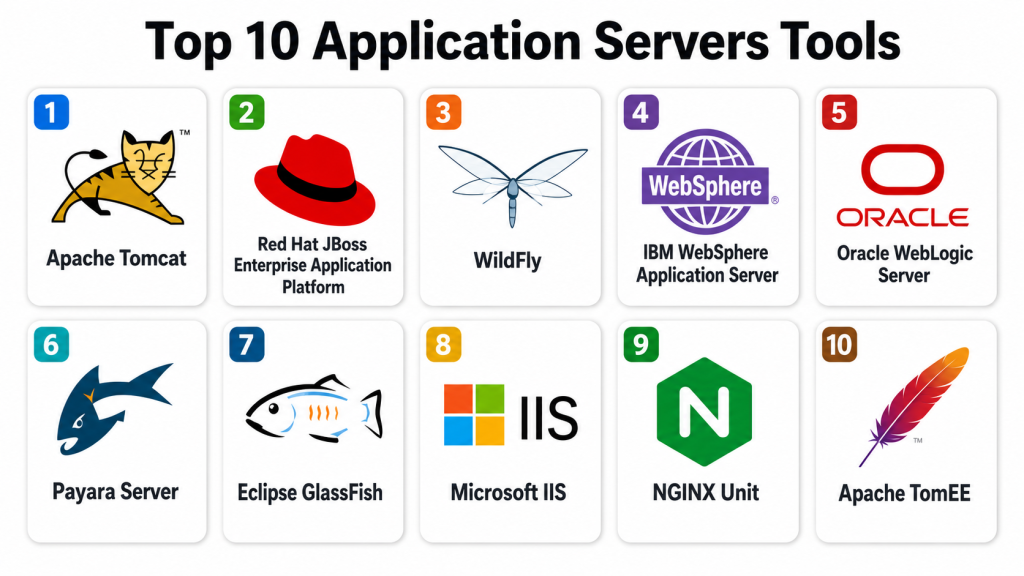
Top 10 Application Servers Tools
#1 — Apache Tomcat
Short description: Apache Tomcat is a widely used open-source application server and servlet container for running Java web applications. It is popular among developers, SMBs, enterprises, and teams that need a lightweight Java runtime for web apps and APIs.
Key Features
- Java servlet and JSP support.
- Lightweight runtime compared with full enterprise Java servers.
- Simple deployment for WAR-based applications.
- Strong community adoption.
- Integration with reverse proxies and load balancers.
- Support for SSL/TLS configuration.
- Useful for web applications and API backends.
Pros
- Lightweight and easy to adopt.
- Strong community and documentation.
- Good fit for Java web applications and smaller deployments.
Cons
- Not a full Jakarta EE application server.
- Advanced enterprise features may need additional tools.
- Clustering and management require careful configuration.
Platforms / Deployment
Web / Windows / macOS / Linux
Self-hosted / Cloud / Hybrid
Security & Compliance
Supports TLS configuration, authentication realms, role-based web application security, logging, and standard Java security configuration. Formal compliance depends on deployment, configuration, and hosting environment.
Integrations & Ecosystem
Apache Tomcat fits well into Java development, web hosting, CI/CD, and cloud deployment workflows.
- Java frameworks
- CI/CD pipelines
- Reverse proxies
- Load balancers
- Monitoring tools
- Cloud and container platforms
Support & Community
Apache Tomcat has strong open-source documentation, a large community, long-standing adoption, and commercial support options through third-party vendors.
#2 — Red Hat JBoss Enterprise Application Platform
Short description: Red Hat JBoss Enterprise Application Platform is an enterprise-grade Java application server based on open-source technologies. It is suited for organizations that need supported Jakarta EE workloads, enterprise stability, and integration with Red Hat platforms.
Key Features
- Jakarta EE application support.
- Enterprise-grade Java application hosting.
- Clustering and high availability options.
- Transaction management.
- Integration with Red Hat ecosystem.
- Management console and CLI tools.
- Support for cloud and container deployments.
Pros
- Strong enterprise support model.
- Good fit for regulated and mission-critical Java workloads.
- Useful for organizations already using Red Hat technologies.
Cons
- More complex than lightweight Java runtimes.
- Subscription and support cost should be reviewed.
- Requires skilled Java middleware administration.
Platforms / Deployment
Web / Windows / Linux
Self-hosted / Cloud / Hybrid
Security & Compliance
Supports role-based access, authentication integrations, TLS, audit logging options, secure management interfaces, and enterprise security configuration. Specific compliance certifications should be verified with the vendor.
Integrations & Ecosystem
JBoss Enterprise Application Platform works well in enterprise Java, hybrid cloud, and Red Hat-centered environments.
- Red Hat OpenShift
- Red Hat Enterprise Linux
- Enterprise databases
- CI/CD tools
- Identity providers
- Monitoring platforms
Support & Community
Red Hat provides enterprise documentation, support, training, partner services, and long-term maintenance options.
#3 — WildFly
Short description: WildFly is an open-source Jakarta EE application server used for building and running enterprise Java applications. It is suitable for developers and teams that want modern Java application server features without commercial licensing.
Key Features
- Jakarta EE support.
- Fast startup and modular architecture.
- Management console and command-line tools.
- Clustering and messaging capabilities.
- Transaction support.
- Developer-friendly configuration.
- Integration with modern Java frameworks.
Pros
- Open-source and developer-friendly.
- Good feature depth for enterprise Java.
- Useful for testing and production workloads when managed properly.
Cons
- Enterprise support depends on vendor or internal expertise.
- More complex than simple servlet containers.
- Requires proper patching and configuration management.
Platforms / Deployment
Web / Windows / macOS / Linux
Self-hosted / Cloud / Hybrid
Security & Compliance
Supports TLS, authentication, authorization, role-based controls, secure management configuration, and audit-related features depending on setup. Compliance depends on deployment and support model.
Integrations & Ecosystem
WildFly fits modern Java development, enterprise apps, and open-source middleware environments.
- Jakarta EE applications
- Java frameworks
- Messaging systems
- Databases
- CI/CD tools
- Container platforms
Support & Community
WildFly has open-source documentation, community support, developer resources, and strong connection to enterprise Java ecosystems.
#4 — IBM WebSphere Application Server
Short description: IBM WebSphere Application Server is an enterprise application server used for large-scale Java and business-critical workloads. It is often found in banking, insurance, government, telecom, and large enterprise environments.
Key Features
- Enterprise Java application hosting.
- High availability and clustering.
- Transaction and session management.
- Enterprise administration tools.
- Integration with IBM middleware ecosystem.
- Security and identity integration options.
- Support for traditional and modernized deployment models.
Pros
- Strong fit for large enterprise workloads.
- Mature platform for mission-critical applications.
- Good enterprise support and governance options.
Cons
- Can be complex to administer.
- Licensing and infrastructure cost require planning.
- Modernization may require careful migration strategy.
Platforms / Deployment
Web / Windows / Linux / UNIX environments may vary
Self-hosted / Cloud / Hybrid
Security & Compliance
Supports TLS, authentication, authorization, administrative security, audit logging options, identity integration, and enterprise security controls. Specific compliance certifications should be verified with the vendor.
Integrations & Ecosystem
WebSphere fits enterprise environments with complex middleware, legacy systems, databases, and transaction-heavy applications.
- IBM middleware
- Enterprise databases
- Identity providers
- Monitoring tools
- CI/CD pipelines
- Hybrid cloud platforms
Support & Community
IBM provides enterprise support, documentation, professional services, partner resources, and long-term support options for enterprise customers.
#5 — Oracle WebLogic Server
Short description: Oracle WebLogic Server is an enterprise Java application server used for mission-critical applications, database-connected workloads, and Oracle-centered enterprise environments. It is common in large organizations with complex Java systems.
Key Features
- Enterprise Java application hosting.
- Clustering and high availability.
- Transaction management.
- Administration console and scripting tools.
- Integration with Oracle databases and middleware.
- Security realm and identity integration features.
- Support for enterprise deployment patterns.
Pros
- Strong fit for Oracle-centered environments.
- Mature enterprise Java capabilities.
- Useful for large and transaction-heavy applications.
Cons
- Licensing and support cost need careful review.
- Administration can be complex.
- Modernization may require planning and specialist skills.
Platforms / Deployment
Web / Windows / Linux / UNIX environments may vary
Self-hosted / Cloud / Hybrid
Security & Compliance
Supports TLS, authentication providers, authorization policies, audit logging options, identity integration, administrative roles, and secure deployment controls. Specific compliance certifications should be verified with the vendor.
Integrations & Ecosystem
WebLogic works well in Oracle-heavy enterprise environments and business-critical Java application stacks.
- Oracle Database
- Oracle middleware
- Enterprise identity systems
- CI/CD tools
- Monitoring platforms
- Cloud and container environments
Support & Community
Oracle provides enterprise documentation, support contracts, partner services, and professional services for large-scale application environments.
#6 — Payara Server
Short description: Payara Server is a Jakarta EE application server based on GlassFish heritage, designed for enterprise Java workloads. It is suitable for teams that need supported Jakarta EE functionality with cloud and container deployment options.
Key Features
- Jakarta EE application support.
- MicroProfile support depending on edition.
- Clustering and high availability options.
- Admin console and command-line tools.
- Cloud and container deployment support.
- Monitoring and health check features.
- Enterprise support options.
Pros
- Good fit for Jakarta EE and MicroProfile applications.
- More modern enterprise support path for GlassFish-style users.
- Useful for cloud and container-focused Java workloads.
Cons
- Smaller ecosystem than Tomcat or major enterprise vendors.
- Commercial support may be needed for production confidence.
- Teams should validate compatibility for existing applications.
Platforms / Deployment
Web / Windows / macOS / Linux
Self-hosted / Cloud / Hybrid
Security & Compliance
Supports TLS, authentication, authorization, role-based controls, admin security, and monitoring features. Specific compliance certifications should be verified with the vendor.
Integrations & Ecosystem
Payara fits Jakarta EE, MicroProfile, containerized Java, and enterprise application deployment workflows.
- Jakarta EE apps
- MicroProfile applications
- Databases
- CI/CD tools
- Container platforms
- Monitoring systems
Support & Community
Payara provides documentation, commercial support options, community resources, and enterprise guidance for Jakarta EE workloads.
#7 — Eclipse GlassFish
Short description: Eclipse GlassFish is an open-source Jakarta EE application server and reference implementation-style platform for Java enterprise standards. It is useful for developers, testing, learning, and teams aligned with Jakarta EE standards.
Key Features
- Jakarta EE support.
- Standards-focused Java application runtime.
- Admin console and command-line tools.
- Web application deployment.
- Database connection pool support.
- Security realm configuration.
- Developer and testing use cases.
Pros
- Strong standards alignment.
- Useful for learning and Jakarta EE development.
- Open-source availability.
Cons
- Production support model should be reviewed carefully.
- Smaller enterprise operations ecosystem than major commercial platforms.
- May not be preferred for large regulated workloads without support.
Platforms / Deployment
Web / Windows / macOS / Linux
Self-hosted / Cloud / Hybrid
Security & Compliance
Supports TLS, authentication realms, role-based security, admin controls, and Java security configuration. Compliance depends on deployment and support provider.
Integrations & Ecosystem
GlassFish fits Jakarta EE development, testing, educational environments, and standards-focused Java projects.
- Jakarta EE applications
- Java development tools
- Databases
- CI/CD tools
- Local development workflows
- Container environments
Support & Community
GlassFish has open-source documentation, community resources, and ecosystem support around Jakarta EE standards.
#8 — Microsoft IIS
Short description: Microsoft IIS is a web and application server for hosting websites, ASP.NET applications, APIs, and Windows-based business applications. It is best for organizations using Microsoft server environments and .NET application stacks.
Key Features
- Web hosting and application serving.
- ASP.NET and .NET application support.
- Integrated Windows authentication options.
- Application pool isolation.
- SSL/TLS configuration.
- Logging and request monitoring.
- Windows Server management integration.
Pros
- Strong fit for Microsoft and .NET environments.
- Familiar administration for Windows Server teams.
- Good integration with Microsoft identity and management tools.
Cons
- Windows-focused platform.
- Not ideal for teams standardized on Linux-only infrastructure.
- Security and performance depend heavily on configuration.
Platforms / Deployment
Windows
Self-hosted / Cloud / Hybrid
Security & Compliance
Supports TLS, Windows authentication, application pool isolation, request filtering, logging, access control, and integration with Microsoft security tools. Specific compliance depends on Windows Server configuration and hosting environment.
Integrations & Ecosystem
IIS fits Microsoft-based web hosting, enterprise intranet apps, .NET workloads, and Windows Server operations.
- ASP.NET
- .NET applications
- Windows Server
- Active Directory
- Microsoft monitoring tools
- CI/CD pipelines
Support & Community
Microsoft provides documentation, enterprise support, partner services, and a large Windows administrator and .NET developer community.
#9 — NGINX Unit
Short description: NGINX Unit is a lightweight application runtime server designed to run applications in multiple languages. It is useful for teams that want a flexible, dynamic, and API-configurable application server for modern workloads.
Key Features
- Multi-language application runtime support.
- Dynamic configuration through API.
- Lightweight architecture.
- Supports modern application deployment patterns.
- Useful for microservices and container environments.
- Application process management.
- Integration with reverse proxy and web serving patterns.
Pros
- Lightweight and flexible.
- Supports multiple application languages.
- Useful for modern deployment workflows.
Cons
- Smaller ecosystem than traditional application servers.
- May require technical skill to operate well.
- Enterprise governance features should be validated.
Platforms / Deployment
Linux / Windows support may vary by distribution
Self-hosted / Cloud / Hybrid
Security & Compliance
Supports TLS depending on configuration, process isolation patterns, access controls through deployment design, and secure runtime configuration. Formal compliance details are not publicly stated as a universal platform claim.
Integrations & Ecosystem
NGINX Unit fits modern web application, API, container, and reverse-proxy-adjacent workflows.
- NGINX ecosystem
- CI/CD pipelines
- Containers
- API backends
- Monitoring tools
- Multiple language runtimes
Support & Community
NGINX Unit has documentation, community resources, and support options depending on vendor ecosystem and deployment approach.
#10 — Apache TomEE
Short description: Apache TomEE is an enterprise Java application server that combines Apache Tomcat with Jakarta EE capabilities. It is useful for teams that like Tomcat’s lightweight approach but need more enterprise Java features.
Key Features
- Tomcat-based runtime.
- Jakarta EE feature support.
- Lightweight enterprise Java deployment.
- Support for web applications and services.
- CDI, EJB, JPA, and related enterprise features depending on profile.
- Open-source model.
- Suitable for Java modernization projects.
Pros
- Lightweight compared with heavier enterprise servers.
- Good for teams familiar with Tomcat.
- Adds enterprise Java features without moving to a large platform.
Cons
- Smaller ecosystem than Tomcat alone.
- Enterprise support depends on vendor or internal expertise.
- Compatibility should be tested for complex applications.
Platforms / Deployment
Web / Windows / macOS / Linux
Self-hosted / Cloud / Hybrid
Security & Compliance
Supports TLS, Java security configuration, application-level authentication, authorization, and server-level access controls depending on setup. Compliance depends on deployment and operational controls.
Integrations & Ecosystem
Apache TomEE fits Java teams that need Tomcat-style simplicity with additional enterprise Java capabilities.
- Jakarta EE applications
- Java frameworks
- Databases
- CI/CD pipelines
- Container platforms
- Monitoring tools
Support & Community
Apache TomEE has open-source documentation, community resources, and commercial support options through third-party vendors.
Comparison Table (Top 10)
| Tool Name | Best For | Platform(s) Supported | Deployment | Standout Feature | Public Rating |
|---|---|---|---|---|---|
| Apache Tomcat | Lightweight Java web apps | Windows, macOS, Linux | Self-hosted / Cloud / Hybrid | Simple Java servlet container | N/A |
| Red Hat JBoss Enterprise Application Platform | Enterprise Java workloads | Windows, Linux | Self-hosted / Cloud / Hybrid | Supported enterprise Java platform | N/A |
| WildFly | Open-source Jakarta EE apps | Windows, macOS, Linux | Self-hosted / Cloud / Hybrid | Modern open-source Java application server | N/A |
| IBM WebSphere Application Server | Large enterprise Java systems | Windows, Linux, UNIX varies | Self-hosted / Cloud / Hybrid | Mature enterprise application hosting | N/A |
| Oracle WebLogic Server | Oracle-centered enterprise apps | Windows, Linux, UNIX varies | Self-hosted / Cloud / Hybrid | Strong Oracle ecosystem integration | N/A |
| Payara Server | Jakarta EE and MicroProfile apps | Windows, macOS, Linux | Self-hosted / Cloud / Hybrid | Enterprise-supported Jakarta EE runtime | N/A |
| Eclipse GlassFish | Jakarta EE development and testing | Windows, macOS, Linux | Self-hosted / Cloud / Hybrid | Standards-focused Jakarta EE server | N/A |
| Microsoft IIS | .NET and Windows web apps | Windows | Self-hosted / Cloud / Hybrid | Microsoft web and app server integration | N/A |
| NGINX Unit | Multi-language modern apps | Linux, Windows support varies | Self-hosted / Cloud / Hybrid | Lightweight multi-language runtime | N/A |
| Apache TomEE | Lightweight enterprise Java apps | Windows, macOS, Linux | Self-hosted / Cloud / Hybrid | Tomcat with enterprise Java features | N/A |
Evaluation & Scoring of Application Servers
| Tool Name | Core (25%) | Ease (15%) | Integrations (15%) | Security (10%) | Performance (10%) | Support (10%) | Value (15%) | Weighted Total (0–10) |
|---|---|---|---|---|---|---|---|---|
| Apache Tomcat | 8 | 9 | 9 | 8 | 9 | 9 | 10 | 8.85 |
| Red Hat JBoss Enterprise Application Platform | 9 | 7 | 9 | 9 | 9 | 10 | 7 | 8.60 |
| WildFly | 9 | 7 | 8 | 8 | 8 | 8 | 9 | 8.25 |
| IBM WebSphere Application Server | 10 | 6 | 9 | 9 | 9 | 10 | 6 | 8.35 |
| Oracle WebLogic Server | 10 | 6 | 9 | 9 | 9 | 9 | 6 | 8.25 |
| Payara Server | 8 | 8 | 8 | 8 | 8 | 8 | 8 | 8.00 |
| Eclipse GlassFish | 7 | 8 | 7 | 7 | 7 | 7 | 9 | 7.40 |
| Microsoft IIS | 8 | 8 | 9 | 8 | 8 | 9 | 8 | 8.30 |
| NGINX Unit | 7 | 7 | 7 | 7 | 8 | 7 | 8 | 7.30 |
| Apache TomEE | 8 | 8 | 8 | 8 | 8 | 7 | 9 | 8.00 |
These scores are comparative and should be used as a decision-support guide, not as a universal ranking. Apache Tomcat is strong for lightweight Java web applications, while WebSphere and WebLogic are stronger for large enterprise workloads. JBoss Enterprise Application Platform is a good fit for supported enterprise Java environments, and IIS is practical for Microsoft-based application stacks.
Which Application Server Tool Is Right for You?
Solo / Freelancer
Solo developers usually need a lightweight and easy-to-run application server. Apache Tomcat is a practical choice for Java web applications, while WildFly or TomEE may be better if enterprise Java features are required. Microsoft IIS is a strong choice for .NET developers working in Windows environments.
For multi-language experiments or lightweight app runtime testing, NGINX Unit may be worth exploring. However, freelancers should avoid heavy enterprise platforms unless a client specifically requires them.
SMB
SMBs should prioritize simplicity, maintainability, cost, application compatibility, and available skills. Apache Tomcat, Microsoft IIS, Payara Server, Apache TomEE, and WildFly can all fit different SMB needs.
If the SMB runs .NET applications, IIS is usually practical. If the SMB runs Java web apps, Tomcat is often enough. If Jakarta EE features are needed, WildFly, TomEE, or Payara may be better.
Mid-Market
Mid-market organizations need more structure around deployment automation, monitoring, security, clustering, and support. Red Hat JBoss Enterprise Application Platform, WildFly, Payara Server, Microsoft IIS, and Apache Tomcat can work well depending on application type and internal skills.
Mid-market teams should test deployment pipelines, rollback processes, session handling, database connectivity, and monitoring before standardizing on an application server.
Enterprise
Enterprises should focus on security, support, clustering, high availability, transaction management, compliance visibility, vendor backing, and application compatibility. IBM WebSphere Application Server, Oracle WebLogic Server, Red Hat JBoss Enterprise Application Platform, Microsoft IIS, and Payara Server are stronger candidates for enterprise needs.
Large organizations should also evaluate migration strategy, cloud modernization, container readiness, identity integration, patching process, and long-term support.
Budget vs Premium
Budget-focused teams may prefer Apache Tomcat, WildFly, Eclipse GlassFish, Apache TomEE, or NGINX Unit. Premium buyers with mission-critical applications may prefer Red Hat JBoss Enterprise Application Platform, IBM WebSphere Application Server, Oracle WebLogic Server, or commercial support around Payara.
The real cost should include licensing, support, administrator skills, infrastructure, monitoring, security tooling, downtime risk, and migration effort.
Feature Depth vs Ease of Use
Apache Tomcat is easier for many teams but has fewer full enterprise Java features. WildFly, Payara, TomEE, WebLogic, WebSphere, and JBoss Enterprise Application Platform provide deeper enterprise capabilities. IIS is easy for Windows administrators and .NET teams. NGINX Unit is lightweight but may require more technical architecture planning.
The best choice depends on whether the application needs simple web serving, full enterprise Java, .NET hosting, or multi-language runtime support.
Integrations & Scalability
Tomcat integrates well with Java frameworks, CI/CD pipelines, reverse proxies, and containers. JBoss, WebSphere, and WebLogic are strong for enterprise middleware and transaction-heavy systems. IIS integrates deeply with Windows Server and Microsoft identity. Payara, WildFly, and TomEE work well with Jakarta EE and cloud modernization workflows.
Scalability should be tested through real user traffic, database load, session behavior, clustering, memory usage, deployment frequency, and failure recovery.
Security & Compliance Needs
Security-focused buyers should evaluate TLS configuration, authentication, authorization, RBAC, audit logging, patch management, secure defaults, vulnerability scanning, secret handling, and identity integration. Regulated organizations should verify vendor documentation and ensure the application server can support internal governance policies.
Application servers can be secure, but only when properly patched, configured, monitored, and hardened.
Frequently Asked Questions (FAQs)
1. What is an application server?
An application server is software that runs business applications and handles application logic, sessions, database connections, security, and communication between users and backend systems.
2. How is an application server different from a web server?
A web server mainly serves static files and handles HTTP requests, while an application server runs application logic, business rules, transactions, and dynamic processing.
3. Is Apache Tomcat an application server?
Apache Tomcat is commonly used as a Java servlet container and lightweight application server for Java web applications. It is not a full Jakarta EE application server by default.
4. Which application server is best for Java applications?
Apache Tomcat is strong for lightweight Java web apps. WildFly, JBoss Enterprise Application Platform, WebLogic, WebSphere, Payara, GlassFish, and TomEE are better when enterprise Java features are needed.
5. Which application server is best for .NET applications?
Microsoft IIS is a common choice for ASP.NET and .NET applications, especially in Windows Server environments.
6. How much do application servers cost?
Cost varies by product, licensing, support, infrastructure, application size, and deployment model. Open-source servers may reduce licensing cost but still require skilled administration and support planning.
7. Can application servers run in containers?
Yes, many application servers can run in containers. Teams should validate startup time, configuration, logging, health checks, memory usage, and deployment patterns before production use.
8. What are common application server mistakes?
Common mistakes include weak TLS settings, poor patching, hardcoded secrets, no monitoring, oversized deployments, poor session handling, and not testing failover properly.
9. What integrations matter most for application servers?
Important integrations include databases, identity providers, CI/CD tools, monitoring platforms, logging systems, reverse proxies, load balancers, cloud platforms, and container environments.
10. Are traditional application servers still relevant?
Yes, many business-critical systems still run on application servers. Even modern cloud-native teams often use application runtimes behind APIs, containers, or managed platforms.
Conclusion
Application Servers remain important for running business-critical applications, enterprise Java systems, .NET workloads, APIs, internal portals, and transaction-heavy platforms. The best tool depends on application architecture, programming language, support requirements, security expectations, licensing model, and modernization goals. Apache Tomcat is strong for lightweight Java web apps, while Red Hat JBoss Enterprise Application Platform, IBM WebSphere, and Oracle WebLogic fit enterprise Java environments. WildFly, Payara, GlassFish, and TomEE support Jakarta EE use cases with different levels of community and commercial backing. Microsoft IIS is a strong choice for .NET and Windows-based workloads, while NGINX Unit offers a lightweight multi-language runtime option. The best next step is to shortlist two or three servers, test real application deployments, validate performance and security settings, review support options, and confirm that the selected platform fits both current workloads and future modernization plans.
