Upgrade & Secure Your Future with DevOps, SRE, DevSecOps, MLOps!
We spend hours scrolling social media and waste money on things we forget, but won’t spend 30 minutes a day earning certifications that can change our lives.
Master in DevOps, SRE, DevSecOps & MLOps by DevOps School!
Learn from Guru Rajesh Kumar and double your salary in just one year.
Introduction
Server management tools help IT teams monitor, configure, secure, update, automate, and troubleshoot physical servers, virtual servers, cloud servers, and hybrid infrastructure. In simple words, these tools help administrators keep servers healthy, available, secure, and performing well without managing everything manually.
Server management matters because modern businesses depend on servers for websites, databases, applications, file storage, authentication, backups, internal tools, customer portals, and cloud workloads. Poor server management can lead to downtime, security gaps, slow applications, failed updates, compliance issues, and higher operating costs.
Common use cases include server monitoring, patch management, configuration control, performance troubleshooting, user access management, remote administration, automation, backup coordination, log review, and compliance reporting.
Buyers should evaluate operating system support, automation, monitoring depth, patching features, alerting, remote access, security controls, audit logs, integrations, scalability, reporting, and support quality.
Best for: IT administrators, system administrators, DevOps teams, SRE teams, infrastructure teams, managed service providers, data centers, hosting providers, enterprises, SMBs, and organizations managing multiple servers.
Not ideal for: users with only one simple server, teams fully using managed platform services, or businesses that only need basic website hosting without server-level control.
Key Trends in Server Management Tools
- Automation is becoming essential: Teams want tools that automate patching, configuration, user management, service restarts, compliance checks, and repetitive server tasks.
- Hybrid server management is now common: Organizations often manage a mix of on-premises servers, cloud instances, virtual machines, containers, and edge nodes.
- Security-first administration is a major priority: Server tools now need strong access controls, MFA, RBAC, audit logs, patch visibility, vulnerability awareness, and secure remote access.
- Observability is replacing basic monitoring: Teams need metrics, logs, traces, events, dashboards, alerting, and root-cause context instead of simple up/down checks.
- Infrastructure-as-code is influencing server operations: Configuration and server state are increasingly managed through repeatable code, templates, and automated policies.
- Patch and vulnerability management are merging: IT and security teams want to connect missing patches with real risk, exposed systems, and business criticality.
- Cloud-native server operations need unified dashboards: Teams want one view across AWS, Azure, Google Cloud, private cloud, and traditional data center servers.
- MSP-friendly server management is growing: Managed service providers need multi-tenant dashboards, remote access, automation, reporting, and client-level controls.
- Cost and resource optimization are more important: Teams want to identify idle servers, oversized machines, storage waste, and underused infrastructure.
- Compliance reporting is becoming a buying factor: Regulated businesses need evidence of patching, access reviews, configuration state, uptime, and incident response activity.
How We Selected These Tools
The tools in this list were selected using practical buyer-focused evaluation criteria:
- Strong recognition in server management, monitoring, automation, patching, endpoint management, or infrastructure operations.
- Ability to support physical servers, virtual servers, cloud servers, or hybrid environments.
- Useful features for monitoring, configuration, patching, remote administration, automation, and reporting.
- Security controls such as RBAC, audit logs, SSO, MFA, encryption, and privileged access workflows where available.
- Fit for different buyer segments, including solo admins, SMBs, mid-market companies, enterprises, and managed service providers.
- Integration with cloud platforms, ITSM tools, monitoring systems, configuration management tools, and security platforms.
- Scalability for growing server fleets and distributed infrastructure.
- Ease of use for administrators, operations teams, and support engineers.
- Documentation, onboarding resources, support quality, and community strength.
- Overall value based on capability depth, reliability, automation, visibility, and long-term operational fit.
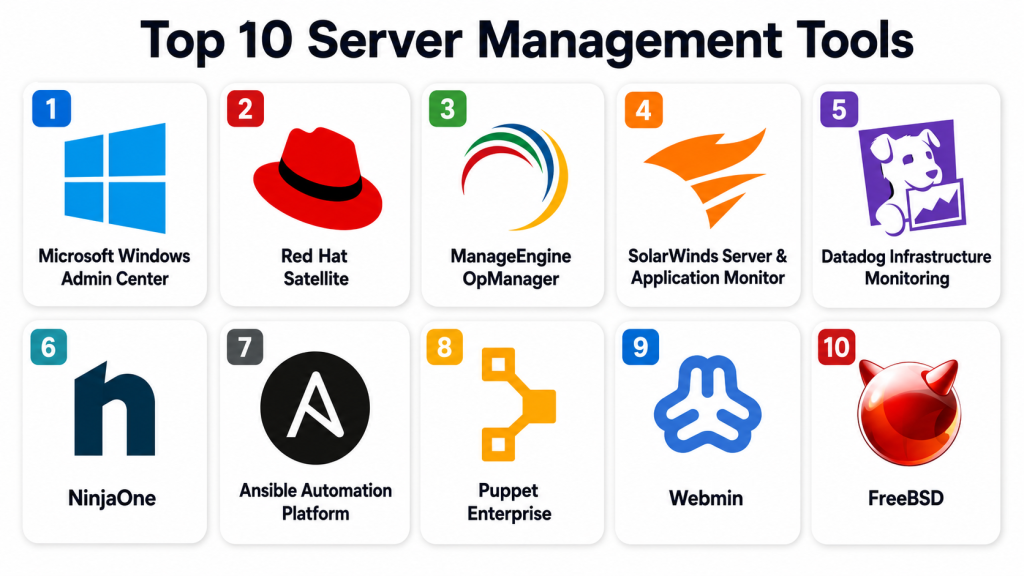
Top 10 Server Management Tools
#1 — Microsoft Windows Admin Center
Short description: Microsoft Windows Admin Center is a browser-based server management tool for Windows Server environments. It helps administrators manage servers, clusters, virtual machines, storage, certificates, updates, and system settings from a centralized interface.
Key Features
- Browser-based Windows Server administration.
- Server health, performance, and event visibility.
- Hyper-V and virtual machine management.
- Storage and cluster management features.
- Windows update and patch management workflows.
- Certificate, firewall, user, and service management.
- Integration with Microsoft hybrid cloud services.
Pros
- Strong fit for Windows Server environments.
- Useful for centralized administration without heavy setup.
- Good option for Microsoft-first infrastructure teams.
Cons
- Mostly focused on Microsoft environments.
- Not ideal for Linux-heavy server estates.
- Advanced enterprise workflows may require additional Microsoft tools.
Platforms / Deployment
Web / Windows
Self-hosted / Hybrid
Security & Compliance
Supports Windows authentication, role-based access through Windows controls, secure gateway configuration, administrative permissions, and event visibility. Specific compliance requirements should be validated based on deployment and Windows Server configuration.
Integrations & Ecosystem
Windows Admin Center works naturally inside Microsoft infrastructure environments and supports hybrid administration workflows.
- Windows Server
- Hyper-V
- Azure services
- Active Directory
- Storage Spaces Direct
- Failover clustering
- Microsoft monitoring and security workflows
Support & Community
Microsoft provides documentation, technical guides, community discussions, and enterprise support options. It is practical for Windows administrators who want a modern server management interface.
#2 — Red Hat Satellite
Short description: Red Hat Satellite is a server lifecycle and infrastructure management platform for Red Hat Enterprise Linux environments. It helps teams manage provisioning, patching, configuration, subscriptions, compliance, and system inventory.
Key Features
- Linux server lifecycle management.
- System provisioning and registration.
- Patch and package management.
- Configuration and content management.
- Subscription and repository control.
- Inventory and compliance reporting.
- Integration with Red Hat ecosystem tools.
Pros
- Strong fit for Red Hat Enterprise Linux environments.
- Useful for controlled patching and lifecycle management.
- Good for regulated and enterprise Linux operations.
Cons
- Best suited for Red Hat-centered environments.
- Requires Linux administration knowledge.
- Smaller teams may find it more than they need.
Platforms / Deployment
Web / Linux
Self-hosted / Hybrid
Security & Compliance
Supports role-based access, system inventory, patch reporting, content control, configuration visibility, and compliance-related workflows. Specific compliance mappings should be validated based on deployment and Red Hat subscriptions.
Integrations & Ecosystem
Red Hat Satellite fits enterprise Linux administration, automation, security, and compliance workflows.
- Red Hat Enterprise Linux
- Ansible Automation Platform
- Red Hat Insights
- Identity systems
- Package repositories
- Compliance reporting workflows
Support & Community
Red Hat provides enterprise documentation, subscription support, training, consulting, and partner resources. It is best for organizations managing many Red Hat Linux servers.
#3 — ManageEngine OpManager
Short description: ManageEngine OpManager is an infrastructure monitoring and server management platform for IT teams that need visibility into servers, networks, storage, virtual machines, and applications. It is useful for SMBs and mid-market organizations that want broad monitoring from one console.
Key Features
- Server performance monitoring.
- Network and storage monitoring.
- CPU, memory, disk, and process visibility.
- Alerting and notification workflows.
- Dashboard and reporting features.
- Virtualization monitoring.
- IT operations integration options.
Pros
- Good value for broad infrastructure monitoring.
- Useful for teams managing servers and networks together.
- Suitable for SMB and mid-market IT teams.
Cons
- Dedicated server automation may require additional tools.
- Alert tuning is important to avoid noise.
- Advanced enterprise workflows may require additional ManageEngine products.
Platforms / Deployment
Web / Windows / Linux
Cloud / Self-hosted / Hybrid
Security & Compliance
Supports role-based access, administrative permissions, alert controls, monitoring credentials, and reporting. Specific certifications and regulatory details should be validated directly.
Integrations & Ecosystem
ManageEngine OpManager fits broader IT operations and monitoring workflows.
- Servers and operating systems
- Network devices
- Storage systems
- Virtualization platforms
- IT service management tools
- Alerting and reporting workflows
Support & Community
ManageEngine provides documentation, support plans, training resources, and a large IT administrator user base. It is practical for teams that need server monitoring with broader infrastructure visibility.
#4 — SolarWinds Server & Application Monitor
Short description: SolarWinds Server & Application Monitor helps IT teams monitor server health, application performance, infrastructure dependencies, and resource usage. It is best for organizations that need visibility across servers and applications together.
Key Features
- Server health and performance monitoring.
- Application dependency visibility.
- CPU, memory, disk, service, and process monitoring.
- Custom dashboards and alerts.
- Template-based application monitoring.
- Virtualization and infrastructure visibility.
- Reporting and capacity insights.
Pros
- Strong server and application monitoring depth.
- Useful for troubleshooting performance issues.
- Good fit for infrastructure operations teams.
Cons
- Requires configuration and tuning.
- Licensing should be reviewed carefully for large environments.
- Not a full patch or configuration management tool by itself.
Platforms / Deployment
Web / Windows
Self-hosted / Hybrid
Security & Compliance
Supports user roles, administrative access controls, monitoring permissions, alert visibility, and reporting. Specific compliance certifications are not publicly stated for every use case and should be validated directly.
Integrations & Ecosystem
SolarWinds fits traditional IT operations, monitoring, and infrastructure management workflows.
- Network monitoring tools
- Storage monitoring
- Virtualization platforms
- Server monitoring agents
- IT alerting processes
- Reporting dashboards
Support & Community
SolarWinds provides documentation, support resources, knowledge base content, training, and a broad IT operations community. It is suitable for teams that need deeper server and application monitoring.
#5 — Datadog Infrastructure Monitoring
Short description: Datadog Infrastructure Monitoring is a cloud-based observability platform that helps teams monitor servers, cloud instances, containers, databases, logs, and applications. It is best for DevOps, SRE, and cloud operations teams.
Key Features
- Server and cloud infrastructure monitoring.
- Metrics, logs, traces, and dashboards.
- Host maps and resource visibility.
- Alerting and anomaly detection.
- Container and Kubernetes monitoring.
- Cloud provider integrations.
- Application performance correlation.
Pros
- Strong fit for cloud-native and DevOps teams.
- Connects server metrics with logs and application performance.
- Large integration ecosystem.
Cons
- Costs can increase with scale and data volume.
- Requires careful dashboard and alert design.
- Not a traditional server patching or configuration tool.
Platforms / Deployment
Web / Windows / macOS / Linux
Cloud
Security & Compliance
Supports SSO/SAML, MFA, RBAC, audit logs, encryption, and enterprise security controls. Specific certifications and compliance details should be validated directly based on plan and region.
Integrations & Ecosystem
Datadog has a broad ecosystem across cloud, infrastructure, containers, databases, applications, and security operations.
- AWS
- Azure
- Google Cloud
- Kubernetes
- Linux and Windows servers
- Databases
- CI/CD and incident tools
Support & Community
Datadog provides documentation, training content, support plans, and a large DevOps community. It is best for teams that want server visibility connected to full-stack observability.
#6 — NinjaOne
Short description: NinjaOne is an endpoint and server management platform used by IT teams and managed service providers. It combines monitoring, patching, remote access, automation, alerting, and reporting in one cloud-based platform.
Key Features
- Server and endpoint monitoring.
- Patch management.
- Remote access and troubleshooting.
- Automation scripting.
- Asset inventory and reporting.
- Alerting and ticketing workflows.
- MSP-friendly multi-tenant management.
Pros
- Strong fit for MSPs and lean IT teams.
- Combines monitoring, patching, and remote management.
- Cloud-based interface is easy to operate.
Cons
- Deep enterprise server automation may require additional tools.
- Best suited for endpoint and server operations rather than complex data center orchestration.
- Pricing and packaging should be reviewed carefully.
Platforms / Deployment
Web / Windows / macOS / Linux
Cloud
Security & Compliance
Supports role-based access, administrative controls, patch visibility, remote access permissions, and reporting. Specific certifications and compliance mappings should be validated directly.
Integrations & Ecosystem
NinjaOne fits IT operations, MSP workflows, endpoint management, and server administration.
- Remote access tools
- PSA tools
- Ticketing systems
- Endpoint security workflows
- Patch management
- Asset inventory
- Reporting processes
Support & Community
NinjaOne provides documentation, onboarding, support resources, and MSP-focused guidance. It is practical for teams that need unified server and endpoint operations.
#7 — Ansible Automation Platform
Short description: Ansible Automation Platform helps teams automate server configuration, application deployment, patch workflows, compliance tasks, and infrastructure operations. It is best for organizations that want repeatable, code-driven server management.
Key Features
- Agentless automation.
- Server configuration management.
- Application deployment automation.
- Patch and maintenance workflow automation.
- Inventory and job execution controls.
- Role-based access and workflow approvals.
- Integration with cloud, network, and security tools.
Pros
- Strong for repeatable server automation.
- Works across Linux, Windows, cloud, and network devices.
- Useful for DevOps, platform, and infrastructure teams.
Cons
- Requires automation skills and playbook design.
- Not a full monitoring tool by itself.
- Poorly written automation can cause operational risk.
Platforms / Deployment
Web / Linux / Windows targets
Cloud / Self-hosted / Hybrid
Security & Compliance
Supports RBAC, credential management, job logging, workflow approvals, inventory controls, and audit visibility. Specific certifications and compliance details should be validated based on deployment and subscription.
Integrations & Ecosystem
Ansible integrates broadly with infrastructure, cloud, security, and DevOps workflows.
- Linux and Windows servers
- Cloud platforms
- Network devices
- CI/CD pipelines
- ITSM tools
- Security automation
- Configuration repositories
Support & Community
Red Hat provides enterprise support, documentation, training, and professional services for Ansible Automation Platform. The wider Ansible community is large and active.
#8 — Puppet Enterprise
Short description: Puppet Enterprise is a configuration management and infrastructure automation platform for managing server state, compliance, patching workflows, and configuration drift. It is useful for organizations that need policy-driven server consistency at scale.
Key Features
- Configuration management.
- Server state enforcement.
- Drift detection and remediation.
- Patch and compliance automation workflows.
- Role-based access controls.
- Reporting and change visibility.
- Multi-platform server management.
Pros
- Strong for maintaining consistent server configuration.
- Useful for compliance and drift control.
- Mature infrastructure automation model.
Cons
- Requires learning Puppet language and workflow design.
- Best value appears in larger structured environments.
- Not a full observability platform by itself.
Platforms / Deployment
Web / Windows / Linux
Self-hosted / Hybrid
Security & Compliance
Supports RBAC, reporting, change tracking, controlled configuration enforcement, and audit-oriented workflows. Specific certifications and compliance mappings should be validated directly.
Integrations & Ecosystem
Puppet fits infrastructure automation, compliance, and configuration control environments.
- Linux servers
- Windows servers
- Cloud instances
- CI/CD workflows
- ITSM systems
- Security and compliance processes
Support & Community
Puppet provides documentation, enterprise support options, training resources, and a long-standing automation community. It is best for teams managing configuration consistency across many servers.
#9 — Webmin
Short description: Webmin is a web-based administration tool for Unix-like systems. It allows administrators to manage users, services, packages, networking, filesystems, and server settings through a browser interface.
Key Features
- Web-based Linux and Unix server administration.
- User and group management.
- Package and service management.
- File system and disk controls.
- Networking and firewall configuration.
- Module-based extensibility.
- Lightweight administration interface.
Pros
- Useful for small Linux server environments.
- Easy browser-based administration.
- Lightweight and flexible.
Cons
- Not ideal for large enterprise server fleets.
- Security hardening is important.
- Lacks the depth of enterprise monitoring and automation platforms.
Platforms / Deployment
Web / Linux / Unix-like systems
Self-hosted
Security & Compliance
Supports user authentication and administrative access controls. Security depends heavily on server hardening, network exposure, SSL configuration, access restrictions, and administrator practices. Specific enterprise compliance certifications are not publicly stated.
Integrations & Ecosystem
Webmin fits simple Linux server administration and lightweight hosting workflows.
- Linux services
- Package managers
- Firewall tools
- File systems
- User management
- Web hosting modules
Support & Community
Webmin has community documentation, forums, and long-standing user adoption. It is best for technical users managing smaller Linux server environments.
#10 — Cockpit
Short description: Cockpit is a web-based server management interface for Linux systems. It helps administrators view system health, manage services, inspect logs, configure storage, manage users, and perform everyday Linux server tasks.
Key Features
- Web-based Linux server management.
- Service and process management.
- Logs and system health visibility.
- Storage and network configuration.
- User account administration.
- Terminal access through browser.
- Lightweight server administration.
Pros
- Simple and practical for Linux server administration.
- Good for quick visibility and basic operations.
- Lightweight compared with large enterprise platforms.
Cons
- Not a full enterprise automation suite.
- Limited advanced fleet management by itself.
- Best suited for Linux administrators and smaller environments.
Platforms / Deployment
Web / Linux
Self-hosted
Security & Compliance
Uses Linux authentication and system permissions. Security depends on Linux host configuration, access controls, network exposure, and administrator practices. Specific enterprise compliance certifications are not publicly stated.
Integrations & Ecosystem
Cockpit fits Linux server administration and system-level operations.
- Linux system services
- System logs
- Storage configuration
- Networking
- User management
- Terminal access
- Virtual machine management modules depending on setup
Support & Community
Cockpit has strong Linux community usage, documentation, and distribution-level support depending on operating system. It is best for practical Linux server administration.
Comparison Table
| Tool Name | Best For | Platform(s) Supported | Deployment | Standout Feature | Public Rating |
|---|---|---|---|---|---|
| Microsoft Windows Admin Center | Windows Server administration | Web, Windows | Self-hosted / Hybrid | Centralized Windows Server management | N/A |
| Red Hat Satellite | Red Hat Linux lifecycle management | Web, Linux | Self-hosted / Hybrid | Linux patching, provisioning, and content control | N/A |
| ManageEngine OpManager | SMB and mid-market infrastructure monitoring | Web, Windows, Linux | Cloud / Self-hosted / Hybrid | Server, network, and storage visibility together | N/A |
| SolarWinds Server & Application Monitor | Server and application performance monitoring | Web, Windows | Self-hosted / Hybrid | Deep server and application monitoring | N/A |
| Datadog Infrastructure Monitoring | Cloud-native server observability | Web, Windows, macOS, Linux | Cloud | Full-stack infrastructure observability | N/A |
| NinjaOne | MSP and IT server operations | Web, Windows, macOS, Linux | Cloud | Monitoring, patching, and remote management together | N/A |
| Ansible Automation Platform | Server automation and configuration | Web, Linux, Windows targets | Cloud / Self-hosted / Hybrid | Agentless infrastructure automation | N/A |
| Puppet Enterprise | Configuration management and drift control | Web, Windows, Linux | Self-hosted / Hybrid | Policy-driven server state management | N/A |
| Webmin | Lightweight Linux server administration | Web, Linux, Unix-like systems | Self-hosted | Browser-based Unix/Linux administration | N/A |
| Cockpit | Simple Linux server management | Web, Linux | Self-hosted | Lightweight Linux system dashboard | N/A |
Evaluation & Scoring of Server Management Tools
The scoring below is comparative and based on common server management needs such as monitoring, automation, integrations, security controls, reliability, support, and value. These scores should be used as a starting point, not a final buying decision.
| Tool Name | Core (25%) | Ease (15%) | Integrations (15%) | Security (10%) | Performance (10%) | Support (10%) | Value (15%) | Weighted Total (0–10) |
|---|---|---|---|---|---|---|---|---|
| Microsoft Windows Admin Center | 8 | 8 | 8 | 8 | 8 | 9 | 9 | 8.30 |
| Red Hat Satellite | 9 | 7 | 8 | 9 | 8 | 9 | 7 | 8.15 |
| ManageEngine OpManager | 8 | 8 | 8 | 7 | 8 | 8 | 9 | 8.00 |
| SolarWinds Server & Application Monitor | 9 | 7 | 8 | 7 | 8 | 8 | 7 | 7.85 |
| Datadog Infrastructure Monitoring | 9 | 8 | 10 | 9 | 9 | 8 | 7 | 8.65 |
| NinjaOne | 8 | 9 | 8 | 8 | 8 | 8 | 8 | 8.15 |
| Ansible Automation Platform | 9 | 6 | 10 | 8 | 8 | 9 | 8 | 8.30 |
| Puppet Enterprise | 8 | 6 | 8 | 8 | 8 | 8 | 7 | 7.55 |
| Webmin | 6 | 8 | 5 | 6 | 7 | 6 | 10 | 6.80 |
| Cockpit | 6 | 9 | 5 | 7 | 7 | 7 | 10 | 7.10 |
Datadog scores strongly for observability and integrations. Ansible Automation Platform is strong for automation, while Red Hat Satellite is strong for Linux lifecycle management. Windows Admin Center is practical for Windows Server administration. NinjaOne is strong for MSP-style operations, and ManageEngine OpManager provides balanced infrastructure monitoring. Webmin and Cockpit are useful lightweight tools but are not full enterprise management platforms.
Which Server Management Tool Is Right for You?
Solo / Freelancer
Solo professionals usually need simple server visibility, remote administration, and basic maintenance. Cockpit, Webmin, Windows Admin Center, or lightweight monitoring tools can be enough.
If the work involves client servers, automation, or repeated tasks, Ansible can help standardize operations and reduce manual effort.
SMB
Small and mid-sized businesses should focus on ease of deployment, alerting, patch visibility, remote management, backup awareness, and cost control. ManageEngine OpManager, NinjaOne, Windows Admin Center, Cockpit, and Webmin can be practical choices.
SMBs should avoid buying complex enterprise tools unless they have the skills and operational maturity to maintain them. A simple tool used properly is better than a powerful tool left misconfigured.
Mid-Market
Mid-market organizations usually need monitoring, automation, patch management, access controls, dashboards, reporting, and integrations with help desk or security tools. ManageEngine OpManager, SolarWinds Server & Application Monitor, Datadog, NinjaOne, Ansible Automation Platform, and Red Hat Satellite are strong options.
The right choice depends on whether the main need is monitoring, automation, Linux lifecycle management, Windows administration, or MSP-style operations.
Enterprise
Enterprises need scalable server management, audit logs, RBAC, automation, configuration control, compliance reporting, patch visibility, hybrid support, and strong integrations. Datadog, Ansible Automation Platform, Red Hat Satellite, Puppet Enterprise, SolarWinds, and Windows Admin Center should be evaluated based on infrastructure strategy.
Large organizations often need more than one tool. For example, they may use one platform for observability, another for automation, and another for patch or lifecycle control.
Budget vs Premium
Budget-conscious teams may start with Cockpit, Webmin, Windows Admin Center, and open automation tools. These can provide useful value when managed carefully.
Premium buyers may prefer Datadog, Red Hat Satellite, Ansible Automation Platform, SolarWinds, Puppet Enterprise, NinjaOne, or ManageEngine depending on operational depth and support needs.
Feature Depth vs Ease of Use
Feature-rich tools like Datadog, Ansible Automation Platform, Red Hat Satellite, Puppet Enterprise, and SolarWinds provide deeper capabilities but require planning and skilled administration.
Ease-focused tools like Cockpit, Webmin, Windows Admin Center, NinjaOne, and ManageEngine OpManager may be faster to adopt for practical server operations.
Integrations & Scalability
If your organization needs cloud observability, Datadog is a strong candidate. If automation is the priority, Ansible is a strong option. If Red Hat Linux lifecycle management is central, Red Hat Satellite is suitable.
For MSPs, NinjaOne is practical. For Microsoft server estates, Windows Admin Center is useful. For infrastructure monitoring across servers and networks, ManageEngine OpManager and SolarWinds are strong candidates.
Security & Compliance Needs
Security-focused buyers should prioritize RBAC, MFA, SSO, audit logs, secure credential handling, patch visibility, configuration drift detection, encryption, and administrator role separation.
Compliance-focused teams should validate reporting, access history, patch evidence, configuration baselines, activity logs, alert retention, and integration with security systems before selecting a tool.
Frequently Asked Questions
What is a server management tool?
A server management tool helps administrators monitor, configure, secure, update, and troubleshoot servers. It reduces manual work and improves visibility across server environments.
Why do businesses need server management tools?
Businesses need server management tools to keep systems available, secure, updated, and performing well. Without them, teams may miss failures, vulnerabilities, and capacity problems.
What types of servers can these tools manage?
Depending on the tool, they can manage Windows servers, Linux servers, virtual servers, cloud servers, physical servers, and hybrid infrastructure.
How is server management different from server monitoring?
Server monitoring focuses on health, performance, alerts, and uptime. Server management is broader and may include patching, configuration, access control, automation, and lifecycle tasks.
What pricing models do server management tools use?
Pricing may depend on servers, users, agents, monitored hosts, features, support level, modules, or subscription plans. Open-source tools may still require internal expertise or paid support.
What are common server management mistakes?
Common mistakes include weak patching, poor access control, no alert tuning, missing backups, manual configuration changes, poor documentation, and no performance baseline.
Can server management tools improve security?
Yes. They can improve security through patch visibility, access controls, audit logs, configuration enforcement, vulnerability awareness, and secure administration workflows.
Do small businesses need server management tools?
Small businesses should use server management tools if they run business-critical servers. Even basic monitoring and patch visibility can reduce downtime and security risk.
What integrations matter most?
Important integrations include cloud platforms, ticketing tools, monitoring systems, backup tools, identity providers, security tools, automation platforms, and reporting systems.
Can one tool manage both Windows and Linux servers?
Yes, some tools support both Windows and Linux. Others are focused on one ecosystem, such as Windows Admin Center for Windows Server or Red Hat Satellite for Red Hat Linux.
When should a company switch server management tools?
A company should consider switching when the current tool lacks visibility, automation, security controls, scalability, integrations, or reporting needed for modern operations.
What is the best server management tool for automation?
Ansible Automation Platform and Puppet Enterprise are strong automation-focused tools. The best choice depends on team skills, operating systems, compliance needs, and workflow complexity.
Conclusion
Server management tools help organizations keep infrastructure reliable, secure, visible, and easier to operate. The best tool depends on your server environment, operating systems, team size, budget, and operational maturity. Windows Admin Center is practical for Microsoft server teams, Red Hat Satellite is strong for Red Hat Linux lifecycle management, Datadog is powerful for cloud-native observability, and Ansible is excellent for automation. NinjaOne works well for MSPs and lean IT teams, while ManageEngine and SolarWinds are strong for infrastructure monitoring. Webmin and Cockpit are useful lightweight options for smaller Linux environments.
