Upgrade & Secure Your Future with DevOps, SRE, DevSecOps, MLOps!
We spend hours scrolling social media and waste money on things we forget, but won’t spend 30 minutes a day earning certifications that can change our lives.
Master in DevOps, SRE, DevSecOps & MLOps by DevOps School!
Learn from Guru Rajesh Kumar and double your salary in just one year.
Introduction
Operating Systems are the core software layers that help computers, servers, mobile devices, and cloud environments run applications, manage hardware, control security, store files, connect networks, and support users. In simple words, an operating system acts as the bridge between the user, the application, and the machine.
Operating systems matter because every digital workflow depends on them. Whether a company is running employee laptops, cloud servers, mobile devices, developer workstations, security appliances, databases, or enterprise applications, the operating system affects performance, security, compatibility, manageability, and cost.
Common real-world use cases include office productivity, software development, server hosting, cloud infrastructure, cybersecurity operations, mobile device usage, gaming, education labs, and enterprise endpoint management.
Buyers should evaluate security updates, application compatibility, hardware support, user experience, administration tools, ecosystem strength, licensing cost, cloud readiness, device management, support quality, and compliance needs.
Best for: IT teams, developers, enterprises, SMBs, students, security teams, cloud engineers, system administrators, creative professionals, and organizations choosing platforms for desktops, servers, mobile devices, or cloud workloads.
Not ideal for: users who do not need platform control, teams fully dependent on browser-based SaaS tools, or businesses that already have a fixed operating system standard due to hardware, compliance, or application requirements.
Key Trends in Operating Systems
- Security-first design is becoming more important, with stronger encryption, secure boot, identity protection, endpoint hardening, and automatic patching.
- Cloud and hybrid management are now core expectations, especially for organizations managing remote laptops, virtual machines, servers, and cloud workloads.
- AI-assisted productivity is becoming part of operating system experience, helping users search, summarize, automate, and complete tasks faster where available.
- Linux continues to dominate server and cloud-native environments, especially for containers, Kubernetes, automation, DevOps, and infrastructure platforms.
- Endpoint management is becoming more centralized, with IT teams using policy-based tools to manage updates, security, apps, and configurations.
- Developer experience is a major factor, especially around terminal tools, package managers, containers, virtualization, and language ecosystem support.
- Privacy and data control are influencing user choice, especially among technical users, regulated organizations, and open-source communities.
- Mobile operating systems are tightly connected to business security, especially through MDM, app controls, device encryption, and identity-based access.
- Interoperability is improving, allowing users to connect operating systems with cloud storage, remote desktops, virtualization, containers, and cross-platform apps.
- Long-term support and update reliability matter more, especially for enterprises running critical workloads, servers, and regulated systems.
How We Selected These Tools
The operating systems below were selected using practical buyer-focused evaluation logic:
- Market adoption and recognition across desktop, server, mobile, cloud, and enterprise environments.
- Feature completeness for user experience, administration, networking, security, application support, and device compatibility.
- Reliability and performance signals across personal, business, server, and production workloads.
- Security posture signals such as encryption, secure boot, patching, access controls, audit logs, and identity support.
- Integration strength with cloud platforms, enterprise management tools, developer workflows, security tools, and hardware ecosystems.
- Fit across customer types, including individuals, freelancers, SMBs, enterprises, developers, IT teams, and regulated organizations.
- Ecosystem maturity, including software availability, hardware support, documentation, and community strength.
- Deployment flexibility across desktops, servers, mobile devices, cloud environments, and virtual machines.
- Support options, vendor backing, open-source community activity, and long-term maintenance.
- Practical value based on usability, cost, security, performance, and operational fit.
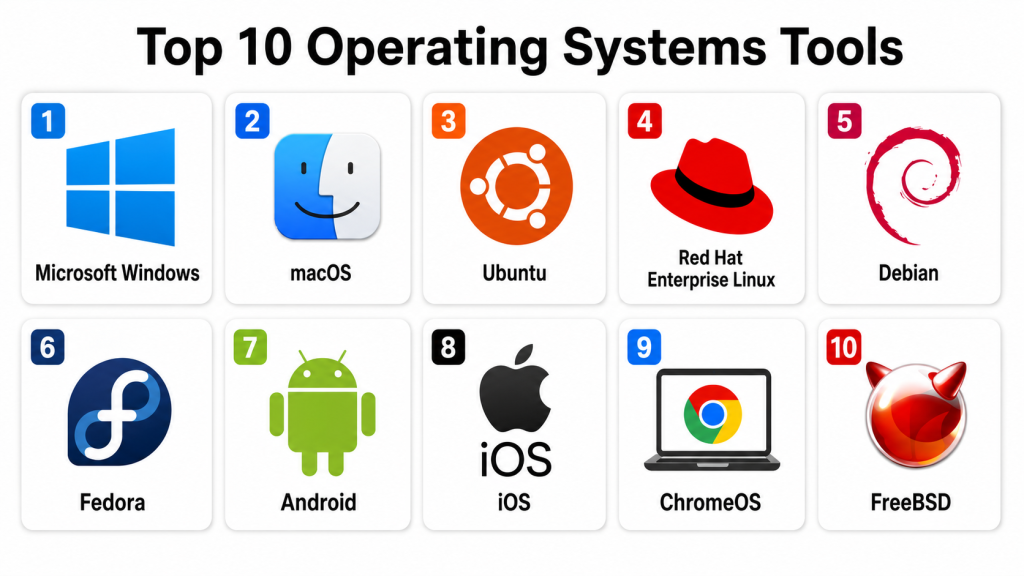
Top 10 Operating Systems Tools
#1 — Microsoft Windows
Short description: Microsoft Windows is one of the most widely used desktop operating systems for businesses, consumers, gaming, productivity, and enterprise endpoints. It is best for organizations that depend on broad application compatibility, Microsoft services, and Windows-based business workflows.
Key Features
- Broad desktop application compatibility.
- Strong support for business productivity tools.
- Enterprise device management options.
- Hardware support across many vendors.
- Security features such as encryption and secure boot support.
- Remote desktop and virtualization capabilities.
- Integration with Microsoft cloud and identity services.
Pros
- Excellent compatibility with business and consumer applications.
- Strong ecosystem for enterprises and SMBs.
- Familiar user experience for most office users.
Cons
- Requires regular patch and endpoint security management.
- Licensing can become complex for enterprises.
- System performance depends heavily on hardware and configuration.
Platforms / Deployment
Windows
Self-hosted / Cloud / Hybrid
Security & Compliance
Supports encryption, secure boot, MFA through identity integrations, device management policies, audit logs, RBAC through enterprise tools, and security controls depending on edition and configuration. Specific compliance certifications should be verified with Microsoft service documentation.
Integrations & Ecosystem
Windows works deeply with enterprise productivity, identity, endpoint management, and security environments.
- Microsoft 365
- Microsoft Entra ID
- Microsoft Intune
- Microsoft Defender
- Active Directory
- Windows Server environments
Support & Community
Microsoft provides extensive documentation, business support, partner support, enterprise support, and a large global user and administrator community.
#2 — macOS
Short description: macOS is Apple’s desktop operating system for Mac computers. It is popular among creative professionals, developers, executives, designers, video editors, and teams that prefer Apple hardware and ecosystem integration.
Key Features
- Clean and polished desktop user experience.
- Strong integration with Apple hardware.
- Built-in security and privacy features.
- Unix-based foundation useful for developers.
- Good support for creative and productivity apps.
- Device continuity across Apple ecosystem.
- Strong battery and performance optimization on Apple hardware.
Pros
- Excellent user experience on Apple devices.
- Strong creative and developer appeal.
- Good security and privacy-focused design.
Cons
- Limited to Apple hardware.
- Hardware cost can be higher than many alternatives.
- Some enterprise applications may be Windows-first.
Platforms / Deployment
macOS
Self-hosted / Cloud options may vary
Security & Compliance
Supports encryption, secure boot on supported hardware, app permission controls, privacy settings, device management through MDM, and identity integrations depending on enterprise setup. Specific compliance certifications should be verified with Apple and management providers.
Integrations & Ecosystem
macOS works well with Apple services, enterprise MDM tools, developer workflows, and creative software environments.
- Apple Business Manager
- MDM platforms
- Developer tools
- Creative applications
- Cloud storage tools
- Identity providers
Support & Community
Apple provides support resources, documentation, business programs, and hardware support. macOS also has a strong developer, creative, and IT admin community.
#3 — Ubuntu
Short description: Ubuntu is a popular Linux-based operating system used for desktops, servers, cloud workloads, containers, development, and DevOps environments. It is widely used by developers, cloud engineers, students, and infrastructure teams.
Key Features
- Linux-based desktop and server operating system.
- Strong package management ecosystem.
- Good cloud and container support.
- Large open-source software repository.
- Developer-friendly command-line environment.
- Server and desktop editions.
- Strong community and commercial support options.
Pros
- Strong fit for development and cloud workloads.
- Large community and documentation base.
- Useful for servers, desktops, containers, and learning.
Cons
- Some commercial desktop apps may not be available.
- New users may need time to learn Linux workflows.
- Hardware compatibility should be checked before deployment.
Platforms / Deployment
Linux
Self-hosted / Cloud / Hybrid
Security & Compliance
Supports user permissions, encryption options, firewall tools, package security updates, SSH security, audit capabilities, and enterprise hardening depending on configuration. Specific certifications should be verified with vendor or distribution documentation.
Integrations & Ecosystem
Ubuntu fits developer, cloud, DevOps, container, and server environments.
- Kubernetes
- Docker
- Cloud platforms
- CI/CD tools
- Configuration management tools
- Open-source databases and servers
Support & Community
Ubuntu has strong community support, official documentation, commercial support options, forums, tutorials, and broad adoption across cloud and developer environments.
#4 — Red Hat Enterprise Linux
Short description: Red Hat Enterprise Linux is an enterprise-grade Linux operating system used for servers, cloud platforms, regulated environments, and mission-critical workloads. It is best for organizations that need stable Linux with commercial support and lifecycle management.
Key Features
- Enterprise Linux server platform.
- Long-term lifecycle and support model.
- Security hardening and enterprise controls.
- Strong compatibility with enterprise workloads.
- Automation and management ecosystem.
- Cloud and container platform support.
- Integration with Red Hat enterprise tools.
Pros
- Strong enterprise support and stability.
- Good fit for regulated and mission-critical workloads.
- Mature ecosystem for Linux infrastructure.
Cons
- Subscription cost should be planned.
- Less beginner-friendly than some desktop Linux options.
- Best value comes in enterprise environments.
Platforms / Deployment
Linux
Self-hosted / Cloud / Hybrid
Security & Compliance
Supports SELinux, encryption options, access controls, audit logging, patch management, security profiles, and enterprise hardening. Specific compliance certifications should be verified with vendor documentation.
Integrations & Ecosystem
Red Hat Enterprise Linux fits enterprise infrastructure, automation, containers, virtualization, and hybrid cloud workflows.
- Red Hat OpenShift
- Ansible
- Enterprise databases
- Cloud platforms
- Virtualization platforms
- Security and monitoring tools
Support & Community
Red Hat provides enterprise support, documentation, training, certification paths, partner ecosystem, and long-term maintenance options.
#5 — Debian
Short description: Debian is a stable and community-driven Linux operating system used for servers, desktops, development, and infrastructure. It is respected for reliability, open-source values, and strong package management.
Key Features
- Stable Linux distribution.
- Large software package repository.
- Strong community-driven development model.
- Server and desktop use cases.
- Flexible installation and configuration options.
- Good base for many other Linux distributions.
- Strong support for open-source workflows.
Pros
- Very stable and reliable.
- Strong open-source community.
- Good for servers, developers, and technical users.
Cons
- May not always include the newest software by default.
- Requires Linux knowledge for advanced administration.
- Commercial support options are not as centralized as some enterprise distributions.
Platforms / Deployment
Linux
Self-hosted / Cloud / Hybrid
Security & Compliance
Supports Linux permissions, encryption tools, firewall configuration, package security updates, audit tools, and hardening options depending on setup. Formal compliance depends on deployment and support provider.
Integrations & Ecosystem
Debian fits open-source infrastructure, servers, development environments, and lightweight deployments.
- Web servers
- Databases
- Containers
- DevOps tools
- Cloud images
- Open-source applications
Support & Community
Debian has a strong global open-source community, documentation, mailing lists, forums, and long-standing technical adoption.
#6 — Fedora
Short description: Fedora is a Linux distribution known for modern open-source technologies, developer-friendly features, and early access to newer Linux capabilities. It is popular among developers, Linux enthusiasts, and users who want a modern desktop experience.
Key Features
- Modern Linux desktop and workstation experience.
- Strong developer tooling.
- Frequent access to newer open-source technologies.
- Good container and virtualization support.
- GNOME-based desktop experience by default.
- Community-driven innovation.
- Useful as a workstation for Linux professionals.
Pros
- Great for developers and Linux power users.
- Modern packages and tooling.
- Strong connection to open-source innovation.
Cons
- Update pace may be faster than some enterprises prefer.
- Not always ideal for conservative production servers.
- Users may need Linux knowledge for troubleshooting.
Platforms / Deployment
Linux
Self-hosted / Cloud options may vary
Security & Compliance
Supports Linux permissions, SELinux, firewall controls, encryption tools, package updates, and security hardening depending on configuration. Specific compliance certifications are not publicly stated as a universal claim.
Integrations & Ecosystem
Fedora fits developer workstations, open-source tooling, containers, and modern Linux workflows.
- Developer tools
- Container platforms
- Virtualization tools
- Open-source desktop apps
- Linux package ecosystem
- Cloud development workflows
Support & Community
Fedora has strong community documentation, forums, contributor support, and broad adoption among Linux developers and open-source users.
#7 — Android
Short description: Android is a mobile operating system used across smartphones, tablets, rugged devices, kiosks, point-of-sale systems, and enterprise mobility environments. It is best for mobile-first workflows, field teams, and device ecosystems with broad hardware choice.
Key Features
- Mobile operating system for many device types.
- Broad hardware ecosystem.
- App distribution through managed and public channels.
- Enterprise management through Android Enterprise.
- Security updates and device policies depending on vendor.
- Support for rugged and specialized devices.
- Customization options for manufacturers and enterprises.
Pros
- Huge device ecosystem and pricing flexibility.
- Strong fit for field, retail, logistics, and frontline work.
- Supports enterprise mobility management.
Cons
- Update consistency depends on device vendor and model.
- Security posture varies by device and management setup.
- Fragmentation can create testing and support challenges.
Platforms / Deployment
Android
Self-hosted device deployment / Cloud-managed through MDM
Security & Compliance
Supports device encryption, app sandboxing, work profiles, managed configurations, remote wipe through MDM, and enterprise policy controls depending on device and management setup. Specific compliance depends on vendor, device, and configuration.
Integrations & Ecosystem
Android fits mobile workforce, field operations, customer-facing devices, and enterprise mobility.
- Android Enterprise
- MDM platforms
- Google services
- Enterprise mobile apps
- Rugged device ecosystems
- Identity providers
Support & Community
Support depends on device manufacturer, mobile carrier, enterprise management provider, and Android ecosystem resources. Developer and admin communities are large.
#8 — iOS
Short description: iOS is Apple’s mobile operating system for iPhone. It is widely used by business users, executives, field teams, healthcare workers, sales teams, and organizations that prefer Apple’s mobile ecosystem.
Key Features
- Mobile operating system for iPhone.
- Strong integration with Apple hardware and services.
- App Store and managed app distribution options.
- Built-in privacy and security features.
- Enterprise management through MDM.
- Smooth user experience and broad business app support.
- Strong update consistency across supported devices.
Pros
- Strong security and privacy design.
- Consistent user experience.
- Good enterprise manageability through Apple business tools and MDM.
Cons
- Limited to Apple devices.
- Hardware cost can be higher than many alternatives.
- Customization is more controlled compared with Android.
Platforms / Deployment
iOS
Self-hosted device deployment / Cloud-managed through MDM
Security & Compliance
Supports encryption, app sandboxing, secure boot chain on supported devices, MDM controls, managed apps, privacy permissions, and remote wipe. Specific compliance depends on deployment and management tools.
Integrations & Ecosystem
iOS works well with Apple business management, MDM tools, enterprise apps, and productivity platforms.
- Apple Business Manager
- MDM platforms
- Enterprise apps
- Identity providers
- Cloud storage tools
- Productivity suites
Support & Community
Apple provides documentation, device support, enterprise resources, and a large developer and business user ecosystem.
#9 — ChromeOS
Short description: ChromeOS is a lightweight operating system designed around browser-based work, cloud apps, managed devices, and education or business deployments. It is popular in schools, call centers, frontline teams, and cloud-first organizations.
Key Features
- Browser-first operating system.
- Fast startup and simple user experience.
- Centralized device management options.
- Strong fit for SaaS and web apps.
- Built-in security-focused design.
- Support for Android apps on supported devices.
- Low-maintenance endpoint model.
Pros
- Simple to manage for cloud-first teams.
- Good fit for education and web-based workflows.
- Lower endpoint complexity than traditional desktops.
Cons
- Not ideal for heavy desktop software needs.
- Offline and specialized app workflows may be limited.
- Best experience depends on cloud and browser-based tools.
Platforms / Deployment
ChromeOS
Cloud-managed / Device-based deployment
Security & Compliance
Supports verified boot, sandboxing, encryption, user isolation, cloud-based management, policy controls, and remote wipe depending on configuration. Specific compliance depends on device, edition, and management setup.
Integrations & Ecosystem
ChromeOS fits cloud-first businesses, education, web apps, and managed endpoint environments.
- Google Workspace
- Chrome Enterprise management
- Android apps
- Web applications
- Identity providers
- MDM and endpoint tools
Support & Community
Support depends on device manufacturer, Google management tools, enterprise support options, and education or business deployment partners.
#10 — FreeBSD
Short description: FreeBSD is a Unix-like operating system known for networking, stability, performance, and server use cases. It is often used by technical teams for infrastructure, appliances, storage systems, and advanced networking environments.
Key Features
- Unix-like server operating system.
- Strong networking stack.
- Jails for lightweight isolation.
- ZFS support for storage-focused environments.
- Ports and packages system.
- Stable base system design.
- Useful for appliances, firewalls, and servers.
Pros
- Strong stability and networking reputation.
- Good for advanced technical and infrastructure use cases.
- Flexible for server and appliance-style deployments.
Cons
- Smaller desktop ecosystem than Linux or Windows.
- Requires technical expertise.
- Hardware and commercial app support may be narrower.
Platforms / Deployment
Unix-like / Server environments
Self-hosted / Cloud options may vary
Security & Compliance
Supports Unix permissions, jails, firewall tools, encryption options, audit capabilities, and secure system configuration depending on deployment. Specific compliance certifications are not publicly stated as a universal claim.
Integrations & Ecosystem
FreeBSD fits advanced infrastructure, networking, storage, appliance, and server environments.
- Network services
- Storage systems
- Firewalls
- Jails
- Open-source server tools
- Cloud and hosting environments
Support & Community
FreeBSD has strong technical documentation, community support, mailing lists, forums, and adoption among infrastructure professionals.
Comparison Table (Top 10)
| Tool Name | Best For | Platform(s) Supported | Deployment | Standout Feature | Public Rating |
|---|---|---|---|---|---|
| Microsoft Windows | Business desktops and broad app compatibility | Windows | Self-hosted / Cloud / Hybrid | Wide software and hardware ecosystem | N/A |
| macOS | Apple users, creatives, developers | macOS | Self-hosted / Cloud options vary | Polished Apple desktop experience | N/A |
| Ubuntu | Developers, servers, cloud workloads | Linux | Self-hosted / Cloud / Hybrid | Popular Linux for cloud and development | N/A |
| Red Hat Enterprise Linux | Enterprise Linux servers | Linux | Self-hosted / Cloud / Hybrid | Commercial enterprise Linux support | N/A |
| Debian | Stable open-source servers and desktops | Linux | Self-hosted / Cloud / Hybrid | Stability and open-source reliability | N/A |
| Fedora | Modern Linux workstations | Linux | Self-hosted / Cloud options vary | Developer-friendly Linux innovation | N/A |
| Android | Mobile and frontline devices | Android | Device-based / Cloud-managed through MDM | Broad mobile hardware ecosystem | N/A |
| iOS | Apple mobile devices | iOS | Device-based / Cloud-managed through MDM | Secure and consistent mobile experience | N/A |
| ChromeOS | Cloud-first endpoints and education | ChromeOS | Device-based / Cloud-managed | Browser-first managed endpoint model | N/A |
| FreeBSD | Networking, storage, and server appliances | Unix-like environments | Self-hosted / Cloud options vary | Stable networking and server foundation | N/A |
Evaluation & Scoring of Operating Systems
| Tool Name | Core (25%) | Ease (15%) | Integrations (15%) | Security (10%) | Performance (10%) | Support (10%) | Value (15%) | Weighted Total (0–10) |
|---|---|---|---|---|---|---|---|---|
| Microsoft Windows | 9 | 9 | 10 | 8 | 8 | 9 | 8 | 8.75 |
| macOS | 8 | 9 | 8 | 9 | 9 | 8 | 7 | 8.25 |
| Ubuntu | 9 | 8 | 9 | 8 | 9 | 9 | 10 | 8.90 |
| Red Hat Enterprise Linux | 9 | 7 | 9 | 9 | 9 | 10 | 7 | 8.55 |
| Debian | 8 | 7 | 8 | 8 | 9 | 8 | 10 | 8.20 |
| Fedora | 8 | 8 | 8 | 8 | 8 | 8 | 9 | 8.15 |
| Android | 8 | 9 | 9 | 8 | 8 | 7 | 9 | 8.35 |
| iOS | 8 | 9 | 8 | 9 | 9 | 8 | 7 | 8.25 |
| ChromeOS | 7 | 10 | 8 | 9 | 8 | 8 | 9 | 8.30 |
| FreeBSD | 7 | 6 | 7 | 8 | 9 | 7 | 9 | 7.50 |
These scores are comparative and should be used as a decision-support guide, not as a universal ranking. Windows is strong for business desktop compatibility, Ubuntu is strong for cloud and developer workloads, Red Hat Enterprise Linux is strong for enterprise servers, and macOS is strong for Apple-centered professional users. The best operating system depends on workload, hardware, support model, security needs, and team skills.
Which Operating System Is Right for You?
Solo / Freelancer
Solo users should choose based on their daily work. Windows is practical for broad software compatibility, office work, gaming, and many business tools. macOS is strong for creative work, Apple ecosystem users, and developers who prefer a Unix-based workstation.
Ubuntu or Fedora can be excellent for developers, technical writers, cloud engineers, and users who prefer open-source workflows. ChromeOS can work well for freelancers who live mostly in browser-based tools.
SMB
SMBs should prioritize ease of management, employee familiarity, support availability, security updates, and business app compatibility. Windows is usually practical for general office teams. macOS fits creative teams and Apple-standard organizations. ChromeOS can reduce management complexity for browser-based businesses.
For servers, Ubuntu and Red Hat Enterprise Linux are strong choices depending on support requirements and internal Linux skills.
Mid-Market
Mid-market organizations need stronger endpoint management, identity integration, security policies, software deployment, patching, and user support. Windows, macOS, ChromeOS, Android, and iOS can all fit depending on workforce and device strategy.
For infrastructure, Ubuntu, Red Hat Enterprise Linux, Debian, and FreeBSD can support different server, cloud, and networking workloads. The right choice depends on whether the business prefers community-driven systems, enterprise support, or specialized infrastructure control.
Enterprise
Enterprises should focus on governance, lifecycle management, compliance, identity integration, endpoint security, patch automation, vendor support, and application compatibility. Windows and macOS are common desktop choices, while iOS and Android dominate mobile use cases.
For servers and cloud workloads, Red Hat Enterprise Linux, Ubuntu, Debian, and specialized Unix-like systems can all fit depending on workload criticality, support requirements, and operations skills.
Budget vs Premium
Budget-focused teams may prefer Ubuntu, Debian, Fedora, ChromeOS, or Android depending on use case. Premium buyers may prefer Windows enterprise editions, macOS with Apple hardware, Red Hat Enterprise Linux, iOS devices, or managed ChromeOS deployments.
The total cost should include licenses, hardware, support, device management, training, security tools, downtime risk, and application compatibility.
Feature Depth vs Ease of Use
Windows and macOS are easier for many end users. Ubuntu and Fedora offer stronger developer flexibility. Red Hat Enterprise Linux offers enterprise-grade Linux stability and support. ChromeOS is simple for browser-based work. FreeBSD is powerful for technical infrastructure but requires deeper expertise.
The right operating system should fit both user comfort and IT management capability.
Integrations & Scalability
Windows integrates strongly with Microsoft tools. macOS and iOS work well with Apple business management and MDM platforms. Ubuntu and Red Hat Enterprise Linux integrate deeply with cloud, DevOps, and container environments. Android supports broad mobile enterprise use cases, while ChromeOS fits cloud-first endpoint strategies.
Scalability should be tested through device onboarding, patching, software deployment, security policy enforcement, and user support workflows.
Security & Compliance Needs
Security-focused buyers should evaluate encryption, secure boot, patch cadence, identity integration, MFA, audit logs, device management, application control, endpoint detection, and vendor support. Regulated organizations should verify vendor documentation and ensure the operating system can support internal compliance policies.
Operating systems are only secure when configured, patched, monitored, and managed properly.
Frequently Asked Questions (FAQs)
1. What is an operating system?
An operating system is the main software that manages hardware, applications, files, users, security, and system resources. It allows people and applications to use a device effectively.
2. Which operating system is best for business users?
Windows is often strong for general business use because of broad software compatibility. macOS can be better for Apple-centered teams, while ChromeOS can work well for browser-based organizations.
3. Which operating system is best for developers?
Ubuntu, Fedora, macOS, and Windows are all strong for developers depending on the technology stack. Linux is especially useful for cloud, DevOps, server, and container workflows.
4. Which operating system is best for servers?
Ubuntu, Red Hat Enterprise Linux, Debian, and FreeBSD are strong server options. The best choice depends on support needs, workload type, internal skills, and infrastructure strategy.
5. Is Linux better than Windows?
Linux and Windows solve different needs. Linux is strong for servers, cloud, containers, and open-source workflows, while Windows is strong for desktop applications, enterprise productivity, and broad user familiarity.
6. Is macOS good for enterprise use?
Yes, macOS can work well in enterprise environments when managed with proper MDM, identity, security, and support processes. It is especially common in creative, executive, and developer teams.
7. What is the difference between Android and iOS?
Android offers broad hardware choice and customization, while iOS offers a more controlled Apple ecosystem with consistent device experience. Both can be managed in business environments.
8. Is ChromeOS suitable for companies?
Yes, ChromeOS can be suitable for companies that rely heavily on web apps, cloud tools, and centralized device management. It may not fit teams that require heavy desktop software.
9. What should companies check before switching operating systems?
Companies should check app compatibility, hardware support, user training, security controls, device management, licensing, migration effort, support availability, and integration with existing tools.
10. Are open-source operating systems safe?
Open-source operating systems can be safe when properly configured, updated, and managed. Security depends on patching, permissions, hardening, monitoring, and administrator skill.
Conclusion
Operating Systems are the foundation of every digital environment, from personal laptops and mobile devices to enterprise servers and cloud infrastructure. The best choice depends on user needs, application compatibility, security requirements, hardware strategy, support model, and operational skills. Windows is strong for broad business compatibility, macOS is excellent for Apple-centered creative and professional users, Ubuntu is powerful for developers and cloud workloads, Red Hat Enterprise Linux is strong for enterprise servers, and Debian offers stable open-source reliability. Android and iOS serve mobile-first use cases, ChromeOS supports cloud-first endpoint strategies, Fedora fits modern Linux workstations, and FreeBSD remains valuable for advanced networking and server environments. The best next step is to shortlist two or three operating systems by use case, test them with real applications, validate management and security controls, and confirm long-term support before standardizing across teams.
