Upgrade & Secure Your Future with DevOps, SRE, DevSecOps, MLOps!
We spend hours scrolling social media and waste money on things we forget, but won’t spend 30 minutes a day earning certifications that can change our lives.
Master in DevOps, SRE, DevSecOps & MLOps by DevOps School!
Learn from Guru Rajesh Kumar and double your salary in just one year.
Introduction
Integrated Development Environments, commonly known as IDEs, are software applications that help developers write, test, debug, and manage code in one place. Instead of using separate tools for editing code, running commands, checking errors, managing projects, and debugging applications, an IDE brings these capabilities into a single workspace.
IDEs matter more now because software teams are expected to build faster, maintain higher code quality, support cloud-native applications, and work across multiple programming languages. Modern IDEs are no longer simple code editors. They now include AI coding assistants, remote development, container support, version control, testing tools, security checks, and deep integration with DevOps workflows.
Common real-world use cases include web development, mobile app development, enterprise application development, data science, cloud-native engineering, DevOps automation, and embedded software development.
Buyers and developers should evaluate IDEs based on language support, debugging features, AI assistance, performance, plugin ecosystem, collaboration tools, security features, Git integration, deployment support, and total cost.
Best for: software developers, DevOps engineers, QA automation engineers, data scientists, platform teams, startups, SMBs, and enterprise engineering teams.
Not ideal for: users who only need quick text editing, lightweight scripting, or occasional code changes where a simple code editor may be easier.
Key Trends in Integrated Development Environments (IDEs)
AI-assisted coding is becoming standard with code completion, explanation, refactoring, test generation, and documentation help.
- Cloud-based development environments are growing because teams need consistent workspaces across devices and locations.
- Remote development is now important for teams working with containers, virtual machines, Kubernetes clusters, and cloud servers.
- Security-first development is increasing with dependency scanning, secret detection, vulnerability alerts, and secure coding suggestions.
- Multi-language support is becoming essential as modern applications often combine frontend, backend, scripting, infrastructure, and data workflows.
- DevOps integration is deeper with Git, CI/CD, container, terminal, testing, and deployment workflows inside the IDE.
- Performance and lightweight startup time matter more because developers switch between many projects and repositories.
- Plugin ecosystems continue to define IDE flexibility by allowing teams to extend tools for frameworks, databases, APIs, and cloud platforms.
- Collaboration features are improving with live sharing, pair programming, code review, and team workspace support.
- Enterprise controls are gaining importance including license management, policy controls, access management, and compliance-friendly workflows.
How We Selected These Tools
The following IDEs were selected using practical product-analysis criteria:
- Strong market adoption and developer mindshare.
- Broad programming language and framework support.
- Reliable debugging, testing, and project management capabilities.
- Strong ecosystem of plugins, extensions, and integrations.
- Suitability across individual developers, SMBs, and enterprise teams.
- Availability of AI, automation, or productivity-enhancing features.
- Support for modern development workflows such as Git, containers, cloud, and remote development.
- Performance, stability, and long-term usability.
- Security posture signals such as access control, marketplace safety, and enterprise options.
- Documentation, community strength, and learning resources.
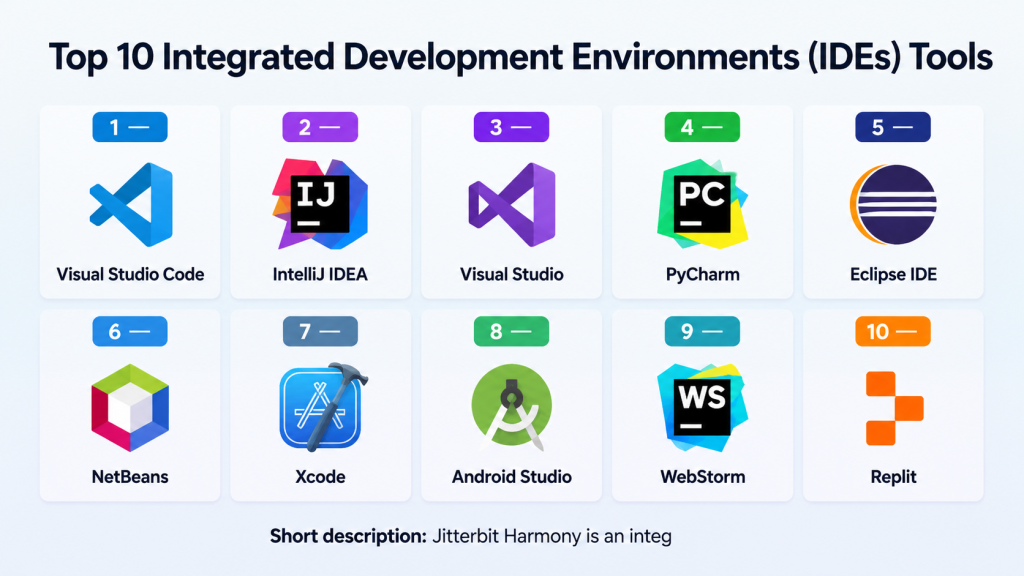
Top 10 Integrated Development Environments (IDEs) Tools
#1 — Visual Studio Code
Short description: Visual Studio Code is a lightweight, flexible, and highly extensible development environment used by developers across many programming languages. It is popular for web development, cloud-native development, DevOps work, scripting, and full-stack engineering.
Key Features
- Large extension marketplace for languages, frameworks, and tools.
- Built-in Git support for version control workflows.
- Integrated terminal for command-line tasks.
- Debugging support for multiple programming environments.
- Remote development support through extensions.
- AI coding support through compatible assistants.
- Strong customization for themes, shortcuts, and workflows.
Pros
- Lightweight compared with many full IDEs.
- Very flexible for different programming languages and use cases.
- Strong community and extension ecosystem.
Cons
- Heavy extension usage can affect performance.
- Some advanced features depend on extensions.
- Requires setup for deeper enterprise workflows.
Platforms / Deployment
Windows / macOS / Linux / Web
Cloud / Local / Remote development supported through extensions
Security & Compliance
MFA, SSO, and enterprise access controls may depend on connected services and organization setup. Marketplace security and extension trust should be reviewed carefully. SOC 2, ISO 27001, GDPR, and HIPAA details are not publicly stated for the editor itself.
Integrations & Ecosystem
Visual Studio Code has one of the strongest ecosystems in modern development. It connects well with source control, cloud platforms, containers, databases, testing tools, and AI coding assistants.
- Git and GitHub workflows
- Docker and Kubernetes extensions
- Cloud platform extensions
- Language servers and debuggers
- Testing and linting tools
- AI assistant extensions
Support & Community
Documentation is strong, community support is excellent, and there are many tutorials, extensions, and learning resources. Enterprise support depends on the broader Microsoft ecosystem and organizational setup.
#2 — IntelliJ IDEA
Short description: IntelliJ IDEA is a powerful IDE mainly known for Java, Kotlin, and enterprise application development. It is widely used by backend developers, full-stack teams, and organizations building complex applications.
Key Features
- Advanced code completion and refactoring.
- Strong Java and Kotlin support.
- Built-in debugging and testing tools.
- Framework support for enterprise development.
- Database tools in supported editions.
- Version control integration.
- Build tool support for Maven, Gradle, and related ecosystems.
Pros
- Excellent developer productivity for Java-based projects.
- Strong refactoring and code intelligence.
- Suitable for large enterprise codebases.
Cons
- Can be resource-heavy on large projects.
- Full feature set may require a paid edition.
- Learning curve can be higher for beginners.
Platforms / Deployment
Windows / macOS / Linux
Local desktop IDE
Security & Compliance
Supports secure development workflows through plugins, access-managed repositories, and enterprise configuration. Specific certifications such as SOC 2, ISO 27001, GDPR, or HIPAA for the IDE are not publicly stated.
Integrations & Ecosystem
IntelliJ IDEA integrates deeply with the Java ecosystem and many enterprise development tools.
- Git and other version control systems
- Maven and Gradle
- Spring and JVM frameworks
- Databases and SQL tools
- Application servers
- Testing frameworks
Support & Community
Documentation is strong, and the developer community is large. Paid editions usually provide stronger vendor-backed support, while community resources are also widely available.
#3 — Visual Studio
Short description: Visual Studio is a full-featured IDE widely used for .NET, C#, desktop applications, enterprise software, game development, and cloud-connected applications. It is especially strong for Microsoft technology stacks.
Key Features
- Strong support for C#, .NET, C++, and related technologies.
- Advanced debugging and profiling tools.
- Integrated testing and build tools.
- Azure and cloud development support.
- Rich designer tools for supported application types.
- Git integration.
- Extensions for additional workflows.
Pros
- Excellent for enterprise .NET development.
- Powerful debugging and performance tools.
- Strong integration with Microsoft developer services.
Cons
- Heavier than lightweight editors.
- Best experience is often tied to Microsoft ecosystem.
- Some editions and enterprise features may require licensing.
Platforms / Deployment
Windows / macOS support varies by edition
Local desktop IDE
Security & Compliance
Security features depend on organization configuration, connected Microsoft services, identity controls, and development workflows. Specific IDE-level certifications are not publicly stated.
Integrations & Ecosystem
Visual Studio works well with Microsoft development, cloud, database, testing, and DevOps ecosystems.
- Azure services
- Git and repository hosting platforms
- SQL Server and database tools
- .NET ecosystem
- Testing frameworks
- Game development tools
Support & Community
Visual Studio has strong documentation, professional support options, and a large developer community, especially for .NET and enterprise development.
#4 — PyCharm
Short description: PyCharm is a specialized IDE for Python development. It is commonly used by backend developers, data engineers, automation engineers, web developers, and data science teams working with Python.
Key Features
- Intelligent Python code completion.
- Debugging and testing support.
- Virtual environment management.
- Web framework support in supported editions.
- Database tools in supported editions.
- Version control integration.
- Code inspection and refactoring.
Pros
- Strong Python-focused experience.
- Helpful for large Python projects.
- Good debugging and testing support.
Cons
- Can feel heavy for simple scripts.
- Some advanced features require a paid edition.
- Not as general-purpose as broader IDEs.
Platforms / Deployment
Windows / macOS / Linux
Local desktop IDE
Security & Compliance
Security depends on project setup, dependency management, repository access, and plugins. Specific certifications such as SOC 2, ISO 27001, GDPR, or HIPAA for the IDE are not publicly stated.
Integrations & Ecosystem
PyCharm integrates well with Python development workflows and related tools.
- Python package managers
- Git and version control
- Django and Flask support
- Testing frameworks
- Databases
- Scientific and data tools in supported workflows
Support & Community
Documentation is strong, and the Python developer community is active. Vendor-backed support may depend on edition and licensing.
#5 — Eclipse IDE
Short description: Eclipse IDE is a long-standing open-source development environment used for Java, enterprise development, embedded systems, and plugin-based software workflows. It is valued by teams that prefer open ecosystems and extensibility.
Key Features
- Strong Java development support.
- Plugin-based architecture.
- Support for multiple programming languages through plugins.
- Debugging and testing tools.
- Version control integration.
- Enterprise and embedded development support.
- Customizable workspace model.
Pros
- Open-source and highly extensible.
- Strong history in enterprise Java development.
- Useful for specialized plugin-based workflows.
Cons
- Interface can feel less modern than newer IDEs.
- Performance depends on plugins and workspace size.
- Setup can require more manual configuration.
Platforms / Deployment
Windows / macOS / Linux
Local desktop IDE
Security & Compliance
Security depends on plugins, development workflow, and organization configuration. Specific compliance certifications for the IDE are not publicly stated.
Integrations & Ecosystem
Eclipse has a broad ecosystem built around plugins and enterprise development.
- Java tools
- Git integrations
- Build tools
- Testing frameworks
- Application servers
- Embedded and modeling tools
Support & Community
Eclipse has long-standing community support, documentation, forums, and ecosystem projects. Enterprise support depends on vendors and distributions.
#6 — NetBeans
Short description: NetBeans is an open-source IDE often used for Java, PHP, HTML, JavaScript, and related development. It provides a structured development environment for students, individual developers, and teams working on traditional applications.
Key Features
- Java development support.
- Project templates and structured workflows.
- Debugging and profiling tools.
- Support for multiple languages.
- Maven and build tool integration.
- Version control support.
- Open-source ecosystem.
Pros
- Good for Java learning and application development.
- Open-source and accessible.
- Provides a complete IDE experience without heavy customization.
Cons
- Smaller ecosystem than some leading IDEs.
- Interface may feel less modern to some developers.
- Not always the first choice for cloud-native workflows.
Platforms / Deployment
Windows / macOS / Linux
Local desktop IDE
Security & Compliance
Security and compliance details are not publicly stated. Security depends on project dependencies, repository access, plugins, and development practices.
Integrations & Ecosystem
NetBeans supports common development integrations for Java and web projects.
- Maven
- Git
- Java application servers
- PHP tools
- Web development tools
- Testing frameworks
Support & Community
Community support is available through documentation and open-source resources. Enterprise support varies by vendor and use case.
#7 — Xcode
Short description: Xcode is Apple’s official IDE for building applications for Apple platforms. It is used by iOS, macOS, watchOS, and tvOS developers who need native development, testing, debugging, and app packaging tools.
Key Features
- Native support for Swift and Objective-C.
- Interface design tools.
- iOS and macOS simulators.
- Debugging and performance tools.
- App signing and packaging workflows.
- Testing tools for Apple apps.
- Integration with Apple developer workflows.
Pros
- Essential for native Apple platform development.
- Strong simulator and device testing support.
- Integrated app publishing workflow for Apple ecosystems.
Cons
- Limited to macOS.
- Mainly focused on Apple platforms.
- Can be resource-heavy for large projects.
Platforms / Deployment
macOS
Local desktop IDE
Security & Compliance
Security features are closely connected to Apple developer accounts, code signing, app sandboxing, and platform security workflows. Specific IDE-level certifications are not publicly stated.
Integrations & Ecosystem
Xcode is tightly connected to Apple’s development ecosystem.
- Swift and Objective-C
- Apple SDKs
- App signing tools
- Simulators
- Testing frameworks
- Apple platform services
Support & Community
Apple documentation is extensive, and the developer community is large. Support depends on Apple developer resources and community forums.
#8 — Android Studio
Short description: Android Studio is the official IDE for Android application development. It is used by mobile developers building Android apps for phones, tablets, foldables, wearables, TVs, and other Android-based devices.
Key Features
- Kotlin and Java support for Android development.
- Android emulator and device testing.
- Layout editor and design tools.
- Gradle build system integration.
- Debugging and profiling tools.
- App inspection tools.
- Support for modern Android development frameworks.
Pros
- Best fit for native Android development.
- Strong emulator and profiling capabilities.
- Deep integration with Android SDKs.
Cons
- Can be resource-intensive.
- Mainly focused on Android development.
- Gradle complexity can be challenging for beginners.
Platforms / Deployment
Windows / macOS / Linux
Local desktop IDE
Security & Compliance
Security depends on Android app permissions, signing practices, dependency management, and project configuration. Specific IDE-level compliance certifications are not publicly stated.
Integrations & Ecosystem
Android Studio integrates deeply with Android development workflows.
- Android SDK
- Gradle
- Kotlin and Java tools
- Android Emulator
- Testing frameworks
- App performance profiling tools
Support & Community
Documentation is strong, and Android’s developer community is large. Support comes from official documentation, community forums, and ecosystem learning resources.
#9 — WebStorm
Short description: WebStorm is a JavaScript and TypeScript-focused IDE designed for frontend, backend JavaScript, and modern web application development. It is popular with developers working on complex web projects.
Key Features
- Strong JavaScript and TypeScript intelligence.
- Framework support for modern frontend development.
- Built-in debugging tools.
- Git integration.
- Testing support.
- Code refactoring and inspections.
- Package manager and build tool support.
Pros
- Strong productivity for JavaScript and TypeScript teams.
- Good refactoring and code navigation.
- Useful for complex frontend applications.
Cons
- Paid licensing may not suit all users.
- Can be more than needed for simple web pages.
- Best value is for developers focused heavily on web development.
Platforms / Deployment
Windows / macOS / Linux
Local desktop IDE
Security & Compliance
Security depends on plugins, repository access, dependency practices, and organization setup. Specific IDE-level compliance certifications are not publicly stated.
Integrations & Ecosystem
WebStorm works well with modern web development stacks.
- JavaScript and TypeScript frameworks
- Git
- Node.js
- Testing tools
- Package managers
- Build tools
Support & Community
Documentation is strong, and vendor support is available depending on licensing. The JavaScript community is also large and active.
#10 — Replit
Short description: Replit is a browser-based development environment that allows users to write, run, share, and deploy code from the web. It is useful for learners, quick prototypes, collaborative coding, and lightweight cloud-based development.
Key Features
- Browser-based coding workspace.
- Multi-language support.
- Built-in collaboration features.
- Hosted execution environment.
- Quick project sharing.
- AI-assisted coding features available in supported plans.
- Simple deployment options for selected use cases.
Pros
- Easy to start without local setup.
- Good for learning, prototyping, and collaboration.
- Works across devices through the browser.
Cons
- May not replace full enterprise IDE workflows.
- Performance depends on plan, browser, and project size.
- Advanced security and governance needs should be reviewed carefully.
Platforms / Deployment
Web
Cloud-based development environment
Security & Compliance
Security features vary by plan and organization setup. Specific compliance certifications should be verified directly before enterprise use. If unknown, treat compliance as not publicly stated.
Integrations & Ecosystem
Replit is designed for accessible cloud coding and collaboration.
- GitHub integration
- Browser-based coding
- AI coding features
- Deployment workflows
- Team collaboration
- Multi-language runtime support
Support & Community
Replit has an active learning and developer community. Support options vary by plan, and enterprise requirements should be reviewed before adoption.
Comparison Table (Top 10)
| Tool Name | Best For | Platform(s) Supported | Deployment | Standout Feature | Public Rating |
|---|---|---|---|---|---|
| Visual Studio Code | Flexible multi-language development | Windows, macOS, Linux, Web | Local / Cloud / Remote | Large extension ecosystem | N/A |
| IntelliJ IDEA | Java and Kotlin enterprise development | Windows, macOS, Linux | Local | Advanced code intelligence | N/A |
| Visual Studio | .NET and enterprise Microsoft development | Windows, macOS varies | Local | Powerful debugging and profiling | N/A |
| PyCharm | Python development | Windows, macOS, Linux | Local | Python-focused productivity | N/A |
| Eclipse IDE | Open-source Java and enterprise development | Windows, macOS, Linux | Local | Plugin-based extensibility | N/A |
| NetBeans | Java and general application development | Windows, macOS, Linux | Local | Open-source full IDE experience | N/A |
| Xcode | Apple platform development | macOS | Local | Native Apple app development | N/A |
| Android Studio | Android app development | Windows, macOS, Linux | Local | Android emulator and profiling | N/A |
| WebStorm | JavaScript and TypeScript development | Windows, macOS, Linux | Local | Strong web development intelligence | N/A |
| Replit | Browser-based coding and collaboration | Web | Cloud | Cloud workspace with easy sharing | N/A |
Evaluation & Scoring of Integrated Development Environments (IDEs)
| Tool Name | Core (25%) | Ease (15%) | Integrations (15%) | Security (10%) | Performance (10%) | Support (10%) | Value (15%) | Weighted Total (0–10) |
|---|---|---|---|---|---|---|---|---|
| Visual Studio Code | 9 | 9 | 10 | 7 | 8 | 9 | 10 | 8.95 |
| IntelliJ IDEA | 10 | 8 | 9 | 8 | 8 | 9 | 8 | 8.75 |
| Visual Studio | 10 | 7 | 9 | 8 | 8 | 9 | 8 | 8.65 |
| PyCharm | 9 | 8 | 8 | 7 | 8 | 8 | 8 | 8.15 |
| Eclipse IDE | 8 | 7 | 8 | 7 | 7 | 8 | 9 | 7.80 |
| NetBeans | 7 | 8 | 7 | 6 | 7 | 7 | 9 | 7.35 |
| Xcode | 9 | 7 | 8 | 8 | 7 | 8 | 8 | 7.95 |
| Android Studio | 9 | 7 | 8 | 8 | 7 | 8 | 8 | 7.95 |
| WebStorm | 9 | 8 | 8 | 7 | 8 | 8 | 7 | 8.05 |
| Replit | 7 | 9 | 7 | 6 | 7 | 7 | 8 | 7.40 |
These scores are comparative and based on general IDE capability, ecosystem strength, usability, and fit across common development scenarios. A higher score does not mean the tool is best for every team. For example, Xcode is the right choice for Apple app development even if another IDE scores higher overall. Teams should shortlist based on language, platform, workflow, security needs, and budget.
Which Integrated Development Environments (IDEs) Tool Is Right for You?
Solo / Freelancer
Solo developers should choose an IDE that is fast, affordable, and flexible. Visual Studio Code is a strong choice because it supports many languages and has a large extension ecosystem. PyCharm is better for Python-heavy work, while WebStorm is useful for JavaScript and TypeScript projects.
For mobile app freelancers, Android Studio is suitable for Android work, and Xcode is required for Apple platform development.
SMB
Small and medium-sized businesses usually need a balance of productivity, cost, and team consistency. Visual Studio Code works well for mixed teams because it supports multiple languages and integrates with Git, cloud tools, and DevOps workflows.
For Java teams, IntelliJ IDEA can improve productivity. For .NET teams, Visual Studio is usually a better fit. SMBs should also check licensing costs, onboarding effort, and standard team extensions.
Mid-Market
Mid-market teams often need stronger project structure, testing, debugging, and security workflows. IntelliJ IDEA, Visual Studio, PyCharm, and WebStorm are good choices when teams work deeply in specific technology stacks.
Visual Studio Code remains useful for DevOps, scripting, frontend, cloud, and multi-language teams. Mid-market companies should standardize extensions and development environments to reduce inconsistency.
Enterprise
Enterprises should focus on security, governance, licensing, support, and long-term maintainability. Visual Studio, IntelliJ IDEA, PyCharm, WebStorm, and Visual Studio Code can all fit enterprise environments depending on the stack.
Large organizations should evaluate SSO, policy controls, approved extensions, code scanning, secure repository access, audit needs, and support agreements before standardizing.
Budget vs Premium
For budget-conscious teams, Visual Studio Code, Eclipse IDE, and NetBeans are attractive because they provide strong capabilities without heavy upfront cost. Replit may also work for learning, prototyping, and lightweight collaborative use.
Premium tools such as IntelliJ IDEA, PyCharm, WebStorm, and Visual Studio paid editions may provide stronger productivity, deeper code intelligence, and professional support.
Feature Depth vs Ease of Use
Visual Studio Code offers flexibility and ease of use, but deeper features may require extensions. IntelliJ IDEA, Visual Studio, PyCharm, and WebStorm provide more built-in depth for specific stacks.
Beginners may prefer VS Code or Replit, while professional teams working on complex applications may prefer specialized IDEs.
Integrations & Scalability
For integration-heavy teams, Visual Studio Code, IntelliJ IDEA, and Visual Studio are strong options. They connect well with Git, CI/CD, testing tools, cloud platforms, and project workflows.
Scalability depends not only on the IDE but also on how the team manages repositories, extensions, build tools, security policies, and onboarding documentation.
Security & Compliance Needs
Security-focused teams should review extension trust, dependency scanning, secret management, access controls, and organizational policies. IDEs should fit into the company’s secure software development lifecycle.
Enterprises should avoid allowing unrestricted extensions without review. They should also standardize approved plugins, repository access, and secure coding workflows.
Frequently Asked Questions (FAQs)
What is an IDE?
An IDE is a software tool that combines code editing, debugging, testing, project management, and development support in one workspace. It helps developers build software faster and with fewer workflow gaps.
How is an IDE different from a code editor?
A code editor is usually lighter and focused on writing text or code. An IDE usually includes deeper tools such as debugging, project management, build support, testing, and framework-specific features.
Which IDE is best for beginners?
Visual Studio Code and Replit are beginner-friendly because they are easy to start with. NetBeans can also be useful for Java learners who want a structured IDE experience.
Which IDE is best for Java development?
IntelliJ IDEA, Eclipse IDE, and NetBeans are commonly used for Java development. IntelliJ IDEA is often preferred for advanced productivity, while Eclipse and NetBeans remain strong open-source options.
Which IDE is best for Python development?
PyCharm is a strong Python-focused IDE. Visual Studio Code is also widely used for Python when configured with the right extensions.
Which IDE is best for web development?
Visual Studio Code and WebStorm are strong choices for web development. VS Code is flexible and lightweight, while WebStorm provides deeper built-in JavaScript and TypeScript support.
Which IDE is best for mobile app development?
Android Studio is the main choice for Android development. Xcode is the main choice for Apple platform development such as iOS and macOS apps.
Are paid IDEs worth it?
Paid IDEs can be worth it when they save developer time, improve code quality, and provide stronger built-in tools. However, free tools may be enough for many individuals and small teams.
What are common mistakes when choosing an IDE?
Common mistakes include choosing based only on popularity, ignoring team workflow, installing too many extensions, overlooking security, and not checking whether the IDE supports the required language and framework deeply.
How important are integrations in an IDE?
Integrations are very important for professional teams. Git, CI/CD, cloud platforms, databases, testing tools, containers, and issue trackers can all reduce context switching and improve productivity.
Can one IDE support all development needs?
One IDE can support many needs, especially Visual Studio Code. However, specialized work such as Android, iOS, .NET, Java enterprise, or Python data workflows may benefit from dedicated IDEs.
How should a company switch IDEs?
A company should run a pilot with a small team, test real projects, validate integrations, check security policies, document setup steps, and collect developer feedback before wider rollout.
Conclusion
Choosing the best Integrated Development Environment depends on the developer role, programming language, project size, team workflow, budget, and security requirements. There is no single universal winner. Visual Studio Code is excellent for flexibility and broad use. IntelliJ IDEA is strong for Java and Kotlin teams. Visual Studio is powerful for .NET and enterprise Microsoft development. PyCharm, WebStorm, Android Studio, and Xcode are better when a team needs specialized support for Python, web, Android, or Apple platform development.The best next step is to shortlist two or three IDEs based on your technology stack, test them with a real project, validate extensions and integrations, review security requirements, and choose the tool that improves developer productivity without adding unnecessary complexity.
