Upgrade & Secure Your Future with DevOps, SRE, DevSecOps, MLOps!
We spend hours scrolling social media and waste money on things we forget, but won’t spend 30 minutes a day earning certifications that can change our lives.
Master in DevOps, SRE, DevSecOps & MLOps by DevOps School!
Learn from Guru Rajesh Kumar and double your salary in just one year.
Introduction
Release management tools help organizations plan, schedule, and control the deployment of software applications across environments. They provide a structured approach to coordinate releases, track dependencies, automate approvals, and ensure smooth delivery without disrupting business operations.
These tools matter because modern software development relies on fast, continuous, and multi-environment deployments. As teams adopt DevOps practices, microservices, and cloud-native applications, coordinating releases across multiple pipelines and environments becomes critical. Release management tools improve visibility, reduce deployment risks, and increase collaboration among development, operations, and quality teams.
Common use cases include coordinating multi-application deployments, managing approvals and gates, tracking deployment metrics, automating rollback procedures, handling feature flag releases, and ensuring compliance and audit readiness.
Buyers should evaluate integration with CI/CD pipelines, environment management, deployment automation, release orchestration, approval workflows, reporting and dashboards, scalability, security controls, audit capabilities, and support for multi-cloud or hybrid environments.
Best for: DevOps teams, platform engineers, release managers, QA teams, enterprise IT teams, SaaS companies, and organizations with complex deployment pipelines.
Not ideal for: small projects with manual deployment, teams with only a single environment, or startups with simple CI/CD workflows that do not require formal release orchestration.
Key Trends in Release Management Tools
- AI-assisted deployment insights for predicting release risks and bottlenecks.
- Integration with DevOps and CI/CD pipelines to automate build, test, and deploy workflows.
- Feature flag and canary release support for controlled rollouts.
- Multi-cloud and hybrid environment support to manage releases across diverse platforms.
- Automated rollback and remediation in case of failed deployments.
- Policy-driven approval workflows for compliance and governance.
- Enhanced reporting and analytics for release performance and reliability.
- Secure credential and secret management integration for deployments.
- Containerized and microservices release orchestration for complex architectures.
- Self-service release portals for internal teams to request and schedule deployments.
How We Selected These Tools
- Evaluated adoption among enterprises and DevOps teams.
- Reviewed completeness of release automation, orchestration, and scheduling features.
- Considered reliability and performance in large-scale deployments.
- Assessed security posture including role-based access, audit logs, and credential management.
- Checked integrations with CI/CD pipelines, cloud providers, and container platforms.
- Reviewed scalability and suitability across solo developers, SMBs, mid-market, and enterprise teams.
- Considered ease of use, dashboarding, reporting, and governance capabilities.
- Included a balanced mix of enterprise, SMB, and developer-first tools.
- Focused on practical value and deployment flexibility rather than marketing claims.
- Avoided guessing certifications, compliance claims, or public ratings.
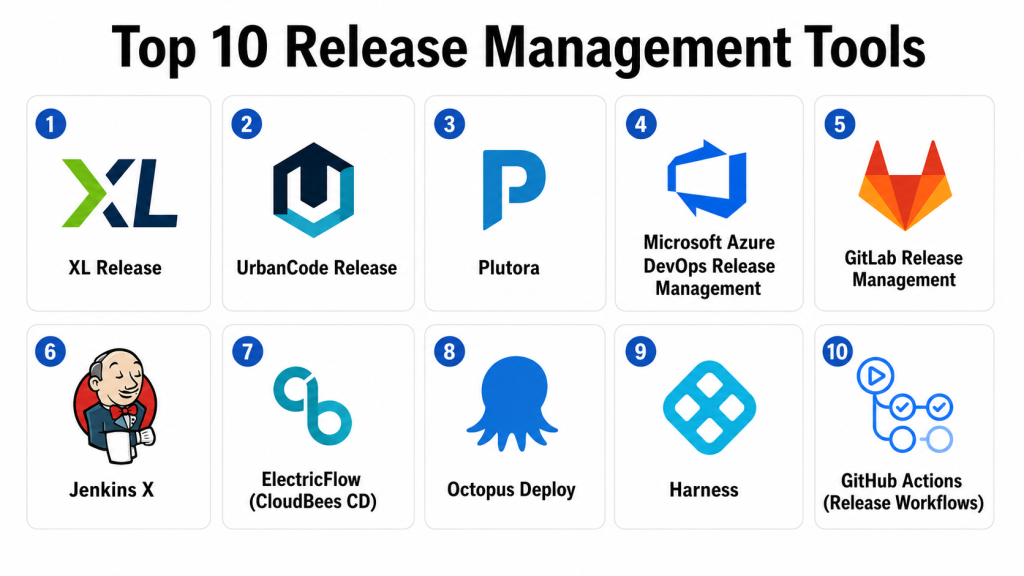
Top 10 Release Management Tools
#1 — XL Release
Short description: XL Release orchestrates software releases across multiple pipelines, environments, and teams. Ideal for enterprises with complex deployment requirements.
Key Features
- Release orchestration and automation.
- Multi-environment and multi-team scheduling.
- Approval gates and workflow automation.
- Integration with CI/CD tools.
- Reporting dashboards and metrics.
- Compliance and audit tracking.
- Notifications and alerting for stakeholders.
Pros
- Strong enterprise-scale orchestration.
- Supports complex multi-team workflows.
- Comprehensive compliance reporting.
Cons
- Enterprise-oriented; smaller teams may find it complex.
- Pricing is premium.
- Initial setup requires planning.
Platforms / Deployment
Web / Windows / Linux / macOS
Cloud / Self-hosted / Hybrid
Security & Compliance
Supports RBAC, MFA, audit logs, and encrypted communication. SOC 2 and ISO 27001 compliance vary by deployment.
Integrations & Ecosystem
- Jenkins
- GitLab
- Azure DevOps
- Jira
- Kubernetes
- Cloud platforms
Support & Community
Strong enterprise support with documentation and onboarding guidance.
#2 — UrbanCode Release
Short description: IBM UrbanCode Release automates and orchestrates releases across applications and environments. It is suited for large enterprises with complex deployment pipelines.
Key Features
- Release orchestration and deployment automation.
- Multi-application dependency management.
- Approval workflow management.
- Integration with CI/CD and version control tools.
- Environment management and visualization.
- Audit trails and compliance tracking.
- Notifications and reporting.
Pros
- Strong enterprise governance features.
- Handles complex multi-application deployments.
- Extensive integration options.
Cons
- Complexity can be high for mid-market teams.
- Requires training for operations teams.
- Premium licensing.
Platforms / Deployment
Web / Windows / Linux
Cloud / Self-hosted / Hybrid
Security & Compliance
Supports encryption, audit logging, RBAC, and enterprise governance policies. Certifications depend on enterprise configuration.
Integrations & Ecosystem
- Jenkins
- GitHub
- GitLab
- Jira
- ServiceNow
- Docker & Kubernetes
Support & Community
Vendor support is enterprise-oriented. Documentation is comprehensive.
#3 — Plutora
Short description: Plutora provides release and deployment management with analytics and insights. It is suitable for enterprises seeking visibility into release pipelines.
Key Features
- Release planning and tracking.
- Deployment orchestration across environments.
- Feature and dependency management.
- Analytics dashboards.
- Automated notifications.
- Audit and compliance reporting.
- CI/CD integrations.
Pros
- Unified release visibility.
- Supports enterprise-scale release planning.
- Data-driven analytics for decision-making.
Cons
- May be complex for smaller teams.
- Pricing targets enterprise budgets.
- Learning curve for advanced features.
Platforms / Deployment
Web / Windows / Linux
Cloud / Self-hosted / Hybrid
Security & Compliance
Supports RBAC, audit logging, and encrypted communications. Enterprise compliance depends on configuration.
Integrations & Ecosystem
- Jenkins
- Jira
- GitHub
- GitLab
- Azure DevOps
- Slack notifications
Support & Community
Enterprise-level support, documentation, and onboarding resources available.
#4 — Microsoft Azure DevOps Release Management
Short description: Azure DevOps Release Management automates and manages releases for applications and services in Microsoft ecosystems. It is best suited for Azure-native teams and enterprises.
Key Features
- Release pipeline automation.
- Environment management.
- Approval gates and workflow rules.
- Integration with Azure DevOps CI/CD.
- Multi-stage deployment visualization.
- Rollback and remediation support.
- Audit logging.
Pros
- Strong integration with Microsoft ecosystem.
- CI/CD-native for Azure DevOps users.
- Supports complex release scenarios.
Cons
- Best for Azure-centric teams.
- Multi-cloud orchestration may require additional tools.
- Premium features tied to enterprise licensing.
Platforms / Deployment
Web / Windows / Linux
Cloud
Security & Compliance
Supports RBAC, MFA, encryption, and audit logs. Compliance depends on Azure configuration.
Integrations & Ecosystem
- Azure DevOps CI/CD
- GitHub Actions
- Azure Kubernetes Service
- Terraform
- ServiceNow
Support & Community
Microsoft documentation and support available. Active community among Azure users.
#5 — GitLab Release Management
Short description: GitLab Release Management integrates release orchestration with GitLab CI/CD pipelines. Ideal for GitLab-centric development teams.
Key Features
- Release tracking and pipeline orchestration.
- Environment management.
- CI/CD pipeline integration.
- Approval workflows.
- Deployment monitoring.
- Audit and compliance reporting.
- Notifications and metrics dashboards.
Pros
- Native GitLab integration.
- Streamlines CI/CD and release workflows.
- Developer-friendly pipelines.
Cons
- Limited adoption outside GitLab.
- Advanced governance features may require premium plans.
- Multi-cloud orchestration may require additional tools.
Platforms / Deployment
Web / Linux / Windows
Cloud / Self-hosted / Hybrid
Security & Compliance
Supports RBAC, audit logging, and encrypted communication. Compliance depends on plan and configuration.
Integrations & Ecosystem
- GitLab CI/CD
- Kubernetes
- Docker pipelines
- Jira
- Slack notifications
- Monitoring tools
Support & Community
Documentation is strong; community support is active among GitLab users.
#6 — Jenkins X
Short description: Jenkins X combines CI/CD with automated release management, focusing on Kubernetes and cloud-native applications. Suitable for DevOps teams using Kubernetes.
Key Features
- Pipeline automation and release orchestration.
- GitOps-driven deployments.
- Multi-environment support.
- Automated rollback and preview environments.
- Integration with Helm and Kustomize.
- Audit logging and notifications.
- Developer-friendly CLI.
Pros
- Optimized for cloud-native and containerized apps.
- GitOps automation reduces manual errors.
- Strong Kubernetes integration.
Cons
- Requires Kubernetes expertise.
- May be complex for traditional environments.
- Enterprise support is limited compared to commercial tools.
Platforms / Deployment
Web / Linux / macOS
Cloud / Self-hosted / Hybrid
Security & Compliance
Security depends on Kubernetes cluster configuration and RBAC policies. Specific certifications are not publicly stated.
Integrations & Ecosystem
- GitHub
- GitLab
- Helm
- Kubernetes
- Slack
- CI/CD pipelines
Support & Community
Open-source community-driven support; documentation active.
#7 — ElectricFlow (CloudBees CD)
Short description: ElectricFlow provides enterprise release orchestration with multi-environment deployment, approvals, and automation. Suitable for complex enterprise release pipelines.
Key Features
- Orchestration of multi-application releases.
- Approval workflows and gates.
- Deployment automation.
- CI/CD integration.
- Environment and dependency management.
- Audit logging and compliance dashboards.
- Notifications and reporting.
Pros
- Strong for large enterprise pipelines.
- Reduces deployment risk.
- Advanced reporting and visibility.
Cons
- High complexity and enterprise pricing.
- Learning curve for operators.
- Smaller teams may not need full feature set.
Platforms / Deployment
Web / Windows / Linux / macOS
Cloud / Self-hosted / Hybrid
Security & Compliance
Supports RBAC, audit logging, MFA, and encrypted communication. Compliance certifications should be verified directly.
Integrations & Ecosystem
- Jenkins
- GitLab
- Jira
- Slack
- Kubernetes
- ServiceNow
Support & Community
Enterprise support available; documentation is comprehensive.
#8 — Octopus Deploy
Short description: Octopus Deploy automates deployment and release management for .NET, Java, and containerized applications. Suitable for SMB to enterprise teams.
Key Features
- Deployment automation across multiple environments.
- Release orchestration.
- Multi-tenancy support.
- Integration with CI/CD pipelines.
- Rollback and approval workflows.
- Audit logging and metrics dashboards.
- Container and microservices support.
Pros
- Developer-friendly UI.
- Strong integration with pipelines and automation.
- Supports complex deployment scenarios.
Cons
- May require learning for large-scale orchestrations.
- Advanced features are part of premium editions.
- Cloud vs self-hosted trade-offs exist.
Platforms / Deployment
Web / Windows / Linux / macOS
Cloud / Self-hosted / Hybrid
Security & Compliance
Supports RBAC, audit logging, and encrypted storage. Enterprise compliance should be verified.
Integrations & Ecosystem
- Jenkins
- Azure DevOps
- GitHub Actions
- Kubernetes
- Docker pipelines
- Slack notifications
Support & Community
Strong vendor support with documentation and active user community.
#9 — Harness
Short description: Harness is a continuous delivery platform with automated release management, approvals, and observability. It is useful for DevOps and enterprise teams deploying cloud-native and microservices applications.
Key Features
- CI/CD and release orchestration.
- Approval workflows and policy enforcement.
- Automated rollback.
- Multi-cloud deployment.
- Feature flag and canary releases.
- Audit logging and compliance dashboards.
- Analytics and release insights.
Pros
- Simplifies multi-cloud deployments.
- Supports progressive releases and rollback.
- Strong analytics for release performance.
Cons
- Premium pricing; may be complex for small teams.
- Initial setup requires planning.
- Enterprise features may be overkill for simple projects.
Platforms / Deployment
Web / Windows / Linux / macOS
Cloud / Self-hosted / Hybrid
Security & Compliance
Supports RBAC, encryption, audit logs, and enterprise compliance workflows. Certifications should be verified with vendor.
Integrations & Ecosystem
- GitHub
- GitLab
- Jira
- Kubernetes
- Docker
- CI/CD pipelines
Support & Community
Vendor-backed support and onboarding; documentation is comprehensive.
#10 — GitHub Actions (Release Workflows)
Short description: GitHub Actions enables automated release workflows directly within GitHub repositories. Ideal for developers and teams already using GitHub for CI/CD.
Key Features
- Pipeline automation for builds and releases.
- Multi-environment deployment.
- Approval gates for releases.
- Integration with GitHub repositories.
- Notifications and reporting.
- Container and microservices deployment support.
- CI/CD-native workflow.
Pros
- Fully integrated with GitHub repositories.
- Free for small teams; easy to start.
- Supports custom workflows with YAML pipelines.
Cons
- Limited features compared to dedicated enterprise tools.
- Multi-cloud orchestration may require additional tools.
- Enterprise governance features are limited.
Platforms / Deployment
Web / Windows / Linux / macOS
Cloud
Security & Compliance
Supports GitHub RBAC, audit logs, and encrypted secrets. Enterprise compliance should be verified per GitHub plan.
Integrations & Ecosystem
- GitHub repositories
- GitHub CI/CD
- Docker
- Kubernetes
- Slack
- Notification and monitoring tools
Support & Community
Documentation and GitHub community support are strong.
Comparison Table
| Tool Name | Best For | Platform(s) Supported | Deployment | Standout Feature | Public Rating |
|---|---|---|---|---|---|
| XL Release | Enterprise orchestration | Web, Windows, Linux, macOS | Cloud / Self-hosted / Hybrid | Multi-team release orchestration | N/A |
| UrbanCode Release | Enterprise CI/CD | Web, Windows, Linux | Cloud / Self-hosted / Hybrid | Multi-application dependency management | N/A |
| Plutora | Enterprise release visibility | Web, Windows, Linux | Cloud / Self-hosted / Hybrid | Analytics and metrics dashboards | N/A |
| Azure DevOps Release Management | Azure-native teams | Web, Windows, Linux | Cloud | Integrated multi-stage pipelines | N/A |
| GitLab Release Management | GitLab CI/CD teams | Web, Linux, Windows | Cloud / Self-hosted / Hybrid | GitLab-native release pipelines | N/A |
| Jenkins X | Kubernetes and cloud-native | Web, Linux, macOS | Cloud / Self-hosted / Hybrid | GitOps-driven release automation | N/A |
| ElectricFlow | Enterprise orchestration | Web, Windows, Linux, macOS | Cloud / Self-hosted / Hybrid | Multi-application release orchestration | N/A |
| Octopus Deploy | SMB to enterprise | Web, Windows, Linux, macOS | Cloud / Self-hosted / Hybrid | Multi-environment deployment automation | N/A |
| Harness | Enterprise cloud-native | Web, Windows, Linux, macOS | Cloud / Self-hosted / Hybrid | Progressive delivery and analytics | N/A |
| GitHub Actions | GitHub-native teams | Web, Windows, Linux, macOS | Cloud | CI/CD-native release workflows | N/A |
Evaluation & Scoring of Release Management Tools
| Tool Name | Core (25%) | Ease (15%) | Integrations (15%) | Security (10%) | Performance (10%) | Support (10%) | Value (15%) | Weighted Total (0–10) |
|---|---|---|---|---|---|---|---|---|
| XL Release | 9 | 7 | 9 | 8 | 8 | 9 | 8 | 8.40 |
| UrbanCode Release | 9 | 6 | 8 | 8 | 8 | 8 | 7 | 7.85 |
| Plutora | 8 | 7 | 8 | 8 | 8 | 8 | 7 | 7.75 |
| Azure DevOps Release | 8 | 8 | 8 | 8 | 8 | 8 | 8 | 8.00 |
| GitLab Release | 7 | 8 | 8 | 8 | 8 | 8 | 8 | 7.90 |
| Jenkins X | 8 | 7 | 8 | 7 | 8 | 7 | 8 | 7.85 |
| ElectricFlow | 9 | 6 | 8 | 8 | 8 | 8 | 7 | 7.85 |
| Octopus Deploy | 8 | 8 | 8 | 8 | 8 | 8 | 8 | 8.00 |
| Harness | 9 | 7 | 8 | 8 | 8 | 8 | 7 | 7.95 |
| GitHub Actions | 7 | 9 | 7 | 7 | 8 | 7 | 9 | 7.95 |
Scores are comparative and provide guidance to shortlist tools for evaluation based on workflow complexity, platform, and integration needs.
Which Release Management Tool Is Right for You?
Solo / Freelancer
Cloud-native solutions like GitHub Actions, Octopus Deploy, and Azure DevOps Release Management provide straightforward release pipelines for smaller teams or solo developers.
SMB
SMBs may benefit from Octopus Deploy, GitLab Release, and Azure DevOps for multi-environment deployment automation without heavy enterprise complexity.
Mid-Market
Mid-market teams often require multi-application coordination and approval workflows. XL Release, ElectricFlow, and Plutora are strong candidates.
Enterprise
Enterprises need policy enforcement, audit trails, and analytics for large teams. XL Release, UrbanCode Release, Harness, and Plutora provide enterprise-grade orchestration.
Budget vs Premium
Budget teams can start with GitHub Actions or Octopus Deploy for cost-effective automation. Premium tools offer advanced governance, multi-environment orchestration, and analytics.
Feature Depth vs Ease of Use
Enterprise platforms like XL Release and UrbanCode provide depth but require planning. Cloud-native or Git-native tools offer easier adoption.
Integrations & Scalability
Look for CI/CD, cloud, container, and Kubernetes integration, along with scalability across multiple applications and environments.
Security & Compliance Needs
Check role-based access, audit logs, secret integration, encrypted pipelines, and compliance dashboards to meet internal and regulatory requirements.
Frequently Asked Questions
What is release management?
Release management is the planning, scheduling, and controlling of software deployment across environments to ensure stable, reliable releases.
Why is release management important?
It reduces deployment risks, improves collaboration, ensures compliance, and enables faster delivery of features.
Which types of software can be managed?
Web apps, mobile apps, microservices, containerized applications, and enterprise software releases.
How does release management integrate with CI/CD?
It coordinates automated builds, tests, deployments, approvals, and rollback mechanisms in CI/CD pipelines.
What are approval workflows?
Automated gates that require human or system approval before deployment to production or critical environments.
Can release management automate rollback?
Yes. Most tools support automated rollback in case of deployment failures or anomalies.
Which tool is best for GitHub users?
GitHub Actions provides native release workflow automation directly within GitHub.
Which tool is best for enterprises?
XL Release, UrbanCode Release, ElectricFlow, and Plutora provide comprehensive enterprise orchestration and reporting.
Can release management tools integrate with Kubernetes?
Yes. Many tools, including Jenkins X and Octopus Deploy, provide Kubernetes integration for containerized deployments.
Are release management tools secure?
Most tools provide RBAC, audit logs, encrypted pipelines, and integration with secret management solutions. Security should be verified per deployment.
Conclusion
Release management tools enable organizations to coordinate deployments, reduce risk, and ensure reliable software delivery. The best tool depends on team size, CI/CD environment, platform, workflow complexity, and compliance needs. GitHub Actions, Octopus Deploy, and Azure DevOps offer practical solutions for smaller or cloud-native teams. Enterprise-grade tools like XL Release, UrbanCode, Plutora, ElectricFlow, and Harness provide orchestration, approval, analytics, and policy enforcement for large-scale deployments. Teams should shortlist two or three tools, validate integration with CI/CD pipelines, test multi-environment workflows, and confirm governance and audit features before adoption.
