Upgrade & Secure Your Future with DevOps, SRE, DevSecOps, MLOps!
We spend hours scrolling social media and waste money on things we forget, but won’t spend 30 minutes a day earning certifications that can change our lives.
Master in DevOps, SRE, DevSecOps & MLOps by DevOps School!
Learn from Guru Rajesh Kumar and double your salary in just one year.
Introduction
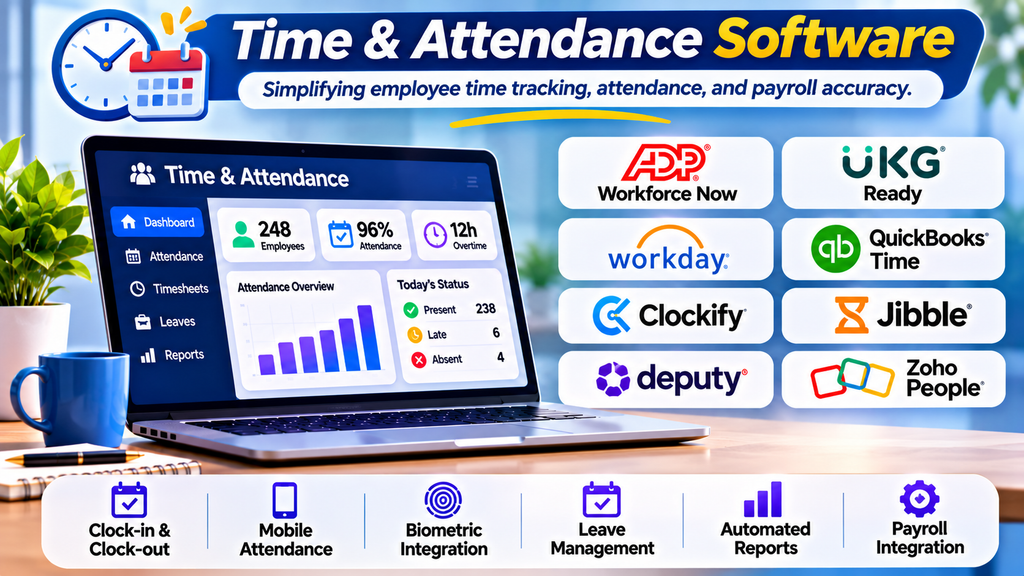
Managing employee attendance manually can lead to errors, payroll discrepancies, and unnecessary administrative work. Time and attendance software helps organizations record working hours, monitor absences, manage overtime, and prepare accurate timesheets. By automating routine tasks, businesses can improve efficiency and give HR teams more time to focus on workforce management.
What Is Time & Attendance Software?
Time and attendance software is a digital system that records when employees start work, finish work, take breaks, and request leave. Depending on the solution, employees can clock in through mobile applications, web portals, biometric devices, or physical time clocks.
These systems help businesses monitor attendance patterns, identify missing punches, apply attendance policies, and transfer approved working hours to payroll systems.
Top Time & Attendance Software Tools
1. ADP Workforce Now
ADP Workforce Now combines time tracking with HR and payroll capabilities. It helps organizations manage employee hours, overtime, attendance policies, and payroll-related workflows.
Best for: Businesses seeking integrated HR, attendance, and payroll management.
2. UKG Ready
UKG Ready provides timekeeping, attendance tracking, and workforce scheduling capabilities. It helps managers coordinate employee availability and monitor working hours.
Best for: Small and midsize businesses with varied workforce requirements.
3. Workday
Workday offers time-tracking capabilities within its broader human capital management ecosystem. Organizations can connect time data with HR processes and workforce information.
Best for: Enterprises looking for connected HR and time-management workflows.
4. QuickBooks Time
QuickBooks Time supports employee time tracking through web and mobile tools. Teams can record hours across projects, jobs, and field locations.
Best for: Field teams, service businesses, and organizations tracking project hours.
5. Clockify
Clockify provides time tracking, timesheets, reporting, and project-hour monitoring. Teams can record working time and review hours across different activities.
Best for: Freelancers, agencies, and teams needing flexible time tracking.
6. Jibble
Jibble offers clock-in and clock-out tools, attendance reports, and options such as facial-recognition-based attendance tracking. Features vary by plan and configuration.
Best for: Businesses seeking accessible digital attendance tracking.
7. Deputy
Deputy combines employee scheduling with time and attendance features. Managers can coordinate shifts, monitor attendance, and review timesheets in one workflow.
Best for: Retail, hospitality, and shift-based teams.
8. Zoho People
Zoho People includes attendance management, leave tracking, and related HR workflows. Organizations can configure attendance rules to match their internal policies.
Best for: Businesses seeking attendance management within a broader HR platform.
Essential Features to Look For
- Clock-in and clock-out: Record employee start and finish times.
- Mobile attendance: Support remote employees and distributed teams.
- Biometric integration: Connect supported fingerprint or facial-recognition devices where appropriate.
- Overtime tracking: Monitor additional hours and approval requirements.
- Leave management: Coordinate attendance records with employee leave.
- Automated reporting: Review lateness, absences, overtime, and attendance trends.
- Payroll integration: Transfer approved time records to compatible payroll systems.
- Security and permissions: Protect employee information through appropriate access controls.
Benefits of Time & Attendance Software
Improved accuracy: Automated records can reduce manual data-entry errors.
Time savings: HR teams spend less time preparing attendance reports and correcting timesheets.
Better visibility: Managers can identify attendance patterns and staffing issues more easily.
Simplified payroll preparation: Approved time records can be transferred to compatible payroll systems, reducing repetitive work.
Convenient employee access: Depending on the platform, employees can view their attendance, request corrections, and clock in through supported devices.
How to Choose the Right Solution
Begin by assessing your workforce size, shift patterns, remote-work requirements, budget, and existing payroll system. Check whether the platform supports your attendance policies, locations, devices, and reporting needs.
Compare ease of use, mobile functionality, integrations, customer support, implementation costs, and data-security controls. A small pilot can help verify that clock-ins, approvals, and payroll exports work correctly before a company-wide rollout.
Best Practices for Implementation
- Communicate attendance policies clearly before launch.
- Train employees and managers on the system.
- Test integrations and payroll exports before relying on them.
- Review missing punches and exceptions regularly.
- Provide a simple process for correcting attendance records.
- Explain how employee attendance data is collected, accessed, and protected.
Conclusion
Time and attendance software helps organizations streamline time tracking, improve record accuracy, and simplify attendance administration. The best solution depends on business size, shift patterns, payroll requirements, and integration needs. By comparing features carefully and implementing clear policies, businesses can select a platform that supports efficient workforce management and future growth.
