Upgrade & Secure Your Future with DevOps, SRE, DevSecOps, MLOps!
We spend hours scrolling social media and waste money on things we forget, but won’t spend 30 minutes a day earning certifications that can change our lives.
Master in DevOps, SRE, DevSecOps & MLOps by DevOps School!
Learn from Guru Rajesh Kumar and double your salary in just one year.
Introduction
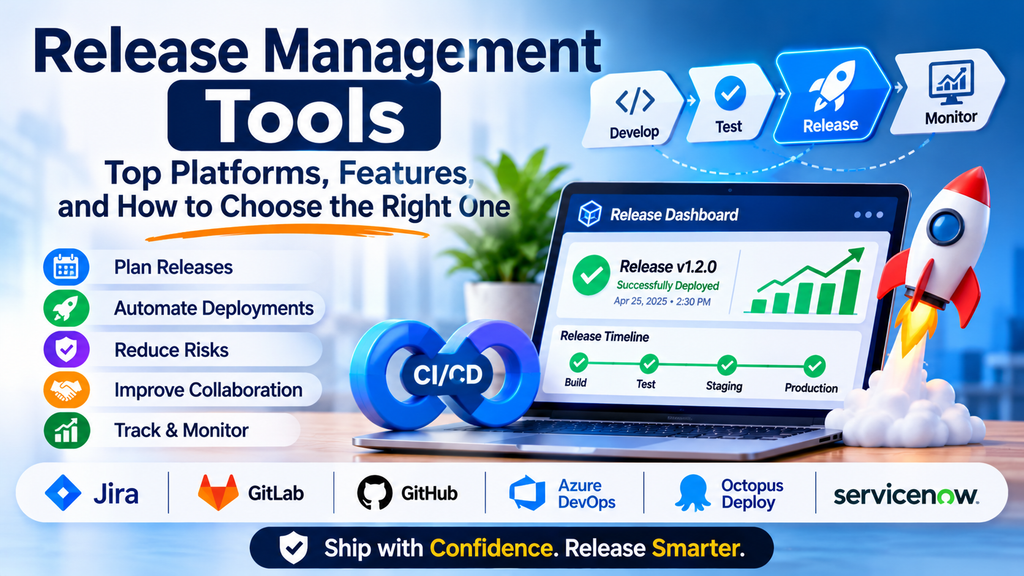
Modern software teams release updates frequently to deliver new features, fix defects, improve performance, and respond to customer needs. Without a structured release process, deployments can become unpredictable, communication can break down, and important dependencies may be overlooked. Release management tools help teams plan, coordinate, track, and document software releases from development through production.
These tools provide visibility into release schedules, approvals, deployment readiness, dependencies, risks, and post-release activities. They can also integrate with issue trackers, CI/CD pipelines, test management systems, and monitoring platforms.
What Are Release Management Tools?
Release management tools support the planning and coordination of software changes as they move toward production. Depending on the platform, they may manage release calendars, change approvals, version milestones, deployment records, release notes, and audit trails.
Release management is closely related to deployment automation, but the two are not identical. A deployment tool executes technical changes, while release management coordinates the broader process, including people, readiness, approvals, and communication.
Why Release Management Matters
- Predictable releases: Coordinate work against clear schedules and milestones.
- Reduced deployment risk: Track dependencies, testing status, and approval requirements.
- Better collaboration: Keep developers, QA, operations, security, and product teams aligned.
- Improved traceability: Connect changes to tickets, commits, builds, and deployments.
- Faster recovery: Maintain release records that help teams investigate or roll back problematic changes.
Popular Release Management Tools
1. Jira
Jira helps teams manage work items, versions, release milestones, and delivery workflows. It is useful for connecting planned releases to development tasks and defects.
Best for: Teams already using Jira for agile project management.
2. GitLab
GitLab brings source control, CI/CD, environments, deployment tracking, and release-related workflows into a single DevSecOps platform.
Best for: Teams that want release coordination closely integrated with their software delivery pipeline.
3. GitHub
GitHub supports release pages, tags, release assets, automation, and collaboration around code changes. Teams can use GitHub Actions to automate parts of their release process.
Best for: Development teams managing repositories and releases in GitHub.
4. Azure DevOps
Azure DevOps provides work tracking, repositories, pipelines, test capabilities, and deployment controls that can support coordinated releases.
Best for: Organizations using Microsoft development and cloud ecosystems.
5. Octopus Deploy
Octopus Deploy focuses on deployment automation and release orchestration across supported applications and environments.
Best for: Teams needing controlled deployments across multiple environments or infrastructure targets.
6. ServiceNow
ServiceNow supports enterprise change management and related IT service workflows. It can help organizations coordinate approvals and changes with operational governance.
Best for: Enterprises with formal change-control requirements.
Comparison of Release Management Options
| Tool | Primary strength | Common use |
|---|---|---|
| Jira | Work and version tracking | Agile release coordination |
| GitLab | Integrated DevSecOps | Pipeline-connected releases |
| GitHub | Repository-centered releases | Versioned software publishing |
| Azure DevOps | Planning and delivery integration | Enterprise development workflows |
| Octopus Deploy | Deployment orchestration | Multi-environment deployments |
| ServiceNow | Change governance | Enterprise IT release controls |
The best choice depends on whether your main requirement is planning, deployment automation, governance, or an integrated delivery workflow.
Essential Features to Evaluate
Look for release calendars, dependency tracking, approval workflows, automated deployment integration, environment visibility, rollback procedures, reporting, audit history, and role-based access controls. Integrations should connect releases to the relevant issues, code changes, builds, tests, and production deployments.
How to Choose the Right Tool
Step 1: Map the release process
Document how changes move from planning and development through testing, approval, deployment, and post-release review.
Step 2: Identify bottlenecks
Look for manual approvals, missing test evidence, unclear ownership, and delays between development and production.
Step 3: Check integrations
Confirm compatibility with your source-code repository, CI/CD system, testing tools, and IT service platform.
Step 4: Define governance requirements
Decide which releases need approval, audit records, segregation of duties, or additional security checks.
Step 5: Run a pilot
Test the tool with a representative release and collect feedback from developers, QA, operations, and product stakeholders.
Step 6: Measure results
Track release lead time, deployment frequency, change failure rate, and recovery time.
Best Practices for Release Management
- Define release ownership and clear readiness criteria.
- Maintain a single source of truth for release status.
- Automate repetitive checks and deployment steps.
- Use staged rollouts or canary deployments when appropriate.
- Prepare rollback and recovery plans before production changes.
- Communicate user-facing changes clearly.
- Review failed releases and near misses to improve the process.
- Keep release records connected to builds, tests, approvals, and deployments.
Common Challenges
Teams may face fragmented tools, approval bottlenecks, inconsistent release definitions, or incomplete deployment records. Standardized workflows, reliable integrations, and risk-based approvals can reduce these issues without adding unnecessary bureaucracy.
Another challenge is balancing speed with safety. Excessively manual processes slow delivery, while unrestricted automation can increase risk. Teams should automate routine checks and reserve additional approval steps for changes that genuinely require them.
Conclusion
Release management tools help teams coordinate software changes with greater visibility, consistency, and control. Jira and GitHub can support repository- and work-centered processes, GitLab and Azure DevOps offer broader delivery integration, Octopus Deploy emphasizes deployment orchestration, and ServiceNow supports formal change governance.
