Upgrade & Secure Your Future with DevOps, SRE, DevSecOps, MLOps!
We spend hours scrolling social media and waste money on things we forget, but won’t spend 30 minutes a day earning certifications that can change our lives.
Master in DevOps, SRE, DevSecOps & MLOps by DevOps School!
Learn from Guru Rajesh Kumar and double your salary in just one year.
Introduction
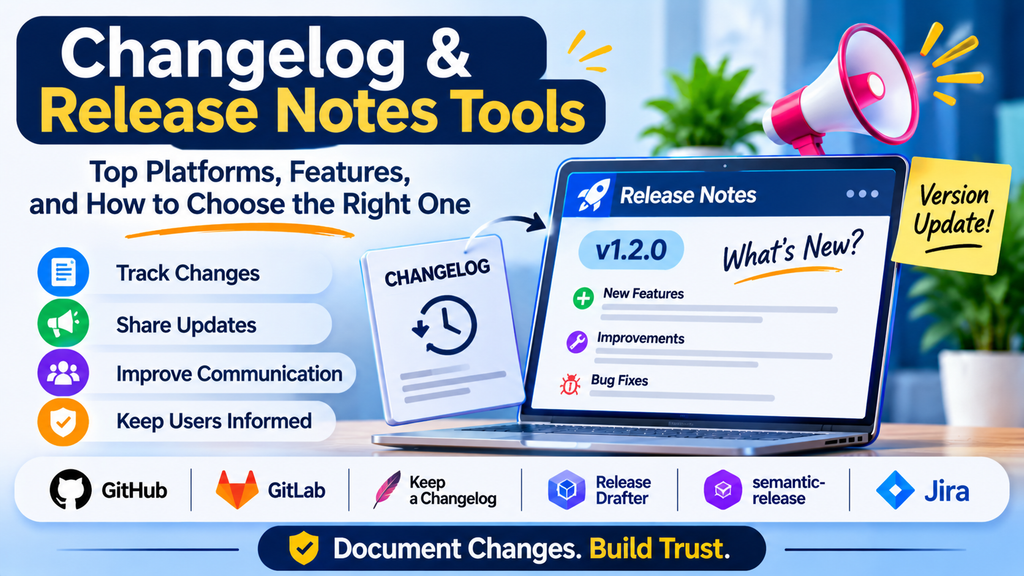
Users need to understand what changes when a product is updated. Developers need reliable records of modifications, while support, marketing, and product teams need clear communication about new capabilities and fixes. Changelog and release notes tools help teams capture, organize, generate, and publish this information.
A changelog typically maintains a historical record of changes. Release notes explain a particular release in language appropriate for its audience.
What Are Changelog and Release Notes Tools?
These tools help teams turn development activity—such as commits, pull requests, issues, and version tags—into organized change records. Some focus on developer-maintained files, while others provide hosted release pages, customer-facing update feeds, or automated release communication.
Why These Tools Matter
- Transparency: Explain what changed between versions.
- Customer communication: Help users discover new features and fixes.
- Developer collaboration: Preserve context about modifications.
- Support efficiency: Reduce confusion about whether an issue has been fixed.
- Release consistency: Standardize communication across teams and products.
Popular Tools and Approaches
1. Keep a Changelog
Keep a Changelog is a widely used changelog format and set of conventions rather than a hosted release-management platform. It encourages clear, human-readable change categories such as Added, Changed, Fixed, and Removed.
Best for: Teams that maintain changelog files in their repositories.
2. GitHub Releases
GitHub Releases connects version tags with release descriptions and downloadable assets. Teams can write notes manually or generate drafts from repository activity.
Best for: Open-source and repository-centered software projects.
3. GitLab Releases
GitLab supports release records associated with repository tags and can integrate release creation with CI/CD workflows.
Best for: Teams that manage code and pipelines in GitLab.
4. Changesets
Changesets helps JavaScript and TypeScript projects document package changes and manage versioning, particularly in monorepositories.
Best for: Libraries and multi-package JavaScript projects.
5. semantic-release
semantic-release automates version determination and release publication based on commit conventions and configured rules.
Best for: Teams that want repeatable, automated releases.
6. Release Drafter
Release Drafter can maintain draft release notes from pull requests and labels, helping teams organize changes before publishing.
Best for: Teams using pull requests as the foundation of their release workflow.
7. Conventional Commits
Conventional Commits defines a commit-message convention that can help tools determine change types and automate versioning or changelog generation.
Best for: Teams standardizing commit messages for automation.
Comparison of Tools
| Tool or approach | Main purpose | Best fit |
|---|---|---|
| Keep a Changelog | Human-readable changelog format | Any repository |
| GitHub Releases | Versioned release pages | GitHub projects |
| GitLab Releases | Release records and pipeline integration | GitLab projects |
| Changesets | Package changes and versioning | JavaScript monorepos |
| semantic-release | Automated versioning and publishing | Convention-driven workflows |
| Release Drafter | Draft release notes | Pull-request workflows |
| Conventional Commits | Structured commit messages | Automated release processes |
Features to Look For
Useful capabilities include version control integration, change categorization, draft review, templates, automated generation, links to issues and pull requests, multi-package support, publishing integrations, and audience-specific formatting.
Automation can save time, but generated notes should still be reviewed. Commit messages alone may not explain the user impact of a change.
How to Choose the Right Tool
- Determine whether you need an internal engineering changelog, a public release page, customer-facing product updates, or automated package publishing.
- Assess compatibility with your repository and versioning conventions.
- Check review requirements and publishing destinations.
- Pilot the tool with a real release and review the generated output.
- Measure time saved and the clarity of the published notes.
For a small project, a maintained Markdown file may be enough. A repository-hosted release page may suit a growing open-source project. A large monorepo may benefit from Changesets, while teams using commit conventions may prefer semantic-release or a similar automation workflow.
Best Practices
- Separate user-facing improvements from internal maintenance details.
- Group changes under consistent headings.
- Link significant changes to issues, pull requests, or documentation.
- Explain impact, limitations, and migration requirements.
- Avoid exposing secrets or sensitive implementation details.
- Review automated notes before publication.
- Keep release notes accessible and searchable.
- Use consistent version numbers across related artifacts and documentation.
Common Challenges
Poor commit messages produce vague release notes. Large releases can overwhelm readers with low-value details, and different teams may use inconsistent terminology. Structured commits, clear labels, templates, and human review can address these problems.
Conclusion
Changelog and release notes tools improve the way teams document software evolution and communicate updates. Keep a Changelog provides a useful format, GitHub and GitLab offer repository-based release pages, and tools such as Changesets, semantic-release, and Release Drafter support different levels of automation.
The right approach balances automation with clarity. Release communication is successful when readers can quickly understand what changed, why it matters, and whether they need to take action.
